Introduction
Selecting the right ticket scanner for events in 2026 can mean the difference between smooth, hassle-free check-ins and long frustrating queues at the gate. Event organizers today face a critical choice between using smartphone-based scanning apps, dedicated handheld barcode scanners, or full turnstile gate systems to verify tickets. Each of these event access control technologies comes with distinct pros, cons, costs, and operational impacts. A 500-person conference might sail through with just a few phones running a ticket scanning app, while a 50,000-attendee festival could demand industrial-grade scanners or RFID turnstiles to keep up with the crowd. This guide draws on real-world lessons learned to compare smartphones vs. scanners vs. turnstiles, helping you choose the best way to scan tickets at events of any size.
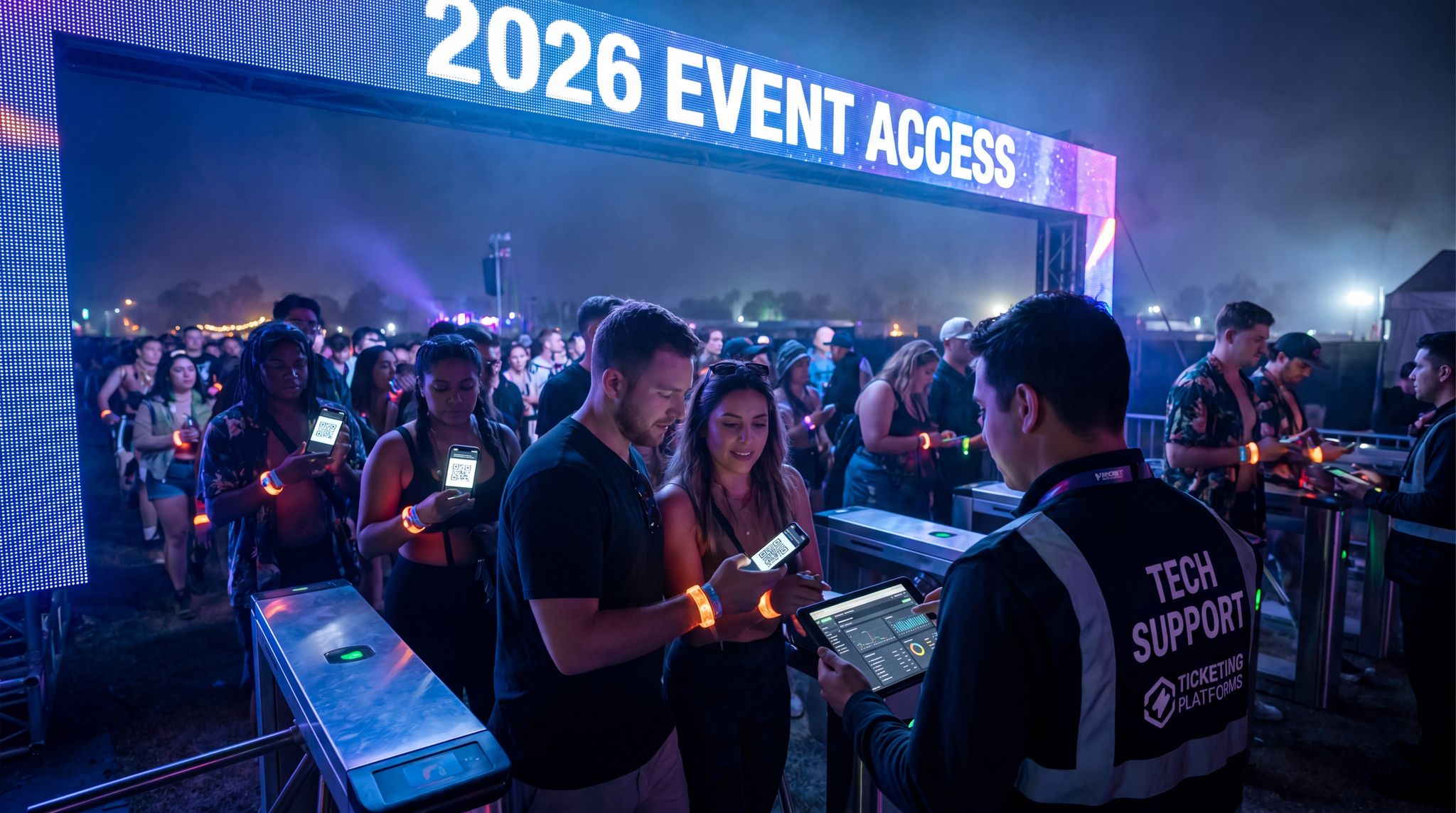
Modern ticketing platforms have made mobile entry easier than ever – most attendees now carry digital tickets on their phones, ready to be scanned. But high-volume entry exposes the limits of consumer devices: phones can struggle to scan under bright sunlight or overheat with continuous use, or drain their batteries just when they’re needed most. On the other hand, purpose-built scanners and gated turnstile systems promise faster, more reliable event entry throughput, often at a significantly higher cost. Organizers must balance budget, venue layout, crowd size, and the desired attendee experience when deciding on an entry system. This comprehensive 2026 tech guide breaks down each option – smartphones, handheld scanners, and turnstiles – with practical insights to improve your entry operations.
Before diving into each method, remember that entry tech doesn’t operate in a vacuum. Your choice should align with your overall ticketing and technology strategy. For instance, the scanning solution you adopt needs to sync with your ticketing platform in real time to prevent bottlenecks or fraud. In fact, experienced event technologists know that admissions hardware and ticketing software must work hand-in-hand – if attendees can’t smoothly validate tickets and enter, nothing else at the event can begin. That’s why top organizers evaluate entry tools as part of the bigger picture, looking at how a modern event ticketing platform supports scanning, integration, and data tracking. (If you’re comparing providers, make sure robust check-in capabilities are among the features that actually matter in an event ticketing platform.) Now, let’s examine each entry tech approach in detail – from the phone in your staff’s hand to the high-tech turnstile gate – and see what real-world performance you can expect.
Smartphone Ticket Scanning Apps
Smartphone ticket scanning apps turn ordinary mobile devices into powerful event ticket validators. In this setup, staff use smartphones or tablets (iOS or Android) running an entry management app connected to your ticketing system. With a quick scan of a QR code or barcode on an attendee’s ticket (often displayed on their phone screen or a printed copy), the app verifies entry and prevents duplicate tickets. By 2026, using smartphones to scan tickets at events has become mainstream – a trend accelerated by the push for contactless, mobile ticketing in recent years. Most major ticketing platforms (including fan-first solutions like Ticket Fairy) offer a dedicated scanning app as part of their service. This means event organizers can often deploy smartphone scanning without any additional hardware expense, aside from the phones or tablets themselves.
Advantages of Smartphone Scanning
- Low Cost & Easy Deployment: Using phones as scanners can dramatically reduce equipment costs. Staff can use their own smartphones or inexpensive devices provided by the event, avoiding the need to buy or rent specialized hardware. For small events and venues, a smartphone-based ticket scanning app is usually the most budget-friendly solution. Deployment is quick – download the app, log in, and you have a functional mobile ticket scanner ready to go in minutes. There are typically no license fees per device (modern platforms often allow unlimited devices), and no special infrastructure needed beyond a Wi-Fi or cellular connection (and even that isn’t a strict requirement, as we’ll see regarding offline mode). This makes smartphone scanning highly scalable on short notice – you can add more scan lines by simply introducing more devices.
- Flexibility and Familiarity: Smartphones offer flexibility in how and where you scan tickets. Staff can roam with a phone in hand, so you’re not tied to a fixed gate – useful for handling VIP entrances, parking lot check-ins, or resolving issues away from a gate. Training is straightforward because the interface is usually user-friendly and similar to common mobile apps. New staff or volunteers can become proficient at scanning with minimal training, often in just a few minutes. The technology feels familiar, which reduces user error: unlike clunky old laser scanners, a phone app provides visual feedback (like a green check or red alert on screen) that even non-technical staff quickly understand. This ease of use means your team can focus on greeting attendees and troubleshooting, not wrestling with complicated devices.
- Real-Time Data and Integration: A huge benefit of app-based scanning is real-time integration with your ticketing system and other tech tools. As each ticket is scanned, the data is instantly recorded – updating entry counts, attendee lists, and analytics dashboards. Organizers can monitor how many people have entered in real time, see which gates are busiest, and even get alerts for VIP arrivals or potential issues (like someone trying to scan a duplicate ticket). Because the scanner app is part of the broader platform, it often ties into your CRM or analytics tools; for instance, the system can automatically update an attendee’s profile when they check in, triggering welcome texts or activating RFID credentials. Integration across systems ensures that access control and ticketing are in sync at all times. If your event tech stack includes marketing features or referral reward programs, a unified scanning app helps capture all that valuable data at the door – data you fully own and can analyze later. This level of connectivity is much harder to achieve with stand-alone scanners that might not communicate instantly with your databases.
- Offline Capability and Reliability: The best smartphone ticket scanner apps offer an offline mode to keep things running if connectivity drops. For example, Ticket Fairy’s scanning app allows continuous offline scanning: if the Wi-Fi at the gate goes down, staff can keep validating tickets and the app will auto-sync once the connection is restored. In practice, this has saved events from entry chaos during network outages. Consider a festival in a remote area – even if cell service is spotty, staff smartphones can still scan attendees’ tickets and later reconcile data when back online. This resilience is crucial; veteran event operations managers always plan for internet dead zones or system hiccups. An offline-capable mobile scan app acts as a safety net, so entry lines keep moving rain or shine, signal or no signal. Additionally, most phones have all-day battery options or can be paired with portable power banks, so with a bit of preparation (charging devices, carrying spares), you can mitigate power concerns.
- Frequent Updates & Innovation: Smartphone apps can be updated regularly with new features, security enhancements, and improvements (often based on feedback from events). This means your scanning tool actually improves over time without having to buy new hardware. For instance, an app update might introduce faster QR code processing or support a new barcode format. In 2026, some mobile scanning apps are integrating AI to improve scan success (e.g., better image recognition for crumpled or curved QR codes on phones) and even adding NFC support – allowing attendees to tap their phone or an NFC wristband on the device for entry. These innovations typically roll out via software updates. In contrast, proprietary scanner hardware might only update annually (if at all) and could require physical servicing to upgrade firmware. Using smartphones ensures you’re always running the latest and greatest entry tech with minimal effort.
Challenges of Smartphone Scanning
- Performance Limitations in Tough Conditions: While smartphone cameras have improved, they can still struggle in less-than-ideal conditions. Bright sunlight, low light at night, or glare on an attendee’s phone screen can slow down scans. Unlike a laser scanner that reads a barcode almost instantly under a red beam, a phone’s camera might take an extra second to focus and decode a QR code in harsh lighting. High-volume event entry exposes these limits: consumer phones may drop frames, miss scans in direct sun, or slow down when hundreds of QR codes are flashed rapidly. In practice, an experienced door manager knows one or two phones might start lagging during a peak rush, especially if the device is older or if the screen gets smudged. Additionally, continuous scanning (camera on, screen at full brightness) for hours can overheat some phones. When a phone overheats or its battery dips below critical levels, it could throttle performance or even shut down. These factors can introduce unpredictable slowdowns at the worst times. While a well-built app mitigates some issues (e.g., using simpler black-and-white scan interfaces for contrast), smartphones generally can’t match the scanning speed and “read” accuracy of a high-end laser scanner in every scenario.
- Device Management and Security: Relying on many smartphones means you need to manage those devices properly. If staff are using their personal phones, you must ensure the app is installed and updated on all of them, and that they’re logged into the correct event. Personal devices might have distractions (calls, messages) – a phone call in the middle of scanning could disrupt the entry flow unless devices are set to Do Not Disturb. There’s also a slight risk of inconsistency: different phone models have different camera quality and screen sizes, so some might scan faster than others, leading to uneven performance across lanes. Security is another consideration; you’re essentially giving staff access to your ticketing system via the app. A role-based access control setup (limiting what front-line staff can see or do in the app) is important for data security. Make sure your platform allows per-user permissions on the scanning app so that a volunteer greeter can’t, for example, accidentally void tickets or see sensitive patron data while using the app. Lost or stolen phones are a risk too – though typically the app requires login and can be remotely signed out. Proper device management policies (like temporary phones for staff or requiring app logouts after the event) can address this, but it’s an extra layer of administration.
- Reliance on Connectivity and Power: Even though good scanning apps provide offline functionality, connectivity is still a concern. If your team isn’t diligent about syncing devices, you could end up with one scanner not recognizing a ticket that was already scanned by another device offline a few minutes ago. For example, if two staff are scanning offline at different gates, the same fraudulent PDF ticket might sneak through both until their devices sync and flag the duplicate. Having periodic sync protocols (e.g., brief stops to reconnect) or a local network at the venue helps. Power management is another practical challenge – phones must be charged and possibly recharged during long events. It’s not unheard of for a staff member to show up with only 20% battery on their phone, which might die right in the middle of doors open. The mitigation strategy here is to issue fully-charged power banks with each device or use devices with extended batteries. Also, using devices in airplane mode (with only Wi-Fi or local network on) can preserve battery and avoid interruptions. These tactics work, but they require planning from the organizer. In contrast, a dedicated scanner often has a swappable high-capacity battery designed for all-day use.
- Scalability Constraints for Huge Events: For very large events (say 50,000 people arriving in a short window), smartphone scanning alone can become labor-intensive. Each phone still needs a human operator, and each has a finite speed per minute. Even with well-trained staff, it’s common to see ~8–10 scans per minute on a phone – which is around 500–600 people per hour per device in real-world conditions. Pushing beyond that consistently is tough if tickets are on phones (due to extra seconds for attendees to pull up the barcode or brightness issues). So if you need to process 10,000 people in one hour, you might require 15–20+ phone scanners operating in parallel. Managing that many devices and staff can be complex. It’s absolutely doable – many large general admission concerts successfully operate with dozens of phone-based scanning lanes. However, at a certain scale, organizers consider mixing in infrastructure like turnstiles or using more rugged scanners to increase throughput. We’ll discuss those options next, but the key point is smartphone scanning works for big crowds, just recognize the manpower needed scales linearly. There isn’t much “automation” beyond what each person+phone can handle, so plan accordingly with enough staffing at peak times. (On the flip side, for small to mid-size events up to a few thousand attendees, smartphone apps have proven more than sufficient, delivering smooth entry without the overhead of heavy equipment.)
- Environmental Risks: Using personal or consumer devices outdoors means dealing with weather and rough handling. Rain is the obvious enemy – touchscreens don’t work well when wet and could even water-damage a phone not rated for weather. Dusty festival grounds are also hazardous for delicate electronics. A rugged case or pouch can offer some protection, but these devices simply aren’t built to be dropped in mud or hammered by rain. There have been cases where staff at a festival had to improvise by covering phone scanners with plastic bags or retreating under tents during a downpour, which slowed entry. If your event is outdoor and weather unpredictable, you may need contingency plans (like quickly switching to printed attendee lists or having a few rugged handheld scanners on standby). Cold weather events present another challenge: phone batteries drain faster in low temperatures, and screens or fingers may not work as well with gloves on. These environmental factors are negligible for indoor, climate-controlled events but must be considered for outdoor festivals or winter events if you’re relying on smartphones at the gate.
Despite these challenges, smartphone scanning remains an incredibly popular and effective option in 2026, especially when paired with a robust platform. Many organizers find that the benefits (low cost, flexibility, real-time data) far outweigh the limitations. Ensuring reliable performance mainly comes down to choosing a proven scanning app and preparing your devices (charging, offline mode testing, etc.) ahead of time. For an added layer of assurance, some events deploy a hybrid approach: using phones as the primary scanners and keeping a couple of dedicated handheld units as backup for high-traffic moments or if a device fails. Next, let’s look at those dedicated scanners in detail – what do they offer beyond what a smartphone can, and at what cost?
Dedicated Handheld Scanners
Dedicated handheld ticket scanners are purpose-built hardware devices designed for scanning barcodes and QR codes (and sometimes NFC/RFID tags) at high speed. These can take the form of rugged PDA-like units with built-in scanners, or scanner “sleds” that attach to a smartphone to give it enterprise-grade scanning capability (for example, a Honeywell or Zebra scanner that an iPhone snaps into, combining the phone’s interface with a laser scanner hardware). Event organizers often either purchase these devices or rent them for large events where reliability and speed are paramount. You’ll see dedicated scanners commonly used in stadiums, arenas, theme parks, and large festivals – any environment where thousands of tickets must be verified quickly under all sorts of conditions. Unlike general smartphones, these devices are engineered for one job: to scan tickets fast and accurately, all day long.
Ready to Sell Tickets?
Create professional event pages with built-in payment processing, marketing tools, and real-time analytics.
Advantages of Dedicated Scanners
- Faster, More Accurate Scanning: Handheld scanners use optimized imaging technology (or lasers) that can read barcodes almost instantaneously, even in challenging conditions. They excel at “point-and-shoot” scanning: just aim the scanner at the ticket (paper or phone screen) and it reads the code in a fraction of a second, usually on the first try. This can significantly boost entry throughput. In practice, a trained staffer with a pro scanner can sustain a higher scans-per-minute rate than with a smartphone. For example, enterprise-grade ticket scanners can comfortably handle 10–15 ticket scans per minute per device in real event conditions. That translates to 600–900 entries per hour through one lane with a single scanner – and this can be maintained consistently, since dedicated units are less prone to slowdowns. The difference is especially noticeable in bright outdoor sun or under stage lighting where phone cameras might struggle – the pro devices still scan reliably. They also have long-range optics for reading tickets from a distance (helpful if attendees hold up their phone ticket a foot or two away). The net result is a smoother, faster entry line, with minimal rescans or errors. At a massive festival gate, shaving even half a second off each scan adds up to thousands more people admitted each hour.
- Rugged and Built for Events: These devices are designed to withstand the physical demands of event environments. They typically come with rugged casings (often IP65+ rated against dust and rain) and can survive drops to concrete. This durability gives peace of mind at outdoor festivals or high-traffic entrances – a dropped scanner is unlikely to break. They also feature high-capacity or swappable batteries that last through lengthy event days. For instance, a scanner might last 10-12 hours of continuous use, and for multi-day festivals staff can swap batteries in seconds instead of having to recharge the whole unit. Some units even allow tethered operation (plugging into power) if needed. This hardware resilience means fewer disruptions due to device issues. Furthermore, dedicated scanners often have physical buttons and ergonomic grips optimized for scanning tickets, which can reduce hand fatigue compared to holding a slim smartphone for hours. In cold or rainy weather, staff can use them with gloves on or in wet conditions without the touch interface failing – a big plus over capacitive phone screens. Essentially, these scanners are purpose-built tools, akin to a professional camera vs. a phone camera – each can do the job, but the pro tool does it more reliably under duress.
- Enterprise Features (Offline and Multi-Format): Many professional scanner systems come with advanced features that help in complex operations. They usually can store ticket data locally if needed – so similar to smartphone apps with offline mode, these scanners can operate offline and later sync, but often with even more robustness (some have built-in local databases or memory caches). They support multiple code formats out-of-the-box: 1D barcodes, 2D barcodes (QR, PDF417, etc.), and sometimes NFC tag reading or even magstripe if tied to older ID cards. This is useful if your event uses multiple credential types (for example, speaker badges with QR codes and attendee wristbands with NFC chips – a top-tier scanner can likely read both). The devices often integrate with access control software through standard interfaces or APIs, so if your ticketing platform is open API–based, connecting a fleet of scanners to it is achievable with the right middleware. In 2026, many scanners run on Android OS under the hood, meaning they can run custom event apps themselves – essentially combining the phone app approach with scanner hardware. This flexibility can turn the device into a full-featured terminal (for check-in, troubleshooting ticket issues, even selling last-minute tickets on-site if there’s a UI for it). Additionally, dedicated scanners usually have robust fraud detection features when paired with their software: they will instantly flag duplicate tickets, invalid barcodes, or entries that don’t match the expected format, often with loud beeps or colored LED indicators that are very visible/audible in a noisy entryway. This helps staff catch problems on the spot.
- High-Volume Throughput and Staffing Efficiency: Because each scanner device can handle a high number of scans per hour even in adverse conditions, you might need fewer total devices (and staff) to achieve the same throughput compared to smartphones. For example, if one handheld scanner can do the work of two smartphone-based lanes in terms of scan speed, an event expecting 10,000 entries in an hour might deploy 8 scanners instead of 15 phones, potentially reducing staffing needs. At stadiums and arena shows, it’s common to see entry staff with scanners efficiently moving crowds through turnstile gates or open lanes at remarkable speed – the hardware isn’t the bottleneck, the pace is often limited only by how fast attendees can walk up and present their ticket. In fact, some large venues pair each entry staffer with a handheld scanner and have a secondary display or headset to receive any alerts from the system (like “ticket invalid” messages), allowing them to process people almost continuously without checking a screen each time. In short, dedicated scanners maximize entry flow when you have the operational muscle to use them effectively. For events with tight door schedules (e.g. a festival where all 20,000 attendees rush in when gates open at noon for the first act), these devices can be the difference between everyone getting in by showtime or having thousands still outside waiting.
- Perceived Professionalism: This may seem minor next to speed and cost, but there is an image factor. At high-end events or venues, using professional handheld scanners can appear more official and organized to attendees. A rugged scanner with a holster and lanyard can signal that the event has invested in proper infrastructure, similar to how seeing walkie-talkies on staff implies a certain level of professionalism. Some VIP or corporate events prefer not to have staff using personal phones at the door, as it might be misconstrued as staff being distracted or on personal business. A uniform set of branded devices can look more controlled. Additionally, dedicated units often have features like visible confirmation lights – for instance, a green light or pleasant tone when a ticket is accepted – which can reassure attendees their ticket is valid and they may proceed. This feedback loop is immediate and obvious, whereas with a smartphone you’re reliant on the staff member to communicate “you’re good to go” or a smaller on-screen indicator. It’s a subtle psychological benefit, but for VIP guest management or premium events, the polish of dedicated scanners can enhance the attendee’s first impression.
Challenges of Dedicated Scanners
- Higher Upfront Costs: The most notable drawback of handheld scanners is cost. Purchasing professional scanning devices can be expensive – units often range from $600–$1,000 USD each for models like Honeywell Captuvo or Zebra handhelds, and that’s before considering if they require a paired smartphone or have their own embedded computer. For instance, a Honeywell Captuvo sled (which attaches to an iPod or iPhone) might retail around $600–£700, and you’d still need the iOS device inside it. All-in-one rugged scanners with built-in Android can run even higher per unit. For a large event needing dozens of scanners, buying hardware outright can easily be a five-figure investment. Many organizers opt to rent scanners instead, which adds to event budgeting. Rental rates could be on the order of $25–$50 per device per day (with some companies requiring minimum quantities or multi-day packages). Over a multi-day festival, renting 20 scanners might run a few thousand dollars. For smaller or infrequent events, it’s hard to justify owning devices that sit idle most of the year. In addition to hardware, some scanner systems come with software licensing fees or support contracts, especially if you’re using a scanning solution provided by a third-party vendor. These hidden costs can add up. The higher cost means dedicated scanners are usually only employed when the expected ROI justifies it – if faster throughput prevents revenue loss or if the event’s scale mandates it. Organizers should calculate the value of time saved at entry (for example, getting attendees in faster means they can start purchasing concessions or merchandise sooner, which might offset the scanning expense). In summary, cost is a barrier, particularly for budget-constrained events; a careful cost-benefit analysis is needed to decide if the investment in scanners makes sense.
- Logistics and Maintenance: Owning or renting specialized hardware introduces new logistical tasks. Devices must be shipped, charged, updated, and managed on-site. If you’re renting, you’ll need to coordinate delivery to the venue on time and ensure they’re returned properly afterward. If purchasing, the devices require storage between events and periodic maintenance (battery replacements, firmware updates, etc.). At the event itself, someone should function as the “tech manager” for scanners – assigning devices to staff, keeping spares on standby, and troubleshooting any hardware glitches. While smartphone apps can be updated over the air quickly, dedicated scanners might need manual updates or configuration to connect with your ticketing system. There’s also the aspect of connecting them: will they use Wi-Fi, cellular SIM cards, or dock to a local server? Setting up a reliable network for scanners is a must, particularly if you have many of them. For a big festival, you might deploy a dedicated Wi-Fi network just for entry scanning devices to ensure they all sync properly. This is an added technical component that requires expertise. And if a device fails or is dropped and actually breaks (though rugged, nothing is indestructible), you’ll need a backup ready – you can’t just run to the nearest electronics store to replace a professional scanner as you could with off-the-shelf phones or tablets. These logistical considerations mean more planning in advance. Seasoned production teams often include a specific checklist item for access control hardware setup and testing in their timelines, allocating hours or days for configuring scanners, whereas smartphone scanning might simply piggyback on the general ticketing system setup.
- Integration and Compatibility: Not all scanner hardware works seamlessly with all ticketing platforms. There’s an integration piece to solve: the scanner needs to know about your ticket database to validate scans. Some ticketing providers have proprietary scanners or recommended models that they natively support; using other devices might involve custom development. For example, if your ticketing software doesn’t have a ready-made app for the Zebra scanner you acquired, you might have to use middleware or an API to bridge them. This can introduce complexity and risk if not thoroughly tested. Moreover, if you use multiple systems (like a ticketing system plus a separate access control system), integration is critical to avoid discrepancies. A cautionary tale some organizers have faced is deploying third-party scanners that weren’t fully in sync with the main ticket sales database – resulting in false negatives (valid tickets rejected) or false positives (invalid tickets accepted) at the gate. Achieving a unified tech stack is essential. Ideally, you want all scanners, whether phones or hardware, hitting the same backend in real time. This might involve working with vendors to ensure compatibility. In 2026, API-first ticketing platforms make this easier by offering open endpoints for scan validation, but older monolithic systems might lock you into their specific scanning solution. Thus, before investing in devices, double-check that your chosen scanner model is supported by your event software or that you have the developer resources to integrate it. Also consider the format of your tickets – if your platform uses encrypted barcodes or rotating QR codes (for anti-fraud), the scanner software needs to handle that encryption and timing. Not all generic scanners can process dynamic codes that change every few seconds; those require tight integration with the ticketing system’s logic.
- Less Flexibility for Unexpected Scenarios: With dedicated scanners, you sometimes lose a bit of the flexibility that smartphones offer. For instance, if a VIP arrives without a ticket or with an issue, a smartphone or tablet can easily be switched from scan mode to search mode (to look up the guest’s name, check them in manually, or even sell them a ticket on the spot if needed). A handheld scanner, on its own, often lacks that full interface. It’s usually just a trigger and maybe a small screen showing basic info (like “OK” or an error code). While some high-end units have mobile OS capabilities, many still require pairing with a companion app on a phone/tablet or connecting to a laptop for doing anything beyond scanning. So staff might end up juggling devices – using the scanner for most people, but pulling out a tablet for problem-solving. This is certainly manageable, but it’s a different flow than an all-in-one app approach. Additionally, consider line management: if you suddenly need to open an extra entry lane due to crowd buildup, with smartphone scanning you could redeploy a staffer with their phone instantly. With dedicated scanners, you’d need to have a spare device ready or pull one from another lane (which you may not have if you optimized quantities tightly). Essentially, scanners are superb at their specific function but can be less adaptable moment-to-moment. That said, many events mitigate this by using a mix (scanners for main lanes, an app on a tablet at the info/solutions desk). It’s just important to plan your workflow so that any contingency that scanners alone can’t handle is covered by some other means.
- Perception and Training: Earlier we noted that pro scanners can convey a sense of professionalism; however, there’s a flip side where overly high-tech entry can intimidate or confuse attendees if not managed well. A bank of scanner-wielding staff plus turnstiles (if combined) might feel impersonal to some guests compared to a friendly person with a simple phone app welcoming them. This is not a technical drawback per se, but event experience designers sometimes consider the human touch at entry. Also, staff training on these devices is a point to consider. While scanning itself is straightforward, staff must learn the specific device’s indications and what to do if something goes wrong (e.g., the scanner beeps differently for a problem ticket vs. a good ticket – do they know the codes?). Training on handheld units might require a dedicated session, whereas mobile apps often come with guided tutorials. If you have high turnover of volunteers or temp staff, ensuring everyone is comfortable with the scanner hardware every event can be a challenge. Most devices aren’t too hard to learn, but any unfamiliar tool can lead to slower use if the person hesitates or isn’t confident. Ensuring every entry staff member is up to speed on the scanners is key – a great device in the hands of an unsure operator might not yield speed improvements. Many event teams solve this by pairing less experienced staff with veterans during ingress, or by having a roaming supervisor who can quickly step in if a staffer is having trouble with a device. A bit of extra training time and clear entry SOPs will usually overcome this, but it’s an area where smartphone apps sometimes have an edge (since almost everyone knows how to use a phone naturally).
In summary, dedicated handheld scanners shine for large-scale and high-stakes entry operations. They bring speed, durability, and consistency that can significantly enhance throughput and reliability for big events. However, they come with a price tag and complexity that smaller events may find hard to justify. The decision often comes down to volume and criticality: if you’re running a 80,000-person stadium show or a 3-day festival, the investment in pro scanners pays off in efficiency and saved headaches. If you’re doing a 500-person theatre show, smartphone scanning is probably more than sufficient. It’s not an all-or-nothing choice either – many events use a mix of scanning tools, which leads us to the big guns of access control: turnstiles.
Turnstile Entry Systems
Turnstiles and gate systems represent a more fixed, automated approach to event entry control. These are the waist-high or full-height gate mechanisms you often see at stadiums, arenas, theme parks, and transit stations – in an event context, they control the flow of attendees by allowing one person through per valid ticket scan or credential read. Modern turnstile systems often incorporate a built-in scanner or RFID reader: the attendee scans their ticket (barcode/QR on paper or phone, or an NFC/RFID wristband) on a reader panel, the system validates it against the database, and if valid, the turnstile arm unlocks to let them pass. If invalid, typically a red light or alert will display and the arm remains locked. Turnstiles provide an automated, high-throughput solution that can operate with minimal staff intervention. In 2026, they are increasingly intelligent – integrating with software to support features like facial recognition fast lanes, capacity counting, and even health checks (some turnstiles were outfitted with temperature scanners during the pandemic, for example). For large venues and mega-events, turnstiles form the backbone of access control, often in combination with the above handheld scanners (e.g., turnstiles for the main entries, handhelds used at VIP or staff entrances, or as mobile backups).
Advantages of Turnstile Systems
- Maximum Throughput & Crowd Flow: Turnstiles can achieve throughputs that far exceed purely manual scanning, because they create a continuous flow at the gate. Once set up, a single turnstile lane can process a steady stream of people with virtually no delay between each person. For instance, in practice a well-designed turnstile gate with an easy tap-and-go RFID reader can allow 20 to 30 people per minute through one lane – that’s easily 1,200–1,800 people per hour per turnstile if demand exists. Even barcode turnstiles (where the attendee has to position a QR code under a scanner) are typically faster than a human doing it, since the system is optimized for quick reads: high-quality scanners, fixed positioning, and no pause for greeting, etc. The key is that multiple turnstiles can operate in parallel with just a couple of staff overseeing, so scaling up for huge crowds is straightforward by adding more lanes. Major stadiums might have dozens or even hundreds of turnstile entries running simultaneously, effortlessly swallowing tens of thousands of ticket-holders in a short timespan. This efficient crowd throughput not only keeps lines short but also improves safety – preventing dangerous crowd build-ups outside gates. It’s no coincidence that turnstiles are favored at sports matches and festival main gates where surges of entry happen in waves. Their capacity to process big volumes “hands-free” is unmatched by any manual scanning approach. For event organizers, this means doors can open later (giving you more preparation time) and still everyone gets in before show start, or conversely, you can handle late-arriving crowds quickly without delaying the event timeline.
- Reduced Staffing and Human Error: Once turnstiles are in place and running, the labor required at the entry can be much lower. Instead of one or two staff per lane actively scanning tickets, you might have a handful of staff monitoring 10 turnstile lanes from behind or assisting attendees who have trouble. Staff at turnstile-equipped entrances serve more as supervisors and helpers rather than the ones individually validating each ticket. This can reduce personnel costs in the long run and also minimizes the impact of human error. With manual scanning, a tired staffer might accidentally double-scan someone or let an unauthorized person slip by if they get distracted. Turnstiles enforce a one-ticket-one-person rule mechanically. The system won’t let two people through on one ticket, and it won’t “forget” to check a credential. It either unlocks or it doesn’t. Thus, security and accuracy are enhanced – anyone without a valid ticket simply can’t enter. It’s a turn-key gatekeeper. Of course, staff still need to be on hand to handle exceptions (like helping someone whose mobile ticket won’t scan, or opening a gate for an ADA attendee with a wheelchair if the turnstile is narrow), but the critical checking function is automated. This can also improve data accuracy: attendance counts are precisely recorded by the software with each turn of the gate, eliminating manual clicker counts or inconsistent headcounts.
- Enhanced Security and Access Control: Turnstiles serve as both a validation device and a physical barrier, which adds a layer of security. They deter people from trying to rush in or tailgate behind someone else. Full-height turnstiles in particular are very effective at preventing unauthorized entry – they essentially create a secure perimeter like a fence, but with controlled entry points. Even half-height turnstiles with sensor barriers can detect if two people try to squeeze through on one scan (some use infrared beams to sense tailgating and trigger an alert). This is essential for events where crowd control and security are top priorities, such as sports events with fierce rival fans, or concerts where gate-crashing could be an issue. Furthermore, turnstile systems often integrate with CCTV and credentialing: when someone scans in, you can have a camera snapshot taken or log exactly who (if it’s a registered ID) entered at that gate and time. In trade shows or VIP events, turnstiles can be combined with ID badges to allow entry only to accredited individuals, serving as a security checkpoint. In the era of heightened security, many venues prefer the peace of mind that a physical barrier provides. It leaves little to chance – if a ticket isn’t valid, the person simply cannot get in. Additionally, some advanced turnstiles support features like facial recognition or biometric validation for even tighter control (for example, certain stadiums have tested systems where season ticket holders can walk up to a gate, a camera recognizes their face, and the turnstile opens – all in seconds, with no ticket presented at all). While biometrics are still emerging in 2026 and raise privacy considerations, the integration of turnstiles with such tech shows how they are a platform for multiple layers of security.
- Hands-Free Convenience for Attendees: A well-implemented turnstile system can streamline the attendee experience. Instead of pausing in front of a staff member and having a brief interaction, attendees simply approach the gate, self-scan, and walk through. Tech-savvy audiences often appreciate this autonomy, as it feels faster and more predictable – they see the gate, they use it, no variability in how a staffer handles it. Especially with RFID wristbands or mobile wallets, the act of entry becomes a quick tap or scan, sometimes without even taking out a phone (if using NFC). For example, festivals using RFID turnstiles have attendees just wave their wristband over a reader while walking, and the gate opens almost instantly. This “frictionless” entry reduces queue anxiety. At large EDM festivals and theme parks, attendees often comment on how fast lines move with automated gates, and how it frees up staff to greet or help rather than perform monotonous scanning. Another plus: turnstile systems can easily display messaging to the attendee as they enter – e.g., a small screen can say “Welcome, Enjoy the Show!” after a successful scan, or indicate if there’s an issue (“See Attendant”). This feedback loop is direct and can be multilingual or use icons, aiding international events or those with accessibility needs. In summary, attendees get in faster and with a self-service feeling, which can boost overall satisfaction at that critical first impression moment.
- Long-Term Efficiency and Multi-Event Use: If your venue or event series has a long-term outlook, investing in turnstiles can be cost-effective over time. While the initial expense is high (we’ll cover that in challenges), once installed, turnstiles can be used for many events year-round with minimal additional cost. Unlike hiring dozens of extra staff for every event or repeatedly renting scanners, a permanent turnstile setup becomes a fixed asset. Over a few years of frequent use, the per-event cost drops significantly. Turnstiles are also relatively low-maintenance once in place: occasional servicing, software updates, and on-site tech support during events are the main ongoing needs. Modern units are built for high-duty cycles (some sports stadium turnstiles handle millions of rotations without major failure). If you operate a venue, turnstiles also add a professional infrastructure that can integrate with your venue’s operations – for example, linking with your venue management system to automatically log attendance numbers, or tying into cashless payment and RFID systems so the same credential that opens a turnstile can also pay for a drink. As cashless and RFID tech become more prevalent, having turnstile entry that doubles as an RFID access point fits into that ecosystem (one wristband to do everything). In festival contexts, some organizers deploy portable turnstile-like gates at the main entrance – these can be rented or provided by RFID vendors. They’re not as heavy-duty as permanent ones, but still deliver a similar benefit for a multi-day event and can be packed up afterward. The point is, if you plan to repeat events or run a venue, the operational efficiency gained from turnstiles compounds over time, potentially saving money and time in the big picture.
Challenges of Turnstile Systems
- Significant Cost and Installation Needs: Turnstile systems are the costliest entry tech option upfront. Installing permanent turnstiles involves purchasing the gate hardware (which can run from a few thousand dollars per lane for basic tripod turnstiles, up to $10,000+ per lane for advanced full-height or biometric models) plus the integration of scanning technology and software. Then there’s construction – you may need to modify entryways to accommodate the gates, run power and network cabling to them, and perhaps install canopies or shelters if they’ll be outdoors (turnstiles exposed to weather often need covering). For a big stadium installation, the project can easily run into hundreds of thousands of dollars when all summed up. Even temporary or rental turnstile setups at festivals come at a premium: you’re essentially renting sophisticated hardware and paying for technicians to deploy it. Rental of a portal entry gate system for a weekend festival might run tens of thousands of dollars depending on how many lanes and the technology involved (especially if RFID is bundled). This is a major budget consideration. It tends to make sense only if the efficiency gains and scale demand are truly there. A mid-size event that could get by with a dozen smartphone scanners would find a full turnstile deployment wildly expensive by comparison. Additionally, installation can be time-consuming. Permanent turnstiles might take days or weeks to install and test. Temporary ones still require hours of setup time pre-event and teardown afterward, plus alignment and testing with the ticketing system. Only events with sufficient lead time and budget can realistically go for turnstiles.
- Less Flexibility and Potential Bottlenecks: Turnstiles, by their nature, create fixed entry points. While they excel at managing flow, they are not easily re-deployed or moved during an event. If something unexpected happens – say one gate malfunctions, or a new crowd control issue forces you to open an alternate entrance – turnstiles can become a bottleneck if not planned properly. People have to funnel into the specific spots where the gates are. In scenarios of emergency egress or when simultaneously handling exits and re-entries (for instance, a festival where people come and go), turnstiles can complicate crowd movement unless you have bypass lanes. Contrast this with a manual scan operation where if needed, staff could flexibly start scanning tickets at a different door or create a new queue on the fly. Turnstiles are rigid. If queue lines back up, you can’t easily speed things up by “adding another body” the way you could by sending more staff with scanners – unless you physically have more turnstile units installed and ready to open. Thus, the system is less forgiving if initial capacity planning is off. There have been cases where a power or network outage took down a whole bank of turnstiles, essentially halting entry until tech crews fixed the issue (hence why backups like handheld scanners should always be on standby to switch to manual mode when needed). Moreover, not all attendees will flow smoothly through turnstiles: people with bulky items, families with small kids, or anyone not familiar with the process might hesitate and slow the line. You still need staff to assist at each cluster of gates, to prevent small hitches from growing into delays. In summary, while turnstiles are great for steady flow, they can also concentrate risk – if one point fails or gets congested, the impact is direct. Good design (ample lanes, redundant systems, and clearly marked procedures) and on-site contingency plans mitigate this, but the inflexibility is a factor to consider.
- Complex Integration and Technical Overhead: A turnstile system is basically an IT project combined with a construction project. The turnstile hardware must integrate seamlessly with your ticket database or credential system. This means either the turnstile vendor provides software that syncs with your ticketing platform via API, or your ticketing provider offers a turnkey turnstile integration. In 2026, many RFID-based festival systems (like those by Intellitix, Evago, or others) come as a package – they issue the wristbands and set up the entry gates that work with those wristbands. If you’re going this route, you may find yourself managing multiple vendors: one for ticket sales (issuing the unique IDs), another for RFID hardware and gate operations, possibly another for network infrastructure. Ensuring all these components talk to each other in real time is non-trivial. Data sync issues can cause entry problems – e.g., if the latest ticket purchase or refund wasn’t updated to the turnstile system, someone might get wrongly rejected or accepted. Thorough testing is essential: walking through test tickets, simulating disconnections, etc. The technical overhead extends to power and network requirements. Turnstiles need consistent power (some have battery backups, but not for long), so generators or reliable mains power must be in place. Networking might involve hardwired Ethernet for stability, or a closed local Wi-Fi mesh. Either way, you need on-site IT expertise to set this up and monitor it. During the event, live monitoring software usually oversees the turnstile status – making sure each lane is active and any errors are flagged. You may even hire specialist technicians to be on standby. All this integration work can be daunting for organizers not used to it. It often requires partnership with experienced providers or hiring consultants who have done it before. Compared to a couple of phones and an app, the difference in complexity is huge. Therefore, only opt for turnstiles when you have confidence in the tech plan (and budget to support it); otherwise, the simpler scanning methods might yield a more worry-free execution.
- Attendee Experience Considerations: While turnstiles can be convenient, they must be designed with attendee experience in mind to avoid frustration. If scanning points or readers on the turnstile are not obvious, attendees might fumble with their tickets. For example, an attendee might not know where exactly to tap their phone or wristband if signage is poor – leading to delays and some embarrassment or confusion. Adequate signage and even “greeter” staff become important to guide people (“hold your phone here, barcode facing up”). Additionally, turnstiles by design allow only one person at a time; this can cause issues for groups trying to stick together. A parent with a small child, for instance, might have trouble getting both through before the gate arm closes. In theme parks, they address this with wider gates or special family lanes. At events, you need accessible gates for wheelchair users or those who can’t go through a turnstile easily – a separate gate that a staff member can open manually with a scan override. All of this means you typically have to design a turnstile installation to cater to various situations: regular attendees, groups, accessibility, VIPs (who might not want to line up), and artists/crew (who often prefer a bypass entrance altogether). Another subtle point: some attendees feel turnstiles are impersonal or “too corporate” for certain events. For an underground music festival or a community event, a bank of turnstiles might clash with the desired vibe, whereas at a championship sports game, it’s totally expected. There’s also the issue of what happens if something goes wrong for the attendee – e.g., their ticket doesn’t scan. With a human scanner, that staffer can immediately assist and make a judgment call or call for help. With a turnstile, the person is stuck at a gate that won’t open, possibly feeling anxious or holding up the people behind them, until a staff member comes. This means staff must be extremely attentive and proactive in monitoring for those red-light scan failures to step in swiftly. So, customer service must evolve around the turnstiles to keep the experience positive. Many events succeed at this by having a mix of automation and personal touch (e.g., floating helpers and a customer service desk nearby for any ticket issues). The bottom line: turnstiles introduce a different flow that attendees must adapt to, so consider the event’s context and provide guidance to make it smooth.
- Limited Use Cases for Smaller Events: Given the costs and complexity, turnstiles simply aren’t practical for small-scale or one-off events. If your event is at a rented venue for a single evening, you likely won’t have the option to install turnstiles. In those cases, handheld solutions reign. Turnstiles make the most sense for venues with permanent infrastructure or for very large festivals where the organizer is willing to invest heavily in entry tech (often as part of an RFID cashless package). There’s also a middle ground like “entry gate systems” that are portable – these are sometimes used at mid-sized festivals where you might get a gate arch with multiple scanning stations that act like a doorway. But those are effectively just nicely organized clusters of handheld scanners or fixed scanners, not true turnstiles with mechanical arms. So, it’s worth emphasizing that turnstiles are a specialized solution. They’re overkill for a 1,000-person event where two entry lines would suffice, and they may be unavailable to you if the venue doesn’t have them and you can’t source a rental. Always match the tool to the scale and frequency of your event. Experienced event producers recommend reserving turnstile systems for crowds in the many tens of thousands or venues where permanent install is feasible – otherwise the ROI might not pan out once you consider all the challenges above. For smaller events, the focus should instead be on optimizing handheld or mobile scanning (e.g., ensuring enough lanes, good signage, etc., which often achieves more than enough speed without the need for gates).
To put the three methods in perspective, let’s compare some key factors side by side. Each approach has its sweet spot and understanding these can guide which is best for your needs:
| Entry Method | Per-Device Throughput (approx) | Initial Hardware Cost | Staff Required | Best Fit Events |
|---|---|---|---|---|
| Smartphone App Scanning | ~600 tickets/hour per device (real-world) | Low – often existing phones/tablets | 1 staff per device | Small to mid-size events; supplemental use at large events; budget-conscious organizers. Flexible for most venues. |
| Handheld Barcode Scanners | ~600–900 tickets/hour per device | Medium/High – $500-$1,000 per scanner (or rental) | 1 staff per device | Mid-size to large events; high-volume entry points; outdoor events needing rugged gear. When speed & reliability are paramount. |
| Turnstile Gate System | ~1,200+ tickets/hour per lane | Very High – $$$ (infrastructure install or premium rental) | 1 staff per multiple lanes (monitoring) | Very large events, stadiums, festivals with 30k+ attendees; venues with permanent needs. Emphasizes automation and security. |
Table: Key comparison of ticket scanning methods for events. Throughput is approximate and can vary based on conditions, but turnstiles clearly enable the highest volume per lane thanks to automation. Cost and staffing also scale with the solution’s complexity.
Go Cashless With RFID Technology
Enable contactless payments, faster entry, and real-time spending analytics with RFID wristbands and NFC-enabled ticketing for your events.
It’s worth noting that these methods are not mutually exclusive. In fact, many large-scale events deploy a hybrid entry strategy. For example, a 3-day festival might use turnstiles at the main entrance for the bulk of attendees, but also have staff with handheld scanners at side entrances or for VIPs and production crew. They might even use smartphone apps for things like artist check-in or volunteer check-in at a separate gate. The key is all these systems should integrate with the central ticket database so that a ticket scanned at a turnstile isn’t mistakenly allowed again at a handheld scanner entrance, and vice versa. With the right platform (preferably an all-in-one event management system that unifies ticketing, access control, and even payments), you can mix and match entry methods confidently. For instance, Ticket Fairy’s platform supports scanning via its mobile app and can also tie into RFID turnstile setups, so festival organizers get the best of both worlds without data silos.
To illustrate how choice might vary by event size and type, here’s a quick guide:
Grow Your Events
Leverage referral marketing, social sharing incentives, and audience insights to sell more tickets.
| Event Scale & Type | Recommended Entry Tech Approach |
|---|---|
| Local Gig / Small Venue (<= 500 people) | Smartphone scanning app is ideal – minimal setup, low cost. One or two phones can handle entry. Dedicated scanners not necessary; turnstiles not practical. Focus on a reliable app with offline mode for bar gigs or community events. |
| Mid-Sized Event (500 – 5,000) | Primarily smartphone apps or a mix of a few handheld scanners for speed. Ensure multiple check-in points (e.g., 4–8 devices) to prevent lines. If outdoors, consider renting a couple of rugged scanners for backup. Turnstiles generally not worth it at this level. |
| Large Concert or Expo (5,000 – 20,000) | Handheld scanners become valuable. Use 10–20 scanners or high-end devices at all main entrances to achieve high throughput. Smartphones can still be used for secondary entrances or as backups. Turnstile rental could be considered if the venue allows, but staffing with scanners usually suffices and offers flexibility. |
| Major Festival or Stadium (20,000+) | Strongly consider turnstile gates or an integrated RFID system if budget permits, given the volume. Combine with handheld scanners at special entries (VIP, ADA lanes, artist/staff entrances). A hybrid approach yields the best efficiency – e.g., turnstiles for GA entry, scanners for edge cases. Also invest in robust network infrastructure. |
| Multi-Day Festival with Re-entry | RFID wristbands with turnstiles or tablet-based gate scanning stations recommended. Re-entry requires fast, automated validation (wristbands excel here). Still keep some handheld units for resolving ticket issues on the fly. Integration is crucial so that all devices and gates know who’s in/out in real time. |
Table: Suggested entry technology by event size. Smaller events lean on smartphone apps, medium events blend in handheld scanners, and the largest events or permanent venues often move up to turnstile systems.
Integration and Operations: Making Entry Tech Work Together
Regardless of which entry method (or combination) you choose, success lies in integration and operational planning. Technology is only as good as the ecosystem around it and the people using it. Here are some key insights and best practices accumulated from events that have implemented these systems:
Unified Systems and Data Sync
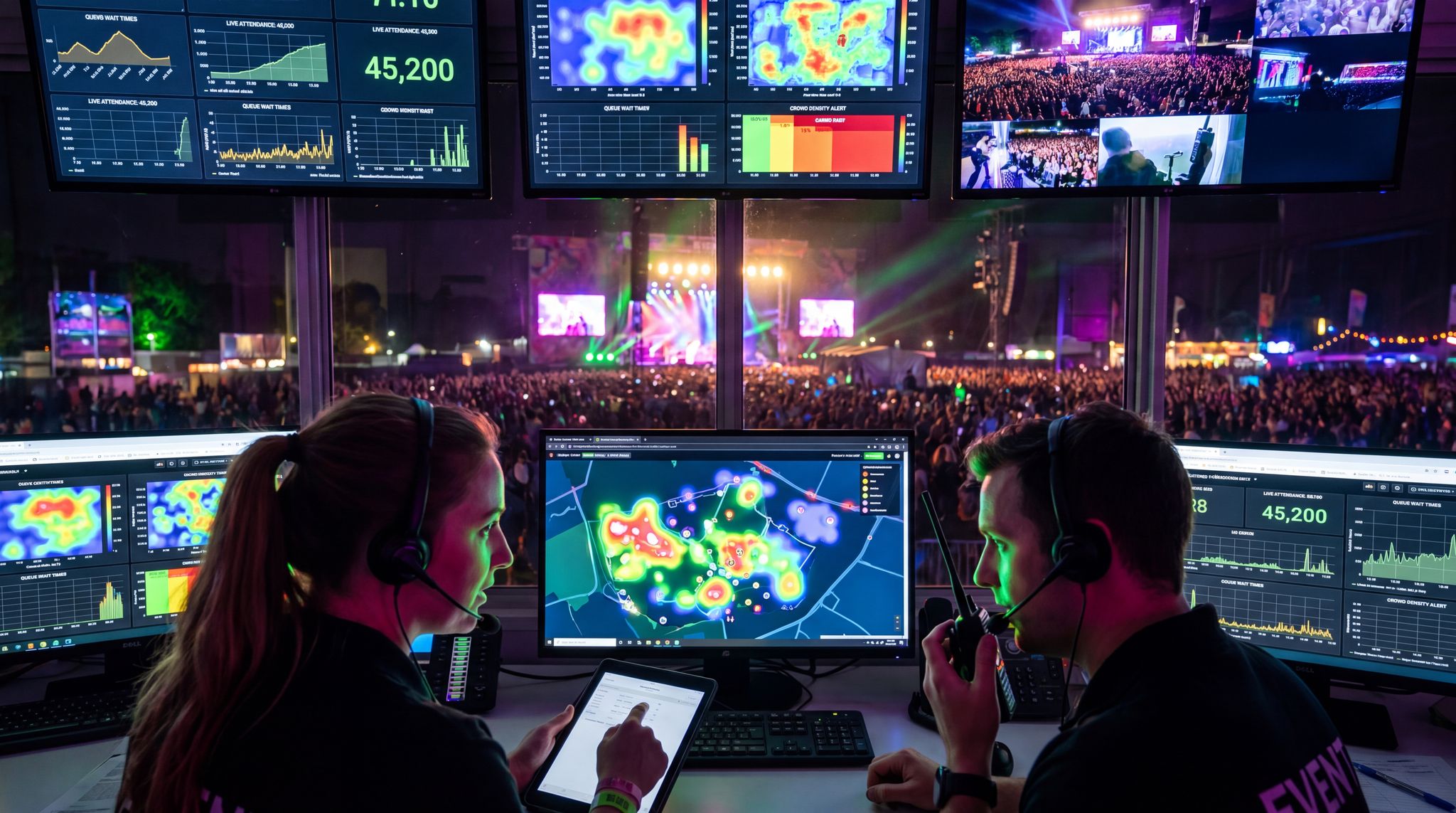
It’s imperative that your ticketing system and entry control system are in lockstep. In an ideal scenario, they are one and the same – for instance, using a ticketing platform that provides native scanning apps or turnstile integrations ensures that all devices pull from a single source of truth. If you are mixing systems (say, an external RFID access control provider with a separate ticketing vendor), invest time early on to integrate via APIs or data import/export, and test thoroughly. Experienced implementation specialists recommend running test entries: load 100 test tickets and try scanning them across all entry devices (phones, scanners, gates) in a sandbox environment to see if any device falls out of sync or misbehaves. Pay extra attention to how offline mode data merges – as mentioned before, offline scanning can introduce a lag in data synchronization, so design your process to mitigate duplicate scans (for example, partitioning entry by zones when offline: each scanner handles a unique range of ticket IDs if possible). If all scanners are online, ensure your venue network can handle the load of dozens of devices pinging the server simultaneously during peak entry. In high-density scenarios, use a dedicated Wi-Fi SSID for entry devices with QoS prioritization, or even better, a wired connection for fixed turnstile units. Integration goes beyond tickets too: consider linking entry data with other systems. Many festivals and venues have started integrating entry scans with real-time dashboards that show crowd flow, trigger staffing adjustments, or feed into emergency management systems. For example, if one gate suddenly scans an abnormally high number of people in a short time, the system could alert security to pay attention to that area for crowd surges. These kinds of insights are only possible if all your scanning points funnel data to a central analytic tool. Modern event operating systems like Ticket Fairy unify ticketing, access control, and even marketing analytics in one platform, making this much easier than trying to cobble together separate products. With unified data, you also retain full ownership of your attendee entry stats (which you can use to demonstrate value to sponsors, optimize future events, etc., using essential real-time tracking data). In contrast, if a third-party controls the gate data and only gives you summaries, you might miss granular insights like entry curves or individual attendance patterns.
When planning a permanent venue upgrade or a massive festival gate, successful turnstile integration with a ticketing system requires careful architectural alignment. The most robust setups utilize open APIs or webhooks to ensure that the moment a ticket is purchased, transferred, or refunded online, the physical gate controller receives the updated credential status. This bidirectional communication prevents bottlenecks caused by delayed data syncs. Venue operators should look for access control middleware that translates the ticketing platform’s digital barcodes or RFID hex codes into the specific relay commands needed to unlock the turnstile’s mechanical arms, ensuring a frictionless, sub-second entry experience for the attendee.
Smooth Entry With Mobile Check-In
Scan tickets and manage entry with our mobile check-in app. Supports photo ID verification, real-time capacity tracking, and multi-gate coordination.
Training Staff and Vendors
Even the best technology will fail if the people operating it aren’t well-prepared. A recurring lesson from successful events is to train your frontline staff and any vendors extensively on the entry system. If you’re using smartphone apps, hold a brief training session before doors open – show how to log in, scan a test ticket, what the success and error indicators look like, and how to handle common issues (like what to do if a ticket shows as invalid – e.g., direct the attendee to a customer service desk rather than hold up the line). Many event teams create a one-page quick guide for staff that they can refer to, summarizing scanning procedures and troubleshooting steps. For handheld scanners, ensure staff know how to reboot the device, change its battery, and interpret its signals (for instance, a scanner might vibrate or blink differently for a duplicate ticket scan vs a valid scan). When turnstiles are in play, staff should be stationed at them well in advance to practice: have them go through the turnstiles themselves using test passes, so they know the timing and can assist attendees smoothly on show day. If you’re working with an external tech vendor (like an RFID gate provider), involve your own team in their training too – don’t rely solely on the vendor’s technicians. The more your team understands the system, the quicker they can respond if something deviates from plan. It’s wise to schedule a full rehearsal of the entry process: for example, the day before the event, simulate an “opening rush” with staff acting as attendees and actually scanning through 50-100 dummy tickets at each gate. This kind of dry run can reveal bottlenecks or confusion points, giving you a chance to correct them (perhaps the scanning app’s font is too small in sunlight, or a turnstile’s angle causes glare on the reader in the afternoon sun – these could be addressed by adjusting settings or adding a canopy). As a rule of thumb, the entry team should feel as comfortable with the tech as they are with the venue layout or the ticket types. That comfort translates into confidence and speed when real attendees arrive. Also ensure non-entry staff (like customer service or box office teams) understand the system so they can resolve issues – e.g., if a ticket isn’t scanning, the box office should quickly verify if it’s legitimate and then perhaps issue a new barcode or credential. Seamless communication between scanning staff and the resolution team (often via radios) is key to not letting small issues create big delays.
Redundancies and Fail-Safes
The best events hope for the best but plan for the worst when it comes to entry technology. Murphy’s Law often strikes at the gate when you least expect it – a network outage, a software bug, a power failure. Building redundancies and backup plans will keep the event running even if problems occur. Here are some battle-tested fail-safes:
– Backup Internet & Power: If your scanners or turnstiles rely on the internet, have a backup connection (a 4G/5G hotspot as a failover, a secondary ISP, or local server that can take over in a pinch). Similarly, if turnstiles are powered, have UPS battery backups or a generator ready to keep them running during an outage. A few minutes of power loss in the middle of a big entry can cause huge queues – don’t let that happen. Some events run critical entry systems on independent power circuits to isolate them from any production power issues.
– Manual Check-In Options: Always have a way to perform check-in manually if all tech fails. This could be a printed attendee list on paper or a spreadsheet on a laptop that is updated periodically. It sounds archaic, but if there’s a catastrophic system failure, you might need to resort to visually checking IDs against a list or scanning tickets with an offline device and trusting the honor system until things come back online. At one festival, when the network went down, staff switched to using walkie-talkies to inform each other of any suspected duplicate ticket issues while they continued scanning offline – a clunky but effective workaround for an hour. If you have turnstiles that become inoperable due to tech failure, have a protocol to “open the gates” – i.e., switch to manual validation by human staff at those lanes, perhaps using handheld scanners or even tearing wristbands as last resort. Rehearse this scenario so staff aren’t caught off guard.
– Spare Devices: If using smartphones or handhelds, have a few spares charged and ready. Devices can get dropped, lost, or unexpectedly glitch out. A box with two or three standby phones/scanners at each major entry point can be a lifesaver – you can swap out a faulty unit in seconds and keep moving. Likewise, spare batteries for handhelds and extra power banks for phones should be on hand. For turnstile setups, consider having a couple of mobile scanners as contingency – if one gate line has an issue, staff can step in front of it with a handheld scanner and manually admit people through until the gate is fixed. It’s about having layers of solutions.
– Staged Entry and Monitoring: Rather than having everyone arrive at once to test your system to the max immediately, some events use a staged entry approach when possible. For example, open doors 30 minutes earlier for VIP or a first small wave of attendees to get an initial load through the system. This early trickle can surface any issues while the crowd is still manageable. By the time the main rush comes, you’ve ironed out kinks. Additionally, assign someone to actively monitor entry data as it happens – if they notice that Gate 4 has processed zero people in the last minute though others are active, they can immediately dispatch a supervisor to check what’s wrong (maybe a scanner froze or a turnstile got stuck). Real-time monitoring of entries per gate (via the ticketing dashboard or a specialized tool) lets you catch problems before they escalate.
– Communication Plan: Ensure all staff at entry know how to communicate issues up the chain. If a scanner displays an unknown error message, staff should know whom to radio or call for tech support. Sometimes problems can be solved in seconds remotely (like an HQ admin quickly re-syncing the system or clearing a device session). A pyramid of communication – frontline to entry supervisor to tech lead – should be in place. And importantly, if an issue is widespread (e.g., all scanners app logged out suddenly), have a procedure to make a quick announcement to waiting attendees or put up a message on screens – keeping people informed can greatly reduce frustration during a short delay. Attendees will be more patient if you clearly announce “Please bear with us, we’re switching to a backup system to get you in as quickly as possible,” rather than leaving them wondering why the line stopped moving.
By blending solid technology with these operational safeguards, events can weather most entry crises. For example, even large festivals have recovered from scanner outages by falling back to offline mode and later reconciling data. The key is planning those contingencies in advance, so both staff and systems are prepared. Many organizers create a detailed access control plan document for each event, covering device setup, staff assignments, backup procedures, and contact lists for support. This kind of preparation is what separates an average entry operation from a next-level one.
Improving Experience and Throughput
Finally, consider the attendee’s perspective continuously. Efficient entry tech isn’t just about hardware – it’s about process and experience design. Here are some tips to get the most out of whichever solution you choose:
– Pre-Event Communication: Encourage attendees to be ready for scanning. If using mobile tickets, ask them to download their tickets to their phone wallets before arriving (Apple Wallet/Google Wallet passes pop up on the lock screen when near the event, which speeds things up). If using an app, prompt them to have the app open and ticket QR code on screen while in line. For physical tickets or PDF printouts, remind them to have the barcode page out and unobstructed. Little prompts like these in a pre-event email or signage as people approach the entrance can significantly reduce fumbling at the gate.
– Fast Lanes and Troubleshooting Lanes: If feasible, segregate those who are ready to go from those who need help. For example, some events designate an “express lane” for people with mobile tickets in hand and no bags (a bit like an airport security fast lane). Those lanes move quicker and incentivize others to get prepared too. Meanwhile, have a clearly marked problem resolution area (or lane) near the entrance but out of the main queue. Staff here can take anyone with a ticket issue (invalid QR, lost ticket, etc.) out of line and resolve it without holding up everyone else. This might simply be a couple of tablets or laptops where staff can look up orders or re-issue tickets. The ability to pull issues aside and keep main lines moving is crucial, and turnstile setups especially benefit from this (since you never want a jam at a gate – just redirect the person to customer service and keep the gate line clear).
– Leverage Tech for Insights: Use the data from your entry tech to iterate and improve. After each event, review the logs: what was the peak entry rate? Did one gate underperform (maybe indicating a device issue or a staffing issue there)? How many duplicates or invalid scans were caught? For instance, you might find that one entrance consistently has slower scans – perhaps that area had bad lighting or the staff there needs more training. Or you might notice lots of people tried to use screenshots of tickets that were voided – a signal to better educate attendees about anti-scalping ticket measures like dynamic QR codes that won’t work if copied. By analyzing these details, you can refine your approach. Maybe you add more signage, or decide to open an extra gate 15 minutes earlier next time to spread out the rush. Continuous improvement is the name of the game, and the technology gives you the metrics to do it. Some advanced use cases: linking entry timestamps with concession sales to see how entry speed influences first-hour food/beverage revenue (venues have found that faster entry equals higher early spend, which is another argument for robust scanning systems). If you notice entry is fully done by a certain time, you might even reduce staff or close some lanes earlier to save costs – but be careful to match that to any late arrivals pattern.
– Combining Entry with Other Innovations: 2026 has seen some novel twists, like self-service kiosks for check-in at conferences and facial recognition trials. While those are beyond our current scope, be aware that whichever basic scanning method you deploy, it can often be complemented by newer tech. A great example is using RFID wristbands not just for entry but also for cashless payments inside the event. If you go that route (particularly popular with turnstile setups at festivals), you improve entry and on-site spending together. Or consider badge printing kiosks for conferences: attendees scan a QR at a kiosk to print their name badge, which also serves as their pass – a variant of the scanning flow that can offload work from your human staff. The takeaway is that entry tech is part of a larger ecosystem of event technology. As you plan, think holistically about how the choice of entry method impacts other facets: security, attendee satisfaction, data collection, and even marketing opportunities. For instance, a fast, digital entry means you could send a welcome push notification the moment someone walks in (because the system knows they just scanned in) – a nice engagement touch that’s only possible if your entry system is integrated and digital.
Choosing the Right Solution for Your Event
With a clear understanding of smartphones, scanners, and turnstiles, how do you decide which ticket scanning approach is the best way to scan tickets at events for your particular case? The decision boils down to matching the technology to your event’s scale, budget, and objectives. Here’s a concise framework to help make that choice:
- Assess Your Crowd Size and Entry Rate Needs: Determine the maximum throughput you’ll need. If you have a small event (hundreds of attendees arriving over an hour or two), smartphone apps will almost always suffice. If you have tens of thousands coming in a short window, you’ll likely benefit from the speed of dedicated scanners or turnstiles. Consider the arrival pattern: is it all at once (like doors open for a concert) or staggered (like a conference where people trickle in throughout the morning)? High concentration arrival calls for beefier tech. Remember, you can also split crowds – e.g., at a 20,000-person event, maybe 5k are VIP/early access who arrive earlier and can be handled with fewer devices, then the remaining 15k come later requiring the heavy lifting. Make sure your plan covers the largest surge.
- Consider Venue Infrastructure & Constraints: If you’re in a fixed venue, what does it support? Some venues already have turnstile infrastructure or at least stanchions for entry lines, others are basic and rely on the organizer to set up everything. Also, check the connectivity: an underground club with no cell service might pose problems for smartphone scanning unless you have offline mode or local Wi-Fi; a stadium with robust Wi-Fi 6 might easily handle dozens of devices online. Physical layout matters too – narrow entryways might not accommodate large turnstile setups; wide festival gates could. Venues often have policies on what can be installed or attached – early communication with venue management is important if you plan to bring in unusual equipment or need to mount scanners, etc.
- Budget and ROI: Cost can be the deciding factor. Draw up a quick budget for each approach: e.g., “Using smartphones we need 10 devices – we already have 5 iPads, maybe buy 5 more low-cost Android phones = $1,500 total. Using pro scanners we’d rent 10 at $50/day for 2 days = $1,000, plus possibly software fees. Turnstiles from an RFID vendor might be a $20,000 package.” It quickly becomes clear which options are within reach. However, weigh cost against potential revenue impacts. If spending $5,000 on entry tech prevents a scenario where 2,000 people are stuck outside missing the first act (and possibly demanding refunds or hurting your reputation), then it’s money well spent. Also, think long-term: if this event is the first of many, investing in hardware might pay off over multiple editions. If it’s one-off, lean toward renting or using what you have. Ticket Fairy’s capital program even helps some organizers by providing upfront funding for production costs like equipment rental – financing options can ease the budget pinch if a better tech solution will drive attendee satisfaction and sales. The goal is to choose a solution that is cost-effective and protects the attendee experience.
- Integration with Ticketing Platform: Make sure whichever method you choose will play nicely with your ticketing/back-end. If you’re already using a modern, API-first ticketing platform like Ticket Fairy, you have flexibility – you can use their app, or integrate scanners, or use RFID through their partners. If your current ticketing platform has a proprietary scanner and you’re not happy with it, that might even motivate a switch to a more open system that lets you use off-the-shelf devices. Factor in how easy it is to set up the method: using the built-in tools of a platform is usually simplest. If you find yourself needing to hire developers to integrate turnstiles, ensure that timeline and cost is justified. The tech architecture (monolithic vs. modular) of your ticketing solution can either enable or limit your choices. Savvy event organizers often prefer solutions that don’t lock them in – e.g., being able to use any Android phone or a variety of scanners with the system. This can also influence future growth, like if next year you scale up to more gates, will your system support adding 2x more devices easily?
- Attendee Demographics and Expectations: Know your audience. Younger, tech-friendly crowds might adapt easily to mobile-only entry or even facial recognition in the future; older or less tech-savvy attendees might appreciate a human helping them or more straightforward methods. If your event caters to VIPs or corporate clients, they might expect a white-glove arrival with staff greeting by name (which implies a personal touch, possibly using handheld scanners or tablets where staff can see names). A general admission festival crowd is fine being herded through turnstiles if it means quicker access to the show. If you sold a lot of tickets at the door or last minute at the venue, ensure your entry tech can handle on-site sales or pickups (smartphone apps often can scan a QR from a ticket confirmation email, etc., but turnstiles wouldn’t know about a sale made 1 minute ago unless the system updates instantly). Also consider accessibility needs: events with families or older attendees might need more human-assisted lanes; youthful crowds may go all-digital with few hiccups.
- Future Growth and Feature Needs: Think about what else you might want from the entry system. If you plan to implement cashless payments, experiential activations, or multi-day passes, RFID wristbands and turnstiles (or at least NFC scanning) might be appealing because they stay on the person and can be used for multiple purposes. If anti-scalping and fraud prevention is a major concern (maybe your event has high ticket resale risks), using a system with dynamic barcodes or ID verification at entry could sway you toward certain tech. For example, smartphone apps can easily scan an ID or use facial recognition if built in, whereas turnstiles alone can’t – you’d need a hybrid approach for that (like staff visually checking IDs alongside scanning). If data ownership and marketing are priorities, ensure the method you choose feeds data into your CRM. Some platforms like Ticket Fairy emphasize giving organizers full access to data (so you can see exactly who entered when, and even build marketing segments from that info using real-time tracking data). Don’t choose a closed entry system that doesn’t let you leverage your own attendee data or requires attendees to use some third-party app that doesn’t share information.
- Test and Iterate: If uncertain, start small or do a pilot at a lower-stakes event. For instance, try using just smartphone scanning at a smaller show before rolling it out to your big festival. Or if intrigued by turnstiles, maybe test them at one gate or day of the festival while running traditional scanning at others, then compare results. Collect feedback from staff and attendees: Was the entry smooth? Were there complaints? Each event can teach you and help refine the strategy for the next. Over time, you may find the optimal mix, such as “Phones for under 5k, scanners from 5k-20k, turnstiles beyond that,” or whatever fits your niche. And stay updated: the tech is always evolving. By 2027-2028, we may see more biometrics or decentralized ticket verification (like blockchain-based tickets where validation is independent of centralized scanners). But fundamentally, the principles of throughput, cost, and user experience will remain your guiding stars.
In conclusion, there’s no one-size-fits-all answer in the smartphones vs. scanners vs. turnstiles debate. Each method has proven its worth in the right context. Progressive event organizers worldwide are adopting a mix-and-match mindset – choosing the right tool for each job, sometimes within the same event. What’s crucial is to build on a solid ticketing platform foundation that supports these technologies seamlessly. That allows you to pivot as needed: maybe start with phone scanning and add handheld scanners as your event grows, or integrate turnstiles when you move to a bigger venue, all without overhauling your backend. Companies like Ticket Fairy, for instance, focus on an all-encompassing solution (ticketing, marketing, referral programs, entry management, cashless payments, etc.) so that your tech stack can scale with you, and you’re not stuck in a monolithic system that can’t adapt. By focusing on the fan experience – quick entry, fair ticketing (no bogus duplicates or scalped fakes), and seamless integrations – you not only avoid entry gate nightmares but also build trust with your attendees from the first moment they step in. After all, an event’s success often starts at the gate: get them in happily and the stage is set for a great experience inside.
Frequently Asked Questions
What is a dedicated handheld ticket scanner?
A dedicated handheld ticket scanner is a purpose-built hardware device designed to read barcodes, QR codes, and NFC tags at high speeds. These rugged, PDA-like units feature optimized imaging technology and long-lasting batteries, allowing staff to quickly process 600 to 900 event attendees per hour in challenging outdoor conditions.
Which ticket scanning method is best for small events?
Smartphone ticket scanning apps are the most budget-friendly and efficient solution for small events with under 500 attendees. Staff can simply download an entry management app onto their own iOS or Android devices, enabling quick deployment and real-time data tracking without the need to purchase expensive specialized scanning hardware.
How many tickets can a turnstile scan per hour?
A single automated turnstile gate can process between 1,200 and 1,800 tickets per hour. By utilizing tap-and-go RFID readers or high-speed barcode scanners, turnstiles allow 20 to 30 people to enter per minute, making them the highest-throughput access control solution for massive stadiums and large-scale music festivals.
How do you scan event tickets without an internet connection?
Event staff can scan tickets offline using mobile scanning apps or dedicated handheld devices equipped with local data storage. These offline-capable scanners continuously validate downloaded ticket databases during network outages and automatically sync entry data with the main ticketing platform once the Wi-Fi or cellular connection is restored.
How much does it cost to rent or buy professional event ticket scanners?
Purchasing professional handheld ticket scanners typically costs between $600 and $1,000 per device for enterprise-grade models from brands like Honeywell or Zebra. Alternatively, event organizers can rent these rugged scanning units for approximately $25 to $50 per device per day, reducing upfront hardware investments for short-term festivals.
Why do large music festivals use turnstile entry systems?
Large music festivals deploy turnstile entry systems to maximize crowd throughput, enhance physical security, and reduce manual staffing requirements. Turnstiles mechanically enforce a one-ticket-one-person rule, preventing unauthorized tailgating while effortlessly processing tens of thousands of attendees using automated RFID wristband taps or rapid barcode scans.
What is the difference between smartphone scanning apps and dedicated barcode scanners?
Smartphone scanning apps offer a low-cost, flexible entry solution utilizing consumer device cameras, while dedicated barcode scanners provide rugged, purpose-built hardware utilizing laser or optimized imaging technology. Dedicated scanners process tickets faster in harsh lighting and extreme weather, whereas smartphones remain highly adaptable but risk overheating during continuous high-volume use.
How do event organizers handle broken ticket scanners or network outages?
Event organizers mitigate scanning failures by deploying backup internet hotspots, maintaining spare charged devices at every gate, and utilizing offline-capable scanning software. If all technology fails, staff switch to manual check-in protocols using printed attendee lists or visually verifying tickets to keep entry lines moving safely.
How fast can a smartphone app scan event tickets?
A well-trained staff member using a smartphone ticket scanning app can process approximately 8 to 10 scans per minute. This translates to a real-world throughput of 500 to 600 attendees per hour per device, provided the phone camera does not struggle with screen glare or bright outdoor sunlight.
What is a unified event ticketing and access control system?
A unified event ticketing system integrates ticket sales, access control hardware, and attendee data into a single centralized platform. This seamless synchronization ensures that smartphone apps, handheld scanners, and turnstiles all reference the same real-time database, preventing fraudulent duplicate scans and providing organizers with accurate live attendance analytics.
How can event organizers speed up the ticket scanning process at the gate?
Organizers accelerate entry by instructing attendees to download digital tickets to mobile wallets before arrival and creating dedicated express lanes for prepared guests. Additionally, establishing separate troubleshooting desks for invalid tickets prevents problematic scans from blocking main turnstiles or handheld scanning lines during peak arrival surges.
Can smartphone ticket scanners work in bright outdoor sunlight?
Consumer smartphone cameras often struggle to focus on and decode QR codes in bright outdoor sunlight or heavy glare. High-volume continuous scanning in these harsh environmental conditions can cause mobile devices to drop frames, slow down, or overheat, making rugged laser scanners a more reliable choice for daytime outdoor festivals.
What is a hybrid event entry strategy?
A hybrid event entry strategy combines multiple access control technologies to optimize crowd flow across different venue areas. For example, a massive festival might deploy high-throughput automated turnstiles at the main general admission gates while utilizing flexible smartphone apps or handheld scanners for VIP entrances, ADA lanes, and staff check-ins.
How does turnstile integration with a ticketing system work?
Turnstile integration with a ticketing system relies on an API or middleware that connects the physical gate hardware to your digital ticket database. When an attendee scans their barcode or RFID wristband at the gate, the reader sends the credential data to the ticketing platform in real time. If the ticket is valid, the software instantly sends a relay command back to the turnstile to unlock the mechanical arm. This seamless synchronization is crucial for preventing fraud, managing capacity, and ensuring high-speed crowd throughput.