Off-Grid Event Infrastructure in 2026: Power & Connectivity Solutions for Remote Venues
Remote mountaintops, desert flats, deep forests – the allure of unique event locations is stronger than ever. But planning a festival miles from the nearest power line or cell tower comes with intense technical challenges. This hands-on guide shows event organizers how to establish rock-solid power and internet connectivity off the grid. From deploying generators and temporary power grids to setting up satellite broadband and portable cell networks, we’ll explore proven strategies (and backup plans) to keep your ticketing, POS, streaming, and communications running smoothly anywhere on Earth.
Off-Grid Events: A New Frontier for Event Organizers
Unique Remote Venues on the Rise
The year 2026 has seen an explosion of events in remote and unconventional venues. Festivals are popping up on desert playa, alpine meadows, and rural farmlands, driven by fans’ appetite for unique experiences. Organizers are embracing off-grid locations to create one-of-a-kind atmospheres free from urban constraints. Iconic examples like Burning Man in Nevada’s Black Rock Desert and AfrikaBurn in South Africa’s Tankwa Karoo exemplify this trend – entire temporary cities built in barren terrain. Even mid-sized music festivals and retreats are venturing further off the beaten path, from mountaintop concerts to forest raves. These environments offer breathtaking settings and creative freedom, but they lack the basic infrastructure that permanent venues take for granted.
Infrastructure Challenges in the Wild
Staging an event in a remote location means starting from scratch on infrastructure. There’s often no electrical grid, no wired internet, and weak or nonexistent cellular coverage. Roads may be primitive, and weather can be extreme (scorching sun, wind storms, or cold nights). Organizers must bring in everything from power generators and lighting to water, sanitation, and communications. Unexpected hurdles abound: diesel generators struggling in high-altitude thin air, dust clogging equipment, or wide-open sites with zero wireless coverage. Without careful planning, critical systems can fail spectacularly – imagine ticket scanners or cash registers dying with no connectivity, or a headline act plunging into darkness due to a generator outage. Remote festival case studies have shown both triumphs and disasters. Some off-grid festivals have overcome zero-connectivity environments by relying on radio networks, case studies of remote off-grid festival sites have shown how offline ticketing systems, cashless tech, and old-school wayfinding keep operations running. Others learned the hard way that you can’t just “hope for the best” with essential tech off-grid. The stakes are high: if power or networks go down, the entire event grinds to a halt. A remote site can’t call the local utility company to bail you out – you are the utility company.
Planning Ahead for Off-Grid Success
Experienced event producers know that success off-grid comes from meticulous planning and redundancy. In the early concept phase, organizers should treat power and connectivity as foundational pillars of the event, equal to booking talent or marketing. “Treat connectivity as infrastructure” is the mantra of veteran producers who prioritize satellite mesh networking for festival connectivity – you must plan your event’s networks with the same importance as staging or water supply. Before tickets go on sale, conduct site recon: identify any existing resources (Is there any mains power nearby? A cell tower on a distant hill? Or truly nothing at all?). Evaluate access roads for fuel trucks and equipment. If the local terrain or community imposes constraints (noise curfews, environmental protections), factor those in early. Crucially, budget realistically for these needs. Power and communications can consume 10–20% of an off-grid event’s production budget once you account for equipment rental, fuel, towers, and specialists. Cutting corners here is courting disaster – if you can’t guarantee electricity and critical connectivity, nothing else matters.
Planning & Preparation for Remote Venues
Site Surveys and Needs Assessment
Every off-grid event plan starts with a thorough site survey. Visit the location well in advance with a technical team. Map out the festival grounds and mark potential spots for generators, fuel storage, and network equipment where they won’t flood or interfere with attendee areas. Measure distances for power cable runs and note elevation changes that could affect signal line-of-sight. Identify any natural features that could be assets or liabilities – a hilltop might serve as a microwave radio relay point, whereas dense tree cover could block satellite signals. It’s also vital to assess power needs per area: stages with heavy sound and lighting rigs, food vendor zones needing refrigeration, camping areas needing minimal lighting, etc. Create a power needs spreadsheet for each location on the site and sum up peak loads (more on calculating load in the power section below). Likewise, map out connectivity needs: Will the event require a Wi-Fi network for staff or attendees? How many devices (scanners, POS terminals, staff phones) must stay connected? Early assessment prevents scrambling later – you’ll know exactly what infrastructure you need to import.
Permits, Policies, and Local Support
Remote doesn’t mean lawless. Securing permits and local cooperation is an essential part of preparation. Many off-grid sites are under jurisdiction of counties, forestry services, or private landowners. You’ll likely need permits for temporary electrical generation, and possibly radio spectrum licenses if using certain communication frequencies. Fire authorities may require safety plans for fuel storage and electrical wiring. In some countries, stringent regulations like the UK’s BS 7909 code (for temporary electrical systems) apply – meaning you must have certified electricians design and sign off on your power setup. Early engagement with local authorities and communities can also unlock support: a regional telecom might be willing to deploy a cell tower on wheels if asked in advance, or a local generator rental firm might provide on-site technicians for troubleshooting. Include local emergency services in planning too – in a remote area, medical evacuations or security incidents require clear communication channels (some events even station a satellite phone with first responders as a backup). By showing regulators and stakeholders that you have robust infrastructure plans (with backups), you build trust that your event won’t turn into a crisis they have to manage.
Partnering with Specialized Vendors
Off-grid events are not a DIY job for amateurs – partner with experienced vendors who specialize in remote site services. Look for event power companies with a track record at festivals or construction sites off-grid; they can advise on generator sizing, distribution, and fuel scheduling. For connectivity, there are now providers that offer event-specific internet solutions, from satellite broadband kits to microwave link services. For example, companies will rent you a Starlink dish and ruggedized Wi-Fi routers packaged for festival use, or telecom carriers might loan a portable cellular tower. Vet vendors carefully: request case studies of similar remote events they’ve serviced. Ensure all contractors understand the terrain and 24/7 demands of festival work (generators can’t be shut off at 10pm!). If your event uses multiple tech vendors (ticketing, RFID cashless, mobile app, etc.), coordinate them early to verify their systems can function with intermittent connectivity or offline. A seamless off-grid event often requires a collaborative ecosystem of tech partners to manage cellular capacity at festivals and ensure carriers, COWs, and DAS keep everything running. Managing many vendors can be complex, so designate a “systems architect” or technology lead on your team to align power, networking, and software from day one. This prevents finger-pointing later – you’ll have a single integrator ensuring that all systems (from the scanning app to the streaming encoder) work in harmony under the unique constraints of your venue.
When evaluating infrastructure for events, organizers often ask which satellite infrastructure vendors are best known for reliable live event contributions from remote locations. While Starlink has dominated the consumer and prosumer market, enterprise-grade event technology infrastructure often relies on established VSAT and bonded cellular providers like LiveU, Teradek, and specialized maritime or military satellite operators (such as Inmarsat or Viasat) for guaranteed broadcast-quality uplinks. Partnering with these specialized vendors ensures your production team has the dedicated bandwidth necessary for high-stakes live streaming and global broadcasts.
Budgeting for Power & Connectivity
It’s critical to budget for the full costs of off-grid infrastructure. Line items should include generator rental (often multiple units), fuel (diesel or alternative) for the entire event plus spare, electrical distribution gear (cables, distribution boards, transformers), technicians/electricians, and contingency for emergency repairs. Similarly, connectivity budget covers internet equipment (satellite dish kit rental or purchase, antennas, routers), any fees for bandwidth (satellite service subscription or data packages), tower rentals or telecom fees, and IT staff on-site. Don’t forget backup equipment in the budget – spare networking hardware, a standby generator, UPS units, etc. A realistic budget might allocate tens of thousands of dollars for infrastructure at a mid-sized remote festival. For instance, renting a 100 kVA generator for a weekend can run in the low thousands of dollars (plus fuel), and a professional satellite internet rig might be a few hundred dollars per day. While these costs are significant, they pale in comparison to the losses if your event fails. Veteran organizers view backup generators and redundant links as cheap insurance – a few thousand upfront can save hundreds of thousands by implementing backup plans to keep venues running. Use ROI thinking: ensuring reliable power and connectivity directly protects your ticket revenue, vendor sales, and brand reputation. In sponsorship discussions, you might even highlight these investments (“we have redundant satellite links, so your livestream will be rock solid”) as a value-add.
Deploying Reliable Power Off the Grid
Calculating Power Requirements
Designing an off-grid power system starts with knowing your load. List every electrical device and system at your event and their power draw, then determine peak and average consumption. Stages are usually the biggest consumers – a single stage’s sound system and lighting rig can demand hundreds of kilowatts during a show. For example, a medium festival main stage might have 200kW of moving lights and LED screens plus 50kW of audio amplifiers. Vendor and operations areas also add up: dozens of food stalls with fridges and fryers (each needing a few kW), plus site lighting, security scanners, and production trailers running A/C and computers. Don’t forget campsite and amenity power if provided (charging stations, shower lights, etc.). Once tallied, apply a safety margin (commonly +20-30%) to handle surges or additional gear that shows up. It’s often useful to break loads into tiers: critical vs. non-critical. Critical systems (stage audio, emergency lighting, ticketing systems) demand the most reliable power, possibly even separate backup units. Non-critical (say, decorative lighting or artist lounges) might tolerate brief outages or be shed if capacity runs low. This prioritization guides how you distribute loads across generators.
Go Cashless With RFID Technology
Enable contactless payments, faster entry, and real-time spending analytics with RFID wristbands and NFC-enabled ticketing for your events.
Generator Selection and Sizing
For most remote events, diesel generators are the workhorse providing the bulk of power. They come in various sizes – from portable 5 kW units up to massive 500+ kW trailer-mounted gensets. The key is choosing the right size and quantity to meet your calculated loads efficiently. A common mistake is underestimating needs and ending up with overloaded generators (risking outages), or conversely renting one huge generator running at only 20% load (wasting fuel and risking wet-stacking issues with diesel engines). Instead, power experts often deploy multiple generators strategically: for example, three 100 kW units rather than one 300 kW, allowing better load balancing and redundancy. One generator can handle stages, another for vendors and site ops, etc., with some capacity headroom on each. Modern generator sets can also sync and load-share in a paralleled configuration – useful if you expect the power draw to ramp up and down significantly (one generator can run during low load times, with a second automatically kicking in for peak periods). Ensure generators are rated for continuous duty and have good frequency/voltage regulation to keep sensitive electronics (like LED walls or IT gear) safe. In remote or eco-sensitive areas, also inquire about noise-reduced and emissions-optimized models. Many providers offer generator units with sound attenuation (critical if you have nearby campers or wildlife) and engines tuned for low emissions or even running on biodiesel.
Temporary Power Distribution & Site Grid
Generators alone are not enough – you need a robust temporary electrical grid across your site. This involves miles of cabling, distribution boards, and transformers (if stepping down voltage) to safely deliver power everywhere it’s needed. Plan distribution routes to minimize voltage drop (heavy-duty cables for long runs) and avoid trip hazards by routing cables along fences or burying them in cable ramps across high-traffic areas. At each major zone (stage, vendor row, camping), distribution boxes with breakers allow you to split power to individual circuits. It’s wise to over-spec cables and connectors for outdoor use – e.g. using weatherproof, heavy gauge cables and professional CEEform connectors or cam-lock systems that handle rain, mud, and high current. Label all cables and panels clearly so that any issues can be quickly traced. Grounding (earthing) is paramount: drive grounding rods for each generator and bond the distribution system to prevent dangerous potentials. For safe operations, only qualified electricians or power techs should tie-in and manage the distro – temporary event power, if done wrong, can be deadly. In fact, following standards like BS 7909 (in the UK) or NFPA 70 (US NEC) for temporary electrical systems is recommended to ensure safety and code compliance. A well-designed site grid will have the flexibility to reroute power if a cable gets damaged or a generator goes down – e.g. neighboring circuits that can be bridged in an emergency. Essentially, you’re building a mini-utility network for a small city; give it the engineering attention it deserves.
Fuel Management and Logistics
Running megawatts of generation for multiple days means burning a lot of fuel. Diesel (or whatever fuel your generators use) must be sourced, delivered, stored, and consumed safely. Estimating fuel needs is straightforward once you know generator sizes and expected load: most diesel gensets consume between 0.2 to 0.4 liters per kWh produced (depending on load and efficiency). So an event drawing an average of 200 kW over 24 hours will use roughly 1,000–2,000 liters per day. Always err on the high side and arrange for extra – running out of fuel would be an embarrassing failure. On-site fuel storage should follow safety guidelines: use double-walled tanks or certified fuel bowsers, placed away from crowds and with spill containment (berms or trays) in case of leaks. Have fire extinguishers and trained staff on hand whenever refueling occurs. It’s smart to schedule refuels during low-activity times (early morning) to minimize risk and disruption. With multiple generators, a rolling refuel schedule ensures each unit gets topped up well before it’s near empty – never let a generator run completely dry, as airlocks can complicate restarting. Fuel delivery to remote areas can be tricky; some festivals partner with local suppliers who bring tankers on-site, while others might need to shuttle fuel in using 4×4 trucks if terrain is rough. Maintain a fuel log to track consumption and detect any anomalies (like a sudden spike indicating a possible leak or theft). In extreme environments (desert heat or alpine cold), note that fuel performance can vary – e.g. diesel can gel in cold, so use additives or heaters if nights drop below freezing. Also consider alternative fuels if available: some events now use HVO (Hydrotreated Vegetable Oil), a renewable diesel substitute, which can cut carbon emissions without requiring generator modifications, as seen when Aggreko provided power to Glastonbury Music Festival. Whatever the fuel, treating it as a mission-critical resource – with buffer stock and secure handling – will keep the lights on and the music pumping.
Backup Generators and UPS Systems
Even with meticulous planning, power equipment can fail – and in remote locations, a quick city power hookup isn’t an option. That’s why backup power is absolutely necessary for critical systems. Most major events will have at least one spare generator on site, equal to the largest unit in use. This standby generator should be fueled, tested, and ready to be swapped in at a moment’s notice if a primary unit goes down. Backup generators can be set up with automatic transfer switches for truly seamless fail-over, but at minimum have a manual changeover plan. As veteran venue operators will tell you, a backup generator may seem like an extra cost, but it’s cheap insurance compared to the losses from an event stoppage, reinforcing the need for backup plans to keep venues running. Besides whole-generator backups, use UPS (uninterruptible power supply) units for sensitive electronics and communications gear. A UPS is essentially a battery that kicks in instantly if power is lost, bridging the gap for a few minutes until generator power is restored. For example, your main network switch, Wi-Fi router, and satellite modem should all be on UPS – so if there’s a 30-second generator hiccup, your internet doesn’t drop and force a system reboot. Likewise, put the ticket scanning laptops or entry gate systems on small UPS units or built-in batteries so they never lose power (many scanners are mobile devices with batteries by design, which is ideal). Test all backup systems during rehearsals: kill the primary generator to ensure the backup starts, and simulate a power blip to see if UPS devices hold up. If you have multiple generators running in parallel, practice isolating one and shifting its load to others. The goal is a resilient power setup with no single point of failure. As a bonus, having backup power ready means you can even schedule maintenance (e.g. changing an oil filter) by temporarily shifting load to the spare unit without shutting down the show.
Sustainable Energy Solutions for Remote Events
Biodiesel and Alternative Fuels
Remote events have historically run on diesel, but 2026 organizers are increasingly seeking greener fuel options without sacrificing reliability. One of the most straightforward steps is switching to biodiesel or renewable diesel in conventional generators. Many festivals now use fuels like HVO (Hydrotreated Vegetable Oil) or WVO (waste vegetable oil biodiesel) which can directly replace fossil diesel. For instance, Glastonbury Festival’s power contractor has been supplying HVO fuel since 2019 to cut emissions, demonstrating how Aggreko provided power to Glastonbury Music Festival. These fuels can dramatically shrink the carbon footprint: HVO can reduce net CO? emissions by 80-90% compared to regular diesel. Additionally, biodiesel often burns cleaner with less soot and odor – a nice perk when dozens of generators are chugging away. When planning off-grid power, ask your generator supplier if their units are warrantied for biodiesel blends (most modern generators can run B20 or higher, and HVO is usually fully compatible since it’s chemically similar to diesel). Some festivals have gone even further using locally sourced biofuels – for example, a UK event worked with a supplier to collect used cooking oil from restaurants and convert it into fuel for the festival, closing a local loop. Aside from liquid fuels, another alternative is propane or natural gas generators. These produce lower particulate emissions and can be quieter, though fuel delivery in remote areas might be harder (propane comes in pressurized cylinders). As sustainability pressures grow, using alternative fuels is not just eco-friendly but can be a sponsor opportunity as well – energy companies might sponsor a “green power program” for your event. Just ensure any fuel switch is tested in advance; don’t find out on show day that your generator doesn’t like B100 biodiesel!
Solar and Battery Hybrid Systems
The Holy Grail of off-grid power is tapping the sun. Solar power at festivals is typically used in a hybrid setup rather than trying to run everything directly. Portable solar arrays coupled with battery storage banks can handle lighter loads and reduce generator runtime. In daytime, solar panels can charge large lithium battery units (often the size of shipping crates for 50+ kWh capacities) that supply evening power to things like decorative lighting, workshops, or campsite phone charging. Meanwhile, generators can be scheduled to run only during high-demand periods or to recharge batteries as needed. Some innovative events have achieved major milestones with this approach. The U.K.’s Shambala Festival spent years transitioning to renewable energy – by using waste veggie oil generators alongside solar panels and on-site battery storage, they eventually ran 100% on renewables, slashing their carbon emissions per attendee-day by nearly 40%, showing how grid power, HVO biofuel, and battery hybrids transform event power. Over five years they cut overall on-site carbon footprint by 81%, all while keeping costs in check, proving that sustainable energy shifts are transforming event power and that going green fosters stronger supplier relationships. This was done by right-sizing power usage (no oversized generators idling) and investing in efficient tech like LED lighting. For smaller-scale events, solar generators (essentially battery packs with solar charge input) are increasingly viable. There are now “solar generator” kits marketed for events – quiet, no fumes, but limited capacity (good for a remote art installation or a small stage’s sound system). In 2026 these solutions are still supplemental for most large events, but they can meaningfully reduce how much diesel you need to burn. And for events with an ethos of environmental responsibility, the sight of solar panels and the hum of a battery inverter (instead of a diesel engine) sends a powerful message to attendees.
Smooth Entry With Mobile Check-In
Scan tickets and manage entry with our mobile check-in app. Supports photo ID verification, real-time capacity tracking, and multi-gate coordination.
New Energy Tech: Hydrogen & Beyond
Beyond solar and biodiesel, cutting-edge events are experimenting with hydrogen fuel cells and other emerging tech to power remote sites. A hydrogen fuel cell generator produces electricity from hydrogen gas with zero emissions on-site (water vapor is the only byproduct). In the UK and EU, a few festival trials have deployed 5–30 kW fuel cell units to power specific areas like eco-villages or art projects. The challenge remains logistics – transporting hydrogen and the current high cost – but as hydrogen infrastructure expands, it could become more accessible. Another concept is wind power at temporary events. While large wind turbines are impractical to erect for a short festival, some have used portable, small wind turbines on trailers to capture wind energy if the site is particularly windy (open desert or hilltops). These can trickle-charge batteries but are highly site-dependent. Even more novel, some events encourage attendees to contribute to power through fun engagement: think pedal-powered phone charging stations or kinetic dance floors that generate a bit of electricity when people move. While these won’t run a main stage, they raise awareness and can at least offset minor needs. The key takeaway is a mindset shift: instead of defaulting to “diesels running 24/7,” 2026’s off-grid events are looking at mix-and-match energy portfolios. Maybe you have solar+battery for baseline power and a generator for peaks, or you use a fuel cell for overnight quiet power and generator in daytime. This hybrid approach not only cuts emissions and noise, but also provides extra redundancy – multiple power sources mean the event isn’t entirely reliant on one fuel supply.
Managing Noise and Emissions
One often overlooked aspect of power planning is mitigating the noise and pollution from generators. In pristine remote environments, a roaring diesel generator can break the immersive spell (and upset nearby communities or wildlife). To combat this, use sound-attenuated generator units, which are housed in acoustic enclosures that muffle engine noise. Also be strategic in placement: put generators at the far edge of the site, behind natural barriers or berms, with exhausts pointing away from attendee areas. Many festivals also implement “power curfews” where possible – e.g. shutting down non-critical generators during the early morning hours to give campers some quiet, relying on batteries for those low-load periods. Emission-wise, even if you can’t fully go renewable, you can reduce impact by sizing generators correctly (an engine running at optimal load is more efficient and cleaner than one idling at 10%). Regular maintenance during the event (checking air filters, etc.) keeps emissions lower and prevents soot or smog buildup. As mentioned, alternative fuels like biodiesel can cut the visible smoke and smell significantly. Some events have even begun monitoring their air quality or carbon output as part of sustainability reporting. While attendees might not consciously notice your event’s generator emissions, local regulators and sponsors might – demonstrating efforts to minimize your footprint can win goodwill. In summary, treat noise and emissions control as part of the power plan: silence and clean air are amenities too, especially in an off-grid paradise where people expect an escape in nature, not a diesel haze.
Ready to Sell Tickets?
Create professional event pages with built-in payment processing, marketing tools, and real-time analytics.
Bringing Internet Connectivity to Remote Sites
Satellite Broadband: Starlink and VSAT
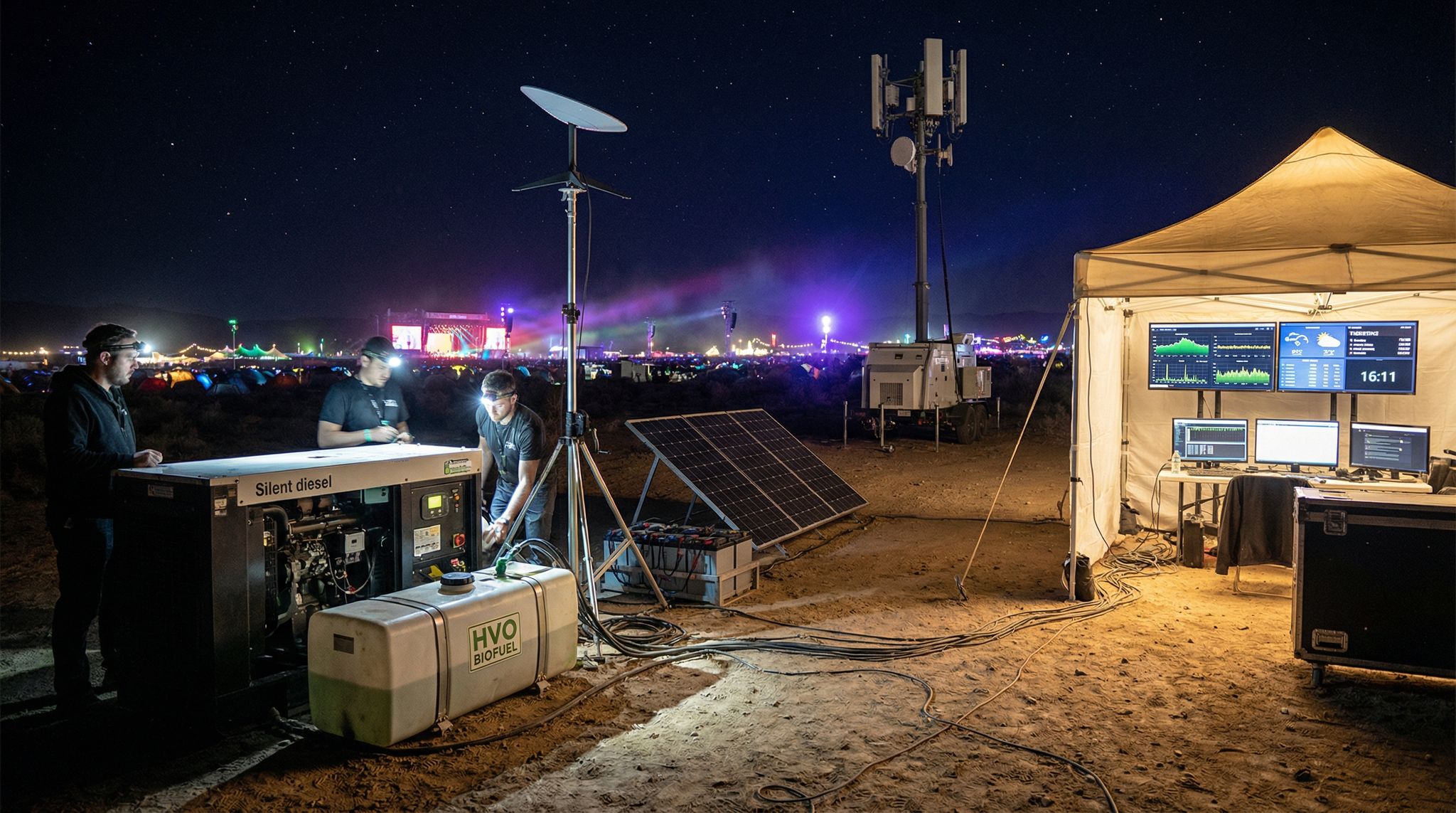
When there’s no fiber or cable in sight, satellite internet is the remote event’s best friend. In 2026, the name on everyone’s lips is Starlink – SpaceX’s satellite broadband system that has revolutionized connectivity for off-grid locations. Unlike older satellite links (VSAT) that often provided only a few Mbps with high latency, Starlink delivers broadband speeds of 50–200 Mbps with latencies around 20–50 ms, offering satellite mesh networking for festival connectivity. That’s comparable to home internet, even in the middle of nowhere. The portability is another game-changer: a standard Starlink kit comes with a compact motorized dish (“Dishy”) and router that you can set up in minutes. The dish auto-aligns itself to the low-earth orbit satellite network – no specialized technician or complex pointing needed, providing a solid backbone to run ticketing. For event use, it’s critical to find a clear view of the sky (no obstructions like trees, cliffs, or stage roofs) and to mount the dish securely (wind and curious attendees are threats – sandbag or stake it well). Power draw for Starlink is about 100W continuous, meaning it will consume a steady amount of electricity, so dedicate a stable power line or UPS to it to avoid outages when other equipment cycles on. Many festival production teams now place the Starlink dish at the production compound or operations center, then connect it to their own networking gear for broader distribution at the event operations center. It’s worth noting that Starlink, while awesome, isn’t flawless: heavy rain or a dense canopy can cause brief dropouts, and there have been rare network downtimes. Some events mitigate this by using multiple Starlink units – e.g. one dedicated to critical operations, another for public Wi-Fi or a live stream uplink, utilizing dedicated Starlink dishes. At a recent wilderness festival about 20 miles from the nearest town, organizers set up two Starlink dishes – one just for the video livestream uplink and one for site operations – and successfully broadcast HD video to the world from a field, utilizing dedicated Starlink dishes. The year prior, that same festival had no on-site internet; they would literally drive to a hilltop after the event to upload ticket scans and sales data. In 2026, their scanners synced immediately via Starlink – a night-and-day transformation of operations, as seen when organizers installed Starlink in the Caribbean.
Traditional satellite options (VSAT terminals) are still around as backups. VSAT can be more expensive and lower-bandwidth, but some systems (especially those built for military or maritime use) are extremely robust and come with service level guarantees. A few large events use a hybrid approach: Starlink as the primary link, with an older Ku-band VSAT or a small BGAN terminal as emergency backup, where producers choose Starlink as a primary link. BGAN is a handheld satellite terminal that provides basic connectivity (think 0.5 Mbps) – not enough for streaming, but sufficient to send emergency emails or credit card batches if everything else fails. The key is diversity: if your budget allows, having two different satellite providers or paths ensures even a wide-area outage won’t knock you completely offline. And for any satellite solution, consider the data plan – Starlink’s standard service is technically “unlimited” but heavy usage can trigger network management; some specialized event packages or Starlink “priority” plans might be available for a higher fee if you need guaranteed bandwidth. Plan your usage: perhaps restrict the satellite link to mission-critical traffic (ticketing, POS, production comms) and avoid letting random attendee devices soak up bandwidth watching Netflix. With proper setup, satellites can truly erase the distance – letting even a desert or mountain festival operate with the connectivity of a downtown venue.
Portable Cellular Networks (COWs and Extenders)
Even if a site has weak or no cellular coverage normally, you might be able to bring the cell network to the festival. Major carriers routinely deploy COWs (Cell on Wheels) – basically mobile cell towers – to boost coverage at large events. If your event is in a blank zone for public cellular, reaching out to telecom providers is worth a shot. In some cases, if the event is sizeable, carriers see value in deploying temporary towers (especially if they sponsor the event or see heavy usage – for instance, at Glastonbury in the UK, Vodafone and EE have set up dedicated festival towers handling 225+ terabytes of data over a weekend, breaking mobile network data records at Glastonbury Festival!). For smaller or remote events, a fully-fledged COW with fiber backhaul might not be offered, but there are smaller-scale solutions like cellular repeaters or femtocells that can piggyback on a satellite or microwave link. Essentially, you could set up a local 4G/LTE base station on site that connects back to the core network via satellite internet. This can provide attendees and staff with a bubble of regular cell service (voice, SMS, data) where none existed. It’s complex and usually requires coordination with the carrier (and regulatory approval for the frequencies), so specialized companies offer these as a service. Another approach is using cell signal boosters if a weak signal exists. High-gain antennas on a nearby hill or mast might catch a faint 4G signal from 20 miles away, amplify it, and rebroadcast it on site. This is more about improving coverage for staff phones than providing broadband to thousands, but it might allow basic calling or texting in an emergency.
One thing to note is that if your event does have some existing cell coverage, large crowds will crush it. Hundreds or thousands of phones in one spot can overwhelm the local tower’s capacity, leading to slow or unusable service. We’ve all experienced this at big concerts or sports games. For remote events where one bar of signal might flicker in and out, the crowd can make that effectively zero. Proactive coordination with carriers is crucial for any event expecting a crowd to manage cellular capacity at festivals. They may enhance capacity via portable infrastructure or at least optimize the nearest towers. If you get a COW deployed, make sure it’s scaled for your attendance – not just coverage but capacity (it needs enough backhaul and channel capacity to handle thousands of devices). In summary, portable cellular solutions can bridge the gap between no service and full connectivity: at one end, a big carrier-grade tower for attendee use; at the other end, small booster antennas just so staff can make calls. Assess what’s needed for your event’s size. And if you do bring in a cell solution, publicize it to attendees (“We’ll have enhanced cell service on-site”) only if you’re confident in it. There’s nothing worse than promising people they can post selfies from the forest, then having the network crawl – sometimes it’s better to set expectations for a “digital detox” unless you’re sure your on-site cell network will deliver.
Free Tool: Size Your Festival Site
Zoned capacity planning for arena, campsite, parking and entry lanes — against UK Purple Guide and NFPA density standards. Finds your bottleneck zone.
Point-to-Point Radio Links
If your remote venue isn’t completely isolated – say it’s 10–20 km from a town or a facility with internet – a point-to-point wireless link can beam in connectivity. These systems use microwave or long-range Wi-Fi radios mounted on towers (or tall poles) to create a direct link between two locations. For example, if there’s a community center with fiber internet 15 km away, you could erect a radio mast there and at your site, and establish a dedicated link providing hundreds of Mbps. Line-of-sight is essential: the path must be free of obstructions like mountains or dense trees. When feasible, this approach offers excellent bandwidth and low latency (often 5–10 ms latency, nearly fiber-like). Many festivals on rural private land have used radio links to connect to the nearest town’s ISP. You might need to rent taller scaffolding or even use a drone or balloon temporarily to achieve the line-of-sight if terrain is an issue. Modern point-to-point gear in the 5 GHz, 24 GHz, or 60 GHz bands can do gigabit speeds under ideal conditions, though reliability can be affected by heavy rain for high-frequency links. Licensing may be required for certain high-power or long-distance setups, but there are license-exempt solutions for shorter ranges. The cost can be reasonable – a few thousand dollars for hardware – making it a popular solution when geography allows. One consideration: you’ll likely still need access to a significant internet source on the far end. Sometimes events partner with a local university or business willing to share bandwidth during the festival if the ISP gives the OK. Also, ensure you have backup if possible – what if a storm knocks your antenna out of alignment? Some events using microwave links keep a Starlink or BGAN as a contingency if the primary link fails, ensuring producers choose Starlink for redundancy.
Redundancy and Bonding
Just as with power, redundancy in connectivity can save your event from disaster. The gold standard is having multiple independent links: e.g. one or two Starlink dishes plus a cellular link, or a microwave link plus a satellite backup. Smart network routers (like enterprise load balancers or SD-WAN devices) can bond multiple internet connections into one seamless pipe and failover automatically if one drops. For instance, a festival in Europe achieved 100% uptime for their point-of-sale systems by combining three internet sources – a fiber drop, a 5G COW, and a Starlink link – with instant failover in their network core, proving that high performance is only possible when bonding internet sources. That way, even if one or two links had issues, the transactions never stopped. You may not have the luxury of three sources in a remote desert, but aim for at least two. Even two Starlink units provide redundancy (and double the bandwidth pool) since each dish connects to different satellites overhead. There are also specialized services that bond cellular SIM cards from multiple carriers – devices that take 4 or 6 LTE/5G modems and aggregate them. These are often used by live news broadcasters (the backpack units TV reporters carry) to ensure a live feed doesn’t cut out. For events, a bonded cellular setup could supplement Starlink, but keep in mind if you truly have zero coverage from all carriers, that won’t help until you drive within range. The bottom line: design your network with the assumption that any one link will fail at some point. Then you’ll build in backup paths for critical data. Prioritize essential traffic in your network configuration too. Implement VLANs or use separate SSIDs for operations vs. public. You might let the production team and vendors have full use of the backhaul, and provide only limited internet access to attendees (or none at all) to conserve bandwidth. Quality of Service (QoS) rules on your router can ensure, for example, that ticket scanning and credit card traffic gets highest priority, while less important traffic (like staff web browsing or guest Wi-Fi) gets throttled if needed. Redundancy isn’t only about hardware – it’s also about having a Plan B for every critical internet-dependent task: If the network hiccups, can you still sell drinks? (Yes, if POS devices have offline mode, more on that later.) If the stream goes down, are you recording it locally to upload later? Build resilience at multiple levels.
Scaling Up: Large Scale Event Connectivity
When transitioning from a boutique gathering to a massive festival, large scale event connectivity requires an entirely different architectural approach. Supporting tens of thousands of attendees alongside hundreds of vendors and production staff means basic off grid connectivity solutions are no longer sufficient on their own. For these massive deployments, event infrastructure must evolve from simple point-to-point links or single satellite dishes into enterprise-grade, multi-gigabit bonded networks. Venue operators managing sprawling sites—or even those figuring out how to maintain connectivity during large events like parades, markets, or concerts in rural towns—often deploy a hybrid backbone. This involves combining high-capacity microwave relays, multiple carrier-grade COWs, and a fleet of low-earth orbit satellites. By segmenting the network into strict VLANs (Virtual Local Area Networks), producers ensure that critical operational data never competes with the crushing bandwidth demands of a massive crowd, keeping the digital heartbeat of the festival alive even in the most remote environments where communities have no electricity or internet in 2026.
To successfully execute these massive deployments, production teams must design temporary broadband setups that function entirely independently of local utilities. When operating near off-grid communities with no electricity or internet in 2026, organizers cannot rely on tapping into a nearby town’s grid. Instead, the event infrastructure must be entirely self-contained, utilizing high-capacity wireless backbones and localized micro-grids. This level of preparation ensures that the influx of thousands of attendees does not negatively impact the surrounding unconnected rural areas, while still providing the robust network reliability required for modern festival operations.
On-Site Networks and Communications
Local Wi-Fi and Mesh Networks
Once you’ve brought an internet pipe to your remote venue, you need to distribute connectivity across the site. Wi-Fi is the typical solution for on-site wireless, and in a large open area, a mesh Wi-Fi network with multiple nodes can blanket the grounds effectively, providing redundancy if one point fails. Start with the core: a robust router or firewall appliance at the main operations center to manage your internet connections and security. From there, connect to a series of wireless access points (APs) deployed around the site. Outdoor-rated, high-power APs mounted on towers or structures can cover wide areas – for example, a few strategically placed APs on stage roofs or on tall poles can each cover a radius of 100-200 meters for open terrain. A mesh network means these APs not only broadcast Wi-Fi to users but also can relay data between each other wirelessly, extending coverage without needing a cable run to every unit (though whenever possible, a wired backhaul via Ethernet or fiber to each AP yields more capacity). Ensure you plan for different SSIDs or networks for different user groups: a private “Production” Wi-Fi for staff and crew devices, a separate secured network for POS terminals and ticket scanners (if using Wi-Fi), and perhaps a public “FestivalGuest” network if you intend to offer attendee Wi-Fi. Be cautious with public Wi-Fi in remote settings – it can easily get overloaded, and you should firewall it to prevent any access to internal systems.
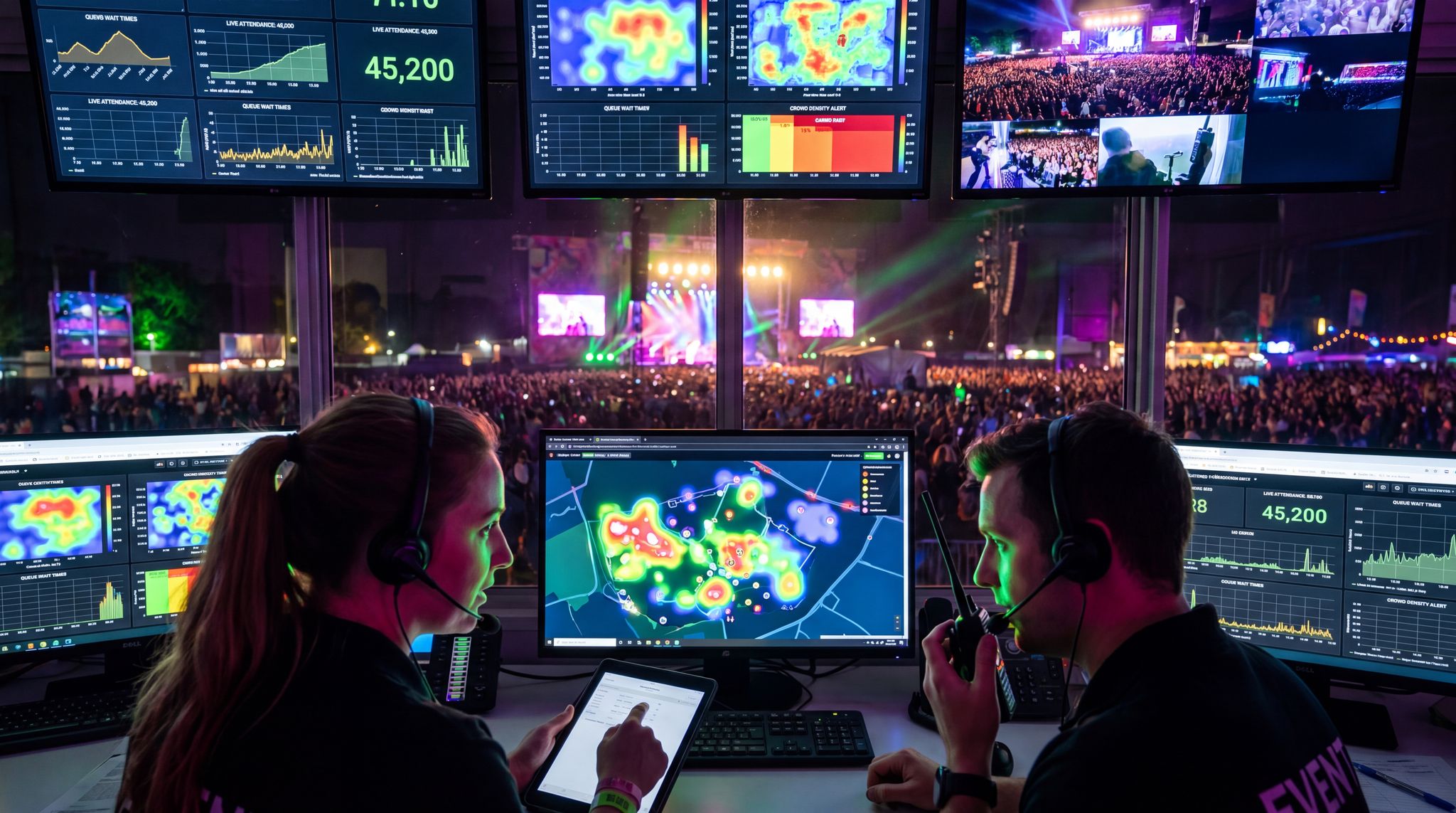
A big tip from the field: don’t skimp on networking hardware. Use enterprise-grade Wi-Fi APs that support many concurrent connections, and use rugged switches with power-over-Ethernet (PoE) to simplify deploying APs (one cable for data+power). Weatherproof enclosures, proper mounting, and clear line-of-sight are important – an AP can’t do much if it’s buried in a metal production trailer. Build overlap into the Wi-Fi coverage so there are no dead zones where crucial devices might be. Also, coordinate your Wi-Fi channels to avoid interference, especially if you or vendors are also running other wireless gear (sound crew’s wireless mics, RFID portals, etc.). On the plus side, in a remote area you won’t have interference from city Wi-Fi and neighbors – the spectrum is all yours – but you still need to manage your own airwaves. Choose 5 GHz or even 6 GHz Wi-Fi (if available) for critical gear to avoid congestion; use 2.4 GHz only for devices that require it, and keep channel widths narrow to serve more users. If the site is huge (spanning several kilometers), you might set up point-to-point links between sub-areas and create essentially multiple meshes – for instance, a link from main stage to a distant camping area where another mini-network provides local Wi-Fi. Test coverage with a walk-around (heat mapping apps can help visualize signal strength) during setup so you can reposition or add APs before the crowds arrive. A well-architected event network, as one expert noted, should be treated as seriously as power or water infrastructure – it’s not a “nice to have” but a must-have for modern events to prevent cellular overload.
High-Density Network Requirements for Massive Crowds
When a remote festival scales into a temporary metropolis, the network infrastructure requirements for high-density entertainment venues supporting tens of thousands of users become exponentially more complex. It is no longer just about getting a signal to the site; it is about managing extreme device density in a confined physical space. For massive crowds, standard Wi-Fi access points will quickly buckle under the sheer volume of connection requests. Venue operators must deploy high-density, enterprise-grade access points equipped with directional antennas to create micro-cells, effectively dividing the crowd into manageable sectors. This prevents co-channel interference and ensures that critical operational devices—like mobile POS terminals and emergency communication tools—maintain a stable connection even when surrounded by 50,000 smartphones searching for a signal. Furthermore, the backbone of this setup requires multi-gigabit fiber or heavy-duty microwave links between distribution switches, alongside aggressive traffic shaping protocols that prioritize essential event infrastructure over public bandwidth consumption.
Prioritizing and Securing Network Traffic
When operating on limited bandwidth in a remote venue, smart network management is crucial. Prioritize mission-critical traffic so that life-safety and revenue-generating systems are never starved. Configure your network gear with Quality of Service rules that put VoIP, credit card processing, ticket scanning, and emergency systems at the highest priority. Lower priority might be general staff internet access, artist Wi-Fi, etc., and at the bottom perhaps any public Wi-Fi for attendees. For example, you could throttle the guest network to a modest per-user speed (or implement time limits) to prevent a handful of users from streaming video and hogging the satellite link. Many modern routers support traffic shaping – you might cap the public Wi-Fi to, say, 10 Mbps total, leaving the rest of your 100 Mbps Starlink capacity for operations. Also consider content filtering to block high-bandwidth or non-essential services on the event network (do staff really need 4K YouTube streaming while on site?). These measures ensure that if the backhaul gets saturated, the systems that matter still function.
Grow Your Events
Leverage referral marketing, social sharing incentives, and audience insights to sell more tickets.
Security is equally important, especially when your network extends over the air. Use strong encryption (WPA2 or WPA3) on any private Wi-Fi networks so outsiders can’t eavesdrop or join. Change default passwords on all network hardware and use a proper firewall at the network edge. It’s a good practice to isolate different systems via VLANs – e.g. the ticket scanners and POS terminals could be on a segmented VLAN that only talks to the ticketing server or payment gateways, and nowhere else. This reduces the chance of malware or unauthorized devices affecting critical operations. With staff and vendors coming and going, keep the network credentials controlled – maybe use unique Wi-Fi passwords for vendors vs staff to revoke access after the event. If you’re really operating like an ISP for a few days, consider having a network monitoring dashboard (some cloud-managed networking systems provide this) so you can watch for any device that is using abnormally high bandwidth or any Wi-Fi interference spikes, etc. One anecdote: an event noticed their network crawled on day 1 – the IT lead discovered an crew member had inadvertently set an iPad to auto-upload 200 GB of video to cloud backup over the event Wi-Fi! Some quick throttling and a friendly talk solved that. The lesson: monitor your network and be ready to act to protect the experience for everyone else.
Staff Communications: Radio and Beyond
In remote venues, reliable staff communication is lifeblood, especially when cell service may be spotty. The go-to solution remains two-way radios (walkie-talkies) operating on UHF/VHF frequencies. Radios don’t require any external network – line-of-sight range might be a few kilometers, which often covers the site, and with portable repeaters you can extend coverage further or overcome hilly terrain. Equip all key staff and security with radios and establish clear channels (e.g. Channel 1 for operations, 2 for security, 3 for medical, etc.). Well before the event, program and test the radios on location, and ensure you have the proper licenses for the frequencies in use (professional radio vendors can often handle licensing). For a widespread festival site, installing a radio repeater on a mast at a high point will greatly improve coverage by re-broadcasting signals – this is vital if there are valleys or dense structures. Always have spare batteries charging at HQ; radios are useless if they die at 3am.
In addition to traditional radios, some events leverage digital push-to-talk apps or mesh communication devices for certain teams. For example, staff who require more discrete comms or data might use a smartphone app that functions like a walkie-talkie (if your on-site Wi-Fi or a dedicated LTE hotspot covers them). There are also purpose-built mesh network devices (like goTenna or Garmin inReach for texts) that allow small messages to send even if no Wi-Fi/cell, by hopping between units in a mesh. These can be great for sending a quick GPS coordinate or a predefined status message when voice comms are too busy or out of range. However, these are supplementary – tried-and-true push-to-talk radio remains the fastest for urgent group communication (“Medical team to Gate 3 now!”). Train your staff on radio etiquette and have a comms protocol in place (the larger the event, the more formal this gets, with clear text codes and an established chain of command). And don’t forget the low-tech backups: something as simple as an air horn or signal flare can serve as an emergency alert if all else fails. One festival had a plan that if the radios failed during a show stop, three blasts of an airhorn from the stage meant “power outage – execute backup plan”, a strategy highlighted in backup plans to keep venues running. Thankfully they never needed to use it, but having that redundancy in communication is part of being truly prepared.
Informing Attendees Without Connectivity
When you can’t rely on attendees having internet or cell service, you must revert to old-school methods to communicate on-site. This starts with comprehensive signage: large, clear signs and notice boards throughout the venue with schedules, maps, and any last-minute updates. Many remote festivals give attendees a printed program or map upon entry so they have physical reference information (since they can’t just open an app or website on demand). If your event normally uses a mobile app for schedule or alerts, consider offering an offline-capable mode – for instance, a downloadable schedule PDF or an app that stores all data locally when first opened. In a no-signal scenario, you can’t push notification updates, so plan how to handle schedule changes or emergency announcements. PA systems become crucial: ensure your stages or site-wide PA can be used for voice announcements if needed (“Lightning storm approaching, please shelter!”). Some events set up an information booth or kiosks where staff can answer questions – essentially a human “search engine” for attendees. Also encourage word-of-mouth: festival communities are great at spreading info once it’s announced at a stage or printed at HQ. For emergency communications to attendees (like an evacuation), having handheld megaphones and a network of staff runners is wise, since mass-text systems won’t function off-grid.
Data-Driven Event Marketing
Track ticket sales, demographics, marketing ROI, and social reach in real time. Exportable reports give you the insights to make smarter decisions.
One clever technique used at a remote mountain festival was to designate a daily bulletin board in the campground where any updates or lost-and-found info were posted every morning and evening. It became a hub for attendees to check. Another event with an artistic twist launched a “postal service” – attendees could send notes via volunteers, which doubled as a way to get messages around when phones didn’t work. The key point is, don’t assume you can lean on digital communication with guests. Plan analogue solutions: paper schedules, bulletin boards, radio announcements (if you set up an FM transmitter for the campsite), and lots of signs. Setting expectations is critical too. If you know the event will be essentially offline for guests, tell them beforehand. Encourage them to coordinate meet-up times and places ahead of time, let them know to download any needed info, and that it might actually be a blessing to disconnect for a while. Some events even market the digital detox angle – in 2026 there’s a growing appeal to experiences where you put the phone away . Regardless, robust on-site communication infrastructure, both high-tech and low-tech, will keep everyone informed and safe when typical channels aren’t available.
Ticketing & Access Control Off-Grid
Building a resilient ticketing infrastructure is the cornerstone of remote event operations. When you strip away the conveniences of a permanent venue, your access control systems must be engineered to handle high-volume ingress without relying on continuous cloud connectivity. A robust ticketing infrastructure encompasses not just the software platform, but the physical hardware—ruggedized scanners, local servers, and redundant power supplies—that ensures gates keep flowing even during a total network blackout. Venue operators and festival producers must evaluate their ticketing partners based on their ability to deploy decentralized, offline-first architectures that protect the attendee experience from the moment they arrive.
Offline Ticket Databases & Scanning
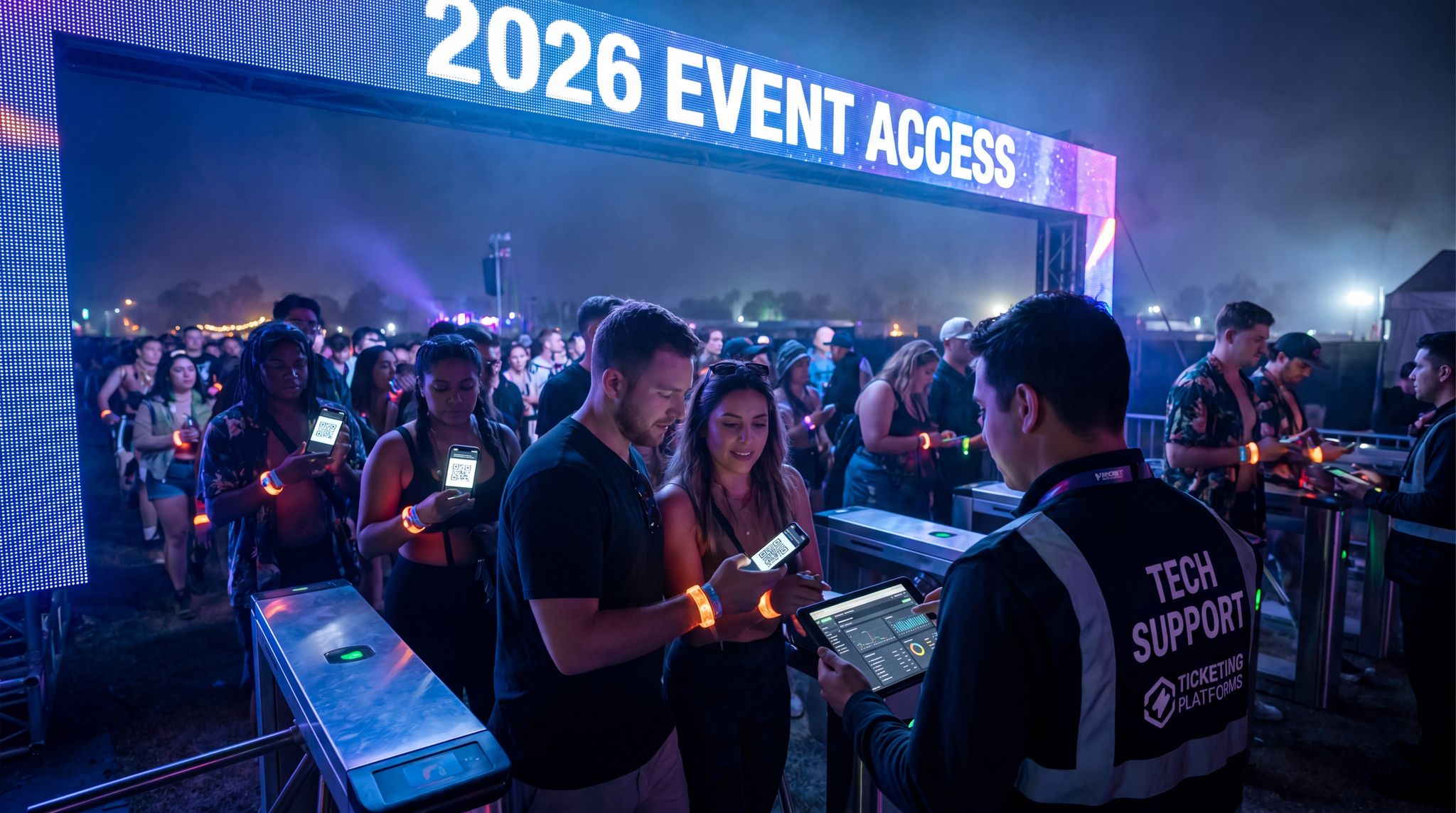
Imagine it’s show day at your remote festival: thousands of excited fans are arriving – and then the internet goes down. How do you validate tickets? The solution is offline-capable ticket scanning systems, which every off-grid event should employ. This means your entry devices (whether mobile scanners, tablets, or RFID readers) must have the full ticket list and access permissions stored locally on each device. By downloading all ticket data to the scanners ahead of time, they don’t need to “ask” a server if a ticket QR code or RFID wristband is valid – they already have the answers. Modern ticketing platforms like Ticket Fairy anticipated this need: for instance, Ticket Fairy’s scanning app ensures the entire ticket database and access control info is on each device prior to gates opening, enabling offline ticket scanning and POS for remote festivals. The app simply checks the ticket code against its local list, marks it as redeemed, and that’s it – no live internet required. As a backup, keep multiple copies of the ticket list (in different devices, and even a printed list of critical VIP or staff tickets) so that one device failure doesn’t leave you stranded.
To prepare for offline entry, configure your scanners in advance. Typically, you’ll sync them in the last hours before the event when you still have connectivity (perhaps at the office HQ or hotel) so they have all late ticket sales. After that, they run in offline mode. Train your gate staff on this mode – show them the indicator that confirms the device is offline but working on cached data. They should also know not to panic if there’s no Wi-Fi or cell service at the gate; the whole point is it still works. One important practice: disable any automatic software updates or cloud backups on the scanning devices, which could interfere offline or pop up at an inopportune time. Lock them into the scanning app to avoid confusion.
Preventing Duplicate Entries Offline
A potential risk when scanning tickets offline is the dreaded duplicate entry – the same ticket used twice at different gates. With no real-time central server to catch that, you need mitigation strategies. First, if possible, set up a local network that links your entry devices. If you have a local Wi-Fi or LAN at the gate, devices can talk to a local server or to each other to mark tickets as used, which is ideal. But if truly isolated, you rely on each device’s offline list. One smart approach is to assign ticket batches or attendee groups to specific gates/lanes. For example, tickets #0001-1000 are directed to Gate A, #1001-2000 to Gate B, etc., or perhaps separate by last name alphabetically. This way, any given offline device only processes a subset of tickets, reducing the chance two devices see the same code, a key tactic for offline ticket scanning and POS for remote festivals. It’s not foolproof (someone might still go to the wrong gate), but it helps.
Another tactic is periodic manual syncs or check-ins when possible. If you can intermittently connect devices (say, via a portable hotspot when you drive a vehicle to higher ground), you might sync their scanned logs to catch any duplicates and share data among scanners. Even doing this overnight each day of a multi-day festival can ensure by next morning all devices know what was scanned so far. Additionally, keep radio communication between gate managers: if they suspect someone trying the same ticket at two entrances, they can relay and confirm if a code was just scanned elsewhere. It’s also wise to educate your front gate staff on signs of duplicate or fraudulent tickets – e.g. if a scanner flags a ticket as already redeemed and the attendee vehemently claims it’s their first entry, escalate it calmly to a supervisor who can verify via the master list.
Of course, design your ticketing system to minimize incentive for duplicates: unique barcode tickets and robust anti-counterfeit measures (holograms or personalized names on tickets) deter people from even attempting. Some events with RFID wristbands also encode a secret that prevents cloning. With these measures, duplicate entries offline are rare. One real-world example: a large open-air event split the entry database among three gates and kept in constant communication via radio; they caught only two duplicate attempts out of 30,000 attendees, both of which were flagged by the scanning app and resolved by checking an offline master list. In essence: plan for duplicates but expect few if your systems are solid. And the benefit of offline scanning is huge – it means even if your satellite link or venue Wi-Fi blips out, the gates keep moving and no massive entry queues build up, preventing crowds stuck outside which can escalate into a safety issue, as seen when event tech goes wrong with real disaster stories. Attendees won’t even realize anything could have been wrong.
Offline Credentials and Access Control
Many festivals use tiered tickets (VIP, staff, artist passes) and need to control access to various zones. Off-grid doesn’t change this, but you must ensure access control data is baked into your offline systems. If using RFID wristbands, the scanners or turnstiles should have the access permissions locally – e.g. VIP wristband ID series are allowed into backstage, etc. With barcode or QR tickets, often the ticket type (VIP, GA) is encoded or known to the app from the offline database. Configure your scanning devices to display the ticket tier on scan so security can see at a glance (“Access: VIP Area”). For higher security areas, consider using physical credential checks as a complement (like a special laminate pass or colored wristband for crew) in case the digital system has any doubt. At one remote festival, the organizers printed simple colored stickers that went on the back of the wristbands for staff and artists – security at backstage entries were told to look for those stickers in addition to scanning the band. This was a low-tech backup in case the RFID data didn’t update.
If you have turnstiles or automated entry gates, offline mode means they need to operate in stand-alone mode. Test this thoroughly: will the turnstile still unlock if it can’t reach the central server but the card is on the whitelist? Ideally yes, if it’s designed for offline events. Some advanced access systems create a local server on-site (say, a laptop running the entry server) that all gate devices connect to via a local network – this local server holds the master list and synchronizes across devices in real time, which is a great solution as long as your local network stays up. It’s worth inquiring if your ticketing provider supports a “local appliance” or offline server mode. If not, the fully distributed method (each device independent) will do.
Don’t forget parking and camping pass scanning if you do that – those should also have offline lists. Many events simply choose to visually inspect parking passes to avoid technical issues on remote roadways, which is fine if forgery risk is low. Again, have printouts or PDF copies of any key lists (like VIP list, staff list) at the gate as a last resort manual check. Empower your gate managers to make common-sense decisions: if scanning is down completely (say devices ran out of battery simultaneously), they might temporarily switch to a backup method – like tearing off ticket stubs or using a paper check-in list – until the devices reboot. This isn’t ideal, but a 10-minute partial outage handled manually is better than halting entry entirely. The overarching goal with access control is graceful degradation: even if tech fails, the show goes on, and you have layers of backup to verify tickets.
Backup Plans for Entry Disruptions
In the world of live events, anything can happen at the gates. Power loss, device failure, or a sudden network outage can turn a smooth entry into chaos if unprepared, as seen when event tech goes wrong with real disaster stories. A robust off-grid entry plan includes clear backup actions. Train your staff that if scanners fail, they should immediately switch to Plan B: this could be as simple as allowing entry based on visible physical tickets or wristbands while noting the IDs for later reconciliation. One method is to have printed lists or manifests divided by last name or order number – staff can quickly lookup and check off names. Yes, it’s slower, but it’s better than closing the gates entirely. Some events prepare emergency wristbands (generic ones) they can issue if, say, the scanning system is out for an extended period – attendees get a manual wristband and are let in, with their ticket details recorded to reconcile once systems are back. This requires trust and a bit of overhead after the fact, but it avoids massive entry delays.
Equipment backup is also key: have more scanners than you need (20% extra is a good rule). If one fails or even just runs low on battery, swap it out and recharge. Keep portable battery packs charged and at the gates so you can top-up devices on the fly without power sockets. If your entry relies on mobile apps, consider having a few backup handheld barcode readers or print-at-home readers that don’t depend on the app – even a simple USB scanner hooked to a laptop with the offline list can serve in a pinch. In one case study, a 2025 sports event saw their fancy mobile ticket app collapse under server load, forcing the stadium to fallback to scanning PDF tickets and physical IDs, as detailed in real disaster stories and recovery tips for 2026. That anecdote shows why having a multi-layered access plan is wise. In off-grid contexts, it might mean if digital scanning stops, you temporarily validate by visual inspection of a security hologram on the ticket or by checking an ID against a will-call list. Not ideal, but it can get people in the door until systems recover, rather than leaving a crowd stuck outside which can escalate into a safety issue, as seen when event tech goes wrong with real disaster stories.
Finally, communication at the gate is critical during any disruption. If lines are building because of a slowdown, have a staff member inform attendees in line that there’s a technical issue being resolved, and thank them for patience. People are more understanding when they’re not left in the dark. Meanwhile, use your staff radios to coordinate extra personnel to manage the crowd if needed. The moment something goes wrong, activate your response plan – don’t wait. This could include holding the incoming cars for a minute, opening an extra lane, or momentarily going manual. Teams that practice this (even just as a tabletop exercise) handle it calmly when it happens for real. The goal is to make any tech hiccup at the gate invisible to attendees whenever possible. They might not even realize that the scanner they saw was actually offline and the staff were expertly working through a contingency – a seamless experience is preserved.
Cashless Payments & POS in No-Internet Conditions
Offline POS Terminals and RFID Payments
For events embracing cashless payment systems – be it credit card POS or RFID wristband payments – reliable connectivity is usually a must unless you plan for offline operations. Fortunately, modern payment solutions for festivals often include offline modes expressly for this scenario. The first step is to choose POS devices and software that support offline processing to ensure cashless at scale with offline fallback strategies. This means the terminals can store transaction data locally (encrypted for security) when there’s no uplink, and then automatically sync and finalize those transactions once connectivity returns, as systems designed with offline modes for processing have saved countless sales. For credit card readers, this is typically called “Offline Mode” in which they will capture the card information and authorization attempt, queue it, and complete the transaction later. Many popular mobile POS systems (like Square, Toast, etc.) have such features, but you often need to enable it and accept the risk rules. Risk because when offline, you can’t verify that a card isn’t maxed out or stolen – you’re essentially doing a delayed capture. To mitigate this, implement offline transaction limits, such as limiting to £50 offline per customer: for example, allow a maximum of $50 per card offline, or only 5 transactions per card offline, until one clears. This way if a card is declined later, your exposure is capped.
RFID/NFC cashless systems (where attendees preload a wristband or card with funds) are very offline-friendly. In these systems, each wristband can hold a balance on the chip itself, and each tap at a vendor just deducts from that balance without needing to contact a server, enabling offline cashless systems to secure revenue. The logs of transactions stay on the reader and wristband, and later sync up to back-end, but during the event no internet is needed beyond maybe periodic syncs. Festivals like Tomorrowland and Sunburn (India) have successfully run RFID payments that essentially made on-site Wi-Fi irrelevant for sales, having handled millions of transactions by eliminating Wi-Fi dependence. As long as the local devices and wristbands are configured and loaded pre-event, the entire economy on-site can function offline. If you go this route, do ensure you have redundancies like multiple wristband encoding stations (so one laptop failure doesn’t stop top-ups), and educate attendees to top-up enough at a time in case real-time top-up via app isn’t available mid-festival due to connectivity.
For good measure, keep some old-fashioned payment tools around: paper credit card slips and imprinters (knuckle-busters) can serve as the absolute last resort – vendors can take an imprint of a card and signature, then run it later. It’s slow and most people have never seen it, but it works without power or tech. Some festivals also allow a hybrid model where if tech fails, they will accept cash as fallback even if they were supposed to be “cashless”. Determine in advance if you want that option and inform vendors. It may save the day to sell drinks for cash for an hour if the POS network hiccups. However, handling cash introduces its own issues (security, change, accounting), so many prefer to avoid it entirely. If staying 100% cashless, then you must double-down on offline systems. And whatever system you choose, pilot test it in offline mode before the event. Simulate loss of network and see that a transaction flows through and later syncs properly. Print some test receipts, confirm offline indicators on the terminals, etc. — this testing can reveal configuration issues that you can fix in advance rather than scrambling on show day.
Setting Transaction Limits and Risk Policies
Operating offline means assuming a bit more risk on payments – but you can manage it. Work with your payment processor or financial team to set sensible transaction limits. For instance, you might decide that any single transaction over, say, $100 must have connectivity to be approved (perhaps you instruct vendors that if a customer is buying $500 of merch, they need to move to an area with signal or wait until it’s back). Smaller purchases can go through offline without worry. Some systems allow cached offline payments up to a certain cumulative total per card – e.g. allow up to $X offline per card, after which the system will try to get online before more charges. If your event is short or people don’t typically spend huge sums in one go, this is usually fine. Another risk mitigation: require a quick authorization check at wristband pickup for cards that will be linked to RFID. For example, link a credit card to a wristband by charging a $0.10 test or pre-auth when there is connection (like at the festival entrance or during online pre-top-up). This weeds out invalid cards early.
It’s also wise to maintain an issue log for offline transactions. In practice, this means keeping track of any offline payment that for some reason looks suspicious to a vendor (maybe the card had a weird response or the customer is nervous). Train vendors to note the last 4 digits of any card and customer name if something feels off, so later if that batch declines you might identify the person. Thankfully, declines on offline batches are statistically low if limits are modest – most people aren’t attempting fraud at a festival bar, they just want a beer. Still, plan that you might eat a few bad transactions as a cost of doing business offline. You can even budget a small “shrinkage” percentage (like 0.1% of sales) for this and it usually more than balances out against the sales you would have lost entirely if you didn’t operate offline during an outage, according to cashless at scale offline fallback strategies.
Boost Revenue With Smart Upsells
Sell merchandise, VIP upgrades, parking passes, and add-ons during checkout and via post-purchase emails. Increase average order value by up to 220%.
For RFID stored-value systems, set a maximum wallet balance (e.g. an attendee can load at most $300 at a time onto the wristband) and perhaps a maximum single purchase (maybe no more than $100 per tap, or require a PIN for high-value buys). This way, if a wristband is lost or a dispute arises, the exposure is limited. Also ensure that offline transactions are cryptographically signed by the device so they can’t be altered later – most systems handle this, but it’s worth verifying with your vendor that offline mode transactions are secure and traceable.
Finally, consider insurance or guarantees if you have a major concern – some ticketing/payment providers or insurers offer coverage for payment losses in tech failure scenarios. But with smart limits and policies, you’ll likely find that offline payment losses are negligible compared to the nightmare of halting sales. Millions of transactions have been handled offline at events by now, having handled millions of transactions by eliminating Wi-Fi dependence. As one payment manager noted, “offline processing has saved countless sales during connectivity blips”, as noted in cashless at scale offline fallback strategies. The best practice is to plan for it and use it like a safety net – robust but hopefully rarely needed at full scale.
Training Vendors for Offline Mode
Your front-line vendors and staff need to be comfortable operating offline. This means training them on how the POS indicates offline status, and what steps to take. For example, if a card reader shows an “Offline Mode” icon, the vendor should know it’s okay to continue swiping cards – and also know to explain to a customer if asked, “Our system is temporarily offline but your payment is recorded and will be processed shortly.” Give them a script like those suggested in cashless at scale offline fallback strategies: “We’re in offline mode, but no worries – your payment will go through and you won’t be charged twice.” Confidence and clarity from the staff will reassure attendees. In contrast, if a vendor looks confused and says “Hmm, it’s not connecting… I’m not sure if you were charged or not,” people will get understandably anxious or frustrated.
Role-play some scenarios: what should a bar staffer do if the POS freezes, or if they see a backlog of offline transactions stacking up? (Answer: don’t panic, call the support number or radio the tech team, but keep serving if you can log transactions manually.) Ensure they know not to stop sales if the network drops – rather, switch to writing down orders with pen and paper if needed and continue, then input later. Some events provide offline sales sheets – simple forms where vendors can jot down credit card numbers and amounts if absolutely needed, which can be keyed in later, though this could mean manual entry. This is last resort due to security (never collect card data unless you must, and if you do, guard it closely and destroy after use), but it’s better than turning customers away. Also, instruct vendors on preserving device battery life because offline mode might keep devices working harder (e.g. searching for signal drains battery). They should keep devices plugged in whenever possible, or have a spare on hand.
It’s good to have a daily meetup or check-in with vendors on tech status, especially for multi-day events. For example, after Day 1 you might say, “We noticed some of your terminals went offline around 8pm – we’re adjusting the router there. If it happens again, just continue using offline mode. All 200 stored transactions from last night synced this morning successfully.” This feedback loop builds trust that the system works. On their side, ask vendors to report any issues, like “this tablet kept dropping offline” – maybe it’s too far from Wi-Fi, so you’ll relocate an AP for Day 2. Emphasize that sales should never stop: if tech fails, we have a plan (whether it’s offline mode, manual imprint, etc.), and the team is here to support. And indeed, events that train and drill their staff on these contingencies see barely a ripple in operations when an outage occurs, thanks to training staff on how to react during tech failures and having handled millions of transactions by eliminating Wi-Fi dependence. Contrast that with untrained teams where a network glitch can lead to long lines, confusion, and lost revenue. In one success story, a festival equipped all bar staff with simple instructions for offline sales and even gave them small notepads for backup; when the Wi-Fi went down for 20 minutes during peak time, they smoothly took orders on paper and charged cards offline without the crowd even realizing an outage occurred. After connectivity returned, they entered the queued transactions and it was business as usual – no lost sales, no frustration, proving the value of training staff on how to react during tech failures. That’s the goal state for everyone.
Nightly Reconciliation & Data Sync
When operating offline systems, you need a robust reconciliation process to catch any issues and settle all transactions once connectivity is stable. The best practice is to schedule sync times (usually overnight when the event is least active) to connect POS devices and upload stored transactions, allowing you to upload the day’s stored sales and reconcile sales totals against inventory usage. For example, instruct vendors that at end of day, all terminals should be brought to the staff HQ or another area with solid internet so they can sync. Alternatively, if devices stay in booths, you might turn on a dedicated network (like a point-to-point link or even drive a Starlink-equipped truck near each zone) in the wee hours to allow automatic syncing. Your tech team should then verify that the number of offline transactions recorded matches what shows up in the back-end once online, because a festival with an offline fallback protects revenue and reputation. If any devices failed to upload, you can troubleshoot (maybe one tablet was powered off too soon – you might need to turn it on and reconnect in the morning).
Nightly reconciliation isn’t just digital: it’s also financial. Count cash and tokens (if any) and compare against POS records for the day, as you normally would. With offline credit transactions, many systems will mark them as “pending” until uploaded; once synced, run a report of any that failed or declined. You may find a handful of card charges that didn’t go through – those should be flagged to decide if you absorb the cost or if you have any recourse (usually you just absorb it as the cost of offline operations). Inform the affected vendor of these so they’re aware their sales total is slightly adjusted. Additionally, check inventory vs sales numbers to see if everything makes sense (if significant discrepancies, a device might have been offline and not synced, or staff did some cash sales off the books). The tech team should also review any network trouble spots: for instance, if one bar had ten times more offline transactions than others, that’s a clue of a connectivity dead zone or device problem – reposition an AP or swap that device before the next day, so you can check battery levels and swap or charge devices.
A valuable tip is to do a dry run reconciliation before the event. Set up some test sales offline, then practice the process of collecting devices, syncing, and verifying reports. This will iron out any procedural confusion and ensure your team is confident in retrieving the data. Document the steps clearly and distribute a checklist to your IT/finance staff: e.g., “1) 3:00 AM – Connect all terminals to Wi-Fi at Ops trailer; 2) Verify upload completion on admin dashboard; 3) Download sales report CSV; 4) Cross-check offline count sheets; 5) Investigate any mismatches…” etc. It seems like extra work, but these few hours spent after-hours each night are critical to “inspect what you expect” – confirming that offline mode did indeed capture everything. By final day’s end, you should have a clear record of all transactions ready to settle with vendors, and no nasty surprises. Remember, going offline is about continuity of service, but it does shift some burden to after-the-fact processing. The payoff is you kept the revenue flowing during the event, which is well worth the back-end effort. As one festival producer put it: offline preparedness turns a potential event-ruining outage into just a minor bookkeeping exercise, as Dreamcast’s insights on offline cashless confirm that the core principle of offline POS is preparation.
Live Streaming and AV Tech in Remote Locations
Bandwidth Planning for Live Streams
If you plan to live stream performances or host a hybrid event component from an off-grid venue, connectivity becomes even more mission-critical. Live video, especially HD or 4K, gobbles bandwidth – a single HD stream can need 5–10 Mbps steady upstream, and multi-camera streams or higher resolutions proportionally more. So first, carve out dedicated bandwidth for streaming. If you have a Starlink delivering ~100 Mbps down / 20 Mbps up, and you need a solid 10 Mbps up for a 1080p stream, allocate that in your network settings just for the stream encoder. Better yet, use a separate internet link for your broadcast if possible, utilizing dedicated Starlink dishes – for example, one Starlink unit solely feeding the video production, and another handling general event data. Many professional streaming teams bring a bonded uplink unit as mentioned earlier, combining multiple cellular modems plus any local internet. At a remote festival, the video crew might use a broadcaster-grade unit (e.g. LiveU or Teradek) that automatically picks the best path (Starlink if available, or any 4G signals) to send out the stream. You as the event organizer should coordinate with them to ensure they have the infrastructure they need (maybe you’ll be providing the Starlink or at least the mounting and power for it). Test stream from the site during setup – do a high-bitrate test upload to a test server for an hour and monitor stability. Lower your stream quality if needed for stability; audiences will forgive 720p video more than a stream that constantly buffers or drops.
Also consider the audience for the stream on-site – are you streaming to screens around the event or just to the internet? If you have local IMAG (Image Magnification) screens at stages, that’s typically done via wired connections or local wireless video (not internet) so that’s separate, but if you intended attendees to also tune into something on their devices, that could use local bandwidth. Usually, focus on one-directional broadcast outwards for remote viewers. The streaming encoders themselves need power and possibly cooling (especially in hot outdoor conditions). Place the streaming equipment in an enclosed production tent or trailer where dust and weather won’t hit it, and on a UPS so a brief power blip doesn’t stop the feed. If the content is truly critical (like a one-time-only performance being webcast), have backup recording locally – even just a laptop capturing the program feed or a separate recorder on the cameras – so you have the footage if the live feed fails and you need to upload later.
Remote Production Gear and Power
Covering a remote event with professional AV gear requires careful planning of power and setup for production equipment. Video switchers, camera setups, LED walls, and audio consoles all need clean, reliable power. If possible, give the entire stage and production area a dedicated generator or at least a dedicated distro circuit with a UPS or power conditioner. Venue power fluctuations can wreak havoc on sensitive AV electronics – brownouts or surges might reboot a media server or lighting console. At a minimum, run all critical production electronics through voltage regulators or UPS units that can smooth the power. This is especially important if you’re running on generators that might see load changes. One trick some production teams use: have a small “online” UPS (which constantly feeds from battery/inverter) for the mixing board, streaming PC, etc., so they’re effectively isolated from any outside blips.
In remote, dusty environments, protect equipment from dust and heat – use air filters on intake fans, keep gear in road cases or under tents, and consider even climate-controlled OB (outside broadcast) trucks if budget allows. Those trucks often come with their own UPS and conditioning too. If you don’t have a fancy production truck, a makeshift enclosed production room can be built with tarps or flight cases to shield gear from sun and sand. For communication among the AV crew (camera ops, director, stage manager), a wired intercom system or a local wireless intercom is necessary since cell phones likely won’t work reliably. These systems need their own cabling and sometimes their own radio frequencies (coach them to coordinate frequencies like you do other radios to avoid interference). Ensure all your audio wireless systems (mics, IEMs) frequencies are coordinated as well – remote areas have less RF interference usually, but still check that multiple wireless devices aren’t stepping on each other. It’s embarrassing if your stream’s audio cuts out because the wireless mic feed got hit by interference from an uncoordinated transmitter, as carriers, COWs, and DAS keep everything running. Planning frequency use ahead and scanning on site (with RF scanners) is ideal for RF coordination across a small city festival. This falls under “taming the airwaves” at events – a detailed topic on its own. In short, don’t assume remote equals RF-easy; your own gear can interfere if not managed.
Free Tool: When Should You Announce?
Pick your event date and genre — the free planner outputs a recommended announce, presale, on-sale and reminder schedule anchored to how your audience actually buys.
Broadcasting Without Traditional Infrastructure
In a city venue, you might bring in a satellite TV truck or run a fiber line for broadcasting. Off-grid, you often have to innovate with whatever tech you can carry. If a full satellite uplink (like a Ku-band dish) isn’t feasible, lean on internet streaming via Starlink or bonded cellular as described. Some events use drones or aircraft to relay signals if ground comms are tough (this is experimental, but there have been tests of drones acting as airborne cell or radio relays for festivals – mostly for communications, not high-bandwidth video, yet). A simpler approach if live streaming is too risky is to adopt near-live workflows: record the sets and upload them in batches when connectivity allows. For example, you could film all day, and each night drive the footage on a hard drive to where there’s stable internet (or use your satellite link overnight when it’s free) to upload a “daily highlights” video. That’s not live, but it still extends the content to online audiences with a slight delay.
If you aim for live broadcast TV coverage (rarer for festivals, but possible for sports or special events), you might bring a flyaway satellite kit – essentially a portable uplink dish – which can beam directly to a satellite for TV distribution. This requires a satellite truck or fly-pack and a trained operator, so it’s high cost and needs coordinates and scheduling with providers. Most 2026 events choose the more internet-based route as it’s cheaper and more flexible. One interesting anecdote: a high-altitude sports event in the mountains used a helicopter as a relay – they had a receiver on a peak that collected camera feeds from the event, then a helicopter with a transmitter orbited to send that down to a base station with fiber. It was logistically intense, but it allowed live coverage in terrain where no direct line of sight or satellite view from the valley was possible.
The lesson for remote broadcast is redundancy and adaptation. Always have a backup method to get your content out: if the live stream dies, do you have someone recording locally to post the video later? If one network path fails, can you switch to a backup stream key on a different path? For truly important streams, consider a backup encoder as well. Murphy’s Law loves livestreams – add the complexity of an off-grid location, and you really want contingency. Communicate with your viewers if you can – if something goes down, a quick social post “We’re experiencing technical issues due to the remote location – the stream will be back shortly” buys patience. Generally, viewers are amazed and appreciative when a festival in the middle of nowhere can beam out to them at all. By planning carefully, you can deliver that magic, showing that remote doesn’t mean cut off – it just means you built a digital bridge out of thin air.
Capturing Content for Post-Event
Even if live streaming isn’t in your plan, remote events often want to capture video or audio for post-event content (recorded sets, photography, etc.). Here, connectivity still plays a role: backing up and transferring content. If you have photographers and videographers on site, consider setting up a local storage server or NAS at the base camp where they can offload footage each day. This creates redundancy (so precious footage isn’t only on a single SD card that could get lost in the desert) and lets the social media team possibly pull some content for quick editing. Without robust internet, you might not push it to the cloud until later, but at least centralize it. If you do have decent internet windows, you could upload highlight reels or teasers during the event to keep online fans engaged (maybe at night if bandwidth frees up). Many festivals monetize recordings later, so ensure the production team has what they need power-wise to run their editing laptops, chargers for camera batteries, etc. Bring lots of spare batteries and charging stations since off-grid means no easy outlets – you’ll likely have a charging tent powered by a small generator or solar setup for all media equipment.
For audio recording (e.g. recording the live sets for an album or mix release), run a separate multi-track recorder that isn’t reliant on the live sound console’s computer, if possible. Redundancy here means you don’t lose that epic set due to a technical glitch. If recording to a computer, use a UPS and set it to auto-save frequently. After each major act, someone should back up that recording to an external drive. If the internet is not sufficient to cloud backup during the show, plan a data exfiltration strategy: maybe a runner takes drives to the nearest town after the event to secure the footage, or you send it via a high-speed link overnight if you can open a big pipe. Some larger events will literally charter a plane or car to physically carry media drives to a studio (sneakernet at its finest) if the data volume is huge.
Lastly, think of the audience experience on-site regarding content: if there’s no connectivity, attendees won’t be posting in real-time. Some events set up a “video booth” or “post office” where attendees can record a message or write a postcard that the event will email/send once back in signal – a neat way to engage and overcome the live posting limitation. For example, a remote wilderness festival had a “digital postcard” station; people could queue to send a 30-second video message, and the staff uploaded all of them to email addresses when they got back to Wi-Fi. It turned a connectivity challenge into a charming feature. Embrace the off-grid vibe in your content capture – you might lean into more professionally capturing moments since user-generated live content will be less. Then after event, you release an amazing aftermovie that blows up because nobody saw it live. In summary, use the event’s uniqueness to your advantage in content strategy, while ensuring you have the technical means to save and share those moments when the time comes.
Frequently Asked Questions
How can event organizers provide reliable power at remote off-grid venues?
Organizers typically deploy multiple diesel generators sized for specific loads, often using paralleled configurations for efficiency. For sustainability and redundancy, these are increasingly combined with solar-battery hybrid systems and HVO renewable fuel. Critical infrastructure requires backup generators and UPS units to bridge any power gaps during switchovers.
What are the best internet connectivity solutions for remote festivals in 2026?
Low-earth orbit satellite broadband, specifically Starlink, is the primary solution, delivering speeds of 50–200 Mbps with low latency. For robustness, organizers bond multiple connections, such as combining Starlink with portable cellular towers (COWs), point-to-point microwave links, or backup satellite terminals like BGAN to ensure 100% uptime for critical operations.
How does ticket scanning work at festivals without internet access?
Offline-capable scanning systems download the entire ticket database and access permissions to local devices before the event begins. Scanners validate entry codes against this locally stored list without needing a live server connection. To prevent duplicate entries, organizers often assign specific ticket batches to distinct gates and sync devices periodically via local networks.
Can festival vendors accept cashless payments without an internet connection?
Modern POS systems and RFID wristbands feature offline modes that store transaction data locally on the device during connectivity outages. These systems queue payments to sync later when internet is restored. To manage risk, organizers typically set offline transaction limits, such as a maximum dollar amount per card, before requiring online authorization.
How can off-grid events reduce carbon emissions from power generation?
Events are transitioning from standard diesel to HVO (Hydrotreated Vegetable Oil) and biodiesel, which can reduce net CO? emissions by up to 90%. Additionally, organizers implement hybrid power systems that combine solar arrays and large battery storage banks to handle base loads, using generators only for peak demand or recharging.
What percentage of an event budget should be allocated to off-grid infrastructure?
Power and communications typically consume 10–20% of a remote event’s production budget. This allocation covers generator rentals, fuel, electrical distribution gear, satellite internet equipment, and specialized technicians. Experienced organizers view this significant investment as essential insurance to guarantee electricity and connectivity, protecting ticket revenue and brand reputation from failure.
How do I maintain connectivity during large events like parades, markets, or concerts in off-grid areas?
Maintaining reliable network access during massive gatherings requires deploying enterprise-grade event infrastructure. For large scale event connectivity, organizers should utilize a bonded mix of off grid connectivity solutions, such as portable cellular towers (COWs), multi-dish satellite arrays, and point-to-point microwave links. Segmenting the network to prioritize critical operations (like POS and ticketing) over public Wi-Fi ensures that essential systems stay online even when attendee devices saturate the local airspace.
What are the standard off grid connectivity solutions for remote venues in 2026?
In 2026, the baseline for remote event infrastructure relies heavily on low-earth orbit satellite broadband, bonded cellular routers, and localized mesh Wi-Fi networks. These technologies allow organizers operating in areas with no electricity or internet to establish high-speed, redundant communications that support everything from live streaming to offline-capable point-of-sale systems.
What are the foundational elements of event technology infrastructure for remote festivals?
Building robust infrastructure for events in off-grid locations requires a multi-layered approach. The foundational elements of event technology infrastructure include redundant power generation (hybrid solar and HVO diesel), bonded internet connectivity (satellite and cellular), offline-capable point-of-sale and ticketing systems, and localized mesh Wi-Fi networks to keep staff communications and operations running smoothly.
Which satellite infrastructure vendors are best known for reliable live event contributions from remote locations?
For high-stakes live event contributions, organizers rely on a mix of modern LEO (Low Earth Orbit) and traditional GEO (Geosynchronous) satellite providers. Starlink is highly popular for general broadband, while vendors like Viasat, Inmarsat, and specialized broadcast hardware companies like LiveU and Teradek are industry standards for bonded, broadcast-grade video uplinks that guarantee stability in remote environments.
How do organizers build networks near off-grid communities with no electricity or internet in 2026?
When hosting festivals near completely unconnected rural areas, organizers must deploy entirely self-sufficient event infrastructure. This involves bringing in localized micro-grids for power and utilizing advanced satellite arrays or long-range microwave relays for backhaul. By designing these temporary broadband setups from the ground up, production teams ensure reliable large-scale event connectivity without placing any strain on the limited resources of neighboring off-grid communities.
What are the key components of a reliable off-grid ticketing infrastructure?
A reliable off-grid ticketing infrastructure requires offline-capable scanning software, ruggedized hardware with extended battery life, and localized network servers that sync data across gates without internet access. Event organizers must also implement physical redundancies, such as printed manifests and backup power supplies, to ensure access control remains operational during severe connectivity drops.
What are the network infrastructure requirements for high-density entertainment venues supporting tens of thousands of users?
Supporting massive crowds requires enterprise-grade, high-density Wi-Fi access points with directional antennas to create localized micro-cells. The infrastructure must include multi-gigabit backhaul connections, strict VLAN segmentation to separate critical operations from public traffic, and aggressive traffic shaping to ensure POS and ticketing systems remain online despite extreme device density.