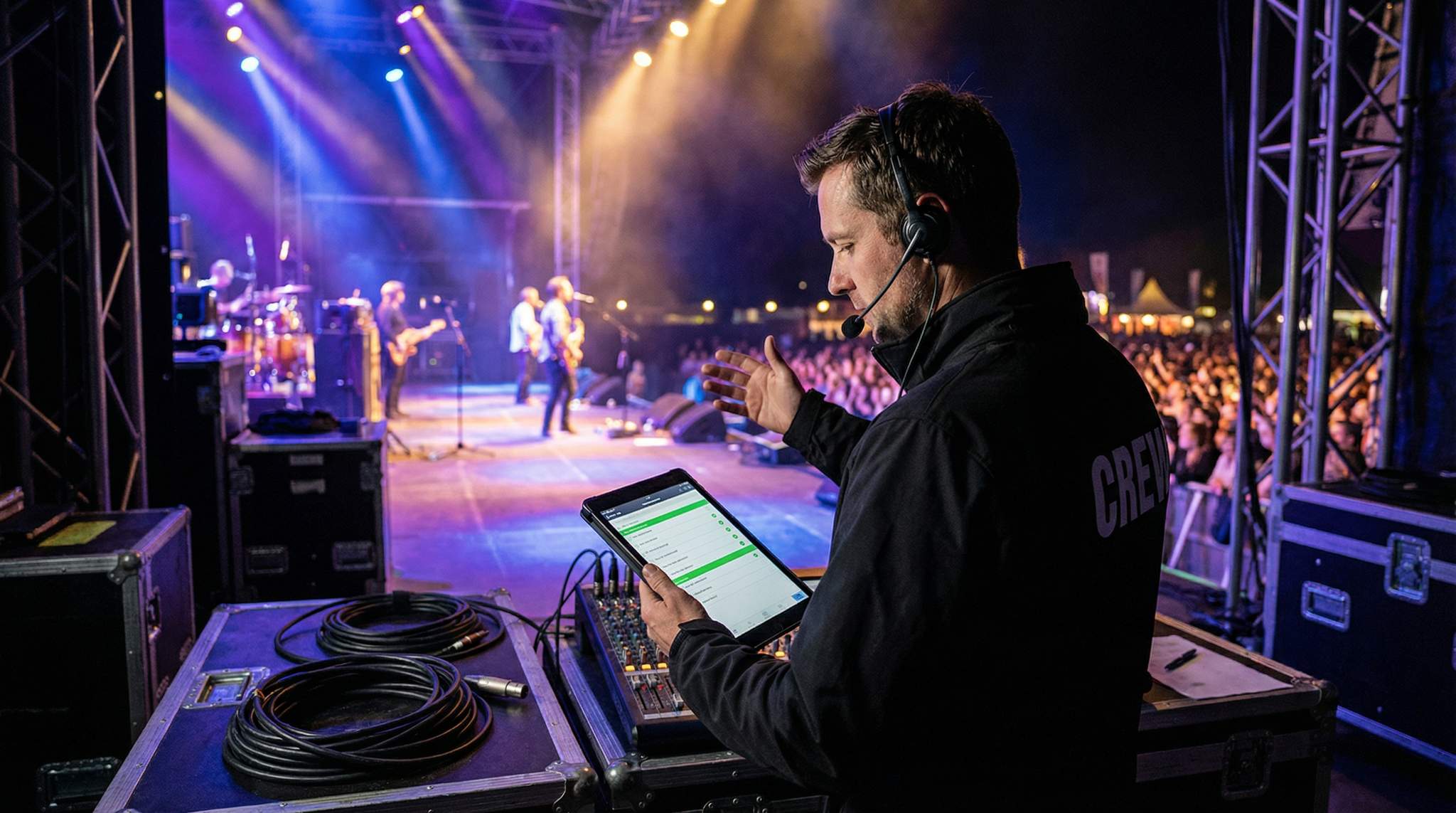
Running a live music stage is a high-stakes juggling act – especially at today’s massive concerts and festivals. As a stage manager, you’re the behind-the-scenes maestro ensuring every cue, changeover, and technical element comes together seamlessly. It’s no easy job, but with the right preparation and mindset, you can pull it off brilliantly. In fact, live events have come roaring back in the past two years – 145 million people attended Live Nation concerts in 2023, up 20% from the year prior according to recent reporting by AP News – and stages are getting bigger and more complex. Europe is seeing similar growth, as Le Monde reported that France’s Ministry of Culture recorded 65.4 million live performance spectators in 2024. With larger crowds and higher expectations, stage management in 2025 demands more diligence than ever.
What does that mean for you? It means doubling down on fundamentals while embracing new tools and best practices. Below is an updated 10-step stage manager checklist to ensure your event’s stage runs smoothly. We’ve expanded each section with fresh insights, real-world examples, and expert tips gathered from veteran producers. Let’s dive in!
1. Communicate With the Event Planners
Clear, constant communication with the event planners is step number one on any stage manager’s checklist. The event planners (or producers) oversee every detail of the festival or concert, from the overall schedule to permits and artist contracts. As a stage manager, you must be looped into all relevant plans from day one. That includes getting the final lineup and set times, the production schedule, any special staging or lighting requests from artists, and key dates like production meetings and rehearsals.
Early communication ensures there are no surprises. For example, confirm if there’s a strict noise curfew – many city festivals in the UK and US have curfew laws (often 10 or 11 p.m.) that you must plan around. Knowing this upfront helps you time sets so the headliner isn’t cut off mid-song due to local noise ordinances. Event planners can also brief you on venue specifics: power availability, stage dimensions, access times, and any safety regulations. International stage managers often coordinate with local officials too – in some countries in Asia, you may need to follow government guidelines on event curfews or protocols.
Free Tool: Model Promoter Payouts
Flat-percentage, flat-per-ticket, or tiered-bonus commission structures — get per-promoter payouts and total commission as % of gross. Free calculator.
Good communication is a two-way street. Don’t hesitate to ask planners questions or request information. It’s better to clarify now than scramble later. How many tickets have been sold? This is a critical question for you – if 20,000 attendees are expected but the stage barricades and pit area were designed for 10,000, that’s a red flag you need to address immediately. Working with planners, you might arrange for additional barricading or security based on anticipated crowd size. According to event safety guidelines, the stage and its surroundings must be equipped to handle the maximum crowd safely.
Warning: Never exceed your stage’s certified load capacity or the venue’s crowd limits. Overloading a stage with too much gear or allowing more fans into the pit than it was designed for can lead to dangerous situations. High-profile stage collapses and crowd surges in the past (like the Indiana State Fair tragedy) underscore that safety is non-negotiable. Always involve structural engineers or safety officers if you have any doubt about stage structures, engineering, and load paths.
To keep everyone aligned, set up a regular production meeting schedule with the planners and department heads. Many major festivals hold weekly check-in calls in the months leading up to the event, then daily huddles during the final week. Use these meetings to review the run of show, update any changes, and ensure each team (audio, lighting, performers, etc.) has what they need from the others. Consider creating a shared timeline document—as outlined in our comprehensive guide to festival project management—that maps out every key milestone from load-in to tear-down. This way, you and the planners can spot any scheduling conflicts early – for instance, if soundcheck for one stage overlaps with another stage’s opening time, you can adjust in advance.
Finally, align on emergency procedures with the event planners. Experienced stage managers know to ask: What’s the plan if severe weather hits? Who makes the call to pause or cancel a performance? Ensure the protocol is clearly defined and that you, as stage manager, are in the communication loop for any emergency decisions. Top festivals incorporate robust safety plans—see our guide on festival risk management and safety planning strategies—by communicating with planners, you’ll be prepared to execute those plans if needed. It all starts with information sharing. The more you know upfront, the fewer surprises on show day.
2. Assemble Your Team and Essentials
You can’t run a stage alone. A core part of stage management is assembling the right team and making sure everyone knows their role. Large music events will have specialized crews for sound, lighting, video, rigging, and more. Even at a smaller concert, you’ll at least need a few hands to help with equipment and stage changes. Start by identifying the key positions required for your event’s scale. Common stage crew roles include:
Key Stage Crew Roles and Responsibilities
| Role | Primary Responsibilities |
|---|---|
| Stage Manager | The “air traffic controller” of the stage – coordinates all on-stage activity, cues performers and crew, and keeps the show on schedule. Communicates with front-of-house (FOH) and show callers. |
| Production Manager | Oversees all technical production aspects (staging, sound, lights, visuals) across the event. Often the liaison between stage crew and event planners. May cover multiple stages. |
| Audio Engineer (FOH) | Runs the sound mixing console for the audience. Ensures the audience hears a balanced mix. Works with stage manager on soundchecks and performance audio. |
| Monitor Engineer | Manages on-stage sound for performers (monitor mixes, in-ear systems). Ensures artists can hear themselves and others properly. |
| Lighting Designer/Tech | Programs and operates the lighting board. Designs cues and looks for each act. Coordinates with stage manager on cue timing and any special effects. |
| Backline Technicians | Instrument techs for guitars, drums, etc. Ensure each artist’s gear is tuned, set up, and functioning. Help swap out equipment during changeovers. Often employed by artists but work closely with stage crew. |
| Stagehands / Crew | General hands that handle physical tasks: setting up gear, moving risers, striking (removing) equipment after sets, and keeping the stage tidy. Vital for quick changeovers between acts. |
| Technical Director | (Usually for large productions) Supervises complex technical elements – from power distribution to pyrotechnics – and ensures all systems comply with safety standards. |
For a mid-sized festival stage, your team might include all of the above. For a smaller gig, one person might wear multiple hats (for example, the audio engineer might also act as production manager). Identify any gaps in expertise and fill them early. Are you missing a dedicated lighting operator? It’s better to hire a specialist than to improvise later and overload someone else. In recent years, staffing has become a challenge across the events industry – many organizers faced crew shortages as live events ramped up post-pandemic. If you’re struggling to staff every position, consider innovative recruitment strategies like partnering with local stagehand unions, universities, or training programs to find fresh talent. At the same time, explore smart automation tools to augment your team – for instance, some 2025 festivals used automated follow-spot lights and remote mixing software to help smaller crews do more with less.
Free Tool: Size Your Festival Site
Zoned capacity planning for arena, campsite, parking and entry lanes — against UK Purple Guide and NFPA density standards. Finds your bottleneck zone.
Stepping into the role of an event stage manager at a large-scale festival requires a broader perspective than traditional venue management. While a standard stage manager might focus solely on the talent and immediate crew, an event stage manager acts as the primary liaison between site operations, artist management, and the festival promoter. You are responsible for ensuring that the overarching production timeline aligns with the realities on the ground, from coordinating heavy machinery during load-in to managing the flow of multiple touring camps.
Similarly, the role of a dedicated concert manager (or concert stage manager) differs slightly from a multi-stage festival director. When overseeing a single-stage, high-capacity stadium show, a concert manager focuses deeply on the specific touring act’s rigorous timeline. They integrate the local venue crew with the artist’s traveling production team, ensuring that the highly customized, often proprietary stage builds—like massive automated video walls or complex flying rigs—are executed safely within the venue’s parameters.
Ready to Sell Tickets?
Create professional event pages with built-in payment processing, marketing tools, and real-time analytics.
Don’t forget to assemble your backstage essentials too. Every veteran stage manager has a personal kit of tools and supplies that always travels with them. Here’s a quick checklist of items you should have on hand:
Stage Manager’s Toolkit: Essential Items
- Gaffer tape and spike tape (in multiple colors) – For marking on-stage positions for mic stands, set pieces, performer spots, etc. Glow-in-the-dark or neon tape is great for visibility during dark changeovers.
- Multi-tool or basic toolkit – Include screwdrivers, Allen wrenches (many stage risers and music stands use hex screws), pliers, and a utility knife. You’ll need these for everything from opening road cases to emergency repairs.
- Cable ties (zip ties) and Velcro straps – Manage cable spaghetti by tying down loose cables. Also useful for quick fixes like securing a broken mic clip.
- Flashlights and spare batteries – Critical for dark backstage corners or under-stage areas, and for signaling in low-light conditions. Headlamps can also free up your hands.
- Permanent markers and labels – Mark channels on the mixing board, label instrument cases, mark “DO NOT TOUCH” on sensitive equipment, etc. Sharpie markers are a stage manager’s best friend for quick labeling.
- Communication devices – If not already provided, have a two-way radio set or intercom headset for yourself and key crew. Clear communication is so important we’ll cover it in depth later (see Step 10), but you need the hardware ready.
- First aid and safety – A small first aid kit (band-aids, pain reliever, gaff tape works as bandage in a pinch!) is surprisingly handy. Also consider work gloves for crew, earplugs for high-noise moments, and even sunscreen if it’s an outdoor day festival.
- Documents and printouts – Keep a binder or digital folder (with printed backups) of stage plots, input lists, schedules, contact lists, and permits. Having physical copies on-site is a lifesaver if a phone or tablet dies when you need info fast.
For festival producers overseeing multiple stages, standardizing a comprehensive stage manager kit list across your entire event is a highly effective operational strategy. Rather than relying on individual freelancers to bring their own supplies, providing a uniform kit ensures that every stage has the exact same high-quality gaff tape, standardized labeling systems, and emergency repair tools. When you build out this official equipment inventory, consider including weather-specific additions for outdoor stages, such as heavy-duty tarps, squeegees, and specialized waterproof markers, ensuring your crew is prepared for any environmental shifts.
Set up your backstage HQ with these tools in a known spot – for example, a clearly marked road case or table side-stage where you (and your team) can always find the essentials. Some stage managers hang an “emergency kit” on the back of the stage entrance for quick grabs (flashlight, fire extinguisher, etc.). As the saying goes, plan for the worst and hope for the best. If you have your toolkit ready, even unexpected hiccups (a missing screw, a blown fuse, a spilled drink on a cable) can be fixed in minutes.
Pro Tip: Cross-train your crew members whenever possible. In a crunch, you might need your lighting tech to help switch out an amp, or your audio assistant to help with a quick stage prop setup. Versatility builds resilience. By sharing basic skills (like how to coil cables or operate a fire extinguisher) across the team, you ensure that if one person is tied up or if someone falls ill, the show can still go on without a hitch. Seasoned stage managers often run brief training sessions so everyone understands each other’s roles – this fosters teamwork and preparedness.
Lastly, consider holding a “paper tech” rehearsal with your team and the broader production staff before the event. A paper tech is a concept borrowed from theatre: it’s essentially a detailed walk-through of the show without performers or an audience, focusing on technical cues and logistics. You, the lighting designer, sound engineer, and other key crew sit down together (perhaps literally with the cue sheet on paper) and talk through the event moment by moment. For example, you discuss: “Act 1 ends, lights go to blue wash, we have 10 minutes to swap the drum kit for Act 2 – who handles that? At 5 minutes remaining, play the interlude music track; 1 minute out, dim work lights.” This dry-run discussion helps reveal any gaps or overlaps in responsibilities. It’s far easier (and cheaper) to solve conflicts or confusion in a meeting room than in the middle of a live show!
3. Design a Physical Stage Plan
Designing a physical stage plan is crucial to visualizing and executing all aspects of your stage setup. This is essentially a map of the stage layout and a blueprint for how equipment, instruments, and people will be positioned. By creating a detailed stage plan, you ensure nothing is overlooked and everyone on the team knows the game plan for set design and layout.
Grow Your Events
Leverage referral marketing, social sharing incentives, and audience insights to sell more tickets.
Start with the stage dimensions and work to-scale if possible. Many stage managers use digital tools like Vectorworks, SketchUp, or even detailed hand-drawn sketches to plot out the stage. Include major elements such as:
- Instrument placement: Mark where the drum riser will sit, where guitar amps go, DJ tables, keyboards, etc. If you have multiple bands, you might use numbered markings that correspond to each band’s setup (e.g., “Position A: Band 1’s drum kit, Position B: Band 2’s drum kit”). This pre-planning is vital for quick changeovers.
- Audio gear: Note where stage monitors, main speakers (if on stage), mic stands, and cable runs will be. Ensure there’s a clear path for cables to run safely (tape them down to avoid tripping hazards!).
- Lighting and effects: Plot out any lighting towers, moving lights on the truss, fog machines, pyro equipment, or video screens that are on stage. Consider sightlines – both the audience’s view of the performers and the performers’ view of their cue lights or screens.
- Stage entrances/exits: Identify how artists and crew get on and off stage. Is there a ramp stage left? Stairs at the back? These need to remain clear. Mark backstage areas like quick-change tents or tech booths if they’re adjacent to the stage.
- Safety elements: Plan locations for fire extinguishers (typically side-stage), emergency egress paths (a clear route off stage if an evacuation is needed), and any structural supports like roof towers or ballast weights for outdoor stages (e.g., big water barrels or concrete blocks anchoring the stage structure). Everything that occupies stage real estate should be on your plan.
If you are wondering exactly what is a stage plot, it is a visual diagram provided by an artist’s team that details their specific on-stage setup. A standard stage plot illustrates where every band member stands, the exact placement of drum kits, amplifiers, and keyboards, as well as the required power drops and monitor wedge locations. Collecting these documents from every performing act is a non-negotiable step for a concert manager, as it allows you to overlay multiple setups and identify potential spatial conflicts before load-in.
Collaborate on this plan with the technical leads. For instance, your lighting designer can provide a lighting plot – integrate that so you know where lighting stands or cables might clutter the stage. The backline crew can give you stage plots for each artist, which you’ll overlay to ensure compatibility (e.g., two bands might each plan to set up drums center stage – you may need an alternate plan like one slightly stage left, one stage right to facilitate fast swaps). By discussing the layout with your team, you’ll catch potential issues. Maybe the video wall support truss in the back means you can’t roll a drum riser straight back off stage – so you adjust the plan to roll it off to the side instead.
Keep your stage plan documented and accessible. Many stage managers print large copies and tape them up backstage and at the tech desks. This way, every crew member can quickly reference where things belong. During the event, if something needs to change (say, one band’s keyboard stand breaks and they need to use a different one in a new spot), mark it on the plan so everyone stays updated.
Free Tool: Will the Room Actually Be Full?
Forecasts expected attendance from ticket type, event type and day of week. Calculates safe over-book count for free-RSVP events. Free estimator.
Also, tie your physical stage plan into the broader production calendar. Once you visualize the stage, you can better estimate how long each setup or changeover will take. For example, if your plan shows five different bands’ setups on the same stage, you might realize you need at least 20 minutes between each for changeover. Communicate that to the event planners and adjust the schedule if needed. It’s far more professional to adjust set times ahead of time than to run overtime on the day.
Large-scale festivals often rely on advanced stage planning innovations. Some European festivals even build twin stages side by side – while one act is performing on Stage A, the crew is setting up the next act on Stage B, which is right next to it. When Act 1 ends, Stage A goes dark and Stage B lights up almost immediately with Act 2. If your event has the resources, a turntable stage or rolling risers can drastically cut down changeover times (as you noted in your plan). Ultimately, your stage plan isn’t just about physical placement – it’s the cornerstone of efficient operations. By mapping the stage in detail, you pave the way for every other step, from tech setup to performer comfort. For a deeper understanding of the setup process, read about the seven essential steps behind the perfect event stage.
4. Ensure Stage Technology Runs Smoothly
Modern stage productions are technology-heavy. The sound system, lighting rigs, video screens, special effects, and even wireless internet for production all fall under “stage technology.” As stage manager, you don’t need to be an expert in each system, but you do need to ensure the experts have thoroughly tested everything and that all tech elements work in harmony. A single tech failure at the wrong moment – a microphone that’s dead, a lighting cue that misfires in darkness, a video screen going blank – can derail an otherwise fantastic show. That’s why comprehensive tech checks and maintenance are vital.
Start with audio, since bad sound is the fastest way to ruin a concert. Coordinate with the FOH audio engineer and monitor engineer to do a full sound check for each act (or at least a thorough line check if time is short). Every microphone line, instrument cable, wireless mic, and monitor feed should be tested. Insist on a backup plan for critical audio components: have spare microphones and cables side-stage, fresh batteries for wireless packs, and even a backup mixing console ready if you’re at a high-profile event (many festivals have a secondary console wired up, or at least a laptop with the digital mixer settings that can take over if the main console fails). In 2024, many festivals invested in redundancy after a few high-profile tech glitches – it’s increasingly common to see dual audio networks and UPS (uninterruptible power supplies) on crucial gear, so a power blip doesn’t silence the stage, a necessity often highlighted when discussing festival stage structures and engineering safety.
Next, lighting and visual effects: Work with the lighting designer/tech to run through the entire lighting program. This means testing each lighting fixture, verifying the focus and aim, and running a cue-by-cue rehearsal if possible. Do the same for any LED walls or projection screens – play the content in advance to confirm there are no formatting issues. If you have pyrotechnics or smoke/laser effects, double-check the safety and integration of those cues (usually the pyro operator will have a checklist per local fire code). One pro tip lighting designers use is programming a “flash through” sequence during setup: they flash or turn on each light one by one to ensure no bulb is burnt out and every moving head moves correctly. Encourage this thorough test. The stage manager should record any issues and ensure they’re resolved well before showtime.
Integrate the tech systems: Sound, lights, video and more all need to work in concert. This is where a production meeting with all tech departments is gold. Discuss cues that involve multiple systems – for example, “On the final beat of the song, lights go black and we trigger CO2 jets on stage.” Who triggers what? Often, the show caller (possibly you or a dedicated show director) will call “Go” on that cue over comms (the headset system) so both the lighting board op and effects op push their buttons together. These moments should be rehearsed or at least clearly written in the cue sheet that everyone has reviewed.
No Hidden Fees, Just Honest Pricing
One all-inclusive fee covers the platform, payment processing, support, and every feature. Free events are always free. No setup costs, no surprises.
It’s wise to coordinate with the venue’s house manager or in-house technical director early as well. If you’re bringing in external gear (common for festivals that land in a city park or a stadium), the venue might have existing power connections or rigging points you must use. Get those details and do a venue walk-through if possible. For example, an arena might have a weight limit on its ceiling rigging – you’d need to ensure your lighting truss adheres to that. Or an outdoor venue might have a noise ordinance requiring you to calibrate the sound system not to exceed certain decibels at the nearest residence. These kinds of technical constraints need to be factored in so that your stage technology setup runs smoothly and legally.
Throughout the setup and rehearsal days, keep a detailed log of tech settings and issues. Notate audio mixer scene settings, lighting focus positions, video file names and timing, etc. If something goes wrong during the show, these notes will help troubleshoot quickly. For example, if a monitor speaker fails mid-show, you’ll know exactly which mix it was and can direct the monitor engineer to send that mix to a spare wedge as a workaround.
Finally, plan to have all stage technology ready well before the first performance. A good rule of thumb is to have the full stage and all tech 100% show-ready one full rehearsal or soundcheck ahead of time. If your first band’s soundcheck is at 3 PM on show day, aim to have every piece of tech line-checked and ready by 2 PM. That buffer allows fixing any last-minute bugs without delaying the schedule. Nothing is more stressful than scrambling to troubleshoot a silent guitar amp two minutes before the gates open – avoid that by front-loading your tech prep.
For a deeper dive into managing audio, lighting, and staging at large events, check out our comprehensive festival technical production playbook. It’s packed with insider tips on making big productions bigger, louder, and safer – exactly what a stage manager needs to deliver a spectacular yet reliable show.
5. Tend to Backstage Operations
What happens behind the curtain is just as important as what happens on stage. Backstage operations can make or break the flow of a show. As stage manager, you need to maintain order and efficiency backstage, ensuring performers and crew are in the right place at the right time, and that all the support elements are running smoothly. Let’s break down a few key backstage aspects to monitor:
Scheduling and coordination: Backstage, you’re dealing with artists, their managers, wardrobe and makeup (if applicable), stagehands, and possibly VIP guests. Create a backstage schedule that notes when each artist needs to be in the backstage area, when they should be in the on-deck (side stage) area ready to go, and when they exit. Communicate this schedule to artist liaisons or tour managers. For example, if Band B is on at 8:00 PM, you might have “Band B to backstage green room by 7:15; Band B tune instruments at 7:30; Band B stand by side stage at 7:50.” Post this schedule in the green room or artist hospitality area so everyone is aware. Many top festivals in 2025 use digital scheduling apps for this, but a big whiteboard with set times and a clock backstage works wonders as well.
Let Fans Pay Over Time
Offer flexible payment plans that split ticket costs into manageable installments, making higher-priced events accessible and boosting conversions.
Backstage space management: If you have multiple acts, backstage can become chaotic with instruments, costume changes, and people milling about. It’s smart to designate zones backstage: e.g., a tuning area, a quick-change tent for performers who have costume changes, a catering/refreshment area, and a gear storage area. Clearly mark these areas with signage (even simple printed signs or color-coded tape on the floor). This prevents, say, the guitar tech from tuning instruments in a corner that a dancer was going to use for a costume change. It also helps with security – you may restrict certain zones to credentialed staff only. Many events issue backstage passes with different access levels (All Access, Stage Crew, Artist, etc.); make sure security personnel know to keep unapproved folks out of sensitive areas like the stage wings.
Artist relations: Keep performers happy, but within schedule. Often, a festival will have artists on tight timelines – one band finishes and another goes on 30 minutes later. As stage manager, you (or an artist liaison on your team) should gently ensure the next artist is getting ready while the current act is wrapping up. If an artist is hanging in their dressing room oblivious that they’re on in 10 minutes, it’s your job to send a runner to get them moving. A dedicated artist liaison or stage runner can be invaluable; this person’s role is to fetch artists, communicate any last-minute changes (“the previous act ended 5 minutes early, be ready to go on a bit sooner”), and handle minor requests (like grabbing a bottle of water or a specific guitar from the dressing room). By delegating this, you as the stage manager can focus on the technical and timing aspects without constantly leaving your post to find people.
As your production scales, you may realize that a single stage runner isn’t enough. Here are five signs your event needs dedicated artist management: 1) You have multiple headliners with complex hospitality riders; 2) Stage managers are spending more than 10% of their time tracking down late performers; 3) Your backstage area is overcrowded with unauthorized entourages; 4) Changeovers are delayed because artists aren’t pre-staged in the wings on time; and 5) There are frequent miscommunications regarding ground transportation or press obligations. When these red flags appear, a concert manager must advocate for hiring a specialized artist relations team to protect the technical crew’s bandwidth.
Technical prep backstage: Some productions have complicated backstage setups – e.g., a musical with set pieces or a festival with rotating band gear. Ensure all gear for upcoming acts is prepped and easily accessible. If Band C is on after Band B, and Band C’s drum kit is on a rolling riser, that riser should be staged (pun intended) in an accessible spot, unlocked, cables pre-run or coiled neatly, and crew assigned to push it out at changeover. The more you can prepare off-stage, the faster things will go on-stage. One trick: use labeling liberally backstage. Label guitar amp cases with the band name, label sections of the backstage with “Band C drum here.” This avoids frantic searches in the dark. It’s not glamorous, but taping a paper sign on a case that says “MAIN STAGE – BAND C BASS AMP” can save a lot of confusion.
Real-time monitoring: During the show, keep track of who is backstage and what’s happening. If you have multiple artists, there will be moments when one artist is coming off stage while the next is coming on. It can get hectic – for instance, one band might be celebrating their performance and blocking a corridor while the next band is trying to move their gear through that area. Anticipate these moments. Often a quick polite directive works: “Great show! Let’s move this party to the green room so we can clear the ramp for the next band.” As stage manager, you have to be the calm enforcer of order. Use your communication devices (radio or in-person) to direct crew: “Clear the drum riser off SR (stage right) now, Band X is coming off.” Simultaneously, ensure any VIP meet-and-greet or press interviews are happening in a different designated space, so they don’t interfere with stage operations (and if the event has organized meet-and-greet sessions, factor those in the schedule – artists might need a minute to wipe off sweat and head straight to a fan meet area). A smooth backstage is one where everyone knows where to go and what to do at all times.
Finally, remember that backstage is part of the experience too. A happy crew and happy artists tend to lead to better shows. Little touches like coolers of water, a pot of coffee, snacks, or a comfortable quick-change tent with a mirror can reduce stress for performers and crew alike. While these might be handled by an artist hospitality team, the stage manager should keep an eye out: if you see the water jug is empty or an amp is dangerously near a puddle backstage, take action or call the appropriate team member. It all circles back to communication and anticipation. To ensure you have everything covered, review our list of backstage essentials for every successful festival.
Automated Waiting Lists for Sold-Out Events
Capture demand when tickets sell out and automatically notify waitlisted buyers when tickets become available through cancellations or resale.
6. Prepare for Stage Changeovers
For multi-artist events like music festivals, stage changeovers (the transition from one artist’s set to the next) are critical junctures. A well-executed changeover keeps the energy high and the schedule on track; a sloppy one can cause delays, sound issues, or even accidents. Preparation is your best friend here. By the time the show is running, you should have a detailed plan for each changeover and a team explicitly assigned to it.
Assign a changeover crew: As we discussed in the team section, it’s wise to have a group of stagehands whose sole focus during the event is managing changeovers. This crew should know the ins and outs of each band’s gear setup. A common practice is to create a run-of-show document that includes a changeover checklist for each act. It might look like: “6:45–7:00 PM: Changeover from Artist A to Artist B – Task 1: remove all Artist A gear (list items) – responsible: Stagehands Tom & Ali. Task 2: roll Artist B’s drum riser into position – responsible: Stagehands Jim & Sara. Task 3: Line-check Artist B’s key instruments (guitar, lead vocal mic) – responsible: Audio crew. Lighting: switch scene to preset looks for Artist B – responsible: Lighting op.” By writing it down and even rehearsing it, everyone knows their duty when the time comes.
Leverage tools and technology to aid in changeovers. Shared online spreadsheets or project management apps can hold all the info for each set (some stage managers use Google Sheets or Airtable that everyone can view on their phones). You could have tabs for each artist with their stage plot, input list, and changeover notes. If a crew member is ever unsure, they can quickly check the reference. During the show, though, paper printouts on a clipboard might be faster than unlocking a phone with sweaty hands – so have hard copies side-stage too!
Physically, organizing the stage for swift change is important. If you have the space, pre-set gear on rolling risers or platforms. We mentioned it earlier, but it’s worth emphasizing: at big festivals, drum kits and keyboard setups are often on wheelable risers. While Artist A is playing, Artist B’s drum kit can be prepped on another riser offstage. The moment Artist A finishes, you roll one kit off and the other on, plug in a multicore cable or stage snake for that drum riser, and boom – the drums are ready for Artist B’s set with minimal fuss. In 2024, events like Lollapalooza and Tomorrowland showcased incredibly tight changeovers using exactly these methods – sometimes turning over a massive stage in under 15 minutes. Strive for that efficiency by planning ahead.
Also, coordinate with the artists’ own crews. Touring bands often travel with guitar techs, drum techs, etc. Meet with them earlier in the day to discuss the plan: “Hey, after your set, we’ll have two of our stagehands help you clear your gear quickly. Please have your cases nearby and we’ll assist in striking the stage fast.” Most artist crews appreciate a heads-up and will cooperate; after all, they want the show to run well too. If an artist insists on doing their own teardown or setup (some meticulous ones do), work around that diplomatically: maybe assign one of your crew to shadow them and assist where allowed, rather than forcing your whole crew in their way.
Think about special adjustments too. Different artists might require different lighting scenes or monitor settings. Ideally, these are pre-programmed (e.g., lighting cues saved in the console, monitor mixes saved on the sound board for each act). Still, allow a minute or two in the changeover plan for the audio crew to recall the next band’s monitor settings and have the band play a few notes to confirm they’re comfortable. If the festival schedule is extremely tight, sometimes full soundchecks aren’t possible and bands will only get a quick line-check during changeover – factor that in so that you don’t try to rush into the next set without giving the incoming band at least a quick thumbs-up on sound.
Pro Tip: Use color-coded tape or labels for each artist’s equipment. For example, mark all of Band A’s gear cases with red tape and Band B’s with blue tape. On stage, you can put a small piece of colored tape where Band B’s mic stands should go, etc. This way, during the chaos of changeover, even if people can’t hear each other well, they can follow the color system: “Remove everything with red tape, add everything with blue tape.” It’s a simple visual aid that reduces the chance of error (like accidentally removing a microphone that was meant to stay for the next act).
Being ready for the unexpected is part of changeover prep. What if the lead singer’s amp for the next band blows out during their line-check? What if an enthusiastic fan accidentally throws something on stage that spills water near the power strips? Your changeover plan should include a bit of slack time for quick fixes and the presence of backup gear. Keep a spare guitar amp or direct input box side stage, have extra power cords, and definitely have a couple of stage towels to mop up spills quickly! By preparing for these “surprises,” you can handle them without delaying the show.
One more often-forgotten element: the vibe. Long, silent changeovers can kill the crowd’s energy. Work with the FOH or event DJ to have appropriate transition music or MC announcements during changeovers so the audience stays engaged. Some festivals even plan brief on-screen content or sponsor videos to run on the main LED screen during longer changeovers. As stage manager, you might not execute those directly, but be aware and coordinate timing so that you’re not trying to line-check a guitar while a video is playing loudly on stage speakers — schedule that content for when you are ready, and give the nod to the video tech or DJ. This kind of coordination ensures the changeover is part of the show, not an awkward pause. While managing artist transitions, it is also helpful to review the dos and don’ts of a smooth artist meet-and-greet, as these interactions often occur simultaneously.
If you are wondering how to find a stage and changeover crew capable of executing these rapid transitions, start by tapping into local stagehand unions (like IATSE in North America) or specialized event staffing agencies. For large-scale festivals, promoters often contract dedicated production companies that supply experienced changeover technicians who travel the festival circuit. When hiring independent contractors, look for individuals with specific backline experience—handling delicate instruments and complex audio routing requires more specialized knowledge than general site labor.
7. Pay Attention to the Rehearsal Process (and Use Rehearsal Reports)
If you have the opportunity for rehearsals prior to the event (or even on the morning of the event), take full advantage of them. Rehearsals – whether a full dress rehearsal or a simple soundcheck – are invaluable for spotting issues in a low-stakes environment. Treat any rehearsal as a simulation of the real show, and observe closely how every element comes together on stage.
During rehearsals, watch and listen attentively. Stand in different positions: check how things look from the audience perspective (are there clear sightlines, or is a lighting truss blocking the view of the drummer?), then watch from side stage (are crew members able to move freely, or is there clutter causing delays?). Pay attention to transitions: how smoothly did the crew handle set changes? Were there awkward gaps of silence or darkness? Did the lighting cues align with the music as planned? Note anything that felt off. Sometimes something that seemed fine on paper becomes obviously problematic in practice – e.g., you realize the path you planned for the artists to walk on stage crosses a cable run that’s dangerous in the dark. Better to catch it now.
Audio-wise, a rehearsal or soundcheck will expose issues like feedback, unbalanced mixes, or malfunctioning gear. Encourage the performers to run at least one full song (or a portion) so the engineers can dial in the mix and you can gauge the volume and vibe. This is where any requests should be addressed: perhaps the guitarist asks, “Can I get more vocals in my monitor?” or the singer says, “I’m going to climb on that scaffolding during the second song” — oh really? That’s critical info for you to ensure safety! Always invite artists to share their special plans or stunts during rehearsal, so you’re not caught off guard.
After each rehearsal or soundcheck, debrief with your crew and even the artists if possible. Quickly huddle and go over what went well and what needs fixing. For example: “The transition between Song 3 and Song 4 took too long – we need the piano on stage sooner. Let’s have it pre-set off to the side and two stagehands bring it on one song earlier.” Or: “We had a lighting cue misfire at the end – lighting op, can you double-check that cue trigger?” These adjustments made in rehearsal are gold. They fine-tune the show.
It’s extremely helpful to maintain a rehearsal report – a simple document listing all notes and changes arising from the rehearsal. In professional theatre and Broadway productions, stage managers create rehearsal reports daily to inform all departments of updates (e.g., prop changes, lighting tweaks, schedule adjustments). In the festival world, you might not have weeks of rehearsals, but even one or two sessions can generate a list of items to address. Write them down and circulate to relevant people. For instance, your rehearsal report email or message might say:
- “Mic check: Replace lead singer’s mic cable – intermittent signal noted during soundcheck.”
- “Drum riser placement: Shift 1 foot downstage; drummer felt too far back (not visible on camera shot). Mark new position with tape.”
- “Song X cue: Pyro cannon will fire at final chorus instead of intro, per artist’s request – pyro tech and lighting cue updated.”
By documenting these, you ensure nothing is forgotten in the pre-show rush. It also serves as a reference on show day – you can glance at your notes to remember, “Right, after that song we moved the spotlight target.” The rehearsal report becomes part of your checklist.
Keep in mind, not every live event actually gets a rehearsal, especially multi-band festivals where artists just show up for their set. In those cases, try to at least do a tech run-through with your crew. Have them practice a mock changeover earlier in the day. Or do a “virtual rehearsal” by mentally walking through the show on your own and with team leaders: “Okay, at 6:00pm the opener finishes, then we have 15 minutes – lighting goes to walk-out look, house music on, stagehands 1 and 2 start swapping amps…” This mental simulation, combined with your stage plan and notes, can reveal hiccups even without performers present.
The bottom line: Never skip a chance to rehearse parts of the production. Even a short pause to double-check a sequence of cues can save you from a very public mistake. The audience will never know about the issue you quietly fixed on the back of a rehearsal – and that’s precisely the point. A smooth show feels like magic, but it’s really the result of diligent practice and preparation by the stage management and production team.
8. Create a Day-Of-Event Checklist
On the day of the event, details can blur amidst excitement and nerves. That’s why having a “day-of” checklist is essential for a stage manager. This master checklist is your roadmap for show day, ensuring that every important task is completed and nothing slips through the cracks when it matters most. While everyone else might be running on adrenaline and memory, you’ll have a clear list to follow methodically.
Your day-of checklist should cover pre-show, during show, and post-show tasks. It’s a good idea to break it down by time frame. For example:
- Morning / Load-In (e.g., 8:00 AM – 12:00 PM): Load-in crew arrives; stage power on and tested; mark stage with tape for placements; line-check all audio lines; set up backstage hospitality; hold safety briefing with all crew (if applicable).
- Soundchecks / Afternoon: Band A soundcheck complete; Band B soundcheck complete; verify all wireless frequencies are coordinated (no RF interference); last-minute equipment rentals delivered (e.g., extra generator or fan); set opening music playlist with DJ/FOH.
- Doors Open / Showtime: Inspect stage 30 minutes before doors (no stray cables, all gear in place); ensure stagehands at their positions; check that all communication devices (radios, intercom) are functioning; confirm with security that pit is clear and barricades are secure one last time; meet Artist #1 at stage entry 10 minutes before set.
- During Show: (This can be more of a “monitoring” list) Keep track of set times; note actual start/end times of each act; adjust schedule if needed (communicate any changes to all departments); continually scan stage for any hazards (spilled drink, etc. – have it cleaned up immediately); be ready to cue special elements (guest appearances, fireworks) per schedule.
- Post-Show / Tear-Down: Band gear load-out coordinated; house lights up; thank-yous to crew; secure any rented equipment for pickup; complete incident report if any issues occurred; final walk-through of stage and backstage to ensure nothing is left behind; lock up the venue or stage area as required.
A dedicated concert stage manager pre-show checklist is arguably the most critical component of your day. The hours leading up to doors opening are when you lock in the technical foundation. Your pre-show checklist should explicitly verify that all safety barricades are weighted, weather contingencies (like stage tarps) are staged, and the opening act’s backline is fully line-checked before the first fan enters the venue.
When refining your stage manager pre show checklist, prioritize the 60-minute window right before the gates open. This is the final buffer to ensure all departments are synchronized. The pre show checklist stage manager professionals rely on will always include a final radio check across all frequencies, a visual sweep of the pit for debris, and a confirmation with the front gate that medical and security teams are in position. Treating this specific concert stage manager checklist as a non-negotiable protocol prevents minor oversights from snowballing into show-stopping delays.
Here’s a sample Day-of Event Stage Manager Checklist snippet to illustrate some crucial items:
- [ ] Crew call: All crew arrived on site by [call time] – Confirm everyone signed in and received their schedule.
- [ ] Stage inspection: Walk the stage for hazards (loose boards, stray cables), verify gaff tape markings are intact from rehearsal.
- [ ] Power on and sound check: Power up PA, monitor systems, lighting rig – Verify no power issues, do a quick sound system test (play music, walk the venue for coverage).
- [ ] Artist check-in: All performers or their tour managers have checked in at the venue by scheduled time – Confirm any last-minute changes to set lists or input needs.
- [ ] Backstage prep: Green room stocked with water & towels; set lists printed and taped in appropriate spots (if provided by artists); ensure set times are posted in backstage and front-of-house.
- [ ] Communication check: Test all walkie-talkies/comm units – fresh batteries for show time; establish comm protocol (e.g., channel 1 for stage crew, channel 2 for security).
- [ ] Safety briefing: (If not done earlier) Remind crew of emergency procedures, who the first aid responders are, and location of fire extinguishers and exits.
- [ ] Opening coordination: 15 minutes to doors – finalize that stage is clear, opening act is ready; verify that the entrance music or MC announcement is set.
- [ ] Go time!: Open doors on schedule; be at your station ready to cue the start.
- [ ] In-show tracking: Use set time sheet to track each act’s actual start/end; radio 5-minute warnings to next act’s team; adjust on the fly if any set runs long/short (with promoter approval if needed).
- [ ] Post-show tasks: Collect any remaining show media (hard drives, etc.), secure lost & found items (in case artists left something), debrief with production manager about any notable events.
This is not exhaustive – customize it to your event’s needs – but it gives a sense of the breadth of things to cover. By physically checking off tasks, you verify that nothing has been forgotten. It also frees your brain from trying to hold every little detail, allowing you to focus on solving unexpected issues that arise.
Many stage managers prefer a clipboard or a folded paper in their back pocket with this checklist on show day, even if they normally live on a laptop. Others use smartphone note apps with checklists. Use whatever is quickest for you to glance at under pressure. Some even delegate parts of the list to assistants (e.g., ask the audio tech to run the stage inspection using the checklist while you meet with the MC). It’s all about ensuring coverage.
Pro Tip: Print multiple copies of the day-of checklist and distribute them to key team members (audio lead, lighting lead, stage crew chief). A short meeting or call-around at the start of the day to run through the checklist with everyone can surface any last-minute concerns. For instance, while reviewing the list the lighting lead might pipe up, “Don’t forget we need a 5-minute warning before the last song to trigger the confetti cannon,” which you can then add to the show cue notes. Involving others in the checklist not only helps catch things you might miss, but also fosters a sense of shared responsibility in the team.
With a solid checklist in hand, you can approach the event with confidence. It acts like a safety net; even if the unexpected happens, you can fall back to the list and get back on track with routine tasks. The end result? A show that runs like clockwork, with the audience none the wiser to the dozens of tiny to-dos you diligently completed to make it so. For a broader perspective on planning, ensure you check this ultimate music event checklist before the big day.
9. Go Over the Game Plan With Your Teams
Preparation isn’t complete until you’ve huddled with all your teams and walked through the game plan together. You might have the perfect plan in your head (and on paper), but it’s critical that every crew member is on the same page. In the military they say “no plan survives first contact with the enemy,” and in events you could say “no show flows exactly as written”. Things will inevitably shift, so your team’s understanding and ability to adapt as a unit is what keeps the show on track.
Hold pre-show meetings: Depending on the scale of your event, you may do this in one big meeting or by departments. For a festival, a common approach is a quick all-hands meeting early on show day with representatives from every department (audio, lighting, stage crew, security, front-of-house, vendors, etc.). As the stage manager, you or the production manager will outline the day’s run-of-show, highlight any special moments (e.g., “We have fireworks at 9:05 PM right after Band X finishes – all stage hands be aware and clear the stage by then”), and answer any questions. Then you might break out into a stage team briefing just with your core crew to go over the finer details of changeovers, cues, and assignments.
Encourage an environment where questions are welcome. You want your crew to speak up now, not during the show when it’s too late. Even experienced team members might misunderstand something. Maybe your lighting op thought the confetti blast cue was at the end of the headline set, but actually it’s after the second song – that’s a misunderstanding better sorted at the meeting than live. Go through the sequence of events one more time verbally. Some stage managers literally have everyone do a “cue to cue” verbally in the meeting (“OK, Opening DJ set at 4:00 PM – audio, you’ll do a line check at 3:45 PM, yes? Lighting, haze machines on low during DJ set, yes… Next, first band on 5:00 PM – stagehands, you’ll strike DJ table at 4:50 PM…”). This might feel tedious, but repetition builds certainty. By the third time hearing it, each person knows their role instinctively.
Keep everyone informed of changes, even seemingly minor ones. If the event planner or artist comes to you a few hours before show and says, “We’re swapping the order of Band B and Band C,” or “Artist D’s set is now 5 minutes shorter,” gather your team leads and tell them immediately. Don’t assume the schedule sheet alone will do – in the heat of the event, many folks rely on what was discussed in meetings or printed earlier. So announce changes on the crew radio and, if possible, update the posted schedules. Consistency of information is key to trust; if one security person has outdated info and misdirects an artist because they didn’t hear about a change, that’s on the communication chain.
Discuss contingency plans openly. What’s the protocol if heavy rain forces a pause? Who covers what if an important team member has an emergency and leaves their post? Identify backup measures: “If I (stage manager) am tied up dealing with an issue and can’t cue the next act immediately, Audio Lead, you’ll step in to give the go-ahead when we’re ready.” These scenarios are rarely needed, but when they are, they’re really needed. Savvy festival producers often run through hypothetical scenarios (much like a fire drill) with their team: “If we have to evacuate due to weather, remember the nearest shelter areas are X, Y, Z, and stagehands should help direct artists off stage safely.” By covering these “what-ifs” ahead of time, you ensure a faster, calmer response.
Remember to address inter-team coordination too. As a stage manager, you often act as a hub between different teams – you talk to audio, to lighting, to security, to artists. But those teams need to coordinate among themselves as well. For example, the security team should know the set times and when crowds might surge or mosh so they can be ready at barricades; the medical team should know if there are any planned pyrotechnics (loud bangs can cause panic) or strobe-heavy songs (for potential epileptic issues). While these aren’t your direct responsibility, you might be the one of the few who see the whole picture. So in that all-hands meeting or via the event planner, ensure every department lead shares relevant info with others. You may even invite key department leads (like security or site operations) to do a quick brief in your stage team meeting if something concerns you (“Heads up, security is concerned about a lightning storm later – if you see a specific hand signal from them, it means we need to stop the show immediately”). This is how world-class events avoid chaos – everyone is looped in.
By game day, you and your crew should feel like a well-rehearsed orchestra. Each person knows their instrument (role) and follows the conductor (the plan) while also listening to each other. If you’ve done those multiple prep meetings and walk-throughs, you’ll notice a confidence in the team. When each member can anticipate what’s next without being told, you know you’ve prepared them well. And if something does go sideways (it rains, an artist is late, etc.), that prep work will pay off as the team rallies together to adapt rather than falling into confusion. As one veteran festival producer put it, “An event is like a living organism – it breathes, changes, and sometimes hiccups. A great crew knows how to adjust its rhythm in real time.” Your diligent game-plan review ensures your team can do just that. For more on orchestrating complex event operations, read our in-depth article on how expert on-site operations orchestrate festival success, which offers additional strategies for real-time problem-solving and team coordination.
10. Keep a Steady Stream of Communication
If there’s a golden thread running through all these checklist steps, it’s communication. A steady, clear stream of communication – before, during, and after the event – is the lifeblood of smooth stage management. You can have the best plans and the most skilled crew, but if no one knows what’s happening in the moment, things can unravel quickly. As stage manager, you are effectively the communications hub on show day, ensuring information flows instantly to those who need it.
Equip yourself and the team with reliable comms. On the day of the event, you should have tested walkie-talkies or a wireless intercom (Clear-Com) system for all key personnel. Make sure everyone knows which channel to use and for what purpose. For example, you might designate: Channel 1 = Production (stage crew, audio, lighting), Channel 2 = Security, Channel 3 = Venue Ops, etc. As stage manager, you’ll likely carry at least two radios or a radio with channel scan – one to listen to production chatter and another to catch any urgent calls from security or site management. It sounds like a lot, but you can train your ear to it. Also, use headsets or earpieces if possible, so communications are hands-free and not blaring through a speaker (which the audience or artists could overhear – not professional!).
Keep chatter concise and clear. In live events, time is of the essence, so develop a shorthand and clear protocols: say “Stage Manager to Audio: ready for line check on lead guitar” rather than a long-winded ask. Acknowledge messages with “Copy that” or “Received” so the sender knows you got it. Avoid using the radio for non-essential chatter once the show is on – save that for urgent calls or essential updates. Many teams use code words for emergencies to avoid alarming the crowd (for example, “Code Red at Stage Left” might indicate a medical emergency near the stage, signaling security and medics to respond quietly). Discuss these codes in advance so everyone understands.
Stay in communication with front-of-house (FOH). Often, the FOH engineer or a show caller at FOH is acting as the central “show caller.” Even if that’s technically the production manager, you and they form a constant link. That person might be giving cues like when to start intro music, whether to hold because a VIP is delayed, etc. Likewise, you inform them of stage status: “All set here, band can start on your cue,” or “Hold on FOH, guitarist’s amp isn’t getting power, 2-minute delay.” It’s a duet of data flow that keeps the show in sync. Some events set up a Clear-Com wired headset between stage manager (backstage) and show caller (FOH) for a private, always-open line. Use it if available – it can be more direct than radio which might be crowded.
Utilize technology to enhance communication, but don’t over-rely on any single method. Smartphones and apps like WhatsApp or Slack are great for pre-show communication or sharing photos of a stage issue (“look, this lighting rig cable is frayed – sending a pic”). During the show, though, nothing beats the immediacy of radio. That said, consider having a backup: for instance, if radios fail or have dead spots, have a group chat with key people as a fallback (on silent mode, just in case). Some modern event management platforms even have crew communication features – if you’re using a ticketing or event management platform such as Ticket Fairy, explore any built-in live communication tools or dashboards it offers.
By the way, Ticket Fairy’s platform provides a real-time event dashboard that can help stage managers and organizers track attendance and even see which staff have checked in on site. Using a robust festival ticketing software solution with team access can centralize a lot of info (like knowing exactly when the headliner’s entourage arrived through the gate, because they scanned their staff passes). While that’s not direct “comms” like a radio, it’s a form of communication through data – it keeps you informed live, which is incredibly useful. Embracing such technology can streamline your operation and reduce the need to ask “has so-and-so arrived?” over the radio. Learn more about how live chats and communication create unforgettable experiences.
Foster an environment of open communication within the crew. People should feel comfortable alerting you to issues immediately. Sometimes junior crew might hesitate to speak up on the radio about a problem – encourage a culture where bad news travels fast (and without shooting the messenger). If a stagehand notices a speaker stack wobbling or an artist looks ill, you want them to tell you or the relevant person NOW, not later because they were afraid to cause alarm. You can always manage information once you have it, even if it’s just a heads-up.
Equally important, communicate with the performers when needed. Usually it’s the production assistant or artist liaison who talks to artists, but you might need to jump in for stage-related matters. For example, if there’s a 5-minute delay, let the next band know through their liaison, “We’re pushing your set 5 minutes, hold tight.” Or if an artist spontaneously wants to extend their set, you may have to be the one to cut in and convey via their monitor engineer or directly side-stage that, “Sorry, we’re at curfew, one more song only.” These can be tough moments – handle them with professionalism and clarity, and always loop in the event planner or promoter so you enforce the rules consistently. Remember, you are the communication bridge between the creative side and the logistical side of the event.
Lastly, keep communication steady and calm. As the stage manager, your tone can set the mood for the whole crew. If you’re panicked, barking orders, or going silent in a crisis, others may panic or become unsure. If you stay calm and factual over the comms even under stress, the crew will mirror that professionalism. For instance, instead of yelling “Oh no, the power is out, what do we do?!” a seasoned stage manager would take a breath and say, “All crew, this is Stage Manager – we have a temporary power outage. Generator team is on it, hold positions and stand by for update.” This tells everyone you’re aware of the problem and managing it.
Pro Tip: In the controlled chaos of a live event, your composure is contagious. Take a moment to breathe before you speak on the mic. Use a clear, steady voice. If you don’t have an immediate solution, at least communicate the status (“Working on resolving X issue, will update in 1 minute”). Crew members have told me over the years that a calm stage manager helps them stay calm and effective. You want to be that reassuring presence. When the team trusts that you have a handle on communications, they can focus on executing their tasks with confidence, which in turn makes the whole production run smoother.
Beyond the Checklist: How to Be a Good Stage Manager
Understanding how to be a good stage manager goes beyond simply ticking boxes on a clipboard. For festival producers and event organizers, the ideal candidate possesses a unique blend of technical fluency and high-level emotional intelligence. A truly effective professional in this role anticipates logistical bottlenecks before they happen, reading the room to manage the varying personalities of touring artists, local crew, and venue operators.
To excel, you must cultivate a reputation for remaining unflappable under pressure. When a sudden downpour delays an outdoor concert or a headliner’s backline malfunctions, a top-tier stage manager doesn’t just react—they immediately pivot to pre-established contingency plans while projecting calm authority. Furthermore, mastering the art of delegation is crucial; you cannot physically plug in every cable or tape every mark. By empowering your department leads and trusting the specialized technicians you’ve assembled, you elevate the entire production’s efficiency and ensure the promoter’s vision is executed flawlessly.
Mastering the Fundamentals of Live Music Production
At its core, successful live music production requires a holistic approach where staging, audio engineering, lighting design, and artist logistics seamlessly intersect. For event promoters and venue operators, understanding the broader scope of this discipline is essential for accurate budgeting and strategic hiring. It is not enough to simply rent top-tier equipment; you must contract experienced technical directors who can design a cohesive system architecture. A robust production strategy accounts for power distribution redundancies, structural engineering limits, and the specific acoustic challenges of your chosen venue. By prioritizing these foundational elements, organizers ensure that the creative vision of the performers is delivered safely and spectacularly to the audience.
Furthermore, the relationship between the festival’s core team and the touring concert manager is a defining factor in operational success. When your on-site production crew works collaboratively with an artist’s traveling management, changeovers become faster and technical miscommunications are virtually eliminated. If you are looking to scale your operations, knowing how to efficiently find a stage and changeover crew is paramount. Promoters should build long-term relationships with reputable local labor unions and specialized event staffing agencies. These partnerships guarantee access to trained professionals who understand the rigorous demands of high-capacity live events, ensuring your stage remains safe and your schedule stays intact.
Conclusion: Bringing It All Together
By following these ten essential steps – from early planning and team building to tech rehearsals and real-time communication – you’ll be well on your way to running a tighter, more professional stage. In 2025’s live event landscape, audiences have sky-high expectations. They flock to festivals and concerts not just for the music, but for an all-encompassing experience that feels magical and seamless. That magic, as we know, is actually a product of meticulous work by stage managers and production crews behind the scenes.
The true mark of success is when a show appears effortless to the crowd and performers, even though you’ve been working tirelessly to coordinate every detail. And when things don’t go perfectly (let’s face it, live events always have a curveball), your preparation and poise ensure that issues are fixed before they ever dampen the audience’s experience. You might find yourself fixing a blown amp fuse in 30 seconds flat or reworking a cue on the fly if a song is cut – and the crowd will have no clue. They’ll just keep dancing and singing. That’s the quiet victory of stage management.
It’s also important to keep learning and connecting. The industry is always evolving; new technology, safety protocols, and creative production ideas emerge each year. Consider joining professional groups like the International Live Events Association (ILEA) or attending industry conferences such as ILMC (International Live Music Conference) or Pollstar Live. These gatherings often highlight the latest best practices in stage management and event production, from cutting-edge stage tech to crowd management strategies. Networking with other stage managers can give you insight into how different festivals and tours tackle challenges – you’ll pick up tips that might save your skin one day. Plus, sharing your own experiences (successes and failures alike) contributes to the community’s overall expertise.
In summary, your job as stage manager is part technician, part logistics master, part team leader, and part crisis mitigator. It’s not easy wearing all those hats, but it is incredibly rewarding when you see an amazing show come together and know you were instrumental in making it happen. The experience you create for the audience – those ecstatic moments under the lights – is built on the experience and expertise you apply behind the scenes. By planning thoroughly, staying organized, communicating clearly, and leading confidently, you establish yourself as an authoritative, trustworthy stage manager who can be counted on to deliver show after show.
Now, as the lights dim and the first artist is about to go on, take a deep breath. Trust your preparation, trust your team, and enjoy the moment when the music hits and the crowd roars. This is what all the hard work was for. And when the final encore finishes and you hear that thunderous applause, you’ll know – every checklist item checked, every challenge overcome – we pulled off one hell of a show.
Have you reached this article because you are gathering resources to plan an event? Set up your event ticketing page with Ticket Fairy’s event management platform today.
You May Also Like:
* Technological innovations that create better event experiences
* Innovations in live sound for event organizers
* How to increase nightclub revenue with table service
Frequently Asked Questions
What are the primary responsibilities of a festival stage manager?
A festival stage manager acts as the “air traffic controller” of the stage, coordinating all on-stage activity, cuing performers, and keeping the show on schedule. They communicate with front-of-house engineers and show callers while overseeing technical elements like sound, lighting, and set changes to ensure a seamless production.
What essential items belong in a stage manager’s toolkit?
A professional stage manager’s toolkit must include gaffer and spike tape for marking positions, a multi-tool for quick repairs, and flashlights for low-light conditions. Other essentials involve cable ties for wire management, permanent markers for labeling, communication devices like two-way radios, and a basic first aid kit for safety.
How can stage managers ensure efficient festival stage changeovers?
Efficient stage changeovers require a dedicated crew and a detailed run-of-show checklist for each act. Strategies include using rolling risers to pre-set gear offstage, applying color-coded tape to mark specific artist equipment, and coordinating with touring crews. Pre-planning these transitions allows festivals to turn over stages in under 15 minutes.
Why is a physical stage plan important for concert safety?
A physical stage plan maps out instrument placement, audio gear, and lighting elements to scale, ensuring safe cable paths and clear emergency egress routes. It accounts for structural load capacities and sightlines, allowing crews to visualize setup logistics and prevent overcrowding or hazards before the event begins.
What tasks are included in a stage manager’s day-of event checklist?
A day-of checklist covers pre-show tasks like load-in, safety briefings, and line-checking audio systems. During the event, it tracks set times, monitors stage hazards, and coordinates cues. Post-show duties include gear load-out and securing the venue. This master list ensures critical steps aren’t missed amidst the excitement of show day.
What are the best communication protocols for live event production?
Effective live event communication relies on tested walkie-talkies or wireless intercom systems with designated channels for production, security, and operations. Crews should use concise shorthand, acknowledge messages immediately, and establish code words for emergencies. A calm, steady tone from the stage manager ensures the team remains focused during high-pressure moments.
What tools should a stage crew prepare for an outdoor music concert?
When working as a stage designer or crew member for an outdoor music concert, your toolkit must account for weather and environmental factors. Essential tools include heavy-duty tarps and plastic sheeting to protect gear from sudden rain, high-tension ratchet straps and sandbags for securing stage elements against wind, and specialized outdoor-rated gaffer tape. Additionally, always prepare a squeegee for clearing standing water off the stage deck and a reliable multi-tool for rapid rigging adjustments.
What are the most critical items on a stage manager pre show checklist?
A robust stage manager pre show checklist must prioritize safety and technical readiness before doors open. Critical items include verifying that all stage barricades are secure, confirming weather contingencies (like staging tarps) are ready, conducting a final radio check across all crew channels, and ensuring the opening act’s backline is fully line-checked. This specialized concert stage manager checklist acts as the final operational gatekeeper before fans enter the venue.
How do event producers find a stage and changeover crew for large festivals?
To find a stage and changeover crew capable of handling rapid, high-stakes transitions, organizers should partner with specialized event staffing agencies or local stagehand unions. For mega-festivals, it is highly recommended to contract dedicated production companies that supply touring changeover technicians who possess specific backline expertise, ensuring delicate instruments and complex audio routing are managed safely and efficiently.
What distinguishes an event stage manager from a traditional venue manager?
While a traditional theater or venue manager focuses on a single rehearsed production within a controlled environment, an event stage manager handles dynamic, multi-act environments like music festivals. They must coordinate rapid changeovers, manage multiple independent touring crews, and adapt to unpredictable outdoor conditions, acting as the critical link between the festival promoter and the on-site technical teams.
What are the core elements and equipment used in a live music performance?
A professional live music performance relies on several core technical elements: a structurally certified staging system, a front-of-house (FOH) audio console, stage monitors or in-ear systems, a dynamic lighting rig, and backline equipment such as drum kits and amplifiers. The production team must also prepare heavy-duty power distribution, rigging motors, and safety barricades to ensure the show runs securely and smoothly.
What are the key qualities that define how to be a good stage manager?
A highly effective stage manager combines meticulous organizational skills with strong emotional intelligence. They must remain calm under pressure, communicate clearly with both technical crews and artists, and anticipate logistical bottlenecks before they impact the event’s schedule.
What does a stage manager do at a concert?
At a concert, a stage manager directs all backstage and on-stage activities to ensure the performance runs exactly on schedule. They call technical cues for lighting and audio, manage the load-in and load-out of touring equipment, coordinate with the artist’s production team, and serve as the primary safety officer for the stage deck during the show.
How do you become a stage manager for concerts?
Becoming a concert stage manager typically requires starting in entry-level live event roles, such as a stagehand, audio assistant, or backline technician. Building a career involves mastering technical production elements, networking with local venues and promoters, and gradually taking on leadership roles in smaller clubs or regional festivals before advancing to large-scale touring concerts.
What is a stage plot in live music production?
A stage plot is a detailed graphical diagram provided by a band or artist that shows exactly where their instruments, microphones, amplifiers, and monitors need to be placed on stage. It is a critical planning document used by the audio and staging crews to prepare the deck before the artist arrives.
How should producers standardize a stage manager kit list for multi-stage festivals?
To maintain consistent operational efficiency across a large event, producers should develop a standardized stage manager kit list that is distributed to every stage lead during load-in. This master inventory should include high-visibility spike tape, multi-tools, backup communication batteries, and weather-proofing supplies. By supplying a uniform equipment package rather than relying on individual contractors’ personal gear, organizers guarantee that every stage is equally equipped to handle rapid changeovers and technical emergencies.
What does live music production encompass for festival organizers?
For festival organizers, live music production encompasses the comprehensive planning and execution of all technical and logistical elements required for a performance. This includes sourcing and managing audio systems, lighting rigs, video walls, staging structures, and power distribution, as well as coordinating the specialized crews needed to operate them safely.