Understanding the Importance of Your Event Ticketing Platform Choice
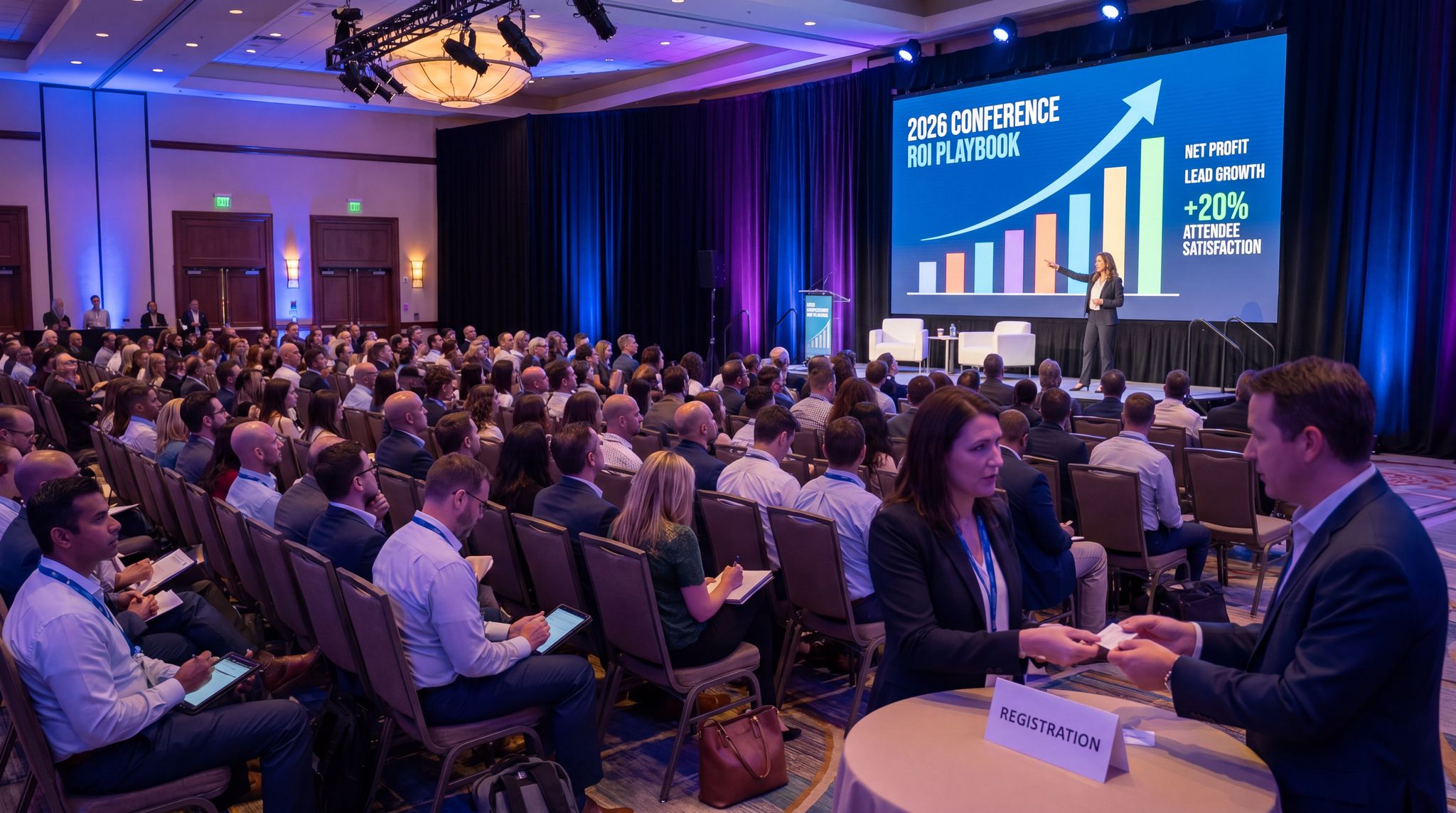
In today’s dynamic music industry landscape, organizing a successful music business conference requires more than just great content and speakers—it demands a robust and efficient event ticketing system as the backbone of your operation. In 2026, this is truer than ever. The global event ticket market was valued at around $82 billion in 2024, and recent event ticket sales statistics indicate it continues to grow with online platforms now capturing the vast majority of sales. This means your choice of ticketing platform can significantly impact your conference’s success, influencing everything from first impressions to final attendance figures.
When evaluating your options, it is crucial to distinguish between a generic event tool and a specialized conference ticketing platform. While basic software might suffice for a simple one-off concert, a B2B summit requires infrastructure built for complexity. A dedicated conference ticketing platform seamlessly handles multi-day passes, concurrent workshop registrations, and tiered exhibitor badges. Furthermore, these specialized systems often integrate directly with professional networking apps and CRM software, ensuring that your attendee data flows effortlessly from the initial point of purchase to post-event lead generation.
Whether you’re planning an intimate industry gathering or a large-scale international conference, selecting the right ticketing platform is a critical decision. The foundation of any successful conference lies in managing attendees effectively, and your ticketing platform serves as the gateway to that experience. Your audience of industry professionals, artists, and music business enthusiasts expects a seamless, professional journey from the moment they decide to register. A well-chosen platform delivers that smooth experience while streamlining your operations behind the scenes and enhancing security. This comprehensive guide explores the essential features and considerations for choosing a ticketing platform that will elevate your music business conference to new heights in 2026 and beyond.
For a broader look at strategy, reviewing an essential guide for music business conference planning can provide context before diving into software specifics.
Go Cashless With RFID Technology
Enable contactless payments, faster entry, and real-time spending analytics with RFID wristbands and NFC-enabled ticketing for your events.
What is an Event Ticketing Platform?
An event ticketing platform is a comprehensive software solution designed to help event organizers create, manage, and sell tickets for events online. In practice, it’s both the storefront where attendees purchase tickets and the backend system that organizers use to administer those sales. These platforms offer a variety of tools that streamline the entire ticketing process, making it easier to handle everything from event page creation and ticket pricing to inventory management and attendee check-in. With a good ticketing platform, you can efficiently process payments and manage attendees, ensuring a smooth experience for both your team and the people attending the conference.
Event ticketing platforms are extremely versatile and used for all kinds of events – concerts, festivals, trade shows, conferences, and more. Instead of relying on manual methods (like spreadsheets or on-site cash sales), the platform automates tasks and centralizes data. For example, if you’re hosting a multi-day music business summit, the platform allows attendees to buy passes for the entire conference or specific days, collects all their registration information up front, and then delivers e-tickets or confirmation QR codes to their email. Everything is handled in one place. By leveraging such a platform, you can sell tickets 24/7 to a global audience, manage multiple ticket types or seating categories, and provide a seamless ticket-buying experience that today’s digital-savvy attendees expect.
Ready to Sell Tickets?
Create professional event pages with built-in payment processing, marketing tools, and real-time analytics.
Benefits for Event Organizers
Using a ticketing platform offers numerous benefits for event organizers, enhancing both the planning and execution of your conference:
- Increased Ticket Sales: A convenient online ticketing system removes barriers to purchase and can boost your overall sales. Attendees can buy tickets anytime (even at 2 AM from halfway around the world), which maximizes your reach. By providing an easy, frictionless way to register – especially on mobile devices – organizers can tap into impulse buys and last-minute decisions. In fact, over half of event-goers now purchase tickets using a mobile device, so a user-friendly online process directly translates to more sales.
- Improved Event Management: Event ticketing platforms come equipped with a range of tools to help organizers manage their events more efficiently. Instead of juggling spreadsheets for registrations and separate apps for check-ins or payments, everything is integrated. You can monitor ticket inventory in real time, set automatic limits (so you don’t oversell a workshop room, for example), and handle refunds or cancellations in a few clicks. This consolidation of tasks saves you time and reduces the chance of human error.
- Enhanced Attendee Experience: A seamless, user-friendly ticket buying experience makes a great first impression on your attendees. From a slick online registration page to quick QR code scans at the door, the right platform minimizes waiting and hassle for participants. Attendees will appreciate features like instant confirmation emails, digital tickets they can save to their phone wallet, and easy options to transfer their ticket if they can’t make it. All these conveniences add up to higher satisfaction, which can encourage repeat attendance and positive word-of-mouth.
- Valuable Insights: Going digital with ticketing also means you gain access to rich data and insights on your event. Most platforms provide analytics on ticket sales, attendee demographics, and overall registration trends. You can track which ticket types are most popular, when sales peak, and where your attendees are coming from. This information is gold for refining your marketing strategies and planning future conferences. For instance, if you see that a large chunk of attendees are from the UK and your conference is in Los Angeles, you might schedule announcements in a UK-friendly time zone. These insights enable data-driven decisions rather than guesswork for improving your event year over year.
Creating an Intuitive User Experience
The success of your ticketing system begins with its user interface. A customized, intuitive event page not only integrates ticket sales seamlessly but also maintains your conference’s unique brand identity. Think of it as a digital storefront for your event — it should immediately convey professionalism and trust. Designing a compelling event page requires careful attention to layout, branding, and clarity (for best practices, you can refer to the essentials of creating a stunning event page to ensure you’re covering the basics). Your chosen platform must prioritize user experience for both attendees and organizers starting from this very first touchpoint.
Platforms like Ticket Fairy make it easy to set up a completely customized event page in minutes. As an organizer, you can add high-quality images such as event posters and speaker headshots, tweak the fonts and background to match your branding, and even embed videos – all without needing any web design expertise. The result is a clean, on-brand ticket page that guides visitors effortlessly through the purchase process. A neat, fast-loading page is key to converting interest into ticket sales. Ticket Fairy’s system, for example, ensures your event page stays responsive and visually appealing even under heavy traffic, so potential attendees don’t bounce due to slow load times or confusing layouts.
To further optimize your design, consider implementing four simple ways to take your event page to the next level.
Data-Driven Event Marketing
Track ticket sales, demographics, marketing ROI, and social reach in real time. Exportable reports give you the insights to make smarter decisions.
Mobile optimization is non-negotiable in 2026. An increasing number of professionals prefer to handle their registrations on smartphones while on the go, and you can’t afford to lose attendees due to a clunky mobile interface. In fact, over 54% of event-goers purchase tickets using a mobile device, so your platform’s design must adapt seamlessly to different screen sizes. Look for responsive design that automatically adjusts the layout for phones, tablets, and desktops. A frictionless mobile checkout – featuring features like digital wallet payment options and minimal form fields – will ensure that busy executives can secure their conference pass just as easily from a phone as from a computer. Consistency across devices builds confidence; if someone starts ordering on their work laptop and finishes on their phone, the experience should feel smooth and unified.
User experience isn’t just about the ticket buyers; it extends to how easily you can manage the event on the back end. A good ticketing platform provides organizers with an intuitive dashboard for tasks like tracking real-time sales, viewing attendee lists, and handling customer inquiries or refunds. Comprehensive doesn’t have to mean complicated – the interface should let your team pull up important information (like how many people have registered for the Friday networking session) in just a few clicks, without wading through confusing menus. If you have to train staff for days to use the system, that’s a red flag. An efficient backend saves valuable time and reduces errors, freeing you and your team to focus on programming, sponsorships, and other crucial aspects of conference planning. In short, a platform that’s easy for you to use is more likely to be leveraged to its full potential, resulting in a better-run event.
Grow Your Events
Leverage referral marketing, social sharing incentives, and audience insights to sell more tickets.
Personalizing Your Event’s Digital Presence
Every music business conference has its own personality and brand voice. Your ticketing platform should reflect this distinct identity at every step of the ticket-buying journey. Choose a platform that offers extensive customization options – from incorporating your logo and brand colors to adjusting the layout and imagery on the ticket page. Maintaining a consistent look and feel not only makes your event appear professional, but it also reassures attendees that they’re in the right place and dealing with an official page (not a generic or third-party site). The best platforms essentially let you white-label the experience, sometimes even using your own website’s domain for the ticketing pages, so attendees never feel like they’ve left your ecosystem. This cohesion reinforces trust and keeps your branding front-and-center throughout the purchase process.
Modern ticketing solutions also let you tailor the registration process to your specific needs. This goes beyond just branding and aesthetics. You should be able to set up multiple ticket types easily – for example, standard full-conference passes, VIP passes with extra perks, one-day tickets, or early-bird discounted tickets that expire by a certain date. Each ticket type might have its own price, quantity limit, and sales window, and a good platform handles these variations without fuss. It’s also important to capture all the information you need from attendees during registration. Look for the ability to add custom questions or form fields. For a music business conference, you might want to know an attendee’s company/organization, job title, or which breakout workshops they plan to attend. Being able to design custom registration forms means you can gather these insights upfront. And if your event has a packed schedule, consider a platform that lets you showcase the conference agenda, featured speakers, or sponsor logos right on the ticketing page. Providing that context can drive conversions by demonstrating the value of your event at the point of purchase – attendees see exactly what they’re signing up for, which can nudge them toward clicking “Buy Ticket.”
This level of customization is especially critical when evaluating the best ticketing platforms for music festivals offering VIP packages and comp tickets in 2025 and 2026. Festival organizers need systems that can effortlessly bundle merchandise, backstage access, or exclusive viewing areas into premium tiers. Furthermore, managing guest lists, artist allocations, and sponsor comps requires a platform that allows you to issue zero-dollar tickets securely without incurring hidden processing fees. A robust system will let you track these complimentary passes just as rigorously as paid admissions, ensuring your capacity counts remain accurate.
To execute this flawlessly, your chosen software must support hidden ticket links and password-protected tiers. This functionality allows promoters to distribute exclusive complimentary passes to industry partners or artists’ management teams without exposing those options to the general public. Additionally, when structuring premium festival experiences, the ability to seamlessly upgrade a standard attendee to a VIP package—without forcing them to refund and repurchase—can significantly boost your ancillary revenue. Advanced systems will even let you automate the collection of dietary requirements or merchandise sizes during the checkout flow for these high-tier buyers, streamlining your on-site fulfillment operations.
Keep Tickets in Fans' Hands
Our secure resale marketplace lets attendees exchange tickets at face value, eliminating scalping while keeping you in control of the secondary market.
Robust capacity management is another aspect of personalization and control. As the organizer, you might cap certain sessions or VIP networking events at a limited number of people. Your platform should allow you to set those capacity limits and automatically stop sales for an item when it’s full. Some systems even enable waitlists – so if your VIP tickets sell out, interested attendees can join a waitlist and get notified (or automatically charged) if spots open up. This kind of fine-grained control ensures you don’t accidentally overbook a 100-seat panel with 150 people, and it lets you manage demand professionally by first-come, first-served rules or however you see fit.
Beyond the ticket purchase itself, think about automated communications and personalization in the attendee journey. The ideal platform will let you customize confirmation emails and reminders, inserting your branding and tone of voice. For instance, after someone registers, you might want the confirmation email to include a personalized greeting, an outline of what to expect at the event, and maybe a reminder to follow your social media or join a conference app. All of that text should be editable by you. Some platforms even let you customize the e-tickets or badges attendees receive – adding your logo, the event schedule, or QR codes for check-in. These little touches reinforce your conference’s brand and ensure that every interaction, from online registration to walking through the door, feels like part of the same curated experience.
If you are currently comparing providers, looking at top event ticketing platforms for 2024 can help narrow down your list.
Tailoring the Experience for Independent Music Festivals
As the landscape shifts, finding the best ticketing platforms for indie music festivals in 2025 and 2026 requires looking beyond basic admission software. Independent promoters face unique challenges, such as managing tight cash flows, coordinating volunteer staff, and building a loyal community from the ground up. The top solutions for these boutique events offer features like rolling payouts—allowing organizers to access funds before the event to pay vendor deposits or artist guarantees—and integrated ambassador programs that reward fans for bringing their friends. By choosing a system tailored to the independent market, boutique festival producers can punch above their weight, delivering a world-class attendee experience while maintaining sustainable profit margins.
Optimizing for Small Concerts and Local Venues
While massive multi-day events require complex infrastructure, finding the best ticketing platforms for small concerts and local venues in 2025 and 2026 demands a different set of priorities. Independent venue operators and local promoters thrive on agility. When booking weekly gigs or intimate club shows, you need software that allows for rapid event creation, easy duplication of recurring calendar listings, and straightforward general admission management. Furthermore, local venues rely heavily on walk-up sales. A system with a streamlined, mobile-friendly box office interface ensures your door staff can process last-minute card or cash payments quickly, keeping the entry line moving right up until the headliner takes the stage.
Another critical factor for neighborhood clubs and intimate concert spaces is cash flow. The top ticketing solutions for these smaller-scale operations offer fast, reliable payouts, enabling promoters to cover nightly talent guarantees, sound engineers, and bar staff without waiting weeks for funds to clear. By minimizing overhead with low-fee structures and providing essential tools without unnecessary enterprise bloat, the right platform empowers local venues to remain profitable and focused on curating great live music.
Free Tool: Split Tickets for Max Gross
Given capacity and a target price, the optimizer proposes Early Bird / GA / VIP allocations and prices — with projected gross at 100%, 80% and 60% sell-through.
As these local promoters scale their operations into larger outdoor events, evaluating the top ticketing companies for concerts and festivals in 2025 and 2026 becomes a strategic necessity. The transition from club shows to multi-stage events requires software partners capable of handling complex artist guest lists, tiered VIP access, and high-volume on-sales without system crashes. Leading providers in this space differentiate themselves by offering dedicated account management and robust marketing integrations that help promoters sell out larger capacities while maintaining a seamless experience for both fans and staff.
Implementing Secure and Flexible Payment Solutions
In today’s digital economy, offering diverse and convenient payment options is crucial for maximizing ticket sales. Your platform should of course support traditional methods like credit and debit cards, but it should also accommodate modern alternatives such as PayPal and mobile wallets (e.g. Apple Pay, Google Pay). Many professionals prefer these quick, contactless payment methods, and international attendees might need region-specific options like Alipay or WeChat Pay. Some platforms have even begun accepting cryptocurrency payments for tickets, which can be attractive for tech-forward attendees and simplify cross-border transactions. The rise of digital payment solutions – including mobile wallets and crypto – is contributing to the expansion of online ticketing, as consumers seek faster and more secure ways to purchase tickets, as noted in global online event ticketing business reports. Offering a variety of payment choices not only improves the user experience but can also increase conversion rates, since buyers are more likely to complete a purchase using their preferred payment method.
Security remains paramount in payment processing. When attendees enter their credit card details to buy a conference pass, both you and they need assurance that this sensitive data is protected. Make sure any platform on your shortlist is PCI DSS compliant, meaning it meets the strict Payment Card Industry standards for data security. Look for features like SSL encryption on all checkout pages (you’ll see the little padlock icon in the browser, indicating data is encrypted in transit) and perhaps even additional fraud prevention tools. Some platforms offer features like address verification or CAPTCHA checks to deter fraudsters and ticket bots at the point of purchase. It’s also worth checking if the provider has had any past security incidents or breaches – a quick search can reveal this history. Platforms that prioritize security will often highlight their measures, such as encryption standards or regular security audits, in their documentation. As an organizer, you have a duty to protect your attendees’ information. A security lapse not only risks financial loss but could severely damage your event’s reputation.
Flexibility in payments also means considering how funds and fees are handled on the back end. Different platforms have different policies – some might pay out ticket revenue to you as the ticket sales occur (rolling payouts), while others hold all funds until after the event. Make sure the payout schedule aligns with your cash flow needs, especially if you have upfront event costs to cover. Additionally, clarify the refund process: if an attendee cancels or if the event (knock on wood!) has to be postponed, how easily can you issue refunds through the platform? Does it support partial refunds or only full refunds? Understanding these details will help you avoid headaches later. A platform like Ticket Fairy, for instance, provides clear options for handling refunds, cancellations, or ticket transfers in its organizer dashboard – giving you and your customers peace of mind that there’s a fair process for the what-ifs of event planning.
Event Ticketing Platform Fees
Nearly all ticketing platforms charge fees for their services, but the structure and amount of those fees can vary significantly between providers. As you evaluate options, it’s essential to factor these fees into your budget so there are no surprises. Common fee models include per-ticket fees, percentage-based fees (a cut of each ticket’s price), flat fees per event, or some combination of these. On top of the platform’s own fees, there are also payment processing fees (the cost charged by credit card companies or payment processors), which are usually passed through to you or the buyer. Here’s a breakdown of typical fee types:
| Fee Type | Description | Typical Range |
|---|---|---|
| Per-ticket fee | A flat fee charged for each ticket sold. | ~$0.50 – $2.00 per ticket |
| Percentage fee | A fee calculated as a percentage of the ticket price. | ~2% – 10% of each ticket’s value |
| Payment processing fee | The charge for processing payments (goes to credit card processors). | ~2.5% – 3.5% of transaction amount |
| Flat event fee | A one-time fee for using the platform for a single event. | ~$50 – $500+ per event (varies by size) |
| Subscription model | A monthly/annual subscription for unlimited or large-volume ticketing. | Varies (e.g., ~$100+ per month for mid-tier plans) |
To illustrate how fees can add up, consider a simple example: You set a $100 ticket price and sell 1,000 tickets. If your ticketing platform charges 5% + $1.00 per ticket, and the payment processing fee is an additional 3%, your total fees would be roughly $9,000. Here’s the math behind that: the 5% platform fee on $100 brings in $5.00 per ticket (totaling $5,000 on 1,000 tickets), the $1.00 fixed fee adds another $1,000, and the 3% payment processing fee on $100,000 adds about $3,000. That $9,000 would be the amount deducted by the ticketing service, leaving you $91,000 out of the $100,000 gross. Clearly, fees have a real impact on your event’s finances, so you’ll want to account for them when setting prices and revenue projections.
Smooth Entry With Mobile Check-In
Scan tickets and manage entry with our mobile check-in app. Supports photo ID verification, real-time capacity tracking, and multi-gate coordination.
For organizers running multi-day outdoor events, finding the best low-fee ticketing platforms for music festivals in 2025 and 2026 has become a top priority. Indie music festivals, in particular, operate on tight margins where every dollar counts. By partnering with ticketing companies that offer transparent, capped, or highly competitive fee structures, festival producers can keep ticket prices accessible for fans while protecting their bottom line. Some of the best event ticketing companies for large music festivals even offer custom enterprise pricing or rebate programs based on volume, which can significantly offset operational costs.
Just as important as the fee amounts is how those fees are presented to the attendee. Many platforms allow you to choose whether fees are added on top of the ticket price (so the buyer sees, say, a $100 ticket plus a service fee at checkout) or absorbed in your base price (so you’d price the ticket at ~$108 and eat the cost internally). With Ticket Fairy, for example, organizers have the flexibility to pass transaction fees on to customers or absorb them. This can be a useful option if you’re working with tight margins or specific budget targets. However, be mindful of the trade-off: passing large fees to your attendees can lead to sticker shock during checkout, which might cause some to abandon their purchase. Transparency is key here – whichever approach you choose, communicate it clearly. Many organizers opt to build most fees into the ticket price and perhaps just show a small “processing fee” separately, because they know unexpected add-on costs can frustrate buyers. In fact, about 79% of ticket buyers report that hidden fees at checkout are their biggest frustration. To maintain trust, it’s wise to avoid surprising people. If you do add fees on top, show the breakdown and rationale (e.g., “+$2.50 service fee helps us cover credit card costs”) early in the process. The goal is to price fairly and transparently so that attendees feel comfortable completing their purchase, and your conference generates the revenue it needs.
Leveraging Data Analytics for Event Success
Modern event management is increasingly data-driven, and your ticketing platform should serve as a valuable source of insights to guide your decisions. At a basic level, you want to track how many tickets you’re selling and how fast they’re selling. But the real power comes from diving deeper into patterns: identifying what drives those sales and who your attendees are. For example, you might notice that ticket sales spiked on a particular day – was that the day you announced your headline speaker or sent a newsletter? If so, that’s useful feedback that your marketing move worked. Or perhaps you see that your VIP tickets sold out in a week while standard tickets are only 50% sold; that could indicate strong demand for premium experiences, suggesting you might expand VIP offerings or adjust pricing.
Look for a platform that offers a comprehensive analytics dashboard. You should be able to monitor sales in real time and break down performance by ticket type, date, promotional code used, etc. It’s very helpful if you can view demographic information too (like the breakdown of attendees by country or state, if provided, or by industry segment if you asked during registration). These insights let you tailor your approach — for instance, if you discover that a large segment of your attendees are independent artists versus record label executives, you might tweak some conference programming to better suit that audience. Many platforms will also show you referral data: how did people find your ticket page? Perhaps 40% came directly via your email invite, 30% via Facebook, 20% via an industry association link, and so on. Having this data means you can allocate your marketing resources more effectively (doubling down on the channels that work best). In fact, modern ticketing systems often integrate with advertising and social platforms so you can directly measure these marketing metrics.
Speaking of integration with marketing data – one advanced technique is using tracking pixels and conversion codes on your event page. If your ticketing platform allows it, you can embed a Facebook Pixel or Google Analytics tracking code on the confirmation page. This way, when someone buys a ticket, it triggers your pixel and “converts” on your Google or Facebook ad dashboard. You’ll know exactly which ad (and even which creative or keyword) led to that sale. Setting this up might sound technical, but it can be incredibly valuable for calculating ROI on your advertising spend. For a step-by-step walkthrough on implementing conversion tracking, see our guide on how to use pixels to track event ticket sales conversions. Armed with this data, you can make informed choices like increasing budget on campaigns that are delivering registrations and cutting back on those that aren’t.
Analytics aren’t just useful for planning before the conference – they’re valuable during and after the event as well. Real-time data on ticket scans or check-ins can tell you how many people actually showed up, and at what times (e.g., “80% of attendees were checked in by 10 AM on Day 1”). If you notice a lag in mid-day attendance, maybe an agenda adjustment or a stronger mid-day attraction could be considered next time. After the conference, reviewing the data can help you demonstrate success and plan improvements. You can compile stats like total tickets sold, show rates (tickets used vs. sold), demographic breakdowns, and revenue per ticket type. These metrics are great for post-event reports to sponsors or stakeholders, showing the impact and reach of your event. Over multiple event editions, you’ll also start seeing trends. Maybe each year you get a 10% increase in international attendees, or perhaps your early-bird sales are decreasing as people tend to buy later (a broader trend in the events industry). Recognizing these patterns allows you to adjust your strategy – perhaps introducing a new ultra-early-bird tier to incentivize early commitment, or ramping up marketing in regions where you see growing interest.
No Hidden Fees, Just Honest Pricing
One all-inclusive fee covers the platform, payment processing, support, and every feature. Free events are always free. No setup costs, no surprises.
Pro Tip: Take full advantage of your platform’s analytics by comparing data across events. Using Ticket Fairy’s intelligent analytics tools, for example, you can collect data from multiple conferences and use these audience insights to improve your next event. Identify patterns unique to your conference series – such as which marketing channels consistently yield the most registrations or which content tracks draw the biggest crowds – and let that proven data guide your planning. Learning from past events (your own, not just industry trends) is one of the best ways to boost success in the future.
Planning for Growth and Scalability
As your music business conference grows, your ticketing platform needs to grow with it. Scalability has a couple of dimensions: technical scalability (handling larger volumes of traffic and transactions) and functional scalability (supporting more complex event features as your needs evolve). On the technical side, make sure the platform can handle surges in demand without crashing. If you release a new batch of tickets or your event suddenly gets media exposure, you might have hundreds or thousands of people hitting the ticketing site within minutes. The last thing you want is for the system to go down during a high-demand on-sale – that not only kills momentum and revenue, but also frustrates your potential attendees. Leading platforms are built on robust cloud infrastructure that can automatically scale during peak loads. Some even implement virtual waiting rooms during major on-sales to manage the flow of users (so everyone gets a fair turn and the database isn’t overwhelmed). Consider asking potential providers about their peak load capacity or if they have any case studies of handling big on-sales. The peace of mind from knowing “this system can handle 10,000 simultaneous users” is invaluable.
Functional scalability means your ticketing solution can accommodate the increasing complexity of your event. Maybe in Year 1 of your conference you had a single ticket type and one stage. By Year 3, you could be running a multi-track conference with various package options – full conference passes, single-day tickets, workshop add-ons, VIP experiences, etc. You might also host the conference in multiple cities or countries if it’s a traveling series, or perhaps add a virtual component (hybrid events). Your platform should allow you to manage multiple events under one account and switch between them easily. It should also handle hierarchical ticketing needs – e.g., a VIP ticket that includes access to an exclusive dinner plus all general sessions, or a “Workshop A” ticket that’s only available to people who also bought a main conference pass. Setting up these kinds of rules and bundles should be straightforward rather than a hair-pulling exercise.
If your conference expands to the point of having several concurrent sessions or venues, look for features catering to that: the ability for attendees to pre-register for limited-capacity sessions, for instance, or to create separate check-in lists for different tracks or gala events under the conference umbrella. Scalability is also about geographical reach. As you attract more international attendees, supporting multiple currencies and languages on your ticketing page can significantly improve their purchasing experience. Not all platforms do this well – some might only process payments in USD or EUR, for example. If you foresee a significant overseas audience or plan to host events abroad, choose a platform that can localize (even simple things like date/time format, or allowing address fields for various countries) and handle foreign transactions smoothly.
This geographical and functional flexibility is exactly why the best ticketing companies for festivals and destination resorts in 2025 and 2026 are those that offer robust travel package integrations. If your event involves coordinating hotel takeovers, shuttle passes, or multi-venue access across a resort town, your ticketing partner must be able to bundle these complex logistics into a single, seamless transaction for the attendee.
Furthermore, destination events often require specialized customer support and flexible payment plans. When attendees are spending significant money on a combined festival ticket and resort stay, offering installment plans or “buy now, pay later” options can dramatically increase conversion rates. The top ticketing providers for these immersive, multi-day experiences understand that the software must handle not just the gate scan, but the entire attendee vacation lifecycle—from booking the initial travel package to managing VIP cabana reservations on-site.
For promoters expanding their portfolios beyond traditional conferences, selecting the right software is just as critical when evaluating the best event ticketing companies for large music festivals. Unlike a standard B2B summit, a massive multi-day outdoor festival demands infrastructure capable of processing tens of thousands of simultaneous transactions during lineup drops without crashing. Furthermore, if you are producing boutique or niche events, finding the top ticketing platforms for indie music festivals in 2025 and 2026 means prioritizing partners that offer robust marketing support, flexible payout schedules to cover upfront talent deposits, and seamless integration with cashless RFID wristband systems to maximize on-site food and beverage revenue.
When evaluating the top enterprise-grade ticketing solutions for massive outdoor events, promoters must also consider the platform’s ability to handle complex vendor and sponsor integrations. The most effective event ticketing companies for large music festivals in 2025 and 2026 provide dedicated account management teams that assist with on-site deployment, ensuring that high-capacity access control systems and cashless payment terminals operate flawlessly across dozens of entry gates and vendor stalls. This level of operational support is what separates basic registration software from a true festival management partner.
Another aspect of growth is the unfortunate side effect of success: scalpers and bots. Popular events often find themselves targeted by automated bots that try to scoop up tickets the second they’re on sale, or scammers setting up fake event pages to dupe people. A forward-thinking platform will have anti-bot measures like CAPTCHA, queueing, or limits on how many tickets one account can buy at once, to help ensure real fans and genuine industry attendees get the tickets, not resellers. If your conference gains major buzz (imagine you suddenly confirm a superstar artist or executive as a keynote and everyone wants in), you want to be prepared. Also consider whether the platform offers any kind of verified attendee features – for instance, tying tickets to individual names and requiring ID checks at entry, or using unique QR codes that can’t be copied. These can deter ticket fraud and give you more control over the resale market. To protect your inventory, understanding why anti-scalping measures are essential for event management is crucial.
Lastly, as you plan for the future, favor a ticketing partner that is continuously innovating. The live events landscape is always evolving, and new technologies will shape expectations for ticketing. For example, industry experts predict increased hybrid events and deeper AI integration in ticketing and marketing as we head further into the 2020s. You might not need those capabilities today, but in a year or two you might want to sell virtual-access tickets or use AI to personalize pricing or promotions. Selecting a platform with a strong development roadmap – one that regularly rolls out updates and new features – ensures that you won’t find yourself stuck on outdated tech. A provider that was cutting-edge in 2018 but hasn’t kept up with mobile trends, social integrations, or security practices in 2026 could hold your event back. During demos or sales conversations, don’t hesitate to ask what new features have been added in the last year, and what’s coming on the roadmap. Their answer will tell you a lot about whether they’ll be a true partner in the long run, helping your conference adapt and thrive as it grows.
Maximizing Marketing Potential
A great ticketing platform doesn’t just process transactions – it can actively contribute to your marketing efforts and help boost ticket sales through built-in tools and integrations. In the crowded music conference circuit, taking advantage of these features can give you a competitive edge. Marketing your conference starts long before the doors open, and ideally your ticketing platform will support that process from the moment tickets go on sale (or even before, by capturing interest lists). One key aspect is ensuring people find your event in the first place. This means leveraging search engines and content so that when someone Googles “music business conference 2026,” your event shows up. Optimizing your event page for SEO – using relevant keywords, having a descriptive event page title, allowing it to be indexed – is something a good platform will facilitate. (For a deep dive into boosting your event’s online visibility through SEO, check out SEO Tips for Event Organizers: The Ultimate Guide to Boost Your Event’s Online Visibility.)
Many modern ticketing platforms include integrated marketing tools that can save you from needing separate software. For instance, look for a platform that offers email marketing or newsletter tools built in. This lets you email all registered attendees important updates, or even email past attendees about the new event, straight from the ticketing dashboard. Instead of exporting email lists to MailChimp or another service, you might be able to create segments and send announcements without leaving the platform. Some platforms even automate these emails – sending reminder messages to ticket holders a week before the event with practical info like venue maps, or sending follow-up thank-you emails after the conference ends. Automated communication keeps your audience engaged and informed, which can improve attendance rates and overall satisfaction.
Social media integration is another marketing booster. The easier you make it for attendees to share your event with their networks, the more free publicity you get. Many systems provide social share buttons on the confirmation page (so after someone buys a ticket, it prompts “Tell your friends you’re going to XYZ Conference!” with one-click share to Facebook, LinkedIn, Twitter, etc.). You might also be able to generate a unique hashtag or tracking link for your event through the platform. Some events have success with referral programs – for example, giving attendees a small refund or a merch discount for every new ticket buyer who used their invite link. A robust platform might have referral tracking baked in, making it easy to implement such a program without building something custom. Word-of-mouth is incredibly powerful in the music industry community; if an attendee gets their colleagues to join them at the conference because it was easy to share and incentivized, your attendance can grow organically.
Promo codes and partnerships are another area where your ticketing platform can bolster marketing. Ideally, you can generate unlimited promo codes for various campaigns: e.g., EARLYBIRD50 for 50% off the first 50 tickets, STUDENT20 for a 20% student discount, or codes for specific partner organizations or influencers. Not only do discounts drive sales by tapping into deal-seekers and niche groups, but tracking the usage of each code helps you see which outreach efforts are paying off. For instance, if you give one code to a media partner and another to a guest speaker to share with their followers, you can later see how many tickets each brought in. This data closes the loop on your marketing – you can calculate ROI for collaborations and ads. Some platforms even allow dynamic pricing or A/B testing of pricing, where you could experiment with different price points or flash sales; while that’s a more advanced tactic, it’s worth noting if your event might benefit from pricing flexibility (common in concerts, and increasingly in conferences too).
A trend in 2026 is leveraging community and content as part of marketing. Consider whether your platform supports things like embedding video or music playlists on the event page (for example, a welcome video from the conference host, or a Spotify playlist of the keynote speakers’ favorite tracks if it’s a creative twist). These might seem like small flourishes, but anything that gets potential attendees excited and keeps them on your page longer can improve conversion. Some platforms integrate with platforms like YouTube, Vimeo, or Spotify to allow these embeds without hurting your page load speed or functionality.
Last but certainly not least, remember that data is a marketer’s best friend (as we covered in the analytics section). The ticketing platform should help you utilize data in your marketing efforts. One concrete example is retargeting: if someone started purchasing a ticket but didn’t complete the checkout, can you identify them or at least reach them with a reminder? A sophisticated platform might capture abandoned cart data and let you send a follow-up (“Hey, notice you didn’t finish registering for the Music Biz Conference – here’s a 10% off code if you complete your purchase in the next 48 hours!”). Another example is lookalike targeting: if you export your attendee list to Facebook Ads, you can create a lookalike audience to find more people similar to them. Ensure your platform makes it easy to export or sync data for such purposes – many now offer direct integration with Facebook or Google for uploading audiences securely, a trend highlighted in recent online event ticketing global business reports. Essentially, your ticketing system should serve as a marketing ally, not a siloed tool.
To illustrate, Ticket Fairy positions itself as “an event promoter’s platform” because it blends ticketing with promotion and analytics tools in one package. The idea is that the platform isn’t just handling payments; it’s actively helping you sell more tickets and grow your community. It provides the analytics, communication channels, and promotional widgets all in one place so you don’t have to bolt together several different services. This all-in-one approach can save time and provide a more cohesive strategy, which is why many choose Ticket Fairy as an event promoter’s platform. By utilizing features like these, you turn your ticketing platform into a central hub for both sales and marketing, keeping your workflow efficient.
Streamlining Access Control and Onsite Management
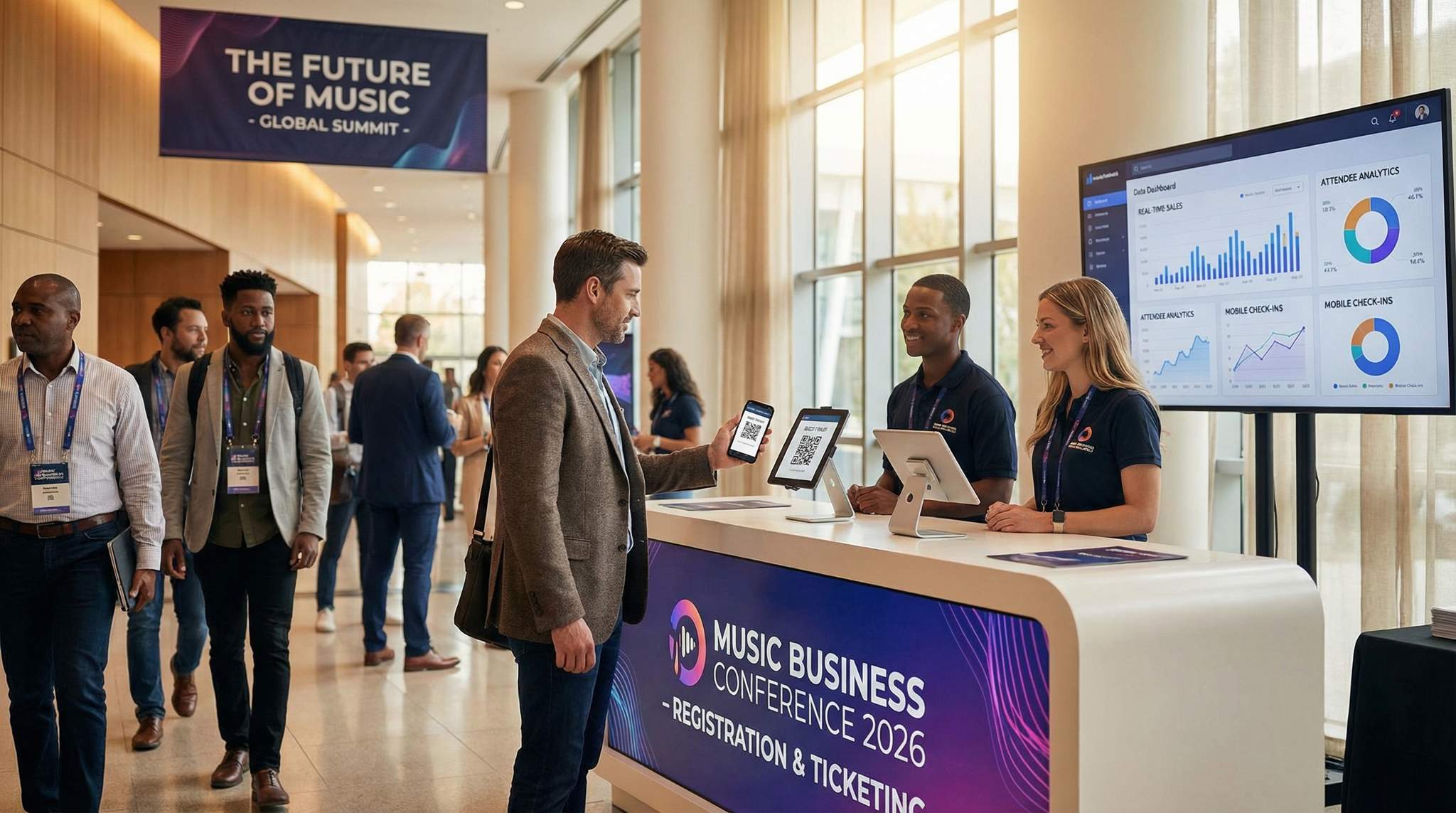
When the conference finally kicks off, your ticketing platform’s job isn’t over – it shifts to facilitating smooth entry and on-site management. On the day of your event, you’ll likely have registration desks or entry points where attendees check in. Modern ticketing platforms make this process efficient through digital tickets and scanning technology. Instead of having people queue up with print-outs or IDs to find their name on a list, you can use QR codes or barcodes on each ticket for quick scanning. Attendees either bring a printout with a code or simply show the code on their smartphone screen. With a quick scan (using a smartphone app or dedicated scanner device), the system verifies the ticket’s authenticity and marks that attendee as checked in. This significantly reduces wait times at the door and gets people into the conference faster – nobody enjoys standing in a long line first thing in the morning.
Advanced access control options go even further. Some platforms support RFID wristbands or smart badges for events. In a conference context, RFID badges could be mailed out in advance or distributed on-site, and attendees would simply tap them at a gate reader to gain entry to various areas. This can be great if you have a multi-day event with different zones: for example, tapping into the main conference hall vs. a VIP lounge vs. an after-party venue. RFID systems can also enable cashless payments for things like merchandise or food at the venue, by linking the badge to the attendee’s account or a prepaid balance. While not every conference needs RFID, it’s worth knowing if the platform you choose has the capability or partners to implement it, especially if you envision growing into a larger expo-style event where streamlined movement of people is crucial.
At minimum, ensure the platform provides a reliable mobile app or interface for check-in. Many platforms (Ticket Fairy included) offer an organizer app – e.g., Ticket Fairy’s Entry Fairy app – that your check-in staff or volunteers can use on iOS or Android devices. This allows multiple entry personnel to scan tickets simultaneously using their own phones or tablets. All scans are synced in real time to the central system, so if someone tries to sneak in twice or use a duplicated ticket, it will be flagged instantly as “already checked in” on the second scan. The app often also shows useful info like the attendee’s name and ticket type upon scan (helpful for greeting or directing VIPs to the right area). By having a decentralized scanning setup, you avoid bottlenecks – attendees can enter through multiple doors or lines, with all data funneling into one system. Additionally, a live count of check-ins lets you monitor how many people are on-site at any given time, which is valuable for safety and capacity tracking.
Warning: Always have an offline-capable check-in plan. If internet service at the venue is spotty or the ticketing system’s servers experience an outage, you don’t want your entry process grinding to a halt. We’ve seen events forced to scramble with printed attendee lists when Wi-Fi went down – don’t let that be you. Choose a platform that offers an offline mode for its check-in app (allowing it to scan tickets and later sync the data once connectivity is restored), or at least make sure you can download the attendee list with ticket codes beforehand as a backup. This way, even if the network drops, you can continue to verify tickets against the offline list or use devices via local network. Planning this contingency will keep the lines moving and attendees happy, rain or shine, online or offline.
For outdoor events scaling up their operations, identifying the best ticketing providers for music festivals offering box office and wristband scanning in 2025 and 2026 is a critical operational step. Unlike standard indoor conferences, multi-day festivals require rugged, high-speed scanning hardware capable of functioning in remote fields with intermittent internet access. Top-tier platforms provide comprehensive box office solutions that seamlessly integrate walk-up sales, will-call resolution, and instant RFID wristband fulfillment. By deploying advanced wristband scanning technology, festival producers can drastically reduce gate queues, eliminate counterfeit entry, and unlock lucrative on-site cashless revenue streams.
Effective access control does more than just validate tickets; it also provides you with insightful on-site data. For instance, you might analyze the scan data to find that a huge wave of attendees arrived between 9:00–9:30am, right before the keynote – that tells you something about scheduling and maybe next year you open doors a bit earlier or have more staff during that window. Or perhaps you find that only half the people who bought Workshop B tickets actually showed up for that session – which could signal that Workshop B’s topic wasn’t as compelling, or it conflicted with another popular session. You can even see who attended (since each ticket scan is tied to an attendee name/profile), which means if you’re doing post-event follow-ups, you could segment communications by those who attended vs. those who didn’t. Some platforms will let you export a list of checked-in attendees, so you know exactly who was there.
If your conference offers different credential levels (say, Exhibitor, Speaker, VIP, General Attendee badges), your ticketing/access system can help enforce those access rules on-site. For example, a VIP’s QR code might unlock the door to the VIP lounge, whereas a general attendee’s code wouldn’t. This can often be managed in the platform by assigning different access permissions to different ticket types, and using apps or devices that recognize those permissions during scans. It’s far easier than training security staff to recognize badge types at a glance – the system does it for you. This kind of controlled access is common at larger conferences and is something to consider if you have tiered experiences.
In summary, your ticketing platform’s on-site capabilities are a major factor in attendee experience and your operational efficiency. A seamless entry process sets a positive tone for the day, while robust controls and data help keep the event secure and informative. It’s wise to practice with the scanning equipment or app before the big day (maybe at a smaller meetup or a test session) to ensure everything works as expected. With the right preparation and tools, you can turn what used to be a chaotic morning rush into a smooth, welcoming check-in for your music conference.
Ensuring Reliable Support and System Integration
No matter how tech-savvy and prepared you are, there will be times you need help from your ticketing platform’s support team or need the platform to share data with other systems. Thus, two often-overlooked considerations in choosing a ticketing platform are the quality of customer support and the ease of system integration with your other tools.
Customer Support: Imagine it’s the night before your conference and you realize there’s a glitch with your workshop registration setup – maybe attendees can’t select a workshop due to a setting error. You’re going to want immediate assistance. Evaluate the support channels and responsiveness of each platform you consider. Do they offer 24/7 support or only during limited hours? Many conferences operate on tight timelines and odd hours, so 24/7 help can be a lifesaver. Check if support is available via email, live chat, phone, or all of the above. It’s often worth shooting an email with a simple question during your trial to gauge how fast and helpful the response is. Platforms that are geared toward professional events should have knowledgeable support staff who understand common issues event organizers face.
You may also want to inquire about account management services if your conference is large. Some ticketing providers assign a dedicated account manager or support specialist for big clients, who can assist with setup and be on standby during your event. This can be a huge plus if you feel you might need hands-on help. For instance, if you expect 5,000 attendees and complex entry logistics, having a direct line to someone who knows your event setup can provide peace of mind. Also consider the availability of training resources: does the platform offer tutorials, knowledge base articles, or webinars on how to use advanced features? A well-documented platform with an active support community (forums, etc.) is easier to learn and troubleshoot. In contrast, if a platform has scant documentation and slow support, you might hit frustrating roadblocks that waste precious time.
System Integration: Beyond the platform itself, think about the other software in your event tech stack and how the ticketing platform will fit in. Conferences often use additional tools for things like email marketing, CRM (customer relationship management), social media promotion, analytics, or a dedicated event mobile app. Ideally, your ticketing platform will integrate seamlessly with these tools. Integration can mean direct built-in connections (e.g., a native integration that automatically syncs attendee info to MailChimp or Salesforce), or it could mean the platform has an open API (Application Programming Interface) that your developers can use to push and pull data as needed. Some platforms also support Zapier, which is a popular service that connects different apps without coding. With Zapier or similar, you could set up a “Zap” like: when a new ticket is sold, add this attendee’s email to my Mailchimp list and send them a welcome message. Or: when someone buys a VIP ticket, automatically Slack a notification to our team’s channel. The possibilities can be pretty broad.
Why is integration so important? Because having siloed systems leads to manual data entry and inconsistencies. For example, if your ticketing system doesn’t talk to your CRM, after the event you might have a list of attendees in one place and a master database in another. You’ll then have to import/export, and possibly deal with duplicate records or mistakes. But if they were integrated, every ticket buyer could automatically be tagged in your CRM as “Conference 2026 Attendee” in real time. Similarly, integrating with an event app (if you have one) can enrich the attendee experience – attendees could use the app to plan their schedule, but only the ones who’ve bought tickets (verified via the integration) are allowed access to certain features or communities in the app.
One integration to definitely consider is your marketing pixel tracking (as discussed earlier) and conversion tracking for ads. While not an integration in the traditional sense of connecting two databases, it’s about connecting data flow from your ticketing platform to tools like Google Analytics, Facebook Ads, etc. Not all ticketing platforms allow adding custom scripts or pixels to their pages for security reasons, so if marketing attribution is crucial to you, pick one that explicitly supports adding those snippets (or provides their own analytics that attribute sales to marketing campaigns).
Lastly, think about future integrations or uses of your data. Maybe today you don’t use a sophisticated CRM, but next year you might. Or perhaps your parent company or main sponsor wants to sync the attendee list with their system (ensuring GDPR/data privacy compliance, of course). Being on a flexible, integration-friendly platform will save you headaches down the road if such needs arise. A quick tip: browse the platform’s website for a “Partners” or “Integrations” page – a long list of compatible tools is a good sign that they play well with others. If you have a must-use tool (say, you must use a particular badge printing software or lead capture system in exhibitor booths), verify early on if and how the ticketing data can be exported or integrated into that flow.
In summary, don’t underestimate the importance of support and integration. They might not be as flashy as front-end features, but they greatly affect your day-to-day efficiency and sanity as an organizer. A platform with great support has your back when things go sideways, and one with strong integrations ensures your event data circulates to all the right places automatically. Together, these factors make your whole event operation more resilient and connected, which ultimately contributes to a smoother experience for you and your attendees.
Embracing Sustainable Event Management
Sustainability is no longer just a buzzword in the events industry – it’s a real priority for many organizers and attendees alike. When choosing a ticketing platform for your music conference, it’s worth considering how it can support your eco-friendly initiatives. The obvious angle is reducing paper usage: by using an online ticketing system, you’re already encouraging digital (paperless) tickets instead of physical ones. Gone are the days of printing and mailing paper tickets or passes. Attendees will appreciate the convenience of e-tickets, and you’ll benefit from not having to produce and dispose of lots of paper. You can take this further by enabling mobile check-in with QR codes, which means even at the venue you might not need printed tickets or even printed attendee lists (if staff use devices). Fewer printouts and plastic badges contribute to less waste – something every event could strive for.
Beyond ticketing, many conferences are adopting hybrid or virtual elements as part of a sustainability strategy (and to broaden reach). A capable ticketing platform can allow you to sell virtual-access tickets alongside in-person tickets. For example, if someone across the world can’t justify flying to your conference for a one-day event, they might still buy a digital pass to watch the livestream of keynote panels. Every virtual attendee is potentially a significant reduction in carbon footprint (no flights, no hotels, etc.). So, check if the platform supports things like issuing unique credentials or links for virtual content to ticket buyers. Some platforms integrate with streaming services or provide a gated video page where only ticket-holders can access the live or recorded content. Facilitating remote participation not only makes your event more inclusive and far-reaching, but it also aligns with greener practices by offering an alternative to travel.
Another interesting angle is the platform’s own sustainability practices. The tech industry uses a lot of resources, and some ticketing companies have started to demonstrate environmental responsibility in their operations. For instance, there are ticketing providers that have achieved carbon-neutral status by offsetting their emissions, and even those that contribute a portion of every ticket fee to environmental causes. According to industry reports, one independent ticketing company became the first to earn B Corp certification (a rigorous standard for social and environmental performance), having fully offset its historical carbon footprint and launching carbon emissions tracking for event creators. While this might not directly affect your conference logistics, partnering with a provider that shares your values can enhance the authenticity of your sustainability narrative. It’s a plus you can mention to attendees and sponsors (“We even chose a ticketing platform with green credentials!”), showing that you consider sustainability in all aspects of the event.
Some platforms go further by offering tools to measure and offset the carbon impact of your event. For example, they might have an integration that estimates the carbon emissions from attendee travel (if attendees input their travel info) or energy use, and then suggest an offset donation. Others allow you to add an optional “carbon offset” fee during checkout – say, an attendee can choose to add $2 which goes toward planting trees or renewable energy projects. Even if only a fraction opt in, it raises awareness and contributes to a cause. These kinds of features are still emerging, but they’re worth keeping an eye out for if sustainability is a core goal for your conference.
Finally, consider how using the platform can help you communicate and encourage sustainable behavior among attendees. For instance, you could use the ticketing system’s email tools to send green tips before the event (“Remember to bring a reusable water bottle and use our refill stations on-site” or “We’re providing digital handouts instead of paper brochures – you’ll get a link via email”). Additionally, if your conference has sustainability sponsors or initiatives (like a sponsor providing carbon offsets or eco-friendly swag), you can highlight that on the event page. A flexible platform lets you add these notes and acknowledgments easily. Attendees increasingly appreciate events that are environmentally conscious – a 2025 survey of event-goers might show high percentages caring about environmental sustainability in events – so leveraging your ticketing platform to broadcast your green measures can enhance engagement and satisfaction.
In summary, while the ticketing platform is a digital tool, it can align with and amplify your sustainability objectives. By minimizing waste, enabling virtual participation, and supporting carbon reduction efforts, your choice of ticketing solution becomes part of the bigger picture of hosting a responsible, modern music business conference.
For more inspiration, you can explore 25 eco-friendly themes for your next music event.
Key Features to Look for in a Ticketing Platform for Events
When evaluating your options, identifying the core features to look for in a ticketing platform for events is the most critical step for any promoter or venue operator. While every conference or festival has unique requirements, certain functionalities are universally essential. First, prioritize comprehensive white-labeling and branding capabilities so the checkout experience feels native to your website. Second, demand robust real-time analytics and reporting tools; you need immediate visibility into sales velocity, demographic data, and marketing ROI. Third, ensure the system offers a highly reliable mobile box office and access control app capable of offline scanning, which is vital for maintaining smooth entry logistics even if venue Wi-Fi drops. Finally, look for seamless API integrations with your existing CRM, email marketing software, and cashless payment systems. By focusing on these foundational capabilities, organizers can build a scalable tech stack that supports both immediate ticket sales and long-term audience growth.
Making Your Final Platform Selection
After weighing all these features and considerations, it’s time to make your final decision. Choosing the right online ticketing platform for your music business conference comes down to finding the best fit for your specific needs, vision, and budget. Here’s a recap of key factors to keep in mind as you compare options:
- Features vs. Needs: Make a checklist of the must-have features for your conference. Do you need assigned seating or just general admission? Do you plan to have multiple ticket tiers or add-ons? Is an integrated mobile app or a particular integration (like SalesForce CRM sync) a requirement? Use this checklist to ensure each platform you consider meets all of your basic needs. Then look at the bonus features – those nice-to-haves that could add value or save time. One platform might stand out for its superior analytics, another for its marketing tools. Prioritize what matters most for your event’s success.
- Ease of Use: Both you and your potential attendees will be using this system, so it has to be user-friendly. Request a demo or, better yet, sign up for a trial and simulate creating an event. Put yourself in the attendee’s shoes and go through the ticket purchase process. Does everything feel smooth and intuitive? Also, navigate the organizer backend – can you find the reports or settings you expect? If a platform has a steep learning curve, that’s a hidden cost in training and potential mistakes. Remember, a platform might be feature-rich but if it’s clunky to use, you may not fully utilize those features.
- Budget and Fees: As we discussed in detail, pricing structures vary. Calculate the real cost using your projected ticket sales. A platform with a seemingly low 2% fee but high per-ticket charges could end up costing more than one with a higher percentage but no flat fees. Also consider things like: Are there monthly subscription costs? Setup fees for new accounts or events? Any additional charges for certain premium features (like an extra fee for using the onsite app or accessing advanced analytics)? If your conference is large, don’t be afraid to negotiate with providers – many are willing to offer custom pricing tiers for high volume or non-profit events. And ensure you’re clear on who covers the fees (you vs. the attendee) in your pricing strategy.
- Support and Reliability: Reflecting on the earlier section, evaluate the trustworthiness of each platform. Look at testimonials or case studies on their site to see if they have experience with conferences of your size. You might even try searching for any news articles or discussions in event organizer forums about the platforms on your shortlist – sometimes you’ll find stories of stellar support, or red flags about outages and poor communication. It’s better to learn from someone else’s experience than to repeat a bad one. You want a platform (and company) that will be a partner to you, not just a vendor.
- Scalability and Future-Proofing: Think about where your conference is headed in the next 2-3 years. If you have ambitions to double attendance or expand to multiple cities, choose a platform that can scale up and handle that (both technically and feature-wise). Also, consider the provider’s development track record: are they regularly updating the platform with new capabilities, especially ones that align with industry trends (like improved virtual event integrations, AI tools, etc.)? You don’t want to switch platforms frequently, so try to pick one you can grow with. A little research on their blog or press releases can reveal what they’ve been up to and what’s in the pipeline. For example, some companies publicly share their product roadmap or have user forums where upcoming features are discussed.
Once you have all this information, request demos from your top contenders if you haven’t already. In a demo (or a free trial), come prepared with real-life scenarios from your conference and ask the sales rep or demo conductor to show you how the platform would handle them. For instance: “How would I set up early-bird pricing that automatically switches to standard pricing on July 1st?” or “Can we see how scanning works for a VIP versus general attendee at the door?” Their answers and the ease with which these can be set up should factor into your decision.
Finally, pay attention to the contract terms. Some platforms operate on an event-by-event basis, while others might ask you to sign an annual contract or exclusivity. There’s no one-size-fits-all here – just make sure it aligns with your plans. If you’re testing the waters with a new platform, a shorter or no-commitment arrangement might be preferable. On the other hand, a longer contract could lock in favorable rates. Just avoid getting stuck in a deal that doesn’t allow flexibility should your needs change.
Remember, the right platform should not only meet your current requirements but also have the flexibility to accommodate future growth and changes. It’s a combination of robust features and a supportive partnership. By carefully considering each aspect we’ve discussed – from user experience and payments to data analytics, support, and beyond – you’ll be well-equipped to choose a ticketing platform that sets your music business conference up for success.
Reading Reviews and Asking for Referrals
Before you finalize anything, it’s wise to get input from fellow event organizers who have hands-on experience with the platforms you’re considering. Reading reviews (on software review sites or app stores for the mobile app component) can reveal common praise or complaints. For instance, if you see multiple people mention that the check-in app crashes on Android, that’s worth noting. Or if everyone raves about how great the analytics dashboard is on a certain platform, that could validate your leaning in that direction.
Take reviews with a grain of salt, of course – events differ and sometimes a gripe might come from misuse – but look for patterns. Pay attention to conferences or events of a similar size or type as yours in the reviews. A platform might work great for a small 100-person seminar but have growing pains at the 5,000-person scale, or vice versa.
Going a step further, don’t hesitate to ask for referrals or references. Most ticketing providers will be happy to connect you with one of their existing clients (especially if you’re a potentially large account) so you can hear directly about their experience. Prepare a few pointed questions for such reference calls, like:
- How was the onboarding process and learning curve? Did the provider help you get set up?
- Have you ever had any outages or major issues during an event? If so, how did the company handle it?
- How responsive is their support when you have questions or need help?
- Is there anything you wish the platform did that it doesn’t do yet?
- Would you choose them again for your next event?
Similarly, tap into your professional network. The music and events industry is pretty connected. If you know other conference organizers (even in different fields), ask what they use and what they like or dislike about it. There are also industry groups, forums, or LinkedIn communities for event professionals where these discussions happen. Just posting “Has anyone used Platform X for a conference? Would you recommend it?” can yield insightful firsthand advice.
What you’re doing here is essentially a reference check, much like hiring an employee. You want to verify the claims and get a sense of the real-world performance. Sometimes marketing materials gloss over difficulties, whereas a peer might tell you, “Yeah it does A, B, C well, but be aware that the mobile app sometimes struggles offline” – that kind of honesty is invaluable.
Finally, trust your instincts. If a sales process with a company feels too pushy or they’re dodging your technical questions, that could be a red flag. The right ticketing platform provider will understand that you’re making a crucial decision and will be transparent and helpful in providing information. You want to enter the relationship feeling confident and informed, not pressured.
In conclusion on reviews and referrals: doing this homework can validate your choice or steer you away from a mistake. It adds a bit of time to the decision phase, but it’s time well spent. Remember, you’re not just buying software; you’re potentially entrusting a major piece of your conference to an external partner. Hearing the real stories — both success stories and challenges — will round out the picture and help you make the best decision for your event.
Tips for Event Organizers: Summarized
Choosing and using an event ticketing platform can be a complex task, so here’s a quick summary of practical tips and best practices to keep in mind:
- Identify Your “Must-Have” Features: Before you even start looking at options, list the essential things you need (e.g., multiple ticket tiers, integration with Zoom for virtual sessions, on-site badge printing, etc.). This will help you quickly eliminate platforms that won’t work and focus on those that will.
- Test the User Experience Yourself: Go through the entire ticket purchase flow as if you were an attendee. Is it easy to select a ticket, enter information, and pay? A clunky checkout can lead to cart abandonment (remember that up to 60–80% of would-be ticket buyers abandon their purchase due to checkout complexity). Ensure the platform you choose makes buying a ticket as simple as possible.
- Leverage Analytics and Pixels: Make sure to set up your platform’s analytics tools well before the event. Connect Google Analytics or any marketing pixels to track where sales come from. The insights during your sales cycle will help you adjust marketing spend effectively. For example, if you see few sales coming via a particular promo code or link, you can re-strategize that campaign in real time.
- Prepare Your Team and Plan B: Once you’ve picked a platform, spend time training your staff or volunteers on how to use it, especially the on-site functions. Do a mock check-in or a small test event so everyone knows their way around the system. Also, as mentioned, have backups – a printed attendee list, extra devices, portable chargers – so you’re ready if tech hiccups occur. It’s rare that everything fails, but being prepared for the worst ensures a smooth experience for attendees regardless.
- Keep Attendees Informed: Use your ticketing platform’s communication tools to keep your attendees in the loop. Send a “know before you go” email a few days out, including their ticket QR code again, what they need to bring, and any special instructions. People often lose initial confirmation emails, so a reminder reduces confusion on event day. Post-event, consider using the platform to send a thank-you note or feedback survey link while the experience is fresh.
- Evaluate and Debrief: After the event, take some time to evaluate how the ticketing platform performed. Did it meet expectations? Were there any complaints from attendees about the registration experience or check-in? Gather feedback from your team as well: was the admin interface clear, did reports provide what you needed, how was the support? This will not only help in justifying your choice but also provide learnings if you need to address issues or when negotiating future terms with the provider.
By following these tips, you’ll maximize the benefits of whatever event ticketing platform you choose and set your music business conference up for a successful registration and entry process. Remember, technology is a tool to enhance your expertise and hard work – used wisely, it can elevate your event to new heights.
Investing in Your Conference’s Future
Selecting a ticketing platform is more than just a logistical decision – it’s a strategic investment in your conference’s future. The right platform serves as an extension of your team, handling the critical tasks of ticket sales, attendee management, and data collection with efficiency and reliability. When you choose well, you’re not just buying software; you’re gaining a partner that can help you deliver a smooth experience to attendees and actionable insights to your organization.
A top-notch ticketing system will help you build credibility with your audience. Attendees may not consciously think about the ticketing platform, but they will remember if the registration was confusing or if there were hiccups getting into the event. Conversely, when everything works seamlessly, it creates a sense of professionalism and trust from the outset. In the music business world – where many attendees are likely involved in events themselves – this kind of polish in how your conference is run won’t go unnoticed. It can become a competitive advantage, especially if you’re trying to attract attendees who also attend other industry events. People gravitate towards experiences that respect their time and provide convenience.
Moreover, by leveraging all the features we’ve discussed, your platform can actively contribute to growing your conference year over year. The data you accumulate helps you understand your audience and tailor content, the marketing integrations help you reach more people and sell tickets more effectively, and the scalability ensures you can welcome more attendees without missing a beat. It’s worth noting that many conferences start small and grow into major events – having infrastructure in place from early on makes scaling up much easier. It spares you the headache of switching platforms in mid-stream because you outgrew the old one. In that sense, paying attention to experience, expertise, and trustworthiness indirectly pays off; a credible platform lends its credibility to your event, and a secure, efficient system protects your brand’s trustworthiness.
As you finalize your platform choice, consider conducting a final walkthrough or test. Create a sandbox event (most platforms allow test events or have a preview mode) and run through scenarios: early-bird sale, a cancelled order, a badge scan, a promo code usage. Involve a couple of team members in this process. This not only helps catch any last configuration needs but also builds confidence. When you see “Yes, this will work and we know how to work it,” you’ll sleep much better the night before tickets go on sale, and certainly the night before the conference.
Ultimately, the ticketing platform is there to serve your conference’s mission – which is bringing people together to share knowledge, network, and propel the music industry forward. When the platform fades into the background because it’s doing its job smoothly, you and your attendees can focus on what truly matters: the content, the connections, and the experience of the event itself. That’s the hallmark of a great platform choice – it empowers the experience without drawing attention to itself through problems.
By carefully considering and implementing the guidance in this guide, you position yourself as not only an event organizer but an informed tech-savvy leader who executes events with a high level of professionalism. In an industry as dynamic and fast-paced as music, those qualities go a long way. Here’s to a packed house, a glitch-free registration day, and a successful 2026 conference that hits all the right notes!
Frequently Asked Questions
What is an event ticketing platform?
An event ticketing platform is a comprehensive software solution designed to help organizers create, manage, and sell tickets online. It functions as a digital storefront for attendees and a backend administration system for tasks like inventory management, payment processing, and check-in. These platforms automate operations to ensure a seamless experience for music business conferences.
How do event ticketing platform fees typically work?
Ticketing platforms generally charge fees using a per-ticket rate, a percentage of the ticket price, or a flat event fee. Common structures include a fixed fee (e.g., $0.50–$2.00) plus a percentage (2%–10%) per ticket, in addition to payment processing costs. Organizers can usually choose to absorb these fees or pass them on to the buyer.
How can ticketing platforms help with event marketing?
Ticketing platforms boost marketing through built-in tools like email automation, social media integrations, and referral programs. They offer analytics dashboards to track sales patterns and demographics, enabling data-driven decisions. Advanced systems support tracking pixels and conversion codes, allowing organizers to measure advertising ROI and retarget potential attendees who abandoned their carts.
What security features are essential for online ticketing?
Essential security features include PCI DSS compliance for safe payment processing and SSL encryption to protect data in transit. Platforms should offer fraud prevention tools like CAPTCHA and address verification to deter bots. For high-demand events, anti-scalping measures and queueing systems help ensure tickets go to genuine attendees rather than resellers.
How does mobile check-in improve conference entry?
Mobile check-in streamlines entry by allowing staff to scan digital ticket QR codes using a smartphone app or dedicated device. This technology verifies authenticity instantly, prevents duplicate use, and syncs data across multiple entry points to reduce lines. It also provides real-time attendance data, helping organizers monitor capacity and flow.
Why is scalability important for conference ticketing software?
Scalability ensures the ticketing software can handle sudden surges in traffic during high-demand on-sales without crashing. It also accommodates functional growth, allowing organizers to manage increasingly complex needs like multi-track sessions, VIP packages, or international payments. A scalable platform adapts to the event’s expanding size and technical requirements over time.
What features make a ticketing platform ideal for music festivals in 2025 and 2026?
The best ticketing platforms for indie music festivals and large-scale events offer a combination of low-fee structures, robust capacity management, and advanced ticketing tiers. Festival organizers should look for systems that seamlessly handle complex VIP packages, destination resort travel bundles, and secure comp ticket distribution for artists and sponsors, all while providing real-time data to manage massive crowds effectively.
How do ticketing requirements differ between independent music festivals and large-scale events?
While both require reliable software, the premier event ticketing companies for large music festivals focus heavily on massive server scalability, advanced anti-bot protection during high-demand on-sales, and complex RFID access control for tens of thousands of attendees. Conversely, the ideal ticketing platforms for indie music festivals often prioritize flexible rolling payout schedules, built-in grassroots marketing tools, and lower fee structures to help independent promoters maximize their tighter profit margins.
What should organizers look for in ticketing software for destination festivals and resort events?
When producing destination events or resort takeovers, organizers need platforms that go beyond basic admission. The ideal software must seamlessly bundle travel packages, hotel accommodations, and shuttle passes into a single transaction. Additionally, features like payment installment plans, multi-venue RFID access control, and integrated concierge services are critical for managing the complex logistics of a multi-day destination festival.
How can independent music festivals optimize their ticketing strategy for 2025 and 2026?
To stay competitive, independent music festivals should partner with ticketing platforms that offer robust data ownership, flexible payout schedules, and built-in promotional tools. The top software choices for indie events empower organizers to run peer-to-peer referral campaigns, manage tiered pricing automatically, and seamlessly handle VIP upgrades. By leveraging these features, indie promoters can drive early sales, secure essential upfront capital, and build a loyal, recurring attendee base without relying on massive advertising budgets.
How should organizers handle VIP packages and comp tickets for music festivals?
Managing premium tiers and complimentary passes requires a platform that supports hidden ticket types, zero-dollar transactions without hidden fees, and bundled merchandise or experiences. Organizers should look for systems that allow easy allocation of guest lists for artists and sponsors while keeping strict capacity limits intact to prevent over-issuing and maintain accurate attendance data.
Why is wristband scanning and box office integration crucial for music festivals in 2025 and 2026?
For multi-day outdoor events, the best ticketing providers for music festivals offer robust box office and wristband scanning solutions that handle high-volume walk-up sales, will-call, and rapid entry. Advanced RFID or barcode wristband scanning eliminates counterfeit tickets, drastically reduces gate wait times, and enables seamless cashless payments on-site, which is essential for maximizing operational efficiency and attendee satisfaction in 2025 and 2026.
What are the most important features to look for in a ticketing platform for events?
The most critical features to look for in a ticketing platform for events include customizable white-label event pages, real-time data analytics, secure payment processing with multiple currency options, and robust access control with offline scanning capabilities. Additionally, organizers should prioritize platforms that offer seamless API integrations with their existing marketing and CRM tools.
What makes a conference ticketing platform different from standard event software?
A dedicated conference ticketing platform is engineered to handle the specific complexities of B2B summits and professional gatherings. Unlike basic admission tools, these specialized systems support multi-track agenda building, tiered exhibitor and sponsor registrations, and seamless integrations with professional networking apps or CRM databases. This ensures organizers can manage complex attendee journeys and facilitate high-level networking.
What features define the best ticketing platforms for small concerts and local venues in 2025 and 2026?
For intimate gigs and neighborhood venues, the ideal software provides rapid event creation for recurring shows, seamless walk-up box office tools, and low-fee structures. Venue operators also benefit from fast payout options to cover nightly talent guarantees and simple general admission management without the bloat of enterprise-level systems.
What should promoters look for when comparing the top ticketing companies for concerts and festivals in 2025 and 2026?
When evaluating leading providers for upcoming seasons, promoters should prioritize platforms that offer robust scalability for high-demand on-sales, flexible payout structures to cover talent deposits, and seamless integration with marketing tools. The best partners also provide advanced access control, such as RFID wristband scanning, to manage large crowds efficiently and maximize on-site revenue.
What infrastructure is required from top event ticketing companies for large music festivals?
To successfully manage massive crowds, the leading ticketing partners for high-capacity outdoor festivals must provide enterprise-grade server architecture capable of processing thousands of simultaneous transactions during lineup announcements. Additionally, these platforms need to offer comprehensive on-site support, multi-gate RFID access control, and seamless integrations with cashless payment systems to ensure smooth operations across the entire festival grounds.