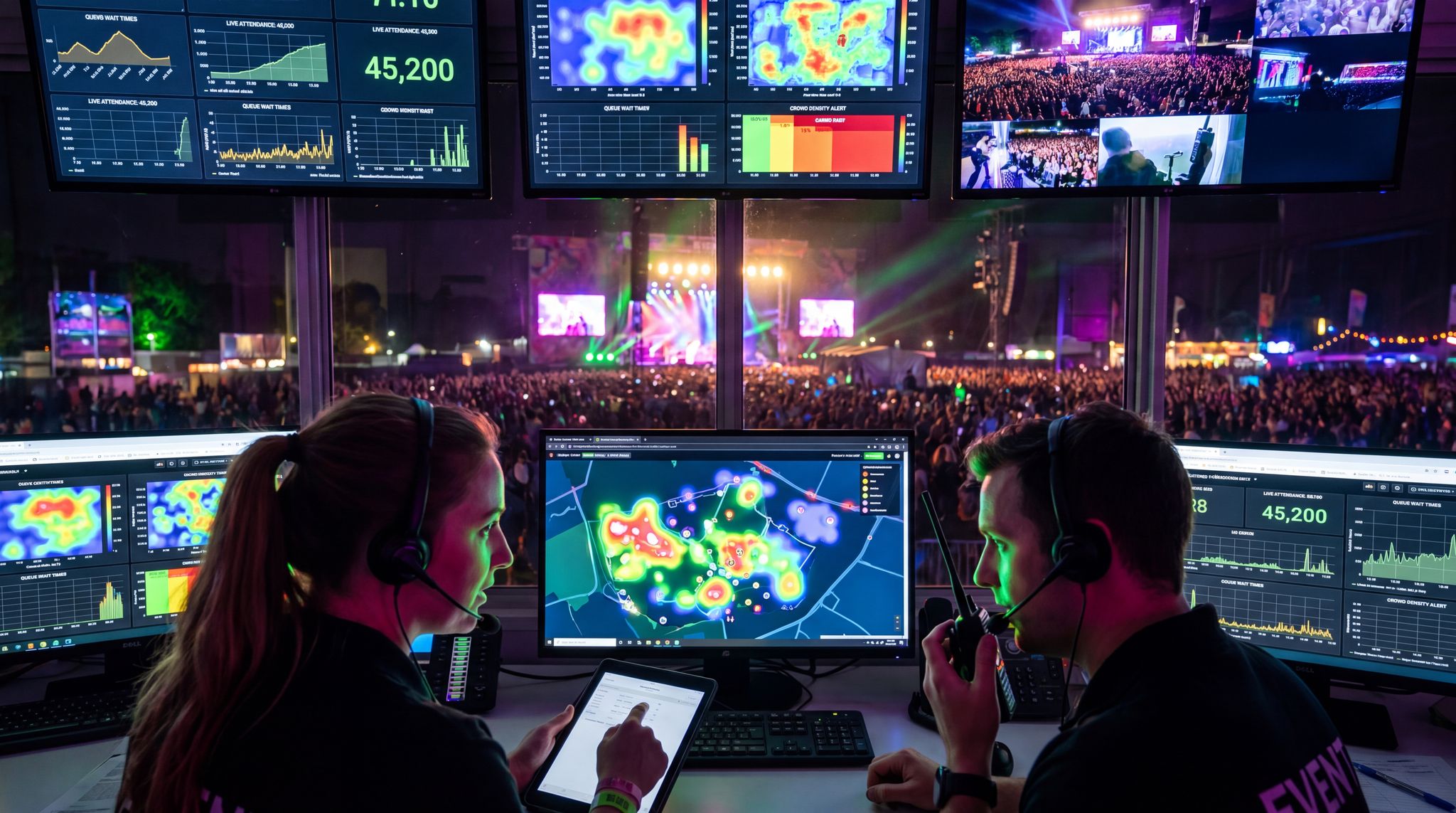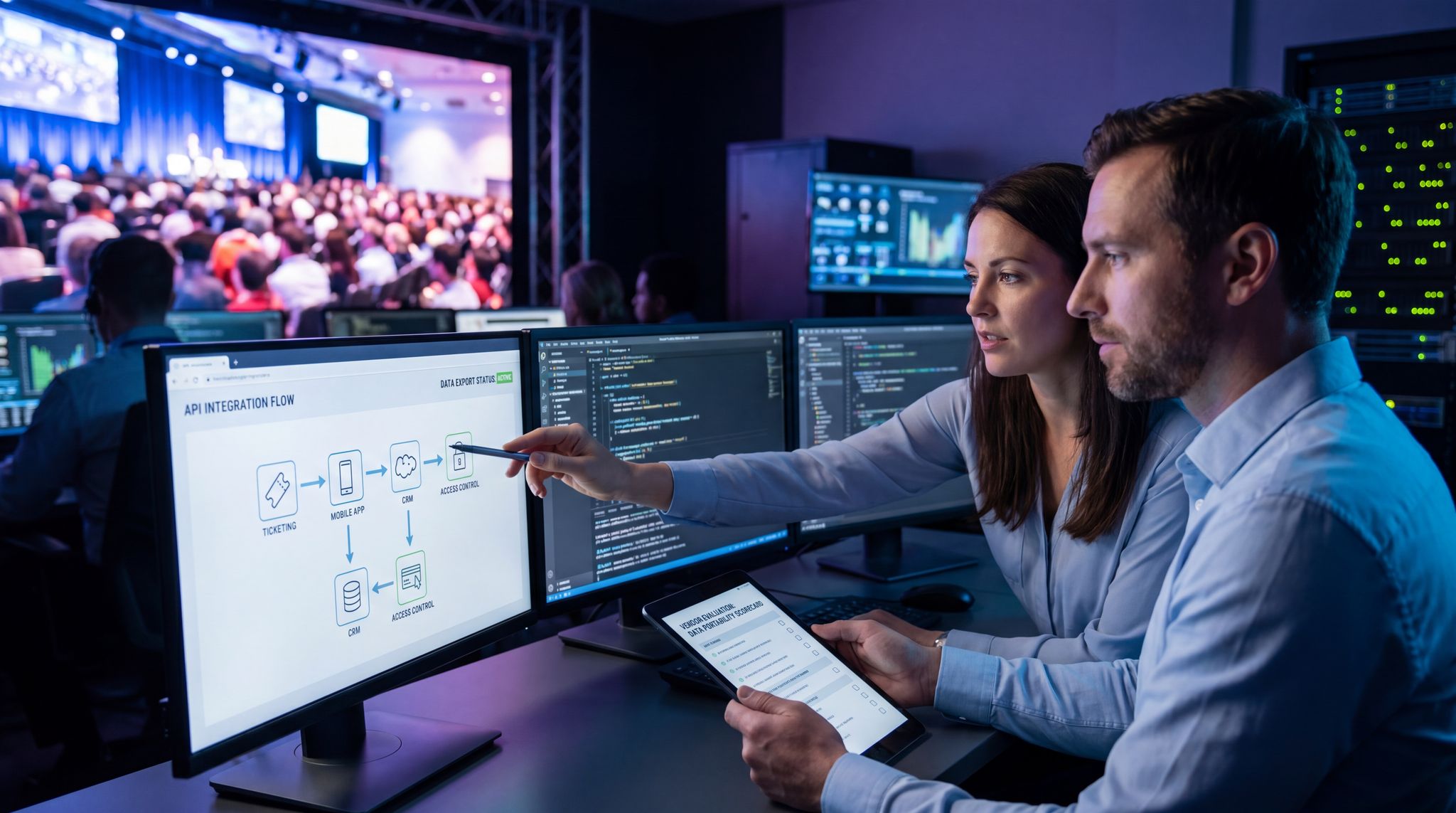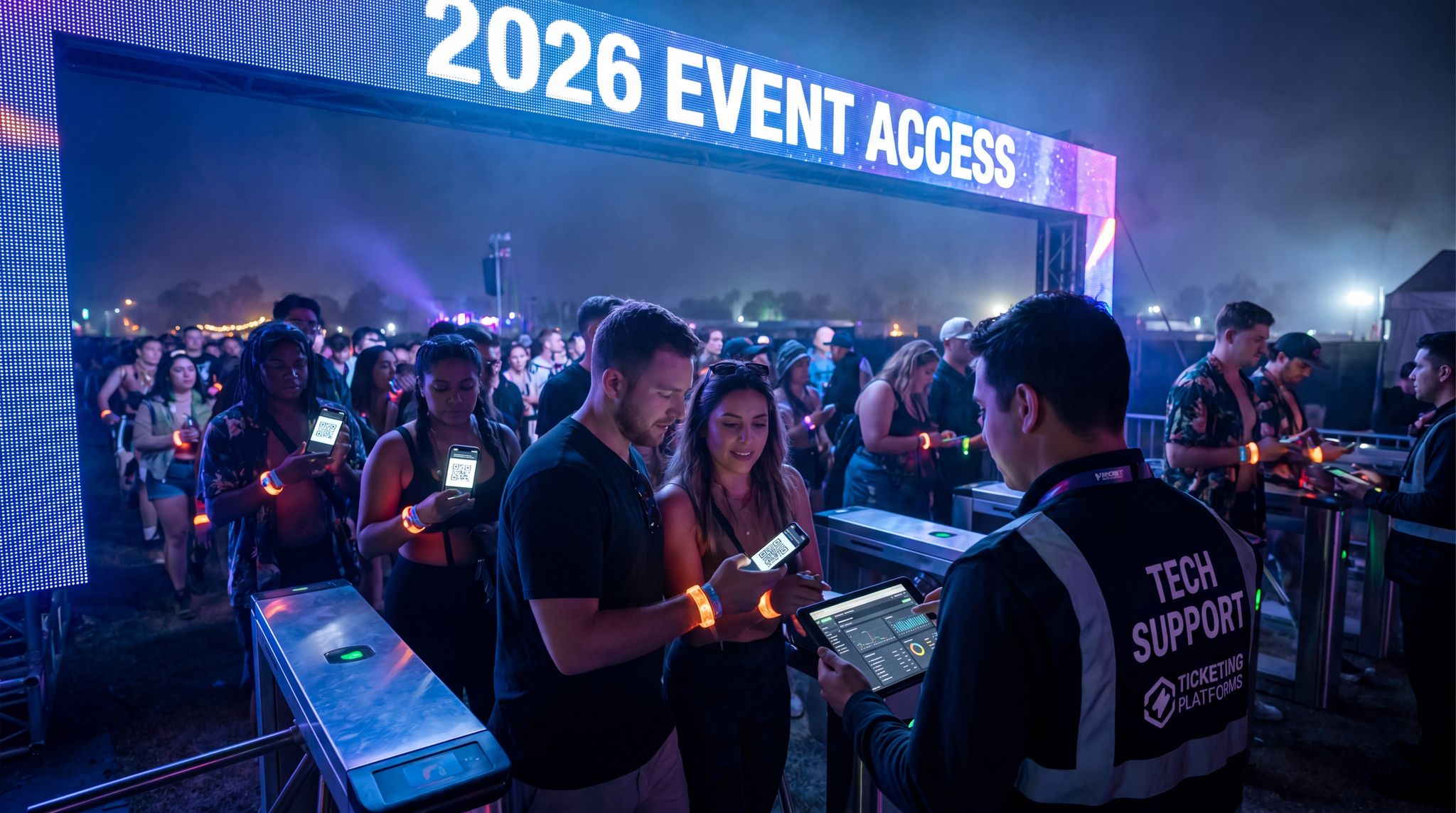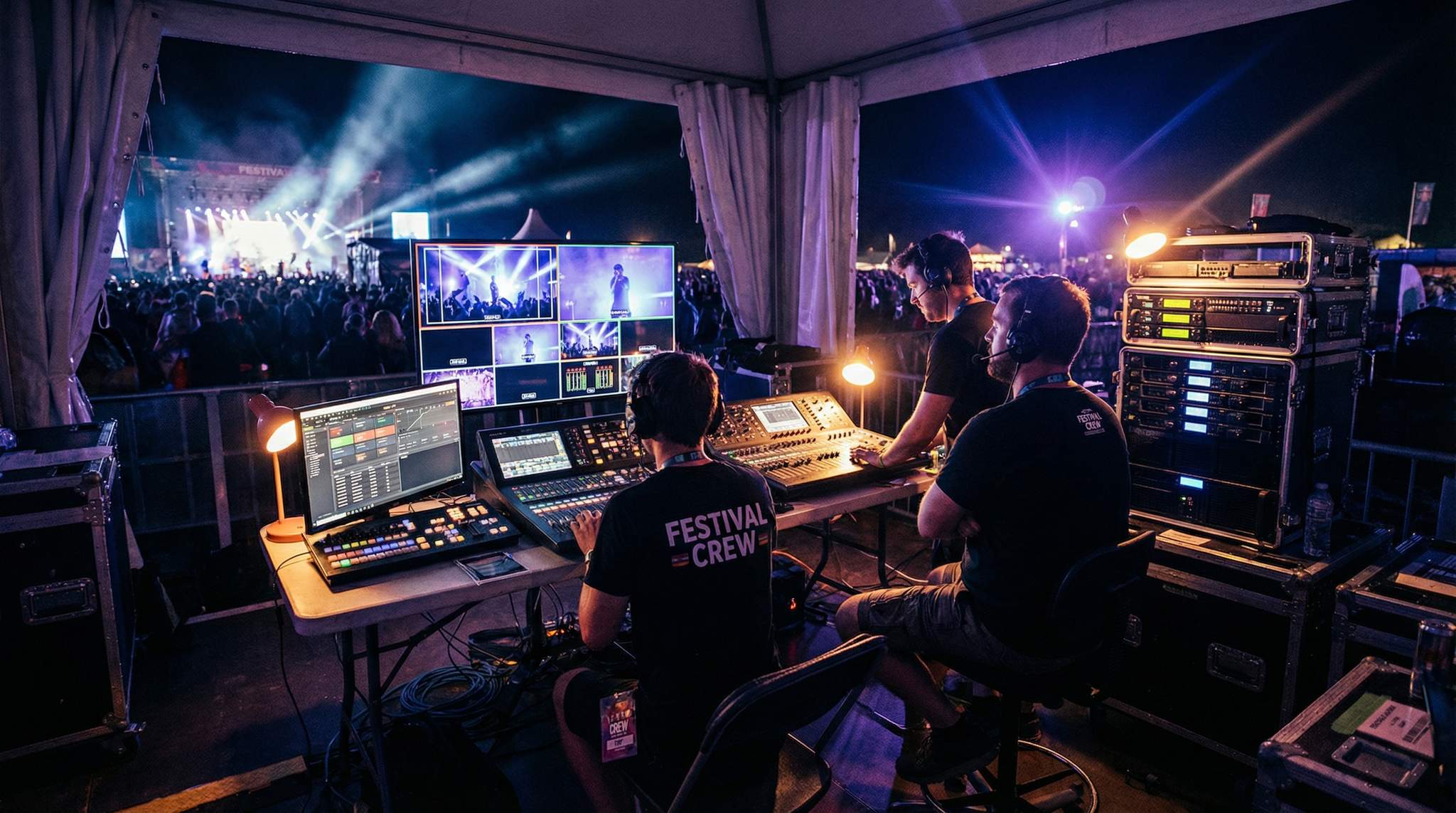
Online events have become a mainstay of the music and festival industry – not just a pandemic-era stopgap, but a strategic way to reach global audiences. From mega-festivals livestreaming to millions of fans, to local concerts adding virtual tickets, streaming is opening new frontiers. In fact, live streaming has exploded into a global phenomenon, with over 28% of internet users watching live video each week and a market projected to reach $345 billion by 2030 according to live streaming usage statistics and market projections. The appeal is clear: hybrid events can massively expand your reach. According to a 2024 industry survey, 80% of event managers believe hybrid events offer greater audience reach, as noted in recent hybrid event industry survey data. Just ask the team behind Coachella – the 2023 live stream of BLACKPINK’s headline set drew over 3.1 million simultaneous viewers online, a figure highlighted in reports on Blackpink’s massive Coachella viewership, far beyond the physical crowd. And Tomorrowland’s 2025 partnership with TikTok saw a record-breaking 74 million unique viewers tune into the festival virtually, as detailed in analysis of the summer festival streaming boom.
But before you rush to put your event online, remember that streaming is a double-edged sword. Pulling off a great online event takes serious planning, budget, and tech expertise – it’s not as simple as pointing a camera at the stage. One events association report warned that hybrid events can demand nearly double the effort and expense of an in-person show, due to added production needs, a challenge outlined in PCMA’s hybrid business events recovery dashboard. If your team or budget can’t support the virtual side, a poorly executed stream could hurt your brand more than help. On the other hand, done right, an online component can boost revenues and engagement (one 2021 virtual festival earned 950,000+ paid online viewers from 150 countries, demonstrating the potential seen in successful virtual music festival case studies!). The key is careful preparation.
Here are seven essential steps to ensure you successfully set up and stream an online event in 2026. Each checkpoint will help you deliver a smooth, professional virtual experience that complements your in-person event – not detracts from it – and leaves viewers impressed.
1. Figure Out if Your Event Works in an Online Capacity
Not every event translates well to a virtual format – evaluate early if streaming will enhance or undermine your experience. Deciding if your event fits the hybrid model requires careful consideration. Consider the core atmosphere and goals of your event. Will a live broadcast add value for remote fans, or could it siphon away the magic of being there in person? For example, a music festival or DJ concert can often create thrilling online content (with multi-cam footage and great audio). But an intimate networking mixer or hands-on workshop might fall flat on a screen.
Grow Your Social Following With Every Sale
Require social media follows, shares, or playlist adds to unlock presale access or special pricing. Turn every ticket purchase into audience growth.
Think about your audience expectations as well. If people attend your event for the energy of the crowd or exclusive in-person interactions, a stream could feel like a second-rate substitute. On the flip side, if your event content is visual or musical and can be enjoyed from anywhere, streaming opens the doors to far more people. Use data and common sense: a recent global survey found nearly 70% of organizers plan to keep hybrid events as a lasting part of their strategy, precisely because of the expanded reach and inclusivity highlighted by trends in long-term hybrid event planning. Fans who can’t travel due to distance or cost will appreciate a virtual option.
Pro Tip: Run a small pilot stream before your big event. For instance, if you’re planning a large festival livestream, test the waters with a single artist’s show streamed online. Gauge the online engagement and get feedback. This real-world trial can reveal if the demand is there and help you troubleshoot technical kinks on a smaller scale.
That said, be mindful of cannibalization. Over one-third of event managers say it’s challenging to convince people to attend in person when an online option is available, a concern reflected where organizers struggle to balance in-person and online attendance. The goal is to design your virtual experience to complement, not replace, the live event. For example, some festivals limit their stream to certain stages or offer bonus online-only content, so the live show still feels special. As one guide on streaming without hurting attendance notes, your online content should strengthen your community without undermining on-site magic. In practice, this could mean not streaming every single moment – keep a few surprises for the in-person crowd. If you strike the right balance, the hybrid model can actually boost your event’s brand. (Many viewers who love the stream might decide to attend in person next time.)
2. Choose the Right Platform to Stream
Once you decide to go digital, choosing where to stream is one of the most critical decisions. Your streaming platform is effectively your event’s online venue, so you want a reliable partner that fits your needs. There are numerous options, each with pros and cons:
| Platform | Best For | Notable Features | Considerations |
|---|---|---|---|
| YouTube Live | Massive public audiences; global music/live events | High video quality up to 4K; easy sharing/embed; live chat and moderation tools; free to view | No built-in paywall (would need unlisted link + external ticket system); ads unless disabled; competition for attention on YouTube |
| Twitch | Highly interactive streams; music festivals, gaming and youth audiences | Real-time chat with emotes fostering community; subscription and donation features for monetization; established streaming tech | Audience skew (younger, gaming-centric culture); ads for non-subscribers; content rules (music licensing issues possible) |
| Facebook Live | Reaching existing followers; community events | Integrated with social media (notifications to followers); easy engagement (comments, reactions); free to use | Lower video quality and reliability at times; limited discovery beyond followers; no ticket gating (usually free) |
| Zoom / Webinar Platforms | Interactive workshops, conferences, Q&As | Two-way interaction (participant video and audio); registration gating possible; good for smaller scale or networking elements | Limited broadcast quality (designed for meetings); participant limits unless premium; not ideal for “spectator” events like concerts |
| Dedicated Event Platforms (e.g. custom white-label stream service) | Premium ticketed events, large hybrid festivals, or conferences needing a branded experience | Can integrate pay-per-view or ticket codes for access; brandable interface (your logos, graphics); often offer tech support and higher-grade streaming infrastructure | Costs can be significant; requires onboarding audience to a new platform; must ensure it can handle traffic (do load testing) |
Think carefully about what matters for your event: audience size, monetization, and interactivity. If you’re aiming for tens of thousands of viewers worldwide and don’t plan to charge for online access, open platforms like YouTube or Twitch offer massive scale at no cost. For instance, Coachella has streamed free on YouTube for years, reaching millions. However, if you want to sell virtual tickets or exclusive access, you’ll need a solution that supports paywalls or logins for viewers. Some organizers build a microsite and embed a private stream, or use specialized platforms that handle ticket authentication.
To illustrate, major festivals have tried different approaches: Tomorrowland’s 2020 fully virtual festival sold €20 pay-per-view tickets for a high-end curated stream, effectively monetizing festival live streams and archives, while Lollapalooza partnered with Hulu to stream exclusively to that platform’s subscribers, utilizing exclusive platform partnerships for wider distribution. Both models worked for their goals – Tomorrowland monetized directly from fans, whereas Lolla gained a wide reach (and likely a licensing fee from Hulu). Decide what success means for you: maximum eyeballs or maximized revenue? It can be a tricky balance. Sometimes a hybrid approach is best (e.g. stream a portion free to build hype, but charge for full access or on-demand replays).
Data-Driven Event Marketing
Track ticket sales, demographics, marketing ROI, and social reach in real time. Exportable reports give you the insights to make smarter decisions.
Also weigh the features you need. Do you want an active chat community during the show? If so, a platform like Twitch or YouTube (or an embedded chat on your site) is key – just ensure you have moderators ready to foster a positive vibe. Do you need viewer analytics and data? Many platforms provide real-time stats on viewership, drop-off times, etc., which can be invaluable for sponsors and post-event analysis. Technical support is another factor – if you’re not extremely confident in your in-house streaming expertise, consider a platform or service that offers dedicated support during your broadcast.
Pro Tip: Always test and stress-test your streaming setup before the big day. Whichever platform you choose, do a private trial run with your equipment, and push it to the limits (simulate the maximum expected viewers if possible). Nothing is worse than thousands of fans seeing a “buffering” icon when your headliner goes live, a nightmare scenario discussed in guides on incorporating virtual elements into hybrid festivals. Perform load testing, ensure your encoders and internet connection can handle the bitrate, and have a backup stream ready to fire if the primary one fails. Some event producers even run two parallel streams on separate platforms (e.g. YouTube and a private site) as a redundancy – if one goes down, they can quickly direct viewers to the other.
Lastly, read the fine print on any platform. Make sure you understand content rights (some artists or speakers may require special permission to be streamed or recorded). If you plan to keep a recording (VOD) afterward, verify that the platform allows it and decide if it will be available for replay. Having clear agreements with performers (including any revenue share for streamed content) will protect you from disputes later, as securing proper rights and revenue shares is essential. Choose a platform that not only fits your budget and audience, but also aligns with your event’s content strategy and technical capacity.
3. Create Detailed Plans for Both On-Site and Online
With your venue and streaming platform set, dive into comprehensive planning. Treat the online component as a parallel event that intertwines with your physical event. This means you’ll need all the usual event plans plus additional layers for the broadcast. Start by breaking down every aspect of your music event or festival into separate planning documents or checklists:
- On-site Event Plan: Venue logistics, stage schedules, sound and lighting, staffing, ticketing, crowd safety, etc. Ensure the basics of the in-person experience are solid – a fantastic stream means nothing if the live event fails to deliver on stage timing or sound quality. Many seasoned producers use a detailed event production checklist to cover everything from permits to power supply.
- Streaming Production Plan: Outline the technical workflow for the live stream. This includes camera setups (angles, positions, who operates each), audio feeds (a direct soundboard feed for clean audio, plus ambient mics for crowd noise), the broadcast software settings (encoding bitrate, resolution, stream keys), and the personnel roles. It’s wise to assign a dedicated broadcast team so the streaming doesn’t become an afterthought. If possible, hire or designate a broadcast director who oversees the live video feed, plus a few camera operators and a streaming technician. Also plan for engaging content: will you switch cameras manually, have picture-in-picture for multiple stages, or include graphics (like performer names, sponsor logos, or lower-third captions)? Map these out beforehand.
- Marketing & Ticketing Plan: Yes, marketing is part of planning! Develop a meticulous marketing campaign (more in step 5) that covers how you’ll promote both the physical event and the online stream. Also, if you’re selling tickets for the stream, plan the ticket types and sales process. For example, you might offer a discounted “virtual access” ticket tier, or bundle online access free for those who bought a festival pass. Ensure your ticketing platform can handle multiple ticket types seamlessly (many promoters use platforms like Ticket Fairy that allow creating different online/offline ticket tiers with ease).
- Content and Engagement Plan: Think about how to keep your online audience engaged throughout the event. This overlaps with your streaming production plan – e.g., will you have an emcee or host addressing the stream viewers specifically? Some events have a dedicated online host who gives commentary or behind-the-scenes tours during breaks. If your event has any interactive elements (polls, Q&A, giveaways for online viewers), outline when and how those will happen. Planning these in advance ensures the virtual attendees feel like participants, not just passive observers.
By creating separate plans or sections for these areas, you won’t overlook critical details. As you plan, build in extra time and resources for the streaming aspects. For instance, schedule a technical rehearsal solely for the stream team in addition to the main event rehearsal. Identify potential pain points: do you need extra lighting for the cameras? Is there a quiet space for a presenter to speak to the stream without stage noise? The more granular your plan, the fewer surprises on event day.
Finally, coordinate your plans among all teams. The online broadcast crew should be in sync with the stage manager and on-site crew. Everyone needs to know the run-of-show and key moments (like when to cut to the stream intro, or when a performer is about to start so cameras are ready). Clear communication and a well-structured plan will ensure the physical and virtual components run in harmony.
Free Tool: Split Tickets for Max Gross
Given capacity and a target price, the optimizer proposes Early Bird / GA / VIP allocations and prices — with projected gross at 100%, 80% and 60% sell-through.
4. Develop a Clear and Concise Agenda
A detailed agenda or run sheet is crucial for keeping your event on schedule – and this becomes even more important when streaming live. When an event runs overtime or off-script, it doesn’t just frustrate attendees; it can incur significant costs (overtime venue fees, staff pay, or even fines for breaking curfews). For example, major festivals in cities often face strict noise curfews – going just 10 minutes over might result in hefty penalties, similar to when Glastonbury was fined for noise curfew violations. Moreover, an online audience has endless entertainment options at their fingertips – if your stream has long unexpected delays or confusion, viewers might drop off in seconds. An agenda is your blueprint to avoid these issues.
Start by blocking out every segment of your event with time estimates. Include opening announcements, each performance or speaker slot, transition times, and a planned ending time. Be realistic – if a band usually plays a 45-minute set, don’t cram them into 30 minutes on the schedule. And always pad your schedule slightly for transitions (e.g., a 5-minute buffer between acts for stage setup). These buffers act as insurance against minor delays so that the overall event doesn’t slide off track. If you’re streaming multiple stages or rooms, create an agenda for each, and decide how your stream will handle it (will you stick to one stage’s schedule or switch between stages?).
Ready to Sell Tickets?
Create professional event pages with built-in payment processing, marketing tools, and real-time analytics.
Make the agenda clear and concise by noting key details for each item: Who is the speaker/artist, what’s happening, and what time/block it’s scheduled. For example:
- 7:00–7:05 PM: Welcome remarks by host (introduce event and online viewers).
- 7:05–7:45 PM: Opening Band performance (45 min set).
- 7:45–7:55 PM: Changeover (show a pre-recorded interview with the band for stream viewers during stage reset).
- 7:55–8:40 PM: Keynote Speaker or Headliner performance.
- … and so on.
Notice the inclusion of a plan for what stream viewers see during changeovers. This is a pro move – fill any dead air on the live stream with engaging content. It could be behind-the-scenes interviews, sponsor videos, or a virtual host chatting about the event. This keeps online attendees hooked so they don’t just close the tab when nothing is happening. Many top festivals do this: when the main stage goes quiet for a set change, the webcast might cut to a backstage camera where an interviewer talks with artists or shows the crowd vibe. It’s all about maintaining momentum.
When crafting your timeline, also consider the time zones of your online audience. If you expect a significant number of viewers from other regions or countries, try to accommodate them. For instance, if you’re in New York planning an online panel meant for Europe as well, a 8 PM EST start might be too late for them – perhaps an earlier slot or even a re-broadcast of key content for different zones could be arranged. While you can’t cater to everyone globally, being mindful of major audience segments can improve live turnout.
Once your agenda is set, circulate it to all staff, performers, and stakeholders well in advance. Everyone – from the stage manager to the camera operators to the streaming tech – should have this run-of-show. Emphasize sticking to the schedule. If a segment looks like it might run long (e.g., a panel Q&A overflowing with questions), have a plan to gracefully wrap it up on time. It’s often better to continue some interactions off-stream or after the event than to throw off the whole timeline. A clear agenda keeps your event on-task and on-time, which is vital for a smooth live stream and controlled costs.
Smooth Entry With Mobile Check-In
Scan tickets and manage entry with our mobile check-in app. Supports photo ID verification, real-time capacity tracking, and multi-gate coordination.
Warning: During the event, don’t ignore your online viewers if things change. If an unavoidable delay occurs (say a band is 10 minutes late taking the stage), communicate that on the stream. Have your virtual host or an on-screen message inform viewers of the new start time (“We’re experiencing a brief delay – the show will resume at 8:50 PM”). Transparency builds trust and prevents viewers from abandoning the stream due to uncertainty.
5. Begin Promoting Your Online Event Early and Often
“You can build the greatest show on earth, but without promotion, nobody will tune in.” Marketing your online event is absolutely critical – don’t leave it as an afterthought. The beauty of an online stream is that anyone around the world can join, but you need to make them aware and excited. Start your promotion campaign as soon as you have the key details locked in (date, time, platform, headliners or content highlights, ticket info). And because online attendees don’t have to book travel or clear a whole day to attend, you’ll likely see a lot of last-minute ticket buyers and sign-ups. This means you should keep marketing momentum right up until (and even during) the event, leveraging real-time attendee feedback and engagement.
Grow Your Events
Leverage referral marketing, social sharing incentives, and audience insights to sell more tickets.
First, leverage social media aggressively. It’s one of the most powerful tools for event promoters, and it’s largely free aside from your time. Over half the world’s population is active on platforms like Instagram, Facebook, Twitter/X, YouTube, and TikTok, making it vital to build a strong social media campaign, so meet your audience where they already hang out. Create an official event page or listing on Facebook and other platforms. Post engaging content consistently: teaser videos, artist spotlights, behind-the-scenes setup photos, countdown graphics (“Only 7 days until XYZ Event goes live!”), and interactive posts (polls, Q&As with performers, etc.). According to marketing experts, social media event campaigns should mix content formats – images, short videos, Stories/Reels, live chats – to maximize reach and keep the algorithm gods happy. For detailed strategies on building a strong campaign, check out our guide on strategies to promote your event on social media which offers 10+ tips from real event marketing successes.
Don’t limit your marketing to just social networks. Use email and direct outreach as well, especially if you have a list of past attendees or fans. Send a save-the-date email as soon as your event is announced, highlighting that a streaming option is available. Closer to the event, send reminders with easy instructions on how to join the stream (include the viewing link or platform name). If it’s a ticketed stream, emphasize any early-bird pricing deadlines or VIP online experiences to create urgency. Also consider listing your event on relevant online event discovery sites or calendars (excluding direct competitors, of course). There are music and event blogs that might feature your online concert or festival, and communities (like subreddits or Facebook groups) where your target audience hangs out – get the word out there too, in a respectful, non-spammy way.
Content partnerships can amplify your reach. For example, collaborate with performers or speakers to promote the event to their followers. Artists can do a quick Instagram Live or TikTok teaser mentioning they’ll be on your streamed event. If you have sponsors, work with them to co-promote (they might share the event info to their audiences as part of the sponsorship deal). Local media or industry influencers might be interested in covering an innovative online event, so don’t be shy to pitch to press or bloggers, highlighting what makes your stream special (unique production, charity cause, exclusive content, etc.). Every extra outlet that talks about your event will funnel more viewers to you.
Pro Tip: Create an official event hashtag and use it consistently (#MyOnlineFest2026, for example). Encourage your artists, staff, and even viewers to use it when posting about the event. During the live stream, consider pulling in posts with that hashtag onto a “social wall” or mentioning some fan tweets on-air. This not only boosts engagement but also generates a ton of user-generated content. After the event, you can easily find all the great moments people shared using the hashtag – perfect for post-event recaps and marketing for your next event!
Remember to tailor your message to the value prop of the online experience. People know what they get from attending in person, but why should they tune in online? Make it clear in your promotions that your stream will be high-quality, immersive, and maybe even interactive. For example: “Watch in HD with backstage interviews between sets,” or “Join thousands of fans worldwide in the live chat and be part of the show.” If the stream is ticketed, highlight convenience (“Enjoy the festival from your couch for only $10”) and any extras (like exclusive online-only performances or digital goodies).
Consistent, multi-channel promotion will drive awareness and ticket sales (or RSVPs). Many successful events follow a promotion timeline – e.g., ramping up with weekly announcements, increasing to daily posts in the final week, and live updates on event day. By the time you go live, your target audience should be well aware that “today’s the day!” and know exactly how to join your online event.
6. Prepare Your Technology and Backups
Streaming an event live is a technical high-wire act – countless things can go wrong, but thorough preparation minimizes those chances. Treat this step with the same seriousness as securing your headline act or main stage setup. In a hybrid or online event, technology is the backbone of the attendee experience. Here’s how to fortify it:
- Robust Internet Connectivity: A reliable, high-bandwidth internet connection is absolutely non-negotiable. If you’re streaming from a venue, work with the venue to get a dedicated wired connection for your stream upload. Ideally, use ethernet over Wi-Fi for the streaming rigs to avoid wireless instability. Many veteran producers set up multiple internet lines – for example, a primary fiber line and a secondary 5G/DSL line as backup. You can even use a bonded internet solution that combines multiple networks to auto-failover if one drops. Remember, on-site connectivity is now as critical as power at modern events, emphasizing the need for reliable festival connectivity for crew and fans. Don’t let your stream be at the mercy of a flaky network.
- Audio and Video Gear Checks: Use high-quality cameras and audio sources, and test them in the venue environment. Things like low stage lighting or loud sound levels can trip up equipment if untested (e.g., some cameras struggle in low light, or audio interfaces might clip if the mixer output is too hot). Do a full dress rehearsal with the actual gear: cameras, switchers, encoders, mics – everything. Check the video feeds for clear visuals and correct aspect ratio; check audio levels for both the live venue and the stream mix (they might need different mixing; what sounds balanced on speakers could be too bass-heavy for stream). Also ensure you have spares on hand: an extra camera or two, spare cables, extra batteries or power supplies, and backup storage media if you’re also recording.
- Encoding and Platform Setup: Configure your streaming software or hardware encoder with the recommended settings for your platform (resolution, bitrate, keyframe interval, etc.). Test stream to an unlisted/private channel to see that everything looks and sounds right. If your platform provides a stream health dashboard, monitor it during tests – it can warn of issues like dropped frames or insufficient bandwidth. Set up at least one backup encoder if possible. For example, have a second laptop with streaming software ready, or a hardware encoder box that can take over if the main system crashes. It can be as simple as running two parallel streams (one goes live only if needed) or having the second system on standby with a quick button to start streaming. Every extra layer of redundancy helps.
- Power and Backup Power: The most advanced streaming rig means nothing if the power goes out. For indoor venues, find out if they have generator backup, and which circuits your gear is on. For outdoor events, ensure generators are stable and consider putting sensitive gear on a UPS (Uninterruptible Power Supply). A UPS gives you a few minutes of power to safely continue the stream (or at least shut down equipment properly) if there’s an outage. We’ve seen cases where a brief power flicker would have knocked a stream off air, but a UPS kept the encoder running seamlessly. Also, avoid overloading circuits – cameras and laptops don’t draw that much, but lights and sound do; keep the stream gear on a separate, conditioned power line if possible.
- On-Site Tech Support & Monitoring: Assemble a tech team whose sole focus is the broadcast. During the event, have staff actively monitoring the live stream on a separate device (so they see what viewers see). If the video freezes or audio desyncs, you want to know immediately, not after viewers start commenting. Set up a clear communication channel between the on-site team and off-site platform support (if available). For example, some events have a direct line to their content delivery network or streaming provider during a live show. If an issue arises that’s out of your control (like a platform-side problem), you can reach out instantly. Also, prepare for common support issues – if you’re selling access, some viewers will inevitably have trouble logging in or accessing the stream. Have a help desk or at least a FAQ ready to assist them (many events have a chat or support email actively managed throughout the live stream). Every viewer you help is a viewer retained.
Pro Tip: Conduct a “crisis drill” with your tech team before the event. Ask “What’s our plan if X fails?” for various X scenarios – camera failure, sound dropping out, internet going down, etc. For each, decide who will do what. For example: if the main camera fails, camera 2 immediately becomes primary and the director avoids shots that need camera 1; if the internet drops, the encoder automatically dials down quality and reconnects (test that this actually works), or you switch to a backup 4G hotspot until primary is restored. Practicing these scenarios will make your team more agile if something truly goes wrong.
Despite all precautions, sometimes technology will still throw you a curveball – that’s live events! The key is to have backup plans for your backup plans. If a worst-case scenario happens (say, the power in your venue goes out completely or an artist’s set can’t be streamed due to a last-minute rights issue), communicate and adapt. Have a holding graphic or standby content ready to roll. For instance, during one festival’s webcast, the headliner’s management pulled permission to stream the set just minutes before showtime. The producers quickly cut to a pre-recorded exclusive interview and a highlight reel of earlier performances during that hour, a tactic for managing festival livestreams and VOD content gaps. They posted a notice on social media and the stream: “Due to unforeseen circumstances, we’re unable to broadcast XYZ’s performance. Enjoy this exclusive content instead.” It wasn’t ideal, but fans appreciated the transparency and still had something to watch. The lesson: always have a Plan B (and C). Even if that means a simple slideshow or replaying some footage, it’s better than a blank screen or error message.
By preparing your tech thoroughly and having backups at every critical point (network, power, gear, content), you dramatically increase your chances of a smooth, hiccup-free online event. A seamlessly executed stream builds your trustworthiness with the audience – they’ll know they can count on your future events to deliver.
Go Cashless With RFID Technology
Enable contactless payments, faster entry, and real-time spending analytics with RFID wristbands and NFC-enabled ticketing for your events.
7. Follow Up with Your Attendees and Staff Afterward
The event may be over, but your job isn’t! Post-event follow-up is a vital step that many organizers overlook, especially for online components. Don’t just shut off the stream and go silent – this is the time to gather insights, show appreciation, and keep the momentum going for your next event. Seasoned event producers understand that how you engage your audience in the days immediately after the event can determine whether first-time attendees become loyal fans, making post-festival marketing and retention strategies crucial.
Start with attendee feedback. Create a quick online survey to send to all participants – both the in-person attendees and the online viewers (their experiences may have been different, so it’s insightful to get both perspectives). Ask pointed questions about what worked and what didn’t: How was the streaming video and audio quality? Did you feel engaged with the event? What was your favorite moment? Would you attend another event of ours? Keep it short (5-10 questions at most) so people actually complete it. It helps to send this survey within 24-48 hours after the event while the experience is fresh in their minds. Incentivize feedback if you can – even a chance to win a pair of tickets to a future event can boost response rates. The data you collect is gold for improving. As one guide notes, collecting attendee feedback provides invaluable insight into what worked, what didn’t, and how to make the next event even better through learning from your festival audience surveys. For example, you might learn that viewers loved the behind-the-scenes segments (so you’ll do more), or that many had trouble with the login process (so you’ll simplify it next time).
Next, show appreciation and recap the highlights. Send a thank-you email to attendees and viewers, expressing gratitude for their support. In this follow-up, include a recap of the event – maybe a link to a photo gallery, a highlights reel video, or fun stats (“We had viewers from 42 countries join the livestream!”). If you plan to host a replay or on-demand video of the event, this email is a great place to share how they can watch it. (Pro tip: making the replay available for a limited time, like 48 hours, can create urgency and give people a second chance to catch anything they missed.) Additionally, consider posting a public recap on your social media and blog. Tag and thank your key partners, sponsors, artists, and even shout out the fans. This wraps the event on a positive note and increases the likelihood that attendees will engage with your content post-event, keeping your community lively.
Don’t forget an internal team debrief as well. Gather your core staff and tech crew for a post-mortem meeting once you’ve caught your breath. Go over what went smoothly and what issues arose (every event has some). Document any technical problems and their solutions, note any schedule deviations, and highlight team members who went above and beyond. This internal feedback loop is crucial for improving processes and also for morale – acknowledging challenges overcome and successes achieved helps the team grow. It’s also a good time to ensure any recorded media is safely backed up, and that you’ve pulled analytics from your streaming platform (viewership numbers, watch time, engagement stats) to analyze later.
Lastly, look forward. If this online event will be recurring or if you have another coming up, use the follow-up period to spark interest in the future. In your communications you might say, “Stay tuned for our next event” or even announce the date of the next one if you have it. Invite attendees to join your community (newsletter sign-up, follow your socials, etc.) so you can keep in touch. The end of one event is the beginning of promoting the next. By keeping attendees engaged with small updates or content (for example, releasing one of the performance videos on YouTube a week later as a surprise treat), you extend the lifespan of your event’s buzz and build anticipation for what’s to come.
Following up diligently shows professionalism and closes the feedback loop. Your audience feels heard and appreciated, and your team gains knowledge. As the Ticket Fairy team likes to say: the event isn’t over when the livestream ends – it’s over when you’ve learned and leveraged everything you can from it. Implementing the insights and maintaining those relationships will set you up for even greater success with your next online or hybrid event.
Smart Promo Codes & Presale Access
Create percentage or flat-rate discount codes with usage limits, date ranges, and ticket type restrictions. Plus unlock codes for private presales.
Streaming an event can seem daunting with all these steps, but with the definitive checklist above, you’re well on your way to delivering a high-caliber online experience. From deciding if your event is suited for virtual audiences, to choosing the best platform, planning every detail, promoting widely, safeguarding the tech, and following up – each piece is crucial. The most successful online events in 2026 are those that showcase genuine expertise and care: they feel just as thoughtfully produced as a TV broadcast or in-person show, and they make remote viewers feel included in the excitement.
Remember, going online is a chance to future-proof your event and welcome more people into your community. As one industry executive wisely said, “Fandom knows no borders” as noted in global streaming viewership analysis – a great event can unite fans from Melbourne to Mumbai to Manhattan in one shared experience. By implementing this checklist and infusing your own creative flair, you can tap into that global potential while staying true to what makes your event special. Good luck, and happy streaming!
Create different ticket types for online and offline audiences without a hassle on Ticket Fairy.
Frequently Asked Questions
How do I determine if my event is suitable for live streaming?
Evaluate whether a broadcast adds value for remote fans or undermines the in-person atmosphere. Music festivals and visual performances often translate well to screens, whereas intimate networking mixers may fall flat. Running a small pilot stream first allows organizers to gauge engagement and troubleshoot technical issues before a major launch.
What are the best platforms for streaming ticketed online events?
Dedicated event platforms or custom white-label services are ideal for premium ticketed events because they integrate pay-per-view features and brandable interfaces. While YouTube Live and Twitch offer massive reach for free content, organizers seeking revenue should prioritize solutions that support secure ticket authentication and high-grade streaming infrastructure.
What internet requirements are necessary for professional live streaming?
A reliable, high-bandwidth hardwired ethernet connection is non-negotiable to avoid wireless instability. Veteran producers recommend establishing multiple internet lines, such as a primary fiber line with a secondary 5G or DSL backup. Using a bonded internet solution ensures the stream automatically fails over to a backup line if the primary connection drops.
How can hybrid events avoid reducing in-person attendance?
Hybrid models should complement rather than replace the live experience to prevent audience cannibalization. Strategies include limiting streams to specific stages, offering exclusive online-only content, or keeping some on-site surprises offline. When executed correctly, the expanded reach of a virtual component can actually boost the event brand and future physical attendance.
Why is a detailed run sheet critical for online event streaming?
A precise agenda prevents costly venue overtime fees and retains online viewers who may leave during unexpected delays. Schedules must include realistic time blocks for performances and buffer periods for transitions. To maintain momentum, producers should fill dead air during stage changeovers with engaging content like interviews or behind-the-scenes footage.
What steps should be taken immediately after an online event ends?
Organizers should send a short feedback survey to both in-person and online attendees within 24 to 48 hours while the experience is fresh. Essential follow-up actions include sending thank-you emails with replay links, analyzing streaming platform analytics for viewership data, and conducting an internal team debrief to document technical lessons learned.