The 2026 Imperative: Why Every Event Needs a Mobile App
Rising Attendee Expectations in the Mobile Era
Attendees in 2026 practically expect an official mobile app as part of the event experience. People are glued to their smartphones, so events have followed suit. In fact, an estimated 87% of music festival-goers were downloading the event’s official app by 2018, a trend highlighted in insights on festival mobile app development, and today that figure is even higher. Recent industry surveys show about 67.5% of attendees now consider mobile event apps a crucial part of events according to Agorify’s event technology statistics – they rely on apps to engage with sessions, maps and polls in real time. In short, a mobile app has moved from a nice-to-have perk to a baseline attendee expectation. Organizers who meet these digital expectations are rewarded with more satisfied, informed attendees.
Real-Time Information & Interaction
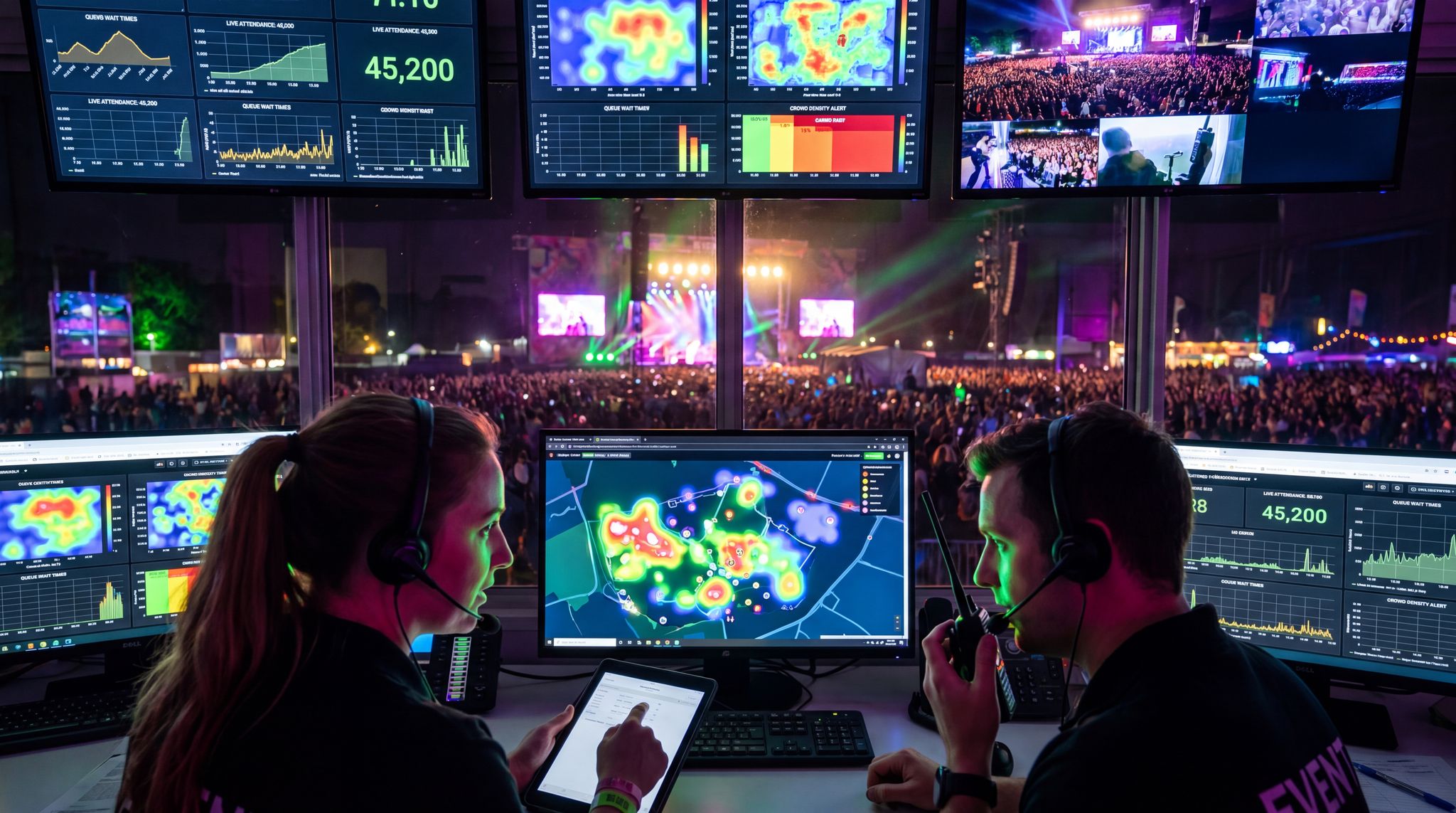
A well-designed event app becomes the information hub that keeps everyone on the same page, serving as one of the essential app UX features for large crowds. Unlike static printed schedules or signage, an app pushes up-to-the-minute updates, live announcements, and interactive features right to attendees’ pockets, which is crucial for engaging attendees on their phones. If a session room changes or a headliner runs late, the app can blast out a notification instantly – preventing confusion on the ground. It also enables two-way interaction: live polling during keynotes, Q&A submission to speakers, and feedback forms all through the app. Major festivals like Tomorrowland complement stage announcements with simultaneous push alerts in their app when schedules change or urgent notices hit, so nobody misses critical info, a strategy often cited in best practices for real-time updates and safety. This real-time connectivity keeps attendees informed and engaged in ways paper programs never could.
Organizer Benefits and ROI Opportunities
Mobile apps aren’t just useful for attendees – they also deliver tangible benefits to organizers’ bottom line. For one, the app is a direct communication channel, letting you promote schedule highlights or send sponsored messages without extra cost. It’s also a rich data source: you can track what sessions people favourited, which exhibitor booths got traffic via map clicks, and how engagement correlates to satisfaction. Event owners report that using a mobile app boosts overall event ROI – in one survey, 78% of companies that used an event app said it improved their event’s return on investment as noted in Agorify’s top event tech statistics. New revenue streams open up too. Sponsors love the visibility an official app provides, from banner ads to branded push notifications. Some festivals have even offset their entire app development cost through a few key in-app sponsor placements, a tactic discussed in strategies for festival mobile app development. And by shifting from print to digital, organizers save money: going paperless with an app has been shown to cut printing and staffing costs by ~30% for some events, further generating additional revenue while reducing expenses. In short, when properly executed, an event app can pay for itself through operational savings and sponsor dollars, all while deepening attendee engagement.
Building Offline-Ready Event App Features
Designing for Patchy Networks and Crowds
Even in 2026, connectivity at events can be far from guaranteed. Large festivals and conventions strain cellular networks – tens of thousands of people posting photos and streaming live can easily clog the local cell towers, creating a need for battery-friendly and offline-capable app design. It’s common for attendees to hit dead zones or overloaded Wi-Fi in packed venues. Seasoned event technologists know to assume spotty signal and design their apps accordingly. The key is building offline-ready capabilities so the app remains useful even with zero bars of service. At major festivals like Coachella and Glastonbury, organizers anticipate that many users will lose connectivity in the crowd, necessitating robust offline functionality for large events and ensuring they field test their app for connectivity issues. The solution: make sure the app’s crucial content doesn’t vanish when offline. If the network goes down, your attendees shouldn’t be staring at a blank screen – the show must go on in the app.
Go Cashless With RFID Technology
Enable contactless payments, faster entry, and real-time spending analytics with RFID wristbands and NFC-enabled ticketing for your events.
Caching Crucial Content for Offline Use
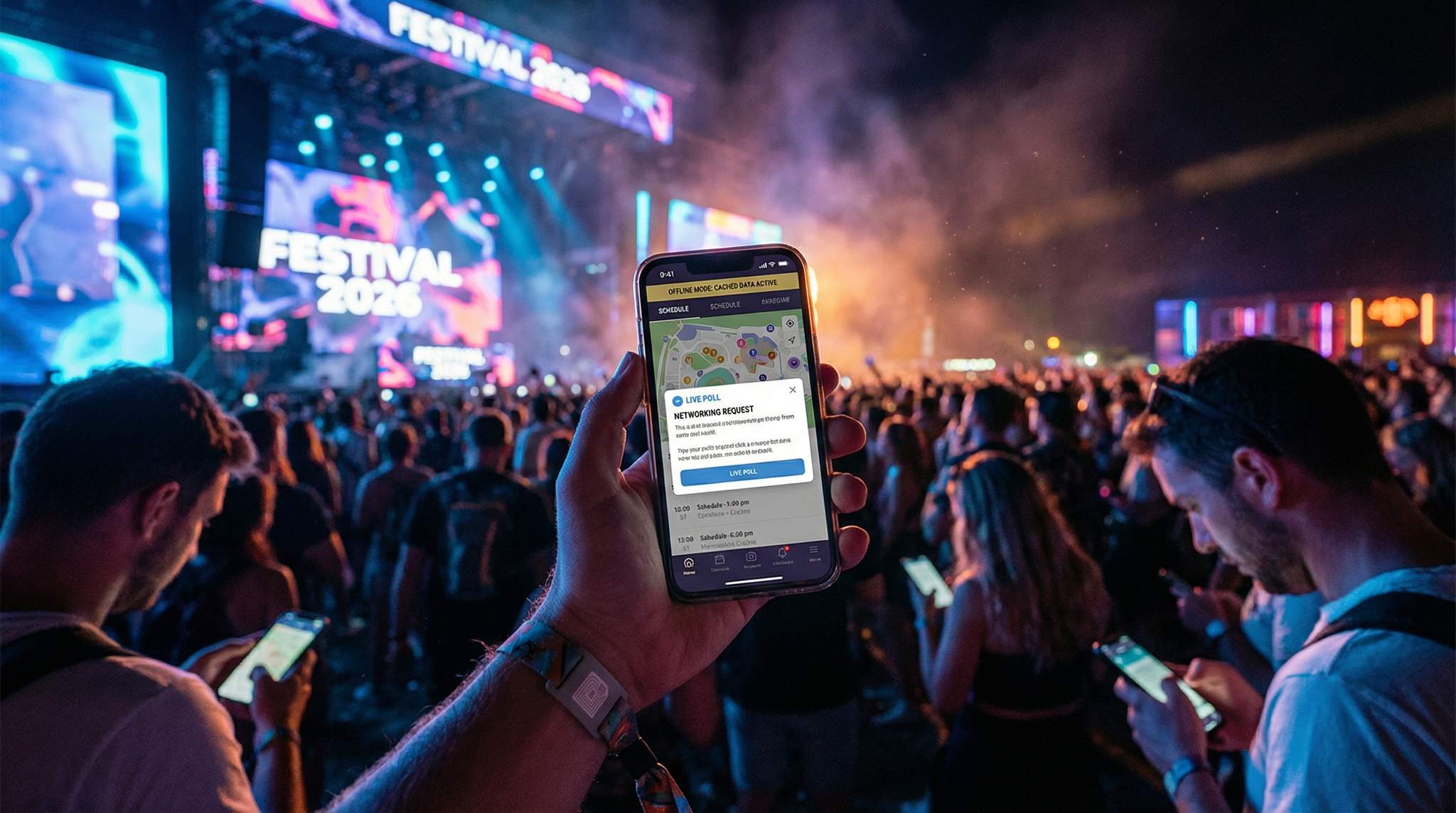
An offline mode is a must-have for any event app expected to serve thousands, as emphasized in guides on app UX for massive festival crowds. This means the app should download and locally store all key info ahead of time so it’s accessible without internet. Schedules, maps, artist or speaker profiles, exhibitor lists, and FAQs are prime candidates to cache on the device. For example, the Glastonbury Festival app (developed with telecom sponsor EE) still explicitly stored the full schedule and site map offline, knowing many attendees would lose signal in the remote countryside, a standard practice in offline-first event app development. By pre-loading content, you ensure that if a user wanders into a dead zone, they can still open the app and find their next session or navigate the grounds. Consider also including an offline emergency info page (first-aid locations, emergency numbers) as part of the cached content – a potentially lifesaving resource if networks collapse. Whenever the user does have connectivity, the app can quietly fetch updates (schedule changes, new announcements) in the background and save them for later use. This way, attendees get the best of both worlds: dynamic updates when online, and a dependable reference when offline. App developers achieve this via techniques like local database storage or downloading data files on first launch. The bottom line is to plan every feature with offline in mind – if a piece of information is important, make it available without requiring real-time network calls.
Implementing Seamless Data Sync
Designing offline-first doesn’t mean the app lives in a silo. The goal is an app that gracefully syncs data whenever connectivity is available. For instance, if you push a schedule change or a new alert, the app should pull those updates the next time it finds a connection, then store them for offline viewing. Many teams implement a “store-and-forward” approach: the app pulls the latest sets of data (schedule, speaker changes, etc.) when connected, caches them on the device, and then serves all content from the cache. This avoids constant live calls that might hang or fail on a weak network, preventing the scenario where festival attendees quickly abandon the app. It also lets the app function as a fast, responsive tool – everything feels instant because it’s loading from the phone’s memory rather than a distant server on each tap. Any interactive features should also queue up user actions if offline. For example, if an attendee sends a connection request or posts a message in offline mode, the app can save the action and submit it once back online. Robust syncing logic ensures that the moment users regain signal, their app quietly updates both ways – fetching new content and sending any outgoing data – without the person needing to think about it. This behind-the-scenes syncing is critical to making the offline/online transition seamless and avoiding user frustration.
Ready to Sell Tickets?
Create professional event pages with built-in payment processing, marketing tools, and real-time analytics.
This architecture is particularly vital for B2B lead retrieval and on-site data capture. A robust mobile collections app utilizing offline sync in 2026 allows exhibitors and sponsors to scan badges or collect contact information continuously, regardless of Wi-Fi drops on a crowded trade show floor. Once the device reconnects to a stable network, the localized database automatically pushes the captured leads to the central CRM. This guarantees that no valuable sponsor data is lost to connectivity blackouts, protecting the ROI of your key stakeholders.
When technical directors ask, “what’s the best practice for mobile app tracking when offline usage is common and events need reliable syncing?”, the answer lies in local timestamping and conflict resolution protocols. A top-tier mobile event app will log every user interaction—such as session check-ins, poll votes, or sponsor booth visits—with a localized timestamp directly on the device’s storage. Once the connection is restored, the system pushes these queued actions to the central server in chronological order. This ensures that your engagement analytics and compliance tracking remain perfectly accurate, even if the attendee spent hours in a cellular dead zone.
Battery Life and Performance Considerations
Offline mode goes hand-in-hand with maximizing battery life. Poor connectivity can drain phones quickly (as devices constantly search for signal), so an event app must be extra considerate of resource use on-site, a core principle of designing battery-friendly festival apps. Smart app teams optimize their code to be “battery-lite” and resource-friendly for attendees in the field, ensuring they avoid draining phone batteries with heavy processes. This includes offering a dark mode or low-brightness interface option to save power on modern OLED screens, and fetching schedule data on demand rather than constantly syncing. Features like live GPS tracking, augmented reality overlays, or continuous Bluetooth scanning might sound cool, but they can sap battery life – so make high-drain features optional or easy to toggle off to preserve precious battery life. For example, an interactive map can allow optional GPS positioning (“Show My Location”) rather than enabling it by default, so users can choose when to use it. Apps should also minimize large images, videos, or bloated content in their design to keep the install size small and performance snappy. Festival app developers often do a “field test” for battery and offline performance: load the app on a typical device, go to the actual venue (or simulate with large crowds), cut off internet by switching to airplane mode, and then see how the app behaves, ensuring offline functionality works as intended. If any feature crashes when truly offline or if the app drains a phone in a few hours, those issues must be fixed before you roll out to thousands of attendees. Ultimately, an event app that works reliably in the middle of a field with zero connectivity and low battery is a lifesaver, proving that reliability with zero bars is essential. Attendees will trust and use the app throughout a long event day if it’s proven not to kill their phone or abandon them when the network does.
(Pro Tip: Don’t neglect your networking infrastructure either. While building offline-friendly apps is crucial, you should still invest in robust event Wi-Fi and cellular boosters to support all those connected moments. A well-designed network – as outlined in guides like building a reliable on-site connectivity infrastructure – will reduce the time your app needs to spend in offline mode.)
Smooth Entry With Mobile Check-In
Scan tickets and manage entry with our mobile check-in app. Supports photo ID verification, real-time capacity tracking, and multi-gate coordination.
Driving High App Adoption Before and During the Event
Pre-Event Promotion and Incentives
Simply building a great app isn’t enough – you need attendees to download and use it. That process starts well before event day. Successful events treat the app as part of the pre-event marketing campaign. As soon as tickets go on sale or attendees register, begin promoting the app across all channels: email confirmations, social media updates, ticketing pages, and the event website should all highlight the app with clear download links. Emphasize the value: let people know that the app is their key to the full experience (e.g. “Don’t miss out on real-time schedule updates, an interactive map, and exclusive content – download our event app now.”). Many organizers incentivize app downloads by offering special perks. For instance, you might give early-bird registrants exclusive content viewable only in the app, or run a contest where those who install the app are entered to win an upgrade or merch. We’ve seen conferences offer a small discount on merch or concessions via an in-app coupon to encourage 100% of attendees to get on board. The key is to communicate benefits, not just features. Instead of “our app has X feature,” frame it as how it solves an attendee need: “easily find sessions and network with fellow attendees.” By event week, you ideally want a large portion of your audience already equipped with the app. Depending on your event type, adoption goals can vary – industry data shows event app adoption rates typically range between 60% to 80% of attendees according to Agorify’s event app adoption statistics, with more targeted events sometimes even higher. Setting an adoption target (say 70%) and tracking sign-ups as you approach the date can help gauge if you need to amplify promotion or offer additional incentives.
Streamlined Onboarding and Integration
Don’t overlook the importance of a frictionless onboarding experience – it can make or break your adoption rate. If downloading the app is easy but getting started is confusing or tedious, attendees will drop off. The best practice is to integrate your app’s login with your ticketing or registration system for single sign-on. Nothing frustrates users more than having to create a brand new account for the app after they already gave you their info during ticket purchase. If your systems are connected, attendees can log into the app using the same email or credentials they used to buy their ticket, or even simpler, no login at all – just a quick verification linking their ticket to the app profile. A “login with ticket number or QR code” flow can also work. Remember, any extra steps will shave off a percentage of users (many won’t bother to sign up twice), a challenge often solved by building a connected event tech ecosystem. So aim for zero redundant data entry. When users first open the app, guide them with a brief, friendly tutorial highlighting key features (“Here’s where to find the schedule”, “Tap here to connect with others”). Keep it concise – people will skip lengthy instructions. Another effective tactic is to allow basic app access without requiring an account at all: for example, let users browse the schedule or maps without login, and only prompt them to log in if they want to use interactive features like creating a personal agenda or messaging. This “guest mode” approach lowers the barrier to entry. The bottom line: make signing up and using the app as effortless as possible. The more attendees who log in, the more personalization and value you can ultimately deliver (and the more complete your data set will be). Integration with ticketing not only helps onboarding but also allows powerful personalization – for instance, if the app knows a user’s ticket type or preferences from your database, it can greet them by name and highlight relevant sessions as soon as they log in, ensuring a cohesive ecosystem for each attendee. These little touches delight users and encourage them that the app is worth their time.
Furthermore, integrating mobile features for group ticket management directly into the app ecosystem can drastically improve adoption rates among friend groups and corporate teams. When a lead buyer can seamlessly transfer passes, assign RFID wristbands, or manage VIP upgrades for their entire party right from their smartphone, it removes friction at the gate. This self-service capability not only delights attendees but also significantly reduces the customer support burden on your ticketing staff leading up to the event.
On-Site Activation Tactics
Once the event is on, you’ll still have some stragglers who didn’t download the app or haven’t engaged with it yet. On-site promotion is about capturing those holdouts and driving active usage among all who downloaded. Use every channel at your disposal on the ground: prominent signage at entry and registration should remind “Download the Event App for Live Updates & Maps” with a QR code for easy scanning. It can be as simple as a poster or digital screen with the app store links. Announcements during the event kickoff can also plug the app (“Our official app will be your go-to for any schedule changes – make sure you’ve got it installed!”). Some events have staff or volunteers act as “app ambassadors” – roaming the venue, helping attendees download or navigate the app, and explaining features. This personal touch can convert less tech-savvy attendees who might be hesitant. You can also employ a bit of FOMO: for example, send a push notification of a surprise giveaway or secret event that only app users would know about, then mention it on a public screen or stage announcement (“Check your app for a special surprise now”). Suddenly those without the app feel they’re missing out and have extra motivation to get it. If you have event Wi-Fi, one clever trick is to make the Wi-Fi password or access info available only inside the app or upon app download – essentially rewarding app users with internet access. Just be cautious not to alienate anyone; always have an alternative method for those who truly can’t use the app. Lastly, ensure your on-site staff (info desk, volunteers) are trained to answer common questions about the app and troubleshoot basic issues (like how to log in, or refreshing content). By event midpoint, you want as close to universal app adoption as possible, because that’s when you’ll start leveraging it heavily for engagement.
Maximizing In-App Engagement During the Event
What Features and Tools Actually Move the Needle for Attendee Engagement?
When organizers approach us, the most common refrain is, “We want better attendee engagement in the app. What features and tools actually move the needle?” The answer lies in shifting the platform from a passive digital brochure to an active participation engine. High-impact tools include dynamic matchmaking algorithms for B2B networking, location-based push notifications that trigger when a user enters a specific festival zone, and interactive live-stream integrations for hybrid audiences. For mobile apps at conferences, the features that consistently drive the highest interaction rates are those that give attendees a voice—such as upvoting Q&A submissions or participating in real-time session feedback. By focusing on these high-leverage tools, event producers can transform passive scrollers into active participants.
When organizers ask which platform offers the best attendee engagement features, the answer depends heavily on your specific event format. A top-tier attendee engagement app doesn’t just push information; it pulls users into the experience. For a multi-day festival, this might mean interactive site maps and gamified sponsor activations. For a B2B conference, the ideal mobile event app prioritizes AI-driven matchmaking and seamless session Q&A. Ultimately, the most effective platforms are those that integrate natively with your ticketing and CRM systems, allowing you to trigger personalized engagement prompts based on real-time attendee behavior.
Turn Fans Into Your Marketing Team
Ticket Fairy's built-in referral rewards system incentivizes attendees to share your event, delivering 15-25% sales boosts and 30x ROI vs paid ads.
Personalized Schedules and Timely Notifications
Once you have attendees in the app, keep them coming back by making it personally useful. One of the simplest but most effective features is a personalized schedule or “My Agenda”. Allow users to bookmark or “favourite” the sessions, performances, or activities they’re interested in. The app can then provide a tailored schedule view just for that attendee – a huge help at multi-track conferences or multi-stage festivals. Pair this with timely push notifications tied to their selections. For example, send a reminder 10 minutes before a favourited session is about to start (“Don’t miss the panel you wanted to see in Room B at 3:00pm”). Attendees love these helpful nudges, and it drives them to re-open the app throughout the day. Notifications should be relevant and sparing – you want to alert people about things they truly care about (key updates, their saved events starting, safety alerts), rather than spamming them with too many messages. Done right, push alerts actually increase app engagement rather than annoy users. Personalization can go further if your systems are integrated: knowing an attendee’s profile or past interests, the app could recommend “You might enjoy these sessions” or exhibitors to check out, which adds value and feels like a concierge service. According to integration experts, linking your ticketing, CRM, and app data can even let you greet users by name and tailor content (for instance, “Welcome back, Alex! Ready for Day 2?”), creating a cohesive ecosystem that ensures each attendee feels valued. This level of personal touch makes the app feel essential to each individual’s experience – not just a generic schedule, but their schedule and event guide.
Best Features for Activity Booking and VIP Upgrades
For multi-track conferences and premium festival experiences, integrating seamless reservation systems directly into the platform is a game-changer. The best features for activity booking apps in 2026 revolve around frictionless self-service: allowing attendees to reserve workshop slots, book VIP table service, or schedule one-on-one mentor sessions without leaving the main event interface. To reduce no-shows for these high-value interactions, the most effective mobile event apps now pair these booking engines with automated SMS reminders and instant attendee confirmations. This combination of easy access and proactive communication ensures that your limited-capacity activations remain fully utilized, maximizing both sponsor ROI and attendee satisfaction.
Grow Your Events
Leverage referral marketing, social sharing incentives, and audience insights to sell more tickets.
Interactive Content: Live Polls, Q&A and Quests
To drive deeper engagement, leverage the app as an interactive layer on top of the live event. During sessions or performances, use in-app live polls and audience Q&A features to involve attendees in real time. Many conference apps let organizers push out a poll (“Which topic are you most excited about today?”) and display results on screen moments later – giving attendees a voice and stake in the event narrative. Q&A through the app is especially helpful for large sessions: attendees submit questions digitally, which moderators can curate and pose to speakers, avoiding the chaos of handing around a microphone. These features encourage people to actively use the app throughout the event (not just passively scroll) and can boost overall participation. Beyond formal sessions, consider gamified challenges via the app to keep things fun. For example, some festivals have implemented scavenger hunts using their apps – attendees find hidden QR codes or complete challenges around the venue for points and prizes, a technique often seen in gamifying the festival experience. Coachella famously introduced in-app quests that rewarded fans with exclusive access and merchandise, demonstrating how interactive features can be a powerful tool. This kind of gamification not only entertains attendees but drives them to explore all corners of the event and increases app usage as they check in for clues and track progress. It’s a powerful strategy for boosting engagement while fulfilling sponsor activations (e.g. visiting sponsor booths as part of the game), effectively driving traffic to sponsor installations. When planning interactive content, ensure it fits your audience and event tone – the possibilities range from lighthearted games at festivals to knowledge quizzes at conferences. The app is your canvas to turn a live event into an immersive, two-way experience rather than a one-way show. And by weaving interactive moments throughout the schedule, you’ll keep attendees opening the app again and again.
(Want more ideas? Some festivals are literally turning their entire event into an interactive game – integrating scavenger hunts, AR quests, and reward challenges that turbocharge attendee participation.)
Networking and Community Building Tools
One of the most compelling reasons attendees use event apps – especially at professional conferences and trade shows – is networking. Facilitating meaningful connections via the app can significantly boost its value. Common features include an attendee list or matchmaking tool where users can create a profile, indicate interests, and request connections or meetings with others. At scale, this can generate huge engagement: for instance, at Web Summit 2022 (with ~71,000 attendees), participants made over 561,000 in-app connection requests, as reported in Web Summit’s 2022 event summary, and exchanged nearly 927,000 messages through the app’s networking feature over just three days, highlighting the massive volume of in-app messages sent. Those staggering numbers illustrate that if you give people an easy way to network digitally, they will run with it. Even for smaller events, allowing attendees to message each other, set up meet-ups, or discuss topics in app-based forums can greatly enhance their experience. People attend events to connect – your app should be the catalyst for those connections. Implement features like a “suggested contacts” list (powered by matching interests or session choices), and consider group chat channels or discussion boards for specific communities (e.g. “Job Seekers chat” or “Attendees from New York”). For less formal gatherings, even a simple wall or social feed where attendees can post photos and comments builds community. The key is moderation and safety – have guidelines and possibly a moderator for any public chat to keep it respectful and on-topic. If your app can successfully foster both one-to-one connections and group interaction, attendees will find the app indispensable. They’ll keep using it not just to consume content, but to actively engage with fellow participants – which is the holy grail of event engagement. And as a bonus, a vibrant in-app community often spills over to greater real-life interaction on-site (“I saw your post on the app – let’s chat in person”). The app essentially serves as an icebreaker and networking assistant.
When evaluating the best event networking apps for mobile in 2025 and 2026, organizers should look beyond basic chat functionality. The top-tier platforms are now leveraging AI-driven matchmaking algorithms that analyze attendee profiles, registration data, and session preferences to suggest highly relevant connections. These advanced mobile networking solutions also feature integrated meeting schedulers that sync directly with users’ native calendar apps, reducing no-shows for B2B meetings. For trade shows and corporate conferences, selecting an app with robust lead retrieval and seamless CRM integration ensures that the networking value extends long after the closing keynote, providing measurable ROI for both attendees and sponsors.
Data-Driven Event Marketing
Track ticket sales, demographics, marketing ROI, and social reach in real time. Exportable reports give you the insights to make smarter decisions.
Looking ahead, organizers are increasingly focused on the best ways to implement event rooms and live chat in a community mobile app for 2025 and 2026. The most successful deployments treat these digital spaces as extensions of the physical venue. Instead of a single chaotic global chat, best practices dictate creating segmented, topic-specific event rooms—such as “VIP Ticket Holders,” “Sustainability in Tech,” or “First-Time Attendees.” By integrating moderated live chat features directly into these specialized community channels, promoters can foster micro-communities that keep users engaged with the mobile app long after the final stage goes dark.
Gamification and Incentives to Drive Usage
A clever way to sustain engagement (and even entice non-users to join) is through in-app incentives and gamification. We touched on scavenger hunts earlier – that’s one form of gamification, but there are many others. Some events introduce a points system or digital badge collection: for example, attendees earn points for doing things like checking into a session via the app, visiting a sponsor booth and scanning a code, or posting on the app’s activity feed. Those points can then be displayed on a leaderboard or redeemed for rewards (perhaps a free drink, swag, or a meet-and-greet entry). Friendly competition can spur attendees to explore more of the event and keep using the app throughout. You could also run contests exclusively through the app – e.g. a photo contest where attendees submit images via the app and vote on favorites, or trivia quizzes with winners announced daily. The key is to ensure these games align with your event objectives (and aren’t too distracting). For instance, a business conference might gamify learning – awarding a badge for visiting all vendor demos or answering quiz questions after sessions. A festival might lean into fun quests or AR experiences accessible in the app, creating interactive challenges that users can only see and collect. Always tie it back to enhancing the attendee experience, not just arbitrary tasks. And of course, promote these app activities so attendees know they exist! A gamification element can also be a great hook in pre-event marketing (“Download the app to play our festival-wide scavenger hunt and win VIP upgrades”). When done right, gamification drives repeat app opens, social sharing (people love bragging about their points or posting contest entries), and even greater interaction with sponsors and content. Just remember to keep the barrier to entry low – design games that most attendees can participate in with minimal effort or special skill, so it boosts overall engagement rather than only appealing to a small niche of die-hards.
Adapting App Strategy: Large Festivals vs. Small Conferences
Scale and Infrastructure Demands
Events come in all sizes – the mobile app approach that works for a 500-person conference isn’t identical to a 50,000-person festival. Large-scale festivals face unique infrastructure challenges. With massive crowds, you must plan for heavy simultaneous usage: thousands of people may be opening the app at once during peak moments (e.g. right after the headline act ends). This requires a robust backend and scalable servers to handle the load without slowdowns or crashes. Load testing your app under simulated high concurrency is a must for big events. Large festivals also often invest in dedicated connectivity solutions – partnering with telecom providers to deploy cell towers or beefy Wi-Fi – yet they still design apps to work offline because they know parts of the crowd will overwhelm any network, making offline-friendly design essential and requiring rigorous field testing. Another consideration at scale is the need for critical emergency communications: big festivals should integrate their app with public safety alert systems and have the ability to push urgent messages (weather warnings, crowd management alerts) instantly. In contrast, small conferences or corporate meetings operate in controlled venues (hotels, convention centers) that usually have reliable Wi-Fi throughout. Network strain is less of an issue with hundreds of attendees vs. tens of thousands. Thus, the app for a small event might not need the same level of offline robustness – though it’s still wise to include offline basics as a contingency. The infrastructure focus for smaller events is more about ensuring everyone can get online (e.g. supplying Wi-Fi login info) and that support is available for any attendee who has trouble connecting or using the app. Overall, scale dictates how much you emphasize offline capability and server muscle, but no matter the size, never assume connectivity will be perfect. A mid-size 5,000-attendee convention can experience Wi-Fi outages too, so it pays to be prepared with offline content and backup plans regardless of scale.
Prioritizing Features Based on Event Size and Type
The feature set and complexity of your event app should map to the needs of your event’s size and audience. For a sprawling multi-stage festival, attendees primarily need quick access to performance schedules, an interactive festival map, and real-time alerts for any changes or safety info. Social features might include friend-finder functions (to locate companions in the crowd) and fun additions like camera filters, but you’ll want to keep the interface focused on navigation and updates above all. At a festival, even a 30-second delay getting a notification about a stage change can send thousands to the wrong place, so reliability and immediacy trump fancy extras. In contrast, a smaller conference with 300 executives might lean heavily on networking and detailed session info. Here, features like speaker bios, slide downloads, note-taking, and private meeting scheduling could be high priority, because the attendees’ goal is to learn and connect with peers. A music festival crowd probably wouldn’t use those features, but they might love a feature to create a personal lineup or receive a reminder when their favorite DJ is about to go on. It’s all about tailoring the app to what attendees value in that context, understanding that different events require different features and focusing on interactive features that help people. When budget or time is limited, choose the features that deliver the most bang: it’s better to do a few core things really well (e.g. schedule, map, notifications) than to overload a small event app with features that won’t get used. Also consider demographics – a tech developer conference can utilize more advanced interactive features since attendees are likely comfortable with them, whereas a charity gala with an older audience might focus on very simple schedule and donation features with larger text and minimal fluff. The beauty of modern app platforms is the flexibility to enable or disable modules to fit your event. Just remember that more is not always better; the ultimate measure is whether the features present truly enhance the attendee’s experience and help them achieve their goals during the event.
What is the Best Mobile Event App for Hybrid Events?
As event formats continue to evolve, producers frequently ask: what is the best mobile event app for hybrid events? The ideal solution for a mixed-format gathering is one that actively bridges the gap between in-person attendees and remote participants. Rather than operating two separate platforms, a unified mobile event app allows virtual attendees to participate in the same live polls, Q&A sessions, and networking roulettes as those sitting in the physical venue. Look for platforms that offer synchronized live-stream integration directly within the mobile interface, alongside dedicated digital sponsor booths. By keeping both audiences within a single digital ecosystem, organizers can deliver cohesive engagement metrics to stakeholders while fostering a truly unified community.
Budget and Resource Implications
The scale of your event also influences the resources and budget you can devote to an app, which in turn affects strategy. A mega-festival with a six-figure technology budget might commission a fully custom app or a premium platform, complete with bespoke features (maybe a fancy AR map or a high-end recommendation engine). They’ll also likely have a dedicated tech team or vendor on call to support the app live during the event. Smaller events often must be more frugal – they might choose a ready-made event app platform with a subscription model, or even lean on a mobile-friendly web app to avoid heavy development costs. There’s nothing wrong with tailoring your approach to your budget; just be realistic about what level of functionality and support you’re getting. If you’re a smaller organizer, it might be wiser to simplify the feature set to ensure quality, rather than overstretching a limited budget on too many bells and whistles. Also, consider the cost-benefit of the app features: maybe the networking module is an extra cost on your platform – is it critical for your 200-person seminar, or could those attendees network just as effectively via LinkedIn or an in-person icebreaker? On the other hand, some features can actually save money. For example, a robust app can reduce the need for printing programs or hiring extra event staff to answer common questions – these savings can be especially significant for large events, helping to generate additional revenue while reducing expenses, but even small ones benefit from trimming printing costs. When budgeting, include not just the upfront cost of development or licensing, but also content preparation (someone has to input all those sessions and speaker details), testing, and on-site support or troubleshooting. And don’t forget, as mentioned earlier, sponsorship can offset costs: a sponsor might happily underwrite your app in exchange for branding it (“Official Event App by [SponsorName]”) or getting prime ad placement in it, potentially covering the entire development cost. Many events, big and small, have essentially gotten their app “for free” through sponsor deals – a win-win if executed tastefully. Always align the app spending with event goals and potential returns; sometimes a modest app can deliver huge value, and sometimes a big-budget app fails to justify itself if not aligned with attendee needs.
Boost Revenue With Smart Upsells
Sell merchandise, VIP upgrades, parking passes, and add-ons during checkout and via post-purchase emails. Increase average order value by up to 220%.
Case Studies: Lessons from the Field
Learning from real-world successes and failures can guide your own app strategy. Successful example: Tomorrowland in Belgium (around 70,000 attendees per day) has become known for its high-tech integrations and a superb app experience. They plan extensively – ensuring that if there’s a schedule change or urgent notice, it’s instantly displayed both on stage screens and through the app’s push notifications, demonstrating the value of consistent multi-channel communication. Their consistency in multi-channel communication means attendees know the app can be trusted as an authoritative source. The result is extremely high app adoption and engagement at the festival, and likely fewer crowd issues when changes occur. On the flip side, lessons from failures are just as instructive. Many event organizers have stories of app rollouts that flopped: for instance, a conference app that crashed repeatedly under live traffic, leaving attendees frustrated and reverting to printed schedules. This typically happens when the app wasn’t properly load tested or a last-minute update introduced bugs. The lesson: test under real-world conditions and have a backup plan. Another anecdote comes from a mid-sized expo that invested in a flashy app with AR wayfinding and 3D maps, but neglected basic usability – attendees found it confusing to simply find when and where their next session was. Adoption stayed low (under 30%) because the app didn’t obviously solve their immediate needs. Meanwhile, a simpler competitor event down the road achieved 90% adoption by focusing on clear schedule info and easy search, proving that more features isn’t always better. Across these cases, a pattern emerges: the events that succeeded treated their app as a core part of the attendee journey (with robust execution to match), while those that failed often treated it as an afterthought or vanity project. By studying similar events in your domain – be it mega-festivals, trade shows, or community meetups – you can avoid reinventing the wheel and leapfrog straight to best practices.
Comparison: Large Festival vs. Small Conference App Priorities
| Consideration | Large Festival (50,000+ attendees) | Small Conference (500 attendees) |
|---|---|---|
| Connectivity & Infrastructure | Deploy dedicated cell towers and high-density Wi-Fi; assume networks will clog at peak. Offline mode is essential to serve content when thousands overwhelm the network, requiring battery-friendly design and rigorous field testing. | Venue Wi-Fi often sufficient for a few hundred people. Still provide offline access to schedule/map as a backup for any Wi-Fi dead spots or outages. |
| Key App Content | Multi-stage lineups and schedules, festival site map with GPS, real-time safety alerts and last-minute schedule changes. Possibly friend-finder and offline FAQs. Push notifications used for major updates affecting large crowds. | Detailed agenda with multiple tracks or sessions, speaker bios, venue floor plan. Emphasis on personal agenda building and maybe note-taking. Live polling and Q&A for sessions rather than mass alerts. |
| Engagement Features | Gamification and fun extras (e.g. scavenger hunt, AR photo filters) to keep huge crowds entertained during downtime. Social sharing features and a festival-wide activity feed. Emergency broadcast capability for weather or safety messages to everyone. | Focus on networking tools (attendee profiles, messaging) to facilitate meetings. Polls and surveys to keep attendees involved in talks. Gamification minimal or targeted (maybe a leaderboard for session participation) given the professional setting. |
| Testing & Support | Extensive load testing for tens of thousands of concurrent users. Do a field test on-site with dummy data in airplane mode to ensure no crashes offline, ensuring the app is built to withstand connectivity issues. Have a dedicated tech support team monitoring the app and responding to issues in real time. Redundant communication channels (PA announcements, info booths) as backup if app issues arise. | Moderate testing with the expected devices; still test core functions in offline mode. On-site, staff at registration can assist with app login or usage questions. Likely no separate tech team, but assign an internal staffer to keep an eye on app analytics and any reports of problems. Keep printed mini-agendas as a fallback for anyone not using the app. |
| Budget & Monetization | Significant budget – possibly a custom app build or premium vendor. Can integrate multiple systems (ticketing, cashless payments, etc.) for a unified experience. Sponsorship opportunities heavily leveraged: e.g. sponsored app sections, ads, or “brought to you by” branding can even make the app a revenue generator, potentially offsetting development costs. | Modest budget – likely using a configurable off-the-shelf event app platform. Focus spending on must-have features. Less room for custom fancy features, but also less complexity to manage. Sponsors might get a simple banner placement. ROI comes more from attendee satisfaction and efficiency (e.g. saved printing costs) than direct sponsor revenue, although a supportive sponsor could cover the platform fee in exchange for logo placement. |
Ensuring the App Delivers Genuine Value to Attendees
Solving Attendee Pain Points (Not Adding New Ones)
When designing your app’s features and user experience, always ask: “What attendee problem does this solve or what need does it fulfill?” Every feature should trace back to a real benefit for your audience. For example, attendees often struggle to find where they need to be next or worry about missing an announcement – an app addresses that with easy schedule access and instant alerts. They might want to connect with others – the app solves it with networking tools. If you focus on these core needs, your app will naturally provide value. Conversely, avoid stuffing your app with “shiny” features that sound cool in theory but don’t actually enhance the attendee experience. We’ve seen events that poured resources into a VR gimmick inside the app or an overly complex 3D map when a simple 2D map with a “you are here” dot would serve users better. Features that distract or complicate the interface can detract from value. Remember, attendees are often busy, distracted, or on the move during events – they want quick, reliable answers to “What’s happening now? Where do I go? Who should I meet? What’s in it for me?” A great event app answers those questions in seconds. Prioritize features like search (so an attendee can quickly find a session or vendor by name), clear navigation, and offline access to info as discussed. If you ever consider adding a new feature, test it against the value question. For instance, adding a live chat for attendees to discuss a keynote could be valuable at a tech conference (people love sharing thoughts in real time), but at a music festival, attendees probably aren’t looking at their phones to chat – they’re watching the show. Experienced event technologists have learned that it’s better to nail the fundamentals that every attendee uses than to introduce a flashy feature that only a tiny fraction use (or worse, confuses the majority). By solving true pain points – long lines, confusion about where to go, feeling disconnected – your app becomes a hero in the attendee’s eyes rather than another thing they have to figure out.
User-Centric and Inclusive Design
Delivering value also means making sure everyone in your audience can use the app effectively. That requires a user-centric design process with accessibility in mind. Use clear language and labels in the app – avoid technical jargon or cutesy names for features that might leave some users puzzled (“Launchpad” might sound cool but “Schedule” is instantly understood). Ensure the app interface is intuitive: important functions like the schedule, map, and announcements should be front and center. Conduct some user testing if possible – have a few potential attendees or team members try a prototype and observe where they get confused. Their feedback is gold for ironing out usability kinks before thousands experience them. Accessibility is a crucial aspect of value: an app that isn’t usable by those with disabilities or different needs is leaving value (and people) on the table. Implement features like scalable text (let users increase font size), high-contrast mode for visibility, and screen reader compatibility for blind users, recognizing why accessibility in festival apps matters and ensuring the app treats all users equitably. For example, ensure that all images or icons have appropriate alt-text or labels so voice-over tools can describe them. If you have international attendees, multilingual support might be part of user-centric design – even offering the schedule in a few key languages can be huge for inclusion. By designing for the margins (people with accessibility needs, older attendees, non-native speakers, etc.), you often make the app better for everyone. Another tip: provide an onboarding tutorial or FAQ specifically about using the app. Some users might not be as tech-savvy or may be first-timers with an event app, so a gentle guide (and perhaps staff support on-site as mentioned) goes a long way. In sum, value = usefulness / effort in the eyes of the attendee. The more users who can easily access the info or tools they need via the app – regardless of device type or personal ability – and the fewer hurdles in their way, the higher they will rate the app’s value. An inclusive, user-first design is the surest path to achieving that.
Integrating the App Into the Total Experience
A mobile app provides maximum value when it’s woven seamlessly into the overall event journey, rather than feeling like a separate silo. Encourage your event operations and programming teams to think of the app as an extension of on-site services. For example, coordinate your information desk or help channels with the app content – if attendees frequently ask certain questions, put that info prominently in the app (perhaps an “Event FAQ” or chatbot helper). During sessions or stage shows, have presenters remind the audience about interacting via the app (“Submit your questions through the app”). Some events even integrate the app with physical touchpoints: QR codes on signage that, when scanned, open directly in the app to that stage’s info or to a feedback form. This blurs the line between physical and digital, making the app a natural part of how attendees navigate and experience the event. It also means if the app encounters an issue, you have other channels to compensate – but more on backup plans later. Another aspect is linking the app with your other systems so that it reflects everything happening at the event accurately. If your production schedule changes, update the app concurrently with announcements on-site. Even better, if your systems are integrated, an update in your central schedule database can automatically sync to the app, ensuring the app always reflects the “source of truth” for the event timeline, a key benefit of integrating your main scheduling system. This prevents the nightmare scenario of an attendee following an out-of-date schedule on the app while the event has shifted – a surefire way to erode trust. Integration also means tying the app with registration/ticketing to validate things like session access (for events where people register for limited workshops, the app can show a QR code or confirmation for their entry). The more your app speaks to other components like ticket scanning, access control, audience response systems, or even venue HVAC (imagine an app that shows which rooms are most crowded or cool), the more it becomes an indispensable utility rather than a standalone novelty. At the end of the day, you want attendees to say “I can’t imagine experiencing this event without the app” – that’s when you know it provided genuine value.
Avoiding Common Pitfalls and Tech Traps
To maintain value, be wary of a few common pitfalls. One is the “set it and forget it” trap – launching the app and then neglecting it. An app’s value will nose-dive if content isn’t kept up to date or if issues aren’t fixed. Treat the app as a living part of the event: have staff assigned to update news bulletins or fix typos on the fly. Monitor your app analytics during the event; if you see a feature not being used at all, maybe there’s a UX issue or attendees aren’t aware of it – you could quickly send a message explaining how to use it if it’s important. Another pitfall: overloading the app with ads or promotional content at the expense of utility. While monetization is important, you don’t want the attendee’s impression to be that the app is just a vehicle for sponsors and upsells. Balance is key – one well-placed sponsored banner or the occasional sponsored push (“Visit the XYZ lounge for a free sample”) can be effective, but if every time they open the app they have to close pop-up adverts, they’ll rightly question if it’s worth it. Always safeguard the core user experience first, then layer monetization in ways that add value (e.g. a sponsor-supported scavenger hunt that’s fun for attendees, or discounts from sponsors delivered via the app). Privacy concerns can also tank your app’s perceived value. Be transparent about any data you collect – and absolutely do not abuse or sell attendee data without consent. Modern event-goers are more privacy-aware, and a trustworthy app that respects their data will maintain goodwill (and ongoing usage) better than one that, say, spams them after the event with unrelated offers. Finally, prepare for multi-year feedback loops. If this app will be used for recurring events, survey attendees about their app experience: what did they love, what did they find annoying, what features do they wish it had? Use that input to iterate. Showing that you listen – for example, “This year we added an offline map based on attendee feedback from last year” – demonstrates that the app truly exists to serve attendees, cementing its value in their eyes.
Smart Promo Codes & Presale Access
Create percentage or flat-rate discount codes with usage limits, date ranges, and ticket type restrictions. Plus unlock codes for private presales.
Leveraging App Data for ROI and Continuous Improvement
Key Metrics to Track Success
One of the great advantages of event apps is the wealth of data they can provide. To maximize ROI, you need to actively capture and analyze this data. Start with core usage metrics: adoption rate (what percentage of attendees downloaded or logged into the app) is your first benchmark of success. Then look at active usage – how many people are actually opening it during the event and how often. Are they just downloading once and never coming back, or engaging repeatedly? A metric like average sessions per user or time spent in app per day gives insight into how integral the app was to their experience. Also examine feature-specific metrics: for example, number of agenda personalizations (how many sessions were bookmarked), number of messages sent if networking is enabled, poll response rates, or game participation numbers. These indicate which features provided value and can help justify them to stakeholders. If you see that, say, 80% of app users created a personalized schedule and received an average of 5 reminders, that’s evidence the app actively guided their journey. Compare engagement metrics to non-app users if you have data (e.g. did app users attend more sessions on average or arrive more on time due to reminders?). On the flip side, find the drop-offs: if a certain section of the app shows very low usage (say only 5% visited the “Sponsor Offers” page), that may signal either that content wasn’t appealing or it was hard to find. This is valuable feedback for improving content or UI next time (or for a conversation with sponsors about how to better integrate offers into the main experience). Another key set of metrics revolves around notifications: track open rates and click-through on your push messages. If some notifications were largely ignored, perhaps the timing or wording missed the mark; whereas high engagement push alerts indicate you hit a sweet spot of relevance. Post-event, aggregate the data into an app performance report that you can share with your team and partners. It might include stats like “App adoption: 75% of attendees (up from 60% last year), Total app opens: 24,000, Poll responses collected: 3,500, Networking connections made: 1,200” etc. Presenting these numbers demonstrates the app’s impact quantitatively.
Demonstrating Value to Sponsors and Stakeholders
Those app metrics aren’t just for internal use – they are gold for proving ROI to stakeholders and improving your sales pitches for future partners. Sponsors, in particular, will be keen to know how their involvement through the app paid off. You can deliver hard data on sponsor visibility: e.g. “The sponsored banner from ACME Co. was seen 15,000 times and clicked 2,000 times (a 13% click-through rate).” Or “10,000 attendees received the sponsored push notification and 40% opened it.” These kinds of numbers are much more concrete than traditional on-site sponsorship metrics and can help convince sponsors that the app is a worthwhile activation platform. Some events even guarantee a certain number of in-app impressions or engagements to high-tier sponsors as part of the package. You can also tie app data to revenue if applicable: for instance, if you sent an in-app promo for merch or F&B, how many redemptions did it drive? Or if the app facilitated on-site upgrades or upsells (maybe a premium content access sold through the app), calculate that revenue. Internally, use data to show how the app supported operational efficiency or attendee satisfaction, which are critical ROI components even if not directly monetary. Did the app reduce the load on help desks? Perhaps you track the number of FAQ views in the app and can infer how many questions it answered without staff intervention. Or use survey data: if your post-event survey shows higher satisfaction scores among app users vs. non-users, that’s a strong indicator that the app contributed positively to experience. Additionally, the first-party data collected through the app can itself be a long-term asset. You likely gathered opt-in email addresses, preferences, or behavioral insights that can feed your marketing database. Building your owned audience data is hugely valuable for future event promotion, helping to unlock higher ticket sales and ROI. Just ensure you handle this data ethically and securely – it’s one of the points that fosters trust (and compliance with GDPR or other laws requires it). By connecting the dots – showing that app engagement correlates with things like ticket renewal rates, satisfaction, or additional spending – you make a compelling case that the app isn’t just a fancy toy, but a revenue-enhancing and loyalty-building tool. It can help justify the budget to maintain and improve the app in subsequent years. As one stat shows, 91% of event planners have seen a positive ROI using event apps according to Micepad’s event statistics, and armed with your own data, you can illustrate exactly what that ROI looks like in your context.
Informing Future Planning with Analytics
The value of app data extends beyond proving past ROI – it’s a feedback mechanism to improve future events. Treat your app analytics as a treasure trove of insights into attendee behavior and preferences. For example, examine which sessions or exhibitors got the most bookmarks, searches, or page views in the app. This can reveal true interest levels that might not be obvious just from attendance numbers (maybe a session was highly viewed in the app but was scheduled against another big session so not everyone interested could attend – indicating demand for that content). You might decide to allocate a bigger room or repeat popular sessions next time based on app interest data. Or if certain tracks got little engagement, perhaps those topics need rethinking. Location analytics are another interesting area if your app tracks map interactions – seeing which areas of the festival map were most viewed could indicate which zones were most trafficked or if people were frequently looking for certain facilities (e.g. “restrooms” being a top search might suggest better signage needed on site!). If your app has ratings or survey features for sessions, that feedback can directly influence which speakers to invite back or what logistics to tweak. Even without explicit ratings, data like how long attendees stayed in a session (if you tracked when they checked in/out via the app) could be a proxy for quality. Don’t forget to integrate app data with other event data for a fuller picture – for example, compare the sessions people added to their in-app agenda vs. which sessions they actually checked into via access control data, to understand drop-offs or overbooking interest. Integrating the app’s data into your overall event analysis helps identify patterns: maybe users who engaged heavily with networking features also tended to spend more at the event (hinting at a very engaged attendee segment you could target for loyalty programs). If you have multiple events, look at year-over-year app stats to see growth or changes in behavior. Perhaps adoption jumped from 50% to 80% after you introduced offline functionality and better pre-event comms – proving the changes worked. Or if networking messages doubled when you extended an event by one day, it shows attendees valued more time to connect. Use these findings in both strategic decision-making and marketing collateral. Touting an insight like “attendees who used our app were 30% more satisfied with the event” is a strong marketing message for your event brand. Ultimately, by closing the loop – feeding learnings from app data back into programming, operations, and app feature improvements – you’ll create a cycle of continuous enhancement. Each event’s app becomes smarter and more attuned to what your audience wants, delivering even better ROI the next time around.
Respecting Privacy and Data Security
While leveraging app data, it’s critical to balance it with attendee privacy and data protection. Trust is a huge part of the attendee experience – if people sense that using the app compromises their privacy or personal data, many will opt out (or not download at all). Be upfront in your app’s onboarding about what data you collect and why. For instance, if you ask for location access, clarify it’s to show them where they are on the venue map or to recommend nearby sessions, not to track them for unrelated reasons. Always give users control where possible, like the ability to opt out of certain data-sharing or to turn off personalized recommendations if they feel uncomfortable. Of course, comply with laws like GDPR, CCPA, etc., which may require obtaining explicit consent for data collection and providing a clear privacy policy. Security is equally important – your app likely has access to personal schedules, contact info, maybe even payment details if you have cashless payments or merch purchases integrated. Work with your development team or vendor to ensure robust security measures: encrypted connections (https), secure storage of any sensitive info, and no unnecessary retention of data. If using a third-party app platform, vet their security protocols and certifications (ISO, SOC 2, etc.) as part of your selection. A breach or leak via the event app would be a nightmare scenario for ROI – the loss of trust and potential legal consequences far outweigh any short-term benefits of collecting data. But handle data right, and it becomes a strong asset that attendees are willing to share because it genuinely makes their experience better. A good philosophy is to treat attendee data the way you’d want your own data treated by an app: with transparency, respect, and solid protection. Doing so will build trust, and trust in your technology translates to higher adoption and engagement, feeding the virtuous cycle of ROI. Attendees will only continue using and contributing data to your app if they feel it’s safe and beneficial to them – so prioritize privacy and security as fundamental features of your event app.
(For a deeper dive into harnessing attendee data responsibly, see our guide on building your owned audience with first-party data. You’ll learn how to turn insights into marketing gold without compromising trust.)
Implementation Best Practices: From Planning to Live Support
Why Event Planners Prefer Mobile-Optimized Tools for Ticket Check-Ins
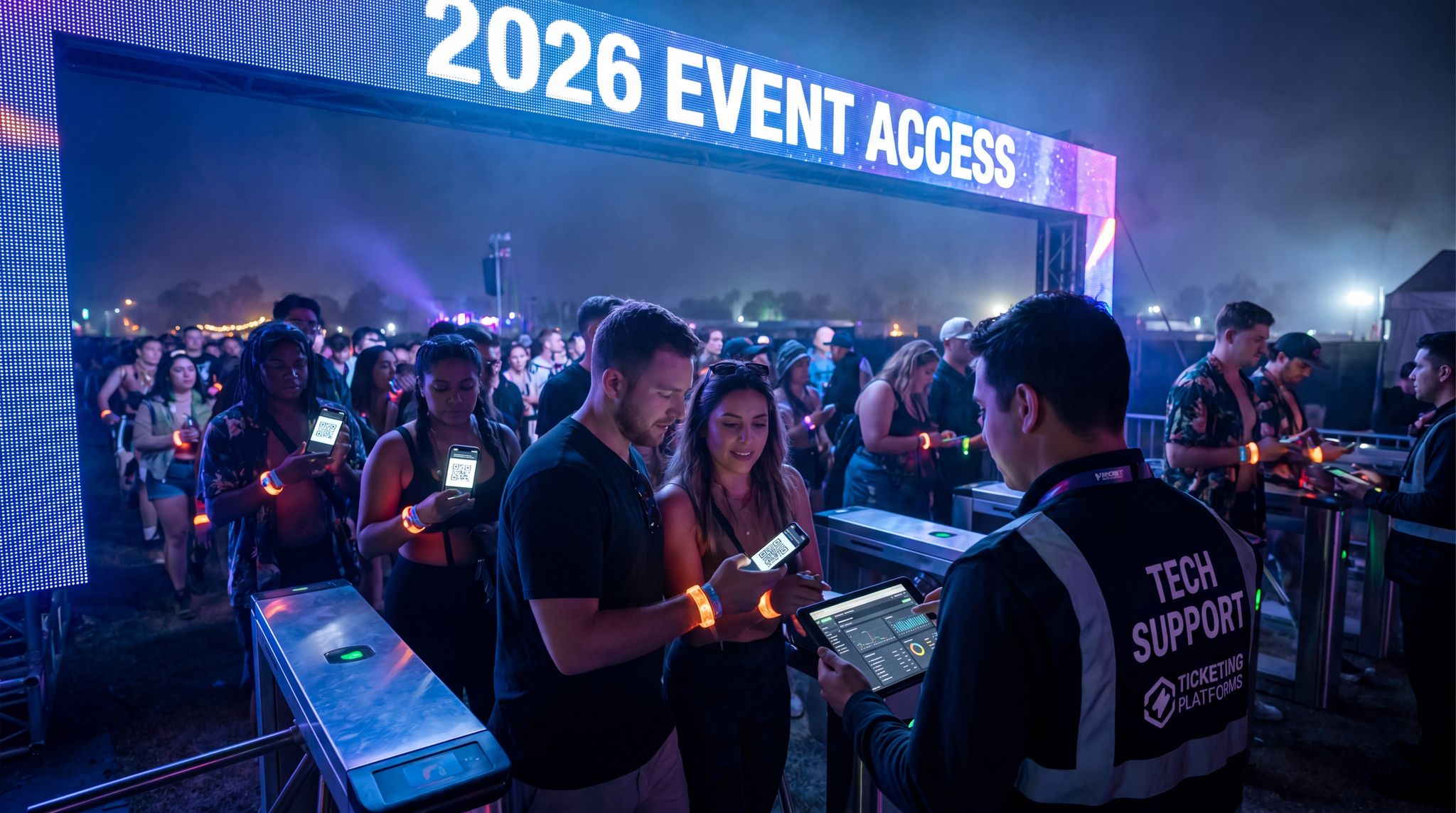
Before diving into vendor selection, it is crucial to understand how your app ecosystem interacts with front-gate operations. There is a clear reason why event planners prefer mobile-optimized tools for ticket check-ins: speed and operational redundancy. Traditional bulky scanning hardware is increasingly being replaced or supplemented by agile, smartphone-based scanning apps. These mobile-first solutions allow organizers to rapidly scale up their gate staff by simply deploying the scanning software to standard iOS or Android devices. If a sudden rush occurs at a specific entrance, producers can instantly reassign roaming staff to become ticket scanners, drastically reducing queue times and improving the crucial first impression of the event.
When evaluating the best mobile ticketing tools for on-site entry in 2025 and 2026, venue operators should prioritize software that functions flawlessly in offline mode. The most reliable mobile ticketing apps allow gate staff to continue scanning QR codes and NFC wristbands even during total network blackouts, syncing the validation data locally until the connection is restored. By equipping your team with these top-tier entry solutions, you eliminate the risk of gate bottlenecks caused by Wi-Fi drops, ensuring a frictionless ingress experience that sets a positive tone for the rest of the event.
Careful Planning and Vendor Selection
Implementing a mobile event app that excels requires meticulous planning well in advance. Start by clearly defining your app objectives and requirements early in the event planning cycle. Is your priority to drive engagement through networking? To streamline on-site info flow? To integrate with ticketing for entry? Knowing your must-haves will guide whether you build custom or choose a platform, and which vendor fits best. In assessing app platforms or developers, consider their integration capabilities (can they plug into your registration system, CRM, etc.), offline support (as we’ve stressed, this is non-negotiable for large events), and their track record at events similar to yours. Don’t get solely wooed by fancy features – ask for references and case studies of reliability under conditions like yours. A platform might look great in a demo but find out how it fared, say, at a 20,000-person festival in terms of uptime and support. Be sure to negotiate integration needs upfront if you’re going with a vendor; for instance, some mobile app providers charge extra for API access or a “premium integration package”, a consideration when building a connected event tech ecosystem. You don’t want surprises later – if integration is critical to you (like single sign-on with your ticketing or real-time schedule sync), bake that into the contract and timeline. Once the app is in development, maintain a close collaboration between your tech team, the vendor, and other event departments. Regular check-ins involving all stakeholders (content, marketing, operations) ensure the app aligns with the evolving event details and everyone knows how it will work. The integration of various systems often requires cross-vendor coordination – for example, linking the app with RFID gate scanners or cashless payment systems means those teams need to exchange data formats and test things together. As the event approaches, lock down any major changes to app requirements with enough lead time to test thoroughly. A common pitfall is trying to cram in a new feature at the last minute (because someone had a “great idea” late in the game) – this risks insufficient testing and potential bugs. It’s usually better to postpone non-critical ideas to the next event’s app rather than rush them. In summary, treat the app launch with the same seriousness as the physical event launch: clear goals, the right partners, and no detail left to chance.
How to Evaluate Event Mobile App Vendors in 2026
When comparing the best mobile-first event apps in 2025 and 2026, organizers must look beyond surface-level UI. Evaluating event mobile app vendors requires a deep dive into their API ecosystem, data portability, and offline resilience. The top platforms distinguish themselves by offering native integrations with your existing CRM and ticketing providers, rather than relying on clunky third-party connectors. Furthermore, promoters frequently ask, “how difficult is it to switch event mobile apps?” The reality is that migrating to a new provider is highly manageable if your new vendor supports bulk data imports and standard API protocols. To ensure a smooth transition, prioritize vendors that offer dedicated onboarding support and transparent data mapping processes, minimizing downtime and protecting your historical attendee data.
Rigorous Testing Under Real Conditions
We cannot overemphasize the importance of comprehensive testing before releasing your app to attendees. First, do basic functionality testing on all types of devices – different Android phones (various manufacturers, older and newer OS versions) and iPhones/iPads if applicable. Ensure all features work as intended on each. Then, simulate the event context as much as you can. Perform an offline test by using the app with Wi-Fi/cellular turned off: does everything that’s supposed to work offline indeed work? Are the messages user-friendly when something does require internet? (e.g. if someone tries to use a feature that needs connectivity, the app should show “You’re offline, this feature will update when connected” rather than just spinning or failing silently). Next, test with low bandwidth conditions – some advanced testing tools or simply throttling your network connection can mimic spotty signal scenarios. The app should handle slow networks gracefully, without freezing up. Load testing is critical for larger events: work with your developer to simulate thousands of concurrent users performing actions (like viewing the schedule at the start of the day or all opening a push notification at once). This often requires scripting and possibly using the vendor’s test environment. It’s better to find any scaling limits now than on event day. If your event has an on-site rehearsal (common for conferences or festivals with production run-throughs), use that opportunity to do a field test with staff. Have team members spread out in the venue using the app simultaneously. If possible, test extreme but plausible cases: e.g., at a festival site, have someone at the far end with poor reception try to load updates, or at a convention center, see if the app map correctly shows your location in all rooms. Also test integration points: If your app is supposed to pull in registration data, do a test with a dummy attendee to see that their ticket info shows up correctly in the app. If the app is generating QR codes for check-in or session scans, test scanning them with the actual scanners that will be used. Basically, walk through the entire attendee journey using the app before the attendees do. This end-to-end test often flushes out edge cases (e.g. an international attendee without phone data – can they use the app on Wi-Fi only? Better test that!). As you catch issues, fix and regression test again. It’s sensible to freeze the build a week or so prior to event and only allow emergency fixes after, to avoid introducing new bugs last moment. When you’re confident the app is stable and ready, consider a soft launch or beta with a small group – maybe release it to staff or a subset of attendees (loyal community members) a few days early for final feedback. By event day, you want zero doubt that the app will perform reliably no matter what the crowd throws at it, ensuring it is a lifesaver in zero-bar conditions and that you have tested the app in offline mode.
On-Site Support and Contingency Plans
Even with perfect preparation, things can go wrong – that’s the reality of live events and tech. The best approach is to plan contingency and backup measures so that if the app falters, your event doesn’t. First, ensure you have a line of communication for app support. This could mean having a help desk contact in the app (like “Need help? Visit the Info Booth or call this number.”). During the event, dedicate one or more team members to monitor app-related inquiries – whether via social media, in-app feedback, or attendee questions at info points. If a pattern of issues arises (e.g. “the app is crashing on Android version X” or “notifications aren’t coming through for iPhones”), your team should rapidly investigate and, if possible, push a fix or workaround. Having your app vendor on standby during event days is often part of service agreements for large events – make sure they’re available in real time to resolve critical problems. They should also be monitoring system health (servers, etc.) throughout. Despite all this, you must be ready with offline or analog backups for essential information. For instance, if the worst happens and the app or network is completely down, how will you communicate a schedule change or emergency notice? Always have alternate channels: venue PA systems, digital signage, text message blast (collect phone numbers for SMS as a backup communication method), or even old-fashioned printed updates at doors. In fact, some events print a limited number of pocket schedules or have whiteboards at key locations not because they expect to use them, but as a fail-safe if digital channels fail. Also, instruct staff to be proactive if tech issues occur – if you know the app’s down, don’t wait for attendees to complain. Announce on stage or via PA what the issue is and where to get info in the meantime (“We’re experiencing technical difficulties with the app, but don’t worry, here’s the 3:00pm update: …”). Attendees are forgiving if you acknowledge problems quickly and have a solution. One more aspect: ensure critical staff functions aren’t solely reliant on the attendee app. For example, if security or operations teams also use a version of the app for live info, they should have a separate secure channel or backup device if it fails. Many large events distribute printed ops manuals or have a secondary comms app like a secure messaging platform for staff. The philosophy of “redundancy” applies – every crucial function should have a Primary and a backup (and maybe alternate/contingency beyond that), ensuring there is no weak link in the communication chain. By crisis-proofing your tech in this way, you won’t be caught flat-footed even if there is no cell coverage at all, understanding why a robust backup plan is essential. It’s wise to rehearse these scenarios too: e.g., “If the app is out, team A will post updates to social and text message, team B will update signage.” With solid support and backup plans, you can confidently deploy innovative app features without fear that a glitch will derail the entire event experience. (For broader guidance on contingency planning across your event systems, check out our guide to backup plans and fail-safes in event tech.)
Post-Event Review and Iteration
Your app’s life cycle doesn’t end when the event does. After the event, conduct a thorough post-mortem on the app’s performance. Gather input from multiple angles: attendee feedback (survey responses about the app, app store ratings if it’s public, social media comments), your internal team’s observations, and the hard data we discussed earlier. Identify what worked really well – maybe the adoption rate was high and people raved about the ease of finding information. Also pinpoint pain points – did some features go unused or draw confusion? Were there technical hiccups that, while minor, should be fixed next time? Document these. It’s helpful to bring the team (and vendor, if applicable) together for a debrief workshop specifically on the app. Go through each feature and aspect methodically: Onboarding, Schedule, Notifications, Networking, etc., and note lessons learned. For instance, you might conclude “Interactive map was extremely popular, but many said they wished it had a ‘you are here’ dot – let’s add GPS locator next time.” Or “We got multiple complaints that the app volume of notifications was too high on Day 1, causing some to mute them – next time we’ll throttle non-essential pushes.” Capture any analytics insights e.g. “Only 10% used the AR photo booth feature – maybe drop it and focus on something else.” Also, if any outages or crises happened with the app, do a root cause analysis in cooperation with the developers – then ensure measures are in place so that issue doesn’t repeat. This might mean upgrading server capacity or adjusting your content update workflow. The final step is feeding these learnings into the next iteration of your app or into organizational knowledge if you won’t have the same team. Update your internal documentation: a playbook of best practices for your event apps. Many veteran event tech teams maintain a checklist that grows wiser each year (“Don’t forget to test X”, “Remember to freeze content 24h before”, etc.). If you plan to use the same app platform again, engage the vendor with your feedback; good vendors will welcome this and may even incorporate your ideas into their product updates. And if you’re considering switching platforms or going custom in the future, the data and feedback you gathered will inform that decision (perhaps the current solution lacked flexibility you now realize you need, or maybe it proved so solid it’s worth investing deeper). An event app is a continuous improvement endeavor – each event’s insights make the next one’s app experience even better, driving a cycle of greater adoption and engagement. In essence, treat your mobile app as an evolving product, not a one-off project, and you’ll reap compounding benefits year over year.
Frequently Asked Questions About Event Mobile Apps
What problems do event mobile apps solve for organizers?
At their core, event mobile apps solve critical operational challenges such as real-time crowd communication, schedule distribution, and on-site data capture. They eliminate the need for expensive, quickly outdated printed materials and provide a direct channel to push emergency alerts or schedule changes instantly. Furthermore, they solve the “engagement gap” by offering digital networking, live polling, and lead retrieval tools that provide measurable ROI for sponsors and actionable analytics for promoters.
How difficult is it to switch event mobile app providers?
Switching providers is much easier today than in previous years, provided you choose a vendor with open APIs and robust data import tools. The primary challenge lies in retraining your internal team and updating your marketing collateral. By selecting a partner that offers comprehensive onboarding and seamless integration with your existing ticketing and CRM systems, the migration process can typically be completed within a few weeks without disrupting your event planning timeline.