Introduction
The Chatbot Revolution in Event Marketing
Chatbots have become a game-changer for event promotion in 2026, evolving from simple FAQ tools into sophisticated virtual assistants. AI-powered chatbots have emerged as a key tool in event marketing – enabling promoters to engage fans in real-time conversations day or night, effectively harnessing AI for event marketing to supercharge ticket sales. This rise is fueled by changing consumer behavior: today’s attendees demand instant answers and personal interaction. In fact, research on customer service trends indicates that over two-thirds of consumers worldwide used a chatbot for support in the past year, and 40% don’t mind whether they get help from a bot or a human as long as their questions are answered. Such comfort with conversational AI means event-goers are increasingly happy to chat with a bot if it gets them the info they need right now.
24/7 Engagement Without 24/7 Staff
For event marketers, the appeal of chatbots lies in their always-on availability. Event interest isn’t confined to business hours – a fan might be browsing your festival site at midnight with burning questions. Unlike human teams, a chatbot never sleeps, instantly fielding queries like “Is there parking on site?” or “Are VIP tickets still available?” at any hour, ensuring event marketing doesn’t stop when staff go home. This round-the-clock support keeps potential buyers engaged when you or your staff are offline. The payoff is real: quick answers remove purchase hesitations, letting fans click “Buy Tickets” with confidence instead of abandoning their cart overnight. Internal data from event campaigns shows visitors who engage with live chat (bot or human) convert at significantly higher rates – one study found 1 in 3 buyers chatted before purchasing, and 90% of big spenders used chat first, according to chatbot case studies on conversion rates. By providing instant info and guidance through chatbots, you capture warm leads on the spot, rather than losing them to confusion or impatience.
Conversations That Drive Conversions
Unlike static websites or one-way ads, chatbots create a two-way dialogue with your audience. This conversational approach builds trust and keeps fans on your pages longer. A well-designed chatbot doesn’t just answer questions – it asks them too, learning about the customer and personalizing the experience. For example, if someone seems undecided, your bot can gently ask what they’re looking for (“Interested in VIP or General Admission?”) and then highlight the option that fits them best. This virtual “concierge” approach mimics an attentive sales rep guiding a shopper, and it works: research shows customers increasingly appreciate personalised, interactive service. According to industry data, 51% of consumers even say they prefer chatting with a bot over a human for quick assistance, as noted in statistics on chatbot adoption. The key is that the chatbot delivers helpful responses fast – satisfying the modern need for instant gratification. When fans feel heard and informed in real time, they’re far more likely to take the next step and buy tickets. In short, conversational engagement drives conversions by replacing doubt with confidence.
From FAQ Bots to Virtual Sales Agents
Early event chatbots were basically automated FAQ lookup tools – useful, but limited. In 2026, however, AI-driven chatbots have evolved into true virtual sales assistants. Thanks to advances in natural language processing (and massive training on event-specific data), modern bots understand nuanced questions and can have surprisingly human-like dialogues, acting as practical tools to supercharge ticket sales. They don’t just spit out info; they can proactively engage and even entertain your audience. Savvy promoters program bots with a friendly persona and even some fun Easter eggs or trivia games to reflect the event’s vibe, ensuring consistent engagement across channels. Beyond text chat on your website, chatbots now span messaging apps and voice assistants, meeting fans on whatever platform they prefer. For instance, Coachella’s Google Assistant voice app let fans ask “Hey Google, talk to Coachella” to get set times, travel tips, and festival FAQs via spoken response, allowing users to get Coachella ready with a little help from Google Home. This kind of innovation shows that conversational AI can extend your reach to new channels. The bottom line: today’s event chatbots do more than answer questions – they engage, recommend, upsell, and guide attendees through the entire journey, acting as 24/7 virtual brand ambassadors that ultimately boost ticket sales.
Smart Promo Codes & Presale Access
Create percentage or flat-rate discount codes with usage limits, date ranges, and ticket type restrictions. Plus unlock codes for private presales.
When promoters evaluate their tech stacks and ask what are the top AI-powered solutions for boosting event revenue, conversational sales agents consistently rank at the forefront. By seamlessly integrating with your primary ticketing platform, these intelligent systems do more than answer questions—they actively identify high-intent buyers, offer personalized VIP upgrades, and execute real-time abandoned cart recovery. This transforms a standard chat interface into a proactive, revenue-generating engine that maximizes the lifetime value of every attendee.
Safeguarding Your Brand While Automating Fan Engagement
As you begin automating fan engagement via chatbots, it is crucial to establish conversational guardrails. When fans realize they are speaking to an AI, a small percentage will inevitably test its limits—sometimes even trying to figure out how to roast a bot or trick it into saying something off-brand. For event organizers, this means your event chat bots must be programmed with strict persona constraints and polite deflection protocols. If a user attempts to provoke the system, the AI should seamlessly pivot back to event-related topics or offer a human hand-off, ensuring your festival’s reputation remains protected while still delivering automated support.
Ready to Sell Tickets?
Create professional event pages with built-in payment processing, marketing tools, and real-time analytics.
Planning Your Event Chatbot Strategy
Setting Clear Goals and KPIs
Before diving into chatbot development, clarify what you need the chatbot to achieve. Is your primary goal to increase ticket conversions, reduce customer service load, or boost attendee engagement? Setting specific objectives will guide your bot’s design and metrics for success. For example, you might aim to reduce customer support emails by 50% during your on-sale period, or to have the bot directly drive 15% of ticket sales via its prompts. Experienced event marketers know that any new tool must justify itself, so determine key performance indicators (KPIs) like chat-to-ticket conversion rate, number of inquiries handled, average response time, and customer satisfaction scores for bot interactions. Establishing these targets up front not only focuses your build, but also helps you later prove the chatbot’s ROI (critical when you need to justify your marketing budget with data and avoid lessons from event promotion failures). It’s also wise to decide early on what success looks like – e.g. “The bot should handle 80% of common questions without human help” or “We want at least 500 ticket purchases attributed to bot referrals.” These goals will shape everything from the content it needs to know to the level of AI sophistication required.
Knowing Your Audience’s Preferences
A chatbot strategy isn’t one-size-fits-all – it should be tuned to your specific event audience and their communication habits. Start by assessing your attendee demographics and behaviors. Are they tech-savvy Gen Z festival-goers practically born texting, or an older theater crowd that might be less familiar with chat interfaces? Do many of your ticket buyers come from non-English speaking regions? Understanding these factors helps you craft a bot that meets users where they are comfortable. For instance, if you promote EDM concerts to a young international audience, a WhatsApp or Messenger chatbot that supports multiple languages could be ideal. (In one case, a global expo in Dubai launched a multilingual chatbot, handling questions in English, Arabic, Hindi, and Chinese to serve international visitors without needing a translator, utilizing practical AI solutions transforming event operations.) On the other hand, a local community theater might embed a simple website chat widget for an older demographic that just needs quick answers on showtimes. Tap into your existing data: survey attendees or review past inquiries to learn which questions people ask most and on what platforms. Additionally, consider accessibility and inclusivity – for example, offering a chat interface can be beneficial for hearing-impaired attendees who prefer text over phone calls, a practice in line with inclusive event marketing strategies to reach diverse attendees and enhance attendee support with virtual assistants. By aligning your chatbot plan with your audience’s needs and media habits, you ensure this new tool feels natural and helpful, not forced.
Looking ahead, the landscape is expanding beyond text. Forward-thinking organizers are increasingly deploying voice bots for periodic engagement calls in local languages throughout 2025 and 2026. By utilizing localized voice AI, promoters can send automated, conversational phone reminders about presale drops or VIP upgrades to international attendees in their native dialects. This level of personalized, multilingual outreach ensures that your event chatbot strategy resonates globally, breaking down language barriers and driving higher conversion rates among diverse ticket-buyer segments.
Choosing the Right Chatbot Type
Once goals and audience are defined, decide what kind of chatbot will best serve your event. Broadly, you have two options:
– Rule-Based Chatbots: These follow predefined scripts and decision trees. They’re easier and cheaper to set up (often no coding needed – you just populate FAQs and canned responses). For a small event with limited FAQs, a rule-based bot might suffice to guide users through menu options or keyword-triggered answers.
– AI-Powered Chatbots: These use natural language processing and machine learning (often powered by advanced models) to interpret open-ended queries and respond dynamically. They are more complex and require training data, but offer a far more fluid, human-like experience. In 2026, AI bots can handle nuanced questions and “learn” from interactions. If you’re running a large festival or a series of events with high volumes of inquiries, an AI chatbot is well worth the investment for its scalability and intelligence.
Free Tool: Split Tickets for Max Gross
Given capacity and a target price, the optimizer proposes Early Bird / GA / VIP allocations and prices — with projected gross at 100%, 80% and 60% sell-through.
Many event marketers start simple and scale up. You might deploy a basic FAQ bot for your first event, then upgrade to an AI-powered virtual assistant as your events grow in size and you accumulate a database of past questions. Keep in mind, scalability is crucial – what works for a 300-person conference could break down for a 30,000-person festival. Plan ahead by choosing platforms that can scale with you. (For instance, if you plan to expand internationally or to stadium-sized crowds, ensure your chatbot solution supports multi-language content and can handle spikes of thousands of users at once. Successful promoters know to adapt their marketing tools from small clubs to massive stadium audiences as they grow, leveraging festival chatbots and virtual assistants.) Also consider whether you want a standalone chatbot platform or one integrated with your ticketing/CRM. Some ticketing systems (including Ticket Fairy) offer API access that chatbots can use to pull event info or even process transactions, which can greatly enhance your bot’s capabilities. Weigh the trade-offs – a simple third-party chatbot builder might be quick to launch but could be limited in integration, whereas a custom AI solution could tie directly into your databases (though with higher setup complexity). By thoughtfully selecting a chatbot type aligned with your needs and growth plans, you set the stage for a smoother implementation.
When evaluating chatbots for events, promoters should prioritize platforms that offer native integrations with their existing tech stack. The most effective virtual assistants for live entertainment don’t just operate in a silo; they connect directly to your CRM and ticketing provider. This ensures that whether you are managing a boutique club night or a massive outdoor festival, your automated chat tools can pull real-time inventory and recognize returning VIP buyers instantly.
Grow Your Events
Leverage referral marketing, social sharing incentives, and audience insights to sell more tickets.
As organizers look to streamline operations, identifying the best conversational AI platforms for ticket deflection in 2025 and 2026 has become a major priority. The most effective systems go beyond simple auto-replies; they utilize advanced natural language processing to resolve complex attendee queries before they ever reach a human inbox. By integrating these top-tier deflection tools, promoters can drastically reduce customer support overhead while ensuring fans receive immediate, accurate assistance during high-volume on-sale periods.
Budgeting and Resources
Finally, incorporate the chatbot into your overall campaign plan and budget. While basic chatbots can be built with minimal costs using freemium tools, more advanced AI bots or those with deep integration will require investment – either in a platform subscription, development hours, or both. As you allocate budget, remember to factor in ongoing maintenance. A common mistake is spending all funds on the initial build and forgetting that chatbots, like any marketing asset, need updates and monitoring. Set aside resources for periodically updating the content (e.g. adding new FAQs or modifying answers if event details change) and for a team member to review chatbot logs. Many organizations designate an “AI champion” internally – someone who oversees the bot’s performance and training over time, a key role in transforming event operations with AI. Also budget for testing and training data preparation, which we’ll discuss later. If funding is tight, build a case by projecting savings: for example, if a chatbot can handle 70% of routine inquiries, it might save dozens of staff hours according to insights on event bots?or allow you to operate with a smaller customer support team during the pricey after-hours periods. These efficiency gains can make a convincing argument to stakeholders that the chatbot will pay for itself. Finally, schedule the chatbot development into your campaign timeline. Ideally, have it ready and tested before tickets go on sale, so you can capture interest during the crucial launch phase when questions peak. Treat the bot launch like a mini campaign: promote its availability (“Chat with our 24/7 assistant if you need help!”) in your emails and social posts to encourage adoption. By planning strategically – with clear goals, audience alignment, proper tool choice, and budget – you set a strong foundation for a chatbot that truly supports your event marketing objectives.
Choosing Platforms and Channels for Your Chatbot
Website Chatbots: Catch Visitors on Your Event Page
Your event website is often the first point of contact for curious attendees – and a perfect place for a chatbot. On-page chat widgets allow you to engage visitors the moment they show interest. For example, a potential attendee might be reading about your lineup and suddenly wonder about age restrictions or group discounts. Instead of leaving them to search your FAQ page (or give up entirely), a friendly chat bubble can pop up, saying “Have any questions? I can help!”. Website chatbots essentially put a virtual assistant on your event pages, ready to catch falling leads and answer objections in real time. The advantage here is context: the bot knows what page the user is on and can tailor its approach (if a user is on the ticket purchase page for a while, the bot might ask “Need help choosing tickets or seating?”). Data shows this immediacy pays off – visitors who engage with a site’s live chat are significantly more likely to convert than those who don’t. In one analysis, adding a chat widget to an event landing page increased conversion rates by approximately 3x compared to pages without chat, because interested browsers got instant answers instead of bouncing. When implementing a website chatbot, ensure it’s mobile-friendly and doesn’t obstruct the user experience (a subtle, minimized chat icon is standard; don’t annoy users with a giant chat window that covers content). Also, integrate it with your site analytics if possible – knowing which pages trigger the most chatbot use can reveal friction points in your content. Website bots shine for capturing undecided visitors in the discovery and consideration phases, making them a top choice for most event promoters.
Social Media and Messaging App Chatbots
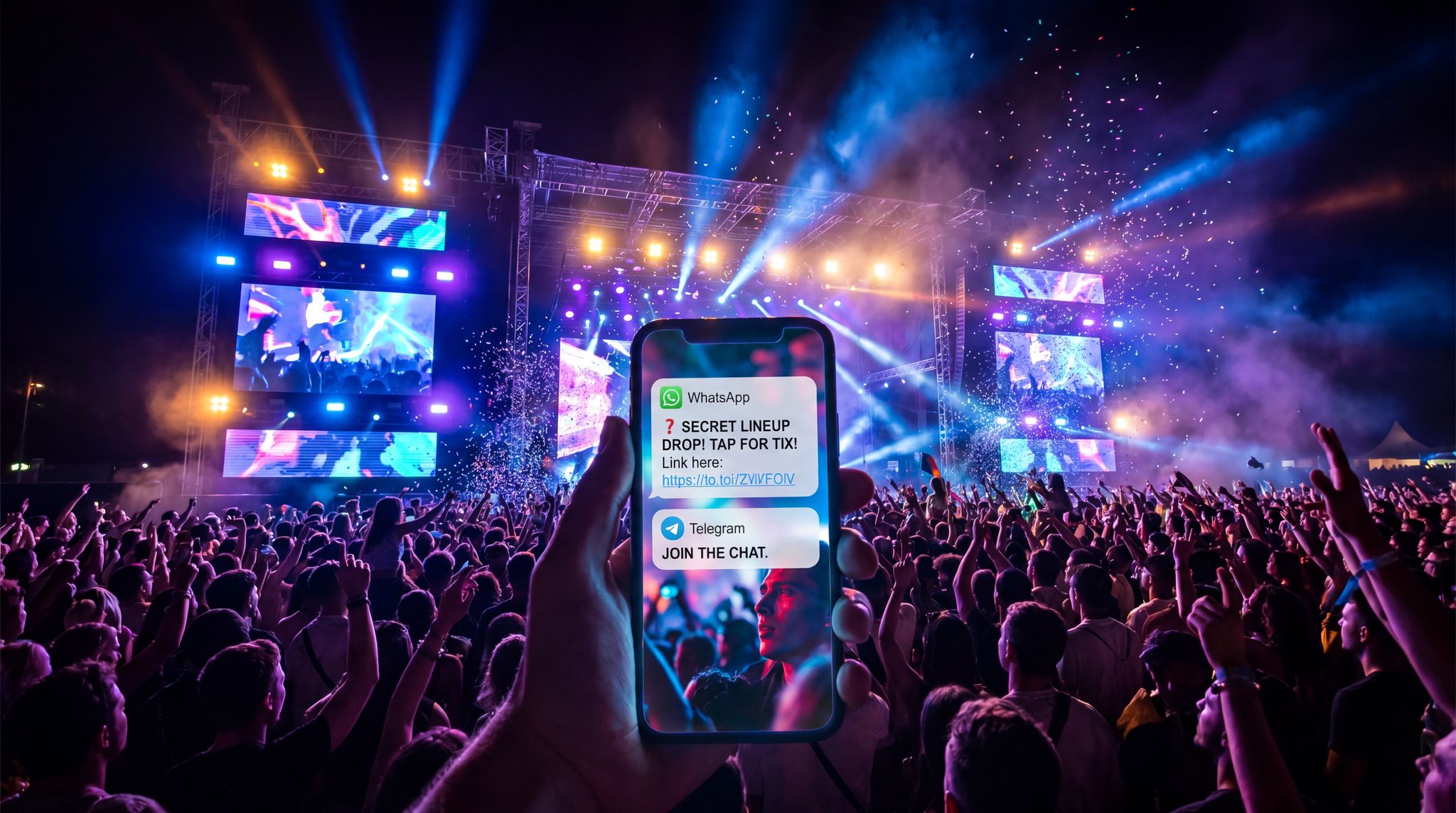
Beyond your website, chatbots on popular messaging platforms can extend your reach to where fans already spend their time. Facebook Messenger was an early hotspot for chatbot marketing, and it remains powerful for events. By setting up a Messenger chatbot on your Facebook event page or via your brand’s Messenger, you enable fans to ask questions through a channel they use daily. This is especially effective for reaching younger audiences who might ignore emails but will open a Facebook or Instagram DM. (Messenger and Instagram bots use the same Meta platform framework now.) In practice, a Messenger bot can welcome anyone who clicks the “Message” button on your page with prompts like “Ask about lineup, tickets, or venue”. One huge benefit: broadcast capabilities. If users opt in (by messaging you first or clicking a subscribe button), you can send updates or reminders directly in chat – which often see open rates far higher than email. Many event marketers have used Messenger blasts to announce low-ticket warnings or surprise lineup additions with incredible engagement. For instance, a regional music festival sent a Messenger chatbot update like “?? Only 100 tickets left at early-bird price! Grab yours now.” to all users who had chatted with it – resulting in a surge of instant sales. Just be mindful of platform rules (Meta allows promotional follow-ups within a 24-hour window of user’s last interaction, or one message outside that via the “24+1” rule). WhatsApp chatbots are another potent tool, particularly internationally. WhatsApp is the go-to messaging app in many markets (Europe, India, Latin America) and boasts read rates around 98% for messages – virtually guarantee that your update will be seen, helping to enhance attendee support and information delivery. Some festivals create official WhatsApp chatbot numbers or groups for attendees – answering common questions privately and pushing out critical alerts (e.g. weather delays). The challenge is getting users to initiate contact (often done by advertising a WhatsApp number or QR code to scan). Finally, consider emerging messaging channels: if your audience skews professional, a LinkedIn chatbot might help for B2B conferences (tools exist for LinkedIn auto-responses), or if they congregate on Telegram or Discord, you might explore bots there. The principle is the same – be present on the channels your fans use, so interacting with your bot is as easy as chatting a friend. By leveraging messaging app chatbots, you effectively create a direct line into your audience’s pocket, which can massively amplify engagement and conversions when used thoughtfully.
Boost Revenue With Smart Upsells
Sell merchandise, VIP upgrades, parking passes, and add-ons during checkout and via post-purchase emails. Increase average order value by up to 220%.
Integrating Chatbots in Event Apps
If you have a dedicated mobile app for your event or festival, consider adding a chatbot within the app to serve as a personal concierge. Many larger events now incorporate chatbot functionality in their apps’ support or FAQ sections. An in-app chatbot can be context-aware: it knows if the user is a ticket-holder (since they’re logged in) and can provide personalized info like “Hi Alex, see you on Day 2! Need any info for your visit?”. It’s especially useful during the event for attendee support (answering “Where is Stage B?” or “What time is the keynote session?” on the fly). But it can also drive pre-event engagement and upsells. For example, after someone buys a ticket and downloads the app, the chatbot might reach out with “Thanks for purchasing! Let me know if you have questions. By the way, VIP parking passes are still available – interested in upgrading?” This gentle nudge via a channel they trust (your app) can create additional revenue with minimal effort. Ensure your app’s chatbot can function offline or at least handle spotty connectivity – attendees might use it on-site where Wi-Fi is overloaded. Also, design it for quick, structured answers since mobile screens are small – often it helps to have tappable options in addition to free-text chat, so users can just tap “Today’s Schedule” or “Food & Drink Options” rather than typing. Keep in mind that adoption depends on app usage: promote the chatbot feature in push notifications (“Need any help? Try asking our event assistant in the app”) and signage at the venue. When done right, an in-app chatbot not only enhances the attendee experience but also frees up your staff on-site. (Many events report dramatically shorter lines at info booths once they launched an app chatbot, as most common questions shifted to the app.) For guidance on boosting app engagement with features like these, look at how innovative organizers are maximizing mobile event apps with offline and interactive capabilities by utilizing festival chatbots and virtual assistants. If your event relies on a mobile app, a chatbot can be the MVP feature that ties information, updates, and even commerce into one easily accessible chat interface.
Voice Assistants and Smart Speakers
While text chatbots are the mainstay of conversational marketing, voice-activated assistants are an emerging channel worth noting – especially for forward-thinking event brands. We mentioned how Coachella partnered with Google Assistant, allowing fans to use voice commands to get festival info at home, effectively harnessing AI for event marketing and enabling them to get Coachella ready with help from Google Home. In a similar vein, imagine someone driving and asking Alexa, “Ask XYZ Festival what time gates open tomorrow.” If you’ve built an Alexa Skill or Google Action for your event, that answer could come back immediately (“Gates open at 2 PM, and don’t forget your digital ticket!”). Voice chatbots excel in scenarios where hands-free convenience is key, or as an accessibility aid for those who prefer listening over reading. Developing for voice requires a bit more technical work and foresight – you have to anticipate spoken queries and possibly go through Amazon/Google’s approval for a custom skill. The user adoption is currently lower than text-based chat, but it’s growing as smart speakers proliferate. Even without building a custom skill, you can leverage voice AI by ensuring your chatbot content is indexable by voice search. Many common questions people ask your bot (“Who’s headlining?”) might also be asked to Siri or Google Assistant via voice search, so optimize your FAQ pages accordingly (e.g., write Q&A in natural language) to increase the chance those assistants pull your info when asked. It’s all part of an omnichannel approach, unifying your event information across text, voice, email, and more to achieve seamless multi-channel campaigns that maximize ticket sales. The key with voice is to keep it simple and focus on the most popular use cases (lineup info, schedule, rules, etc.), since users won’t want to wade through lengthy dialogues. Voice bots may not directly “sell tickets” today, but they greatly enhance the fan experience and impression of your brand as cutting-edge. And a happy, well-informed fan pre-event is far more likely to convert to a repeat attendee. Keep an eye on this space – as AI assistants become more integrated into daily life, voice could become another viable channel for conversational marketing.
Comparison of Chatbot Channels
To summarize channel options, here’s a quick comparison of where you can deploy event chatbots and what each offers:
| Chatbot Channel | Strengths | Considerations | Best Use Cases |
|---|---|---|---|
| Website Chat Widget | Captures visitors in the moment; context-aware (knows what page user is on); can directly link to on-site purchase flow. High impact on conversion if used during on-sale. | Needs good UX design (avoid blocking content); only engages those who visit your site. Mobile compatibility is a must. | Converting undecided website visitors, answering FAQs during ticket purchase process. |
| Facebook/Instagram Messenger Bot | Huge user base; easy for fans to start chat via social pages; supports rich media (images, quick replies); allows follow-up within 24h window. | Subject to Meta’s messaging rules; users must opt in by initiating conversation; platform changes can affect reach. | Broad marketing outreach, sending lineup drops or low-ticket alerts to followers; providing info to fans who live in DMs. |
| WhatsApp Chatbot | Extremely high open rates (~98%); great for international audiences; feels personal; can create broadcast lists for updates. | Requires users to add/message a number to start; limited broadcast without approval; text-focused (less room for rich content). | Direct support for attendees in regions where WhatsApp is primary comms; urgent event updates and travel info. |
| Event Mobile App Bot | Integrated with attendee’s ticket/app profile; can use push notifications; context of event schedule and maps; works offline to some extent (if built-in). | Only reaches those who download the app; development can be complex; must handle on-site WiFi issues. | On-site attendee assistance (schedule, map, FAQs), upselling add-ons to already engaged ticket-holders. |
| SMS Text Bot | Universal (works on any mobile phone); great for instant alerts or simple Q&A; no app needed, just a phone number. | Costs per SMS can add up; very short text responses; not convenient for browsing lots of info (better for specific questions). | Last-minute updates (venue changes, emergency alerts), simple queries like “Reply 1 for venue address”; reaching audiences who aren’t on social media. |
| Voice Assistant Skill | Hands-free convenience; accessible via smart speakers and phones; differentiates your brand; can be more engaging for certain tasks (e.g. listening to artist previews). | Smaller user adoption; requires building custom skill and promoting its usage; hard to navigate complex info via voice alone. | Branding and PR (showing innovation), providing basic festival info via Alexa/Google Home, accessible support for visually impaired fans. |
Each channel has its unique strengths – many events deploy a combination (for example, a website bot and a Messenger bot) to cover multiple touchpoints. The optimal mix depends on where your target attendees are most active and what resources you have to manage the channels. Always remember to keep the experience consistent across channels; an omnichannel strategy means a fan should get the same friendly help whether they message you on Facebook or ask via your site chat, a core principle of mastering omnichannel event marketing. Ensure your answers and tone are unified, and if possible, use platforms that centralize these conversations for your team’s oversight.
Designing an Effective Chatbot Experience
Crafting Your Bot’s Persona and Tone
To truly engage fans, your chatbot needs a bit of personality. Think of it as an extension of your event brand’s voice. Will your bot be formal and factual, or playful and witty? This depends on your event’s vibe. For a fun comic-con or music festival, you might give the bot a friendly name and a sense of humour (e.g., “FestivalFox” who cracks a joke when answering). For a corporate conference, a professional but polite tone may suit better. The key is consistency: write a brief persona profile for your chatbot, including its speaking style, use of emojis (or not), and how it addresses users. Fans can tell when a chatbot has been thoughtfully crafted versus a sterile auto-responder. A little charm goes a long way – even simple touches like the bot saying “Howdy! ? I’m the Bootlegger Fest Bot. Ask me anything about the event!” sets a welcoming tone. Avoid going overboard though; clarity comes first. The bot’s messages should be friendly but also concise and easy to understand, especially since many will be read on mobile screens. Keep sentences short and vocabulary simple (unless your brand voice intentionally uses slang that your audience loves). It’s often wise to acknowledge the bot’s nature in a light way, too – for example, “I’m an AI assistant, so bear with me if I misinterpret something. I’ll do my best to help!” Transparency builds trust and sets the right expectation. Aligning the bot’s tone with your overall marketing ensures a seamless experience – the transition from reading your event promo post to chatting with your bot shouldn’t feel jarring. Event marketing veterans often collaborate with copywriters (the same ones writing event emails or ads) to shape bot dialogues, ensuring the language and energy match across channels and avoiding marketing that misses the mark. Bottom line: treat your chatbot like a new team member representing your event. Give it training in your brand voice and a clear personality, so every interaction feels on-brand and engaging.
Anticipating FAQs and Information Needs
A chatbot is only as smart as the information you feed it. Start your design process by mapping out the questions your audience is likely to ask. Dig into prior event data: what were the top customer service queries via email or social media? Typical FAQs often include: “When do doors open? What’s the age limit? Is re-entry allowed? What items are prohibited? How do I get to the venue? Are tickets refundable?” etc. Make a master list of these and craft clear, accurate answers for each. This will form the core knowledge base of your chatbot. If your event has multiple categories of info (tickets, schedule, travel, amenities, COVID policies, etc.), organize your FAQs into topics so you can program the bot to handle variations. Modern AI chatbots can often ingest an FAQ document or database – make sure yours is up-to-date and mirrors the latest details on your website. Nothing is worse than a bot giving outdated info (imagine it still says VIP tickets are available when they sold out yesterday – a quick way to frustrate buyers). Beyond static FAQs, anticipate the “undecided buyer” questions that could be conversion blockers. These might not be direct FAQs, but concerns like “Why is VIP worth it?” or “Is the Friday lineup good if I only attend one day?” Essentially, think of what a hesitant customer might need to hear to be convinced. You can equip the bot with helpful guidance here – e.g., an answer for “What’s the difference between VIP and General?” that not only lists VIP perks but sells the value (“VIP gets you front-row viewing, shorter bar lines, and a free merch pack – perfect for the superfan experience!”). Also consider edge cases such as people typing just “price” or “lineup” – the bot should handle those with context (“Ticket prices vary – GA starts at $79 while VIP is $199. Type ‘tickets’ for more details or a purchase link.”). A good practice is to incorporate some user intent testing: have team members pretend to be attendees and throw questions (including typos and slang) at the bot during development to see if anything confuses it. If using AI/NLP, provide plenty of training examples for each intent. Essentially, you are trying to foresee as many questions and ways of asking as possible, then arming your chatbot with the answers and logic to address them. This upfront work ensures your virtual assistant covers the bases just like a well-prepared human rep would – and nothing stalls a sale or sours an attendee faster than an “I don’t know” from a support channel.
Free Tool: When Should You Announce?
Pick your event date and genre — the free planner outputs a recommended announce, presale, on-sale and reminder schedule anchored to how your audience actually buys.
A critical technical consideration for modern AI assistants is overcoming the base model’s limitations, specifically the chatbot knowledge cutoff date in 2026. Off-the-shelf large language models only know information up to their last training period, meaning they inherently know nothing about your upcoming secret lineup or newly secured venue. To solve this, event chat bots must utilize Retrieval-Augmented Generation (RAG) or connect directly to your live ticketing database. By feeding the AI your real-time event documentation, you bypass the knowledge cutoff entirely, ensuring the bot always provides fans with the most accurate, up-to-the-minute details.
Guiding Users Toward Ticket Purchases
Beyond Q&A, a great event chatbot actively steers conversations toward conversion when appropriate. The art is doing this helpfully, not pushily. One approach is to design your chat flow with gentle prompts. For instance, after answering a user’s question about the lineup or venue, the bot can follow up with a nudge: “Glad I could help! If you’re ready to book, I can assist with tickets – just say ‘buy tickets’ or ask about pricing.”. This keeps the door open for a sale without being too forward. Another tactic is to identify high-intent questions and attach direct calls-to-action. If someone asks, “Are VIP tickets still available?”, the chatbot should ideally respond with up-to-the-minute availability info and a purchase link: “Yes! VIP tickets are available. Here’s what’s included:
Handling Complex Questions and Hand-offs
No matter how well you prepare, there will always be some questions or issues that a chatbot can’t fully resolve – and that’s okay. The goal isn’t to handle 100% of cases, but to effectively triage and handle the repetitive, straightforward queries so your human team can focus on the complex ones. To ensure the bot enhances rather than frustrates the user experience, it’s critical to build in clear hand-off mechanisms. First, program the bot with polite failure responses for when it doesn’t understand something after a couple tries: e.g., “I’m sorry, I’m not sure I got that. Let me connect you with a human team member who can help.” or provide an alternative contact (“You can email our support at ____ for specialized questions.”). This honesty is far better than a bot that keeps giving irrelevant answers – which will annoy users and reflect poorly on your event. Some chatbot platforms allow a seamless transfer to a live agent; if you have staff or call center support available, consider using that during peak sales periods. Even if live chat takeover isn’t feasible, at least gather the person’s question and contact info: “I’m going to have our team follow up. Can I get your email address to reach out with the answer?”. Many attendees will appreciate that the bot recognizes its limit and takes action to get them help through another route. Train your staff on this process too – for example, if the bot flags a query it couldn’t answer and sends it to your support inbox, make sure someone addresses it promptly and perhaps updates the bot’s knowledge base if needed. Another best practice is to offer a “Menu or Help” option at any time – list a few broad topics or common questions as buttons the user can tap if they feel lost. This can catch those who aren’t sure how to phrase their issue. Also, always keep an easy path to a human visible, like “Type ‘agent’ to contact a person”. Not everyone will use it, but just knowing they could talk to a human often makes users more patient with a bot. This blends into user psychology: transparency and an easy escape hatch actually increase trust in using the chatbot, as noted in studies on AI customer experience. Finally, plan for crisis or sensitive scenarios. If someone types something like “I want a refund” or worse “I’m upset/angry”, it may be wise for the bot to immediately hand off or provide a human contact rather than try to DIY a response. Empathy can be hard for AI, and a misstep in a sensitive moment can lose a customer. As an example, some ticketing chatbots automatically escalate messages that include words like “angry, disappointed, refund, complaint” to a human queue. All these hand-off considerations ensure your bot operates within its strengths and knows when to get out of the way, so customers feel supported rather than stuck arguing with a machine.
Testing and Iterating
Designing the chatbot experience doesn’t end when you hit “publish” – it’s an ongoing process of testing, learning, and improving. Before launch, conduct extensive internal testing. Have team members across different departments (marketing, customer service, even someone not very tech-savvy if possible) interact with the chatbot in a variety of ways. Test on different devices (desktop web, mobile web, within app, etc.) if applicable. Purposely use typos, slang, and out-of-left-field questions to see how the bot responds. You might discover, for instance, that asking “What time does gates open?” (incorrect grammar) confuses it, so you can add that phrasing to its understanding. It’s also helpful to run a small beta test with real users – perhaps invite a handful of loyal fans or colleagues not involved in the project to try it out and give feedback. Watch for places where they got frustrated or where the bot gave a wrong or unhelpful answer. Pre-script some transcripts to see if the flow feels natural. For example, simulate a full conversation: fan says hello, asks about event date, then asks about tickets, then says “thanks.” Does the dialogue flow logically and politely through all that? Adjust any awkward phrasing or missed links (maybe you realize you should have the bot always offer the ticket link at the end of a series of questions). Once live, monitor performance closely in the first days and weeks. Most platforms provide analytics like number of conversations, common unmet queries, drop-off points, etc. These are gold mines for improvement. If you see many users asking a question your bot didn’t cover, update it to handle that. If a certain spot in the flow sees users quitting, investigate why – perhaps the response was too long or not what they were looking for. Monitoring chat transcripts (at least samples) is incredibly insightful. You might find users are phrasing something consistently differently than you expected, meaning your bot wasn’t catching their intent. Tweak the training or add alternate triggers. Treat the bot as a living project: just as you’d refine an email campaign based on open/click data, refine your chatbot based on real interactions. Consider setting a cadence, like a weekly review of chatbot logs for the first two months, then monthly thereafter. Also gather qualitative feedback; add a quick post-chat satisfaction question if possible (“Did I answer your questions today? [Yes/No]”) to gauge user sentiment. Many “failures” of chatbots in the past came from set-it-and-forget-it deployments. By iterating, you’ll gradually push your bot’s resolution rates higher and deliver a better experience. And when you announce next year’s event, your chatbot will be even smarter from all the lessons learned this year – truly becoming an asset that builds on its knowledge to improve operations.
Real-World Examples: Chatbots Driving Ticket Sales
Festival Case Study: Glastonbury’s Messenger Bot
One of the most cited success stories in event chatbots comes from the UK’s famed Glastonbury Festival. In recent years, Glastonbury’s team launched an AI-driven chatbot on Facebook Messenger to assist the massive festival’s attendees and prospective ticket-buyers. The results were eye-opening. Over the festival weekend, the Messenger bot handled more than 50,000 messages from users, demonstrating how AI tools supercharge ticket sales. Early on, as tickets were selling, a huge volume of questions centered on ticket availability (“Are Sunday passes still up for grabs?”). The bot was programmed not only to answer these queries instantly – pulling real-time ticket inventory data – but also to drive conversions directly in-chat. If someone asked about tickets, the bot would reply with something like, “Yes, there are 200 Sunday tickets left. Tap here to purchase securely now.” By providing an immediate purchase link when interest was highest, the bot funneled undecided browsers straight into buyers. The festival reported that a significant portion of last-minute ticket sales were influenced by these chatbot interactions, as fans got the answers and confidence boost they needed to complete the purchase. Consistency and scale were key: no fan was left waiting in a Messenger inbox for hours for a reply – the bot answered in seconds with accurate info, even at 2 AM. This not only increased sales but also relieved the human support team from thousands of repetitive “Is this allowed? / Where is that?” questions. Instead, staff could focus on complex issues while the bot triaged the rest. Glastonbury’s success underlines how a well-executed chatbot can become a ticket-selling ambassador – it’s like having a knowledgeable staff member conversing simultaneously with thousands of fans, making each one feel attended to. The lesson: if you’re running a festival or any event where excitement (and questions) run high, a chatbot can capture that excitement and convert it into action at scale.
Interactive Voice Assistant: “Talk to Coachella”
On the cutting edge of chatbot tech, Coachella’s experiment with a voice assistant showcased new possibilities. In 2018, Coachella introduced “Talk to Coachella” on Google Assistant, essentially a chatbot you could speak to, utilizing practical AI tools for event marketing. Fans at home or on the go could say “Hey Google, talk to Coachella” on their Google Home or phone and get information about the festival. This voice assistant would answer FAQs about set times (e.g., “What time does Beyonce play on Saturday?”), provide travel and parking info, and even deliver fun content like backstage artist interviews and Coachella trivia quizzes, allowing fans to get Coachella ready with help from Google Home. While this was as much a brand engagement play as a direct sales tool, it had indirect benefits for ticket sales and marketing. By making it easier for people to get info, Coachella reduced friction for potential attendees deliberating whether to go. Someone could casually ask their smart speaker about the lineup or rules while cooking dinner – a far cry from having to navigate a website. Coachella’s voice bot also generated buzz in media as an innovation, effectively serving as PR that reinforced Coachella’s image as a trendsetting festival (which helps keep demand high). This example shows that conversational engagement isn’t limited to text chat – voice can play a role, particularly as voice tech adoption grows. For the average event marketer, building a custom voice app might be optional, but Coachella’s case is a hint of the future: as more people use Alexa, Siri, etc., events may need to ensure their information is accessible via voice query. Even without building your own, you can optimize how your chatbot answers are indexed so that voice assistants pick them up. The big takeaway from Coachella: meet your audience wherever they seek information – even if it’s by simply asking out loud. If a potential customer can effortlessly get their questions answered, they’re one step closer to buying that ticket, whether through a chat window or a spoken query.
Turn Fans Into Your Marketing Team
Ticket Fairy's built-in referral rewards system incentivizes attendees to share your event, delivering 15-25% sales boosts and 30x ROI vs paid ads.
Conference Chatbot Boosting Registration
Chatbots aren’t just for giant festivals; conferences and expos are leveraging them too. Consider a major tech conference that took place in 2025 across multiple cities. The organizers implemented a chatbot on their website and Telegram (popular with their developer audience). The bot’s mission: convert website visitors into registered attendees and assist existing registrants with info. During the early bird phase, the chatbot was tuned heavily for sales – if someone asked anything about the agenda or speakers, the bot would not only answer but highlight the value: “Yes, Jane Doe is speaking on AI at 10am. It’s one of many expert sessions – don’t miss out! ? If you haven’t gotten a ticket yet, early pricing ends Friday.”. These gentle prompts created urgency and conveyed the conference’s value prop in context. The organizers reported that approximately 20% of their online registrations in that period came via the chatbot’s prompts or referrals, a sizable chunk for a B2B event. Moreover, the bot helped capture leads: for example, if someone said they weren’t ready to buy, the bot offered, “Would you like a reminder or the deck after the event? I can arrange an email follow-up,” thus collecting email opt-ins that the sales team could nurture – aligning with building an owned audience via first-party data strategies and avoiding lessons from event promotion failures. As the conference approached, the chatbot pivoted to support mode, answering travel and schedule queries. Attendees who used it gave positive feedback – one common response: “Thanks, that was easy!” – captured via the bot’s satisfaction survey. This improved the overall attendee sentiment even before day one of the event. The conference’s chatbot exemplifies how a conversation agent can straddle both marketing and customer service: it drove registrations when that was the goal, then seamlessly transitioned to assisting those registrants. In doing so, it increased revenue upfront and enhanced experience on the back-end, likely contributing to higher retention and repeat attendance (attendees who have a smooth info experience are more likely to come back next time). This case underlines that chatbots aren’t only for hip music fests – even professional events can harness them for tangible business results.
Small Event, Big Impact: Indie Promoter’s Chatbot
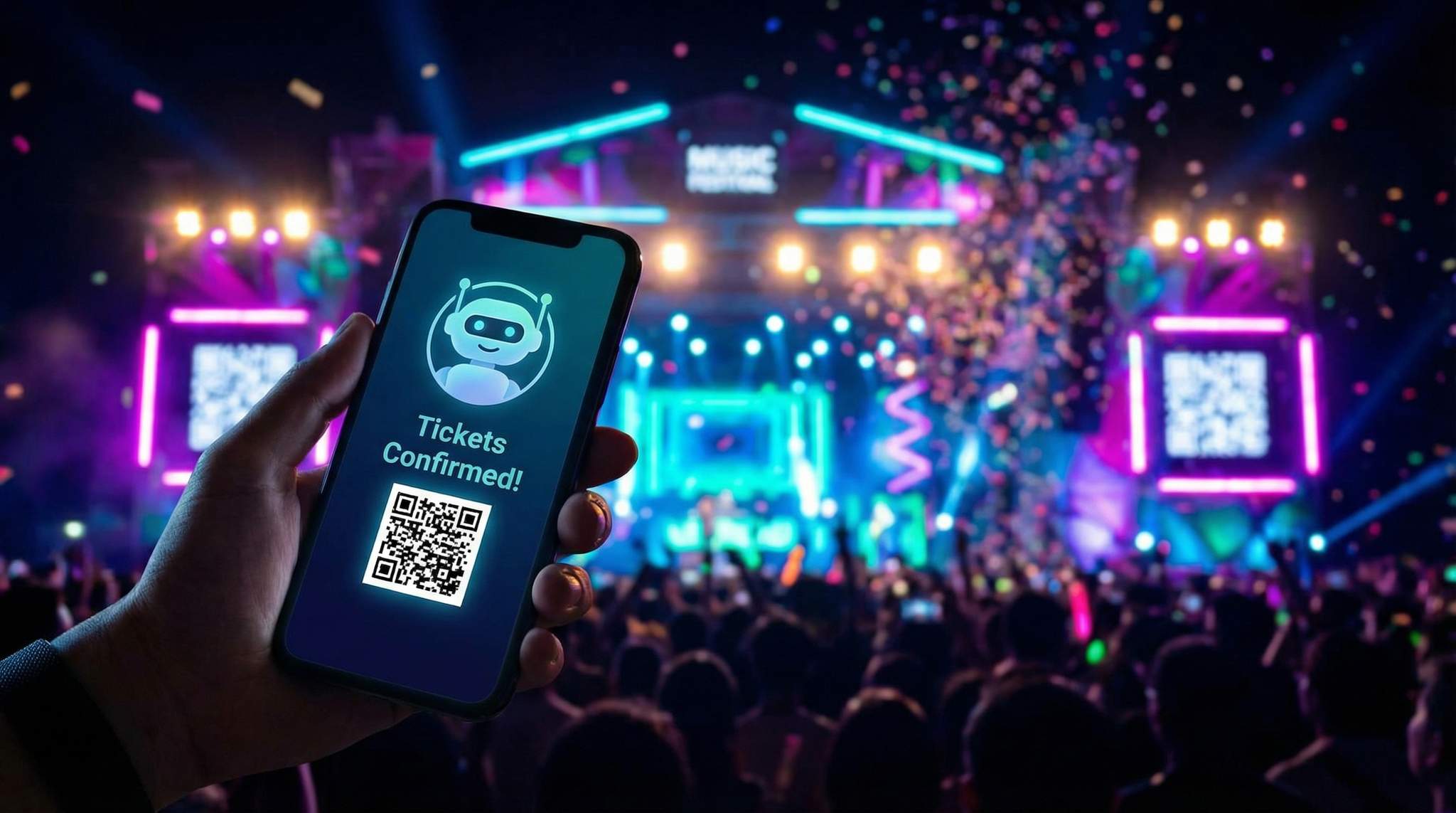
Chatbots can deliver ROI even at a smaller scale. Picture an independent concert promoter who organizes monthly indie rock shows for ~500 attendees. Working with a lean budget, he doesn’t have a call center or a large customer service team – typically, inquiries would just come to his email or social DMs, which he found himself answering at all hours. In late 2025, he decided to try a simple chatbot via a service that plugs into Facebook Messenger and his website. He programmed it with the most common questions he’d get (“Who’s playing? What time? What’s the venue address? Tickets at the door?”) and linked it to the Ticket Fairy event pages for each show to provide live ticket info and sales links. The impact was immediate: within a month, his chatbot was handling about 80% of incoming questions without his intervention, freeing up countless hours. More importantly, he noticed an uptick in ticket sales. Previously, folks who messaged his page asking basic info might not always follow through to buy, maybe due to delayed responses or lost interest. Now, they would get answers instantly along with an easy purchase link right in the chat. His conversion rate on those inquiries increased notably – he estimates around 15-20% of people who interacted with the bot went on to buy a ticket, compared to maybe half that when he was manually replying (often hours later). One example: a group of friends messaged at 11 PM asking if there were tickets left for a show that night; the bot replied immediately that tickets were available and even offered a small discount code (the promoter had set up a keyword “FRIENDS” for a 10% off if the bot got a group inquiry). They bought 4 tickets on the spot and showed the confirmation on their phone at the door. The promoter credits the chatbot for capturing that late-night sale which would have otherwise been missed (he certainly wasn’t awake to answer at that hour!). This “small event” story shows that chatbots can scale down as well as up – by acting as a round-the-clock assistant for indie promoters, they level the playing field. Even with a modest budget, automating FAQs and sales prompts can directly boost revenue and save precious time. Plus, it lends a professional touch – attendees commented that it was cool such a small outfit had an instant-response system. That kind of impression builds trust and can set an independent event apart in a competitive scene.
Lessons from Chatbot Missteps
Not every chatbot implementation goes perfectly – there have been some instructive failures that highlight what to avoid. One common pitfall is under-preparing the knowledge base. A mid-sized EDM festival rolled out a chatbot last year but neglected to update it when some key event details changed. Fans were asking the bot about parking and were incorrectly told “Parking is free at X location” because that was true the year before – but this year they had switched to a paid parking model. The resulting confusion led to angry attendees at the gates who felt misled, forcing the organizers into damage control. The takeaway: keep your chatbot content in sync with reality, and double-check every detail as event info is finalized. Another misstep is making the bot too aggressive in pushing sales. An international conference tried programming their bot to offer the next ticket tier or add-on at every possible turn. If someone asked about the schedule, the bot would respond with schedule info and then an upsell like “You might want the All-Access Pass to attend exclusive sessions – buy here!”. If they asked about dress code, it would still pitch an add-on. Users found this tone-deaf and spammy, and engagement with the bot actually dropped because people didn’t trust it to give straight answers. This highlights the importance of balancing promotional messages with helpfulness – a chatbot that feels like a relentless salesperson will frustrate users (just as a pushy human would). It’s wiser to only upsell when contextually appropriate and to lead with help, following the maxim: assist first, sell second. Lastly, some events have learned about the need for load testing the bot. During one major on-sale, a concert tour’s chatbot (tied to their website) went down because it couldn’t handle the surge of thousands of users asking questions at once about presale codes and queue positions. Fans were met with either silence or error messages – definitely not a good look. The organizers eventually apologized and directed everyone to a static FAQ while they fixed it. The lesson there is if you’re launching a bot ahead of a high-demand ticket on-sale or major lineup announcement, ensure your chatbot platform is scalable or have a backup (even if it’s temporarily turning it off and having a clear FAQ page ready). Some prudent teams even run a parallel live FAQ page or hotline for critical moments, just in case. Overall, these missteps teach us that a chatbot is not a fire-and-forget tool – it requires maintenance, a considerate strategy, and technical robustness. Avoiding these pitfalls will help ensure your chatbot remains a helpful ally to your audience, not a hindrance.
Best Practices and Pitfalls to Avoid
Don’t Over-Automate – Keep the Human Touch
Automation is fantastic for efficiency, but in event marketing you should be careful not to replace the human element where it matters. Chatbots work best as a first line of support and engagement, not the only line. Always provide a way for users to reach a human or get personal assistance when needed. For example, if someone asks a highly specific question (like “I have a peanut allergy, will there be safe food options?”), your bot might give a general answer but should also offer a human follow-up: “I recommend you email our team for detailed info on allergens – would you like me to connect you?”. This shows you value their concern more than you value keeping everything automated. It’s also important for VIP customers or sensitive situations. High-spending attendees (like those booking VIP tables or large group packages) might have complex queries better handled by a person – consider proactively directing such inquiries to a human sales rep. Many inclusive event marketing strategies emphasize meeting different audience needs, as discussed in lessons from event promotion failures; similarly, chatbots should not force every user down one path. Some folks simply prefer human interaction. Make that option easy to find – a clearly worded “Contact us” button or a phone support line for those who want it. You might find that 90% use the bot and 10% opt for a person – that’s fine. The goal is to serve everyone in the channel they’re most comfortable with. Blending AI with human expertise is the winning formula, supported by statistics on AI customer service). One way to implement this is scheduling human “online” hours behind the chatbot. During peak times, you can have staff ready to jump in on live chat if the bot transfers them (the bot can even greet with “Chatbot here! We also have staff on standby 9am-6pm if you need a person.”). This gives users confidence that it’s not automation-or-nothing. Ultimately, preserving a human touch when needed will improve satisfaction and trust. Attendees will appreciate that your event provides speedy AI help and genuine human care. That combination can be a competitive advantage, since many companies do the bare minimum with bots. Remember, the chatbot is here to enhance your service, not undermine the personal connection that live events are all about.
Be Transparent and Set Expectations
Honesty is key to chatbot success. Always make it clear that the user is chatting with a bot, not a live person – ideally right from the start. Have the bot introduce itself as an assistant (e.g., “Hi, I’m Ava, TicketFest’s virtual assistant ?. I can answer questions or help with tickets!”). This transparency sets the right expectation; users adapt their behavior when they know they’re talking to AI, often phrasing things more simply. If a bot pretends to be human and then fails to understand something, people feel deceived and get far more irritated. It’s also a matter of brand trust – being upfront shows you’re not trying to fool anyone, you’re simply offering a tool for convenience. In the same vein, clearly communicate what the bot can and can’t do. Many successful event bots start by presenting a brief menu or a few example prompts like “Try asking me: What’s the venue address? Or: How do I upgrade my ticket?”. This guides users on the scope of the bot’s knowledge. If the bot is limited to certain topics (say your event has different departments, and the bot only handles ticketing and schedule info but not tech support for virtual attendees), mention that too. Transparency extends to how you handle user data in chat. If the bot is collecting an email or phone, reassure the user why (e.g., “I can take your email to have our team follow up – we’ll only use it for this inquiry”). Since privacy is a concern for many, and regulations like GDPR require clarity, doing this builds trust. Also, if the conversation is being recorded or will be used for “training purposes”, it doesn’t hurt to mention “I’ll use our chat history to improve my answers in the future, to help serve you better.” People are generally fine with that if you tell them. Setting expectations also means letting users know when a human will take over. If someone requests an agent at midnight and you have no 24/7 team, a proper response might be, “Sure – I’ve queued this for a human team member. Our support hours are 8 AM–8 PM, so you can expect a response by tomorrow morning. Meanwhile, I can answer other questions or take your contact info.” It’s all about not leaving them in the dark. By being transparent at every step, you avoid frustration and build goodwill. Users will treat the bot more kindly (which ironically can lead to better outcomes, since angry typing vs. patient typing can make a difference in interpretation). In short: say what (and who) your chatbot is, and isn’t, and you’ll set the stage for positive interactions.
Keep Information Up-to-Date
This sounds obvious, but it’s where many bots stumble: ensure your chatbot’s content is always current with the latest event info. As your event plans evolve, someone on your team should be responsible for updating the bot’s knowledge base, just as you’d update your website or send out a new email blast with changes. If you change your door times, add a new support phone number, modify the health policy, whatever – reflect it in the chatbot ASAP. A best practice is to integrate the bot with your other information sources when possible. For instance, if your event schedule lives in a Google Sheet or on your Ticket Fairy event page, see if the bot can fetch answers from that live source instead of a hardcoded text. Some advanced bots can connect to APIs – this is great for dynamic data like ticket counts (“X tickets left”) or weather updates on show day. If you can’t automate it, maintain a simple checklist for manual updates. For example: T-minus 30 days, check if any pricing tiers sold out – remove “Tickets are available” response if needed. T-minus 1 day, set responses for “What if it rains?” or “Where is will-call” to reflect on-site situations. During the event, if a schedule change happens last-minute, quickly push an update so the bot doesn’t give out wrong times (this is critical – attendees will rely on it heavily when they’re at the venue). It can help to have a back-end interface where non-technical staff can edit common Q&A pairs easily. Another tip is to include a timestamp or version number for key info in the bot’s responses for transparency. For example, when asked about entry policy, the bot could say “(Updated March 1)” somewhere in its answer. That subtly shows users the info is fresh. Regularly test the bot after any major event announcement or change – pretend you’re an attendee hearing the news, and ask the bot about it to see if it aligns. If your event goes annual, do a thorough scrub before the next launch – nothing’s more embarrassing than a bot accidentally referencing last year’s dates or guests. Keeping content sharp and up-to-date not only avoids misinformation mishaps, but it maintains credibility. Attendees will trust your virtual assistant only as much as it proves itself accurate. And if you build that trust in 2026, they’ll be back chatting in 2027 without hesitation, confident your bot knows the latest scoop.
Recover Lost Ticket Sales
Automated abandoned cart emails re-engage potential buyers at the optimal time, recovering lost sales and boosting your conversion rate.
Avoid Frustrating Your Users
A chatbot should reduce frustration, not create it. Several design choices can ensure users don’t end up fed up with your bot. First, don’t make conversations overly long or complicated. People usually want quick answers; if your bot starts spitting out a 6-paragraph essay in response to “What time do doors open?”, that’s overkill. Keep answers brief and to the point – think one to three sentences, or bullet points for lists. If more detail is needed (like a full schedule), consider sending a link or offering to email the info rather than dumping it all in the chat, which can overwhelm. Also, structure the interaction so users can get what they need with minimal back-and-forth. If someone asks a direct question, it’s frustrating if the bot responds with its own question like “Sure, I can help! Are you asking about Ticket Info, Schedule, or Venue?” when clearly they asked for schedule already. That indicates the bot didn’t understand and is making the user do extra work. Leverage AI/NLP where possible to catch these intents, or at least design your decision-tree to recognize obvious keywords. Next, limit how often the chatbot proactively interrupts. A common mistake is setting the chatbot to pop up instantly and aggressively on every page visit (“Hello! Need help??”). Consider using triggers smartly – maybe wait 30 seconds or track if the user scrolls halfway (indicating they are looking around) before offering help. And if the user closes the chat, don’t have it keep reappearing on every new page. Nothing annoys users more than closing a chat window only to have it bounce back repeatedly – that’s a quick recipe for site abandonment. Additionally, be cautious with notifications or pings if your chatbot sends them. For example, if using Messenger, don’t misuse the ability to send messages outside the 24h window except for truly important updates users opted in for. Spamming “Don’t forget to buy tickets!” to everyone at random times will lead to unsubscribes or even complaints. It’s similar to email etiquette – send value, not annoyance. Another tip: incorporate basic error handling with user experience in mind. If something goes wrong (e.g., an API call fails, or the bot doesn’t have an answer), don’t just give a blank or generic error. Apologize and either ask them to rephrase or route them elsewhere. For instance, “Oops, I’m having trouble finding that information. Let me give you our support email to be safe: ____.” Users appreciate humility from bots too. Finally, remember the human context – most fans reaching out via chatbot are doing so because they want quick help. They might already be anxious (like trying to buy tickets before they sell out, or at the venue trying to resolve an issue). The last thing they need is a new headache from clunky bot design. So put yourself in the attendee’s shoes at every step: is this reply helpful or just clever-sounding? Is this flow solving the problem or making the user jump through hoops? By prioritizing the user’s ease and avoiding self-serving chatbot behaviors, you ensure the bot remains a convenience and not a curse.
Monitor Performance and Feedback
To keep your chatbot effective and well-received, you need to continually track how it’s doing and listen to user feedback. This is a critical part of avoiding pitfalls because it lets you spot issues early (before they become PR problems) and continuously improve the experience. Set up analytics from day one: know how many users interact, what the common queries are, where the bot fails to answer, and what percentage of sessions lead to a positive outcome (e.g., user got the answer or clicked a provided link). If you see a lot of users asking something that the bot keeps responding with “I don’t know” to, that’s flashing in neon lights that you need to update the knowledge base or tweak an intent. It might even reveal something about your event communications – e.g., if hundreds ask “Where is the parking lot located exactly?”, maybe that info wasn’t clear on your site to begin with, and you should broadcast it more widely. Use chatbot metrics as another lens on attendee needs. Also watch the conversion metrics: if one of your chatbot’s goals is ticket sales, track how many users click the purchase links the bot sends, or use any unique promo codes you seeded through the bot. This helps prove ROI and identify which prompts are working. Perhaps the bot’s gentle reminder about early bird deadlines is driving a lot of uses to the ticket page – great, double down on that. Perhaps the upsell prompt for VIP isn’t ever converting, which could mean those users truly aren’t interested or the phrasing isn’t persuasive – you can A/B test adjustments. On feedback, consider building in a quick survey or rating system post-chat. Even a simple “Did I answer your question? Yes/No” and an optional comment can be gold. Read through negative feedback to understand what frustrated a user – was the bot inaccurate, too slow, or did it misinterpret them? You might discover patterns like users wanting more guidance on what to ask, or wishing the bot could do X that it currently can’t. Some of these might be feasible to implement and thereby delight future users. Additionally, keep an eye on social media or forums where your attendees talk – sometimes people will mention “the chatbot told me ___” in a public comment. If that info was wrong or right, you want to know. (Better yet, you can encourage satisfied users to share their positive experiences, turning your bot into a little marketing asset itself: “It was so cool – I asked the XYZ Fest bot on their site and got all the info instantly!”). Internally, schedule check-ins on chatbot performance as part of your post-event debrief. Analyze how it contributed to sales, what top inquiries were, and what you’ll improve next time. Much like you’d review your marketing campaign metrics or ticket sales curve, you should review your chatbot statistics and market share data to understand its impact. This shows your team that the bot isn’t just a fun novelty but a strategic tool that evolves. By actively monitoring and iterating, you’ll avoid the pitfall of letting the chatbot become outdated or unhelpful over time. Instead, it will get smarter and more valuable with each event – continually enhancing your marketing and customer service efficiency.
Frequently Asked Questions About Event Chatbots
What are the primary advantages of automating fan engagement via chatbots?
For promoters and venue operators, automating fan interactions provides scalable, 24/7 support without increasing headcount. An AI-driven assistant instantly answers repetitive logistical questions, keeping potential buyers in the ticketing funnel and reducing cart abandonment during high-traffic on-sales.
How do event chat bots handle complex or sensitive attendee inquiries?
While an event chatbot is highly effective for standard FAQs, enterprise-grade systems include automated triage and human hand-off protocols. If a user asks a highly specific question or expresses frustration, the virtual assistant seamlessly routes the conversation to a live customer support agent, ensuring your festival’s brand reputation is protected.
How can organizers bypass the AI knowledge cutoff date in 2026 for their bots?
Standard large language models are limited by their training data timelines. To overcome this, modern event marketing tools use Retrieval-Augmented Generation (RAG) to connect the AI directly to your live ticketing database and event website. This allows the bot to pull real-time inventory, pricing, and schedule updates, completely bypassing any historical knowledge cutoff.
What are the top AI-powered solutions for boosting event revenue?
Beyond standard customer service bots, the most effective artificial intelligence tools for driving ticket sales include conversational sales assistants, predictive dynamic pricing engines, and automated abandoned cart recovery systems. For festival organizers and venue operators, deploying these intelligent integrations ensures that every fan interaction is optimized to upsell VIP packages and maximize overall ticketing yield.
What features should promoters look for when selecting chatbots for events?
When choosing AI chat tools for your festival or venue, organizers should look for deep ticketing integrations, omnichannel deployment capabilities (such as website, WhatsApp, and Messenger), and robust analytics. The ideal virtual assistant will seamlessly pull real-time ticket inventory, handle high-volume traffic during on-sales, and provide actionable data on attendee inquiries to help refine future marketing campaigns.
What are the best conversational AI platforms for ticket deflection in 2025 and 2026?
For event organizers, the top AI tools for support ticket deflection are those that offer deep integrations with primary ticketing systems and CRM databases. Platforms that utilize advanced natural language processing to resolve complex logistical queries—such as VIP upgrade paths or real-time inventory checks—can deflect up to 80% of routine inquiries, significantly reducing the burden on human customer service teams during peak on-sale windows.
By embracing chatbots as 24/7 virtual assistants in your event marketing arsenal, you can engage more fans in real conversations, guide undecided visitors to the right tickets, and improve the customer experience at every touchpoint. In 2026 and beyond, the promoters who master conversational marketing will not only sell more tickets – they’ll build stronger relationships with their audience, one friendly chat at a time.