In the events industry, few moments are more dreaded than facing a snaking queue of impatient attendees at the registration area. A slow check-in not only frustrates guests and sours their first impression, it also delays schedule kick-offs and hurts revenue as people wait outside instead of engaging (or spending) inside. Fortunately, 2026’s cutting-edge check-in technologies are eliminating the bottlenecks of old. From tap-and-go self-service kiosks to instant badge printing, facial recognition gates, and mobile pre-registration, modern events are fast-tracking entry like never before. This comprehensive guide explores how to implement these solutions to melt away long lines at conferences, festivals, and expos – ensuring your attendees breeze through the door and your event starts on a high note.
Self-Service Check-In Kiosks
The Rise of Self-Service Kiosks in 2026
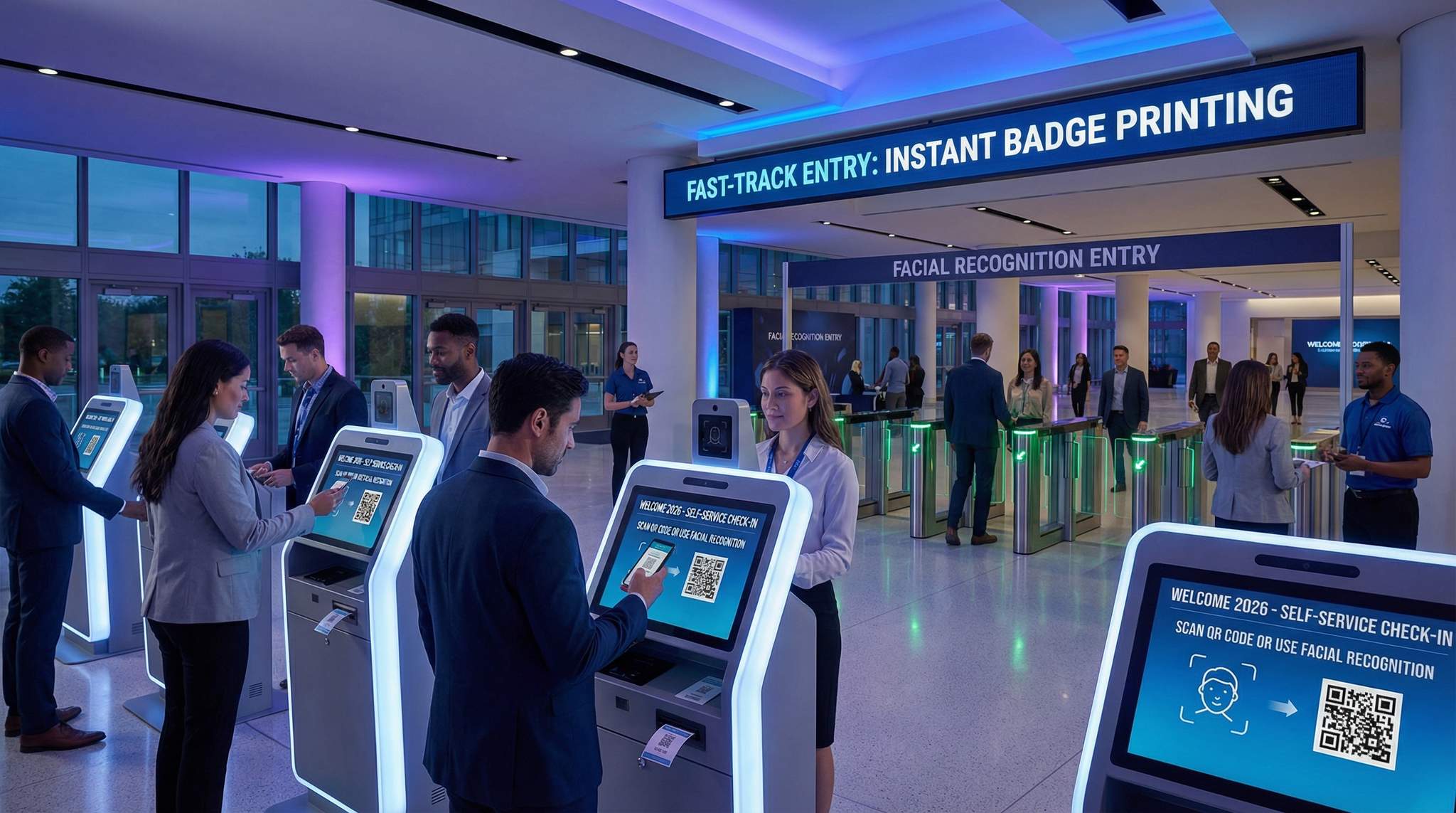
Just as airports and cinemas have embraced self-service, events in 2026 are rapidly adopting self-service check-in kiosks at entry points. Instead of staff manually looking up names or scanning tickets one by one, attendees can scan their own QR codes or RFID tickets at kiosks or turnstiles and walk right in. Many large festivals and venues have introduced these automated gates, similar to modern transit systems, to boost throughput. For example, several major festivals replaced dozens of staffed lanes with unattended scanning pedestals – and saw entry wait times drop dramatically. Under good conditions, a single kiosk can validate 20–30 attendees per minute, far outpacing a human attendant. This means an organizer can deploy fewer staff to achieve the same (or greater) entry volume. In fact, events that piloted self-scan gates found a smaller team can handle the same crowds – one attendant can monitor 2–3 kiosks, drastically increasing throughput per staff member as detailed in reports on how festivals use automation to fill labor gaps. Furthermore, organizers are learning how to implement automation strategies to replace staffed lanes effectively. The result? Shorter lines for guests and less pressure on your crew. Self-service entry isn’t just a futuristic novelty; it’s fast becoming the expected standard for tech-forward events.
Designing a Seamless Kiosk Experience
Rolling out kiosks successfully requires smart design of the check-in experience. First, placement and quantity are key. Position kiosks at all major entry flows and have enough units to handle peak arrivals (analyze your registration data to predict surges). Clear signage is critical – use large, simple instructions (and multilingual support if needed) telling attendees exactly how to scan their code or look up their registration. The kiosk interface should be intuitive and idiot-proof: large touch targets, minimal steps, and obvious feedback (like a green light or “Welcome!” message upon successful check-in). Many events include a quick onscreen badge preview so attendees can confirm their details before printing (if the kiosk also prints badges). Staff assistance should be nearby, but not interfering – one or two “kiosk helpers” can greet attendees and only step in if someone looks confused or a scanner has an issue. It’s wise to provide a backup option as well – for instance, a small staffed desk for anyone unable to use the kiosks (perhaps an older attendee not comfortable with technology, or someone whose QR code won’t scan). This ensures that implementing kiosks doesn’t inadvertently create a new bottleneck for a subset of guests. With the right design considerations, self-service kiosks can smoothly handle the masses while making the process feel empowering (and even a bit fun) for attendees.
Throughput and Staffing Advantages
The numbers speak loudly: self-service check-in can skyrocket your entry throughput compared to traditional methods. A trained staffer manually checking IDs and finding names might process around 100–150 people per hour. By contrast, a single staffer overseeing automated scanners can admit 600+ people per hour in aggregate, since each device may handle ~10 people per minute, a metric supported by data on streamlining entry and efficient attendee management. This represents a four- to five-fold increase in throughput per staff member. Real-world examples abound. At a mid-sized music festival in 2025, introducing self-scan turnstiles allowed 10 staff to do the work that previously took 30 staff scanning tickets – all while cutting peak wait times by more than half. Similarly, a convention that deployed kiosks found they cleared their registration hall twice as fast with the same number of workers, because staff were now focused on monitoring and assisting, not repetitive data entry. The labor savings can offset the kiosk hardware costs and then some. Organizers can reassign staff to higher-value roles like attendee assistance, crowd flow management, or troubleshooting, rather than stationing an army of people on barcode scanning duty. The net effect is shorter queues, lower staffing costs, and less human error, since machines don’t get tired or distracted mid-scan. However, it’s important to monitor the flow in real time – if a cluster forms at one kiosk due to user error or a technical hiccup, have a floater step in quickly to keep people moving. With proper staffing support, self-service systems turn entry into a high-speed, largely hands-off operation.
Smooth Entry With Mobile Check-In
Scan tickets and manage entry with our mobile check-in app. Supports photo ID verification, real-time capacity tracking, and multi-gate coordination.
To sustain these elevated throughput rates during peak ingress, organizers are increasingly turning to specialized FAS solutions for high-volume ticket scanning. A robust Front-of-house Access System is engineered specifically to handle thousands of concurrent API calls without latency. By utilizing edge computing and local server caching at the gate, these advanced platforms ensure that even if the main cloud database experiences a traffic spike, the local scanners continue to validate credentials in milliseconds. This architectural resilience is what separates standard check-in apps from enterprise-grade access control.
Implementation Tips for Self-Service Kiosks
Successfully deploying self-check-in kiosks requires coordination between your ticketing platform, hardware providers, and on-site operations. Here are some practical tips from veteran event technologists:
Ready to Sell Tickets?
Create professional event pages with built-in payment processing, marketing tools, and real-time analytics.
- Choose Compatible Hardware and Software: Look for ticketing systems that support self-service kiosks or turnstile integration out-of-the-box. Ideally, your ticketing provider offers an API or native kiosk mode so that scanning a code at the kiosk instantly checks against the attendee database. Some modern event platforms (like Ticket Fairy) have built-in support to connect with kiosk scanning systems, simplifying setup and helping organizers understand how festivals use automation to fill labor gaps. If not, you may work with a third-party access control vendor – ensure they have a proven integration with your registration system for real-time validation.
- Opt for Rugged, High-Speed Scanners: Equipment matters. Use kiosks with fast QR/barcode readers or RFID scanners that can read tickets in under a second – latency adds up when thousands need to be processed. Hardware designed for industrial or stadium use is ideal (weather-proof, sunlight-readable screens, and high duty cycle components). If deploying outdoors, ruggedize everything against dust, heat, or rain.
- Test, Test, Test: Conduct thorough testing well before doors open. Simulate the check-in process with sample tickets – ensure scans correctly mark people as checked in and print badges if applicable. Test under realistic conditions: for example, have staff wave phones with different brightness levels and cracked screens to see if the scanner still catches the QR code. Work out any integration kinks in advance (e.g., API rate limits that could slow responses). A dress rehearsal with staff playing attendees can uncover UI issues or confusion points to address before real guests arrive.
- Plan for Crowd Control: Even with fast kiosks, you need good queue management. Use stanchions or floor markings to channel people into multiple kiosk lanes. Don’t make one giant line feeding into all kiosks – that can stall everyone if one person has an issue. Instead, have multiple shorter lines, each assigned to a group of kiosks, so flow can continue if one station slows. Also, prominently display a “Help/Issues” desk off to the side, so anyone with ticket problems can peel off without blocking others.
- Have a Manual Backup: Technology is never 100% foolproof. Prepare a contingency in case all kiosks go down (power failure, system crash, etc.). Keep a few tablets with the check-in app, or even a printed attendee list, as an emergency fallback to continue admissions if needed. Hopefully you’ll never use it, but having a backup plan is part of crisis-proofing your event tech to survive unexpected glitches.
With these implementation best practices, self-service kiosks can be a game-changer. When done right, they offer faster throughput, lower costs, and a smoother experience – the very definition of a win-win-win for attendees, organizers, and staff alike.
Selecting Software for Self-Service Event Check-In
Not all registration platforms are built to handle unattended entry flows. When evaluating event check-in software with self-service kiosks in mind, organizers must prioritize systems that offer a dedicated “kiosk mode.” This specialized interface locks down the device, preventing attendees from accessing underlying settings while presenting a highly intuitive, branded welcome screen. The ideal self-service event check-in solution will seamlessly integrate with your primary ticketing database to ensure real-time synchronization. This prevents double-entry if a ticket is shared and allows the software to instantly trigger peripheral hardware, such as on-demand badge printers or RFID encoders, the moment a guest completes their self check-in. Furthermore, robust platforms provide remote monitoring dashboards, allowing your IT team to track the health, connectivity, and scan rates of every unattended terminal from a central command post.
When planning for multi-day corporate events, deploying a dedicated conference check-in kiosk can dramatically streamline the morning rush. These specialized terminals are designed to handle complex B2B registration flows, such as verifying session tracks, printing personalized agendas, and capturing walk-up registrations. By positioning a conference check-in kiosk near breakout rooms or partner hotels, organizers can offer a self-guided, premium arrival experience that caters specifically to professional attendees.
On-Demand Badge Printing for Instant Credentials
Why On-Demand Badge Printing Matters
For conferences and expos, the attendee badge is an all-important passport – but the way events handle badges has evolved. Historically, organizers would pre-print thousands of personalized badges before the event, then spend hours alphabetizing and distributing them on-site. This often resulted in long queues at registration desks as staff shuffled through boxes to find each name. Worse, any typos or last-minute registrations led to messy handwritten badges or reprints. In 2026, events are ditching these pains by switching to on-demand badge printing. With on-demand printing, an attendee’s badge is printed in real time as part of the check-in process – either by a self-service kiosk or a staff-operated station. This approach has several benefits:
Go Cashless With RFID Technology
Enable contactless payments, faster entry, and real-time spending analytics with RFID wristbands and NFC-enabled ticketing for your events.
- Eliminates Pre-Event Batch Printing: No more printing badges overnight and dealing with uncollected leftovers. Staff aren’t stuck sorting badges for hours, which reduces pre-event labour and stress by ditching long lines and late nights. Instead, you print only what’s needed, when it’s needed.
- No More Alphabetical Hunts: When an attendee arrives, you simply scan their registration QR code (or search their name), and the system prints their badge on the spot. It takes a few seconds, versus potentially minutes of digging through files. This drastically speeds up individual check-in time – attendees move on with badge in hand almost immediately.
- Real-Time Accuracy: On-demand means the badge reflects any last-minute changes. If John Doe transfers his ticket to Jane Smith an hour before the event, Jane’s badge will print with her correct name and info. No outdated names or manual corrections with markers, which enhances the professional feel.
- Personalization & Branding: Modern badge printers can output high-quality colour badges with personalised agendas, QR codes for lead scanning, or sponsor logos tailored to each attendee type. This was impractical with pre-printing due to time, but on-demand tech allows dynamic, data-driven badge content. The result can improve networking and engagement (attendees have accurate info on their badge) and offer more sponsor visibility without adding check-in time.
In short, on-demand badge printing directly tackles the cause of registration jams – the old pick-up process – by making badge retrieval instantaneous. Attendees spend seconds instead of minutes getting credentials, and staff spend their energy welcoming guests rather than rummaging through badge trays.
Integrating Badge Printers at Check-In
Implementing on-demand badge printing requires the right hardware and integration with your registration system. Typically, this setup involves thermal or laser badge printers (often the small desktop models that can print a paper badge or sticker within 2-5 seconds), connected to either a kiosk or a staff laptop/tablet. To ensure smooth operation:
Grow Your Events
Leverage referral marketing, social sharing incentives, and audience insights to sell more tickets.
- Use High-Speed Printers and Supplies: For large events, invest in commercial-grade badge printers with fast throughput (at least 4 inches per second print speed, which translates to a badge in under 3 seconds). Models from brands like Zebra, Epson, or Brother are popular. Test different badge stock – cardstock vs. adhesive labels – that your event prefers, and make sure the printer can handle the volume (some printers can churn out tens of thousands of badges over a few days without overheating if properly maintained). Also stock plenty of consumables (paper, ink or ribbons) so you don’t run out mid-event.
- Ensure Seamless System Integration: Your registration software should be set up to trigger a print job automatically upon check-in. In practice, this might be a dedicated badge printing module or a small local program linked to the check-in app. Attendees might scan their confirmation at a kiosk which then prints their badge, or a staff member might confirm check-in on a laptop and click “Print Badge”. In either case, test that data like name, title, company, and any QR/barcodes print correctly from the system onto the badge. Any API connections between software and printer need to be robust and offline-capable if possible (so a momentary internet blip won’t stop the printer from working).
- Optimize Layout for Printing Stations: If using self-service kiosks with built-in printers, ensure they are positioned to allow easy retrieval of the printed badge (like a tray or protruding slot at a convenient height). If using a staffed print station model, create an assembly-line flow: attendees check in on a tablet, then step a few feet over to pick up their printed badge from a printer/badge pickup table. Mark these clearly with signage like “Step 2: Grab Your Badge” to avoid confusion. Keep the area after badge pickup clear so people can move away and put on lanyards without blocking those behind.
- Have Spare Printers and Maintenance Tools: Printers can jam or run out of media at the worst times. Always have at least one backup printer configured and ready to swap in. Train staff on basic troubleshooting: how to reload paper, clear a jam, and re-calibrate if a print is misaligned. A few minutes of printer downtime can stall dozens of people, so fast recovery is crucial. Consider stationing a tech support person at the registration area during peak hours – their sole job is to keep devices (printers, scanners, etc.) online and happy.
When integrated properly, on-demand badge printing adds only a few seconds to the check-in transaction – often less time overall than searching for a pre-printed badge would take. The payoff is huge: you cut down wait times, improve data accuracy, and delight attendees with a slick, personalized check-in. One conference organizer noted that moving to instant badge printing “made Day 1 morning feel like Day 3 afternoon” – the check-in lobby was calm and flowing, rather than a chaotic sea of lines.
When scaling up for massive crowds, deploying dedicated badge printing kiosks can completely decentralize the registration lobby. These specialized terminals combine a high-definition touchscreen, an industrial-grade thermal printer, and a QR scanner into a single freestanding unit. By distributing these automated stations across multiple venue entrances or even partner hotels, organizers can intercept attendees before they ever reach the main show floor, drastically reducing peak-hour congestion and freeing up staff for higher-touch VIP services.
Self-Service vs. Staffed Badge Pickup
There are two primary models for on-demand badge printing: self-service kiosks that handle printing or staff-managed print stations. The best choice depends on your event size, attendee tech-savviness, and budget:
- Self-Service Kiosks with Printing: Here, kiosks (often touchscreen stations) both verify the attendee and dispense the printed badge. Attendees might scan a QR code from their registration email at the kiosk; the system finds their record and automatically prints a badge which is dispensed immediately. This is super efficient for high volumes – events have deployed 10-20 kiosks to handle thousands of attendees with minimal staffing. For example, major tech expos have used kiosk systems where attendees checked themselves in and had their badge in hand in under 30 seconds total. The key is to ensure the kiosk UI is straightforward and the printer has enough capacity (some kiosk printers have large rolls of badge stock to minimize refills). Also, security measures should be in place – e.g. attendees might need to scan a personal QR code so someone can’t print a badge for someone else by entering a name. Self-service printing works great if attendees are likely to follow on-screen instructions confidently, and it truly minimizes staff needs (staff mainly just present to assist if needed and to replenish printers).
- Staff-Assisted On-Demand Printing: In this model, you have staff or volunteers with devices who handle check-in and trigger badge prints. For instance, a staff member at a laptop or iPad scans the attendee’s ticket, confirms details, and hits a print button – then either hands the badge to the attendee or directs them to pick it up nearby. This approach adds a human touch (some attendees appreciate being greeted by a person) and can be good for events with less tech-comfortable audiences like senior attendees or VIPs who expect concierge service. It can still be fast: one staffer can often check in and print for a new attendee every 15–20 seconds if the system is snappy, meaning 3–4 per minute. To scale, just add more stations (e.g., 10 staff stations could process ~2,000 people in an hour). Staffed stations might also be needed for ID or credential checks – for example, if it’s an industry conference where you must verify employment or photo ID on arrival, a staff member can handle that step before printing the badge. The downside is labor cost and the need to train staff on the software/hardware. But for many mid-size corporate events, a hybrid approach works well: have some self-service kiosks, but also a few staffed desks for those who need extra help or have corrections.
Whichever approach, consider offering a “badge pickup the night before” for multi-day conferences if possible. A short early registration window (with a handful of kiosks or staff) for locals or early arrivers can offload a chunk of next morning’s rush. Some events even place check-in kiosks in airport lounges or partner hotels so attendees can print badges before reaching the venue, an innovative strategy for implementing access control for travelers – an innovative way to eliminate on-site lines altogether. Evaluate your audience and context to strike the right balance between automation and human service, but rest assured that both models have proven effective at speeding up the entry process.
Data-Driven Event Marketing
Track ticket sales, demographics, marketing ROI, and social reach in real time. Exportable reports give you the insights to make smarter decisions.
When evaluating the physical footprint of your registration area, deploying purpose-built event badge kiosks offers unparalleled flexibility. Unlike traditional draped tables cluttered with laptops and cables, modern event badge kiosks are sleek, all-in-one units that require minimal floor space and only a single power drop. This allows organizers to position them strategically in high-traffic choke points—such as hotel lobbies, transit hubs, or secondary venue entrances—effectively dispersing the crowd before they even reach the main doors. By utilizing these standalone credentialing stations, you transform passive waiting areas into active, high-speed processing zones.
For corporate summits and B2B trade shows, deploying specialized conference name tag kiosks can elevate the arrival experience from purely transactional to highly professional. Unlike generic ticket scanners, these dedicated terminals are configured to handle complex attendee data—such as job titles, company affiliations, and personalized session tracks—printing them flawlessly onto durable stock in seconds. By positioning a conference name tag kiosk at VIP entrances or sponsor lounges, organizers can offer a white-glove, self-guided credentialing process that immediately sets a premium tone for the event.
For organizers looking to completely eliminate physical touchpoints, contactless badge kiosks are becoming the gold standard. These units allow attendees to scan a digital wallet pass or QR code from a few inches away, instantly triggering the printer without a single screen tap. This not only accelerates the queue but also addresses ongoing health and hygiene preferences while maintaining high-volume throughput.
Deploying these touch-free credential stations requires specific hardware considerations. Venue operators should look for optical scanners with a wide focal depth—allowing guests to hover their phones at varying distances—and integrated NFC readers that communicate directly with mobile wallets. When paired with robust Front-of-house Access Systems (FAS), these automated terminals can process a guest, verify their ticket tier, and dispense a personalized credential in under four seconds. This hands-free approach not only minimizes hardware wear and tear but also significantly reduces the need for on-site technical support, freeing up your IT staff to focus on broader network stability.
Evaluating the Best Event Check-In Software with Badge Printing for 2025 and 2026
As organizers look ahead, selecting the best event check-in software with badge printing for 2025 and 2026 requires looking beyond basic name tag generation. The top-tier platforms emerging in this cycle are defined by their native hardware integrations and offline-first resilience. Rather than relying on clunky third-party middleware to connect a registration database to a thermal printer, modern solutions offer plug-and-play compatibility with industry-standard hardware. Furthermore, the leading software suites now feature built-in, drag-and-drop badge design studios. This allows event producers to dynamically map custom attendee data—such as VIP tiers, dietary restrictions, or personalized QR codes for lead retrieval—directly onto the credential template without writing a single line of code. When evaluating your tech stack for upcoming multi-day conferences or trade shows, prioritize systems that guarantee sub-second print triggers even when venue Wi-Fi becomes unstable.
Case Study: Check-In Transformation at a 5,000-Person Expo
To illustrate the impact of self-service + on-demand badge printing, consider a real-world case from late 2025. A B2B expo with ~5,000 attendees traditionally had hour-long lines on opening morning, despite 8 staffed check-in counters pre-sorting attendees alphabetically. In 2025, the organizers invested in a new check-in system with 10 self-service kiosk stations and 4 roving staff with tablets as backup. Attendees received a QR code via email to scan at the kiosks, which were equipped with high-speed printers to produce badges on the spot. The results were dramatic:
Keep Tickets in Fans' Hands
Our secure resale marketplace lets attendees exchange tickets at face value, eliminating scalping while keeping you in control of the secondary market.
- Entry Wait Times Plummeted: Average check-in time per attendee dropped to under 20 seconds, and even at peak 8:30am rush, the longest line was maybe 5–6 people deep at a kiosk. Most people basically walked up, scanned, grabbed their badge, and went on their way. The usual 60-minute queue was reduced to mere minutes.
- Staff Requirements Dropped: Only 6 staff were assigned to registration (as opposed to 15 the year prior). And those 6 weren’t frantically thumbing through badge boxes – they floated to assist at kiosks, helped attach lanyards to printed badges, and answered questions. They reported far less stress and confusion among attendees. The labor savings essentially paid for the kiosk rentals.
- Zero Printing Errors: Because each attendee’s data was pulled directly from the system at print time, there were no incidents of missing badges or misspelled names. Speakers who were added last-second had their correct badges, and one VIP who showed up under a slightly different name had their profile updated on the fly and badge reprinted in half a minute. This would have been a nightmare in the old process.
- Improved Attendee Satisfaction: Post-event surveys showed a significant uptick in satisfaction with the registration experience. 92% of attendees rated check-in as “fast” or “very fast”, versus just 47% the previous year. Comments highlighted the convenience of the new system – attendees felt the event was modern and well-organized from the moment they arrived.
This case demonstrates how layering self-service kiosks with instant printing can turn a chaotic, slow process into a seamless, efficient one. It set the tone for a successful event, proving the adage that you never get a second chance at a first impression – so you might as well make that first impression speedy!
Facial Recognition and Biometric Check-Ins
Lightning-Fast Biometric Admissions
One of the most buzzed-about developments in event check-in for 2026 is the rise of facial recognition entry systems. Imagine walking up to the gate of a festival or conference and being admitted without ever pulling out a ticket or phone – instead, a camera recognizes your face in a split second and opens the gate for you. It sounds like sci-fi, but several events have piloted this technology as an “express lane” for verified attendees. Biometric check-in works by pre-enrolling attendees’ facial data (usually by having them upload a photo during online registration or via a dedicated app). When they arrive on-site, a specialized camera at the gate scans their face and matches it to the stored images of registered attendees. If there’s a match, the system automatically marks them as checked in (and can even print their badge or activate their RFID wristband). The promise is enormous: near-instant, hands-free entry. We’re talking throughput measured in people per second, not per minute, since attendees don’t even need to pause to scan a QR code. At a pilot during a sports event, one facial recognition lane verified up to 20 fans per minute walking through continuously. Major players are testing the waters – for example, Major League Baseball trialed a “face-only” stadium entry in 2023 that let ticketed fans walk in after a quick face scan, no phone or paper required, similar to Major League Baseball’s facial scan entry trials where fans breezed past a facial scan. Similarly, some large music festivals have quietly experimented with facial recognition gates for VIP entrances, seeking to eliminate the stop-and-go of ticket scanning.
Balancing Speed with Privacy and Accuracy
Despite its allure, facial recognition entry comes with serious considerations. Privacy advocates have raised concerns about events capturing biometric data. Attendees may feel uneasy “being watched” or worry about how their facial data might be stored or used beyond the event. In the EU and other regions with strict data laws (GDPR, for instance), using facial recognition for event entry likely requires explicit opt-in consent and robust data protection measures. Many events implementing this tech have made it voluntary – an opt-in express lane for those who value speed and are comfortable with the trade-off. You might, for example, invite attendees to opt in during registration in exchange for a faster entry experience, while providing alternative lines for those who decline, a strategy often used when streamlining entry with efficient ticketing solutions. Transparency is key: events need to clearly communicate what data is collected, how it’s used, and that it’s deleted after the event (in fact, some providers specialize in one-time biometric verification that does not retain the images long-term, to ease privacy concerns). Additionally, accuracy and bias are considerations. While facial recognition algorithms have improved, their accuracy can vary with lighting, camera angles, and even attendee demographics. Any system will have a small percentage of people it can’t confidently match (false negatives), so you must have a fallback process at the gate. Usually this means if the system doesn’t recognize someone within a second or two, they’re diverted to a staff-assisted check (perhaps scanning their ID or QR code manually). The goal is to avoid adding friction for those edge cases – if someone has to stand there retrying the face scan for 10 seconds, it defeats the purpose. Properly tuned systems have gotten false match rates very low (under 0.1%), but at scale even 0.1% of 50,000 attendees is 50 people needing manual handling. Planning for those exceptions is part of balancing innovation with practicality.
Implementing Facial Recognition Check-In
For event organizers interested in trialing facial recognition, a careful implementation plan is vital. Here’s how seasoned professionals approach it:
- Select a Reputable Biometric Vendor: This is not a DIY project – partner with a proven provider that specializes in live event or venue access control using biometrics. Companies such as Wicket, Blink Identity, or CLEAR (known for its airport fast lanes) have developed event-focused solutions. Key features to look for include fast recognition speed (<1 second per person), high accuracy in diverse conditions (night, hats, glasses, etc.), and robust privacy safeguards (encryption of biometric data, automatic deletion policies). Ask for case studies or pilot results from similar events.
- Ensure Tight Integration with Ticketing: The facial recognition system must tie into your ticketing/registration database so that only paid, valid attendees are enrolled and allowed entry. Ideally, your ticketing platform has an API that the biometric system can query in real time to validate if a recognized face corresponds to a checked-in ticket. Some events pre-load the necessary data locally at the gates (to avoid internet dependency), similar to how offline ticket scanning works – the camera system has an offline cache of face templates and ticket permissions, then syncs back to the cloud. Work closely with both vendors to set up a seamless data flow.
- Obtain Clear Consent and Verify Ahead: During online registration or in the event app, present the facial recognition as an optional convenience. If attendees opt in, have them submit a high-quality photo (or take one via webcam/smartphone) ahead of time. The system will use this to create their biometric template. It’s best to verify identity as well – e.g., require that they also scan an ID or use a verification service, so someone can’t upload Elon Musk’s photo and walk into your event pretending to be him. In some cases, syncing with government ID databases is done for high-security events. A simpler method is to only allow face enrollment via a logged-in attendee portal (so it’s tied to their confirmed ticket purchase).
- Pilot Small and Advertise Benefits: Start with a pilot at one or two entry lanes, or perhaps just for a VIP subset. For example, you might have one “Fast Lane – Face Scan Entry” at a festival entrance and promote that experience in advance to get a few thousand users to try it. This way, you can manage volume and work out kinks. Be sure to highlight the benefits in your communications: “Enroll your face for a 5-second entry process at a dedicated fast lane.” Clear signage on-site should also mark where enrolled attendees should go, and staff at that lane need training on how to quickly redirect anyone who isn’t recognized or who accidentally comes to that lane un-enrolled.
- Plan for Contingencies: Not only should you have a standard entry option as backup, but consider the tech contingencies for the biometric system. Have a UPS battery on the camera gates (so a power outage doesn’t shut them down), and ensure a local fallback if internet connectivity to the face database is lost. For instance, one festival using face recognition had an incident where the fiber line went down, but the system seamlessly switched to local mode and continued scanning faces against the last synced data until connectivity was restored – attendees never noticed a thing. That kind of robust design is what you want.
Implementing facial recognition check-in is undoubtedly complex, but when executed well, it can provide a wow factor and ultra-fast throughput for those who use it. Just approach it with eyes open regarding privacy and technical challenges. In many cases, the mere presence of this high-tech option can boost attendees’ perception of the event’s innovation – even those who stick to regular check-in might be impressed seeing others “walk right in with a face scan,” as long as all lines are moving quickly.
Reality Check: Benefits, Pitfalls, and Perception
It’s worth noting that facial recognition entry is not yet mainstream at events, and it may not be right for every situation. Benefits include unrivaled speed and an added layer of security (since it can confirm the person’s identity, not just possession of a ticket). For events concerned about ticket sharing or counterfeit tickets, face verification can virtually eliminate those issues. On the flip side, pitfalls include technical failures (if it doesn’t work, you risk slowing things down), as well as potential public backlash. Some fan communities have pushed back against biometric use – notably, a few prominent festivals publicly scrapped plans for facial recognition after negative feedback citing privacy invasion, highlighting the debate around facial recognition at festival entrances. There’s also the question of whether the theoretical speed translates to real-world improvement. If only a small percentage of attendees opt in, the impact on overall entry times might be minor – you’ll still need robust traditional check-in for everyone else. That said, early adopters have reported positive outcomes. For example, one large convention in Asia that introduced facial recognition check-in for pre-registered attendees saw the average entry time drop to under 5 seconds for those participants, and over 85% rated it a positive experience with minimal complaints – but this was in a tech-friendly context where privacy concerns were less vocal. The bottom line: know your audience and weigh the pros and cons. You might find that a different investment (like more kiosks or additional staff) yields a better ROI in shortening lines. Or you might decide to be an innovator and set yourself apart by offering a cutting-edge entry option. In any case, stay transparent about how you’re using any biometric tech. If you prioritize attendees’ comfort and consent, you can avoid a lot of the trust issues while exploring whether facial recognition can deliver the fast-track entry it promises. It may well be one of the marquee tools in the 2026 event tech toolkit – but only when implemented thoughtfully.
Free Tool: Size Your Festival Site
Zoned capacity planning for arena, campsite, parking and entry lanes — against UK Purple Guide and NFPA density standards. Finds your bottleneck zone.
Mobile Pre-Registration and Digital Ticketing
Encourage Pre-Event Online Check-In
One of the simplest ways to speed up on-site check-in doesn’t even involve fancy hardware – it’s about getting attendees pre-registered and “check-in ready” before they arrive. Just like airlines ask passengers to check in online and download boarding passes ahead of time, events can benefit tremendously from a similar approach. In practice, this means encouraging attendees to complete any necessary registration steps on their own device prior to the event. For example, you might send an email a few days out prompting attendees to “Confirm Your Details for Express Check-In.” They could click through to verify their personal info, sign any waivers or agreements digitally, and perhaps even upload a photo or proof of ID if required (common for high-security events or those issuing name-specific credentials). By handling these steps online, you eliminate form-filling or data verification at the venue. Some conferences also issue a QR code after online check-in – attendees who have this “pre-check-in” QR can often use a dedicated fast lane on-site. Essentially, they’ve done the paperwork already, so all that’s left is a quick scan of the code and perhaps printing a badge. Mobile event apps have made this even slicker: attendees can log into the app, check in with a tap, and then just show the app’s QR code at the gate. The result is a smoother experience for both sides – staff aren’t stuck asking people to update their profile or sign forms on-site, and attendees who did the homework zip through while others may still be filling things out. To maximize adoption of pre-event check-in, make it appealing: highlight that it will “save you time at the entrance – skip the lines!”, and send a reminder on the morning of the event with the magic QR attached. While not everyone will do it, even if 30-50% of attendees pre-check-in, that’s a huge chunk removed from the crunch at doors.
Mobile Ticket Wallets and QR Codes
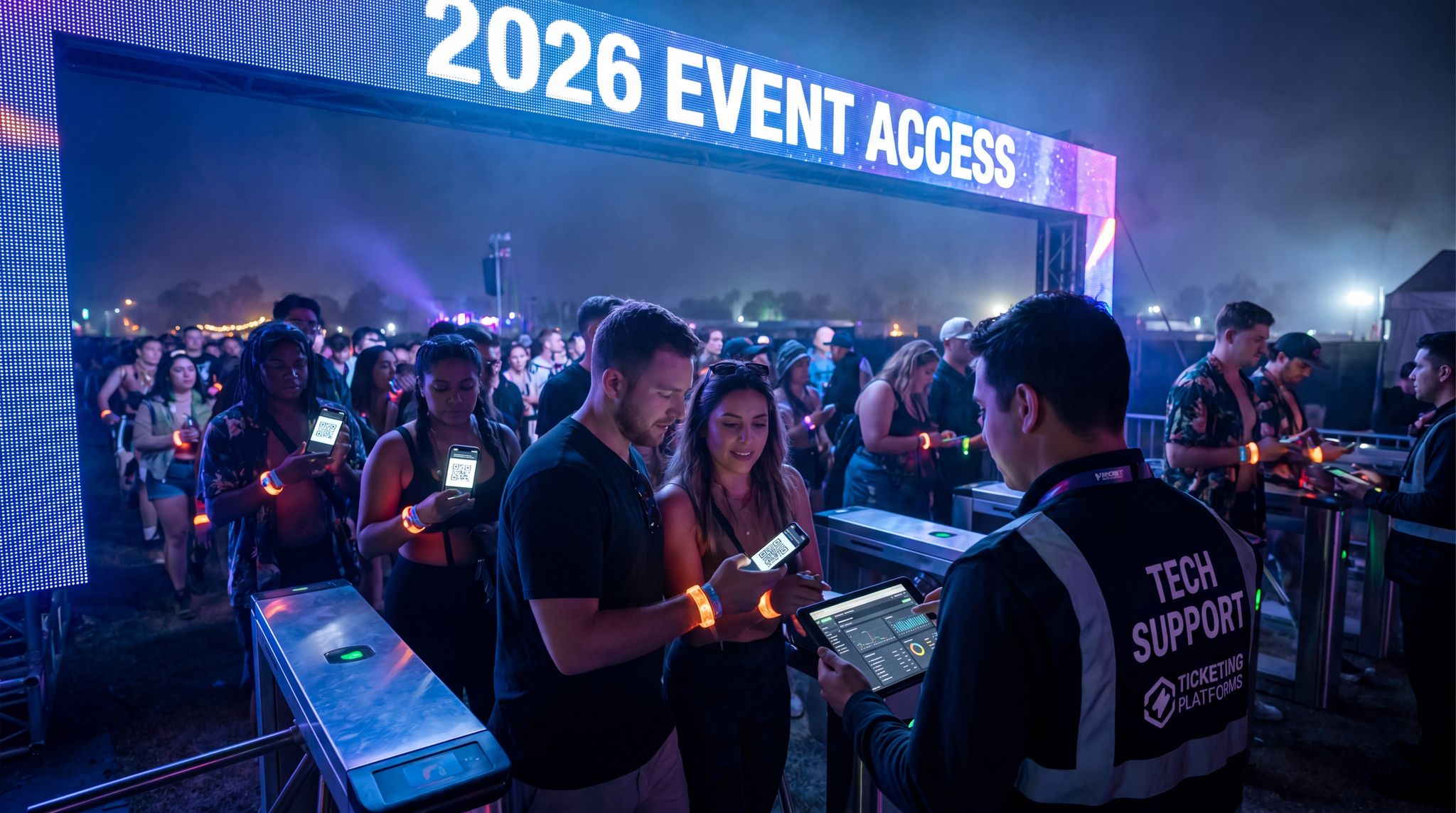
Physical paper tickets are largely a relic in 2026. The vast majority of event attendees now carry their tickets digitally on their smartphones, which opens up opportunities for faster entry. If your event platform supports it, enable options for attendees to add tickets to mobile wallets (like Apple Wallet or Google Wallet). Wallet tickets are convenient because they can pop up on the lock screen when near the venue (thanks to geo-notifications) and often can be scanned via NFC tap in addition to showing a QR code. Even without wallet integration, a simple QR code or barcode in the confirmation email that attendees can screenshot works fine. The key is to educate attendees to have their digital tickets ready as they approach. Common best practices include: sending a “Here’s how to access your ticket” email with screenshots, advising people to download or screenshot the code for offline use, and reminding them to turn their screen brightness up for easy scanning in daylight. Mobile tickets also allow dynamic features that speed up entry and increase security – for instance, rotating QR codes (which change every few seconds to prevent copied screenshots) help combat scalpers and fraudulent duplicates, a technique vital for efficient attendee management and entry security. Many top venues have adopted dynamic mobile tickets to ensure the code presented is always unique and valid, eliminating the need for manual ticket authenticity checks. On the attendee side, mobile tickets streamline things because people are far less likely to forget their phone than a paper ticket. There’s no rummaging through purses for printouts – it’s just tap, scan, and go. One nightlife venue noted that moving to app-based tickets and digital guest lists meant no more “lost ticket” incidents at the door and much faster ID checks, since scanning an ID or credit card to pull up a mobile ticket record was quicker than sorting through will-call. Importantly, mobile ticketing also supports real-time communication: if entry details change (say, a different gate opens, or there’s a delay), push notifications or SMS can inform attendees instantly – potentially staggering arrival and preventing everyone from rushing one entrance at once. By fully embracing digital tickets, events remove several friction points and set the stage for high-velocity entry.
Contactless Check-In and NFC
Mobile devices also enable contactless check-in options beyond just scanning a visual barcode. Near-field communication (NFC) is increasingly in play, turning phones into “ticket transmitters.” For example, an attendee can simply tap their phone (with the ticket in their Apple/Google Wallet) on a reader at the gate, much like using a contactless credit card or transit pass. This method can be even faster than QR scanning since it doesn’t require aligning a camera – the NFC reader picks up the credential instantly with a tap. Major sports venues have led the way here (often branding it as an express lane for mobile wallet users). For event organizers, implementing NFC tap entry might involve renting or investing in compatible reader hardware and ensuring your ticketing provider supports wallet passes with NFC encoding. The payoff is speed and frictionless feel – attendees literally wave through. As a bonus, NFC is inherently secure (tickets are cryptographically signed and hard to clone). Aside from phones, other contactless tech includes wearables like smart wristbands or even RFID cards that attendees tap to enter (more on RFID in the next section). Post-pandemic, many attendees also appreciate the low-contact aspect of these solutions – there’s no handing of tickets back-and-forth, which both speeds the process and feels cleaner. We’ve seen even mid-sized events set up simple tablet-based NFC readers to let VIP guests check themselves in with a tap of their phone, impressing them with a futuristic touch. Keep an eye on evolving standards too: some events are exploring Bluetooth Low Energy (BLE) beacons to detect when ticket holders approach and auto-check-them in (essentially hands-free via your phone’s Bluetooth). While BLE entry is still experimental and can be hit-or-miss (issues with phone detection radius, etc.), NFC is a proven winner for fast, contactless admissions.
Another emerging trend is the use of event check-in software with radius geofencing. By setting up a virtual perimeter around the venue, the software can detect when an attendee with the event app enters the radius. This prompts an automated push notification with their digital ticket or even pre-loads their profile for gate staff, drastically reducing friction at the physical entrance and streamlining the overall admission flow.
To fully leverage this proximity-based approach, organizers must ensure their event check-in software for radius detection is properly calibrated. Setting the geofence too wide might trigger premature check-ins, while a perimeter that is too tight could delay the automated credential push. Best practices dictate configuring a tiered radius: a broader outer zone to send a “have your digital ticket ready” push notification, and a precise inner perimeter at the gate to execute the actual background check-in sequence. This multi-layered spatial awareness transforms a standard entry gate into an intelligent, predictive access control environment.
Reducing On-Site Registration Steps
A holistic look at your check-in flow may reveal other opportunities to trim time by removing steps that can be done earlier or more efficiently. One such step is onsite data collection. For instance, if you host a trade show where every attendee needs to have a printed badge with certain info (name, company, etc.), do you collect that info in advance? If not, you’re likely slowing down check-in by making people provide details or corrections on the spot. By ensuring registration forms gather all necessary data upfront (and sending reminders to attendees to complete their profiles), you minimize any last-minute edits at the check-in counter. Another tip: if you require signed waivers or acknowledgments (like a liability waiver for a race or a health safety form), leverage digital signature platforms so attendees can e-sign before arriving. Every person who has to pause to sign a paper form at the venue is adding 30-60 seconds to their check-in. Digitize and do it ahead when possible. Also, consider verifications that could be pre-done – an emerging practice for age-restricted events or festivals is online age verification, where attendees upload an ID proof ahead of time and get a verified token or note on their account. Then, at entry, there’s no need for a bouncer to manually check IDs for those attendees; the system already marked them as age-verified, and they maybe receive a special 21+ wristband automatically. This kind of pre-clearance can funnel verified attendees into a faster lane, while those who still need ID check go to another. In summary, shift as many tasks as possible to pre-event and digital channels. Your onsite check-in should ideally boil down to one action: confirming the attendee’s presence (via scan or recognition) and granting them access (i.e., giving credential if needed). Anything beyond that is a candidate for elimination or relocation to pre-event workflow. By re-engineering the process with that mindset, you’ll find plenty of extra seconds (or even minutes) to shave off per attendee, which scales into hours of saved time and vastly shorter lines.
Collect Any Attendee Data at Checkout
Add custom registration fields to your checkout — dietary needs, t-shirt sizes, company names, and more. Conditional logic and per-ticket-type fields.
RFID Wristbands and Tap-and-Go Entry
How RFID Speeds Up Entry
RFID wristbands have become synonymous with large music festivals and are now breaking into other event types for one simple reason: they make getting in amazingly fast and secure. RFID (Radio Frequency Identification) wristbands contain a small chip that can be read by a scanner via radio waves – no direct line-of-sight needed as with a barcode. In practical terms, this means an attendee wearing an RFID wristband can just tap or wave their wrist at a reader and be instantly verified. Entry that might take 5-10 seconds of scanning and inspecting a paper ticket can be reduced to under 1 second with RFID. At scale, this is transformative. Major festivals like Coachella and Lollapalooza pioneered RFID years ago and demonstrated that the per-minute throughput of RFID is several times higher than old methods, a key factor in upgrading festival basics for fan expectations. One festival reported that after switching from paper tickets to RFID wristbands, they achieved up to 70% reduction in entry wait times even during peak ingress, as noted in case studies on streamlining entry for high-volume events – lines literally melted away in situations where previously fans would queue for an hour or more. The reason is partly speed and partly reliability: RFID scans aren’t affected by sunlight glare or phone screen cracks, and each chip has a unique ID that is pre-authorized, so there’s no ambiguity or manual checking needed. It either beeps green or red. Additionally, because RFID chips can be sent to attendees in advance (most big festivals now mail wristbands to attendees ahead of time), you avoid on-site ticket pickup entirely. Attendees show up wearing their credential and sail through with a tap. In sum, RFID brings a frictionless, tap-and-go flow that’s about as fast as technology allows for individual verifications.
Implementing RFID Access Control
Deploying RFID involves a few moving parts, but with the maturation of this tech, it’s within reach of even mid-sized events now. Here’s how to implement it effectively:
- Wristbands and Chips: You’ll need to source RFID wristbands well in advance. These can be cloth, plastic, or silicone bands with an embedded passive RFID chip (often NFC type). Each chip has a unique code (UID) that you will link to the attendee’s ticket in your system. Work with a reputable RFID wristband supplier – they’ll help ensure the chips are encoded properly and durable (with anti-tamper closures to prevent swapping). Order extras (5-10% overage) for replacements and on-site sales.
- Linking to Ticketing Database: Integration is crucial. If your ticketing platform offers RFID support, use it – typically the system will have a tool to assign a UID to each attendee record. This can happen in bulk before mailing wristbands (i.e., each number is pre-associated with a ticket order and maybe printed on the fulfillment envelope), or onsite if distributing at the gate. When an RFID is “activated” for a person, scanning that chip will pull up that person’s ticket record for validation. Real-time sync is needed to prevent duplicates – once a wristband is scanned in, the system should mark that ticket as used, just like a barcode scan would, a process central to building a connected event tech ecosystem and ensuring accurate ticket validation. Many events design their RFID system to work offline as well: scanners have the list of valid UIDs pre-loaded, so even if Wi-Fi drops, they can check entries and later sync the check-ins.
- Scanner Hardware: RFID readers come in a few flavors. Handheld scanners (like a device or phone with an NFC reader) are common and give flexibility – staff at the gate can use them similarly to how they’d use barcode scanners. Portal or pedestal scanners are another option, where an antenna detects wristbands as people walk through. Choose hardware rated for your environment (outdoor festivals need weatherproof, long-range readers; indoor expos might get by with smaller USB NFC pads). Speed is important: readers should be able to process an incoming stream of tags quickly – look for devices known to handle multiple scans per second without choke. Position antennas smartly to create an intuitive “tap here” point or a gate that reads automatically as they pass.
- On-Site Issuing and Support: If you mail wristbands in advance, your check-in fast lane becomes super fast. But have a plan for those who don’t have theirs (left at home, lost, or international attendees who couldn’t be mailed). Set up a “Wristband Help” station away from the main entry flow where staff can issue a replacement band. They’ll need a laptop or tablet connected to the system to deactivate the old wristband’s UID and activate a new one for that attendee. This process should be swift – ideally under a minute – so those folks can still get in without much wait. Also, instruct gate staff on how to handle a wristband that doesn’t scan. Often it’s just a matter of asking the attendee to tap again a bit slower, but if it still fails, the fallback could be checking their ID against a list or QR scanning their ticket email as last resort. Such issues are rare but staff should know the protocol.
- Security and Anti-Fraud: One big advantage of RFID is it’s tough to copy. However, be mindful of people trying to handoff wristbands (e.g., someone scans in, then tosses their band to a friend outside). Preventing this can be done by tight access control at gates (secure fences so items can’t easily be passed out) and by detecting rapid re-entry of the same UID. Most systems will flag if a wristband that was just used attempts entry again within a suspiciously short time. You can also pair wristbands with ID checks for higher security – one festival had staff visually ensure the person’s ID name matched the name on the ticket linked to the wristband for VIP passes. This obviously slows things down, so it’s usually only done for premium credentials or on a spot-check basis. Generally, though, a properly coded RFID system massively reduces ticket fraud and unauthorized entry by leveraging online ticketing for efficient attendee management and making credentials hard to duplicate and easy to verify.
By laying the groundwork with solid integration and planning, RFID access control can be rolled out with great success. Many events that moved to RFID never look back – the speed and improved security create a virtuous cycle (attendees love the quick entry and organizers gain richer data on entry times and patterns). Plus, once the RFID system is in place, it unlocks other benefits like cashless payments and session tracking, adding value beyond just the gate.
Multi-Zone Access and Re-Entry
A compelling aspect of RFID credentials is that they can control access to multiple zones and support re-entry with ease. Unlike a one-time paper ticket, an RFID wristband is typically valid for the duration of the event and can be programmed with different access permissions. Need to restrict the backstage area to artists and staff? Simply configure the scanning system so that only wristbands with the “Artist” or “Staff” role will unlock the backstage gate. This is much faster than manually checking laminates or lists – the system does it automatically at the scan, and a light or sound indicates if someone is authorized or not. At large conventions or festivals, you might have tiered access (e.g., VIP areas, premium viewing platforms, staff catering, etc.). RFID makes it efficient to manage these at scale, since one wristband can carry all the credentials and the scanners do the verification in a split second. It also adds a layer of security: if an attendee somehow wanders towards a restricted zone, they simply won’t get past the RFID checkpoint, and the staff there can redirect them. Re-entry with RFID is similarly straightforward. Attendees can be allowed to exit and re-enter by using the same wristband – the system can log them out and back in accordingly. This is far more foolproof than hand stamps or paper stub exchanges. It also helps with real-time capacity tracking: your dashboard can show how many people are currently inside the venue versus out, based on scans, which is useful for crowd management (and safety compliance with capacity limits). Some events even use this to combat “ticket hopping” – e.g., if a multi-day festival allows single-day wristbands, the wristband could deactivate after the day ends, preventing people from trying to reuse it the next day or share it. Overall, RFID’s ability to flexibly manage complex access rules means faster checks at every control point, not just the front gate. It takes the human judgment calls (and thus delays) out of the equation – the system either grants access or denies it instantly. For organizers, this capability can streamline operations from entrances to VIP lounges, all while capturing valuable data on movement patterns throughout the event.
The ROI of RFID: Is It Worth It?
Before leaving the RFID topic, it’s worth addressing cost and ROI, as these systems are an investment. RFID wristbands and infrastructure do carry higher upfront costs than basic tickets and scanners. A single wristband might cost $1–2 (more for fancy LED ones), and renting full-scale turnstile arrays plus middleware software can be significant. However, the return on investment often justifies it for medium to large events. Consider a festival that spends $50,000 on an RFID system for 50,000 attendees – that’s $1 per attendee. If each attendee gets in even a few minutes faster, the collective hours saved (and stress reduced) is huge. More tangibly, faster entry can lead to more revenue: when people are inside sooner, they start buying concessions and merch sooner, potentially increasing sales. One large festival noted that after switching to RFID entry and thus getting crowds inside more quickly, their first-hour concession sales jumped substantially – people who would have been standing in line outside were now ordering drinks and food. Another ROI factor is staffing: while you might still have volunteers at gates, you typically need fewer ticket scanners (since each staffer can oversee multiple RFID lanes). Over years, labor savings accumulate. And let’s not forget the fraud reduction – cutting out fake tickets and illicit entries means more valid ticket revenue and fewer headaches. There’s also a marketing angle: RFID systems can be tied into attendee engagement (like interactive checkpoints or photo activations) and extensive data collection on attendance patterns, which sponsors love. That can indirectly boost sponsorship revenue. Of course, if you’re a smaller event with 500 attendees, RFID might be overkill when a simple mobile ticket scan will do. But as your event scales, the tipping point where RFID adds clear value is getting lower each year. Even events with a few thousand attendees are starting to adopt RFID-lite solutions because the cost has come down and the experience upgrade is significant. The decision should be made case by case, but the trend in 2026 is that more events are finding it “worth it” not just for the cool factor, but for concrete operational gains. In a nutshell: if long lines or security issues are hurting your event, RFID is an investment that can pay back in happier attendees, smoother logistics, and dollars to your bottom line.
Integration and Infrastructure for Rapid Check-In
Connecting Ticketing, Identity and Access Systems
No matter which front-end technologies you deploy – kiosks, RFID, biometrics, or mobile apps – they all rely on one thing behind the scenes: seamless integration with your ticketing and attendee databases. Integration is the unsung hero of fast check-in. It’s what ensures that when an attendee scans their code or taps their wristband at the entrance, the system instantly knows whether to let them in. In a well-integrated setup, your various devices (scanners, kiosks, turnstiles, etc.) communicate in real time with a central attendee list, checking validity and recording the check-in within a second or two, a critical component of integration best practices for event tech. If any component is siloed or laggy, lines will form. For example, imagine using a third-party app for badge printing that isn’t fully synced with the main ticket sales – a late ticket transfer might not reflect in that app’s list, causing a holdup at the station while staff scramble to verify the person’s registration elsewhere. Avoid such scenarios by working towards a unified ecosystem. Ideally, use an event management platform that natively integrates ticketing, access control, and registration data (many modern platforms, including Ticket Fairy, are built this way). If you use multiple vendors or tools, invest the time in connecting them via APIs or middleware. As covered in our guide to building a connected event tech ecosystem, eliminating data silos is key to smooth operations. It means, for instance, that your access control devices query the live ticket database so they’re always up-to-date, ensuring real-time database synchronization. Integration also extends to identity verification: if you’re doing ID checks or facial recognition, tying those systems into the ticketing record (so the face or ID is matched to the correct attendee profile) will save time compared to separate manual checks. The bottom line is that a tightly integrated tech stack acts like one brain – when a guest arrives, the system instantly pulls all needed info (ticket status, VIP level, any flags like outstanding balance or special needs) and processes the check-in without missing a beat. That intelligence can shave precious seconds off each interaction and prevent the dreaded “please go to that desk over there” redirect that frustrates attendees.
Ultimately, understanding exactly how event technology improves check-in and badge scanning comes down to data fluidity. When your registration database communicates instantly with your scanning hardware, the friction of manual verification disappears. For mega-events, deploying enterprise-grade FAS solutions for high-volume ticket scanning ensures that even during peak ingress—when thousands of attendees arrive simultaneously—the system won’t buckle under the API load. These robust Front-of-house Access Systems cache data locally while syncing to the cloud, guaranteeing that every badge scan is validated in milliseconds, regardless of network spikes.
When evaluating how event technology improves check-in and badge scanning at a macro level, the answer lies in this seamless data orchestration. Modern access control ecosystems do more than just read barcodes; they actively route attendee flow, trigger peripheral devices like turnstiles, and update capacity dashboards simultaneously. By deploying purpose-built FAS platforms, venue operators can confidently manage massive crowds, knowing their infrastructure is designed to process high-velocity admissions without dropping a single scan.
Robust Network and Offline Capabilities
All the fancy check-in tech in the world won’t help if they can’t connect and communicate when it counts. Network infrastructure is the backbone of a fast check-in operation. Large events now routinely set up dedicated, high-bandwidth Wi-Fi (or wired connections) at entry points purely for the check-in systems, to ensure scanners and kiosks can access the database without lag, a vital step in establishing a connected event tech ecosystem. If you’re in a venue with thousands of attendees all on their phones, public networks may be swamped – so carve out a private 5 GHz Wi-Fi for staff devices, or use a local wired LAN for any fixed kiosks/turnstiles. Many experienced event IT teams also prioritize backup connectivity: a secondary internet line (from a different ISP or 4G/5G routers) can kick in if the primary fails. This prevents the nightmare scenario of a total check-in outage due to one network issue. However, even with good networks, offline-capable systems are king for resilience. Choose check-in software or apps that offer an offline mode, meaning they download the attendee list and can perform validations without needing constant internet. If the connection drops, they continue scanning, and once back online, they sync all the check-ins that occurred in the interim. Ticketing providers like Ticket Fairy emphasize offline scanning modes specifically because of lessons learned when connectivity fails, highlighting the need for infrastructure upgrades for modern fan expectations. For example, in 2023, a major festival’s entry was paralyzed when their on-site network went down and scanners couldn’t verify tickets – a fiasco that could have been avoided with an offline-first setup. Now, smart organizers demand that their systems be fail-safe: local caching of data, battery backups for devices, and even printed lists as a last resort. A practical tip is to run a simulation where you pull the plug on your network during a test check-in rush – see how the system copes and how quickly it recovers when connectivity returns. This will highlight any weak points. It sounds paranoid, but these contingency plans are part of the new normal in event operations. With a robust network plan and offline-ready tech, you ensure that even if Murphy’s Law strikes (and it rains, and the Wi-Fi goes down…), your check-in can continue humming along and those lines keep moving.
Power and Equipment Redundancies
In the rush to adopt new hardware like kiosks and scanners, don’t overlook the boring basics: power supply and redundancy. Fast check-in requires that all your devices are up and running at full capacity. Something as simple as a power outage or a few dead tablet batteries can severely bottleneck your entry. Thus, power planning is essential. For outdoor events or temporary setups, use uninterruptible power supply (UPS) units or generators with fuel backup to keep kiosks and network gear running if grid power fails. Even a small UPS on each station can provide a grace period (say 15-30 minutes) to either restore power or gracefully switch to an alternative, instead of everything going dark suddenly. Additionally, ensure you have spare equipment for critical components. This means extra handheld scanners, tablets, printers, network routers – whatever is part of your check-in kit. If a device malfunctions, the solution is to swap it out immediately and troubleshoot later, rather than trying to fix it on the fly while a queue grows. Label and pre-configure your backups so they can be pulled out of the box and be ready to go. For instance, have backup tablets already logged into the check-in app and synced with data, sitting charged on standby. The same goes for printers: if one jams and fails, a staffer should be able to plug in a backup unit that’s already loaded with paper within a minute or two. One pro tip some large events use is the concept of a hot spare station: an extra kiosk or check-in device actively running but kept aside, so if any main station goes down, the staff just divert people to the spare station with zero setup time. It’s also wise to have a technician or IT-savvy team member on site or on call to handle more complex issues (network troubleshooting, server reboots, etc.). They can be the hero in the wings if something weird occurs. All these redundancies may seem like overkill – until the moment they save the day. Much like carrying insurance, you hope not to need it, but you’ll be grateful it’s there. And from the attendee perspective, if you’ve planned well, they’ll never even know there was a hiccup because the operation kept running without visible interruption. That’s the hallmark of a truly resilient check-in system.
Real-Time Monitoring and Analytics
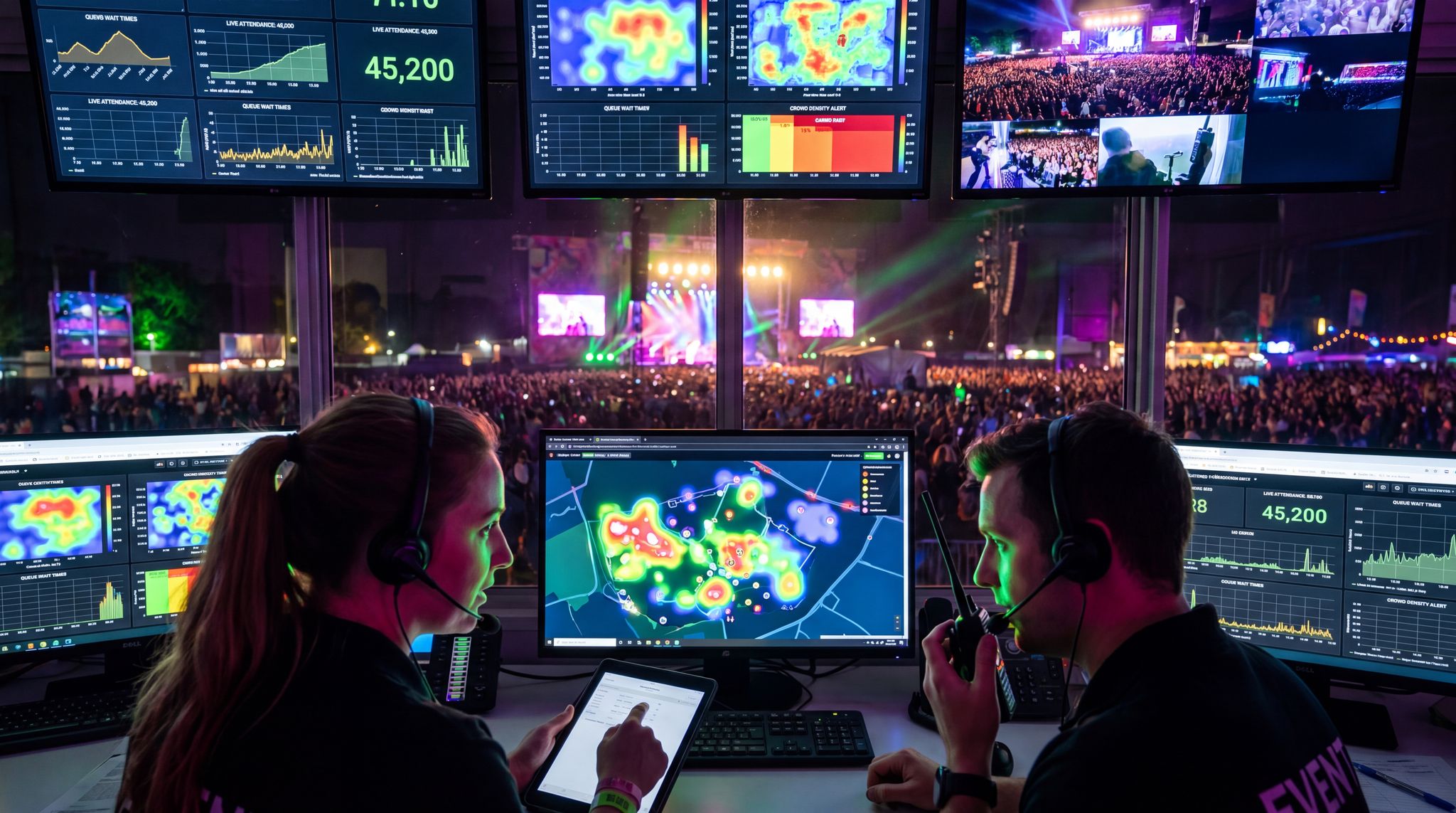
One often underutilized aspect of modern check-in systems is the wealth of real-time data they can provide. By monitoring this data, event teams can make on-the-fly adjustments to keep entry smooth. For example, most digital check-in platforms will show you in real time how many people have checked in, how many scans per minute are happening, and even breakdowns by entrance if you have multiple gates. Keeping an eye on these metrics allows you to spot developing bottlenecks early. If you see that Gate A has scanned 500 people in the last 10 minutes but Gate B only 200, maybe Gate B has an issue – you can radio a supervisor to see what’s wrong (perhaps a scanner is down or a huge crowd all arrived on one side). Or if overall throughput is dropping below expected levels, that could signal a system slowdown that needs immediate attention. Real-time dashboards can also feed into announcements and decisions. Some events display wait times or queue length info on digital signage or in the event app (much like theme parks showing wait times for rides) – if one entrance is overcrowded, directing attendees to another gate via a push notification can rebalance the load. Additionally, analytics from the check-in system help with staffing optimization. If you notice that between 9:40 and 10:00 the check-in rate shot up, you’ve identified a peak window and can ensure next time you have maximum staff and all lanes open at that time. Conversely, you might learn that by 11:00, 90% of people are already in, so you can start reallocating staff elsewhere. Over multiple events, this data becomes gold for refining your operations to perfection. It also provides a feedback loop to evaluate any new technology you try – e.g., if after introducing kiosks your average per-person check-in time dropped from 15 seconds to 5 seconds, you have hard evidence of the improvement. A word of caution: set up your data feeds and dashboards ahead of time and practice using them. On event day, you don’t want key folks distracted fiddling with a dashboard UI. Assign one team member (like an “onsite data analyst”) to actively watch the check-in metrics and communicate insights to the floor manager. This way, decisions can be made data-in-hand, whether that’s opening an extra lane, sending a tech to fix a slow station, or giving the marketing team a heads-up that “we hit 80% attendance, you can start the welcome session slightly early if needed.” In essence, leveraging real-time data turns your check-in from a static process into a dynamic, well-orchestrated operation.
Compliance and Data Security Considerations
Amidst the enthusiasm for speeding up check-in, it’s important to keep security and compliance in focus. These systems handle personal data and, in some cases, sensitive info (like biometric identifiers or ID details), so you must ensure all data practices meet relevant regulations and that attendees’ information is safeguarded. If you’re operating in regions like the EU, GDPR compliance is mandatory – that means clearly disclosing what data you collect at check-in (e.g., if you’re capturing a photo or using facial recognition, that’s biometric data), obtaining explicit consent for it, and providing a way for attendees to opt out. Similarly, in California, CCPA might apply, and other countries have their own laws. Work with your legal team to draft a concise privacy notice related to your event check-in tech, and include it in pre-event communications. From an infrastructure standpoint, ensure any cloud systems or devices storing attendee data are secure. Use encryption for data in transit (all those scans hitting your database should be over HTTPS or a VPN) and at rest (if your check-in app caches a copy of the attendee list on a device, it should be encrypted to protect against a lost/stolen device scenario). Limit access to the check-in systems – only authorized staff or volunteers should have the devices, and ideally they’re logged out or locked down when not in use. Also consider security testing of new tech like kiosks or facial recognition systems – for example, could someone spoof a face recognition with a high-res photo on their phone? Reputable vendors have checks (like liveness detection) to prevent that, but it’s worth asking and even trying a penetration test to be sure. Finally, have a plan for data retention: after the event, purge any biometric data unless there’s a compelling reason to keep it (and you have consent). For basic check-in logs, your ticketing system likely retains those to know who attended, but ensure that any exports or secondary systems you used are cleaned up. By covering these bases, you not only avoid legal pitfalls but also build trust with your attendees. People are more willing to embrace fast tech when they know you’re being responsible with their data. Responsible innovation is the name of the game – we can have our speedy check-in and stay secure and compliant at the same time.
Operational Best Practices for Smooth Check-In
Staff Training and Preparedness
Even the smartest technology needs capable humans behind it, especially in the unpredictable environment of event day. Training your staff and volunteers on the check-in process is non-negotiable for success. This goes beyond just “here’s how to scan a ticket.” Staff should understand the entire flow and their role in keeping it smooth. Start with technical training: make sure each person operating a scanner, kiosk, or printer is comfortable with it. They should practice common tasks (scanning different ticket types, printing a test badge, troubleshooting a scan error) in a low-pressure environment beforehand. It’s very useful to create a simple quick-reference guide – a one-pager with screenshots of the check-in app and key steps, plus common issues and resolutions (“If scanner displays XYZ error, try restarting the app”). But training isn’t only about the tools; it’s also about the customer service and situational awareness. Coach your team on the soft skills: greeting attendees warmly, giving clear instructions (“Please hold the QR code about 6 inches from the scanner – great, you’re all set!”), and handling problems calmly. When an attendee can’t find their ticket or has an issue, staff should know how to quickly pull them aside to a help area so the main line isn’t held up, and another staffer can take over the lane. Define roles clearly: who is a line manager (keeping queues organized), who is a float (roaming to assist where needed or give breaks), who is at VIP vs general admission, etc., so that everyone knows their station from the get-go. It’s a good idea to run a mock check-in drill with staff if possible – perhaps at the volunteer briefing, simulate a mini check-in scenario with a half-dozen “attendees” so staff can practice scanning, printing, wristbanding, or whatever tasks are involved. This not only builds confidence but can reveal any confusion in the process that you can iron out before doors open.
Attendee Communication and Guidance
Well-trained staff are one side of the coin; well-informed attendees are the other. Attendee communication can significantly influence how smoothly your check-in goes. In the lead-up to the event, send out clear information on what attendees need to do and what to expect at entry. For instance, if you’ve gone fully mobile ticket, tell them early and often: “No paper tickets needed – just bring your smartphone with your ticket QR code ready.” Provide a step-by-step: “When you arrive, you’ll see self-scan kiosks. Simply scan the QR code in your confirmation email at any open kiosk, and your badge will print instantly.” If you offer multiple options (like an express lane for those who pre-registered or VIP lane), explain how to identify and use them. Long before they reach the venue, attendees should know basics like whether they need an ID, if bags will be checked (affecting time), or if they should have anything prepared. On the day of the event, signage is your best friend. Use large, bold signs or digital screens at the venue entrance to guide people: “Scan QR Code Here” with an arrow, “Facial Recognition Fast Lane – Pre-Enrolled Attendees Only,” “Problem with your ticket? Visit the Help Desk ->”. Many events put staff or volunteers near the venue approach to proactively direct people: “General admission to the left, VIP to the right,” etc. Also consider audio cues – a staff member with a megaphone (or just a loud friendly voice) can periodically announce things like, “Folks, have your QR codes out and brightness up on your phones, it’ll make this go even faster!” Attendees generally appreciate the guidance when it’s phrased helpfully. One subtle but powerful tactic is to communicate estimated wait times if lines do form, via signage or staff updates. “Approx wait from this point: 10 minutes.” People tend to be less frustrated if they know what to expect and see that you’re actively managing the situation. In summary, treat entry like part of the show – set expectations, guide the experience, and keep attendees informed in real time. When attendees know what to do, they become collaborators in the speedy check-in process rather than confused participants.
Accessibility and Inclusion at Check-In
As we modernize check-in, it’s crucial to ensure that no attendee is left behind in the process. Accessibility should be woven into the design of your entry systems so that attendees with disabilities or special needs can navigate check-in just as quickly and smoothly. Start with physical accessibility: if you have self-service kiosks or turnstiles, make sure at least some are at wheelchair-friendly height or adjustable. If kiosks are touchscreen-driven, consider how a visually impaired person might use them – for example, having staff available to assist in entering information, or providing an alternative like assisted check-in lanes. It’s a great practice to have a clearly marked accessibility lane (or simply instruct staff that anyone with mobility challenges, the elderly, pregnant attendees, etc., can be pulled out of the main queue and fast-tracked through a comfortable route). Train staff on disability etiquette – e.g., speaking to the attendee directly rather than only to their companion, offering assistance but not assuming it, etc. For those who are deaf or hard of hearing, ensure your check-in signage is extra clear since verbal instructions may not reach them; staff can also use basic hand signals or written notes to communicate as needed. If using facial recognition, be mindful that it might not work well for certain individuals (e.g., someone in a wheelchair might not align with a camera if it’s positioned for standing height, or someone with a facial difference might experience errors). In those cases, have a quick alternate path – the person shouldn’t be made to feel like a problem; rather, staff should seamlessly pivot to scanning a code or checking ID. Language inclusion is another aspect: international conferences often see attendees who don’t speak the local language fluently. Consider using universally understood pictograms on signage (like a QR code icon with an arrow to a scanner) and maybe having a staff member or volunteer who speaks other common languages present at check-in for assistance. Another small but considerate touch: for attendees with sensory sensitivities, the bustle of entry can be overwhelming. Some events have started offering an option for a low-sensory check-in experience – essentially a quieter area or a specific time where crowds are smaller – similar to how some theme parks offer early access for those with autism. This might not apply to every event, but it’s indicative of the ethos: as we speed things up, let’s do so for everyone, designing the process to accommodate a diverse range of needs. Making check-in both fast and inclusive will build goodwill and ensure you’re not trading one problem (long lines) for another (participant exclusion).
Testing and Continuous Improvement
The finale of any robust plan is testing and iteration. You don’t want the event day to be the first real test of your check-in system. We’ve touched on testing components (like scanning devices, printing, etc.), but it’s worth emphasizing holistic end-to-end testing under realistic conditions. If possible, simulate an event check-in with a sample of users. Some organizers do a friends-and-family test: invite 50 people to act as attendees, set up your entry exactly as it will be (kiosks, lanes, devices, network), and run through a mock opening. Time it, observe choke points, gather feedback from participants and staff. This can uncover surprising issues – maybe the sun glare at 9 AM makes kiosk screens hard to read, or the layout causes an awkward merge of lines. Better to find out and adjust before the real attendees show up. If a full drill isn’t feasible, at least do a thorough walk-through with the event team: step into the shoes of an attendee and go through each motion they will. Also test failure scenarios: what if one of the printers fails during peak time – are staff ready to activate Plan B? Role-play it. These exercises not only fine-tune the process but also build team confidence; everyone knows what to do because they’ve essentially practiced it.
After each event, conduct a post-mortem specifically on check-in. Analyze those juicy metrics you collected: when did people arrive, were there any slowdowns, how many used the tech features (like what % used the self-service kiosks vs. needed staff help, or how many opted into your facial recognition lane). Solicit feedback from attendees in post-event surveys about their entry experience. Look for comments about lines, confusion, or praise for efficiency. This data is gold for continuous improvement. Maybe you discover that only 10% used the self check-in kiosks because they weren’t obvious enough – next time, better signage or more education could boost that. Or you might confirm that switching to on-demand badge printing cut the average wait time by two-thirds, justifying further investment in that area and giving you a success story to share with stakeholders. The technology and best practices for event check-in are evolving rapidly year to year, so staying in a mindset of learning is key. What’s cutting-edge in 2026 might be standard by 2027, and something new (hello, iris scans?) could emerge. By building a culture of testing and learning, you’ll keep your events on the forefront of efficient operations. Remember, fast-tracking check-in is a journey, not a one-time fix – but with each event, you can refine the art until your entry process hums like a finely tuned machine.
Frequently Asked Questions About Event Check-In Technology
How does event technology improve check-in and badge scanning?
Modern event technology improves check-in and badge scanning by replacing manual name lookups and pre-printed badge sorting with instant, automated workflows. High-speed scanners, self-service kiosks, and real-time database integrations allow organizers to process attendees in seconds. This reduces queue times, minimizes staffing requirements, and eliminates human error, ensuring a frictionless first impression for guests.
What FAS options provide integrated badge reprints and lost-ticket handling?
When evaluating Front-of-house Access Systems (FAS) for high-volume ticket scanning, look for platforms that offer native on-demand printing and real-time cloud synchronization. These FAS solutions allow staff to instantly void a lost digital ticket or RFID band and issue a secure replacement on the spot. Integrated badge reprints ensure that duplicate credentials cannot be used simultaneously, maintaining strict access control without delaying the attendee.
What are the operational benefits of contactless badge kiosks?
Contactless badge kiosks streamline the entry process by allowing attendees to scan digital wallets or QR codes without touching a screen. For event organizers, these touch-free terminals reduce hardware maintenance, lower the risk of germ transmission, and significantly increase throughput. When integrated with advanced Front-of-house Access Systems (FAS), they provide a seamless, high-speed credentialing solution that requires minimal staff supervision.
What event check-in software supports self-service kiosks?
Leading event check-in software supports self-service kiosks by offering a dedicated, lockable “kiosk mode” that pairs directly with high-speed QR scanners and badge printers. Platforms like Ticket Fairy provide the necessary API integrations and real-time database synchronization required for unattended entry. When selecting a system, ensure it can operate offline during network drops and automatically push scan data to your central dashboard once connectivity is restored.
What are the operational advantages of using dedicated badge printing kiosks?
Deploying dedicated badge printing kiosks allows event organizers to decentralize the check-in process and reduce lobby congestion. These standalone terminals empower attendees to scan their digital tickets and instantly produce their own credentials without staff intervention. For high-volume events, distributing a badge printing kiosk array across multiple entry points significantly lowers labor costs while maintaining a rapid, frictionless flow of guests.
How do event badge kiosks reduce registration wait times?
Event badge kiosks reduce wait times by decentralizing the check-in process. Instead of funneling all attendees to a single staffed desk, organizers can deploy multiple self-service stations across various entry points. These all-in-one units allow guests to scan a digital QR code and instantly print their own credentials, cutting the average processing time from minutes to mere seconds while freeing up staff to handle complex customer service inquiries.
How do conference name tag kiosks differ from standard ticket scanners?
While standard scanners simply validate entry, conference name tag kiosks are integrated hardware solutions designed to verify attendee data and instantly print personalized credentials. They handle complex variables like job titles, VIP status, and session access, outputting professional-grade badges on demand to streamline corporate event registration.
What are the key features of FAS solutions for high-volume ticket scanning?
Top-tier FAS solutions for high-volume ticket scanning feature local data caching, offline-first scanning modes, and sub-second validation speeds. These Front-of-house Access Systems are built to process thousands of attendees simultaneously across multiple gates, ensuring that network latency or cloud server spikes never slow down the physical entry process.
What are the benefits of using a conference check-in kiosk?
A conference check-in kiosk automates the arrival process for corporate events by allowing attendees to verify their registration, select session tracks, and print personalized badges on demand. This self-service approach reduces lobby congestion, lowers staffing costs, and provides a seamless, professional first impression for B2B attendees.
What features define the best event check-in software with badge printing for 2025 and 2026?
For the 2025 and 2026 event seasons, the top-tier platforms prioritize native hardware integrations, offline-first scanning capabilities, and intuitive drag-and-drop badge design studios. The leading solutions seamlessly sync attendee data from the cloud to local print stations in milliseconds, ensuring that even last-minute walk-ups receive accurate, fully branded credentials without delaying the queue.