The 2026 Event Tech Landscape
Rising Complexity and Digital Demands
Modern events in 2026 are more complex and tech-driven than ever. Organizers juggle in-person logistics, virtual components, real-time data, and high attendee expectations across the board. The pressure to “do more with less” is intense – in a recent industry survey, 20% of event professionals cited needing better technology to create efficiencies as a top challenge, as noted in recent software industry research. At the same time, the event management software (EMS) market is booming, projected to reach over $33 billion by 2033, according to market analysis on event management software, as organizations invest in platforms that can keep up with this complexity. The takeaway: events that once ran on spreadsheets and siloed tools now demand unified, intelligent software solutions to stay competitive.
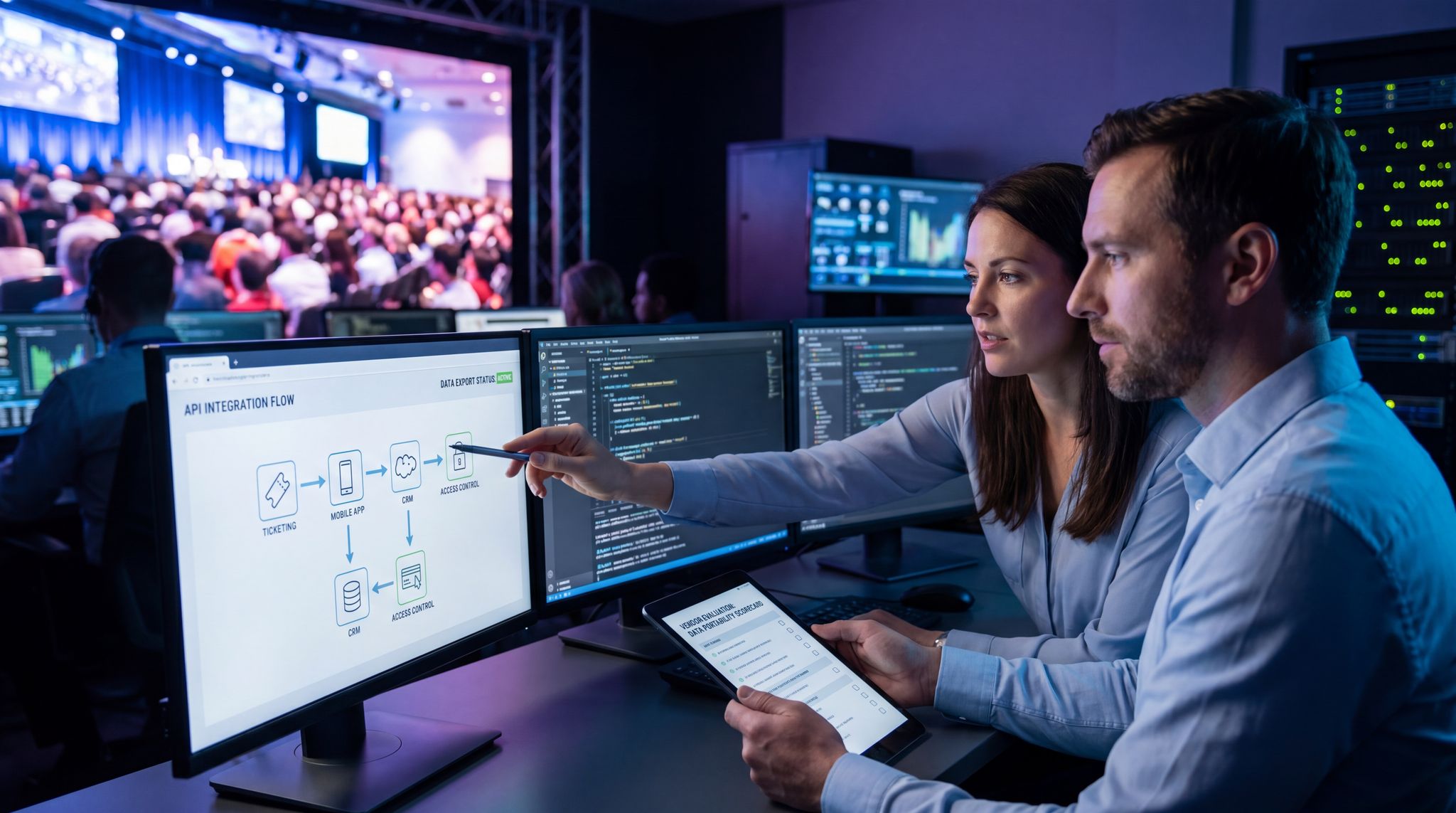
When reviewing the latest event management software platforms in 2026, the shift is clear: organizers are moving away from fragmented point solutions. The best IT event management software now prioritizes deep API connectivity, allowing technical directors and systems architects to build custom tech stacks without sacrificing data integrity. Keeping up with these event management software trends ensures your infrastructure can handle everything from complex multi-day festival ticketing to enterprise-grade security compliance.
One Platform for the Entire Attendee Journey
Gone are the days of separate systems for ticketing, scheduling, marketing, and on-site operations. Event management software is evolving into the central hub for the entire attendee journey – from initial registration to on-site engagement and post-event follow-up. Integration is key: pulling together touchpoints ensures nothing falls through the cracks. For example, a modern EMS can connect ticket purchases to check-in systems and even to real-time engagement apps. This means if someone buys a VIP ticket, the system automatically grants them special access onsite and tailors their mobile app content. Having a single source of truth for all these interactions not only improves efficiency but also delivers a seamless experience to attendees. Event organizers who map and connect every stage of the attendee journey (from marketing invitations to on-site experiences) can provide a smoother, more personalized experience by mapping the event attendee journey in 2026 and boost long-term loyalty.
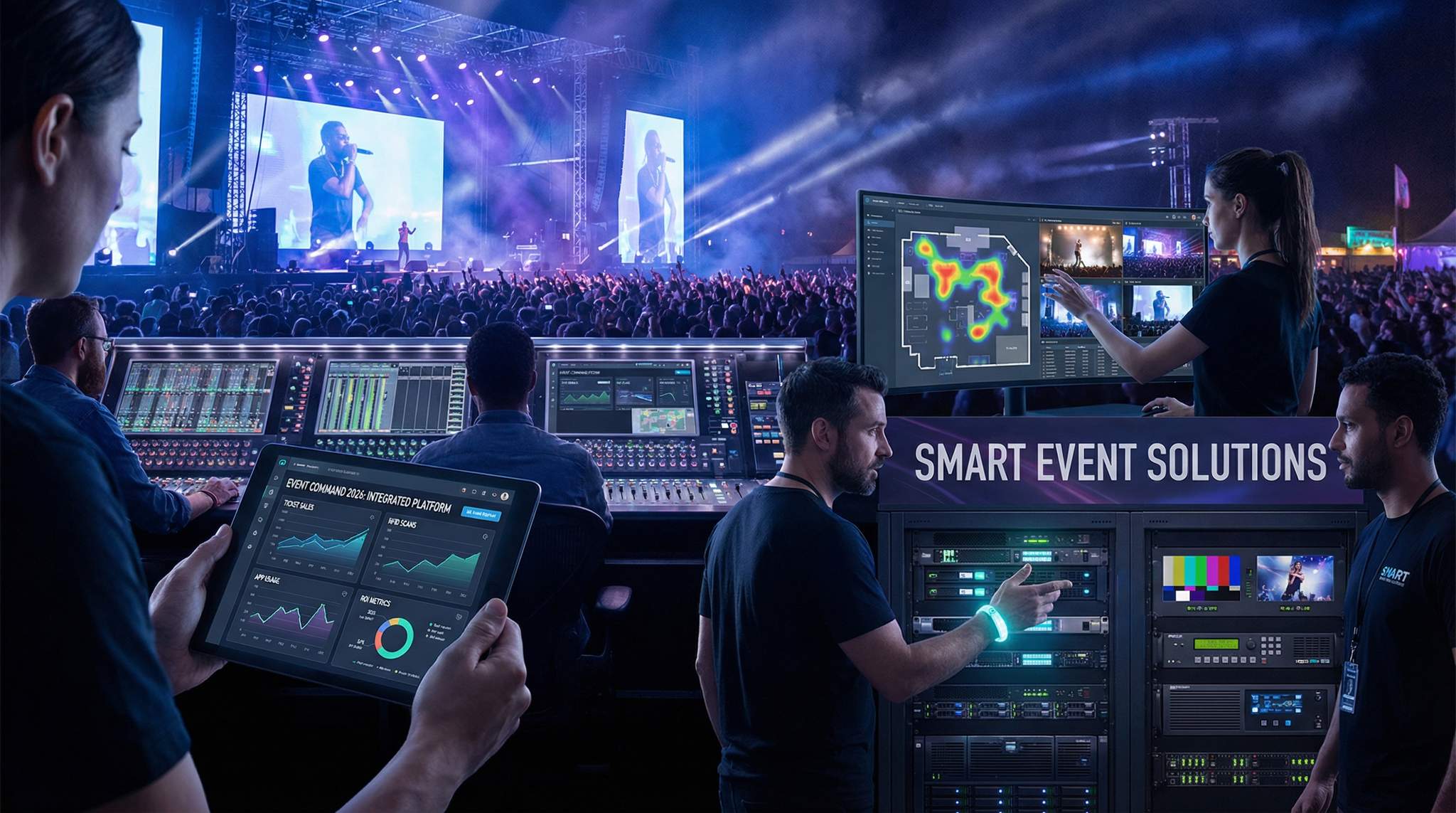
Transitioning to a comprehensive event operations platform is no longer just a convenience; it is a strategic necessity. When evaluating the event management software latest 2026 offerings, top-tier promoters and venue operators look for systems that natively bridge the gap between front-of-house ticketing and back-of-house logistics. By consolidating disparate apps into one ecosystem, organizers eliminate data silos, reduce vendor bloat, and ensure that every department—from marketing to site ops—is working from the exact same real-time dataset.
Go Cashless With RFID Technology
Enable contactless payments, faster entry, and real-time spending analytics with RFID wristbands and NFC-enabled ticketing for your events.
ROI and Stakeholder Expectations
The 2026 Event Tech Landscape
Rising Complexity and Digital Demands
Modern events in 2026 are more complex and tech-driven than ever. Organizers juggle in-person logistics, virtual components, real-time data, and high attendee expectations across the board. The pressure to “do more with less” is intense – in a recent industry survey, 20% of event professionals cited needing better technology to create efficiencies as a top challenge, as noted in recent software industry research. At the same time, the event management software (EMS) market is booming, projected to reach over $33 billion by 2033, according to market analysis on event management software, as organizations invest in platforms that can keep up with this complexity. The takeaway: events that once ran on spreadsheets and siloed tools now demand unified, intelligent software solutions to stay competitive.
When reviewing the latest event management software platforms in 2026, the shift is clear: organizers are moving away from fragmented point solutions. The best IT event management software now prioritizes deep API connectivity, allowing technical directors and systems architects to build custom tech stacks without sacrificing data integrity. Keeping up with these event management software trends ensures your infrastructure can handle everything from complex multi-day festival ticketing to enterprise-grade security compliance.
Ready to Sell Tickets?
Create professional event pages with built-in payment processing, marketing tools, and real-time analytics.
One Platform for the Entire Attendee Journey
Gone are the days of separate systems for ticketing, scheduling, marketing, and on-site operations. Event management software is evolving into the central hub for the entire attendee journey – from initial registration to on-site engagement and post-event follow-up. Integration is key: pulling together touchpoints ensures nothing falls through the cracks. For example, a modern EMS can connect ticket purchases to check-in systems and even to real-time engagement apps. This means if someone buys a VIP ticket, the system automatically grants them special access onsite and tailors their mobile app content. Having a single source of truth for all these interactions not only improves efficiency but also delivers a seamless experience to attendees. Event organizers who map and connect every stage of the attendee journey (from marketing invitations to on-site experiences) can provide a smoother, more personalized experience by mapping the event attendee journey in 2026 and boost long-term loyalty.
Transitioning to a comprehensive event operations platform is no longer just a convenience; it is a strategic necessity. When evaluating the event management software latest 2026 offerings, top-tier promoters and venue operators look for systems that natively bridge the gap between front-of-house ticketing and back-of-house logistics. By consolidating disparate apps into one ecosystem, organizers eliminate data silos, reduce vendor bloat, and ensure that every department—from marketing to site ops—is working from the exact same real-time dataset.
ROI and Stakeholder Expectations
In 2026, proving ROI for every event technology investment is no longer optional – it’s mandatory. Event stakeholders (from corporate executives to festival investors) expect clear evidence that software investments are paying off in efficiency gains, cost savings, or revenue growth. In fact, tight budgets and heightened scrutiny have made ROI a focal point across the industry, a trend highlighted in research on event management software adoption. Event teams must demonstrate how their chosen platform improves the bottom line – whether through time saved in planning, higher ticket sales, or better attendee satisfaction leading to repeat business. Successful event technologists now speak the language of ROI alongside attendee experience. Throughout this guide, we’ll highlight strategies to evaluate platforms with ROI in mind and real-world examples of technology choices that delivered measurable returns.
Must-Have Features in 2026 Event Management Software
When evaluating the best event management software features 2026 has to offer, organizers must look beyond basic registration forms and email blasters. Today’s top-tier platforms are defined by their ability to handle complex, multi-layered operations autonomously. For festival producers and enterprise venue operators, the most valuable capabilities are those that actively reduce manual workload, mitigate on-site risks, and provide real-time operational intelligence. As you audit your tech stack, prioritize the following advanced functionalities that separate legacy systems from modern, high-performance solutions.
Smooth Entry With Mobile Check-In
Scan tickets and manage entry with our mobile check-in app. Supports photo ID verification, real-time capacity tracking, and multi-gate coordination.
AI-Driven Automation and Intelligence
If 2010s event software was about basic online registration, the mid-2020s are about AI-driven event optimization. Virtually every leading platform now incorporates artificial intelligence to automate tasks and enhance decision-making. AI chatbots and assistants can handle common attendee questions or guide registrants through sign-up without human intervention. Behind the scenes, AI tools analyze registration trends and attendee interests to help planners make data-driven decisions (like predicting which sessions will be high-demand or identifying VIPs for special outreach). Notably, AI is powering hyper-personalization: advanced systems crunch data (past attendance, session selections, app clicks) to recommend individualized agendas for each attendee. Experienced event technologists know that leveraging AI for personalization can significantly boost engagement – events offering personalized session suggestions have seen attendees spend much more time in event apps and report higher satisfaction, supported by data on must-have event software features which indicates that true personalization translates directly into metrics for successful event portfolios. In fact, 91% of business event professionals now use AI in some form by 2026, as reported in analysis of AI and the reinvention of B2B events, underscoring how mainstream these tools have become. The key is to choose an EMS platform with AI capabilities that align to your needs: whether it’s automating your email marketing, intelligently assigning attendees to networking groups, or predicting no-show rates to adjust catering. The bottom line – AI isn’t hype; it’s now a practical necessity for cutting laborious tasks and uncovering insights that humans might miss.
Real-Time Collaboration and Communication
Events move fast, and your team’s ability to coordinate in the moment can make or break success. That’s why real-time collaboration features are a must-have in 2026’s event management software. The days of version-controlled spreadsheets and endless email threads are fading. Modern platforms provide shared, cloud-based workspaces where multiple team members – from coordinators and AV technicians to vendors and volunteers – can work simultaneously on schedules, checklists, and reports. Think of it like Google Docs for your event operations: if an agenda change happens last-minute, everyone sees the update instantly and can adjust. Internal chat or messaging modules are also common, allowing quick communication within the platform (often replacing disjointed text messages or walkie-talkies). For example, a conference organizer can ping the venue operations team through the EMS when a session room change is needed, and all relevant schedules update in real time. This real-time sync prevents miscommunication and mistakes – no more outdated info causing a speaker to show up in the wrong room. Some enterprise event suites even integrate with tools like Slack or Microsoft Teams, piping critical alerts to where your staff already communicate. The result is better team alignment and faster response times. In an industry where conditions on the ground change by the minute, having a collaborative system ensures your crew can adapt on the fly instead of playing telephone.
Grow Your Events
Leverage referral marketing, social sharing incentives, and audience insights to sell more tickets.
Comprehensive Site and Crew Logistics
While standard registration tools handle the attendee side, a true event operations platform goes deeper into back-of-house logistics. For festival producers and venue managers, this means having a centralized system for crew scheduling, vendor load-in times, and real-time inventory tracking. Instead of managing site ops through disparate walkie-talkie channels and clipboards, modern systems allow site managers to dispatch maintenance teams, track golf cart fleets, and monitor generator fuel levels from a single dashboard. This operational command center approach ensures that the physical build and breakdown of the event run as smoothly as the digital ticketing experience.
Critical Event Management and Incident Response
As crowd sizes grow and operational stakes rise, standard logistics tools are no longer enough. The industry is seeing a convergence between traditional planning tools and critical event management platforms. When evaluating the key features to look for in critical event management software in 2025 or 2026, venue operators must prioritize real-time mass notification systems, automated evacuation routing, and multi-agency communication bridges. Historically, the best critical event management software was reserved for high-risk environments like hospitals or government agencies. Today, mega-festivals and enterprise venues are adopting these exact same rigorous standards. A comprehensive comparison of critical event management platforms in 2026 reveals that top-tier solutions now natively integrate incident response protocols directly into the main EMS dashboard, allowing promoters to instantly pivot from standard operations to crisis mode during severe weather or security threats.
To truly safeguard large-scale gatherings, the key features to look for in critical event management software 2025 or 2026 include automated threat detection, geofenced mass-alerting capabilities, and secure API bridges to local emergency services. While legacy systems often required manual data entry during a crisis, modern platforms use AI to instantly parse weather alerts or crowd-crush indicators, automatically triggering predefined operational playbooks. When reviewing the best critical event management software for hospitals 2025 2026, the core requirement is zero-latency communication—a standard that top-tier festival producers and venue operators are now demanding for their own live event operations to protect both attendees and brand reputation.
Mobile Access and Offline Functionality
Event operations don’t happen behind a desk – they happen on the venue floor, in the field, and on the move. That makes mobile access to your event management software essential. The platform you choose should offer a robust mobile app or responsive interface so staff can use smartphones or tablets as easily as a laptop. Whether it’s scanning tickets at the gate, checking a speaker’s tech rider side-stage, or pulling up the latest event dashboard on a tablet, team members need information at their fingertips. Offline capability is equally critical: savvy event planners demand software that keeps working even if the internet connection doesn’t. For instance, a check-in app that caches attendee data and QR codes offline can continue scanning tickets during a Wi-Fi outage – then syncs smoothly once connectivity returns, a critical capability for RFID technology for event ticketing. This fail-safe design prevents embarrassing entry bottlenecks and downtime when networks get overwhelmed. Leading platforms in 2026 prioritize offline modes for all mission-critical functions (ticket validation, badge printing, lead capture, etc.), effectively crisis-proofing your event day operations. The best solutions also optimize their mobile apps for speed and usability: large buttons, scannable codes, and intuitive layouts that work under pressure. When evaluating software, test the mobile experience thoroughly – ensure it’s fast, reliable, and offers “airplane mode” resilience. Experienced implementation specialists recommend even performing a full on-site trial run with Wi-Fi turned off to verify the platform’s offline chops before trusting it live. In short, mobility and offline reliability are not just nice-to-haves – they’re non-negotiable features to keep your event running smoothly in any scenario.
Data-Driven Event Marketing
Track ticket sales, demographics, marketing ROI, and social reach in real time. Exportable reports give you the insights to make smarter decisions.
When shortlisting the best EMS software for onsite events in 2025 and 2026, this offline resilience is the ultimate deciding factor. Organizers are no longer accepting cloud-only limitations for field operations. The top-performing onsite event management systems now feature edge-computing capabilities, ensuring that local area networks (LAN) at the venue can keep ticket scanning, cashless payments, and critical crew communications running flawlessly even if the broader cellular network collapses under the weight of 100,000 attendees.
Advanced Analytics and Personalization
Data is the lifeblood of modern events. The top event management platforms in 2026 come with advanced analytics tools and dashboards that turn raw event data into actionable insights in real time. At a glance, organizers can monitor registration trends, attendee demographics, ticket sales by source, session popularity, engagement in event apps, and much more. These platforms often integrate multiple data streams – ticketing, mobile app interactions, social media sentiment, surveys – into unified dashboards. The true power emerges when all this data is consolidated: patterns and correlations become visible, allowing better decision-making on the fly through integrated event data analytics and reporting. For example, if analytics show that a sponsored workshop is under-attended compared to capacity, organizers can push a last-minute notification to drive more people there. Or if real-time dashboards reveal long queues forming at certain entry gates, operations can proactively dispatch more staff to those choke points. Crucially, analytics aren’t just retrospective; they feed personalization too. Using machine learning, some EMS platforms dynamically adjust content for each attendee – from recommending sessions and networking connections (based on interests and behavior) to sending timely personalized alerts (“Hi Alex, the keynote you showed interest in starts in 10 minutes at Hall A”). By tailoring experiences to each individual, events achieve higher engagement and satisfaction, which in turn drives better ROI. In fact, events that leverage personalized content paths have reported a 25% increase in attendee app usage and 15% higher satisfaction scores, according to data on must-have event software features. When evaluating software, look for robust analytics capabilities: customizable reports, real-time metrics, and AI-driven insight suggestions. Also verify how the system enables personalization – e.g. does it support rule-based segmentation or AI recommendations out of the box? A platform rich in analytics and personalization features will not only deliver a smoother experience but also help prove the event’s success to stakeholders with hard data.
Inclusivity and Accessibility Built In
Events serve diverse audiences, and your software must accommodate everyone. In 2026, the best event management platforms come with inclusivity and accessibility features baked in – not as afterthoughts. This starts with compliance: any attendee-facing components (event websites, registration forms, mobile apps) should meet accessibility standards like WCAG, ensuring they’re usable by people with disabilities. Features such as adjustable text size, high-contrast modes, and screen reader compatibility are table stakes. But accessible design goes further: leading platforms support live captioning for sessions, sign-language interpreter video feeds, and compatibility with assistive listening devices to make sure attendees of all abilities can fully participate, aligning with best practices for event management software. Many conference and festival apps now allow users to enable closed captions on live streams or get audio commentary for visual content. Inclusivity also means supporting multiple languages and translation tools. In a global event landscape, it’s increasingly common to have attendees speaking dozens of languages. Modern event apps and software often provide real-time translation of content and even on-the-fly subtitle translations for presentations, a feature increasingly demanded in global event management software solutions. For example, if you’re running an international summit, your event platform might integrate an AI translator so a talk given in English can display Spanish or Mandarin subtitles for those who need them. This kind of multilingual support ensures no one feels left out due to language barriers. The value of these features is immense: by making events more inclusive, you expand your potential audience and demonstrate social responsibility. Case in point – technology for accessible events (like captioning apps, sensory-friendly modes, etc.) has enabled conferences and festivals to welcome attendees who might not have been able to participate in the past, as noted in research on inclusive event technology. When choosing your event management software, verify what accessibility capabilities it offers out of the box, and whether it supports plugins or integrations (for services like live CART captioning or translation). An inclusive platform not only fulfills ethical and legal responsibilities but also enhances the overall attendee experience for everyone.
Integration and Connectivity Across Systems
Seamless Ticketing and Registration Integration
At the core of any event is ticketing/registration, and your event management software must integrate tightly with it. In some cases, the EMS platform is the ticketing system; in others, it needs to connect with an external ticketing provider. Either way, seamless data flow between ticket sales and the event operations is critical. When a participant registers or buys a ticket, that information should automatically reflect in your EMS attendee list, badge printing queue, and check-in app. This avoids the headache of manual imports and inconsistencies on event day. Look for integration capabilities like real-time API sync with ticketing platforms or built-in modules for registration. Another integration consideration is identity management: linking each attendee’s ticket to their permissions and profile. For example, if John Doe buys a VIP ticket, the system should tag him as VIP so that access control devices (like badge scanners or RFID gates) recognize his status instantly. Robust integrations also help combat ticket fraud and duplication. A unified system can ensure that once a ticket QR code or wristband is scanned at the entrance, it is marked as used globally – preventing the same code from being reused at another gate. We’ve seen events suffer when ticketing was not well-integrated; duplicate or fake tickets slipped through, leading to overcrowding and angry legitimate attendees. Modern solutions offer features like encrypted dynamic QR codes and centralized attendee verification to shut down fraud and scalping attempts, leveraging the key benefits of RFID for security. Additionally, consider how the EMS handles walk-up registrations or on-site ticket issues – does it sync those new entries in real time? In summary, a tight integration between your event management software and ticketing/registration system is essential for accurate headcounts, security, and a smooth guest arrival experience. It’s worth prioritizing platforms (like Ticket Fairy’s integrated solution) that treat ticketing, attendee management, and on-site check-in as part of one coherent ecosystem.
Access Control, RFID and Badge Systems
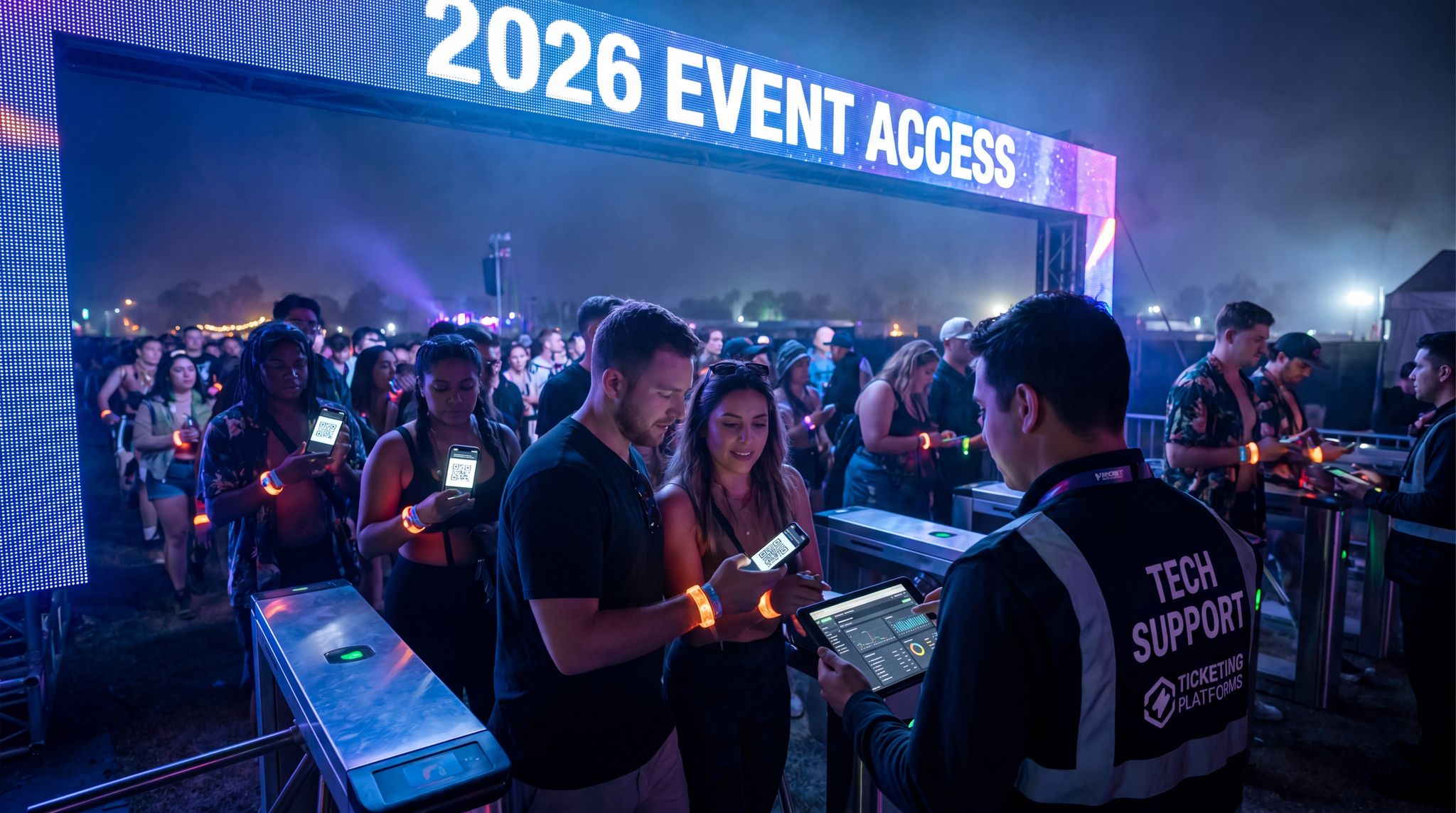
For any event with controlled entry points or tiered access levels, integration with access control systems is a crucial factor. Many events now use RFID wristbands, NFC badges, or even biometric scanners to manage who can go where – from general admission through to VIP lounges and backstage areas. Your event management software should be able to interface with these systems so that access permissions are centrally managed. In practice, this means the EMS should allow you to define different attendee types or credential levels (e.g. GA, VIP, Staff, Artist) and then seamlessly push that data to the access control hardware. If an attendee upgrades to VIP on the day of the event, a well-integrated system can update their RFID wristband permissions in seconds. Real-world example: a large festival with 50,000 attendees implemented an integrated RFID access solution that segmented the site into zones (main arena, VIP decks, artist compound) – because the RFID scanners were linked to the central attendee database, security could instantly validate each person’s access rights at any checkpoint and even see a photo on file for ID verification. The result was faster entry and virtually zero incidents of credential pass-backs or gate-crashing. Event professionals have learned that multi-zone access is painless only when tech systems talk to each other, a key finding in guides on RFID technology for event ticketing. If you’re evaluating platforms, consider those with proven integrations to access control providers or built-in support for RFID/NFC encoding. Also look for features like on-demand badge printing that pull data straight from the EMS. Another integration benefit is live attendance tracking – as access control devices scan people in and out, the counts should feed into your event dashboard in real time. This helps with crowd management and safety, and provides data like peak entry times or dwell times in VIP areas. In 2026, sophisticated tiered access control strategies are common, and only a well-integrated EMS can execute them smoothly. Make sure the platforms you consider can unify ticketing, identity, and access permissions so that your attendees sail through the gates and you maintain a secure environment.
Marketing, CRM and Communication Tools
Integration isn’t just for on-site operations – it extends to your marketing and customer relationship systems as well. A powerful event management platform should connect with your CRM, email marketing software, and social media tools to ensure a 360° view of your audience. This means when someone registers for your event, their data (name, email, ticket type, interests) can flow into your CRM or mailing list for future communications. Many modern EMS solutions either include built-in email and SMS campaign tools or integrate via APIs with platforms like MailChimp, SendGrid, or Salesforce Marketing Cloud. Why does this matter? Because connected systems allow you to run highly targeted and effective campaigns before, during, and after the event. For example, you can automate an email sequence: an immediate confirmation with the ticket QR code, a reminder one week before the event with practical info, and a personalized thank-you after the event that perhaps suggests next year’s early-bird tickets. If your EMS and marketing tools share data, you avoid mistakes like sending promotions to someone who’s already bought a ticket, ensuring you are aligning every touchpoint for maximum ticket sales. Integration also enables real-time marketing insights – you can track which channels are driving ticket sales and see all those touchpoints in one dashboard. Advanced use cases include triggering messages based on live behavior: e.g., if an attendee hasn’t checked into any sessions by midday, the system could send them a push notification with suggestions to get them engaged. On the community side, integration with social media or community platforms can enhance attendee networking. Some event software can integrate with LinkedIn or have API hookups to community forums/Discord channels so that attendee profiles and engagement carry over. At minimum, ensure your chosen software can export and import data easily (CSV is a baseline; direct API sync is better) so you can connect your first-party event data to your larger marketing ecosystem. In 2026, events are not isolated experiences; they’re part of a year-round customer journey. Your event management software should fit into that journey by sharing data with CRM and marketing systems – converting attendees into repeat customers and loyal community members through coordinated communication.
Boost Revenue With Smart Upsells
Sell merchandise, VIP upgrades, parking passes, and add-ons during checkout and via post-purchase emails. Increase average order value by up to 220%.
When evaluating the best event marketing tools and platforms for ROI, top-tier promoters focus on systems that offer closed-loop attribution. It is no longer enough to simply send mass emails; the most effective marketing stacks combine native EMS capabilities with specialized integrations to track a ticket buyer from their first ad click to their final on-site purchase. High-ROI marketing features to look for include automated abandoned cart recovery, dynamic pricing engines that adjust to demand, and built-in affiliate tracking for street teams and influencers. By utilizing platforms that directly tie promotional spend to actual ticket revenue and on-site spending, organizers can definitively prove the financial return of their marketing campaigns.
Live Streaming and Virtual Event Platforms
Hybrid events – combining live in-person experiences with online participants – remain a strong trend in 2026. Even purely in-person events often have a virtual content component for remote audiences or recordings for later engagement. Therefore, a modern EMS must integrate with live streaming services and virtual event platforms. Seamless integration ensures that online attendees are not second-class citizens. For instance, your platform might connect with popular streaming tools (like Vimeo Live, YouTube Live, or specialized event streaming providers) to embed live video feeds into your event portal or app. But beyond just video, integration should enable interaction parity: if an on-site attendee asks a question to a speaker via a microphone, a remote attendee should be able to do the same via the event’s app or platform – and the speaker sees both types of questions in one queue. Achieving this means your Q&A, polling, and chat functionalities need to merge data from both live and virtual audiences. Some event management suites come with a virtual event module included, while others integrate via API to dedicated virtual platforms (like a Hopin or Zoom Webinar). The goal is to avoid having completely separate systems for on-site and online audiences. For example, when an attendee signs up, they should be flagged as in-person or virtual, but otherwise part of the same database, so you can track overall attendance and engagement in one place. Achieving a seamless hybrid event setup might allow an online viewer to network with an in-person attendee through the platform’s matchmaking tool, or let on-site attendees enter a VR experience via a link in the event app, effectively integrating festivals with virtual worlds. When evaluating integration capabilities, ask: Does the software natively support hybrid event features like synchronized agendas, unified chat/Q&A, and analytics that cover both realms? If not, can it integrate easily with a proven virtual event platform? In an era where events are expected to reach beyond the venue walls, your EMS should empower you to unite in-person and virtual audiences under one digital roof. This not only extends your event’s reach but also opens new revenue streams (like virtual ticket tiers or on-demand content sales) that can greatly improve overall ROI.
Payments, Merchandising and Cashless Systems
Many events, especially festivals, expos, and large conferences, have significant financial transactions on-site – from merchandise sales and food/beverage purchases to VIP upgrades and workshop tickets. Integrating these payment systems with your event management software can unlock a wealth of operational and financial benefits. One major trend is the rise of cashless payment systems at events. RFID wristbands and mobile wallets allow attendees to simply tap to pay, speeding up transactions and reducing cash handling. When your EMS ties into the cashless payment platform, you gain real-time visibility into sales across the event (e.g., drink sales at each concession, or which merchandise items are selling out). This data can be used to make on-the-fly decisions, like reallocating stock between booths or sending a push notification about a flash sale at a slow vendor. Moreover, integration means you can link purchase data back to attendee profiles – enabling personalized post-event marketing (such as, “We hope you’re loving the T-shirt you bought at the festival – here’s a discount on next year’s merch line”). For organizers, one of the biggest advantages of integrated payments is aggregated reporting: you can see total attendee spend, average spend per person, and how that correlates with ticket types or segments, all within your main dashboard. This is invaluable for calculating the full ROI of an event, not just ticket revenue. Some modern event platforms even offer their own point-of-sale apps or integrate with popular POS systems to log on-site purchases directly in the event system. Additionally, if your event involves collecting donations (for charity gala events, for instance) or processing refunds, having those financial transactions unified with registration simplifies the accounting and audit trail. When researching platforms, consider those that play nicely with payment gateways and cashless event tech . Verify if they support RFID/NFC integrations or at least APIs with third-party payment solutions. An example of success: a multi-day music festival implemented a cashless RFID system and linked it to their central event platform – they saw faster throughput at bars (shorter lines means happier attendees) and a 15-30% increase in attendee spending compared to cash-based events, as people found it easier to transact with a tap. Ultimately, integration of payments isn’t just about convenience; it directly drives revenue and gives you a complete picture of your event’s financial performance in real time.
Evaluating Platforms: Key Criteria for Selection
How to Choose the Right Event Management Tool for Your Festival
For large-scale outdoor events, the stakes are uniquely high. If you are wondering how to choose the right event management tool for my festival, the answer lies in evaluating edge-case resilience. Festivals require platforms that can handle massive simultaneous ticket drops, integrate seamlessly with RFID wristband fulfillment, and operate flawlessly in fields with spotty cellular service. Prioritize vendors who have proven experience in the festival sector, offering robust offline modes, multi-day credential management, and dynamic access control zoning that standard corporate event software simply cannot support.
Scalability and Performance
One of the first things to assess in any event management software is how well it scales to your event size and complexity. A platform that works great for a 300-person seminar might struggle with a 50,000-attendee festival, and vice versa. Evaluate the platform’s technical architecture and track record: Does it handle large volumes of concurrent users, registrations, or check-ins without performance lags? What is its uptime record during peak usage? For large-scale events like festivals, look for features like load-balanced servers, content delivery networks (CDN) for global access, and the ability to pre-cache data (for example, pre-loading all attendee records on scanning devices). On the other hand, if you run many small events, ensure the platform can manage multiple events or sessions in parallel and isn’t cumbersome for lower volumes. A truly scalable solution can flex up or down as needed – supporting a single-stage conference one month, and a multi-city tour the next. Consider whether the platform supports multi-event management under one account (useful for agencies or organizations running series of events) and if it allows hierarchical organization (like summits with many breakout sessions). Another aspect of scalability is customization and flexibility: the software should be adaptable to different event formats, whether it’s a seated awards ceremony or a sprawling outdoor festival. The last thing you want is to outgrow your software in a year or be constrained by its limits. When interviewing vendors, ask about the largest event they’ve supported on the platform and any known limits (e.g. maximum ticket volume, max simultaneous check-in scans, etc.). If your events vary widely in size, choosing a technology stack that can scale from small gatherings to mega-festivals is essential to avoid painful migrations later. Ultimately, a scalable platform protects your investment as your event (or portfolio of events) grows, ensuring consistent performance whether you have 100 or 100,000 attendees.
User Experience and Staff Adoption
The most powerful event software won’t deliver results if your team finds it clunky or confusing. User experience (UX) for both your staff and your attendees is a pivotal selection criterion. On the admin side, assess how intuitive and well-designed the interface is. Can your team navigate the dashboard, set up an event, and retrieve information without extensive training? Many organizers opt for a slightly less feature-rich platform if it means the whole team—from event coordinators to on-site volunteers—can use it confidently. A clean, logical UI reduces errors (like mis-scheduling a session or mis-typing pricing) and speeds up daily tasks. Modern interfaces often use drag-and-drop builders for agendas or floorplans, visual analytics, and clear prompts or checklists for setup steps. When trialing a system, involve the actual end-users (your registration team, your marketing manager, your production lead) and get their feedback. Does the check-in app make sense to the door staff after a 5-minute demo? Can the content manager easily upload speaker bios and photos? Consider also the attendee-facing experience: the registration process, event app, and any attendee portals should be slick and on-brand to impress your audience. The best event management platforms allow significant customization (so you can brand the registration pages or app with your logos, colors, and messaging) and are mobile-optimized for attendees from the start. Nothing turns attendees off faster than a buggy registration form or an event app that crashes. Check app store ratings if the platform has a generic app that attendees use, or ask for references to gauge attendee feedback.
No Hidden Fees, Just Honest Pricing
One all-inclusive fee covers the platform, payment processing, support, and every feature. Free events are always free. No setup costs, no surprises.
Beyond interface, staff adoption is about training and support. How easy is it to onboard your team to the new system? Look for platforms that offer training resources like tutorials, knowledge bases, or even personalized training sessions. Some vendors have certification programs or sandbox environments where staff can practice. High adoption also comes from seeing value: if each department (marketing, operations, finance) clearly benefits from the software, they’ll be more eager to champion it. For instance, show your marketing team how an integrated EMS will give them richer attendee insights for post-event campaigns, or show operations how it will reduce on-site chaos with real-time updates. Building this buy-in early is key to a successful implementation. To summarize, choose software that is user-friendly and aligns with your team’s abilities. Prioritize good UX design and verify that the vendor provides sufficient training and documentation. A well-adopted platform leads to consistent usage, which means you’ll actually get the ROI and the data you’re expecting from it, rather than paying for an underutilized tool.
Vendor Support and Reliability
Even the best software can hit snags, especially in the high-pressure environment of live events. That’s why the level of vendor support and the platform’s reliability should heavily influence your choice. First, investigate the reliability track record: Ask potential vendors about their historical uptime and any past outages or major incidents. Reputable providers should be transparent about their performance and have status pages or reports. It’s crucial that the system stays up during critical periods like on-sale and event days. Inquire about their redundancies and fail-safes – do they have backup servers, data replication across regions, and offline fallback modes (as discussed earlier) in case of connectivity loss? A reliable platform will have architecture to prevent single points of failure.
Next, consider the support model: What support is offered leading up to and during your event? Many enterprise-level event software companies provide a dedicated account manager or on-call support engineer during big events. Some even station support staff on-site for major festivals or high-stakes conferences (at a cost). At minimum, ensure the vendor offers 24/7 emergency support in your time zone during event operations. Check how responsive they are – do they offer live chat support within the admin interface, a hotline number, or just email ticketing? Read reviews or ask references about their support experience. When something goes wrong at the 11th hour (for example, badge printers not syncing or an API integration failing), you need to know the vendor will respond immediately with expertise.
It’s also wise to assess the frequency of updates and communication from the vendor. Are they continually improving the product and squashing bugs? Active development is good, but it should be coupled with communication to users about changes. Sudden updates right before your event with no warning can be problematic. A trustworthy vendor will have a predictable release schedule or at least warn you if an update might affect your setup. Lastly, consider the vendor’s industry experience. Have they worked with events similar to yours? A provider that has only done small corporate meetings might be overwhelmed by the needs of a large public festival. Conversely, a vendor known for mega-festivals might not give much attention to a smaller client if that’s not their focus. Align the choice with your event type and scale. In summary, treat your software provider as a partner – their reliability and support commitment should give you confidence that, even if something goes sideways, you won’t be left high and dry. Choose a platform with an excellent support reputation and robust infrastructure, so you can sleep easier at night (and during event week!).
Security and Compliance
Handling event data means handling personal information, payment details, and sometimes sensitive business info – so security and compliance must be top-of-mind when evaluating any event management software. Start with data security: ensure the platform uses strong encryption protocols for data in transit (SSL/TLS) and at rest, a standard emphasized in research on event software security. If attendees are entering credit card information for ticket purchases or donations, the system (or integrated payment gateway) should be PCI-DSS compliant for payment security. Ask vendors about their security certifications or audits – for example, ISO 27001 certification or regular penetration testing. Many leading platforms will have security whitepapers detailing their practices, from encryption and network security to employee access controls and data center certifications.
Next, consider privacy compliance. If you host events in regions like the EU, GDPR compliance is legally required, as detailed in guides on managing data according to regulatory standards. Even outside those areas, privacy laws (like California’s CCPA, Canada’s PIPEDA, etc.) may apply if your attendees are residents of those jurisdictions. Your event management software should provide tools to help you comply – such as the ability to easily honor data deletion requests from attendees, to collect proper consent for marketing communications, and to configure retention periods for personal data. A good platform will allow you to anonymize or delete attendee data after a set time or upon request, and will clearly state how they handle data as a data processor. Also, check if the data is stored in certain locations if that matters for compliance (some organizations require data be stored in-country for legal reasons).
Smart Promo Codes & Presale Access
Create percentage or flat-rate discount codes with usage limits, date ranges, and ticket type restrictions. Plus unlock codes for private presales.
Another aspect is access control within the software: you should be able to set roles and permissions so that, for example, your volunteer coordinators can only see the data they need (maybe volunteer schedules and info) but not full financial reports or personal attendee details, ensuring you manage data according to regulatory standards. Robust role-based access ensures internal security – an intern shouldn’t inadvertently access VIP contact lists if they don’t need to. Audit logs are a plus: platforms that log user actions (like exports or deletions) can help trace any issues and demonstrate control.
Finally, inquire about disaster recovery and data backups. In the unlikely event of a major outage or data loss, does the vendor have nightly backups, geo-redundant data centers, and a plan to be back online quickly? Transparency here is a good sign of a mature provider. In summary, your chosen software must treat security and privacy as non-negotiable. Not only is this important for protecting your attendees and your reputation, but it’s also increasingly a factor in event RFPs and attendee trust. Look for a platform that meets industry standards for security and helps you comply with all relevant data laws – it’s the foundation of a trustworthy event operation.
Cost Structure and Total Cost of Ownership
Event management software comes in a range of pricing models – understanding the cost structure and true total cost of ownership (TCO) is critical to making a smart choice. Some platforms charge a license or subscription fee (monthly or annual) often based on number of events, number of users, or maximum attendees. Others work on a per-ticket or per-registration fee, where the platform takes a cut or fee for each attendee registered (common with ticketing-centric platforms). There are also hybrid models (a smaller subscription plus per-attendee fees) and modular pricing if you only use certain features. As you evaluate, project the costs for your specific usage: for instance, a 5% per ticket fee might seem fine for a free software license, but if you’re selling $1 million in tickets, that’s $50k in fees – perhaps more than a flat enterprise license would cost.
Be mindful of add-on costs. Does the base price include everything you need? Sometimes advanced features like lead retrieval, advanced analytics, or white-label mobile apps cost extra. Using on-site services like badge printing may add rental costs if proprietary hardware is involved. If you need on-site support or training, is that included or an extra professional service fee? Also consider that integrating or customizing the software might incur costs – maybe you need to hire a developer for custom API work, or pay the vendor for a custom integration. These are part of TCO too. Another factor: commitment and scalability of pricing. If you sign a multi-year contract, can you scale your usage up or down? Some vendors require an upfront commitment to a certain number of attendees or events, which could lead to overpaying if your events don’t hit those numbers. On the flip side, volume discounts are often negotiable – if you plan a long-term large-volume usage, negotiate pricing that reflects that scale.
It’s also wise to compare the potential ROI gains against the cost. A more expensive platform might automate processes and eliminate labor or increase ticket revenue to such a degree that it pays for itself. For example, if Platform A costs $10,000 more per year than Platform B, but has a proven ability to increase sponsorship revenue by $20,000 via better data and features, then Platform A is actually the economical choice. To justify costs internally, calculate potential savings and gains (we’ll cover ROI metrics in the next section) and present the net value. Many vendors can provide case studies or ROI calculators – though take those with a grain of salt and apply your own data.
Lastly, watch out for hidden costs: payment processing fees (if using their payment gateway), customer support beyond a limit, or costs for data storage if you have large video files, etc. Ask about all possible charges. Ensure you understand if prices quoted include taxes, currency (important for global events), and whether there are cancellation or data export fees if you ever leave the platform. A comprehensive view of cost will prevent unpleasant surprises and help you choose an option that fits your budget and delivers maximum value. Remember, the goal is maximizing ROI, not just minimizing expense – sometimes paying a bit more for the right tool yields a much bigger return in the long run.
Comparison of Common Pricing Models & Considerations:
| Pricing Model | How It Works | Ideal For / Considerations |
|---|---|---|
| Flat Annual License | Fixed fee per year (unlimited events or attendees, up to contract limits) | ? Predictable budgeting ? Best for high-volume usage ? Ensure you will use enough to justify cost |
| Per Ticket/Registration | Fee per ticket sold or reg completed (either a percentage or fixed amount) | ? Low upfront cost ? Scales with event size ? Can become expensive for high-priced tickets or large events |
| Module/Add-on Pricing | Core platform fee + optional fees for extra modules (like mobile app, lead capture, etc.) | ? Pay only for what you need ? Full functionality may require multiple add-ons ? Can complicate total cost calc. |
| Freemium or Tiered | Basic features free or low-cost; higher tiers unlock more features or capacity | ? Good for trying out platform ? Higher tiers can jump steeply in cost ? Freemium often has branding or limits |
| Revenue Share (less common) | Vendor takes a % of event revenue (tickets, registrations, sponsorship) | ? Aligns vendor success with your success ? May end up more expensive if event does very well ? Ensure clarity on what revenue counts |
This table illustrates the typical pricing approaches. Always align the model with your event’s profile and run scenarios (best-case and worst-case attendance) to see how costs play out. And remember: cost is one side of the coin – the other side is what you gain from improved efficiency, data, and attendee satisfaction.
Implementation Best Practices for Success
Planning, Requirements, and Buy-In
Once you’ve chosen an event management platform, the implementation phase begins – and thorough planning is paramount. Start by gathering all stakeholders and mapping out your requirements in detail. This includes the obvious event operations needs (registration setup, agenda planning, etc.) and the broader organizational goals (data integration with CRM, reporting needs for management, compliance requirements, etc.). Seasoned event technologists recommend creating an “implementation blueprint” that outlines every feature you plan to use and how it will map to your event workflow, a crucial step for measuring event management software ROI and ensuring you have proof it worked. For example, decide early: will you use the platform’s native mobile app or integrate it with a custom app? Are you going to use its budgeting module or keep that separate? The clearer you are up front, the fewer painful adjustments later.
Equally important is getting buy-in from all teams and stakeholders at this stage. If the marketing department knows this system will automatically feed attendee emails into their database, they’ll be on board and offer help. If the finance team understands how it will provide live sales figures, they’ll champion it too. Bring department reps into planning meetings – not just to inform them, but to listen to their needs. You may discover, for instance, that your customer support team needs access to check registration status quickly to answer attendee queries. Planning is not just an IT task; it’s cross-functional. Also, assign a clear project owner or project manager for the implementation and define roles: who will configure the registration pages, who handles the speaker management section, who coordinates with the vendor for technical support. Setting roles and expectations prevents gaps.
Finally, establish a realistic timeline with milestones. If your event is large, treat this like any major project – possibly using project management tools to track tasks. Build in buffer time for troubleshooting and iterative tweaking. If possible, avoid starting an implementation right before an event; it’s ideal to have a few months lead time (though in reality we don’t always have that luxury). If you have multiple events, plan a pilot or soft launch with a smaller event to test the waters before rolling out to your flagship 10,000-person conference. In summary: plan thoroughly, engage everyone impacted, and document requirements. As the saying goes, “measure twice, cut once” – an upfront investment in planning will save you from costly mistakes and rework down the line.
Data Migration and System Configuration
Implementing a new platform often means migrating data from old systems and configuring countless settings to fit your event. This step can be tedious, but doing it carefully is crucial. Start by auditing your existing data: attendee lists, past event histories, speaker databases, sponsorship inventories – what needs to be brought into the new system? Clean up that data before migration (remove duplicates, update old info) to avoid garbage-in garbage-out. Many event software offer import tools – e.g., uploading CSV files for contacts or using API connections to pull data from your CRM. Test these on a small sample first to ensure fields align correctly. Pay special attention to data mapping: for example, if your old system had a field for “Meal Preference” or custom tags for “VIP Guest”, make sure those carry over into appropriate fields or custom fields in the new platform.
When it comes to configuration, it’s like setting up a complex puzzle. You’ll configure registration workflows (ticket types, form questions, discount codes), set up event pages or websites, and design email templates. Then there are internal settings: user roles, permissions, and integrations (connecting the EMS to your payment gateway, CRM, or other tools). A best practice is to follow the vendor’s onboarding checklist if they have one – many provide a step-by-step setup guide. Also leverage any test mode or sandbox the system offers. Configure the entire event in test mode and try out the attendee experience end-to-end: register a dummy attendee, simulate them receiving emails, checking in, etc. This helps catch misconfigurations like a missing confirmation email or a badge that prints without a name because a field wasn’t mapped. A comprehensive dry run was highlighted in the 2026 event tech implementation playbook as a key to catching issues before going live.
Don’t forget integration configuration if you’ll connect other systems. Set up API keys and test data flows. For instance, if you integrate the EMS with your Salesforce CRM, create a test registration and confirm it appears correctly in Salesforce with all fields. Also test error cases: what if a payment is declined? Does the system handle it gracefully and update the status? Work closely with IT support or the vendor on this, as integration bugs can be complex.
Finally, maintain a configuration log or documentation. As you tweak settings or scripts, document them. This is invaluable if you or someone else has to re-configure later or troubleshoot. Implementation specialists often keep a shared spreadsheet or playbook detailing all configured elements (forms, automations, custom code injections, etc.). It might seem like extra work in the moment, but it will save hours if something needs to be adjusted or if a team member comes in cold to assist. Overall, migrate clean data and configure systematically, with plenty of testing. It sets a solid foundation for everything to come.
Training the Team and Dry Runs
No software implementation is complete without training the people who will use it. Even with a user-friendly platform, dedicating time to train your team is critical for adoption and success. Start with core team members – those who will administer the system daily – and schedule structured training sessions. Many vendors offer onboarding training; take advantage of that, but also supplement with custom training tailored to your event’s workflows. Using your actual event setup as the training context can be very effective (e.g., have the check-in team practice with the real check-in app for your upcoming event, not a generic demo). Create a simple training guide or cheat sheets highlighting the key steps for each user role. For instance, a one-pager for on-site staff might include “How to look up an attendee”, “How to reprint a badge”, “What to do if a ticket doesn’t scan”. These quick references help during the heat of the event when there’s no time to flip through a manual.
Consider a “train the trainer” approach if your team is large. Get a handful of power users deeply trained (often the super-users or tech-savvy folks), and then have them train their respective teams or be the go-to support on event day. This expands knowledge without over-relying on any single person. Also, encourage hands-on practice: let people play in the system, enter test registrations, or try out different scenarios. The more comfortable they are before the event, the smoother things will run when attendees arrive.
Importantly, conduct dry runs or simulations of critical processes. If you’re managing a massive conference registration, do a full simulated check-in with your staff as pretend attendees. Test scanning tickets, printing badges, resolving a fictitious “issue” like a lost badge or a VIP whose name isn’t on the list (how would staff handle it with the system?). If your event has complex session scanning or RFID tracking, run a trial of that tech in a controlled environment. For virtual/hybrid components, have a rehearsal where speakers, moderators, and tech staff run through the virtual platform tools (there’s nothing worse than a speaker not knowing how to launch a poll or Q&A on the day-of).
One area to not overlook: edge cases and contingencies. Train the team on what to do if things go wrong. For example, “If the internet goes down, here’s how to switch the check-in app to offline mode,” or “If an attendee’s payment didn’t go through, here’s the manual override process to let them in after collecting payment on-site.” By simulating these scenarios, your staff won’t panic during the real thing – they’ll have a plan. As one event operations director put it, “We practice ‘pulling the plug’ on our network during training to ensure our offline QR code scanners and backup lists work – it’s stressful, but better than discovering a flaw during the event!” In summary, invest in thorough training and rehearsals. It empowers your team and surfaces any glitches while you still have time to fix them, ensuring everyone is confident when the doors open.
Go-Live Support and Monitoring
As the event approaches and your new software goes live, it’s time for heightened vigilance and support. In the final week leading up to the event (and especially on event days), have a clear plan for supporting the system and users. This often means establishing a “war room” or central command where your tech leads monitor the system and can rapidly troubleshoot issues. Ensure you know exactly how to reach vendor support during critical periods – keep their hotline or dedicated support contact at the ready. If your contract includes on-site vendor support, integrate them with your team’s communication (e.g., they sit in on daily briefings or are on your Slack channel) so they’re not caught off guard by anything.
It’s wise to schedule staff in shifts to monitor different aspects: one person watches registration numbers and incoming data, another monitors the live stream feed and remote platform, another oversees the networking or mobile app engagement stats. Many modern EMS solutions provide real-time dashboards; set those up on big screens if possible. For example, track the number of check-ins vs. expected, queue lengths, system response times, etc. This real-time monitoring lets you be proactive. If you see check-in slowing down, you might deploy more devices or open another entry gate before a line forms. If online viewership spikes, you ensure your stream’s bitrate is adjusted or additional CDN capacity is handling it.
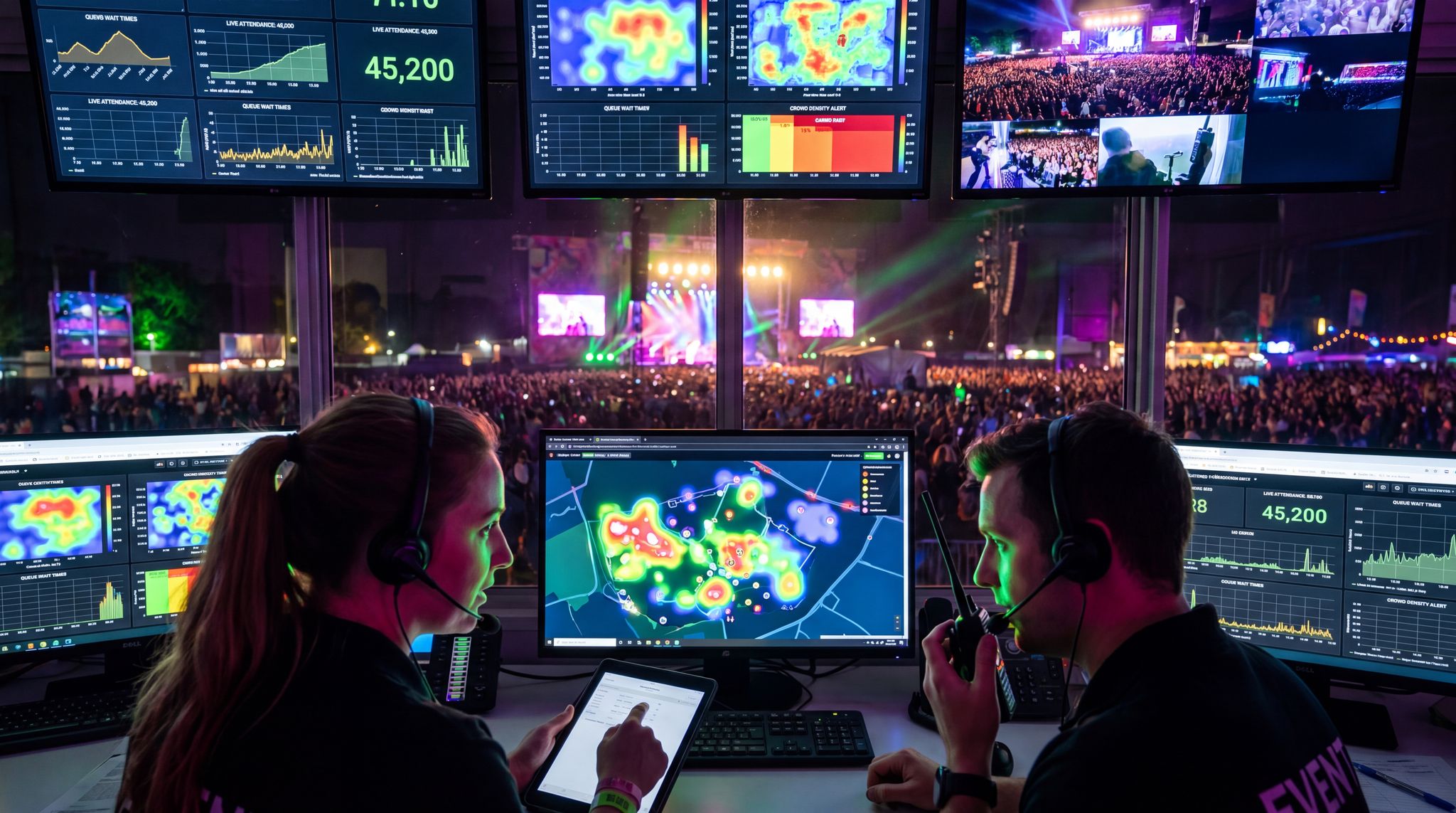
To maintain this level of vigilance, utilizing dedicated event monitoring software tools in 2026 has become standard practice for top-tier production teams. These advanced monitoring dashboards aggregate live data from ticket scanners, point-of-sale terminals, and crowd density sensors into a single pane of glass. By setting up automated alerts for anomalies—such as a sudden drop in scan rates at a specific gate or a spike in failed payment transactions—your command center can dispatch technical support or crowd control teams proactively, neutralizing bottlenecks before attendees even notice an issue.
Also, keep a log of issues and resolutions as they occur. Even small hiccups (like “Scanner 4 had a connectivity issue at 9:15am, restarted app to fix”) should be noted. This helps in post-event analysis and in making sure recurring issues are truly solved, not popping up repeatedly. Sometimes, a pattern of minor glitches can hint at a bigger underlying problem (for instance, repeated login issues might indicate a configuration problem in permissions). By logging them, you can bring them up with the vendor later or adjust procedures on the fly.
Communication is key during go-live. Set up a rapid communication channel for your team (if you haven’t already) – this could be a dedicated radio line, a WhatsApp/Slack channel, etc. Use it to report any tech issues instantaneously. If registration iPads start failing, the check-in lead can alert everyone and your tech support can jump in before it becomes a major bottleneck. Have backup systems ready to roll: For instance, a stack of paper check-in lists or extra laptops with a hotspot in case the primary system fails. As covered in our earlier section on offline functionality, you should already have offline modes – now is the time to be prepared to use them if needed. One high-profile conference in 2024 had a network outage, but their team swiftly switched to offline badge scanning (they had downloaded the attendee list to every device beforehand) and avoided what could have been an hour-long delay. Their secret was a well-drilled go-live plan and backups for every mission-critical task.
In summary, treat the go-live period as an active operation that requires constant attention. Monitor continuously, respond quickly, and lean on your vendor’s support. With vigilant eyes on the system and a plan B (and C) for each critical component, you can catch and resolve issues before they impact attendees. This level of preparedness and responsiveness is what separates smooth event tech rollouts from those that unfortunately make headlines for the wrong reasons.
Post-Event Evaluation and Iteration
With the event wrapped up, it’s tempting to breathe a sigh of relief and move on – but the period immediately after the event is incredibly valuable for evaluation and learning. Gather your team (including any vendor reps or key stakeholders) for a post-event debrief specifically about the technology and software. Analyze performance against expectations: Did the software deliver on what was promised? For instance, was check-in truly faster? Did the mobile app engagement meet your goals? Look at the data: average check-in time, peak server load, number of support tickets or issues encountered, attendee feedback on tech components, etc. Many event management systems can produce a post-event report – use it, but also supplement with your team’s anecdotal observations.
Discuss any issues or pain points openly. What went wrong, and why? If badge printers jammed repeatedly, is it a hardware issue or did the software send too many requests at once? If attendees struggled with the event app login, was it a UX problem or lack of clear communication? Document these issues and their root causes as best as you can. This is where that log of issues you kept comes in handy. If some problems trace back to user error or lack of training, note that so you can fix it next time with better training or clearer instructions. If problems are vendor-related (e.g., a software bug or server downtime), hold a frank discussion with the vendor to ensure a solution is in place for the future. Reliable vendors will often provide a post-event report or even a post-mortem meeting to go over what can be improved – take them up on this, it shows their commitment to your success.
Also, evaluate ROI and benefits realized, which we will delve into in the next section. From an implementation perspective, compare the outcomes to the goals you set initially. For example, if one of your objectives was to reduce manual data work by integrating with CRM, how many hours did you actually save? If you aimed to increase sponsor impressions via the app, what was the result? This assessment will help you fine-tune usage or prove value to justify continued investment. Many organizations adopt an iterative approach: use the lessons from this event to reconfigure or adjust the software for the next event. Maybe you discovered that attendees hardly used a certain feature in the app, so next time you’ll promote it differently or remove it to streamline the experience.
A crucial part of iteration is also keeping your data house in order. After the event, perform any data exports or backups you need while everything is fresh. Clean up your database (merge duplicates, tag attendees as “attended 2026 event” etc. for future reference). If your platform has a limit, archive or delete unnecessary records now as part of housekeeping.
Finally, celebrate the successes with the team and acknowledge the technology’s contribution. For instance, if your new system helped achieve a 98% satisfaction rate on registration, share that win. Recognizing these wins helps maintain buy-in and enthusiasm for the software across your organization. Implementation isn’t a one-and-done task; it’s an evolving process of optimization. By evaluating honestly and iterating, you ensure that each event you run with the software will be better than the last, driving you closer to that ideal scenario where technology hums along so smoothly that attendees and staff almost forget it’s there – it simply works.
Maximizing ROI: Getting the Most from Your EMS Investment
The ROI of a Unified Event Planning Platform
When pitching a technology upgrade to stakeholders, articulating the ROI of a unified event planning platform is your strongest leverage. The return on investment extends far beyond the simple math of software subscription costs versus labor hours saved. A truly unified system drives revenue upward by enabling targeted, data-driven upsells (like VIP upgrades or automated merchandise offers) while simultaneously pushing operational costs downward through vendor consolidation. Instead of paying separate licensing fees for a registration tool, an email marketing client, a mobile app builder, and a cashless payment gateway, a consolidated ecosystem reduces your total tech stack expenditure. Furthermore, the centralized data architecture prevents costly errors—such as overbooking or credential fraud—ensuring that every dollar spent on the platform actively protects your bottom line.
The ROI Benefits of a Modern Venue Management System
For facility operators, the financial calculus extends beyond single-event ticketing. Evaluating the benefits and ROI of a modern venue management system in 2025 and 2026 requires looking at year-round operational efficiency and asset utilization. A dedicated venue platform consolidates calendar management, contracting, invoicing, and maintenance schedules into a single source of truth. By automating the booking pipeline and reducing dark days, venue managers can significantly increase their annual yield. Furthermore, modern facility management software integrates directly with building operations (like smart HVAC and lighting IoT sensors), driving down utility costs during non-event hours. The return on investment is realized not just through increased booking revenue, but through the drastic reduction of administrative overhead and facility wear-and-tear.
Streamlining Operations and Reducing Costs
One of the clearest ways event management software boosts ROI is by making operations more efficient – which in turn cuts costs. A well-implemented platform can dramatically reduce the manual labor and time required for planning and executing an event. For example, instead of your team spending hours coordinating via spreadsheets and email, the software’s centralized task and scheduling tools keep everyone aligned automatically. Planners have reported saving dozens of hours per event by eliminating repetitive tasks like data entry and cross-checking lists, a benefit that is admittedly harder to quantify but impactful. Think of tasks like creating name badges: what once took a coordinator days of merging and formatting can now be done in minutes with an automated badge print function. Or consider volunteer management – automatic assignment and reminder emails can replace countless phone calls. These time savings directly translate to labor cost savings (or the ability to run more events with the same staff).
There are also hard cost reductions. If your software facilitates going paperless – say, using a mobile app instead of printed programs and flyers – you’re saving on printing and materials. If integrated analytics help you forecast attendance more accurately, you can avoid over-ordering catering (cutting wasteful expense). Another area is marketing efficiency: by tracking which promotional channels yield ticket sales, you can reallocate budget away from underperforming ads, optimizing your marketing spend. Some ROI-minded planners have used their EMS’s marketing attribution to reduce cost-per-acquisition of attendees by significant percentages, essentially getting more ticket sales for the same marketing dollars.
Perhaps the biggest cost saver is avoiding on-site problems that lead to overtime or emergency fixes. Imagine an event where check-in is disorganized – lines stretch, you have to deploy extra staff last-minute (overtime pay), maybe even delay the start of programming. That’s costly. A streamlined check-in via kiosks or fast scanning avoids those scenarios. Real-world numbers help illustrate impact: A conference that introduced self-service check-in kiosks (integrated with their EMS registration data) cut peak queue times from 30 minutes to under 5 minutes, allowing them to reduce the number of check-in staff by 40%. Those staff hours were repurposed to higher-value tasks like attendee assistance and engagement.
It’s useful to identify key performance indicators (KPIs) for operations improvement. Common ones include:
– Staff hours saved: e.g., planning time reduced by 15% per event.
– Faster processing: e.g., average attendee check-in time dropped from 1 minute to 15 seconds thanks to fast QR scanning.
– Error reduction: e.g., registration errors or duplicate entries dropped to near zero with one centralized system (no more conflicting lists).
– Compliance efficiency: e.g., automated safety checks or health screenings via the platform saved hiring additional personnel to do it manually.
Below is an illustrative before-and-after comparison showing how implementing an EMS can streamline operations:
| Operational Metric | Before EMS (manual/old way) | After EMS Implementation |
|---|---|---|
| Planning & Coordination Hours | ~200 hours per event | ~140 hours per event (30% reduction) |
| Average Check-In Time per Attendee | 2 minutes (manual ID check) | 30 seconds (QR/RFID scan) |
| On-Site Staffing Required | 50 staff/volunteers | 35 staff/volunteers (30% fewer) |
| Registration Data Error Rate | 5% (typos, duplicates) | 1% (automated, single database) |
| Printing & Material Costs | $10,000 (paper programs, tickets) | $3,000 (mostly digital, minimal print) |
Example improvements achieved by adopting a modern event platform.
Every event and platform is different, but across the board, efficiency gains are there for the taking. When evaluating ROI, tally up these savings – both the labor hours (you might assign a dollar value to hours saved) and direct expense cuts. Often, these savings alone can justify the software’s cost. Plus, the freed-up time allows your team to focus on enhancing the attendee experience instead of battling logistics, which has its own indirect ROI through better satisfaction and loyalty. In short, by streamlining ops, your EMS should help deliver the same (or better) event outcomes with fewer resources – a win for the budget and the sanity of your team.
Enhancing Attendee Experience and Satisfaction
Happy attendees are the lifeblood of any event’s success and long-term ROI – and your event management software can significantly uplift the attendee experience in ways that translate to satisfaction, loyalty, and revenue. How exactly? Let’s consider some of those must-have features and integrations we discussed, from the attendee’s perspective.
First, a smooth registration and check-in process sets a positive tone. With a modern EMS, attendees benefit from quick, user-friendly registration (no cumbersome forms or errors) and speedy entry at the venue thanks to e-tickets or RFID badges. No one likes standing in long lines or dealing with lost paper tickets. When check-in is fast and hassle-free (sometimes as simple as a QR scan or tapping a kiosk), attendees start the event in a good mood rather than frustrated. This ultimately leads to higher satisfaction scores. For instance, many large events report NPS (Net Promoter Score) improvements after introducing tech-driven check-in – attendees specifically comment on the painless entry as a highlight.
Once inside, personalization features driven by your software can delight attendees. If your event app (powered by the EMS data) serves up tailored session recommendations or a personalized schedule, attendees feel the event is catering to them. Instead of sorting through hundreds of sessions, a participant can see “Recommended for You” based on their interests – making their experience more relevant and engaging. Attendees who engage more (go to more sessions, meet more people) typically derive more value and rate the event higher. According to industry data, attendees receiving personalized content are significantly more likely to say the event met their objectives, a finding supported by data on must-have event software features.
Another experience booster is real-time information and engagement. With an integrated platform, you can send push notifications about schedule changes (“Workshop B starting in 10 minutes in Hall 3”), deliver live polls or Q&As during sessions, and encourage networking via in-app messaging. These keep attendees in the loop and invite them to participate rather than passively consume. Especially at large events, being informed (e.g., “the 8 PM keynote venue has changed”) and feeling heard (their questions upvoted to ask a speaker) is vital to enjoyment. If your software supports community features, attendees can connect with each other based on profiles or matchmaking – forging new contacts or friendships that become one of the most memorable parts of an event. Those intangible satisfaction factors often come from the tech features enabling human connection, ironically enough.
Importantly, a better experience tends to yield higher attendee retention and spending. A satisfied attendee is more likely to return for your next event (or stay an extra day, or purchase a higher-tier ticket/add-on). There’s also immediate ROI: happy attendees often spend more on site – whether because they’re using a convenient cashless payment that encourages spending or simply because they are having a great time and want that extra merch or VIP upgrade. For instance, by implementing a cashless payment system that also served as an engagement tool (through a branded wristband experience), one festival saw guest satisfaction scores rise and dwell time in the venue increase, which correlated with higher average spend per guest. The technology removed friction (no waiting for change or card authorization) and added novelty – attendees enjoyed using it, and the event enjoyed the revenue uptick.
To ensure your EMS is maximizing attendee experience, collect and monitor attendee feedback directly. Use post-event surveys (integrated if possible) to ask about their experience with registration, the app, networking tools, etc. Did those features help them, or were there pain points? Your ROI argument includes not just being cheaper or faster, but being better for the audience. If your post-event survey shows a jump in satisfaction directly tied to tech improvements (“95% of attendees loved the new mobile app and found it useful”), that’s a strong validation of your investment. In summary, great technology can remove friction and add delight throughout the attendee journey. That translates into happier attendees who will return and recommend your event – driving revenue and growth far beyond the immediate event timeline, and paying dividends on your tech investment.
Capturing Data and Driving Decisions
In the digital age of events, data is often called the “new oil” – a rich resource that, when refined, fuels smarter decisions and higher ROI. One of the most valuable byproducts of using event management software is the wealth of data it captures about every aspect of your event and attendees. Harnessing this data enables continuous improvement and more strategic decision-making.
Consider what you can learn: your EMS tracks registration patterns (when people register, what ticket types are popular), marketing effectiveness (which promo codes or channels convert best), attendee behavior (which sessions they attended, what content they engaged with in the app, where they spent money on-site), and post-event feedback. By integrating all these data points, you get a 360-degree view of the event’s performance. For example, analytics might reveal that attendees who used the networking feature ended up attending 20% more sessions on average – indicating that engagement tools increased overall engagement duration. Or you might find that a certain exhibitor booth saw double the traffic because it was located near a popular session room – insight that can inform future floorplans or sponsorship pricing.
The ultimate goal is to turn this data into actionable insights. Many modern platforms include analytics dashboards or even AI-driven insight tools that surface notable patterns (“Session X had a much lower feedback score than others; perhaps the content missed the mark” or “Attendees who checked in early also spent more on concessions”). By acting on these insights, organizers can optimize future events and strategy: schedule popular speakers in larger rooms, invest more in marketing channels proven to yield high ROI, tailor content to audience interests, or adjust pricing tiers if data suggests one tier sells out instantly and another lags.
Data-driven decisions also impress stakeholders – being able to concretely show what worked and what didn’t. Instead of going on gut feel or anecdotal evidence, you can back decisions with numbers. For instance, if someone questions why you want to allocate budget to a mobile app again, you can show that “60% of attendees used the app, and those who did had a 10% higher satisfaction rate and spent 15% more on add-ons – a clear return.” If negotiating with sponsors, detailed data (like dwell time near their activation or number of leads scanned) can justify sponsorship value, possibly increasing future sponsorship revenue.
There’s also the macro level: analyzing trends across multiple events. If your EMS stores historical data, you can see trends year-over-year – maybe attendance is growing among a certain demographic, or certain topics gain traction over time. These insights can shape your long-term strategic planning, such as what new event formats to introduce or how to cultivate your attendee community year-round (an insight might be that 70% of this year’s attendees came via a referral from last year’s attendees – showing the importance of loyalty and word-of-mouth, so you might invest more in loyalty incentives).
A concrete example: A B2B conference series used their event data to discover that attendees who engaged in at least two networking activities had a 50% higher re-registration rate the following year. With that knowledge, the organizers doubled down on building networking sessions and tools, and sure enough, their retention rate climbed – boosting their revenue without having to find as many new attendees. The data illuminated a direct lever for ROI (networking => retention => repeat ticket sales).
In short, capturing and analyzing event data closes the loop in the ROI cycle. Your software doesn’t just help execute the event; it helps you learn from the event. Those learnings, when applied, reduce costs or increase revenue (often both) in the future. That’s why it’s crucial to ensure any platform you choose has robust data capture and reporting capabilities – and that you allocate time post-event to really dig into that information (as covered in the post-event evaluation section). Being data-driven in event management isn’t a buzzword; it’s a practical strategy to continuously amplify the success and profitability of your events.
New Revenue Streams and Audience Reach
Another facet of ROI that modern event management technology can unlock is the creation of new revenue streams and an expanded audience reach. By leveraging features in your software, you may find opportunities to make money or engage attendees that simply didn’t exist in a traditional event format. Especially post-2020, many events have realized they are not confined to just in-person ticket revenue.
One example is through hybrid events and virtual extensions. Suppose your conference sells 5,000 in-person tickets. With a robust EMS and integrations for live streaming (as discussed), you can also sell virtual access passes – perhaps at a lower price – to people who can’t travel to attend. This can add thousands more attendees who pay to watch keynotes or participate in virtual workshops. It opens up global audiences; someone in a different country might not have flown in, but they’ll pay for a virtual ticket. This long-tail reach can significantly boost revenue at relatively low incremental cost (since the content is already being produced). We’ve seen large conventions effectively double their audience by embracing hybrid models, and while virtual tickets might cost less, the volume and sponsorship opportunities (virtual booths, online ads) more than make up for it, as detailed in guides on integrating festivals with virtual worlds. A well-integrated platform makes this feasible by managing online attendee registration, streaming, and engagement seamlessly alongside the in-person logistics.
Technology can also facilitate premium experiences that attendees are willing to pay extra for. For instance, using your event app, you might offer an “upgrade” to a VIP digital package – exclusive content, meet-and-greet video calls with speakers, or early access to session recordings. These can be sold as add-ons through the EMS. At festivals or expos, RFID tech can enable premium upsells on the fly (e.g., tap your wristband to donate to charity or pay to unlock a special experience zone). Some events have creatively used their cashless systems to let attendees easily spend on experiential products – one festival saw thousands of micro-transactions when they allowed attendees to tap their wristband to instantly donate $1 to a cause in exchange for a special badge in the event app. Not a huge revenue driver on its own, but it adds up and enhances engagement.
Consider also year-round monetization. If your platform supports community engagement beyond the event dates, you could host webinars, virtual meetups, or release content periodically that keeps your audience active. Some conference organizers turned their one-off annual event into a series of smaller virtual events or an ongoing community, opening sponsorship and ticket opportunities throughout the year. Your event management software, especially if it doubles as a community or content hub, is key to this strategy. It could track engagement in off-season content, enabling you to demonstrate to sponsors that your audience is interacting year-round, not just for 3 days in June, thereby justifying higher sponsorship fees or subscription models for attendees.
Another revenue angle is data insights as a product. This is more applicable to B2B events or trade shows: the data collected (in aggregate, respecting privacy) can be valuable to exhibitors or partners. For example, providing a detailed analytics report to exhibitors about attendee traffic and behavior near their booths can be a premium offering (some organizers charge extra for “lead retrieval and analytics packages”). Your EMS is what gathers and packages that data. A word of caution: always handle data carefully and ethically if going this route – opt-in and anonymization should be part of the plan.
Lastly, by reaching more people and diversifying revenue, you also future-proof your event’s ROI. If an economic downturn or travel restrictions hit, having virtual/hybrid options and ancillary products means you’re not solely reliant on physical ticket sales. Many events in 2025/2026 plan with this resilience in mind, and the right technology platform is central to executing it. In summary, think beyond traditional limits: your event software can help you reach new markets and create products (be it virtual tickets, exclusive content, data products, or community memberships) that enhance your bottom line. Each new revenue stream or expanded audience segment contributes to a better ROI and a stronger business case for your event strategy.
Measuring Success: Metrics that Matter
To truly maximize ROI, you need to measure it effectively. This means defining the metrics that matter for your event and then using your event management software to track and report on them. ROI (Return on Investment) itself can be calculated as a financial figure – for example, if you spend $50,000 on software and it helped generate or save $200,000, that’s a 4x return. But ROI in events often encapsulates a mix of financial, experiential, and brand outcomes. Let’s break down some key metrics and how to track them.
Financial Metrics: These are the easiest to quantify. Track your total revenue (ticket sales, sponsorship, exhibitor fees, merchandise, etc.) and total costs (venue, production, marketing, technology investment, etc.). Your software can help attribute revenue to certain channels (e.g., how much came through online sales vs on-site sales if it handles both) and might even track expenses if it has budgeting features. Calculate net profit and compare it to previous events or targets. If implementing the new software corresponded with lower costs or higher revenue, note by how much. For example, “Platform X cost $10k but helped reduce on-site staffing costs by $15k and increased ticket upsells by $5k, netting +$10k – a 100% ROI in year one.” Also consider metrics like Cost Per Attendee (total cost divided by attendees) and Revenue Per Attendee – often, good tech can reduce cost per head while increasing revenue per head by driving spend and efficiency.
Efficiency Metrics: Some of these we’ve mentioned in operations – like hours saved or tasks automated. Use before-and-after comparisons where possible (if this is your first event with EMS, you can use industry benchmarks or pilot test data as a baseline). Did you reduce your marketing cost per ticket sale thanks to better targeting (look at digital marketing ROI analytics integrated with the platform)? Did the average time to process a registration inquiry drop? If your EMS dashboard says 95% of check-ins were completed in under 3 seconds each, that’s a powerful stat to cite.
Attendee Experience Metrics: Key here are satisfaction scores, survey results, NPS, and engagement levels. Your software might include live feedback features or post-event surveys – leverage those. For instance, measure the Session Rating Average if you collected feedback on sessions, or the App Engagement Rate (e.g., “80% of attendees used the app at least once a day”). If you introduced a new feature like matchmaking, measure usage (how many connections made) and ask those attendees if it improved their experience. A particularly telling metric is intention to return or recommendations to others. If 90% of attendees say they’d attend again, that bodes well for ROI in terms of future sales. Compare these metrics to prior events without the new tech to gauge impact. Often, event tech ROI shows up indirectly through higher satisfaction which leads to higher loyalty. As one example, after digitizing their event and adding personalized agendas, a tech expo saw their overall satisfaction score rise 15% and repeat attendance the next year jump by a similar percentage.
Engagement and Learning Metrics: For conferences or educational events, consider metrics like average sessions attended per person (did your recommendation engine or scheduling ease cause people to attend more content?), or CE credits earned if applicable. For festivals, maybe the metric is average hours on site per attendee per day (did you increase dwell time with engagement tech?). If your event has sponsors/exhibitors, measure the lead volume per exhibitor or sponsor impression counts. If those went up after using the platform’s tools (lead capture, sponsor listings, etc.), that’s added value you can monetize or need to justify ROI to those stakeholders.
Conversion Metrics: If part of your goal is to drive business outcomes (like sales leads generated at a trade show), track what the outcomes were. Did using an event platform that integrated scanning of booth visits result in more qualified leads entering the sales pipeline? Many B2B events try to calculate the business value generated (like potential revenue from leads). Your EMS and integrations should help correlate contacts collected with eventual sales, if you loop in CRM data. While this goes beyond the event itself, it’s crucial for ROI in events where the event’s purpose is pipeline or community building.
Finally, simplify the story for stakeholders: highlight 5-7 key metrics in a ???? (results report) that demonstrate ROI. Visualize them if possible – charts from your EMS analytics can help. For instance, graph the increase in app adoption, or a pie chart of budget savings. An executive might not want all the detail, but a high-level “ROI Dashboard” with metrics like % budget saved, NPS increase, additional revenue generated, time saved will speak volumes. As one ROI-focused article on event tech noted, “ROI isn’t just about money saved – it’s about value created”. So include metrics that capture value (like attendee learning or brand exposure), even if you translate them qualitatively.
To directly calculate ROI percentage: you can use the baseline formula for calculating ROI of (Net Benefit / Cost) x 100. For example, if net benefit = $50k (after subtracting the software cost) on a $25k investment, ROI = 200%. But also present it in terms of tangible outcomes: “Our $25k software investment yielded a smoother experience for 3,000 attendees and contributed to $50k in net gains – a 2x return, evident in both the balance sheet and our glowing post-event feedback.” This ties the numbers to real-world impact, which is what truly justifies the investment.
For large-scale organizations, measuring ROI using event management platforms for enterprise teams requires a portfolio-wide approach. Unlike single-event organizers, enterprise teams must aggregate data across dozens or hundreds of annual events—ranging from internal corporate summits to massive public trade shows. In these complex environments, the ROI of event management platforms is often realized through global vendor consolidation, standardized data governance, and cross-event analytics. By utilizing a unified system, enterprise directors can track cumulative metrics such as total global labor hours saved, portfolio-wide attendee acquisition costs, and multi-event sponsorship revenue growth. This macro-level visibility allows procurement and finance departments to clearly see what the ROI of using event management platforms truly is: a strategic shift from isolated event spending to a measurable, optimized global event program.
Future Trends and Innovations Shaping Event Software
AI Evolution: From Automation to Prediction
Looking ahead, artificial intelligence is set to play an even more transformative role in event management software. By 2026, we’re already seeing widespread AI use, but the next generation will go beyond the current offerings of chatbots and basic personalization. One emerging concept is AI-driven predictive analytics for events. Future platforms might analyze historical and real-time data to predict attendee behavior – for instance, forecasting no-show rates with high accuracy based on pattern recognition (so you can proactively release waitlist tickets), or predicting which sessions will be most popular so you can allocate larger rooms or additional sessions. AI could also optimize schedule planning: by crunching data on attendee interests, speaker ratings, and even calendar availability, algorithms might suggest the ideal agenda that maximizes overall attendee satisfaction. In essence, your EMS could become a co-planner that simulates scenarios (“What if we run the keynote at 9am vs 11am – how does that affect traffic flow and session attendance?”) and gives recommendations.
We’ll also see more natural language processing (NLP) integrated into platforms. Imagine being able to ask your event software in plain language: “How many VIP tickets are left?” or “Generate a summary of attendee feedback highlighting common complaints.” Some systems are already introducing AI assistants in the backend that can answer these kinds of queries or automatically generate reports. As AI models become more sophisticated, they’ll get better at understanding context – maybe even suggesting solutions unprompted (“Attendance in Workshop C is trending low; consider a push notification to drive traffic there”). There’s talk in the industry of world model AIs that have a richer understanding of event context, not just regurgitating data. While still early, this could mean an AI that understands, for instance, the relationship between certain attendee behaviors and revenue outcomes, guiding planners to focus on those touchpoints.
Another frontier is AI-enhanced networking and matchmaking. Current tools match attendees based on profiles and interests. Future versions might incorporate more nuanced data – like session participation, social media activity, or even personality insights gleaned from how attendees interact online – to suggest connections. The goal is an almost concierge-level personal assistant for each attendee, which could schedule meetings for you with just a simple request (“Find me a time to meet with John from XYZ Co.” and the AI cross-references schedules and sets it up).
From the content side, AI could increasingly help with content generation and translation. We might see automated creation of session highlights reels or real-time automated translation of sessions into dozens of languages with high accuracy, making events more accessible globally. Some events are already using AI to create on-the-fly session transcripts and summaries, which can be a value-add for attendees and those who missed the session.
Ethics and human touch will be important considerations with these advanced AIs. Event organizers will need to ensure AI recommendations are fair and transparent (for example, if AI suggests not inviting someone to an event next time based on their low engagement, humans should carefully review such decisions to avoid bias or misunderstanding). But when done right, the next wave of AI in event management software promises to further reduce manual analysis work, reveal insights nobody thought to look for, and ultimately make events smarter and more personalized. The caveat: organizers need to stay educated about these capabilities to use them effectively. In the coming years, an event team might include an “AI coordinator” role – someone who understands how to query and fine-tune the AI systems to support the event’s goals. It’s a brave new world, but one that could lead to truly optimized events where technology handles the heavy analysis and number-crunching, letting human organizers focus on creativity and relationship-building.
Immersive Technologies: AR, VR, and the Metaverse
As we approach the late 2020s, immersive technology is making its mark on events. Augmented reality (AR) and virtual reality (VR) are transitioning from novelty activations to integral parts of event design. Event management software is beginning to integrate these technologies to create more engaging hybrid experiences. For example, some platforms now offer AR features within event apps – an attendee points their phone at a trade show floor and AR overlays pop up info about each booth, or at a festival you can view AR directions to stages or see virtual art installations through your camera. These interactive layers make the physical event space richer without requiring extra hardware beyond a smartphone. In the near future, your EMS might include an AR content manager: tools to help organizers easily program AR scavenger hunts, AR sponsor displays, or interactive venue maps that attendees access through their app.
On the VR side, we’ve seen the rise of virtual venues and even entire events hosted in VR worlds. While not every event will go full VR, many are blending VR elements with live events, ushering in the concept of the metaverse as an extension of the physical experience, effectively integrating festivals with virtual worlds. For instance, a music festival could sell an add-on VR ticket where remote attendees don a VR headset and “walk around” a digital twin of the festival grounds, interact with others, and watch performances from multiple camera angles or even as holographic projections. Some forward-thinking event platforms are partnering with VR environments or building their own. If this trend continues, event management software in 2026 and beyond will need to handle not just physical and basic webcast audiences, but fully interactive 3D virtual attendees. That includes managing avatars, virtual credentials, and maybe even virtual item sales (merch in the metaverse, anyone?). We already see cases like festivals integrating VR stages and NFT-based collectibles as part of the ticket package, as noted in guides on integrating festivals with virtual worlds.
The metaverse concept also ties into persistent online communities. Rather than a one-off video stream, events can create year-round virtual spaces where fans or professionals gather. Platforms might incorporate features to support this – for example, maintaining an event’s virtual world that can be “visited” anytime for networking or replays of content. This can feed back to ROI: new sponsorship possibilities (e.g., a branded virtual lounge) and deeper engagement with attendees beyond the event days. Companies like Decentraland or Fortnite concerts hint at where this could go for mainstream events and conferences.
In practical terms for event organizers, the barrier to entry for AR/VR is lowering. What used to require expensive custom development can now be achieved with built-in platform tools or third-party add-ons. The key will be ensuring the immersive tech serves a purpose and enhances the event rather than being a gimmick. Done right, immersive experiences can greatly increase engagement and create memorable moments. Imagine a conference keynote where remote attendees put on a VR headset and feel virtually “in the room” with holograms of presenters, or an AR game during the conference that encourages attendees to explore the venue and network (earning points or rewards in the app). These are not far-fetched – prototypes exist today.
Event management platforms will likely start featuring immersive content libraries or integrations: think templates for AR scavenger hunts, or direct support for streaming into common VR meeting spaces. We might even see consolidation where big players in event tech acquire AR/VR startups to offer a seamless package. Planners looking to the future should keep an eye on developments in this space. As covered in our guide on integrating live events with virtual worlds, staying ahead on AR/VR could unlock new levels of fan engagement and revenue. The takeaway: the lines between physical and digital event experiences are blurring, and event software will be the bridge that lets attendees traverse those worlds fluidly. Those who embrace immersive tech thoughtfully will likely delight audiences and stand out in the crowded event landscape of the future.
IoT and Smart Venues
The Internet of Things (IoT) – a network of interconnected sensors and devices – is quietly revolutionizing event operations and will increasingly interface with event management software. In cutting-edge venues, IoT devices might include smart HVAC and lighting systems, occupancy sensors, beacon transmitters, wearable devices, smart turnstiles, and more. For event organizers, the key is that these devices generate real-time data and can often be controlled or monitored centrally. Event management platforms are starting to integrate IoT data streams to give organizers a comprehensive operational picture.
One practical example is crowd management: IoT-based people counters or density sensors in different areas of a venue can feed live data into your event dashboard. Your software might show that Hall B is at 90% capacity while Hall C is underused. With that insight, you could trigger actions – maybe send a staff member to redirect people, or use digital signage (another IoT-connected system) to suggest “Plenty of seating in Hall C’s session starting now!” Some events use thermal or LiDAR sensors to track crowd movements, enabling both safety (avoid overcrowding dangerous choke points) and better layout decisions (seeing traffic flow to optimize booth placement for next time).
Beacon technology (small Bluetooth transmitters) is another IoT tool integrated with event apps to enable micro-location services. If attendees opt in on the app, beacons can trigger personalized notifications (“You’re passing Booth 42, visit now for a demo”) or help log which areas an attendee visited for later analytics. This data, when fed into the EMS, builds a heat map of engagement across the venue. It’s like having x-ray vision of your event’s dynamics. For trade shows, it can show which exhibits were most popular; for festivals, which attractions drew the most crowds at what times.
IoT also extends to smart access and security. Facial recognition check-in is an IoT+software combo that some large events are testing – cameras at entry matched with AI can verify attendees quickly (with consent and proper privacy measures). Drones (yes, even drones) have been used for security patrol or spectacular shows; while not directly an EMS feature, the data or video they capture could integrate into the command center where organizers monitor everything. In 2026, we even see robots and automation at events – from robot bartenders to automated guided vehicles moving equipment. Managing these might become a side task of event software (e.g., an interface to dispatch service robots to an area with high demand).
For organizers, the trend means more data and more control – but also requires a robust platform to handle it all. Event software that can integrate IoT feeds (via APIs or built-in modules) will have an advantage. Picture a “smart venue dashboard” where you can see environmental conditions (temperature, CO2 levels in rooms), power consumption, foot traffic, and even social media sentiment (another kind of sensor, arguably) all in one place. Some convention centers and stadiums are becoming “smart venues” with these capabilities embedded; choosing such a venue could give you an edge if your software can plug in and utilize those features.
One cool emerging application: dynamic attendee personalization using IoT. For example, if an attendee’s wearable or badge signals they’ve been standing near a particular sponsor booth for 10 minutes, the event app could automatically queue up related content or offers from that sponsor for the attendee to see later. Or lighting and sound in an area might adjust based on crowd size and noise levels (some AI-driven systems do that to keep ambiance comfortable).
Of course, with IoT comes concerns: privacy, data overload, and technical glitches. It’s important to use IoT tech transparently (attendees should know if they’re being tracked, even anonymously) and to focus on data that drives actionable insight, not just collect data for data’s sake. The future likely holds smarter venues and connected events, so event pros would do well to get familiar with IoT concepts. In a few years, managing an event might feel like operating a smart city on a small scale – and event management software will be the command and control system that makes it all manageable, turning a flood of sensor data into clear operational intelligence.
Sustainability and Social Responsibility
Sustainability has become a core consideration for events, and technology is playing a pivotal role in helping events go green (and prove it). In 2026 and beyond, expect event management software to integrate more tools for sustainable practices and tracking. For example, many platforms now offer digital alternatives to traditionally wasteful elements: digital ticketing and QR codes (reducing paper), mobile apps for agendas (no printed programs), and electronic lead exchange (no paper business cards if everyone just scans badges). But the future goes even further. Organizers are leveraging software to measure their carbon footprint in real time – tracking metrics like electricity usage, waste collected, and even attendee travel impact, then analyzing how to offset or reduce it. Some EMS platforms may soon allow attendees to opt-in for carbon offset contributions during registration, automatically adding a small fee that goes toward sustainability projects – giving attendees a sense of participation in greening the event.
We’re also seeing dashboards for sustainability KPIs become a thing. Just as you have financial dashboards, you might have one for environmental impact: how many single-use plastics avoided, percentage of materials recycled, CO2 emissions from venue energy, etc., as attendees expect to have environmental visibility. Future event software might integrate with venue systems or sustainability apps to populate these metrics. For instance, IoT waste bins could report how full they are and what’s recycled vs trash, feeding data into your event report. While that might sound niche, stakeholders and younger audiences especially appreciate tangible proof of eco-friendly practices. Presenting a “sustainability report” as part of your post-event debrief (possibly even live at the event – e.g., a screen showing how much water bottle waste was avoided by refill stations) can boost an event’s brand and attendee goodwill, since environmental responsibility now goes beyond brand aesthetics.
On social responsibility, technology helps with inclusivity (as we covered in features) and also safety/compliance. Expect increasing integration of health and safety tech: things like crowd density alerts (for preventing dangerous overcrowding), contactless health screenings (some events still monitor health data in light of infectious disease awareness), and emergency communication systems tied into event apps (to instantly notify everyone of an urgent announcement). A lot of this is about being prepared for modern risks – and as venues update their emergency protocols, event software often needs to tie into those (for instance, the platform might be used to send SMS alerts to all attendees if needed, or to account for attendees during an evacuation by tracking check-ins at assembly points – features some large conference apps already toy with). We saw during the pandemic how quickly technology for things like vaccine/test verification or contact tracing had to be spun up for events; moving forward, flexible platforms that can incorporate health and safety modules on demand will be valuable.
Another facet: ethical data use. With great data comes great responsibility. Event organizers will need to uphold high standards of privacy and data protection, not just to comply with laws but to maintain trust. Platforms that clearly allow attendees to control their data (opt-out of data sharing, easily unsubscribe, etc.) and that communicate these practices will stand out as trustworthy. This ties in with the reputation and social responsibility of events – showing that you value attendee rights and security is part of brand integrity.
In the near future, sustainability might also become interactive: perhaps rewarding attendees for eco-friendly choices (tracked via the app). For example, if an attendee uses a rideshare carpool integrated in the event app, they earn points or recognition. Some festivals already do “green points” to redeem for merch if you, say, bring recyclables to a depot. By integrating these programs into the EMS and gamifying them, events can drive attendee behavior towards sustainability goals.
Ultimately, event tech and event values are aligning. Software will increasingly facilitate doing good – not only by cutting down waste and boosting safety, but by measuring it and allowing events to be accountable. A comprehensive event management solution by 2026 might very well include a module that helps create an ESG (Environmental, Social, Governance) report for your event, compiling data on diversity of speakers, local community impact (perhaps via integrations with local charity platforms for any give-back programs), and environmental metrics. Those events that leverage tech for these purposes will likely find sponsors, attendees, and host cities more eager to support them, because they can clearly demonstrate their positive impact. It’s ROI in a different sense – return on responsibility – and technology is the enabler making it easier to achieve without adding huge manual workload.
Frequently Asked Questions
How can I streamline event operations with event management software?
You can streamline operations by adopting a unified platform that automates repetitive tasks, such as badge printing, volunteer scheduling, and attendee communications. By centralizing your data, your team eliminates manual spreadsheet updates, reduces cross-departmental miscommunications, and accelerates on-site check-in processes, freeing up staff to focus on the attendee experience.
What is the true ROI of a unified event planning platform?
The return on investment for a consolidated system includes direct cost savings from replacing multiple standalone software licenses, reduced labor hours through automation, and increased revenue via targeted marketing and seamless on-site upsells. Additionally, it provides risk mitigation by preventing ticketing fraud and operational bottlenecks.
What are the defining event management software trends for 2026?
The most prominent trends include the shift toward fully unified event operations platforms, the integration of predictive AI for capacity planning, and the adoption of advanced event monitoring software tools. The best event management software platforms in 2026 focus on eliminating data silos, offering robust offline capabilities for on-site staff, and providing real-time ROI analytics for stakeholders.
What is the difference between standard event management software and an event operations platform?
Standard event management software typically focuses on front-facing elements like registration, ticketing, and marketing. In contrast, an event operations platform provides comprehensive back-of-house tools designed for promoters and site managers. This includes features for crew dispatch, vendor load-in scheduling, real-time site logistics, and integrated health and safety monitoring, ensuring the physical execution of the event is as streamlined as the digital attendee journey.
How do enterprise teams measure the ROI of event management platforms?
Measuring ROI using event management platforms for enterprise teams involves tracking portfolio-wide metrics rather than just single-event performance. Large organizations calculate return on investment by analyzing global vendor consolidation savings, cross-event labor efficiency, standardized lead capture conversion rates, and cumulative sponsorship revenue growth across their entire annual event calendar.
How do the best event marketing tools and platforms drive ROI?
The most effective marketing platforms generate a high return on investment by offering closed-loop attribution, meaning they track the entire attendee journey from initial ad click to final ticket purchase and on-site spending. By utilizing features like automated abandoned cart recovery, dynamic pricing, and affiliate tracking, organizers can directly tie their promotional spend to measurable revenue, ensuring every marketing dollar is optimized.