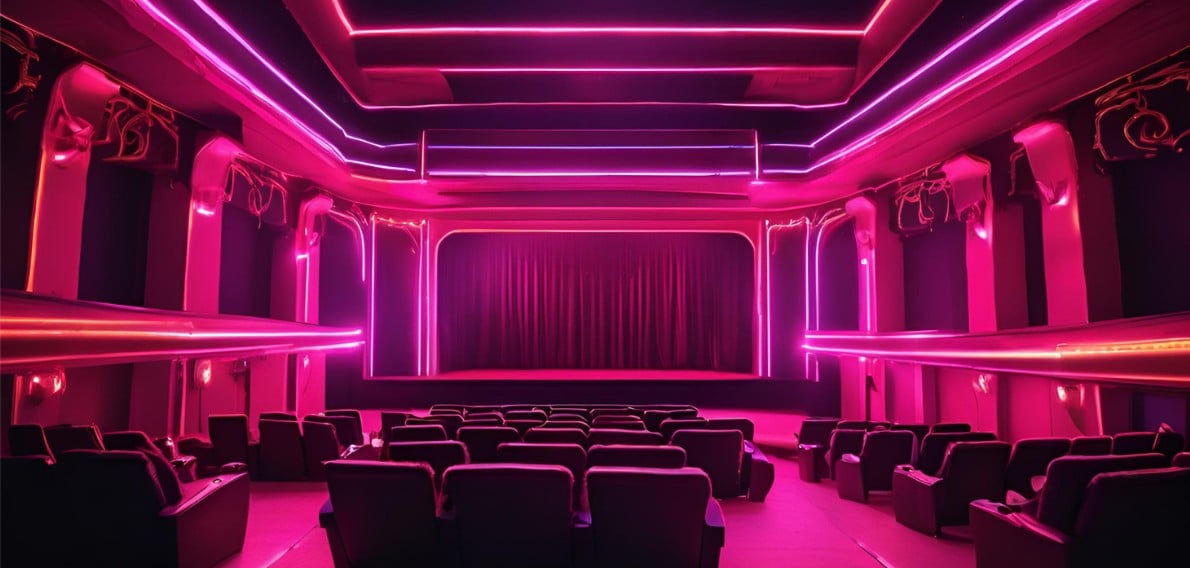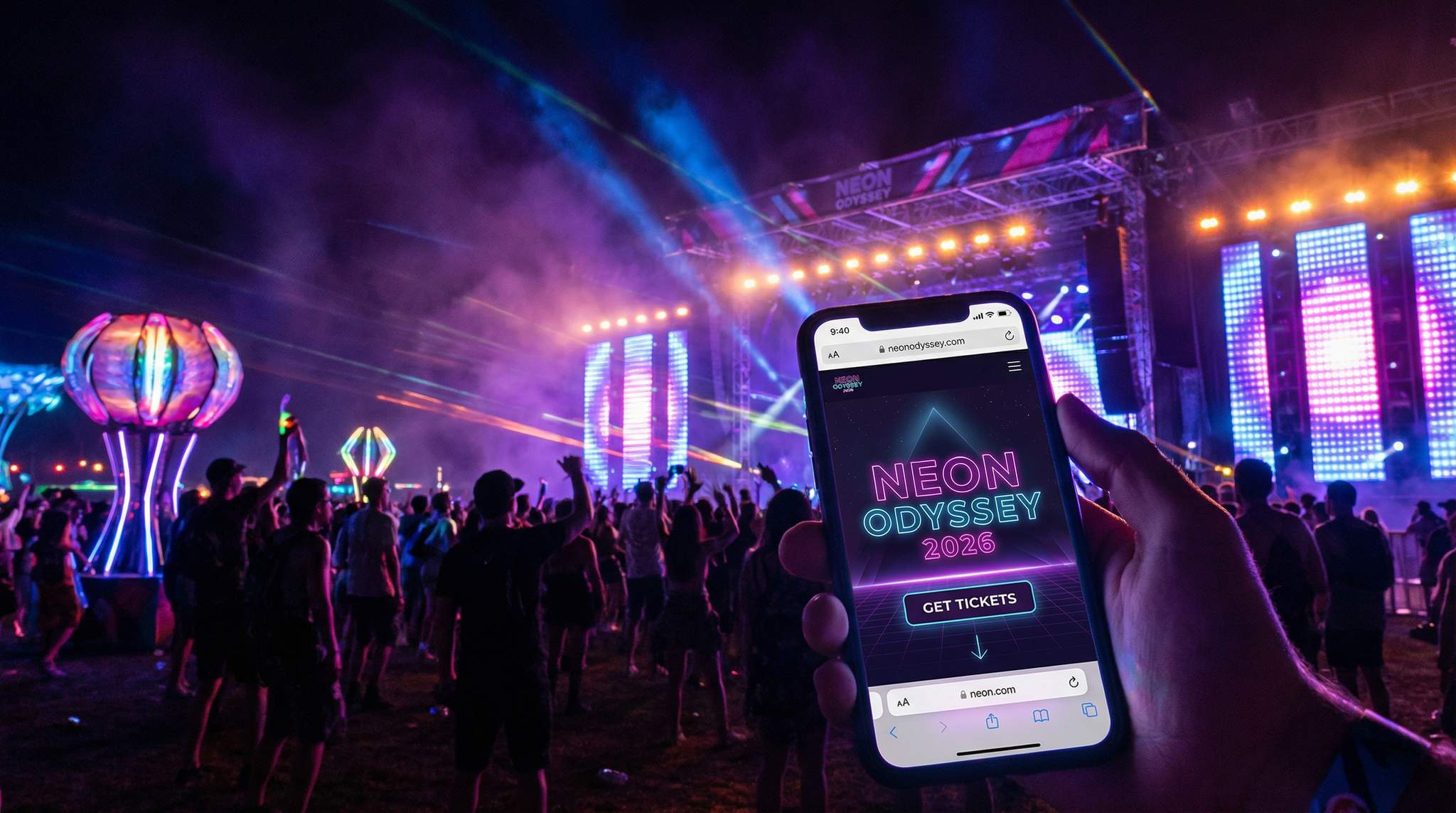
If you want to make your events more interesting and memorable, themed events are an incredible way to stand out. As event planners, our ultimate goal is to provide unforgettable experiences for attendees, and a strong theme is a proven way to accomplish that. A well-chosen theme not only makes the event fun for your guests, but it also creates anticipation and buzz during promotion. (Think about the hype around costume parties or neon-themed festivals!) For an in-depth look at some creative ideas for your next themed event, you can read our guide on how creating event themes helps drive promotion and production.
With that said, let’s talk about how to align your event planning details with your event’s theme. One of the foundations of your planning will be creating a dedicated event page (the ticketing or RSVP page). The good news is that as of 2026, event technology has come a long way. It’s easier than ever to customize your event page to communicate your message and engage your audience. If your event has a specific theme, tailoring your event page to match that theme is essential – it sets the tone, reinforces your branding, and helps you attract more attendees. In fact, industry data shows that a well-optimized event website or page drives 41% of ticket conversions for festivals, according to festival planning and marketing statistics from Amra & Elma, so making yours shine can directly boost ticket sales. To achieve this, it’s important to follow a few key steps. Here are five steps to customize your event page to your theme for maximum impact:
Step 1: Consider your event theme
The first step is to consider your event theme and how it should influence the design of your event page. This includes elements such as:
- Colors: Choose a color palette that reflects the theme (e.g. pastel tones for a summer picnic theme, or bold neons for a nightclub rave).
- Typography: Pick fonts and text styles that match the event vibe (formal serif fonts for a gala, funky retro fonts for an 80s party, etc.).
- Images & Graphics: Use photos, illustrations, or icons that showcase the theme’s imagery (for example, tropical graphics for a beach-themed event).
- Layout: Design the page layout to fit the mood (sleek and clean for corporate, or playful and dynamic for a creative festival).
It’s important that your event page’s look and feel mirrors the theme of your event so it’s immediately recognizable and inviting for potential attendees. When creating an effective themed event page, keep it simple for usability yet memorable in its styling. Make sure the design is consistent with your overall branding and logo usage – this will reinforce your message and credibility. Also, think about how you can set a mood or atmosphere through design. For example, if you are hosting a formal corporate conference, you’ll likely stick to more conservative colors (navy, gray, white) and professional fonts, whereas if you’re throwing a high-energy music festival utilizing specialized ticketing software you might opt for vibrant colors, bold typography, and energetic visuals. In one recent tech conference, the organizers used a minimalist black-and-white scheme to signal seriousness, while a comic-con event used bright pop-art graphics to excite their fanbase – each choice suited its audience.
Smart Promo Codes & Presale Access
Create percentage or flat-rate discount codes with usage limits, date ranges, and ticket type restrictions. Plus unlock codes for private presales.
Customizing your event page according to the theme sets you up for success in several ways:
- Enhances the event experience: A theme-centric page creates an immersive experience from the moment someone lands on it. It sets the tone and builds anticipation for what’s to come. Visitors should immediately get the vibe of your event – whether it’s chic, adventurous, spooky, or celebratory. This can trigger excitement and even FOMO (fear of missing out). Remember, attendees today crave experiences; in fact, 78% of millennials prefer to spend on experiences over things, a trend highlighted in our guide on how event themes drive promotion, so delivering a taste of the experience through your themed page can directly boost engagement and ticket sales. For example, the legendary Tomorrowland festival in Belgium designs a fantastical theme each year and makes sure its ticket page reflects that magic with custom art and even background music. Setting this kind of mood early on gets attendees excited and emotionally invested.
- Communicates the event’s purpose: When your event page is tailored to the theme, it more clearly communicates what your event is all about. The visuals and tone help explain the purpose and content of the event at a glance. Additionally, you can include relevant details right on the page – such as the event schedule, key speakers or performers, dress code, or any theme-related guidelines – all formatted in a way that aligns with the theme. If it’s a sustainability-themed conference, for instance, your page might highlight eco-friendly initiatives and schedule items (like workshops or volunteer activities) that reinforce that purpose. By providing this context, you help attendees immediately understand what to expect and why your event is special.
- Builds brand awareness and trust: A well-customized event page is also a branding opportunity. It should feature your branding elements (logos, taglines, mascots) integrated with the theme’s aesthetics. Over time, attendees will recognize the consistent style of your events, which boosts brand recognition. Consistency also breeds trust – people are more likely to buy tickets from a page that looks polished and “on brand.” (There’s data to back this up: studies have shown that consistent branding can increase revenue by over 20%, as noted in Left Right Labs’ research on consistent branding, because it builds consumer confidence.) By communicating what your brand is about through the theme – whether that’s innovation, fun, luxury, or community – you create a coherent identity that attendees remember. For recurring events or an event series, this is especially important. Each themed event page becomes part of a larger brand story that fans recognize and share.
- Differentiates your event: In a crowded events marketplace, a strong theme helps set your event apart from countless others. Your event page’s unique look and feel can make it instantly distinguishable. This is crucial in 2026, when organizers know they must stand out in an oversaturated event season to combat “event fatigue,” a challenge discussed in our article on standing out in an oversaturated event season. A generic event listing might be overlooked, but a creatively themed page will catch eyes and linger in memory. Think of two Halloween events – one simply titled “Halloween Party” with a plain page, and another called “Haunted Mansion Soirée” with an event page decked out in gothic fonts, spooky graphics, and an eerie intro video. The latter clearly differentiates itself. By customizing your page, you’re saying this event is unique. That differentiation not only attracts attendees but can also draw media coverage or influencer interest, since there’s a clear story to tell about your event’s theme.
Overall, tailoring your event page to your theme creates a cohesive and memorable journey for your attendees – from the first website visit to the moment they arrive at the venue. Industry professionals stress how important this is for modern events. Goldenvoice VP Danny Bell observed that the most special events are the ones where the organizer’s unique personality and vision shine through every aspect, a sentiment echoed in our tips on simple ways to take your event page to the next level. In other words, infusing your event page with your event’s distinct personality makes it far more compelling to your audience. Or as renowned event designer Rebecca Gardner bluntly puts it, “Parties are no place for minimalism” – a reminder to embrace bold details and creativity in your theme implementation. By aligning every design element with your theme, you prime attendees to feel the magic of your event before they even walk in the door.
Ready to Sell Tickets?
Create professional event pages with built-in payment processing, marketing tools, and real-time analytics.
When developing themes for festivals, producers must think about scalability. A concept that works for a 500-person club night might not translate to a 50,000-capacity outdoor site. Successful festival themes need to be broad enough to encompass multiple stage designs, VIP areas, and vendor villages, yet specific enough to guide your marketing team’s visual assets. Whether you are leaning into a retro-futuristic cyberpunk aesthetic or a holistic wellness retreat vibe, the chosen motif must be woven into the fabric of the entire site plan and digital ticketing journey.
Step 2: Add customizable features to your page
Once your theme and design direction are set, it’s time to bring your event page to life with customizable features. Modern event ticketing platforms offer a variety of tools that can enhance functionality and interactivity on your page. Leveraging these not only makes the attendee experience better, but also reinforces your theme and brand professionalism. Key customizable features to consider include:
| Feature | Why It Matters for Themed Events |
|---|---|
| Automated email notifications | Keep attendees in the loop with on-brand messages. Customize confirmation and reminder emails with your theme’s colors, logo, and tone of voice, so the communication feels like an extension of the event experience. This builds excitement and trust from the moment someone buys a ticket. |
| Custom form fields | Gather extra information from attendees that might be relevant to your theme or logistics. For example, you could ask an attendee’s t-shirt size for a themed giveaway, or their favorite song for a playlist. Custom questions make attendees feel involved and help you personalize the event (and future marketing) for them. |
| Mobile optimization | Ensure the page is mobile-responsive and looks great on all devices. A huge portion of ticket buyers will view your event page on their phones – in fact, nearly half of event-goers now prefer mobile-first ticketing experiences, according to Amra & Elma’s festival planning marketing statistics. If your page isn’t seamless on a small screen (easy to read, fast to load, simple to navigate), you risk losing those attendees. |
| Social media integration | Enable easy sharing and engagement directly from your event page. Integrate social media buttons or preview links so visitors can share the event with one click to platforms like Instagram, Twitter, TikTok, etc. You can also embed your event’s social feed or hashtag. This not only drives word-of-mouth marketing but also creates a sense of community around your theme (people start using your event hashtag, etc.). |
| Embedded multimedia | Include photos, videos, or even music on your event page to showcase the theme. A short trailer video or an image gallery from past events (in the same theme) can captivate visitors and give them a taste of the experience. For instance, a Renaissance Faire might embed a medieval music snippet, or a tech conference might show a highlight reel from last year’s steampunk-themed after-party. Multimedia elements make your page more immersive and engaging. |
Beyond standard admission, incorporating themed add-ons is a fantastic way to boost revenue. If you are hosting a charity gala or a festival giveaway, brainstorming creative raffle ticket design ideas can elevate the experience. Instead of generic numbered stubs, digital and physical raffle tickets should feature your event’s custom typography, thematic background art, and sponsor logos. A well-designed digital raffle entry not only looks professional on the checkout page but also serves as a collectible digital keepsake for attendees.
When considering how to make a digital program for an event, organizers should look beyond simple PDFs. A fully themed digital schedule or interactive festival map can be hosted directly on your event page or linked via the confirmation email. Similarly, when you design a ticket for an event, the digital pass itself should carry your branding. Top-tier systems allow you to customize the PDF ticket or mobile wallet pass with your festival’s artwork, sponsor logos, and specific entry instructions, ensuring the thematic immersion continues right up to the venue gates.
Free Tool: Split Tickets for Max Gross
Given capacity and a target price, the optimizer proposes Early Bird / GA / VIP allocations and prices — with projected gross at 100%, 80% and 60% sell-through.
These features allow you to enhance the attendee journey and communicate your theme at every touchpoint. For example, by customizing your email confirmations with the same theme imagery and language as your page, you reinforce that unique experience in attendees’ minds (they’ll get a themed “Welcome to the Adventure!” email instead of a generic receipt). By adding custom fields, you can even collect fun data that ties into the theme – imagine asking “Which Hogwarts house are you?” on a Harry Potter-themed event signup! Details like that delight your audience and provide you with engagement fodder (maybe you’ll announce which house had the most registrants). Crucially, don’t forget mobile users: more than 60% of global web traffic now comes from mobile devices, based on Statista’s data on global mobile website traffic share, so a mobile-optimized page isn’t optional, it’s mandatory.
Pro Tip: Extend your theme across all audience touchpoints. If your ticketing platform allows, customize your confirmation and reminder emails with the same colors, imagery, and tone as your event page. This way, the excitement and branding carry through from the moment someone buys a ticket to the day of the event. Little touches like a themed email subject line or a banner image in the email can go a long way in keeping attendees hyped and informed.
Step 3: Test and refine your event page
Before you officially launch ticket sales or registrations, testing your customized event page is absolutely essential. A beautifully themed page won’t help if links are broken or the checkout process is confusing. Take the time to preview and proofread every element of your event page to ensure it works properly and looks exactly how you intend.
Start by viewing the page on multiple devices and browsers: open it on a desktop, a tablet, and a smartphone (both in portrait and landscape if possible). Check that your graphics load quickly and your text is readable against the background. A common oversight is choosing a font color that looks great on a laptop but is hard to read on a phone in sunlight – catching issues like that now will save headaches later. Test all interactive features such as ticket selection, date/time pickers, and especially the payment process. Go through a test purchase as if you were a customer: fill out the forms, submit payment (you can often use a sandbox mode or a small test price ticket), and verify that confirmation emails arrive correctly. If you’ve integrated social media feeds or links, click them to ensure they go to the right place. Essentially, put yourself in the attendee’s shoes and walk through the entire journey.
While testing, pay attention to detail: are the event details (date, time, location) correct and visible? Do all the images display properly (no awkward cropping or low-resolution photos)? Are there any text errors or placeholder text left over in templates? It can help to have a colleague or friend also review the page – a fresh set of eyes might catch something you missed. Some event organizers even do a small soft launch, quietly sharing the page with a few loyal fans or team members, to collect feedback on the user experience. You might learn that people had trouble finding the FAQ, or that they expected to see a map on the page. Use that insight to refine the page before you promote it widely.
Don’t forget to double-check the backend settings of your event page. Ensure your ticket inventory and pricing are set up correctly, and test any discount codes you intend to use. If your theme or event involves special requirements (say attendees choosing a meal option or T-shirt size during checkout), verify that those form fields work and that you can retrieve that data from the system.
Collect Any Attendee Data at Checkout
Add custom registration fields to your checkout — dietary needs, t-shirt sizes, company names, and more. Conditional logic and per-ticket-type fields.
Finally, be prepared to refine your event page even after launch by leveraging data. Most ticketing platforms provide analytics or at least allow Google Analytics tracking on your event page. Monitor metrics like page views, conversion rate (what percentage of visitors actually buy tickets), and bounce rate (how many leave immediately). These numbers can highlight issues – e.g., a high bounce rate might indicate your page is loading too slowly or not giving the info people need upfront. If you notice many people are visiting but not purchasing, you may need to tweak your page (perhaps the call-to-action “Buy Now” button isn’t prominent enough, or people can’t find the ticket section easily). Consider running small experiments: for instance, you could try changing the placement or color of your “Tickets” button and see if conversions improve. Continuously refining in this data-driven way is how savvy promoters turn more page visitors into attendees by applying strategies to elevate your event page experience.
Warning: Don’t skip thorough testing. We’ve seen organizers launch an event page only to discover that the “Buy Tickets” button wasn’t working on mobile, or that an incorrect date slipped into the description – issues that can frustrate customers and hurt sales. Test on different browsers (Chrome, Safari, Firefox) and devices, and fix any errors or ugly formatting before you start sending people to your page. It’s much harder to regain a potential attendee’s trust after they’ve encountered a glitch. Investing time in QA now protects your event’s reputation.
(Also, remember to listen to attendee feedback post-launch. If ticket buyers email you saying something was confusing on the page, take note and update it. This not only helps the current event but provides lessons for your future events.)
Step 4: Promote your event page
Now that your event page is dazzling and ready, you need to drive traffic to it. “Build it and they will come” only goes so far – effective promotion is crucial to draw in attendees. A multi-channel marketing approach will yield the best results, and you’ll want to start early and sustain momentum through the event sales cycle. Here are several strategies to promote your themed event page:
- Social media campaigns: Meet your audience where they spend time online. Create a social media marketing campaign across platforms like Facebook, Instagram, TikTok, Twitter, and even LinkedIn (if it’s a professional event). Use eye-catching visuals and videos that highlight your theme – for example, a teaser video of last year’s crowd in costume, or a behind-the-scenes of venue decor prep. According to recent industry insights, social media ads are the #1 discovery channel for events, with Amra & Elma reporting that 72% of festival-goers find events through social ads. Consider allocating budget to targeted social media ads to reach a wider yet relevant audience (e.g. targeting fans of similar events or local audiences). If you do paid ads, ensure the ad creative and messaging are consistent with your event theme and link directly to your event page. Also, post organically: countdown posts (“Only 10 days until Neon Nights 2026!”), artist or speaker spotlights, theme-related content (like a short quiz or meme related to your theme). Encourage sharing by followers – you could even run a share contest where one person who shares your event post wins a small prize.
- Influencer and community marketing: Leverage influencers, artists, or community leaders who align with your event theme. In 2025, 87% of festivals used influencer partnerships to boost visibility, a tactic supported by data showing high influencer partnership rates among festivals, and the same tactic can work for events of any size. Identify a few people who have clout with your target attendees – this could be a local DJ, a popular blogger or YouTuber in your event’s niche, or even micro-influencers like enthusiastic community members. Invite them to experience your event (or offer them free tickets or other perks) in exchange for promoting the event page to their followers. Authentic endorsements can drive a lot of traffic. Additionally, tap into relevant communities: for instance, share your event in local Facebook groups, subreddits, or forums that relate to your theme (with respect for each community’s rules of course). Personal recommendations and word-of-mouth are powerful – and a unique theme gives people something interesting to talk about!
- Email marketing: Don’t underestimate email – it’s a direct line to interested attendees. Start with your own list: send out a compelling announcement to your past attendees or newsletter subscribers, highlighting the theme and what makes this event special. Make sure to include a prominent button or link to your event page. Using email segmentation can help here; if you know certain attendees love a particular sub-genre or activity related to your theme, tailor a section of the email just for them. According to recent reports, email campaigns account for about 33% of pre-sale tickets for festivals, according to statistics on effective festival planning and marketing, which shows how effective they can be. You can also partner with other organizations or sponsors to be featured in their email blasts. For example, if you’re doing a charity gala, perhaps the charity can email their supporters with the event link. Just like your event page, keep your emails on-theme – subject lines, design, and tone should all reflect the event’s personality to keep things cohesive.
- SEO and online discovery: Ensure your event page itself is optimized for search engines so that people can find it when searching the web. Use relevant keywords in your event title and description that people might search for (e.g. “Jazz Age 1920s party in London” or “2026 cyberpunk tech expo”). If your theme ties into a holiday or trend (say, “Halloween haunted house EDM rave”), include those terms. A quick win is to create a descriptive meta description for your event page – many ticketing platforms let you edit this. For example: “Join us for a roaring twenties themed New Year’s bash in NYC – live big band, vintage cocktails, and glamour. Tickets & info on our event page.” This not only helps SEO but also looks enticing when shared on social media (ensure your page has good preview images and text for link shares). Beyond Google, list your event on popular event discovery sites or calendars (like Eventbrite discovery, Meetup, local event listing sites, or industry-specific listings) with a link to your official event page. The easier you make it for people to stumble upon your event, the more traffic you’ll drive.
- Promotional incentives: Give people extra reasons to click through to your event page and buy. One common tactic is offering early-bird discounts or time-limited ticket tiers – for instance, the first 100 tickets are 20% off. Advertise this in your promotions: “Early Bird tickets available now – see details on our event page!” This creates urgency. (Our detailed guide on mastering event ticket pricing strategies for 2026 has more tips on using early-birds and other pricing strategies to drive action.) You can also bundle incentives: “Buy 4 tickets, get 1 free” for group purchases, or offer a special perk like a free drink voucher for those who pre-purchase by a certain date – and highlight these on the event page. Another idea: if your event theme allows, use gamification. For example, “complete the riddle on our event page for a chance to win VIP upgrades” – this not only engages visitors but can be something people share for you. Finally, consider referral or ambassador programs: encourage your existing fans to share the event with their friends by giving them a personal promo code or referral link. Word-of-mouth marketing is incredibly powerful (see our guide on turning fans into ambassadors via referral programs for how to set up these programs in 2026). Your event page can facilitate this by providing social share buttons or a “Refer a friend, get a reward” link right on the page after someone buys a ticket.
Whatever channels you use, keep your messaging consistent and compelling. Every ad, post, or email should clearly reflect the theme and point people to your event page. Use a strong and clear call-to-action: e.g. “Learn more & RSVP here ? link.” You want the path from discovering your event to landing on the page (and then purchasing) to be frictionless.
Pro Tip: Create a unique hashtag for your event and promote it everywhere (#NeonNight2026, #WinterWonderFest, etc.). Include this hashtag on your event page and in all your social posts. This not only encourages attendees to start talking about your event online, but it also aggregates the conversation – you and others can easily find user-generated posts and stories. During the lead-up, you can even feature a feed of posts using the hashtag on your event page. Seeing real people getting excited adds social proof and amplifies the hype, all centered around your theme.
(One more thing: timing matters. Plan your promotional waves according to your event date – an initial announcement, a push when early-bird is ending, another when the event is a few weeks away, etc. Also, coordinate them: for example, when you send a big email blast, also boost a social media post. This synergy increases the chances people see your message and click through.)
Step 5: Choose the right event ticketing platform
This step actually underpins all the previous ones: you need to select the right event ticketing platform to build and host your event page. The platform you choose will determine how much you can customize, what features you can use, and how easy it is to manage everything. In essence, it’s the foundation of your online event presence. Choosing a ticketing platform is one of the first decisions you should make in the planning process (ideally well before you start designing the page), because all your customization efforts will happen within that platform’s system.
Grow Your Events
Leverage referral marketing, social sharing incentives, and audience insights to sell more tickets.
Not all ticketing or event registration platforms are created equal, so consider your event’s specific needs. Key factors to evaluate include:
- Customization capabilities: Since our focus is on themed pages, check what design flexibility the platform offers. Can you add your own banner and background images? Change colors and fonts to match your theme? Use custom URL links or even embed the ticket widget on your own website? Some platforms offer drag-and-drop page builders and theme templates, while others are more rigid. Pick one that lets your creativity through, without needing a coding degree. (For example, The Ticket Fairy’s platform allows extensive branding customization – even down to tailored email templates – which can be a big plus for theme consistency.)
- Scalability and reliability: If you expect a large volume of traffic or a high demand on on-sale day, you need a platform that can handle it without crashing. Nothing is worse than announcing tickets are live and then the site goes down. Research the platform’s track record for uptime and whether it’s used for events of similar scale to yours. Many major platforms have cloud-based infrastructure that auto-scales, but very cheap or lesser-known ones might not. It’s worth reading case studies or asking reps about how they handle big surges (for instance, a 2024 K-pop tour on Ticket Fairy saw a 10x traffic spike at on-sale, and the system handled it smoothly – that’s the kind of assurance you want!).
- Security and trust: Your event page will be handling personal data and payments, so security is non-negotiable. Ensure the platform is PCI-compliant for payments, uses HTTPS encryption, and has fraud prevention measures. Also consider trust signals for buyers – platforms that are well-known or that allow you to use your custom domain might make attendees more comfortable purchasing. (In an era of scams, fans are increasingly cautious; a dedicated event page on a reputable platform signals legitimacy. It’s noted that fans are far more likely to buy from an official event page than from a random link, given the rise in ticket scams.) Building that trust with a secure, professional platform will lead to higher conversion rates on your page.
- Features and integrations: Think about the must-have features for your event and see if the platform supports them. Do you need multiple ticket types or VIP packages? Does it support reserved seating or just general admission? Can it handle discount codes, group deals, or waitlists? Also check integration options: look for a platform that plays well with your other tools. For example, does it integrate with MailChimp or your email service for attendee lists? Does it offer analytics dashboard or exportable reports? If you plan to scan tickets at the door, do they have a decent mobile app for check-in? Make a list of your critical needs and match it against the platform’s capabilities. The more robust the platform, the more seamlessly you can manage your event and glean insights from it. (For instance, some modern platforms in 2026 even offer built-in AI analytics that predict when you’ll sell out or suggest optimal promotion times – handy features if you can get them!)
- Customer support and user experience: Especially if you’re not a tech wizard, having responsive support can be a lifesaver. Investigate what support the platform provides – 24/7 chat? A dedicated account manager? Community forums? During your event’s on-sale or as the event date nears, quick help is crucial if something isn’t working as expected. Additionally, consider the user experience for both you (the organizer) and the ticket buyer. Is the event creation interface intuitive? Will attendees find the ticket purchase steps simple and straightforward? A smooth UX reduces drop-offs during checkout. Many event pros will tell you that a platform might look good on paper but have clunky workflows that frustrate buyers. If possible, test out a platform (most offer a demo or free trial) before committing.
When evaluating these event platform customization options, look beyond basic color tweaks. Advanced organizers focus on optimizing events with Ticket Fairy or similar robust systems by utilizing white-label ticketing, custom domain integration, and dynamic checkout questionnaires. These deeper customization features allow producers to maintain complete brand control, ensuring the ticketing flow feels like a native extension of the festival’s main website rather than a third-party vendor page.
When evaluating the best event ticketing platforms, a customizable checkout page is often the deciding factor for experienced producers. If a buyer clicks “Purchase” and is suddenly redirected to a generic, unbranded payment portal, trust drops and cart abandonment spikes. A fully tailored checkout flow—where the background, button colors, and typography remain consistent—reassures the attendee and protects your conversion rate.
For international promoters wondering how to optimize events with Ticket Fairy (often searched by our Latin American and Spanish-speaking partners as como optimizar eventos con Ticket Fairy), the platform offers localized tools that go beyond basic translation. By utilizing targeted demographic data, multi-language checkout flows, and dynamic pricing tiers, organizers can maximize their conversion rates across diverse global markets while keeping the thematic experience intact.
Grow Your Social Following With Every Sale
Require social media follows, shares, or playlist adds to unlock presale access or special pricing. Turn every ticket purchase into audience growth.
This level of localization is particularly valuable for traditional community gatherings and regional fairs. Whether you are organizing a massive electronic music festival or coordinating local eventos de feria (fair events), having a ticketing partner that adapts to regional payment methods and cultural nuances is just as critical as the visual design.
Choosing the right platform can feel daunting, but doing your homework will pay off. To help, our team put together a comprehensive comparison of the 10 best event ticketing platforms as of 2025, including feature and price comparisons – check out our detailed review of the best event ticketing software for a head-to-head look. It breaks down which platforms excel in branding/customization, which are best for small events, and which have unique tools that might suit your needs.
Warning: Avoid making your decision purely on cost or familiarity. The cheapest or most famous platform isn’t always the right fit. A “free” ticketing service might quietly pass fees onto your attendees (leading to sticker shock at checkout), or lack critical features you need. And a big-name platform might have rigid templates that can’t be skinned to your theme, or it may treat your mid-sized event like an afterthought when you need support. Do your research and read the fine print – some platforms have hidden costs and limitations that only surface later, as warned in our comparison of the best event ticketing software. For example, there are services that will quote a low commission, but then you discover fees for things like transferring funds early, onsite support, or using certain features (see our guide on identifying the hidden costs of event technology to know what to watch for). Choosing the right platform from the start will save you headaches and ultimately money.
Once you’ve selected a solid platform, take advantage of its capabilities. The platform should be a partner in your success. Utilize its customization settings to the fullest (theme that page!), and explore marketing tools it offers – many platforms like The Ticket Fairy include built-in social sharing, affiliate tracking links for influencers, and even referral reward systems. These can significantly amplify your promotion efforts if activated. Use the reporting dashboards to track sales in real time and adjust your marketing accordingly. And if you have questions or want to do something special with your event page, don’t hesitate to reach out to your platform’s support or rep – they might have solutions or workarounds to achieve what you envision. For instance, if you want to embed a custom widget or need a particular font, they might help implement it.
In summary, customizing your event page according to your event theme is a powerful way to market your event and enrich the attendee experience. It requires a combination of creative design and strategic planning. By choosing a capable platform, designing a page that reflects your theme’s colors and imagery, adding interactive features, rigorously testing everything, and promoting the page through multiple channels, you build a cohesive journey that draws people in. Themed event pages show your audience that your event won’t be a generic affair – it promises an experience, starting from that first online impression. In 2026’s experience-driven event landscape, this authenticity and attention to detail go a long way in converting curious clicks into loyal ticket holders.
Remember, the process is iterative. Each event you host will teach you something new about what engages your audience. Maybe you learn that adding a short teaser video on the page boosted conversions, or that attendees loved the themed FAQ section you included. Take those lessons into your next event. Over time, you’ll become not just an event planning expert, but an expert in your event pages as well – crafting on-theme pages that consistently deliver excitement, clarity, and trust. Now, get out there and start building an event page that wows your audience at first sight!
Data-Driven Event Marketing
Track ticket sales, demographics, marketing ROI, and social reach in real time. Exportable reports give you the insights to make smarter decisions.
Frequently Asked Questions
Why is customizing an event page important for ticket sales?
Customizing an event page is crucial because a well-optimized website drives 41% of ticket conversions. Tailoring the design to match the event theme sets the tone, builds anticipation, and reinforces branding. This differentiation helps organizers stand out in an oversaturated market, directly boosting engagement and revenue.
How can I design my event page to match a specific theme?
Align the event page design by choosing color palettes and typography that reflect the specific vibe, such as pastel tones for picnics or bold neons for raves. Incorporate thematic images and adjust the layout to fit the mood. Consistency in these visual elements creates an immersive experience that attracts more attendees.
What features enhance a themed event page experience?
Enhancing a themed page involves adding customizable features like automated on-brand email notifications, custom form fields for personalized data collection, and embedded multimedia like video trailers. Social media integration encourages sharing, while mobile optimization ensures a seamless experience for the nearly 50% of users who prefer mobile-first ticketing.
Why is mobile optimization necessary for event ticketing pages?
Mobile optimization is mandatory because over 60% of global web traffic originates from mobile devices. With nearly half of event-goers preferring mobile-first ticketing experiences, a page that fails to load quickly or display correctly on smartphones risks losing potential attendees. Testing across devices prevents issues like broken buttons or unreadable text.
How should I promote a customized event page to drive traffic?
Drive traffic by using a multi-channel approach including social media ads, which are the top discovery channel, and email marketing, which drives 33% of pre-sale tickets. Leverage influencer partnerships to boost visibility and optimize the page for SEO with relevant keywords. Offering early-bird discounts or gamified incentives also encourages click-throughs.
What factors matter when choosing a ticketing platform for themed events?
Choose a ticketing platform that offers extensive customization capabilities, allowing for branded backgrounds, colors, and fonts. Prioritize scalability to handle traffic spikes, robust security measures like PCI compliance, and essential features such as analytics and custom email templates. Avoid selecting platforms based solely on low costs to prevent hidden fees later.
What are the most important event platform customization options?
The most critical event platform customization options include white-label branding, custom domains, tailored email confirmation templates, and dynamic checkout forms. These features allow organizers to maintain a seamless brand experience, ensuring the ticketing process feels native to the event’s unique identity.
How can organizers optimize events with Ticket Fairy?
Promoters can optimize events with Ticket Fairy by leveraging its advanced localization tools, multi-language checkout flows, and dynamic pricing tiers. Utilizing the platform’s built-in demographic data and targeted marketing integrations allows organizers to maximize conversion rates while maintaining a fully branded, thematic experience for global audiences.
What are some creative raffle ticket design ideas for themed events?
Creative raffle ticket design ideas should move beyond generic numbered stubs by incorporating your event’s specific color palette, custom typography, and thematic background art. For digital add-ons, designing visually appealing raffle entries that feature sponsor logos and event branding can boost add-on sales and serve as a digital keepsake for attendees.
What are the best practices for selecting themes for festivals?
When choosing themes for fests, organizers should prioritize concepts that scale well across large venues, multiple stages, and diverse marketing channels. The best festival motifs resonate with the target demographic, allow for creative stage production, and translate seamlessly into digital assets like the ticketing page and social media campaigns.
Why is a customizable checkout page important for event ticketing platforms?
When evaluating the best event ticketing platforms, a customizable checkout page is essential to maintain brand consistency and reduce cart abandonment. If the payment portal matches the event’s theme, it builds buyer trust and provides a seamless, professional user experience.
How should organizers design a ticket for an event to match the theme?
When you design a ticket for an event, ensure the digital pass or PDF includes your custom artwork, typography, and sponsor logos. Extending the visual theme to the actual ticket creates a collectible digital keepsake and keeps attendees immersed in the experience.
What is the best way to make a digital program for an event?
To make a digital program for an event, organizers should create an interactive schedule or themed guide that can be hosted on the event page or distributed via confirmation emails. This reduces printing costs while keeping attendees informed and engaged with the event’s branding.