Introduction – The High Stakes of Tech at Events
Every aspect of modern events relies on complex technology, from scanning tickets at the gate to streaming the headline act worldwide. When these systems falter, even briefly, an entire event can descend into chaos. Imagine thousands of fans stuck in line because scanners went offline, or food stalls unable to serve anyone when the cashless payment system crashes. In 2026, such scenarios are not hypothetical – they’ve happened at major festivals, underscoring why robust contingency planning isn’t optional. To protect attendee experience, revenue, and safety, event organizers must crisis-proof their event tech with backup plans and fail-safes for every critical system.
This guide is a practical playbook for avoiding technology nightmares. It covers proven strategies to keep your event running smoothly even if key systems fail, drawing on real-world lessons from events that have both survived and suffered tech failures. From redundant ticket scanning methods and backup internet connectivity to emergency power generators, offline payment modes, and live stream fail-overs – you’ll learn how to build resilience into your event’s technology stack. Use this as a blueprint to ensure the show goes on, no matter what.
Identifying Failure Points and Risks
Mapping Critical Systems & Dependencies
To crisis-proof your event tech, start by taking inventory of all the critical systems that keep your event running. This typically includes ticketing and access control, communications networks (Wi-Fi, cellular), power supply, payment systems, and live streaming/AV feeds. Map out how these depend on each other. For example, your ticket scanners and POS terminals likely depend on the network; the network depends on power; and everything depends on trained staff to react when issues arise. This exercise highlights single points of failure – any component whose collapse would cascade into an event-wide problem, emphasizing the need for protecting attendee data and systems. Experienced production managers recommend visualizing this as a connectivity diagram or flowchart, so you can clearly see which backups need to cover multiple systems (e.g. a backup generator supports power for lights and the Wi-Fi router) and where redundant paths are needed.
Understanding dependencies also means pinpointing less-obvious risks. Is your crew communication app tied to the internet? Do your access control gates rely on a cloud server? These hidden links can bite you if not addressed. Analyze past events and near-misses: perhaps a “server down” incident delayed doors at a prior show, or a dead zone on-site killed the staff radio contact in one zone. Use those insights to target weak spots. Brainstorm worst-case scenarios for each system – from cybersecurity attacks to plain old human error unplugging something – and estimate the impact. This risk mapping is the foundation of your contingency plan.
Go Cashless With RFID Technology
Enable contactless payments, faster entry, and real-time spending analytics with RFID wristbands and NFC-enabled ticketing for your events.
Learning from Real Tech Disasters
Hard lessons from past events provide powerful motivation to plan ahead. When technology fails in a live event environment, the consequences can escalate rapidly. For instance, investigators of the 2021 Astroworld tragedy noted that a lack of effective communication channels contributed to confusion and hindered emergency response, highlighting why festival communication failure backup plans are essential. In that case, overloaded primary radios and cell networks meant critical crowd safety messages didn’t get through – a stark reminder that even communication is a top priority and breakdowns can turn a manageable situation into chaos. Likewise, pure technology failures have caused havoc: an infamous example in 2015 saw a UK festival’s new RFID cashless payment system fail on day one, leaving fans unable to buy food or water for hours, a scenario detailed in reports on cashless payment fail chaos. And more recently, at Reading Festival 2021, when all the card machines went down, vendors had no way to charge customers and had to turn people away mid-event, proving the need for offline fallback strategies for large festivals. These fiascos underscore how quickly attendee experience and revenue suffer when backups aren’t in place.
However, forward-thinking events have shown a better way. Major festivals now treat connectivity and power as core infrastructure, on par with stages and sound. For example, Glastonbury Festival’s technical team combined multiple internet sources (fiber, 5G, and even Starlink satellite uplinks) with auto-failover in 2024 – achieving 100% uptime for point-of-sale systems across all bars by utilizing satellite mesh networking for festival connectivity. As a result, despite a “temporary drop” of one provider during peak crowds, attendees never even noticed a hiccup in service. Success stories like this prove that robust contingency planning and redundancy can make tech failures invisible to the audience. The goal is to learn from both the failures and successes: anticipate what could go wrong, and have a Plan B (and C, D…) ready long before doors open.
Ready to Sell Tickets?
Create professional event pages with built-in payment processing, marketing tools, and real-time analytics.
Contingency Planning with a PACE Mindset
In the world of emergency management, responders use the “PACE” framework – Primary, Alternate, Contingency, Emergency – to ensure there’s always another way to communicate or operate. Event technologists can adopt a similar mindset for each critical system. Define your Primary solution (e.g. main ticket scanning app online), an Alternate (e.g. offline scanning mode or secondary app), a Contingency (e.g. printed attendee list for manual check-in), and an Emergency last resort (e.g. waive entry or honor physical tickets if all else fails). The idea is to never rely on a single method. As a Ticket Fairy guide on festival communication failure backup plans puts it, you need backups for your backups – a clear contingency plan that spells out what to do if each system fails. This level of foresight forces you to think through exactly how you’ll switch over under pressure.
Crucially, build these layers before the event and ensure all stakeholders understand them. Document the procedures: for instance, “If network goes down, switch ticket scanners to offline mode and radio the ops center” or “If main stage power fails, kill sound on all stages and turn on generator feed within 10 seconds.” Assign responsibility for triggering each backup (who decides to cut to the backup stream? who authorizes using the manual credit card imprinter?). Clarity prevents paralysis when seconds count. Below is an example of a high-level contingency planning checklist from pre-event to showtime, illustrating how to bake in fail-safes at every phase:
It is incredibly common for producers to hit the final weeks of prep and think, “We’re getting close to delivering a technology-heavy live event and execution risk is my biggest concern. How do teams usually handle this?” The industry-standard answer is rigorous tabletop exercises combined with the PACE framework. By systematically walking through each potential failure—from a localized power trip to a complete network blackout—teams transition from generalized anxiety to actionable readiness. This structured approach ensures that when execution risk peaks, your team relies on rehearsed protocols rather than panic.
When a production lead states, “Our team is responsible for a technology-heavy live event and execution risk is my biggest concern,” the most effective way others reduce risk in situations like this is through system compartmentalization and strict vendor service-level agreements (SLAs). Rather than allowing a single network or power grid to support the entire festival, veteran architects divide the site into autonomous zones. If the main stage’s digital infrastructure collapses, the VIP area and vendor point-of-sale systems remain completely unaffected. Coupling this physical separation with shadow IT audits—where an independent technician actively tries to break your network during rehearsals—dramatically lowers the probability of a catastrophic, site-wide failure.
Smooth Entry With Mobile Check-In
Scan tickets and manage entry with our mobile check-in app. Supports photo ID verification, real-time capacity tracking, and multi-gate coordination.
Contingency Planning Timeline – From Prep to Event Day
| Phase | Key Contingency Planning Activities |
|---|---|
| Early Planning | Identify critical tech systems and failure points. Vet vendors’ reliability and service-level agreements (SLAs) – demand uptime guarantees when evaluating event tech vendors in 2026. Budget for backup equipment (spare scanners, backup generators, etc.). Draft initial PACE plans for each critical system. |
| Pre-Event Testing | Simulate failures in controlled conditions (disconnect the internet, cut the power to a segment) to test backup activation. Train staff on using offline modes, switching devices, and other fail-safe procedures. Refine contingency SOPs based on these drills and fix any gaps discovered. |
| On-Site Setup | Deploy and configure backup systems alongside primaries (set up the secondary Wi-Fi/5G router, position generators, stage spare ticket scanners). Ensure backups are in standby mode and easily accessible. Conduct a final run-through of emergency procedures with the team on-site. |
| During Event | Monitor system health in real time (network traffic, server pings, equipment status LEDs). Have technical staff and backup tools on standby at key locations. At first signs of trouble, communicate proactively to the team (e.g. “Wi-Fi unstable – prepare to go offline mode”). Don’t hesitate to activate a backup if a primary is failing – faster response minimizes impact. |
| Post-Event | Debrief on any incidents or near-misses. Analyze how backups performed: Did generators kick in fast enough? Did offline ticket scanning prevent long lines? Gather data and staff feedback to improve the plan. Repair or recharge equipment used. Update your contingency document for next time, addressing any shortcomings. |
By following a timeline like this, you ingrain resilience into the event production process itself. Planning is not a one-and-done task but an iterative practice of preparation, testing, and learning. Next, we’ll dive into each core system and outline concrete backup strategies to implement in 2026.
Grow Your Events
Leverage referral marketing, social sharing incentives, and audience insights to sell more tickets.
Ticketing and Entry System Fail-Safes
Offline Ticket Scanning Capabilities
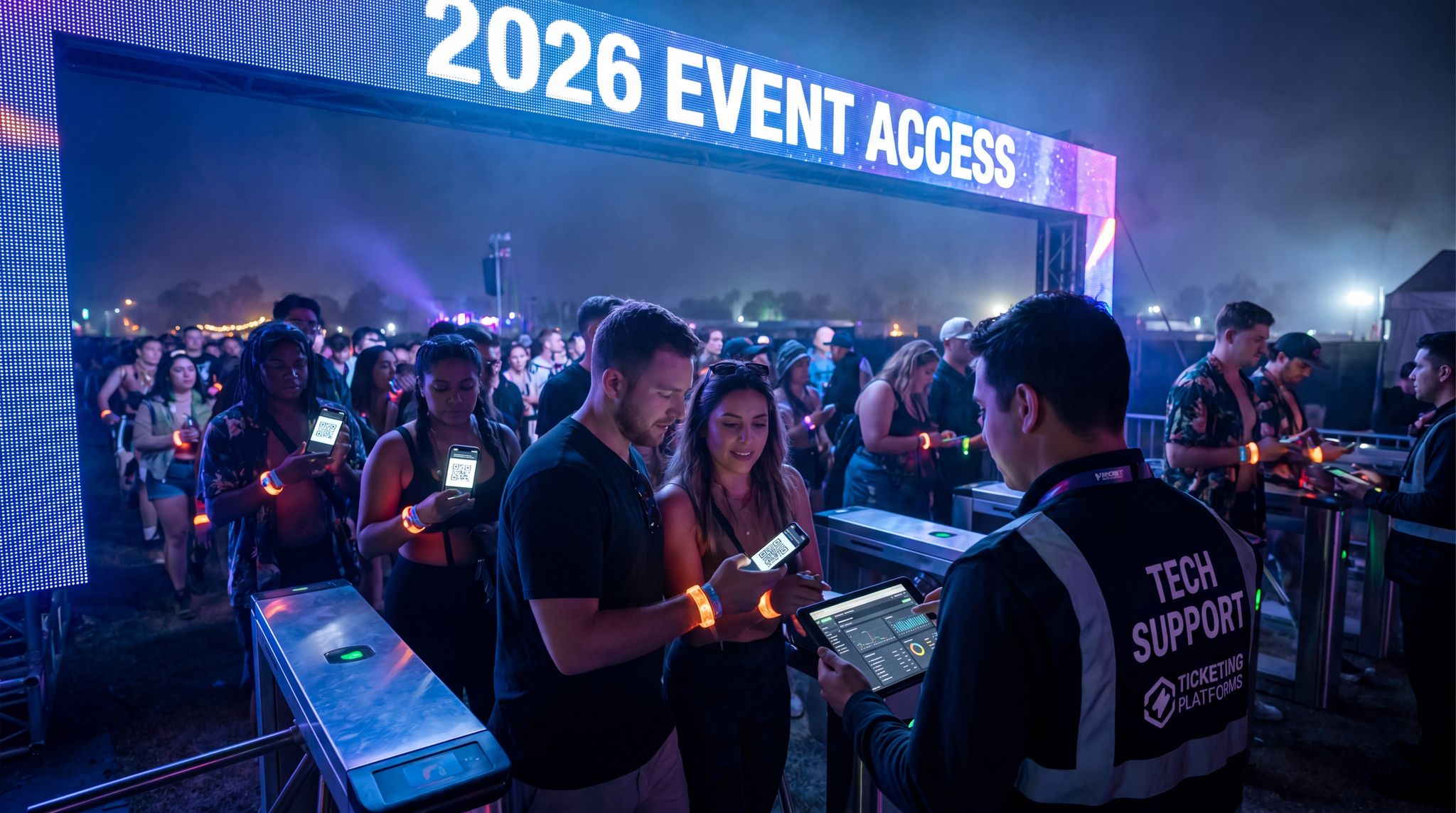
For any large event, ticket scanning at the entrance gates is the first critical hurdle – if it fails, everyone is stuck outside. The number one safeguard here is adopting a ticketing system with a robust offline mode for scanning. This means that scanners (whether handheld devices or mobile apps) can validate tickets without needing constant internet access. In practice, the device downloads the encrypted ticket database or guest list in advance and can check-in tickets locally. Even if Wi-Fi or cell service drops, scanning continues uninterrupted, and check-in data simply queues on the device. Later, when connectivity is restored, the devices sync with the master database to reconcile entries. Modern professional ticketing platforms (for example, Ticket Fairy’s entry system) invest heavily in offline-first design, allowing each scanner to operate independently for hours and still sync up without conflicts, a crucial feature for keeping gates and bars running without internet. This ensures that a network outage won’t stop your ingress operation – fans keep flowing through the gates, oblivious to any backstage tech issues.
Implementing offline scanning requires a few considerations. First, update your scanners prior to the event with the latest ticket data (and any last-minute sales or cancellations). Many systems will do this automatically when the app is opened; make it part of your gate staff’s routine to confirm the device has synced the attendee list before they start. Second, coordinate how multiple offline scanners avoid duplicate entries. The solution is often to segment your entry lines – for instance, assign ticket ranges or last-name groupings to different gates. That way, two offline devices won’t accidentally admit the same QR code at separate entrances, a strategy for keeping gates and bars running without internet. Some advanced ticketing platforms even print a gate code or zone on each ticket to enforce this separation. By planning the entry process with offline mode in mind, you greatly reduce the risk of “clone” tickets or double scans slipping through when connectivity is down.
Manual Check-In Protocols
Even with state-of-the-art scanners, you need an ultra-failsafe if all devices or software fail at the gate. This is where old-school “manual” check-in procedures come into play, and they can save an event in crisis. One approach is to prepare printed attendee lists or QR code sheets for each entry point. In a small conference, that might be an alphabetical list to tick off names; at a 50,000-person festival, it could be a binder of QR codes for scanning with a spare device or phone camera. While printing the entire attendee database for a huge event isn’t always practical, you can at least print lists for VIPs, staff, or the most crucial ticket groups to ensure some access control can continue. Another tactic is to print physical backup tickets or wristbands that can be issued on the spot. For example, if an attendee’s digital ticket won’t scan and the system is down, your staff might have numbered wristbands they can activate as a last resort to allow entry (recording those numbers to reconcile later). This approach was used at one European festival when scanners malfunctioned – security leads authorized on-site wristbanding of guests with proof of purchase, then cross-checked IDs against the database once systems came back online. The key is to decide these protocols in advance: who can approve switching to manual mode, what proof is required, and how data will be captured for after-action reconciliation.
Communication is critical during a manual fallback. Train gate staff that if they hear “all systems offline” from the tech team, they should immediately pull out the paper list or offline spreadsheet and keep checking tickets rather than stopping. Attendees will be far more understanding of a slightly slower line than a complete standstill. Use radios or a back-up messaging channel to coordinate between entrance teams – for example, confirming that “Gate A is now manual, scanning paused” so other gates know to be vigilant for duplicate attempts. It’s also wise to have a loudhailer or PA system at entrances to make announcements if needed (e.g. instructing attendees to have ID ready to verify against the printed list). This level of preparation can turn a potential front-gate meltdown into a minor inconvenience.
Free Tool: Size Your Festival Site
Zoned capacity planning for arena, campsite, parking and entry lanes — against UK Purple Guide and NFPA density standards. Finds your bottleneck zone.
Redundant Devices and Power for Entry
Technology fails often boil down to hardware issues: a scanner’s battery dies, a tablet freezes, or a crucial laptop crashes. Mitigate this by provisioning spare devices for all entry points. Keep a couple of extra ticket scanners or tablets (already loaded with the scanning app and event data) fully charged and within reach of gate supervisors. If one unit fails or even just slows down, swapping it out should take seconds. Instruct staff to report device issues immediately and have runners ready to bring a replacement. Alongside spare devices, prepare portable battery packs or charging stations at the gates. A dead scanner is worse than a dead internet connection – it’s a preventable show-stopper, as noted in guides on keeping gates and bars running without internet. Set up a charging schedule for longer events: for example, rotate half the handheld scanners onto chargers during a mid-day lull so they’ll last through the evening.
For larger events with multiple gates, consider a small local server or peer-to-peer network at the entry hub. Some events create a local Wi-Fi bubble just for their ticket scanners – the devices sync scan data with each other over a closed network even if there’s no uplink to the cloud, a strategy for keeping gates running without internet. This way, if someone tries to reuse a ticket at a different gate, the devices can internally flag it as already scanned. It’s essentially bringing a mini-internet to your gate area to keep devices in sync. This requires a bit more IT setup (a local router and configuring the scanners to talk to a local server), but for high-volume festivals it can be a lifesaver. Even without that, periodic radio check-ins between gate managers (e.g. “We just had an issue with duplicate ticket ID 1234, watch for copies”) can serve as a manual way to catch inconsistencies during system downtime. In summary, ensure you have not just one way to scan tickets, but multiple methods – digital offline, local network sync, and even paper – so entry never grinds to a halt.
When evaluating hardware, selecting the right ticket scanners for events is a foundational step in risk mitigation. Consumer-grade smartphones might seem cost-effective, but purpose-built scanning hardware or ruggedized enterprise devices handle extreme weather, drops, and continuous battery drain far better. If you are deploying hundreds of access control devices across a massive festival footprint, ensure they feature hot-swappable batteries and high-luminance screens for direct sunlight. Pairing professional-grade ticket scanners with your redundant local network creates an ingress system that won’t buckle under pressure.
Network and Connectivity Redundancy
Treating Internet as a Core Utility
In 2026, internet connectivity at events is as mission-critical as electricity or water. Consider how many essential operations ride on the network: ticket scanners validating barcodes, RFID wristbands checking access, mobile POS systems processing payments, live streams uploading video, event apps and scheduling tools syncing in real time – the list goes on, requiring robust satellite mesh networking for festival connectivity. When the network goes down, lines grind to a halt and even safety systems (like app-based emergency alerts) can fail. The stakes for connectivity are enormous: a network outage could mean tens of thousands of dollars in lost bar sales or dangerous delays in responding to incidents. That’s why major festivals now budget significant resources to dedicated event networks. Rather than relying on whatever venue Wi-Fi or public cellular is available, they bring in professional networking teams to install robust infrastructure on-site. This can include portable cell towers, high-capacity microwave links, fibre drops run into the venue, and site-wide mesh Wi-Fi specifically for event operations, as detailed in articles on satellite mesh networking for festival connectivity. The goal is to create a private, controlled network environment that won’t buckle under peak load.
A smart practice is to separate the networks for different uses. Operational networks (for staff devices, ticketing, point-of-sale, production team) should be on secure, closed Wi-Fi SSIDs or wired connections that attendees cannot access. This shields critical systems from the deluge of guest traffic. Meanwhile, a public Wi-Fi or reliance on attendees’ cellular networks can handle non-critical user needs but can be deprioritized if necessary. Some events even deploy multiple tiers of connectivity: one high-priority network for payment and safety systems, another for less critical admin tasks, and a third open for public/press usage. If bandwidth runs low, the public network can be throttled or shut to preserve the operations network. Essentially, treat bandwidth like a finite resource at a festival – allocate it deliberately to where it matters most.
Multi-Provider Internet and Auto-Failover
The most effective way to prevent a total connectivity outage is redundancy through multiple internet providers and paths. Don’t put all your eggs in one ISP basket. Instead, arrange for at least two separate uplinks – for example, a primary fibre line and a secondary 5G-based wireless link. With today’s technology, you can use enterprise-grade routers (from companies like Peplink or Cisco Meraki) that perform automatic failover. These devices constantly monitor the primary connection’s health, and if latency spikes or packets start dropping, they will seamlessly switch to the backup line in a fraction of a second. At Glastonbury 2024, the festival combined fiber, local 5G, and even a Starlink satellite feed into one mesh network with smart failover logic; when one backbone had issues, traffic rerouted through the others with no noticeable interruption, showcasing the power of satellite mesh networking for festival connectivity. This kind of setup virtually eliminates the chance of a complete outage – it would take all providers going down simultaneously to truly knock you offline.
When choosing backup internet options, diversify the type as well as the vendor. A wired leased line plus a cellular 5G connection plus a satellite link covers three different technologies, each with different failure modes (one might be cut by a construction accident, another congested by crowds, another affected by weather – extremely unlikely all at once). Satellite internet has become a game-changer for remote or rural events. Services like SpaceX’s Starlink can now provide 100–200 Mbps downlink in areas with no traditional broadband. Latency for LEO satellites is moderate (~20-50ms) – good enough for streaming and payments, though perhaps not for ultra time-sensitive tasks. It’s wise to include a satellite backup especially if your event is in a field or wilderness with patchy terrestrial coverage. A quick comparison of connectivity backup options illustrates how they complement each other:
Backup Internet Options – Pros & Cons
| Backup Option | Typical Bandwidth | Latency | Best Use Case | Considerations |
|---|---|---|---|---|
| Secondary Fibre Line | 100–1000+ Mbps (high) | ~5–20 ms (low) | Urban/arena events where you can install a second physical line via a different route/provider. | Offers high capacity; but a fibre cut or local outage can still affect both lines if not truly diverse paths. Costs can be high for temporary installs. |
| 4G/5G Cellular | 50–300 Mbps (variable) | ~20–50 ms (low) | Most venues or festivals as a quick wireless backup; great for portability. | Performance can degrade if cell towers are overloaded by attendees. Use a dedicated SIM/APN if possible. Ensure coverage is solid on-site; may need directional antennas. |
| Satellite Internet | 50–150 Mbps (moderate) | ~20–50 ms LEO * ~600 ms GEO |
Remote locations with poor terrestrial options; reliable fallback when others fail. | LEO (e.g. Starlink) offers good speeds but requires clear sky view; weather or obstruction can interfere. GEO satellites have high latency and lower speeds. Requires setup/aiming of dish. |
| Point-to-Point Wireless | 100–1000 Mbps (high) | ~5–15 ms (low) | Line-of-sight links from a nearby fiber-connected site (e.g., beaming from a stadium in town to a festival site). | Needs direct line-of-sight; can be affected by physical blockage. Great for isolated locations if you can get a link to an area with internet. Requires professional installation and alignment. |
* LEO = Low-Earth Orbit satellites; GEO = Geostationary satellites
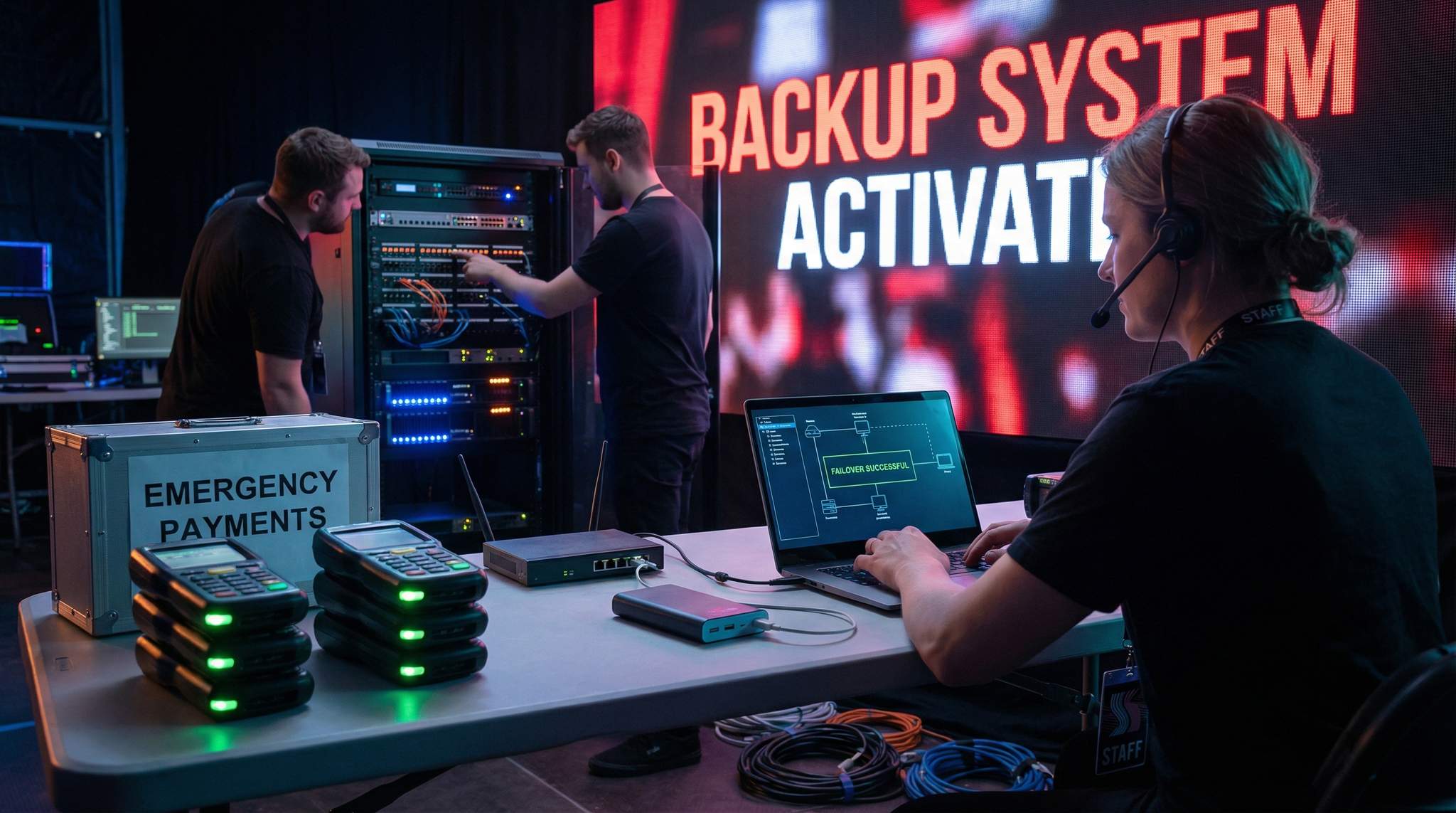
Using a bonding router can even aggregate several of these links at once – not just failover, but actively splitting traffic across links to increase capacity. This is common in live broadcast uplinks where they might bond 4x cellular modems and a satellite to get a fat, stable pipe. For an event, you might configure “cold” standby (backup kicks in only on failure) or “hot” standby (backup carries some load all the time). Hot standby can smooth out performance by load-balancing, but it uses more data and may cost more if you pay per GB on cellular or satellite. In any case, test the failover behavior before event day. Nothing is worse than thinking you have redundancy only to find the router didn’t swap over when needed. Pull the plug on your primary line during a rehearsal and ensure the secondary picks up within seconds, and that all your key systems remain connected (some devices might need to reconnect, which you can optimize in settings).
It is also vital to create a contingency plan in case of a catastrophic failure of 5G transport infrastructure. While 5G offers incredible bandwidth, local cell towers can be overwhelmed by attendee devices or suffer upstream fiber cuts. If your primary operational network relies on cellular transport, your failover must utilize a completely different physical routing path—such as a direct microwave line-of-sight link or a low-earth orbit satellite connection—to ensure your site remains online even if the regional cellular grid collapses.
Looking ahead, the best practices for enterprise internet failover redundancy in 2025 and 2026 emphasize AI-driven traffic routing and SD-WAN (Software-Defined Wide Area Network) deployments. Modern event IT teams are moving beyond simple active/passive failover. Instead, they utilize intelligent appliances that dynamically evaluate packet loss and latency across all available uplinks in real-time, seamlessly shifting critical point-of-sale or streaming data to the healthiest connection without dropping a single session.
Grow Your Social Following With Every Sale
Require social media follows, shares, or playlist adds to unlock presale access or special pricing. Turn every ticket purchase into audience growth.
On-Site Network Infrastructure and Backup Gear
With solid uplinks in place, turn attention to your local network hardware. This includes switches, routers, Wi-Fi access points, and cabling across the venue. Design a resilient topology: use rugged industrial switches with battery backups for critical nodes (like the main distribution switch in the comms room). Whenever possible, provide redundant paths – for example, two cables running to the main stage audio desk via different routes, so one cut cable doesn’t isolate the area. For Wi-Fi, deploy multiple access points with overlapping coverage. If one AP fails or loses power, devices can roam to another. This may require a bit of RF planning (e.g., APs on different channels), but it significantly improves reliability for staff handhelds and card readers that use Wi-Fi.
Keep spare networking gear on-site as well. At minimum have a pre-configured backup router ready to swap in if the primary fails. If your network is managed via cloud, ensure you have the config files or an offline controller to set up a new unit without Internet. Having a few extra access points and switches is also cheap insurance – these can be small desktop models that could patch a gap if a big managed switch died. In one case, a festival’s main switch overheated and died mid-event, but the crew had a simple 16-port unmanaged switch in their kit; they quickly patched critical connections into it and got the most important devices back online while troubleshooting the main unit. That kind of improvisation only works if you have the spare hardware on hand.
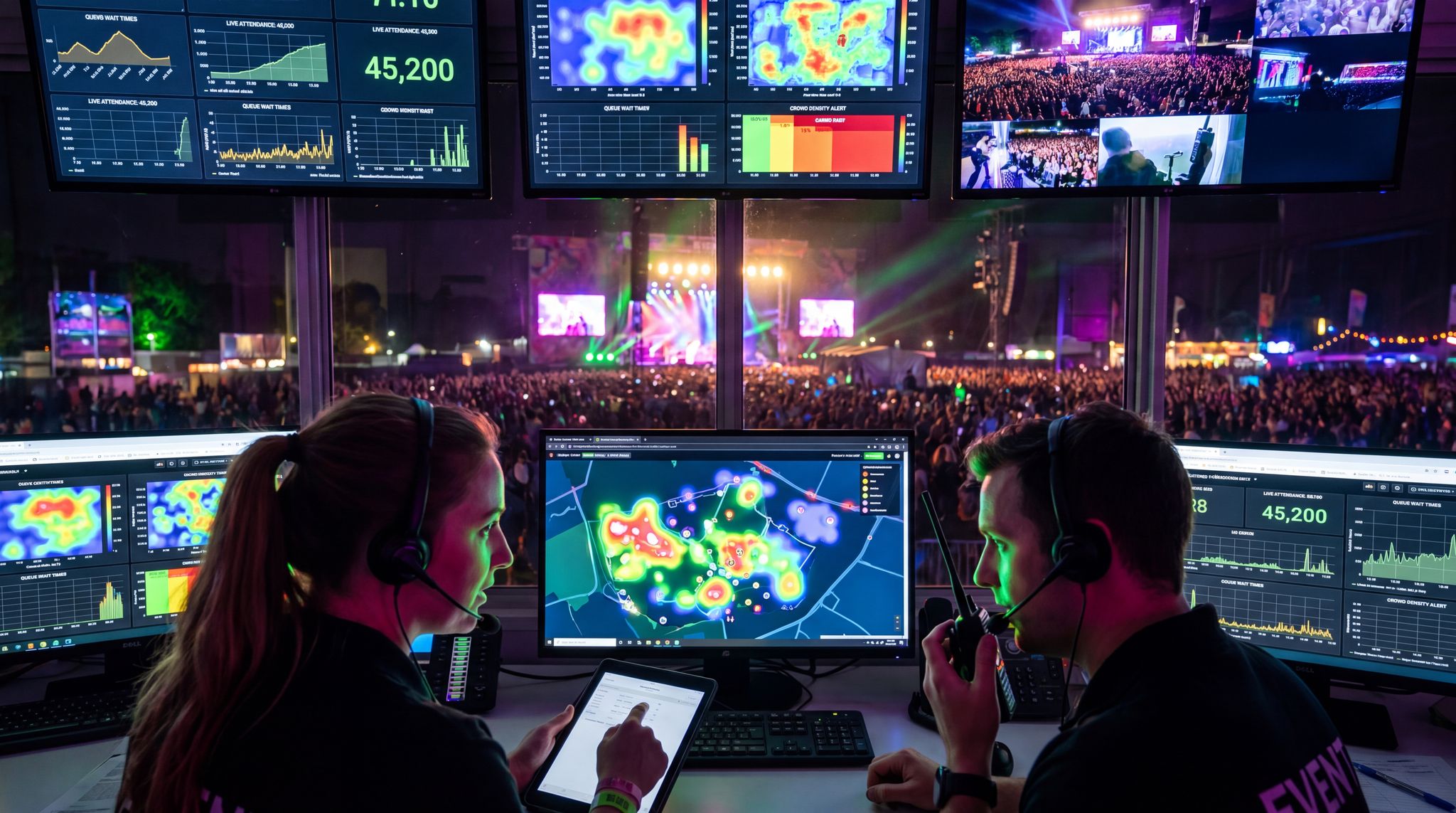
Finally, controlling the network traffic can be a savior during partial outages. Continuously monitor bandwidth and device connectivity (many event IT teams use tools that ping all key devices and show a dashboard of network health). If you see a link saturating or an AP overloading, you can proactively redistribute load – for example, by offloading some devices to another SSID on a different AP, or by temporarily blocking high-traffic guest applications. Some festivals implement content filtering or rate limits on guest Wi-Fi to preserve enough bandwidth for operations. The moment something goes awry, having visibility allows you to pinpoint the issue (maybe a rogue video stream is clogging the network) and take action. In summary, invest in your local network robustness the same way you do in mainline power: with redundancy, backups, and real-time management. It’s the digital backbone of your event that quietly keeps everything else working.
When organizers ask how to maintain connectivity during large events like parades, markets, or sprawling outdoor concerts, the answer lies in distributed network architecture. Unlike a contained arena, a linear parade route or a multi-block street market presents unique RF challenges. For these expansive footprints, production teams often deploy a series of point-to-multipoint wireless bridges to beam a central internet connection down the street, dropping local Wi-Fi access points at critical junctions like vendor stalls or VIP grandstands. Pairing this with bonded cellular routers at isolated nodes ensures that even if the primary wireless backhaul drops, your point-of-sale terminals and staff communications remain online.
Power Backup and Electrical Redundancy
Preventing Blackouts with Generators & UPS
There’s a special kind of silence no event organizer wants to hear: the sudden quiet when the power goes out and the music stops, a situation that underscores the importance of backup power and redundancy systems. A power failure can derail an entire show in seconds, so backup power systems are a must. The standard practice is to have generator power available to take over if grid power is lost (for outdoor festivals, generators are usually the primary source anyway). For large events, use multiple generators in an N+1 configuration – meaning you have at least one extra unit beyond what is needed for the peak load. That way, if one generator fails, the spare can immediately pick up the slack. Critical stages and infrastructure should each be fed by at least two generator sets via automatic transfer switches. An automatic transfer switch (ATS) monitors the incoming power and if the primary source falters, it instantly switches to the backup generator in seconds, often so fast that lights and AV systems don’t fully power down. This is how major music festivals keep the stages live even if one generator has a hiccup: the audience might just see a brief flicker, if anything. At minimum, core systems like stage audio, emergency lighting, and operations centers should be on an ATS with a backup power source dedicated to them, ensuring backup power and redundancy systems are in place.
For smaller events or venues on city power, a standby generator can be rented and kept on-site as insurance. Connect it to your breaker panel via a safety interlock or manual transfer switch. If the mains power goes out, you can fire up the generator and restore power within minutes to key circuits. In the interim, Uninterruptible Power Supplies (UPS) are crucial. A UPS is a battery unit that provides instantaneous power to connected equipment when the primary power fails, bridging the gap until a generator kicks in or power returns. All sensitive technical equipment should be on a UPS: sound systems, servers, network gear, lighting control consoles, etc. The UPS not only prevents outright shutdown but also conditions the power (avoiding surges or brownouts when switching sources). Even a modest 5–10 minute UPS runtime is usually enough to ride through transient outages or give your backup generator time to spin up. Test your UPS units before the event and replace batteries if they’re old – nothing worse than a UPS that’s expired when you need it.
Free Tool: When Should You Announce?
Pick your event date and genre — the free planner outputs a recommended announce, presale, on-sale and reminder schedule anchored to how your audience actually buys.
Power Distribution and Redundancy Design
Having backup power generation is one side of the coin; the other is how you distribute power so that failures don’t cascade. Proper electrical design can localize problems. For example, don’t run your entire event site on one giant generator if you can split the load among a few. If one generator fails, only that segment goes down and not everything at once. Large festivals often allocate separate generators per stage or zone, plus isolated units for critical systems like security command centers or medical tents. Within the power distro plan, identify circuits that are absolutely essential – those feeding the stage PA, safety lights, server racks, refrigeration for food, etc. These “priority circuits” should be wired such that they can be supplied by backup power quickly. Use color-coded cabling or clearly labeled breaker boxes to distinguish emergency circuits. In some cases, you can even have dual feeds with a static transfer switch: two live sources feeding one circuit, where one source instantly takes over if the other loses voltage.
A common point of failure is simply overloading or improper balancing of phases on power distribution. This can trip breakers and cause outages that look like bigger failures. Avoid daisy-chaining too many sub-panels or running heavy sound/lights off a single phase. Work with a professional electrician or generator technician to calculate loads and distribute them evenly across all three phases (for 3-phase systems). Also check the startup currents of big lighting rigs or HVAC – these surges can trip protection if not accounted for. By engineering headroom into each circuit and generator (never run them at 100% capacity if you can help it), you reduce the chance that one high-demand moment (like all stage lights blasting at once) will blackout a whole zone. Contingency also means having spare fuel and parts: keep extra fuel on site so generators don’t run dry (especially for multi-day events) and have basic repair kits (like fuses, belts, coolant) if you have experts who could fix a minor mechanical issue in a pinch.
Emergency Lighting and Safety Systems
Power failures create more than inconvenience – they create safety hazards. One often overlooked aspect of contingency planning is ensuring emergency lighting and public safety systems stay on no matter what. Venues should be equipped with battery-backed exit signs and egress lighting per code, but for festivals in temporary sites, you need portable solutions. Tower lights with battery backups or an independent small generator can provide minimal lighting if the main generators fail at night. Plan for how you would evacuate or at least keep people calm in a total blackout. Two-way radios (with charged spare batteries) are critical here since you can’t rely on any VoIP or Wi-Fi communication if power and network are down simultaneously. Make sure your security and operations team has flashlights or headlamps accessible as well.
If your event uses LED screens or marquee signs for important announcements, consider having a small UPS on at least one sign or some backup power to a text-alert system. This way, you can push a message like “Technical difficulties – remain calm, we are working to restore power” to avoid panic. Some events establish a manual signal protocol (air horn blasts or colored flare signals) to instruct staff or even attendees in worst case scenarios – for instance, three horn blasts might mean “stop music, lights on, begin evacuation”. Hopefully you never need it, but predefining these signals is part of being ready for anything. By combining robust power redundancy with clear emergency procedures, you ensure that even if the lights go out, you’re not in the dark about what to do next. Power will always be a potential single-point-of-failure if not backed up – treat it with the same gravity you do your headline act’s performance, because without power, that act isn’t performing at all.
Cashless Payments and POS Fallbacks
Offline Payment Processing
As events have gone increasingly cashless, the ability to process payments offline has become mission-critical. When tens of thousands of attendees are buying food, drinks, and merchandise, even a two-minute network glitch can mean massive queues and lost revenue. The solution is to use POS systems that support offline transactions. This means the point-of-sale terminal (could be a card reader, tablet, or mobile app) can store transaction data locally when there’s no internet connectivity, and still accept card taps or chip+PIN entries. The payments are queued in the device and will be automatically sent for actual authorization when connectivity resumes. Of course, there is a slight risk – without real-time authorization, some transactions might decline later – but event organizers generally find this risk acceptable compared to shutting down all sales. Modern payment providers often design offline mode to cache a limited number of transactions or a certain total value as a safeguard (so one device doesn’t store $1 million in charges, for example). As part of pre-event prep, confirm the limits and settings on offline mode: some systems require you to enable offline acceptance in the admin dashboard, and you may be able to adjust how much the device will accept offline before requiring a reconnect.
When using offline payments, procedures and training are key. Your vendors and staff should know that an offline indicator on the POS is not cause for panic – sales can continue. For instance, coach them on any on-screen icon that shows offline status, and emphasize that it’s okay to keep serving customers, as offline POS for remote festivals is designed for this exact scenario. Additionally, have a plan to periodically reconnect devices if possible (perhaps during a lull or via a staff-only hotspot) to sync batches of transactions. This prevents huge backlogs and also lets you catch any card declines sooner by processing in smaller chunks. If a device has been offline for a long time, consider taking a moment to reconnect and sync rather than continuing indefinitely – especially before an impending rush like a set break, so that you start the busy period with a fresh connection and empty offline queue.
Data-Driven Event Marketing
Track ticket sales, demographics, marketing ROI, and social reach in real time. Exportable reports give you the insights to make smarter decisions.
One more tip: spread out your payment processing load across multiple devices and ideally multiple providers if feasible. If you have 50 vendors, don’t rely on one single payments server in the cloud for all of them – maybe use a couple of different services or accounts so that a glitch on one doesn’t halt everything. Some huge festivals even arrange for different payment methods: e.g. half the bars primarily take RFID wristband payments while the other half use direct card payments as a backup. This way, if the RFID system has an outage, the card terminals can still work (or vice versa). It adds complexity but provides resilience by diversification, similar to how multiple internet providers add resilience.
Backup Payment Options (Cash & Vouchers)
Despite the “cashless” trend, keeping some cash on hand as an emergency option is a wise move. In a severe tech failure, being able to fall back to cash transactions can keep the concessions and merch stands operating. Many event organizers, even those who heavily promote a no-cash environment, will quietly ensure each bar or vendor has a small cash box and some change tucked away just in case. If your attendee base truly doesn’t carry cash at all, an alternative is to use physical drink tickets or vouchers. For example, if the payment system crashes and looks to be down for an extended period, you could start selling paper drink ticket booklets at a central point (where you might have one working terminal or, worst case, accept credit card details manually with imprint slips – more on that shortly). Attendees can then use those tickets at vendors, who later redeem them for cash value. Yes, it’s old school and not ideal, but it can rescue sales during a crisis. The logistics of this should be thought out in advance: have some pre-printed generic tickets or tokens stored with the finance manager, and brief the vendors that if an official call is made, they should honor those as payment.
Another ultimate backup is something almost archaic: the manual credit card imprinter (the knuckle-buster). Believe it or not, having a couple of those devices and some carbon-copy slips can be a godsend if digital systems fail. According to veteran event finance directors, keeping an emergency imprinter and paper slips is a recommended worst-case fallback for protecting attendee data and systems. You would manually take the imprint of a customer’s credit card, have them sign the slip for the amount, and later run those charges when systems are back (or keep the slips as records if already paid in cash). This obviously requires trust and has some fraud risk, so it should only be done for essential purchases if no other way. But if people are thirsty and the card readers are down, processing a few manual card slips for bottled water is better than dehydration or uproar. Ensure any staff who might use it are trained in advance (many younger staff have never seen a card imprinter, so do a quick demo!) and secure all completed slips as sensitive financial data.
Vendor Training and Communication
Technology backup plans are only as good as the people executing them. Take time to train your vendors and front-line staff on what to do when payment tech hiccups. This training can be incorporated into your vendor briefing before the event. Spell out the scenarios: “If the Wi-Fi drops, your POS will say ‘offline mode’ – here’s what it looks like – but you can continue taking cards. Don’t tell guests you can’t take payment, just process as normal. If for some reason your device completely fails, alert the zone manager to swap in a spare.” Encourage a mindset of “keep serving the customer” and that most issues are temporary. Often, just reassuring staff that offline mode works (and having them maybe practice a few test transactions with devices in airplane mode) builds confidence in offline ticket scanning and POS. When people aren’t trained, the moment a device shows an error, they might freeze and stop service, which creates unnecessary backups.
Also, decide on a communication channel for vendors if systems go down. You might set up a group text or use radios to announce something like “System-wide payment outage, switch to offline procedure now.” Vendors should know who will give that directive – typically the operations manager or tech lead – so they’re not acting on rumors. If the outage is prolonged or the backup plan shifts (like you decide to start taking cash), you need a quick way to let all booths know. Some festivals designate runner staff to physically go stall to stall with updates if digital comms are unstable. In one real scenario, a connectivity issue during a festival meant the event app used for updates wasn’t working; the organizers dispatched volunteers with printed signs to each bar stating “Credit card system down – cash accepted, ATM at info tent”. It wasn’t pretty, but it kept the beer flowing and attendees appreciated the clear info. The lesson is that transparent communication to both staff and attendees during a tech failure maintains order. Better to acknowledge the issue and deploy the workaround (even if it’s slower or manual) than to leave people and vendors confused at the point of sale.
Post-Outage Reconciliation and Recovery
Once the incident is resolved – the network is back or the payment system is online again – there’s still work to do. All those offline transactions and manual sales need to be reconciled to make sure no money is lost and no customer is over-charged. Use downtime (like overnight if it’s a multi-day festival, or after the event) to sync every device. If you had offline transactions queued, connect those POS devices to a stable network and let them transmit the stored charges. Verify that the transactions count matches what the device shows, and check for any failed authorizations. Most systems will flag transactions that didn’t go through (e.g., a card that was declined). You may need to eat the cost on a few of those or follow up with the customer post-event via the ticketing system emails if it’s significant (some events will send a polite note like “Your purchase of $45 at X stall could not be processed on-site due to connectivity issues; please arrange payment”, but this is optional and case-by-case). Hopefully, with low decline rates, you can consider it a cost of doing business.
If you issued vouchers or went to cash, do a careful count. Redeem tickets from vendors exactly as you would with normal post-event reconciliation, and match cash intakes to the emergency sales logged. It’s wise to have a finance team member supervising any sudden process like “start accepting cash” to note how much float was given out and to whom. After the dust settles, analyze the timeline: How long was the outage? How many sales (or what value) were processed offline or manually? This data is gold for quantifying the impact and justifying any investments in better backups going forward. For example, if you discover that 5,000 offline transactions were taken totaling $100,000 in sales during a 1-hour outage, that’s a success story – and also a highlight to share with stakeholders why the offline systems were indispensable. Conversely, if revenue flatlined for an hour because staff didn’t know they could operate offline, that exposes a training gap that you’ll want to fix.
Above all, adapt your processes after experiencing a real incident. Maybe you realized the backup 4G hotspot for a food area wasn’t configured properly – fix it and note it for next time. Maybe vendors ran out of change quickly when you shifted to cash – next time, keep a larger float. Contingency planning is iterative. Each hiccup, whether it’s a minor 2-minute network blip or a major system crash, should leave your team better prepared and your systems more bulletproof for the next event. As the saying goes with technology: it’s not if it will fail, but when – and how you respond when it does.
Live Streaming and AV Fail-Safes
Redundant Encoders and Streams
Live streaming an event – whether it’s a conference keynote or a festival headline set – raises the stakes because your audience isn’t just on-site, it’s potentially worldwide. Nothing will anger remote viewers faster than a feed that dies in the middle of a big moment. To crisis-proof a live stream, start with redundancy at the source: the encoder. This is the device or software that takes the video feed and streams it to the internet. Always have at least a second backup encoder ready to go. For instance, if you’re using a hardware encoder or a powerful streaming PC as your primary, have a second laptop or encoding device configured with the same stream settings on standby, a key step in the checklist to setting up and streaming. As noted in guides on setting up and streaming an online event, ideally run them in parallel – one is live, and the other is running in the background or on a hidden backup stream, a technique known as simulcasting to a backup. If the main encoder crashes (hardware can overheat or software can freeze under load), you can switch to the backup stream with a few clicks. Some streaming platforms (like YouTube or Vimeo Enterprise) support a “hot backup” stream URL where you can send a second feed simultaneously – the platform automatically uses it if the first feed drops. If yours offers this, use it.
In addition, consider streaming to multiple platforms simultaneously as a form of redundancy. For example, you send your primary stream to a dedicated player on your website or a private CDN, but you also stream to YouTube (unlisted) at the same time. If your custom platform has an outage or some viewer can’t access it, you have YouTube as a quick backup to direct people to, ensuring you have a backup stream ready to fire. Vice versa, if YouTube has an issue (rare, but it can happen regionally or due to copyright flags), your own platform or an alternate like Facebook could still be up. Some event producers in 2026 will run two parallel streams like this, even embedding a backup video player on a lightly advertised link, so that a tweet or email can go out to virtual attendees saying “Having trouble? Join the backup stream here”. It’s extra effort, but for high-profile streams (think large paid virtual conferences or globally marketed festival streams), the cost of failure is high enough to warrant it. If running two streams feels overkill, at least keep a backup platform login handy. Know how to quickly start a new stream elsewhere if you had to, and have the assets (graphics, stream key, etc.) prepared to do so within minutes.
For ultra-high-stakes broadcasts, some production teams deploy a dedicated backup platform utilizing direct viewing satellite uplinks. Instead of relying solely on terrestrial internet to push the stream to a cloud provider, a satellite truck or portable Ku-band dish beams the feed directly to a secondary broadcast center or backup platform. This bypasses local ISP congestion entirely, guaranteeing that your global audience retains a pristine viewing experience regardless of ground-level connectivity issues.
This approach is particularly valuable when operating in regions with developing infrastructure. For example, when producing massive festivals in Latin America, relying on local terrestrial fiber can introduce unacceptable execution risk due to regional network instability. In these scenarios, deploying a direct viewing backup platform via satellite ensures that global audiences—and remote production teams—maintain an uninterrupted feed even if the primary regional ISP goes dark.
Stable Uplink and Bandwidth Reserves
Your stream is only as good as the internet uplink it’s riding on. Video requires substantial, steady bandwidth – a 1080p HD stream might need between 3 to 6 Mbps consistently. Any hiccup will show as buffering or drop in quality to viewers. So, just as we discussed for event connectivity, ensure your streaming uplink has redundancy and plenty of headroom. Dedicated bandwidth for the stream is a must; never rely on shared public Wi-Fi or an office network that attendees are using. If possible, get a separate wired line solely for your stream encoders. If that’s not available, use a high-grade bonded cellular unit or a microwave link. Then back it up: have a secondary connection (like a 5G hotspot or a second ISP line) connected to your encoder as a failover, a standard practice for setting up and streaming an online event. Many hardware encoders and software like OBS with plugins can utilize two internet connections – one primary, one backup that takes over if the primary drops. Test this by pulling the plug on the primary during a rehearsal stream; you should see the failover kick in and the stream continue. Bonding solutions like LiveU or Haivision are also common in pro broadcasts – they aggregate multiple cellular modems so that even if one carrier has a glitch, the others carry on. The bottom line: treat the streaming internet like a performer that needs a spotlight – give it a dedicated, protected lane.
Aside from the internet, monitor your bitrate and encoding settings. Pushing the stream at the very edge of your available bandwidth is risky. It’s better to stream a slightly lower bitrate (say 4 Mbps when you theoretically have 5 Mbps available) to allow for overhead. If an unforeseen network slowdown happens, you have a buffer. Also make use of adaptive bitrate if the platform supports it – that means your encoder can send multiple quality levels, and if one fails or if viewers experience issues, the lower quality can still reach them. It’s not exactly a backup on your side, but it’s a better viewer experience under strain. And always record a local copy of your stream output. If worst comes to worst and the live broadcast fails completely, you have a full recording that can be uploaded or made available on-demand. For ticketed online events, you might even plan for this: communicate to ticket buyers that if the live stream has problems, a full replay will be provided. It doesn’t replace the live experience, but it salvages value and goodwill by ensuring the content isn’t lost.
Backup Audio/Visual Systems On-Site
While our focus is technology infrastructure, we should mention the importance of AV backup on-site for critical moments. If you’re streaming a major presentation, have a backup microphone and camera ready. Stage audio can fail due to a bad cable or dead batteries – have spares and hot-swap plans. For example, an experienced live stream director will often have two camera feeds: the main and a wide safety shot. If one camera or operator has an issue, you can cut to the other angle. Similarly, if you’re mixing audio, keep a secondary audio feed (even if it’s just a room mic or board feed to a secondary recorder) in case the primary audio line is lost. This way, the stream can continue with acceptable quality rather than total silence.
In a multi-stage festival live stream, redundancy might mean rotating backups: have a roving camera that can jump to any stage if one stage’s setup fails. At concerts, some production teams set up a “fly pack” – a small backup production unit – which can be wheeled in if the main video control system goes down. It might be as simple as a laptop with a capture card and a basic audio mixer that can be plugged into the main feeds. If the primary production truck or system crashes, this fly pack can at least put out a basic single-camera feed with audio, so the broadcast isn’t completely dark. These are advanced measures, but as streaming becomes core to events, having a show-must-go-on plan for AV is part of the process. Consider the scale of your online audience and the promises made to them; for a paid virtual ticket, you should invest more in backups than for a free Facebook live promo stream, for example.
On-the-Fly Troubleshooting and Failsafe Content
Even with all the preparation, live streaming will always involve some on-the-fly problem-solving. Equip your team with the tools and authority to react quickly. For instance, if bandwidth starts dropping, your tech should be ready to pull back the stream quality (reduce resolution or bitrate on the fly) to keep it going. If an encoder fails, they should know the steps to switch to the backup (like swapping the stream key or hitting the failover switch in the platform’s console). Rehearse these steps in advance so it’s muscle memory. Also decide ahead who will communicate to viewers if something goes wrong. In virtual events, a bit of transparency can help – e.g., a moderator might post in the chat “We’re experiencing technical difficulties with the video feed, please stand by” if a stream is down. Better yet, have a standby graphic or video you can cut to when trouble arises, ensuring you have standby content ready to roll. This could be a slide that says “Technical difficulties – we’ll be back shortly” or a looping highlight reel that can run if the live feed is interrupted. Showing something is better than a blank screen or an error message, which causes viewers to refresh or leave.
A wise practice from the broadcast world is the concept of “backup plans for your backup plans”. If the worst-case scenario happens – say the entire venue loses power, or a headline artist refuses last-second to allow streaming – have a Plan C. Maybe that’s playing a pre-recorded performance or an interview segment to fill the gap (content you have rights to and have cued up). In 2026, some festivals preparing for uncertain headliner streams line up an alternate set or behind-the-scenes footage package that they can air if the live performance feed is unavailable. It keeps the online audience engaged and gives you breathing room to fix issues or handle the situation. Ultimately, by having backups at every critical point – network, power, encoders, and content – you dramatically increase the chances of a smooth, hiccup-free online event, ensuring you follow the definitive checklist to setting up streaming. Viewers will remember a flawless stream and likely never know about the frantic juggling behind the scenes. And if things do go wrong, your thorough fail-safes and quick communication can turn a potential PR nightmare into a display of professionalism under pressure.
Communication and Team Readiness During Crises
Backup Communication Channels for Crew
When technical crises hit, effective staff communication becomes more important than ever. Unfortunately, the same incidents that knock out Wi-Fi or power can also take out your primary comms. That’s why an event’s communications system needs its own backup plan (often using the PACE model: Primary, Alternate, Contingency, Emergency). If your team relies on two-way radios as primary, identify an alternate channel or secondary radio system (maybe a set of emergency walkie-talkies on a different frequency or a secondary repeater) as well as a contingency method like cellular phones or a text messaging tree. For example, if the repeater tower for radios loses power, crews might switch to simplex radio mode on a predetermined channel, or use fully charged push-to-talk apps over cellular if the cell network is up. And if that fails, you should have an emergency method – even if it’s deploying runners (staff who physically carry messages) or using air horns and whistles with coded signals, ensuring everyone knows the plan. It sounds primitive, but in a scenario where electronics are fried or networks overloaded, a person running to the stage manager with a note, or a series of horn blasts from HQ, might be how you coordinate. The key is every team member knows these backup channels ahead of time. Just as the festival comms guide advises, decide on your backup radio channels, runner routes, and alternative devices before the event starts and ensure everyone knows the plan.
Additionally, maintain a call sheet with key phone numbers on paper. In a pinch where digital comms are down, having the cell numbers of site managers, power technicians, medical lead, etc., written and distributed means anyone can find a way to reach anyone else (borrowing a working phone if needed). Some events issue satphones to top-level staff as an ultimate comms backup; this can be overkill for most, but for remote or high-risk events it’s an option. At minimum, if your site is very remote with spotty cell service, consider a satellite phone for emergency liaison (e.g., to contact authorities or off-site support if all local networks fail). This was actually used at an endurance race event where a storm knocked out local towers – the organizers updated police and medical via satphone until comms were restored. It’s the kind of thing you hope never to use but can be a lifeline.
Staff Training in Contingency Procedures
The best equipment and backup plans won’t matter if your staff aren’t prepared to implement them calmly and correctly. Train your team on all critical fail-safes so they can execute under pressure. This training should happen well before show day. Conduct tabletop exercises or full drills for likely scenarios: “Our ticketing system just went down – what do we do?” Walk through it step by step with the operations team and gate supervisors. Who announces the switch to offline scanning? How do we deploy printed lists and to which gates? By simulating these situations, you uncover confusion or miscommunication while you still have time to fix it. For instance, you might discover half the security staff didn’t know there was a printed backup list in the supervisor’s tent – training fixes that by explicitly showing them. One effective practice is to actually run a mock entry in offline mode – have your ticket scanners check in some test tickets with all Wi-Fi disabled to verify offline ticket scanning POS capabilities. This not only validates the tech but gives staff the confidence that “yes, scanning still works even without Wi-Fi.” It’s much better they experience this in a test than for the first time during a real outage when adrenaline is high.
Training should extend to vendors and volunteers as well, as discussed in earlier sections. Everyone from the parking attendants to the stage crew should have at least a brief on what happens if major systems fail. Even if they aren’t directly involved in the fix, they will interface with attendees and need to project calm and provide accurate info. Create a simple contingency cheat-sheet that can be part of the staff handbook – bullet points like “If power fails: radio to control, await instructions; if lights out, turn on flashlight and guide attendees to stay put,” or “If PA goes dead: security team move to front of stage for crowd control, MC to use bullhorn from side stage” – whatever fits your event. It might feel like overkill, but in a crisis people resort to what they remember and have practiced. As one production safety expert put it, “chaos is the enemy – a practiced plan is your best weapon”, meaning a rehearsed response prevents panic and mistakes when protecting attendee data and systems. This aligns with best practices for event tech security in 2026.
Keeping Attendees Informed (Calmly)
In the middle of dealing with a tech failure, communicating with your audience might be the last thing on your mind – but it can make a huge difference in their patience and perception. Attendees are generally understanding if they know what’s going on and that you have a handle on it. So, it’s wise to assign someone on the team the role of attendee communications during crises. Depending on the event, this could mean making announcements over the PA, sending a push notification via the event app, and posting on social media or messaging channels. The communication should be clear and calm: acknowledge the problem, and assure that solutions are in progress or give instructions if they need to do something. For example, if your event app and schedules went offline, you might announce “We’re experiencing technical difficulties with the mobile app – our team is working to fix it. In the meantime, please refer to the printed schedule posted at info booths for any updates.” If power is out in part of the venue: “Some lights went out due to a generator issue – backup power is coming on. Please stay where you are; the show will resume shortly.” It’s important not to lie or overly minimize (“everything’s fine!” when it’s clearly not), but also focus on the positive actions being taken rather than the failure itself.
Physical signage can also play a role. If you have digital sign boards and they still work – great, flash the message there. If not, having a stack of pre-printed sign templates or even whiteboards can allow quick messaging. Even a handwritten “SYSTEM DOWN – CASH ONLY” at a bar, or staff with megaphones walking a food court and announcing the issue, will keep people from fuming and wondering. Attendee communication is especially critical for safety-related outages (like lights or sound going out). Crowds can get uneasy when suddenly in darkness or when music stops unexpectedly – some might even start false rumors. A swift explanation quells that. One festival that had a main stage audio failure had the MC come on mic as soon as it was restored to say “We lost sound due to a power issue, but we have it back and we’re ensuring it won’t happen again – thank you for staying with us!” The crowd cheered the transparency rather than booing, and the event moved on.
Beyond the immediate announcements, post-crisis communication on public channels is wise too – it frames the narrative. After the event (or during if it’s a long one), a brief update on Twitter or Instagram like “Quick update: a brief network outage earlier caused some delays at the bars. Our offline systems kicked in and no one went thirsty! Everything is fully operational again – enjoy the show!” not only informs but subtly reassures people that you were prepared. It can turn what might have been angry tweets about long lines into kudos for your team’s handling of the issue. Essentially, when things go wrong, communicate more, not less. It builds trust that you’re in control of the situation.
Leveraging Vendor Support and Monitoring
Your internal team isn’t alone in preventing crises – tech vendors can and should be part of your safety net. When negotiating with critical suppliers (like ticketing platforms, streaming services, power contractors), ask about their support in outage scenarios. Will the ticketing provider have a technician on-call by phone during your event? Does the streaming platform have 24/7 live support or at least a status page to check if an issue is on their end? Knowing this in advance means you won’t waste time troubleshooting something that’s actually a vendor’s outage – you can call them immediately or swap to a backup service. In some cases for high-stakes events, vendors will even have staff on-site. For example, Ticket Fairy often sends a support rep to assist at large festivals using their system, providing peace of mind and instant help if scanning or ticket databases have any hiccup. Likewise, major power suppliers might have a generator tech on festival grounds throughout the event.
Also make use of any monitoring tools vendors provide. Many cloud services allow you to set up automated alerts – e.g., if your registration database becomes unresponsive, or if API calls to the RFID system start failing. Set these up to notify key team members (via text or an alert app) so you get early warning of a system strain. If you know a system is reaching a critical load, you might proactively implement a throttle (like pausing heavy data syncs) before it crashes. For ticketing and scanning, check if your provider offers an offline attendance tracking or emergency mode – some platforms, like Ticket Fairy, will automatically switch to an offline verification mode if their cloud can’t be reached, as long as you’ve downloaded the list prior, a standard feature for protecting attendee data and systems. Understanding these features means you won’t be caught off guard. Do a run-through with vendors on “what if” scenarios; their techs might share undocumented tips like a hidden local login or a way to quickly export data if things go south. Building a personal rapport with vendor support teams can pay dividends in a pinch – it’s easier to call Mike from ticket support whom you spoke with during planning, than dialing a generic hotline.
In summary, make everyone part of the contingency plan: your staff, your attendees, and your vendors. When an issue arises, your crew should know the drill, your audience should know you’re handling it, and your suppliers should be ready to assist. This all-hands approach creates a safety net of human readiness around the technology. It turns a potentially disastrous outage into a smoothly managed hiccup, reinforcing your event’s reputation for professionalism and care.
Frequently Asked Questions About Event Tech Contingency
How do teams handle execution risk when delivering a technology-heavy live event?
When you are getting close to delivering a complex production, execution risk is naturally a major concern. Experienced event teams handle this by implementing the PACE framework (Primary, Alternate, Contingency, Emergency) and conducting rigorous tabletop exercises. By simulating catastrophic failures—such as a complete 5G transport infrastructure collapse or a venue-wide blackout—teams can test their backup platforms, offline ticket scanners, and redundant power grids before doors open, transforming generalized anxiety into actionable readiness.
What are the best ticket scanners for events with unreliable internet?
The most reliable access control hardware for remote or high-density festivals are ruggedized, enterprise-grade devices that feature a true “offline-first” mode. These scanners download the encrypted attendee database locally, allowing gate staff to validate QR codes and RFID wristbands without active Wi-Fi or cellular connections. Once connectivity is restored, the devices automatically sync scan data with the central server to prevent duplicate entries.
Why is a direct viewing satellite uplink used as a backup platform for live streams?
For high-stakes global broadcasts, relying solely on terrestrial internet (like local fiber or 5G) introduces a single point of failure. A direct viewing satellite uplink bypasses local ISP congestion entirely. If the primary ground network fails, the satellite dish beams the AV feed directly to a secondary broadcast center or backup streaming platform, ensuring remote attendees experience zero interruption.
How do I maintain connectivity during large events like parades, markets, or sprawling concerts?
Maintaining a stable network across expansive or linear footprints requires a distributed architecture rather than relying on a single central router. Event technologists typically use point-to-multipoint wireless bridges to beam a primary internet connection across long distances, dropping localized Wi-Fi access points at critical operational zones (like vendor hubs or entry gates). Supplementing these nodes with bonded cellular routers or portable satellite dishes ensures that point-of-sale systems and staff communications stay online even if the primary backhaul experiences interference.
I just came back from a technology-heavy live event and execution risk is my biggest concern. How do teams handle this moving forward?
It is a common realization for promoters after witnessing near-misses on site. To mitigate future execution risk, professional teams conduct a comprehensive post-mortem analysis. They document every technical vulnerability observed—from minor POS offline moments to brief network latency—and implement the PACE (Primary, Alternate, Contingency, Emergency) framework for the next production cycle. Upgrading to enterprise-grade failover systems and mandating tabletop crisis drills ensures that next year’s event relies on engineered resilience rather than luck.
Our team is responsible for a technology-heavy live event and execution risk is my biggest concern. How do others reduce risk in situations like this?
To reduce execution risk in highly complex, tech-dependent productions, industry veterans rely on system compartmentalization, strict vendor SLAs, and independent “shadow IT” audits. By dividing the event site into autonomous technological zones, a failure at the main stage won’t cascade into the vendor point-of-sale or VIP networks. Additionally, hiring an external technician to actively stress-test and attempt to break your network during pre-event rehearsals exposes hidden vulnerabilities before attendees arrive, shifting your team from a reactive posture to proactive readiness.