Introduction
The Global Shift to Cashless Events by 2026
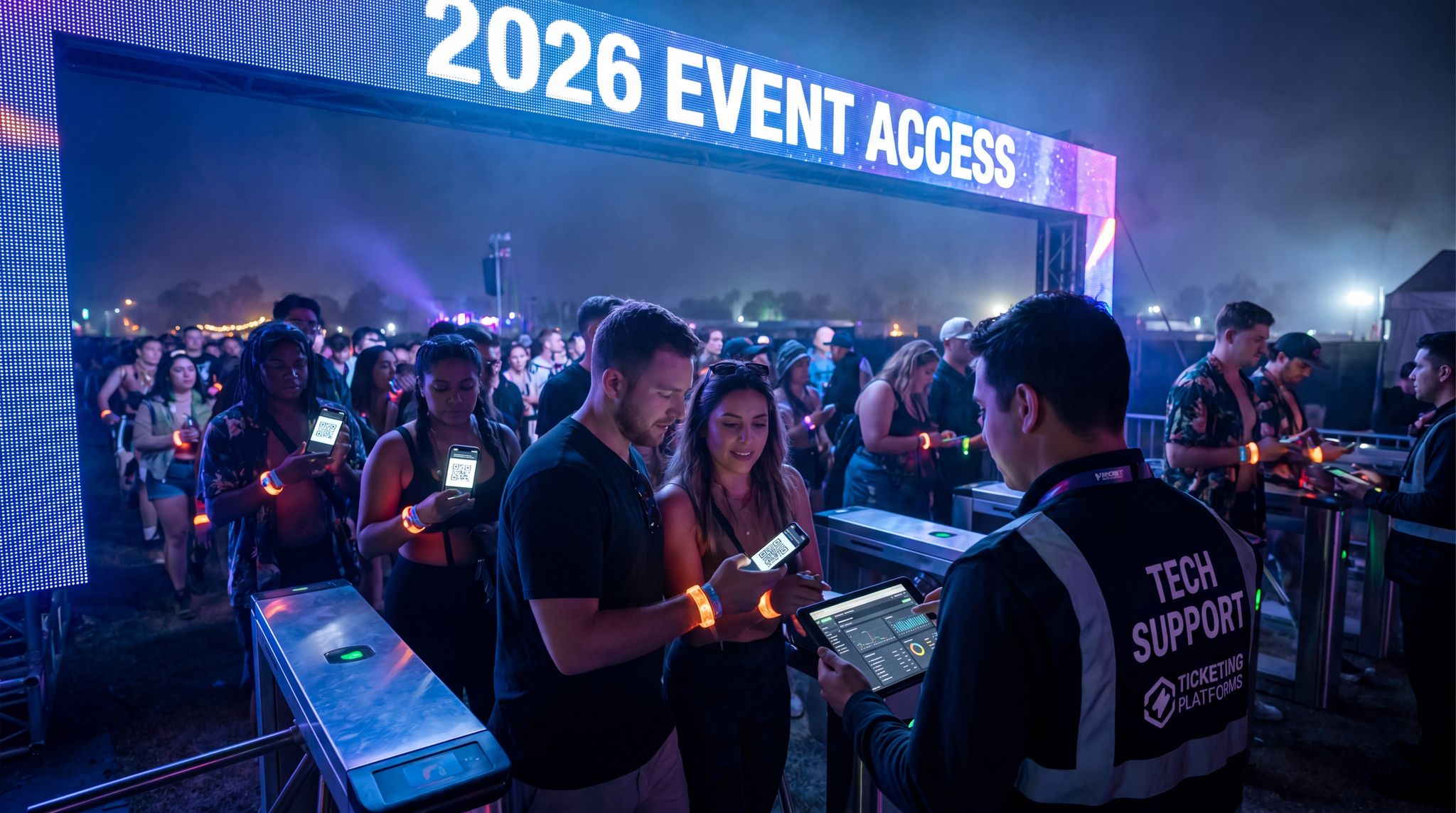
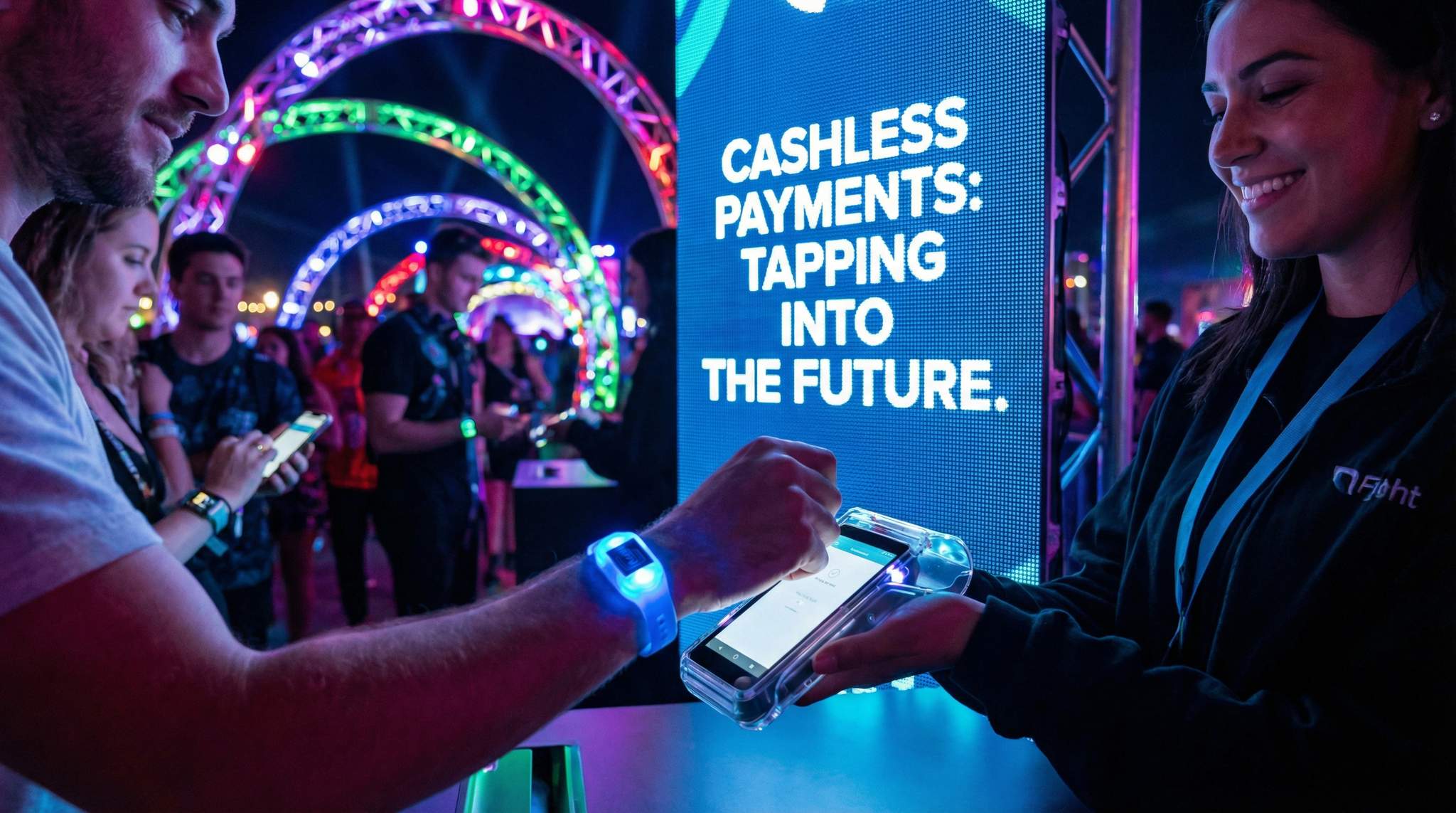
By 2026, live events worldwide are embracing cashless payments as the new norm. Music festivals, sports stadiums, and conferences are phasing out paper money and even physical credit cards, as the festival scene steadily adopts digital transactions, in favor of digital transactions. Major festivals across Europe and Asia have already proven the model, and many cities in North America now mandate card or mobile payments only at large venues. This global shift is driven by both technology and attendee expectations – modern audiences arrive expecting to tap a wristband or phone for instant purchases instead of handling cash.
Why Cashless? Benefits Driving the Change
Event organizers aren’t going cashless just for fun – the benefits are compelling. First, speed and convenience: transactions via RFID tap or mobile scan can take under a second, slashing queue times at bars and merch stands. This means attendees spend less time waiting and more time enjoying the event (and buying more items). Faster service directly boosts sales capacity – a bar that serves 20 people per minute cashless instead of 10 with cash essentially doubles throughput, allowing for all purchases to become digital. Not surprisingly, events that go cashless often see significant uplifts in on-site revenue. For example, one UK festival saw bar sales per head jump ~24% the first year they went fully cashless, and many organizers report 15–30% growth in attendee spending after implementing tap-and-go convenience at festivals. Beyond revenue, security is stronger – with no physical cash to lose or steal, theft and shrinkage plummet. Digital payments create an audit trail, reducing the risk of vendor fraud and unpaid commissions. Finally, cashless systems unlock valuable data insights: organizers can see what attendees buy and when, informing everything from staffing to inventory to sponsorship ROI.
Overcoming Fears and Myths
Despite the clear benefits, some organizers still hesitate due to fears of technology failures or attendee pushback. It’s true that early cashless experiments had hiccups – from system outages to confused attendees – and these stories became cautionary tales. For instance, a high-profile failure at Download Festival in 2015 saw a new RFID “dog tag” payment system crash on day one, leaving thousands unable to buy food or drinks, an incident where attendees of Download Festival were left hungry. And smaller events worry about older attendees or less tech-savvy guests feeling alienated. However, the lessons learned over the past decade mean modern cashless implementations are far more reliable and user-friendly. Robust offline backups (covered later) ensure sales continue even if Wi-Fi blips out. Plus, attendee education and customer support can eliminate confusion – today’s festival-goers are mostly familiar with wristbands or mobile payments from everyday life. In fact, many fans now prefer cashless systems for the convenience. By addressing risks with solid planning and transparently communicating the process, organizers can overcome the myths. The following sections will provide a practical roadmap to go fully cashless with confidence, covering how to choose the right technology, prepare infrastructure, educate your audience, and avoid common pitfalls.
Choosing the Right Cashless Payment Technology
Choosing the optimal payment technology is the foundation of a successful cashless event strategy. The best solution depends on your event’s size, audience, and infrastructure. In 2026, organizers typically decide among three main approaches:
Go Cashless With RFID Technology
Enable contactless payments, faster entry, and real-time spending analytics with RFID wristbands and NFC-enabled ticketing for your events.
RFID Wristbands & Closed-Loop Systems
RFID-based systems use wearable devices (wristbands, badges, or even cards) embedded with radio-frequency identification chips as the attendee’s digital wallet. Attendees load funds onto the RFID wristband (online before the event or at on-site top-up stations), then simply tap their wristband at vendors to pay. The RFID reader devices deduct the amount from the wristband’s balance, usually via a local network. This closed-loop setup means transactions happen within the event’s own system – attendees aren’t swiping personal credit cards for each purchase, they’re using preloaded event credit.
RFID wristbands have proven immensely popular at large festivals. They offer lightning-fast transaction speeds (often under 1 second per tap—transaction time is just 0.5 seconds) and work well even in crowded environments. Because the payment process is offline-capable (the wristband can store value and transaction data locally), a well-designed RFID system can continue operating without internet connectivity – a huge plus when tens of thousands of phones are clogging the cell networks. RFID also doubles as the attendee’s access credential; the same wristband used for payments can control entry to the event or VIP areas, creating an all-in-one solution. And since each wristband is uniquely tied to a user account, data collection is rich – organizers get a full picture of each attendee’s spending patterns (food vs. merch vs. drinks, timing of purchases, etc.). This data can power real-time inventory decisions and personalized marketing later.
Ready to Sell Tickets?
Create professional event pages with built-in payment processing, marketing tools, and real-time analytics.
However, RFID requires investment in hardware and logistics. You’ll need to partner with an RFID cashless provider to supply the wristbands, point-of-sale readers, and backend software. Costs can range from a few thousand to hundreds of thousands of dollars for a massive festival, covering food, drinks, and merchandise infrastructure, scaling with the event size and number of devices. There’s also a lead time for wristband production and fulfillment – tickets often must be linked to wristbands and mailed out or distributed in advance. On-site, you need top-up stations (with staff or self-service kiosks) for those who didn’t load money beforehand or who want to add more funds. Despite these challenges, seasoned festival organizers have embraced RFID cashless systems as a game-changer. The integration of RFID wristbands with cashless payments is transforming festival transactions into a tap-and-go experience that boosts revenue and enhances security that streamlines operations and boosts revenue significantly. If you have a large-scale, multi-day event where speed, offline capability, and data insights are top priorities – RFID is often the gold standard.
The evolution of festival cashless technology has shifted the industry standard from basic transaction processing to comprehensive operational management. Today’s leading platforms integrate seamlessly with access control, crew catering, and VIP credentialing. By deploying a unified tech stack, promoters can leverage real-time data to dynamically route bar staff during peak hours or trigger automated inventory reorders, proving that modern digital payment ecosystems are as much about operational efficiency as they are about attendee convenience.
Mobile Wallets and App-Based Payments
Mobile payment usage has exploded globally, and events can tap into that trend. Mobile wallet solutions allow attendees to pay using their smartphones – either via general services like Apple Pay, Google Pay, WeChat Pay, etc., or through a dedicated event app with an integrated wallet feature. In practice, this might involve NFC tap-to-pay with a phone (using the phone’s digital credit card), scanning a QR code at the vendor, or using an app where attendees have linked their credit card or loaded funds.
The big advantage of mobile payments is that attendees use a device they already carry – no need to manage separate wristbands or on-site cash. For events whose demographics skew toward smartphone-savvy audiences (which by 2026 is most people), mobile payments can feel very natural. In regions like China and India, festivals often lean on ubiquitous services such as WeChat Pay, Alipay, or UPI because nearly all attendees already have these apps ready to go. This can simplify adoption: for example, a food festival in Beijing can simply put up signs “WeChat Pay accepted here” at every stall, and local attendees require zero new setup.
Data-Driven Event Marketing
Track ticket sales, demographics, marketing ROI, and social reach in real time. Exportable reports give you the insights to make smarter decisions.
Mobile payments also reduce physical contact and hardware – vendors just need a phone or tablet to display a QR code or an NFC reader attachment. The costs can be lower than RFID since you’re piggybacking on existing financial infrastructure (e.g. using Stripe or PayPal to process in-app purchases, or using standard contactless card terminals that accept phone taps). Integration into a mobile event app also opens up possibilities like sending push notification offers (“50% off merch for the next hour, pay with your app wallet!”) to drive sales.
When evaluating the best QR code payment systems for events and festivals 2025 2026, promoters should look for platforms that offer dynamic code generation and offline validation. These advanced mobile setups are particularly effective for payment festivals where deploying thousands of physical RFID readers isn’t logistically feasible. By allowing vendors to display a simple, secure QR code that attendees scan with their own devices, organizers can rapidly scale their digital transaction footprint while minimizing hardware deployment costs.
Grow Your Events
Leverage referral marketing, social sharing incentives, and audience insights to sell more tickets.
That said, mobile-based payments come with their own considerations. Connectivity is the Achilles heel – unlike RFID which can be engineered to work offline, mobile wallets generally require internet or cellular connection at the moment of transaction (for the payment to be authorized with the bank or the app’s backend). At a packed event, phone signals can be spotty or phone batteries die. Organizers in India found that while UPI and QR code payments are popular, they often faced bottlenecks at massive festivals due to overloaded networks affecting cashless payments. If you choose a mobile payment strategy, you must ensure robust on-site connectivity and even offline-friendly features in your event app. Modern event apps are increasingly offering offline modes (caching user tickets, pre-loaded balances, etc.) to remain functional when reception drops, as the app anticipates these issues by being offline-friendly. You should encourage attendees to download or update the app pre-event, and perhaps integrate an offline QR code that encodes their payment info for local verification. Another challenge is inclusivity: not everyone (especially older attendees or certain regions) is comfortable installing an app or using their phone for payments. You may need to provide on-site education or even a fallback like a physical wristband for those who opt out of mobile.
In summary, mobile payments shine for tech-forward crowds and events where leveraging personal devices makes sense (e.g. conferences where everyone has a smartphone in hand). They can be cost-efficient and quick, but they rely heavily on network infrastructure and attendee phone uptime. A hybrid approach is common – even events with RFID often accept Apple/Android Pay at certain vendors as an alternative, catering to attendee preference.
Open-Loop Contactless Cards (Credit/Debit)
The third approach is essentially going cashless by accepting standard credit/debit cards and contactless payments (tap cards, phone payments) at all vendors – in other words, using the existing banking infrastructure (open-loop payments). This is the model many sports venues, arenas, and smaller events have adopted: no cash is accepted, but attendees can use any Visa/Mastercard/Amex or their phone’s contactless wallet to make purchases. Each vendor is equipped with a point-of-sale terminal or card reader (e.g. Verifone device, Square reader, etc.) that processes the transaction through the normal financial networks.
Open-loop systems have the advantage of familiarity and simplicity. There is no separate event currency – attendees just pay in dollars, euros, etc., as they would at any shop. There’s no need for attendees to preload money or for organizers to handle refunds of leftover balances. For many events, especially one-day or smaller ones, this can reduce friction. The hardware is typically off-the-shelf card terminals which many vendors already own or can rent easily. Transaction processing is handled by merchant services providers, so organizers don’t need to build a backend – they just collect sales from vendors (minus card fees) as usual. User adoption is generally instant: virtually all customers know how to tap or insert a credit card, so training attendees isn’t a concern. In fact, since COVID-19, contactless card payments have become second-nature in retail and food service globally, so fans often expect to use their card at events.
Smooth Entry With Mobile Check-In
Scan tickets and manage entry with our mobile check-in app. Supports photo ID verification, real-time capacity tracking, and multi-gate coordination.
The challenges of open-loop cashless are subtle. Because each transaction is authorized through banks, the system is highly dependent on connectivity for every purchase (unless using offline card authorization for small amounts, which some terminals support in limited fashion). If the internet uplink goes down, card readers might stop working unless they have a built-in offline mode for certain payments. It’s crucial to have a stable network or backup connection (more on that in the next section) when relying on open-loop. Another consideration is transaction fees and speed. Card payments incur processing fees (usually 2-3% plus a small fee per transaction) which either vendors or organizers must absorb – this can add up for high-volume, low-margin sales like $3 water bottles. Transactions are also slightly slower than an offline RFID tap; contactless card taps are pretty quick (often 1-2 seconds), but chip-and-PIN transactions can take longer, and requiring a PIN or signature above certain amounts can slow the line. Still, contactless limits have increased in many countries (often no PIN needed for under $50-$100), keeping most event purchases fast.
One more factor: data visibility. With open-loop, the organizer might not automatically get detailed data on what each attendee bought, because the transactions are processed by individual vendors through their bank accounts. You’ll know overall sales if you reconcile with vendors, but unlike RFID or a unified app, you lose some granular insight into attendee behavior unless you implement a system to aggregate it. Some events mitigate this by using a single payment system for all vendors (i.e., vendors use an event-run POS app or integrated system, so all sales go through one platform even if paid by card). For example, a food festival might require vendors to use the event’s iPad POS software, which accepts card payments for them – centralizing the data to the organizer.
Despite these issues, open-loop cashless is often the simplest path for venues and smaller events to eliminate cash. Many stadiums have successfully gone 100% cash-free by installing “reverse ATM” kiosks where fans who only have cash can load it onto a prepaid card to use inside, a strategy used when the World Series went cashless. This approach avoids the complexity of issuing RFID wristbands or developing an app – you’re leveraging the fact that in 2026, most attendees carry contactless bank cards or phones. Open-loop is also seen as more inclusive in regions with laws requiring acceptance of cash or for unbanked attendees, since those folks can be accommodated via prepaid cards. Just remember: you’ll need to support your vendors in getting the right hardware and possibly unify their systems for smooth reporting.
For community-focused organizers, deploying a reverse ATM for fairs and regional exhibitions has become a standard operational bridge. Traditional state and county fairs historically attract a broad demographic, including older attendees and unbanked teenagers who arrive with physical cash. By placing cash-to-card kiosks at main entrance gates and high-traffic midway intersections, fairgrounds can enforce a strict cashless event payment policy at individual vendor stalls without turning away cash-carrying patrons. These machines instantly convert bills into a prepaid debit card that works universally across the fairground’s open-loop terminals, ensuring inclusive access while maintaining the high-speed throughput of cashless payment events.
When evaluating the best NFC payment solution for events in 2025 and 2026, venue operators should look for hardware that supports both traditional open-loop bank cards and modern digital wallets seamlessly. The top-tier NFC payment solutions for upcoming festival seasons feature ruggedized, IP-rated smart terminals with built-in cellular failovers. This ensures that even if the primary Wi-Fi network drops, the near-field communication readers can instantly route transactions through a backup 5G connection, preventing any disruption at the point of sale.
As we look toward the future, the best contactless payment solutions for events in 2025 and 2026 will increasingly feature AI-driven predictive caching. This means the point-of-sale terminals will automatically anticipate network congestion and pre-authorize small transactions locally, further blurring the line between open-loop convenience and closed-loop reliability. Venue operators evaluating the best NFC payment solutions for events in 2025 and 2026 should prioritize these smart terminals to future-proof their infrastructure.
Free Tool: When Should You Announce?
Pick your event date and genre — the free planner outputs a recommended announce, presale, on-sale and reminder schedule anchored to how your audience actually buys.
Hybrid and Multi-Option Strategies
It’s worth noting that these methods aren’t mutually exclusive. Many events deploy a hybrid cashless strategy to maximize flexibility and redundancy. For example, a large music festival might use RFID wristbands as the primary payment method but also allow credit card taps at major bars or merch tents as a backup. This way, if an attendee’s wristband malfunctions or they run out of loaded funds, they can still use their regular card to make a purchase and keep spending. Some festivals also integrate their RFID system with mobile apps – attendees can link a card to their wristband via the app, topping up funds on the fly or even directly charging their saved card with each tap (thus eliminating the need for refunds entirely). These multi-option setups can deliver the best of both worlds but require careful integration planning.
When deciding which technology (or combination) is right for your event, consider these factors:
– Event size & duration: Multi-day 50,000-person festival vs. a 4-hour expo with 500 guests – scale matters for ROI.
– Audience demographics: Young, tech-savvy crowds might prefer mobile payments; a mixed-age state fair might lean RFID so everyone gets a simple preloaded wristband.
– Venue infrastructure: Is there reliable internet and power at all vendor locations? If not, leaning on RFID’s offline capability could be safer.
– Budget: RFID systems involve upfront costs for wristbands and gear; open-loop mostly involves transaction fees. Determine if increased revenue will offset the investment.
– Data needs: If granular purchase data and control over transactions are critical, a closed-loop system gives more insight than letting vendors run independent card machines.
The matrix below provides a quick comparison of the key characteristics of each approach:
| Payment Tech | How It Works | Advantages | Challenges |
|---|---|---|---|
| RFID Closed-Loop | Attendees use event-issued RFID wristbands linked to a prepaid balance (event currency) | Ultra-fast transactions (0.5s tap); Can work offline; Integrates with access control; Rich data on spending; Reduces theft (no cash on-site) | Higher upfront cost (wristbands, readers); Requires wristband distribution & top-up system; Attendee refund process for unused funds; Tech setup complexity |
| Mobile Wallet/App | Attendees pay via smartphone (Apple/Google Pay or event’s own app wallet), using internet for each transaction | No extra device needed – use phones attendees already carry; Lower hardware costs for organizer; Users can link credit cards or use familiar payment apps; Easy to push promos/updates via app | Network dependent – requires Wi-Fi/cell signal at purchase time; Phone battery or app issues can block payments; Not everyone comfortable with app downloads; Harder to handle if phone is lost or dies during event |
| Open-Loop (Cards) | Accept regular credit/debit cards and contactless payments (tap card or phone) at vendors, processed through banks | Leverages existing behavior – most attendees have cards; Minimal new infrastructure (standard POS terminals); No need for preloading or refunds; Widely understood by all ages; Quick adoption | Needs reliable connectivity for authorization; Card processing fees cut into profits; Data silos – harder to aggregate sales data per attendee; Throughput slightly lower than local RFID (card taps ~1-2s; chip & PIN slower) |
Tip: Many events opt for a hybrid: for example, use RFID for the primary experience but keep a few regular card terminals as a contingency. This can cover edge cases without undermining the benefits of going fully cashless.
When comparing cashless wristband vs. app-based payments for fairs or temporary installations, the decision often comes down to deployment speed versus audience retention. The best contactless payment solutions for events in 2025 and 2026 prioritize flexibility. For instance, user-friendly cashless payment systems for pop-up events usually lean toward open-loop or app-based models because they require zero hardware lead time. Conversely, a multi-day county fair benefits from the closed-loop wristband model, keeping funds locked into the event ecosystem and speeding up family-friendly transactions.
When evaluating cashless for conferences and B2B trade shows, the operational priorities shift from high-speed bar queues to seamless professional networking and lead capture. A successful cashless event payment strategy in a corporate setting often integrates directly with smart badges or the official conference app. Instead of wristbands, attendees use their NFC-enabled name badges or mobile wallets to pay for premium workshops, networking lunches, or VIP mixer access. This unified approach to cashless payment for events not only elevates the attendee experience but also provides organizers with precise data on which sessions or sponsor activations drive the most direct revenue.
Turn Fans Into Your Marketing Team
Ticket Fairy's built-in referral rewards system incentivizes attendees to share your event, delivering 15-25% sales boosts and 30x ROI vs paid ads.
Similarly, deploying cashless for exhibitions requires a tailored approach that balances high attendee footfall with diverse vendor needs. Unlike a tightly controlled music festival, large-scale consumer and trade exhibitions often feature hundreds of independent exhibitors selling everything from artisanal goods to high-ticket B2B software. In these environments, mandating a closed-loop RFID system can create unnecessary friction for temporary booth operators. Instead, the most effective cashless payment events in the exhibition space utilize open-loop smart terminals or unified mobile point-of-sale (mPOS) apps. This allows exhibitors to process a cashless event payment using their own smartphones or rented hardware, ensuring that every cashless payment for events flows directly to the correct merchant account while the organizer retains overarching data visibility on hall traffic and purchasing hotspots.
Similarly, implementing cashless for trade shows introduces unique B2B dynamics where transactions often involve high-value orders, deposit collections, or immediate invoice generation. In these environments, the payment infrastructure must seamlessly sync with lead retrieval software and CRM platforms. By equipping trade show exhibitors with versatile smart terminals that accept both digital wallets and corporate cards, organizers facilitate a frictionless purchasing environment that directly accelerates the B2B sales cycle on the show floor.
Whether you are organizing a massive outdoor music gathering or deploying cashless for exhibitions and corporate summits, the underlying goal remains the same: removing friction from the purchasing process. By tailoring the technology to the specific environment—such as using smart badges for cashless for trade shows or ruggedized RFID for muddy fields—organizers can significantly elevate the attendee experience while capturing invaluable commercial data.
Now that you understand the tools in your cashless arsenal, how do you decide which fits your event? Consider the recommendations below, which map common event scenarios to suitable cashless strategies:
| Event Type & Scale | Recommended Cashless Approach | Rationale & Notes |
|---|---|---|
| Small events (hundreds of attendees) – e.g. local conferences, community fairs | Open-Loop (Cards/Mobile) – use standard contactless card payments or mobile pay | Easiest to implement with minimal cost. Attendees can use familiar cards/phones; no need for custom systems. Ensure you have a couple of card readers and a backup hotspot for connectivity. |
| Mid-size events (1,000–10,000 attendees) – e.g. single-day festivals, expos | Hybrid or Mobile-Forward – consider a mobile app wallet if audience is tech-savvy; supplement with card readers | A dedicated event app can enhance experience if budget allows, but also have regular card payment as fallback. If app development is too much, stick with open-loop contactless. Make sure to test network capacity for peak times. |
| Large festivals (10,000+ attendees) – e.g. multi-day music festivals, major food festivals | RFID Wristbands (Closed-Loop), possibly with card backup options at select points | At scale, RFID’s offline capability and speed shine – they prevent network bottlenecks and keep lines moving. The higher spend per head can justify the system cost. Provide a few “problem-solver” booths with card terminals or customer service for issues/replacement bands. |
| Fixed venues (stadiums, theme parks) | Open-Loop Cashless with infrastructure upgrades (reverse ATMs, etc.) | Permanent venues often choose to go cash-free by accepting all major cards and mobile pays. Install cash-to-card kiosks for unbanked guests (common in US stadiums). Ensure high-speed internet (fiber or 5G) for POS systems and segment the network for payment devices. |
These guidelines aren’t one-size-fits-all, but they highlight the dominant trends. For instance, nearly all massive European festivals now use RFID wristbands, while many U.S. sports arenas simply ban cash and rely on cards. Use your event’s unique context to inform the choice – and when in doubt, start with the simpler option and scale up complexity over time.
Building a Robust Network Infrastructure
Once you’ve chosen your payment tech, you must ensure the network and power infrastructure can support it. No cashless system will succeed if the Wi-Fi drops or devices lose power at critical moments. A reliable connectivity setup with backups is absolutely crucial to seamless transactions.
Reliable Connectivity for Transactions
Connectivity is the backbone of cashless payments – especially for systems that need to talk to a server or process bank transactions in real time. Start by working with a professional network engineer or your event IT team to design a network specifically for payment operations. The key principle is to prioritize and segment the payment traffic away from public Wi-Fi. You don’t want attendee Instagram uploads bogging down your payment system. Best practice is to set up a dedicated, encrypted VLAN or SSID for all payment devices (RFID readers, card terminals, top-up kiosks, etc.) that only event staff and systems use, ensuring event tech security and data protection alongside cybersecurity for international festival ticketing. If possible, hardwire as many critical points as you can – wired Ethernet connections at key vendor locations provide stability and low latency that even the best Wi-Fi can’t guarantee, vital for keeping everyone connected on-site. For example, run Ethernet cables to main bars, merch booths, and the event operations center. Use rugged switches and Ethernet hubs around the site (with weatherproof casing if outdoors) to network those devices.
For Wi-Fi coverage, deploy enterprise-grade access points and design for high density. Thousands of attendees with smartphones create a noisy wireless environment. Position access points strategically (and use directional antennas where appropriate) to cover vendor zones, and configure them to handle a high number of simultaneous connections. It’s often wise to slightly over-provision bandwidth – if you calculate needing 20 Mbps for all transactions, secure 50–100 Mbps so you have headroom when crowds peak. Use traffic shaping/QoS rules to give payment data the highest priority on the network, so a big video upload doesn’t momentarily choke the credit card machine.
Don’t overlook the internet backhaul. If your event is indoors at a convention center or stadium, coordinate with the venue’s IT team to ensure sufficient uplink capacity and that you can plug into their network securely. For outdoor festivals, you may need to bring in dedicated bandwidth via satellite, microwave link, or bonded 4G/5G routers. Many large events bring in a fiber optic line or a satellite internet truck to guarantee a solid uplink. The investment is worth it – nothing is worse than discovering your whole site is sharing a single DSL line that can’t handle the load. If using cellular (4G/5G) for connectivity, get enterprise SIMs from carriers and set up external antennas at the production compound to capture a strong signal. In remote areas where traditional internet is shaky, some festivals are even experimenting with Starlink satellite internet as a backup.
Finally, test the network under realistic conditions. During setup, have multiple devices push data through the network simultaneously. Use ping and throughput tests from each payment area to the server or the internet. It’s wise to do a full dress rehearsal if possible – for instance, have staff simulate transactions at the same time to mimic peak load. If your payment system provider offers a network test toolkit or certification process, take advantage of that. It’s better to discover an overloaded router or dead Wi-Fi zone before the gates open.
Offline Processing and Fail-Safes
Even with superb connectivity, smart event technologists build-in offline capabilities and backups for peace of mind. Technology can always surprise you, so plan for worst-case scenarios to “disaster-proof” your revenue streams. Many modern cashless systems support an offline mode by design. For RFID closed-loop systems, offline mode is often native: the readers locally verify the wristband and deduct balances even if the central server is unreachable, then sync up later when connection restores. If you’re deploying an RFID solution, confirm with the vendor how their offline caching works. For example, readers might store the last known balance on the wristband chip itself, or they keep a local transaction log that can queue hundreds of payments while offline. Test it out: disconnect a reader from the network and see if transactions still approve – and how the system reconciles when back online.
For open-loop card payments, full offline might not be possible due to bank rules, but you can still implement fail-safes. Configure your card terminals to store and forward transactions if connectivity is lost (many terminals can hold a batch of transactions and process them once back online). Usually, there’s a limit (e.g. up to $50 or certain quantity) for security, but it’s better than nothing. Also, consider having a backup payment method ready: e.g. an old-school imprinter (“knucklebuster”) for credit cards or even a manual receipt system for absolute emergencies. It sounds archaic, but if a prolonged outage hits, being able to take an imprint of a customer’s card for later charging could save some sales (albeit with risk if not handled carefully).
Free Tool: Project Your Bar Revenue
Per-head spend benchmarks by event type turned into projected bar and food revenue, with a stock-mix estimate and gross-margin line. Free calculator.
Power backup is another aspect of offline readiness. Ensure all critical network gear (routers, switches, Wi-Fi APs) and payment devices have UPS battery backups or generators. If a generator fails and the lights go out, your cashless system should ideally keep running on battery for at least a short while. Even a few minutes of backup can allow transactions to complete or systems to save state. Redundancy is the name of the game: have spare devices configured and on standby (extra card readers, an extra server or laptop for the RFID system, spare cables and chargers). Train your tech staff on a rapid swap-out procedure if a device dies.
The goal of all these measures is uninterrupted transactions. As one Ticket Fairy guide aptly put it, having an offline-capable festival is essentially “disaster-proofing your revenue stream” through offline fallback strategies for large festivals. When you build robust fallbacks, you avoid lost sales and frustrated attendees if the internet hiccups. Embrace the tech, but always keep a safety net ready – your event’s finances and reputation depend on it. It’s far better to have backups that you never need than to be caught unprepared. As the saying goes in event IT circles: hope for connectivity, but plan for outages.
On-Site Network Monitoring & Support
Even a great network and backup plan need human oversight during the event. It’s highly recommended to have a dedicated network/IT support team on-site throughout the live days. Depending on the size of your event, this could be a couple of tech-savvy staff or a full crew in a network operations center (NOC) trailer. Their job is to continuously monitor the health of the cashless system and intervene at the first sign of trouble. Set up real-time monitoring tools – many payment systems will have a dashboard showing device statuses, transaction counts, and alerts. Make sure your team monitors Wi-Fi signal strengths, device battery levels, router uptime, and internet link status. It helps to assign roving techs to periodically walk the grounds and check in with vendors (“Are your devices all working okay? Any slowdowns?”) so issues are caught proactively.
If something does go wrong, communication is key. Equip your support team with radios or a reliable communication channel to the event control room. Have an incident response plan specifically for payment outages – for example, if the payment system goes down zone-wide, who makes the call to switch to offline mode or backup devices, and how do vendors and attendees get informed? Some festivals establish a code word or signal over the radio to indicate cashless system status. Additionally, instruct vendors on basic troubleshooting: e.g. if their terminal has no connectivity, they should know how to reboot it or switch to offline mode, and when to call for tech support. The smoother you handle a hiccup, the less likely attendees will even notice a problem.
Importantly, don’t neglect training for on-site fixes. Your IT team should run through scenarios like “Wi-Fi AP at the beer tent loses power” or “one batch of wristbands has read errors” and practice the remedy. Keep printed cheat sheets in each vendor area with troubleshooting steps and a support phone number or radio channel. In critical situations, being able to quickly deploy a backup 4G hotspot or swap in a spare tablet can keep the cashless system humming. Seasoned event technologists always have a backup plan up their sleeve – and often a backup for the backup. This level of preparedness separates smooth cashless rollouts from the horror stories.
Planning Your Cashless Strategy and Vendor Selection
Upfront planning and smart vendor selection set the stage for a smooth cashless transformation. You’ll be dealing with multiple stakeholders – technology providers, payment processors, staff, vendors, and of course attendees. This section walks through the steps to get all your ducks in a row well before the event.
For organizers wondering, “how do I get started with contactless payment for events?”, the initial step is conducting a thorough infrastructure audit. Before selecting a vendor, map out your venue’s power grid, internet backhaul capabilities, and vendor stall locations. Once you understand your baseline connectivity, you can confidently decide whether a fully offline closed-loop system or a cloud-dependent open-loop setup is the right foundation for your operation.
Evaluating Platforms and Vendors
The first major task is to choose the right cashless solution provider (or combination of providers). If you opt for an RFID system, this means selecting a specialist vendor who can supply the wristbands, in-field equipment, and software platform. If you’re going the mobile app route, it could mean hiring an app development team or using a white-label event app that supports payments. Even for open-loop card payments, you might need a payment processing partner to handle merchant services, and perhaps a vendor to supply point-of-sale devices or an integrated system for your vendors.
When evaluating providers, remember that a true cashless festival solution goes beyond just handing out hardware. It encompasses the entire ecosystem: pre-event top-up portals, on-site point-of-sale software, offline-capable local servers, and post-event reconciliation dashboards. Promoters should look for a unified platform rather than piecing together disparate tools, as a fragmented approach often leads to data silos and reconciliation nightmares.
Start by researching the major players and their capabilities. Key factors for evaluation include:
– Features: Does the system support the functionality you need (offline mode, integration with your ticketing or CRM, real-time reporting dashboard, refund handling, multiple currencies, etc.)? Make a checklist of must-haves and nice-to-haves.
– Scalability: Can it handle your crowd size and transaction volume? Ask potential RFID vendors how many concurrent users and TPS (transactions per second) their system supports. For example, if you anticipate 50,000 attendees with an average of 5 transactions each, can the system process 250k transactions smoothly over the event duration?
– Integration: How well does it integrate with your ticketing platform and other tools? The ideal cashless system isn’t an island – it should connect with your ticket database (to link wristbands to attendee profiles), your mobile app, and your financial systems. A unified tech ecosystem ensures data flows seamlessly, adhering to integration best practices for connected ecosystems, rather than ending up siloed. Look for systems with robust APIs or built-in integrations with popular event software.
– Security and Compliance: Verify that any vendor handling payments is PCI DSS Level 1 compliant and uses end-to-end encryption, utilizing platforms that prioritize security. Don’t take their word for it – ask for documentation or certifications. In 2026, data security is paramount, so work only with experienced, reputable providers who prioritize security (this also protects you from liability).
– Track Record: Check the vendor’s experience in events similar to yours. Ask for case studies or references. Have they powered a festival of your size? If you’re a conference, have they done cashless at conferences before? A provider that has seen real-world event chaos will be better prepared to help you succeed.
– Cost Structure: Understand how the vendor charges – is it a flat project fee, per-attendee fee, revenue share (% of transactions), or a combination? Compare the total cost of ownership across options. Don’t forget to factor in hardware rental or purchase (wristbands, scanners, servers) and on-site support they provide. Sometimes a slightly pricier vendor that offers full-service (equipment + on-site technicians + post-event analytics) can be worth it.
When specifically evaluating cashless payment systems for festivals, organizers must prioritize hardware durability and offline resilience above all else. Unlike indoor corporate conferences, outdoor music and arts festivals expose point-of-sale terminals to dust, rain, and extreme temperatures. The most reliable cashless payment system for a festival environment will feature IP67-rated ruggedized readers and a localized server architecture that can process thousands of transactions per minute even if the main internet backhaul completely fails. Promoters should always ask vendors to demonstrate how their cashless payment systems handle prolonged offline states and subsequent data reconciliation once connectivity is restored.
When you’ve shortlisted providers, run a demo or pilot. Many RFID companies will set up a test scanner and sample wristbands for you to play with. Try out the attendee user interface, the top-up process, and the reporting dashboard. Engage your finance team to review how the sales data will come through for reconciliation. Essentially, kick the tires heavily before signing a contract. Also, clarify the support model – will the vendor have staff on-site during your event? Do they offer 24/7 remote support in case of issues? Given the mission-critical nature of payments, having vendor expertise on the ground can be a lifesaver (even if it costs extra).
Finally, negotiate wisely. If you’re a large event, you may have leverage to reduce per wristband costs or transaction fee percentages. Ensure key terms are in writing: e.g. the expected system uptime, any penalty or support credits if failures occur, and who is responsible for what (for example, if an internet outage occurs, is the provider helping mitigate or is that fully on you?).
Ultimately, selecting the right cashless festival solution requires looking past the hardware to evaluate the provider’s software ecosystem. The most successful cashless payment events rely on platforms that offer robust offline caching, real-time inventory syncing, and automated reconciliation. By prioritizing these backend capabilities, promoters ensure that their chosen digital payment infrastructure can withstand the unpredictable nature of live outdoor environments while maximizing vendor throughput.
Integration and Configuration
With a platform selected, you’ll move into integration and setup. This is where your new cashless system gets connected with your existing event tech. A top priority is integrating with the ticketing system or registration database. Typically, for RFID wristbands, you’ll upload or sync a list of ticket purchasers and their details into the cashless system so each wristband can be assigned to the correct person. If you’re using Ticket Fairy’s ticketing platform, for instance, you might export a CSV of attendees or use an API to feed buyer data into the RFID provider’s dashboard. Aim to automate this if possible – manual data entry leads to errors. Some advanced platforms let attendees pre-register their wristband online by entering their ticket confirmation, which directly links their wristband ID to their ticket profile in the system.
Deploying a native cashless ticketing system—where the ticketing provider and the payment infrastructure operate within the same unified platform—takes this a step further. Instead of relying on API bridges or manual CSV uploads, a fully integrated setup automatically syncs attendee profiles, VIP access tiers, and pre-loaded digital wallet balances the moment a ticket is purchased. For festival organizers, this eliminates data reconciliation headaches and allows for seamless pre-event top-up promotions directly during the initial checkout flow.
For mobile app integration, you’ll be working on embedding the payment feature in the app and linking accounts. If the app is custom-built, your developers might use the payment provider’s SDK or API to add wallet functionality. Make sure single sign-on is in place – attendees shouldn’t have to create a separate login for the payment system if they already have an event account. One elegant approach is allowing attendees to log into the event app, add a payment method (credit card or bank link) once, and then everything from top-ups to refunds happens through that integrated account.
Consider how the cashless data will connect to your analytics and CRM. You’ll likely want to import spending data post-event into your CRM or marketing tools to see individual customer value and preferences. Plan this flow now: does the cashless vendor provide an API or report you can pull into your database? If you have a loyalty program or membership (common in theme parks or music festival franchises), think about tying purchases to those profiles for rewards or points. The more unified your ecosystem, the more powerful your insights – a connected tech stack can turn raw transaction data into actionable improvements, solving the silo problem in event technology and realizing the benefits of a unified ecosystem for future events.
Configuration is another important piece: set up the products, vendors, and pricing in the system. In the cashless platform’s dashboard, you’ll likely need to create entries for each vendor or point of sale, and input the menu of items for sale (if the system is managing inventory/prices). For RFID systems, often each vendor’s reader can be tagged to a “location” or vendor ID so you can differentiate sales in reports. Work closely with your food, beverage, and merchandise managers to get all SKUs, prices, and tax rates correct in the system ahead of time. Also decide on any purchase limits or permissions – for example, you might want to flag alcohol sales with an age verification step, or set a maximum top-up amount if using credit cards to prevent huge charges.
An often overlooked aspect is branding and user experience: configure the look and feel of the cashless system to match your event. If attendees will check a balance or top-up on their phone, customize those pages with your event logo and colors. If you’re printing instructions or have an FAQ site for the cashless system, use clear and friendly language, and translate it if you have international attendees. These details reassure users that the system is legitimate and part of the event experience.
Finally, integration testing is a must. Before going live, test every connection: does scanning a ticket and activating a wristband properly pull up the attendee’s name? Does your ticketing platform update if a ticket is refunded or voided (so you can deactivate that person’s cashless account)? If using an app, test the top-up process from within the app, and ensure the transaction goes through with real credit card details (use a test card or small payment). Run through edge cases: multiple wristbands under one order, lost wristband replacement (ensure the balance transfers correctly to the new band), partial refunds, etc. The time to catch integration bugs is now, not on show day.
Budgeting and ROI Analysis
Switching to cashless is an investment, so it’s important to forecast the costs and returns. Build a detailed budget for the entire cashless project. Include line items for:
– Hardware: all devices (wristbands at $X each, RFID readers or NFC pads, tablets for top-up stations, networking gear like routers and access points, etc.). Don’t forget spares.
– Software/Services: the platform license or fee, which might be a flat fee or per attendee. Also any custom development for integration or app features.
– Staffing: additional IT staff or training costs, on-site support personnel (maybe the vendor’s technicians or your own hires), and any extra event staff needed for top-up stations or to assist attendees.
– Infrastructure: internet bandwidth (you might need to purchase a dedicated link or data plan), power generators or UPS rentals specifically for the network, and other infrastructure upgrades.
– Contingency: always have a buffer, say 10-15%, for unplanned costs (extra equipment, last-minute fixes, etc.).
Once you have costs, weigh them against the expected ROI. The returns from going cashless come in a few forms. The most direct is increased attendee spending. As discussed earlier, reducing friction in purchases tends to boost how much each person spends. If you have historical data from past events with cash, you can estimate a percentage lift. For instance, if your average spend per person was $30 with cash, you might project it to become $35–$40 with cashless (based on industry data and case studies). Multiply that by your attendance to estimate additional revenue. Also factor in potential savings: with cashless, you might save on cash handling costs (armored transport, staff counting money, shrinkage losses). Some events also negotiate better sponsorship deals or partnerships once they have data – e.g. a beverage brand might pay more knowing you can deliver precise analytics on how their product sold via the cashless system.
Don’t forget breakage – the unclaimed funds that sometimes remain on accounts after the event. Industry averages suggest anywhere from 5% to 15% of cashless balances go unredeemed, especially if you enforce a short refund window or require manual refund requests. One UK festival typically accumulates £50,000–£100,000 in unclaimed wristband refunds (around 16% of the total) after each event, where attendees pay for what they buy. While you should strive to handle refunds ethically (and we’ll discuss attendee refunds later), it’s true that some leftover funds may end up as extra revenue or can be repurposed (some organizers donate unclaimed balances to charity, turning it into a goodwill gesture). Be aware of local laws though – some regions like Mexico have stepped in to ban excessive fees or expiration on cashless credits, eliminating charges for cashless wristband use, ensuring fans can get their money back easily. The best practice is to design the system such that attendees either spend down their balance or can automatically get it refunded to their card – you don’t want a cashless rollout to be seen as a cash grab.
When presenting the ROI case to stakeholders (like venue owners or finance departments), highlight both tangible and intangible benefits. Tangible: “We expect $X increase in F&B sales” or “sponsorship revenue can increase with better data.” Intangible: “Better fan experience leads to higher loyalty and likelihood to return,” and “cashless systems decrease theft and error, which protects our profits.” Also acknowledge the payback period – perhaps the upfront cost is high, but if it pays for itself in increased revenue in one event or over two years, that’s a compelling investment. In some cases, vendors may offer financing or lower initial costs in exchange for a cut of sales, which can align their success with yours.
Beyond direct attendee spending, understanding how cashless payments can increase event sponsorships is a critical piece of the ROI puzzle. When you utilize cashless payment technology for events, you capture granular data on purchasing behavior—exact timestamps, demographic cross-references, and product-level preferences. Promoters can package these insights to prove ROI to brand partners. For example, a beverage sponsor will pay a premium if you can provide a dashboard showing exactly when and where their product spiked in sales compared to competitors. This level of reporting transforms a standard cashless event into a highly measurable marketing activation for sponsors.
Timeline & Testing Milestones
Implementing cashless payment is a project that spans months; it’s not a switch you flip the week before. Develop a timeline with clear milestones to keep the rollout on track:
- 3–6 Months Out: Finalize your vendor selection and sign contracts. Begin integration work between the cashless system and your ticketing/registration. This is also the time to announce to key stakeholders (internal teams, vendors who will be on-site) that the event is going cashless, so they can prepare on their end. If you’re building or updating a mobile app for this, app development should start now as well.
- 2–3 Months Out: Plan the network and infrastructure needs in detail (internet bandwidth, on-site network layout). Order any hardware that is needed (wristbands, card readers, networking gear) – don’t procrastinate on hardware due to lead times. Start crafting attendee communication plans (web info, emails about “we are cashless – here’s how it works”). Coordinate with vendors who will operate at the event: ensure they either have compatible card terminals or will use the provided RFID readers, etc., and include them in training plans.
- 1 Month Out: Conduct a full system test in a controlled environment. For example, set up a mini “mock vendor booth” at your office with the actual devices and run through scenarios: activating a wristband, making purchases, simulating an internet outage, processing a refund. Refine your processes based on findings. Begin training key staff – the cashless system manager, IT leads, vendor managers – so they in turn can train others. Also, start actively pushing attendee education (social media posts, FAQ page live, maybe a “how to go cashless” video tutorial). If pre-loading or account setup is possible before the event, encourage attendees to do it now (e.g. “Register your wristband online and skip the queues!”).
- 1–2 Weeks Out: This is crunch time for on-site setup and final testing. Deploy the network infrastructure at the venue and test connectivity in all vendor locations. Distribute devices and do a walkthrough with vendors as they load in: test each card reader or RFID terminal’s connection. It’s wise to hold a vendor briefing session – gather all the booth operators and walk them through the payment process, what to do if something doesn’t work, and whom to call for help. Meanwhile, continue to remind attendees via email or app notifications about the event being cashless (“Don’t forget: No cash needed at the festival. Top-up your wristband online or bring your card!”). Have extra signage printed to place at entry and around the venue as reminders.
- Showtime (Event Days): Go live and closely monitor (as covered in the previous section on support). Ensure your team is fresh and ready – no key IT staff should be pulling all-nighters before day 1, or mistakes will happen. Hold a quick rehearsal with the crew each morning: for example, simulate the first transaction of the day at each bar to confirm systems are online. During the event, keep notes of any issues that arise so you can address them in real-time or at least correct course for the next day.
- Post-Event: Immediately after the event, reconcile the transactions. Process any automatic refunds if you promised them (some systems auto-refund remaining balances to the user’s card on file). Generate reports for each vendor’s sales if you need to pay out revenue shares. It’s also a good time for a debrief meeting with your team and the cashless vendor – what worked, what failed, what can be improved? Capturing these lessons while fresh is gold for your next event.
For easy reference, here’s a condensed implementation timeline highlighting key action items:
| Timeline Milestone | Key Actions for Cashless Implementation |
|---|---|
| 3–6 Months Before Event | Select cashless payment vendor and platform; define requirements and scope; negotiate contracts. Begin integrating system with ticketing database (API or data import). Inform on-site vendors of upcoming cashless system and requirements on their end. Create budget and ROI projections to secure internal buy-in. |
| 1–2 Months Before Event | Complete system setup and configuration (upload products, set prices, test data flows). Order and gather all hardware (RFID wristbands, card terminals, network equipment). Plan network infrastructure (internet bandwidth, Wi-Fi/Ethernet layout, backup connections) and coordinate any rentals. Start attendee communications: announce the event is going cashless via website, emails, social channels, with instructions. |
| 2–4 Weeks Before Event | Conduct full end-to-end testing with sample devices and accounts. Verify offline functionality and backup procedures. Train staff and crew in using the system: run training sessions for vendor staff on how to operate readers or POS apps. Finalize on-site support plan (assign support roles, finalize help desk processes). Encourage attendees to pre-register or top-up (if applicable) through reminder emails/app notifications. |
| Event Week & On-Site Setup | Deploy network and devices at the venue. Test connectivity at each vendor location (every reader and terminal online). Distribute devices and wristbands to vendors or FOH staff. Host a vendor meeting to walk through the cashless process and address last-minute questions. Set up clear signage at entrances: “This event is cashless – have your wristband or card ready.” Prepare a few contingency kits (backup devices, printed info) at customer service points. |
| During Event Days | Monitor system closely (dedicated IT support on standby). Communicate regularly with vendors to ensure everything is functioning; quickly troubleshoot any device or network hiccups. Provide real-time updates to event control if any system-wide issues emerge and be ready with a public announcement if needed (e.g. instructing vendors to switch to offline mode or backup payment methods temporarily). Keep logs of incidents. |
| Post-Event | Reconcile transactions and generate vendor sales reports. Initiate refunds of remaining balances (or open refund request portal) according to the policy communicated. Evaluate performance: total sales, queue times, any lost sales due to outages. Collect feedback from attendees via surveys (e.g. did they find the cashless system convenient?). Debrief with team and vendor to document lessons and plan improvements for future events. |
Following a structured timeline like this ensures no critical step slips through the cracks. A cashless system has many interdependent parts, so early planning and thorough testing are the best insurance for a drama-free launch.
Executing the Cashless Rollout On-Site
When the event is live, flawless execution is what makes your months of planning worth it. This section covers how to deploy and manage the cashless system during the event itself – from setting up vendors to supporting attendees in real time.
Vendor Setup and Training on Site
Your vendors (food stalls, bars, merchandise stands, etc.) are on the front lines of the cashless rollout. If they aren’t comfortable with the system, things can go downhill fast. By the event dates, every vendor should have their payment devices and know how to use them. During load-in and setup days, visit each vendor booth to help get them physically set up: this might include mounting tablet-based POS systems, connecting devices to Wi-Fi or Ethernet, and powering everything via proper cables and backups. Do a test transaction at each booth, if possible, to verify that “Vendor A’s Tablet 1” is correctly registering sales in the system. This also helps confirm that the right menu items and prices are loaded for that vendor.
It’s wise to create a simple quick-start guide or checklist for vendors – laminate it and tape it inside each booth. For example:
1. How to log in or unlock the device (if needed).
2. How to ring up items and complete a sale (either tapping a wristband or inserting a card).
3. What to do if a transaction fails (e.g. a red error message – instruct to retry once, then call support).
4. How to switch to backup mode if network is lost (offline mode on the device, or using a backup device if provided).
5. Important phone numbers or radio channel for support.
Conduct a final training huddle with all vendors before gates open. Emphasize the benefits (“faster lines mean more sales for you!”) but acknowledge that initial hiccups can happen and the support team is there to help. Encourage vendors to be patient with attendees who have questions – the first purchase might take a few extra seconds if someone is unfamiliar, but by the second drink they’ll be a pro. Also clarify procedures like end-of-day settlement if needed (though with cashless, ideally all accounting is automatic, some vendors might still want to tally their totals). Clear communication with vendors builds their confidence, which in turn reassures customers.
Finally, consider doing a soft opening of the cashless system if possible. Some events quietly open a few food stalls 30 minutes early or the night before for staff/crew, using the cashless setup. This can be a low-pressure trial run to catch any last-minute issues. If a vendor’s device isn’t scanning properly, you’d rather find out with 2 people in line than 200.
Attendee Education and Support
Even with all the pre-event comms, once on-site you’ll encounter attendees who aren’t aware it’s cashless or don’t understand how to use the system. A well-prepared organizer will make attendee support easy and visible. Signage is your first line of defense: plaster the entrance and ticket queue with signs like “Welcome to [Event]! This is a cashless event – keep your wristband or card handy for purchases. Need help? Visit the Info Booth.” Use clear icons (wristband, credit card, mobile phone logos) to communicate universally. At vendors, put up small signs or stickers at the point-of-sale: “Tap wristband or card here to pay.” These prompts reduce confusion when people step up to order.
Deploy a team of roving brand ambassadors or helpers specifically for cashless assistance, especially in the first hours of the event. These staff can wear something identifiable (t-shirts that say “Cashless Help Team” or similar) and be positioned near high-traffic purchase areas. Their job is to proactively assist anyone looking confused or having issues. For example, if someone is at a top-up kiosk pressing buttons, the helper can guide them through adding funds. Or if an attendee at a merch booth asks “you don’t take cash at all?”, the staffer can politely explain the policy and direct them to a reverse ATM or info point to load cash to a card. A little human help goes a long way in smoothing the transition.
Speaking of cash-to-card solutions, if you expect some portion of your audience to still bring cash, you should accommodate them to avoid alienation. This could simply be a manned customer service desk where staff can take cash and load it onto a generic RFID card or onto the attendee’s wristband account. Some events use automated reverse ATM kiosks that instantly dispense a prepaid MasterCard in exchange for bills. Make sure these stations are clearly marked on the event map and mentioned by entrance staff (“If you brought cash, please visit Booth X to transfer it to a payment card as we do not accept cash at vendors.”). Also, decide on and communicate the refund policy for those cards or wristbands – e.g. “Any leftover balance will be automatically refunded to your credit card within 5 business days” or “You can get remaining funds back at the customer service tent before leaving”. Clear instructions prevent end-of-event anger when people realize they have $10 left on a wristband.
During the event, monitor attendee sentiment and questions in real time. If you have a festival app or social media wall, watch for common issues like “Where do I top up my wristband?” or “My payment isn’t going through at Beer Tent 2”. Have your communications team or MC make announcements if needed (“Quick reminder: this event is 100% cashless. If you need help making a purchase or adding funds, visit….”). Many people won’t read the fine print but will hear a friendly announcement.
Inevitably, you’ll handle individual support cases: lost wristbands, wrong charges, etc. Set up a well-equipped Customer Service station (or integrate it into an existing info booth). Staff there should have administrative access to the cashless system dashboard to look up transactions or block a lost wristband and issue a new one. For example, if John Doe loses his RFID wristband, staff can verify his identity, deactivate the lost band (so no one else can use it), issue a fresh one and transfer his remaining balance and credentials to it. If an attendee swears they were overcharged, staff can pull up the log and see if it was a user error (maybe they bought two items not one) and explain or rectify it. Empower the customer service team to make small goodwill gestures if needed – like issuing a few extra credit dollars to someone who had a frustrating time due to a system glitch. These on-the-spot fixes can turn a negative experience into a positive memory.
By the end of the event, you want attendees to hardly remember there even was a payment system – it should “just work” and fade into the background of their good time. Achieving that seamlessness comes from making the technology feel accessible and having empathetic support readily available when hiccups occur. When attendees walk out saying “Wow, that was so easy – I never even opened my wallet,” you’ve done it right.
Real-Time Monitoring and Troubleshooting
Live event environments are unpredictable, so stay vigilant throughout the event. Earlier, we discussed having IT staff and monitoring tools for the network – similarly, designate a person or small team to monitor the cashless transaction system itself in real time. Many cashless platforms provide an operations dashboard that shows statistics like number of transactions per minute, number of active devices, cash balance remaining on wristbands, etc. Keep this dashboard up on a screen in your production office or control room. Spikes or drop-offs in activity can be telling; for instance, if one bar isn’t reporting sales while others are, it might indicate their terminal is offline or the staff aren’t using it properly. Your ops team can then radio the bar manager to check in immediately.
Be ready to troubleshoot on the fly. Common issues and resolutions include:
– Device connectivity drops: A vendor’s reader might lose connection. Solution: have them reboot the device; if it’s RFID, ensure they can still transact offline in the interim; dispatch a tech runner with a hotspot or cable if needed.
– Reader not reading wristbands: Could be a hardware fault or a wristband issue. Solution: swap the device with a spare (always have spares staged nearby), or if it’s one person’s wristband, send them to customer service for a replacement band.
– Payment declines: If multiple attendees’ cards or wristbands are being declined at one spot, it might be that the device isn’t syncing. Solution: toggle the device to offline mode if possible and continue, or reroute customers to another nearby vendor while you fix it. If individual card declines, it could be their bank – have a polite protocol (perhaps suggest they try a different card or direct them to an ATM if any on-site, though truly cashless events might not have ATMs except reverse ATMs).
– Power issue: e.g. generator went down in a section and the POS devices died. Solution: have power backup like battery packs ready; move a small generator in quickly or combine vendor resources to a working power line. Your team should know how to get any device back on once power is restored (like if a router reboots, does someone need to press a button to rejoin the network?).
– User interface confusion: e.g. vendor accidentally charged $100 instead of $10. Solution: ensure they know how to void or refund on the device (and have a manager approval step if needed). If a customer was overcharged and it’s noticed later, customer service can handle it in the backend or via contact info if the person already left by the time it’s spotted.
Additionally, when utilizing open-loop hardware, you may encounter third-party API timeouts—such as a vendor reporting a “Square dashboard banking couldn’t load” error. This specific issue usually points to a DNS resolution failure or a strict firewall rule on your segmented payment network blocking the processor’s backend. The immediate solution is to instruct the vendor to enable offline mode while your IT team whitelists the necessary domains or switches to a backup cellular uplink.
Keep a log of issues and resolutions as they happen. In the heat of the moment you’ll be busy firefighting, but logging helps in two ways: it ensures any shift change or next-day team knows what happened (so they don’t repeat troubleshooting already done), and it supplies valuable data for post-event analysis. For example, if “Terminal 7 at Food Court lost connection at 3pm” is in the log, later you might correlate that with a Wi-Fi AP overload and decide to add another AP next time.
One underrated practice is to have brief touch-base meetings each event day – maybe after the lunch rush or at a quiet period – where the cashless manager, vendor coordinator, and IT lead quickly huddle. Discuss what’s going well and any recurring complaints. This way, adjustments can be made during the event, not just afterward. For instance, if you learn in day 1 that people are confused about where to get refunds, you can announce and clarify that on day 2 rather than reading 100 angry emails post-event.
Overall, running a cashless system on-site is an exercise in constant awareness. Your team should be circulating, observing, and preemptively assisting. But if you’ve done the groundwork – solid tech, well-trained staff, and responsive support – the number of fires to put out will be minimal. And when minor sparks do arise, you’ll snuff them out before they spread.
Security and Compliance Considerations
Handling digital payments and personal data means taking security and compliance seriously. A cashless event can involve tens of thousands of financial transactions and sensitive customer information. In 2026, with cybersecurity threats lurking and privacy regulations tightening worldwide, you must build security into every layer of your cashless strategy. Being proactive about security not only protects you from breaches and fines, but it also builds trust with attendees who are handing over their money and data.
Payment Data Security and PCI Compliance
At the core of cashless payments is the handling of credit card data and monetary value, which demands rigorous security measures. The cornerstone here is PCI DSS compliance – the Payment Card Industry Data Security Standard that any system processing credit cards must adhere to. Ensure that your cashless solution (and any ticketing or app platform it integrates with) is PCI DSS Level 1 compliant—this is the strictest level, required for large volumes, ensuring processes are audited to protect data. Essentially, it means the provider’s systems are regularly audited and certified to handle card data securely. When using third-party vendors, request proof of their PCI compliance and confirm aspects like: do their devices encrypt card data on swipe/tap? Is no sensitive data stored on the local device where it could be stolen?
End-to-end encryption should be standard. From the moment a card or wristband is tapped, the data should travel in encrypted form to the server and onwards for processing, utilizing platforms that prioritize security. If using RFID wristbands, the best practice is that the wristband UID (unique ID) is just a token that maps to an account in the system – the wristband itself doesn’t hold personal data beyond maybe a balance, and if someone scans it outside the system, it’s meaningless. Many RFID providers use cryptographic protocols to prevent cloning or tampering with wristband data. Ask about what anti-fraud tech is in the wristbands: for example, some have mutual authentication to ensure a rogue scanner can’t just debit money.
Network security plays a big role too (overlap with our infrastructure section). Use secure networks for transactions – WPA3 encryption on Wi-Fi or better, and ideally a separate closed network. Implement network segmentation so that even if someone connects to the public Wi-Fi, they cannot snoop on or reach the payment devices, helping maintain a secure staff network. All system access points (e.g. the laptops running the cashless system dashboard) should be password-protected and running updated software/firewalls. It’s not unheard of for hackers to target events; an attacker might try to intercept traffic or penetrate a cashless system if it’s exposed. In 2024, a major ticketing company breach underscored the importance of strong security in event tech, potentially tarnishing attendee records, so we must remain vigilant.
Don’t store what you don’t need. A guiding principle: minimize sensitive data retention. If credit card info is only needed for the transaction, avoid storing the full card numbers on any event system after authorization (let your payment gateway handle that). Similarly, if your cashless system collects personal data (names, emails, etc.), have a data retention policy – e.g. purge or anonymize it after the event if it’s not needed. This reduces the risk in case of a breach. Tomorrowland’s organizers learned the hard way when an old attendee data set from years prior got hacked, proving that infrastructures must be secured against compromised third parties; they had been keeping data longer than necessary.
It’s wise to conduct a security audit or at least a review with a security-minded team member before the event. Look at the whole flow: registration, top-up, payment, refund. Identify any weak links: Is the top-up page on your website using HTTPS with a valid certificate? (It should be.) Do staff use strong passwords for admin logins? Have you changed default passwords on routers and devices? Are your on-site tablets locked down to only run the payment app (kiosk mode) so someone can’t exit the app and mess with settings? Address these one by one. Small things, like disabling USB ports on public-facing devices (to prevent malware injection) or ensuring devices automatically log out after a period of inactivity, can further harden your setup.
Lastly, consider insurance and incident response. Cyber liability insurance for events is becoming more common; it could help cover costs if a breach did occur. Equally important, have an incident response plan: if you suspect a data breach or some security issue during the event, who do you call and what steps do you take? Knowing this in advance will save precious time. Your goal is never to need it – but being prepared is part of a trustworthy operation.
Fraud Prevention and System Abuse
Cashless systems can eliminate many traditional frauds (counterfeit cash, ticket scalping with fake wristbands, etc.), but they also introduce new vectors for abuse. Both external fraud and insider abuse need countermeasures.
On the attendee side, one concern is if someone figures out how to clone a wristband or use an unauthorized device to debit tags. While rare, tech-savvy fraudsters have attempted things like scanning someone else’s RFID tag if they get close enough. This is why the security measures mentioned (encrypted tags, system checks) are important. It’s also a reason most RFID implementations keep the personal identifier separate – even if someone clones your wristband UID, they wouldn’t have your account token that’s on the server. To be safe, instruct your staff to respond swiftly to lost wristband reports: immediately deactivate lost wristbands in the system the moment an attendee reports it. This prevents someone who found or stole a band from spending the previous owner’s balance. The replacement band gets a new ID, and the funds move over – a process that should only take a minute at customer service.
Another area is refund fraud or chargebacks. If you allow credit cards for top-up or in-app purchases, be mindful that post-event some users might dispute charges (“I didn’t authorize this”). Detailed records help here – you can prove via logs that the card was used on-site with a matching wristband and timestamp, etc. Also, have clear terms and conditions agreed by the attendee (during ticket purchase or account setup) that outline the cashless system use and refund policy. This can help protect you if someone tries to claim they were “scammed” despite using the service.
For open-loop systems, standard anti-fraud measures of banks apply (e.g. stolen cards, etc., which is mostly out of your hands beyond normal ID checks for big purchases). One thing you can do is equip staff at alcohol-serving vendors with age verification prompts if required: some POS apps can force the cashier to verify ID or input a birthdate for certain items, ensuring compliance and avoiding illegal sales that could get you in trouble.
Insider or vendor fraud is another consideration. Because cashless systems log every transaction and there’s less anonymous cash flying around, opportunities for skimming are actually reduced. However, a vendor could try to game the system, for instance by giving out free items and taking under-the-table cash (though if you’ve truly banned cash, that’s harder). With detailed reporting, you can spot anomalies – say one bar’s sales dip suspiciously or inventory levels don’t match transactions, you might investigate. Also, some systems allow real-time sales monitoring by item, so you can literally see if 100 beers left the fridge but only 80 payments were recorded. Conducting nightly audits with vendors (comparing stock usage to sales data) will deter theft.
Make sure any staff who have administrative access to the cashless system are trustworthy and trained. Limit the number of people who can issue manual credits or refunds through the system, and keep an audit log of those actions. You don’t want an unscrupulous staff member quietly adding $50 credit to their own wristband or a friend’s. Most systems log that, but it’s wise to review admin actions periodically.
One more risk: bots or denial-of-service attacks if your top-up system is public online. It’s unlikely for most events to be targeted, but high-profile ones could be. Ensure your online payment portals use CAPTCHA or other bot prevention, and your servers can handle large traffic surges (especially if you open top-up at a specific time – don’t inadvertently create a “ticket on-sale” style rush without scaling your servers). Use cloud security services to guard against DDoS if needed, especially if you’re running a major festival where a cyberattack could be tempting for clout. It’s sad we have to think about this, but in the digital age it’s part of risk management.
Privacy and Data Compliance (GDPR, etc.)
Handling attendee data means you must navigate privacy laws and ethical considerations. If you’re in a region covered by regulations like GDPR (Europe) or similar laws like CCPA (California) and others, make sure your cashless data practices comply. This includes being transparent with attendees about what data you collect and why. In your attendee agreement or privacy policy, explicitly mention the cashless system: e.g. “We will collect information about your transactions (items purchased, time, and amount) when you use the event wristband or app for payments. This data is used for operational and analytical purposes and will not be sold to third parties.” Actually, the RA report mentioned that some festivals accumulate rich spending data but clarified it isn’t sold onward, even in hard cases involving organizers – it’s mainly for internal decisions. Emulate that ethos: use the data to improve your event, not to violate trust.
Attendees may have concerns about being “tracked” around the event via their purchases. Technically, a cashless system does create a footprint of their activity. Alleviate concerns by following privacy best practices: anonymize data when possible (do you really need each person’s identity linked to each transaction in long-term databases? Or can you aggregate by demographics?). Also consider allowing a degree of opt-out or data minimization. For instance, some events let attendees use a wristband without linking personal info – maybe they buy a preloaded wristband with cash anonymously. Those people won’t get personalized post-event offers, but you also aren’t retaining their personal data. It’s a balance and depends on the nature of your event and audience.
If an attendee requests their data or deletion (a right in GDPR and some laws), have a process via your support team to handle that. Typically, your privacy officer or IT team can extract an individual’s transaction history and remove personal identifiers if required. Keep in mind any legal requirements for financial records though – e.g. you might need to keep transaction records for X years for tax/accounting, but you could potentially strip the name/email from it if asked, retaining just an anonymous transaction log.
Another area is consent. When attendees sign up for the cashless system (whether by registering a wristband online or creating an app account), include a clear consent checkbox for any marketing use of the data. If you plan to email them special offers based on purchases (“You loved Craft Beer at our fest, here’s a coupon for next time”), make sure you had them opt-in to marketing communication. It’s not only law in many places, it’s good practice to maintain trust. A positive example is how some festivals frame it: “Opt in to personalized updates – we’ll use your purchase data to send you perks like tailored discounts or stage recommendations. You can opt out anytime.” Many fans will opt in if they see personal benefit.
Lastly, secure the personal data just as strongly as payment data. Names, emails, birthdates, phone numbers – these are all valuable to hackers. We already covered the technical security, but also ensure any third parties (vendors, sponsors) do not get more data than they should. For instance, if a sponsor wants to know overall beverage consumption, fine – share aggregated stats. But you wouldn’t give them a list of emails of everyone who bought their product without explicit attendee consent for that sharing. Maintain good data governance internally: restrict staff access to personal info on a need-to-know basis.
In the end, treating attendees’ personal and payment information with respect and care isn’t just about avoiding fines – it’s crucial for maintaining the trust that makes people comfortable using your cashless system. A data breach or misuse scandal could undermine years of effort in one blow. So build your cashless program on a foundation of privacy and security from day one.
Global Perspectives: Cashless Adoption Around the World
Cashless event technology has seen varying levels of adoption and unique approaches across different regions. A solution that works in one country might face challenges in another due to cultural, technical, or regulatory differences. Let’s take a tour around the world to see how Europe, Asia, North America, and Latin America are each embracing (or adapting) cashless systems in 2026.
Europe’s Cashless Festival Trailblazers
Europe has been at the forefront of the cashless festival movement. Many of the earliest large-scale RFID payment deployments were in European festivals, and by 2026 it’s almost expected that a big European music festival will be cashless. Belgium’s Tomorrowland is a prime example of trailblazing the trend. Years ago, Tomorrowland introduced an all-in-one wristband that served as both your entry ticket and a digital wallet loaded with “Pearls” (their festival currency). Attendees could preload Pearls and then simply tap their wristbands to buy anything on-site. This innovation drastically cut wait times at bars and merch stands, improving iterative improvement at Tomorrowland and became integral to Tomorrowland’s seamless experience. With over 400,000 attendees across multiple weekends, a traditional cash handling operation would be a nightmare – instead, Tomorrowland processes millions of cashless transactions flawlessly, demonstrating the scalability of RFID.
In the UK, after some early stumbles like Download Festival’s 2015 woes, cashless systems rebounded. Festivals such as Standon Calling, Reading & Leeds, and Isle of Wight have all used RFID or hybrid cashless solutions in recent years. Smaller boutique festivals in Europe appreciate the improved spend: many saw double-digit percentage revenue increases post-cashless, which for independent promoters can be life-saving. European festival-goers have largely adapted to the wristband culture – in fact, it’s become part of the event identity (fans often keep their RFID wristbands as souvenirs of the experience). On the flip side, privacy has been a talking point in Europe more than elsewhere. A French psytrance festival, Hadra, tested RFID in 2015 but later ditched it partly due to attendee backlash over feeling “tracked” and poor connectivity in the Alps, where organizers felt they might get left behind. Hadra’s organizers felt the cashless system clashed with their event’s values of freedom and community, and they returned to cash, showing that one size doesn’t fit all even within Europe.
From a regulatory standpoint, Europe tends to have strong consumer protections that influence cashless implementations. The EU’s PSD2 regulations and others ensure secure payments, and GDPR influences how organizers handle data from these systems (as covered in the prior section). One practical outcome is transparent refund policies – many European events automatically refund unspent balances to attendees’ original payment methods to stay consumer-friendly (and avoid the optics of holding onto millions in breakage). Also, we see standardization emerging: several major festival promoters use the same cashless provider across all their events, creating a consistent user experience. For example, ID&T and Live Nation events in Europe have often partnered with providers like PlayPass, Intellitix or Glownet, meaning festival-goers encounter similar top-up pages and processes at different festivals.
Interestingly, Europe is also where alternative cashless tech experiments pop up: cryptocurrency payments made an appearance, with a large festival in the Netherlands making headlines by allowing Bitcoin payments for drinks, positioning cryptocurrency as a future festival transaction method. While not yet mainstream (crypto volatility and complexity are barriers), it shows the willingness in Europe to try cutting-edge ideas to enhance the cashless experience. Overall, Europe’s approach in 2026 is mature – cashless is the norm at big events, and the focus is on refining the experience, boosting security, and making systems interoperable (imagine one wristband you could use at multiple festivals, a concept some are exploring).
Asia’s Mobile-First Payments Culture
In Asia, the cashless event landscape is influenced by the region’s broader leapfrogging in mobile payments. Countries like China, India, and Japan each have distinct preferences. In China, the pervasive use of WeChat Pay and Alipay in daily life means that events often don’t need a special RFID system – they can integrate with what people already use. It’s common at Chinese music festivals or expos to see attendees scanning a QR code at a vendor’s booth to pay directly from their WeChat wallet. This open-loop mobile-driven approach works because smartphone penetration and mobile wallet adoption are extremely high in urban China. Organizers capitalize on this by creating official event mini-programs within WeChat, where people can also buy food coupons or drink tickets digitally and redeem by QR codes. Essentially, the event doesn’t need to build an isolated cashless ecosystem; it plugs into the national cashless infrastructure.
India presents a mix. Digital wallets and UPI (Unified Payments Interface) are hugely popular in cities, but big music festivals like Sunburn and NH7 Weekender encountered issues when relying solely on UPI apps due to cell network overloads, which is why cashless payment systems often face bottlenecks. In response, Indian festival organizers have increasingly turned to RFID wristbands in recent years, not because people lack mobile payment options, but because RFID is more robust at scale. An article on India’s festival scene noted that attendees got frustrated with slow UPI app responses in crowded venues, whereas RFID taps bypassed the phone networks and sped everything up, avoiding issues where apps often face bottlenecks. Companies like Paytm (a major Indian payment company) even helped offer hybrid solutions: for instance, festival-goers could top up their RFID wristband using Paytm or UPI, marrying the offline wristband for on-ground transactions with the online convenience of topping up from a phone when signal allowed, a shift that brings benefits to attendees, vendors, and organizers alike. The result is an experience where the wristband is primary for paying at vendors, but the funding of that wristband leverages India’s digital banking rails. By 2026, Indian events are quite advanced in cashless tech – some have completely done away with any cash acceptance, supported by an ecosystem of digital payment that’s arguably more ingrained than in the West.
Elsewhere in Asia, approaches vary. Japan historically has been cash-centric culturally, but younger generations are warming to cashless tech (especially with Japan hosting global events like the Olympics which pushed more cashless infrastructure). Japanese events might lean toward IC cards (like the Suica transit card) as a familiar form factor – those are RFID cards people already use daily for trains and can be adapted for event payments. In Southeast Asia, a number of major music festivals in Thailand, Singapore, and Malaysia have adopted RFID wristbands (often provided by the same international vendors used in Europe) for closed-loop systems – partly to cater to international attendees who expect it, and partly because it helps overcome the patchy connectivity in some outdoor venues. However, mobile wallet use is rising across Southeast Asia as well, so future events there may blend the two or even pivot to mobile-first as networks improve.
One cannot mention Asia without noting cashless mega-events like Kumbh Mela in India (a massive religious gathering) where millions of people converge. While not your typical festival with RFID, they have experimented with wearable payment and ID tech for crowd management given the scale. And in technologically forward cities like Singapore, some conventions and expos are using facial recognition payments (tying face ID to a linked credit card account) – an example of skipping cards and bands entirely. Asia’s diversity means no single solution dominates, but the common theme is rapid adoption of whatever the latest fintech is, often with governments themselves encouraging cashless society initiatives that trickle down to events.
North America’s Shift to Cash-Free Venues
In North America, especially the United States and Canada, the move to cashless at events has accelerated in recent years but follows a slightly different pattern. Rather than RFID being the star, the trend here has been driven by open-loop cash-free policies at venues and events. Major US sports leagues and stadiums led the way around 2019–2021 by announcing that their arenas would no longer accept cash – everything from tickets to hot dogs must be bought with card or mobile. For example, NFL stadiums like the Atlanta Falcons’ Mercedes-Benz Stadium went 100% cashless (with reverse ATMs for those with cash) and reported not only faster service but an increase in per-fan spending. Industry sources noted fans tend to spend more with cards than cash, boosting revenue for teams and vendors, illustrating why major sporting venues are going cashless.
The COVID-19 pandemic further pushed North American events to drop cash for hygiene reasons, so by 2026 it’s widely expected that a concert or game will be a “card only” affair. Even music festivals in the US have taken this route; Coachella, for instance, has allowed cashless payments via mobile wallet or card alongside its RFID entry wristbands. Some festivals like Lollapalooza use RFID primarily for entry and tap-to-pay, but still accept bank cards as well – effectively a hybrid of closed-loop and open-loop. There’s a bit of fragmentation: certain events use RFID (e.g. Bonnaroo, Electric Daisy Carnival) largely for experiential and data reasons, while others like Austin City Limits festival opted to remove cash but not invest in an RFID payment system, instead relying on contactless card payments to keep it simple for attendees and vendors.
One big factor in the US is the regulatory environment around cashless commerce. A few major cities (like New York, San Francisco) passed ordinances requiring businesses to accept cash to ensure inclusion of unbanked individuals. While these laws often exempt temporary events or have workarounds (like those reverse ATMs issuing a prepaid card in exchange for cash, which is how stadiums comply), organizers have to be mindful. Public perception too can be mixed – some American consumers initially saw cashless policies as exclusionary or an invasion of privacy. Good communication and offering solutions for cash customers have been key to consumer acceptance. Now, as we approach 2026, the average American event-goer is much more accustomed to tapping their credit card or phone everywhere, so the resistance has waned.
Canada’s scene is similar with large events like the Toronto International Film Festival (TIFF) and Montreal’s Igloofest going cashless with open-loop systems. Toronto’s Scotiabank Arena became fully cash-free early on, setting an example that trickled down to festivals and fairs. Another North American aspect is the integration with big payment and tech companies – for instance, some festivals partnered with Apple Pay promotions (offering a discount or exclusive perk if you pay with Apple Pay) to incentivize mobile wallet usage. Likewise, sponsorship from credit card companies (Visa, Mastercard) often supports the cashless infrastructure in exchange for branding and data.
It’s also worth noting that Latin America is often included in this “Americas” view, though it has its own dynamics (we’ll cover that next). But larger North American promoters like Live Nation and Insomniac have been extending their cashless expertise into festivals in Mexico and the Caribbean, bringing the same hardware and best practices. Coachella – although a US festival – has brand extensions (like Coachella Day One in the Middle East) that use the same cashless technology abroad.
In summary, North America’s adoption was perhaps a bit behind Europe’s in the early 2010s when RFID was booming, but it caught up in its own way through a broad cashless mandate. Now, whether you’re at a baseball game, a camping festival in the forest, or a Comic-Con, you’re likely buying your food and merch with a quick card tap or phone scan, not with paper bills.
Latin America’s Cashless Evolution and Challenges
Latin America has had an interesting journey with cashless events, marked by both rapid adoption and some growing pains. In countries like Mexico, Brazil, and Argentina, huge festivals and concerts are common, and organizers have looked to cashless tech to increase safety (less cash on site in potentially high-theft environments) and boost revenue. One of the region’s largest promoters, OCESA in Mexico, rolled out RFID cashless systems at major festivals like Vive Latino, Corona Capital, and EDC Mexico. Attendees at these festivals receive an RFID wristband that’s used for entry and payments, similar to the systems in the US/EU. They’ve seen successes in cutting down illicit alcohol sales and counterfeit cash, and generally positive fan feedback once people got used to it.
However, Latin America also provides a cautionary example of how not to implement cashless. In the early days, some events charged high fees for top-ups or refunds, which angered fans. There were cases where if you loaded money onto your wristband, you’d be charged a service fee, and if you didn’t spend it all, getting a refund meant another fee or a very cumbersome process. This led to accusations that promoters were profiteering off the unspent balances and fees. The backlash peaked in Mexico in 2025 when the government’s consumer protection agency (PROFECO) stepped in to protect ticket buyers. PROFECO actually banned the practice of charging extra fees for the use of cashless wristbands at events, as PROFECO eliminates charges in festivals, forcing organizers to make refunds easy and at no cost to the user. This regulatory move was celebrated by festival-goers, who felt their complaints were heard. Now, Mexican festivals must be very transparent: the wristband is free (or a small refundable deposit), topping up has no surcharge, and any leftover money can be refunded online post-event without penalty. It’s a great example of how listening to consumer sentiment (or being compelled by authorities) ultimately creates a fairer system that will likely foster trust and more usage in the long term.
In Brazil, where gigantic events like Rock in Rio and Lollapalooza Brazil take place, cashless has taken hold primarily via RFID wristbands. These events draw international crowds, so they tend to implement global best practices. Rock in Rio, for instance, has used a combination of RFID for entry and cashless payments since mid-2010s. Given Brazil’s love of tech (Brazilian users were among the top adopters of social media and mobile internet in earlier decades), fans adapted well. One interesting adaptation in Brazil was around connectivity: some festivals provided offline top-up cards sold at retail outlets before the event. People could buy a prepaid card in a store, which had a code to load credit onto their wristband once at the festival, mitigating on-site credit card processing. This was useful given not everyone had international credit cards and mobile internet can be spotty for online top-ups.
Elsewhere in LatAm, Argentina, Chile, Colombia have seen cashless usage in their big festivals (often branded events like Lollapalooza, which uses the same provider across its international editions). They did encounter some public trust issues initially – Latin American consumers are sometimes more skeptical of “systems” due to histories of economic instability. So, a number of events had to heavily promote the security of the wristbands and the guarantee that money would not be lost. Over time, as refunds actually happened and people enjoyed quicker service, confidence grew. Anecdotally, festival forums in those countries flipped from “This wristband thing is a scam” to “Hey, I barely waited for a beer, this is great” between the first and second years of implementation.
One challenge in Latin America is the unbanked population – a significant chunk of concert-goers may not have credit cards. Thus, pure open-loop (card only) strategies can exclude many. Event organizers responded by ensuring cash top-up booths are plentiful and easy to use (essentially treating it like a temporary bank branch where you hand cash and get it on your wristband). Some places also partner with local e-wallets; for example, in Colombia, an event might allow loading your wristband via Nequi, a popular mobile wallet, to cater to those using fintech apps instead of traditional banks.
In terms of technology providers, Latin America doesn’t have as many local RFID vendors, so they often work with international suppliers (like a Brazilian fest might hire a European RFID company to run the system). But we do see homegrown solutions emerging too – for instance, a startup in Mexico might develop a cashless payment app for smaller events that links to OXXO (the ubiquitous convenience store) payment systems, etc.
Overall, Latin America in 2026 is very much on the cashless train, especially for large-scale events. The emphasis now is on refining the experience and trust: making sure fees are fair, communication is in Spanish/Portuguese and crystal clear, and backups are in place since infrastructure can be less reliable in some venues (e.g. having generators for the network at a festival in a remote area of Brazil’s coast). With these kinks smoothed out, cashless tech is helping Latin American events maximize their on-site revenue in economies where every extra sale counts, while also hopefully bringing some order and transparency to what used to be pretty chaotic cash dealings.
Real-World Case Studies: Successes and Pitfalls
Nothing teaches better than real-world outcomes. Let’s examine a couple of concrete case studies – one where cashless implementation elevated an event’s success, and another where it fell short, to extract lessons for future events.
Success Story: Seamless Cashless at a Major Festival
Consider the example of Standon Calling 2018 in the UK, a boutique music festival of around 15,000 attendees. The organizers decided to go fully cashless using RFID wristbands. They partnered with a seasoned cashless vendor, thoroughly tested the system, and communicated early and often with attendees about the new process (even offering an incentive: “pre-load £50 and get a free drink on arrival”). Come festival time, the result was striking. Attendees embraced the convenience – photos from the event show people cheerfully tapping their wristbands at bars and food trucks with minimal wait. Because lines moved faster, sales soared: Standon Calling reported that bar sales per head jumped ~24% the first year they went cashless, significantly increasing their revenue and proving that implementing tap-and-go convenience boosts revenue. That’s huge for a mid-size independent festival, where margins can be tight. Moreover, the data revealed patterns (peak bar times, most popular drinks, etc.) that helped them refine operations for the next year’s edition.
A few keys to their success: They invested in on-site infrastructure (towers with dedicated Wi-Fi APs were placed near every vendor area, ensuring the wristband readers stayed connected). They also staffed plenty of roaming “Problem Solvers” with handheld devices who could top up wristbands for people on the fly and resolve issues like lost bands instantly. This proactive support meant there were no massive queues at a help desk; issues were nipped in the bud. Standon Calling’s team also did something clever with the refund policy to encourage spending down while keeping fans happy – they automatically refunded any leftover above £5 to the original card, and anything below £5 was donated to a charity partner. This way, attendees didn’t feel cheated out of small change, and many ended up deliberately using remaining credit to buy one last beer (boosting final sales) or felt good that any tiny leftover went to charity.
Notably, the Standon Calling organizers spoke publicly about how going cashless transformed their festival – from eliminating the Monday morning cash counting headache to giving them peace of mind that less theft would occur. Their success story influenced other niche festivals to take the leap. The main lesson here is that meticulous planning and a customer-centric approach (ease of use, clear comms, fairness) can make cashless tech a big win even for smaller events. The technology alone isn’t magic, but with the right execution, it can unlock serious benefits.
Another success example is Tomorrowland (Belgium) which we touched on in global perspective. Over the years, Tomorrowland perfected a massive cashless ecosystem: custom currency (Pearls) to allow smooth pricing, integration of the payment system with their high-tech wristbands (which also serve as your festival entry and even a souvenir linked to your social media if you choose). Tomorrowland’s scale is extreme – hundreds of thousands of transactions per day – yet they’ve had relatively few issues reported. Attendees actually enjoy the process; topping up Pearls becomes almost a fun part of the experience (the festival app even lets you shake your phone to magically add Pearls via your saved card). Because of this frictionless spending environment, vendors have said they see far more impulse buys. Tomorrowland also heavily uses the data: they know peak dining times, so they schedule more roving vendors then; they see which activation or sponsor booth got less foot traffic (maybe indicated by fewer payment taps there) and can improve layout next time. The success of Tomorrowland’s model has made it a benchmark – many festivals send their teams to observe how Tomorrowland runs things. The take-away: scaling up a cashless system to a mega-event requires industrial-strength reliability and innovation in user experience, but when achieved, it’s incredibly powerful.
Failure to Avoid: Lessons from Cashless Missteps
On the flip side, there have been cashless implementations that stumbled badly, serving as warnings. The most often cited is the Download Festival 2015 (UK) incident. Download tried to pioneer RFID payments at a major rock festival (around 80,000 attendance), branding their wristbands as “Dog Tags”. Unfortunately, a perfect storm of issues hit: the system wasn’t adequately tested at that scale, and on the festival’s opening day the cashless network failed spectacularly, leaving attendees unable to buy food or drinks. Attendees couldn’t load money or make purchases for hours. People were stuck in long queues at information points desperately trying to get their Dog Tags working, while others simply couldn’t buy food or drink because all they had was cash which was refused. Social media erupted with anger – “Absolute joke. Cashless? More like clueless,” one fan posted, noting the frustration on social media. Live Nation (the organizer) initially downplayed it as affecting “around 1% of attendees” though Live Nation claimed it was a minor issue, but the on-ground reality was clearly worse as many fans went without meals that day, as the system was not working for so many people.
Download’s catastrophe underscores several lessons: rushing a new technology without proper contingency is asking for trouble. They had no Plan B when the system went down – they could have reverted to cash temporarily, but staff were apparently not briefed or equipped to do so, causing chaos. After that year, the festival actually scrapped the cashless system and returned to accepting cash and cards in 2016, when Download Festival scrapped the on-site system, which shows how a failure can set back innovation by years. The PR damage was done; it took a long time for British rock fans to regain faith in cashless after that. Key learnings: test under full load (maybe they should have tried the system at a smaller partner event first), have offline capability or backup payment methods, and don’t force a rollout if not confidence-inspiring – better to delay than to face a meltdown. Also, communicate honestly: had they transparently updated fans on the issue and quickly offered an alternative (like emergency paper vouchers or opening one token booth for cash exchanges), the outrage might have been tempered. It’s a customer service lesson to accompany the tech lesson.
Another example of failure was more a strategic misfit: the Hadra Festival in France which attempted RFID in 2015 and then reversed course, fearing they would get left behind. Here the system worked technically, but it didn’t fit the community vibe and infrastructure. Spotty Wi-Fi in the mountainous site led to some transaction failures (though not a total shutdown, just frustration), and the psytrance community attending Hadra didn’t like the feeling of being tracked or the “commercial” vibe that cashless brought – many prefer a more communal, even bartering atmosphere. The festival listened to feedback and values, concluding that for them, the goodwill of their community was worth more than the benefits of cashless, so they went back to cash. This teaches us that knowing your audience and ethos is important. Cashless might not be right for every event, especially if the culture around the event is anti-corporate or off-grid. Organizers should involve their core attendees in such decisions (maybe via surveys or forum discussions) to gauge acceptance. Also, if a festival grows and decides to implement something like RFID, doing extra outreach like emphasizing data privacy and offering opt-outs can help avoid the perception of Big Brother.
A more minor pitfall example: some US events that went “card only” saw initial hiccups with attendees who only brought cash and then furiously complained at the gate. Even though details might have been on the website, not everyone got the memo. For instance, when a major California food festival went cashless for the first time, quite a few older attendees arrived with cash in hand and were annoyed they had to stand in another line to convert to a prepaid card. The event resolved this by the next day by adding greeters in the parking lot informing people and equipping more staff with handheld card-loading devices to speed up that process. It’s a small-scale failure in communication that was fixed, but it shows that attendee education can’t be overdone. If a significant portion of your audience is new or might not have seen the emails, you need very visible signage, PA announcements, and staff ready to help, as we covered.
Key Factors for Cashless Success
From these success and failure stories, some clear patterns emerge about what makes or breaks a cashless implementation:
– Thorough Testing and Phased Rollout: All successful cases did extensive testing (and often a soft launch at a smaller scale first). The failures were often because an unproven system was dumped into a major event untested.
– Infrastructure & Backup: Success requires robust connectivity and power, plus offline fallbacks. Download Fest’s crash = lack of network redundancy. Standon’s smooth run = strong Wi-Fi plus offline mode safeguards. Always assume something will go wrong technically and have plan B and C.
– Attendee-Centric Approach: Make it easy and rewarding for attendees (freebies, fast service, simple refund rules) and they’ll embrace it. Make it complicated or fee-laden, they’ll rebel. Mexico’s experience showed that trying to squeeze extra fees out of fans backfires legally and reputationally, as seen when PROFECO eliminated charges for cashless wristbands. Transparency and fairness are key.
– Staff and Vendor Buy-In: Everyone on ground needs to know the system well and believe in it. Tomorrowland’s crew treat the cashless system as integral to the show, not an afterthought. Hadra’s team realized their community values were at odds with it, so they dropped it. If your vendors or staff are not on board (maybe they find it hard to use, or fear it’ll hurt their tips), that can sabotage the execution. Train and incentivize staff so they feel it benefits them too (like quicker reconciliation, no cash shortages, maybe even tipping via cashless if appropriate).
– Effective Communication: In every stage – before, during, after – communicate clearly with attendees. For instance, for after-event: remind people how to get refunds and when the deadline is. One festival forgot to email about refund deadlines and many fans missed it, causing anger. Don’t let that happen; automate reminders. And gather feedback: ask attendees in post-event surveys how they felt about the cashless system. You might learn, for example, that 90% loved it but 10% had issues topping up – that’s 10% you can address next time perhaps with better instructions or more top-up points.
In conclusion, the technology is a powerful enabler but not a silver bullet. It amplifies your operational strengths and weaknesses. If you plan well and keep the attendee experience front and center, cashless tech can significantly enhance your event’s revenue and reputation. If you implement poorly or greedily, it can tarnish your event brand in a flash. Fortunately, the industry’s collective experience (including some hard-earned scars) is now available to guide you. By learning from both the triumphs and setbacks of others, you can execute a cashless strategy that avoids the common pitfalls and delivers the seamless transactions you’re aiming for.
Frequently Asked Questions About Cashless Event Payments
What are the best cashless payment systems for events in 2026?
When planning cashless payment events, the ideal system depends heavily on scale and infrastructure. For massive, multi-day music festivals, closed-loop RFID wristband systems remain the gold standard due to their offline reliability and rapid transaction speeds. For smaller pop-ups or single-day conferences, open-loop contactless POS terminals (accepting standard credit cards and mobile wallets) are often the best cashless payment solutions for event ticketing and on-site purchases, as they require less upfront hardware investment.
How do cashless payments for events improve the attendee experience?
Implementing a cashless event payment infrastructure drastically reduces queue times at bars, food vendors, and merchandise stands. By eliminating the need to count change or process slow chip-and-pin transactions, organizers can double vendor throughput. This means fans spend less time waiting in line and more time enjoying the festival, which directly correlates with higher per-head spending and overall satisfaction.
How does cashless for conferences differ from festival payment systems?
Implementing cashless for conferences typically relies on NFC-enabled smart badges or integrated mobile event apps rather than RFID wristbands. While festivals prioritize ultra-fast, high-volume transactions at bars, a cashless event payment setup for a B2B conference focuses on unifying ticketing, lead retrieval, and purchases (like premium sessions or networking meals) into a single professional credential. This ensures a frictionless experience for corporate attendees while providing organizers with detailed behavioral data.
Why should organizers use a reverse ATM for fairs and community events?
Deploying a reverse ATM for fairs allows organizers to transition to a fully cashless payment environment without alienating attendees who prefer or rely on physical currency. These cash-to-card kiosks convert paper bills into prepaid debit cards that can be used at any on-site vendor. For family-oriented or regional events, this technology bridges the gap between traditional cash habits and modern cashless event payment systems, ensuring inclusive access while streamlining vendor operations and reducing on-site cash handling risks.
What features define a complete cashless festival solution?
A comprehensive cashless festival solution integrates ticketing, access control, and point-of-sale transactions into a single unified ecosystem. For large-scale outdoor events, the ideal platform must include offline-capable RFID hardware, real-time inventory tracking for vendors, and automated post-event refund processing. By deploying an end-to-end system, promoters eliminate data silos and gain actionable insights into attendee spending behavior.
What are the operational advantages of an integrated cashless ticketing system?
An integrated cashless ticketing system unifies access control and on-site point-of-sale operations into a single database. For event organizers, this eliminates the need to manually sync attendee lists with third-party payment vendors. It allows fans to pre-load funds during their initial ticket purchase, ties VIP access credentials directly to their digital wallet, and provides promoters with a centralized dashboard to track both box office revenue and on-site vendor spending in real time.
What is the best approach to implementing cashless for exhibitions?
When deploying cashless for exhibitions, organizers should prioritize open-loop smart terminals or unified mobile point-of-sale (mPOS) applications. Unlike closed-loop festival environments, large-scale trade shows and consumer expos host hundreds of independent merchants who need to process direct sales quickly. Providing standardized, rented card readers ensures that every cashless event payment is securely routed to individual exhibitors while giving the promoter aggregated data on hall traffic and overall commercial performance.
What makes cashless payment systems for festivals different from standard POS setups?
Dedicated cashless payment systems for festivals are engineered specifically for high-volume, offline-first environments. While a standard retail POS relies on constant internet connectivity to authorize credit cards, a festival-grade cashless payment system utilizes closed-loop RFID or localized caching to approve transactions in under a second without an active web connection. This specialized architecture prevents bar queues from stalling during cellular network congestion, ensuring continuous revenue flow for promoters.
How do I get started with contactless payment for events?
To get started with contactless payment for events, begin by auditing your venue’s internet and power infrastructure. Next, define your primary goal—whether it’s maximizing bar throughput, capturing attendee data, or simply eliminating cash handling. Based on these factors, you can evaluate whether a closed-loop RFID system or an open-loop NFC terminal setup best fits your operational needs, and then issue an RFP to specialized event technology vendors.
What is the best NFC payment solution for events in 2025 and 2026?
The best NFC payment solution for events in 2025 and 2026 combines ruggedized, weather-resistant hardware with hybrid connectivity. Top-tier systems allow attendees to tap their smartphones or contactless bank cards while providing vendors with smart terminals that automatically switch to offline caching or backup cellular networks if the primary Wi-Fi drops, ensuring zero downtime during peak transaction periods.
What are the core components of modern festival cashless technology?
At its core, modern festival cashless technology consists of ruggedized point-of-sale hardware, offline-capable local servers, and a unified backend dashboard. For large-scale outdoor events, this tech stack must also include seamless API integrations with ticketing platforms and access control systems. This ensures that a single RFID wristband or digital wallet can handle everything from VIP gate entry to instant bar purchases without relying on continuous internet connectivity.
What are the best QR code payment systems for events and festivals 2025 2026?
The top QR code payment platforms for upcoming festival seasons feature dynamic, time-sensitive code generation to prevent fraud, alongside offline validation capabilities. These systems allow vendors to process transactions using minimal hardware—often just a smartphone or printed display—making them highly scalable and cost-effective for large-scale payment festivals and pop-up events.
How does cashless for trade shows benefit B2B exhibitors?
Deploying cashless for trade shows allows B2B exhibitors to instantly process high-value transactions, collect deposits, and generate digital invoices directly from the show floor. When integrated with lead retrieval and CRM systems, these payment solutions streamline the corporate sales cycle and provide organizers with comprehensive data on commercial activity across the exhibition hall.
How do you measure the ROI of a cashless festival solution?
The return on investment for a cashless festival solution is measured through several key metrics: increased per-head spending (typically 15-30%), reduced cash-handling costs, elimination of vendor shrinkage, and the value of granular purchasing data. Additionally, organizers hosting cashless payment events can leverage this transaction data to negotiate higher-tier sponsorship deals, as brands are willing to pay a premium for precise, real-time consumer insights.